wheel VAUXHALL INSIGNIA 2015 User Guide
[x] Cancel search | Manufacturer: VAUXHALL, Model Year: 2015, Model line: INSIGNIA, Model: VAUXHALL INSIGNIA 2015Pages: 321, PDF Size: 8.99 MB
Page 71 of 321
Storage69StorageStorage compartments................69
Load compartment .......................71
Roof rack system .........................82
Loading information .....................83Storage compartments9Warning
Do not store heavy or sharp
objects in the storage
compartments. Otherwise, the
storage compartment lid could
open and vehicle occupants could be injured by objects being thrown
around in the event of hard
braking, a sudden change in
direction or an accident.
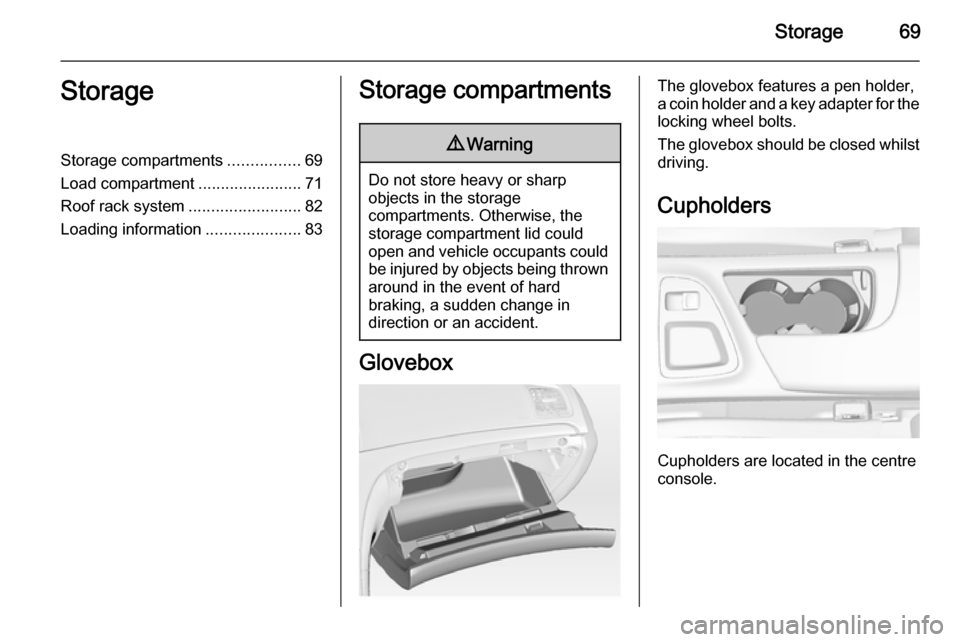
Glovebox
The glovebox features a pen holder,
a coin holder and a key adapter for the locking wheel bolts.
The glovebox should be closed whilst
driving.
Cupholders
Cupholders are located in the centre
console.
Page 72 of 321
70Storage
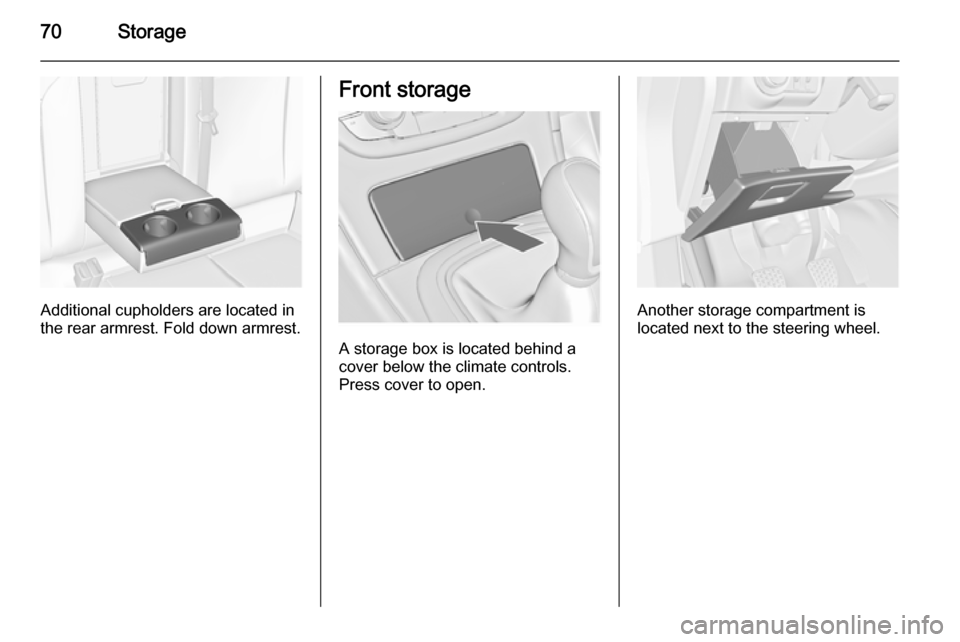
Additional cupholders are located in
the rear armrest. Fold down armrest.
Front storage
A storage box is located behind a
cover below the climate controls.
Press cover to open.
Another storage compartment is
located next to the steering wheel.
Page 78 of 321
76Storage9Warning
Do not load or unload the
compartment by using the sliding
floor cover when the vehicle is
parked on a slope, as the floor
cover could run uncontrolled into the end positions.
Lift the floor cover up or down only
when unloaded. Danger of injury.
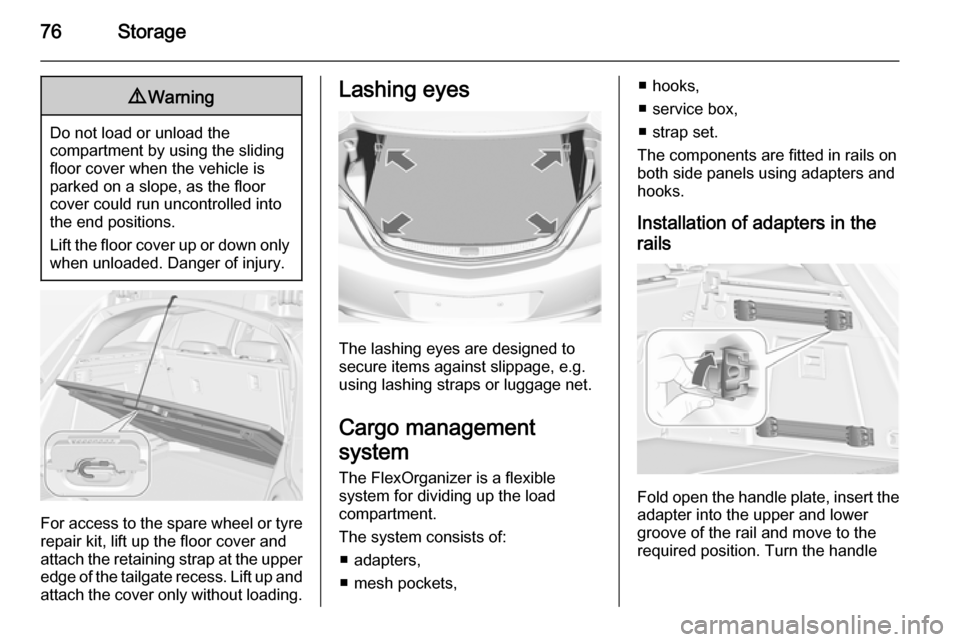
For access to the spare wheel or tyre repair kit, lift up the floor cover and
attach the retaining strap at the upper
edge of the tailgate recess. Lift up and
attach the cover only without loading.
Lashing eyes
The lashing eyes are designed to
secure items against slippage, e.g.
using lashing straps or luggage net.
Cargo management
system
The FlexOrganizer is a flexible
system for dividing up the load
compartment.
The system consists of:
■ adapters,
■ mesh pockets,
■ hooks,
■ service box,
■ strap set.
The components are fitted in rails on
both side panels using adapters and
hooks.
Installation of adapters in the
rails
Fold open the handle plate, insert the adapter into the upper and lower
groove of the rail and move to the
required position. Turn the handle
Page 87 of 321
Instruments and controls85Instruments and
controlsControls ....................................... 85
Warning lights, gauges and indi‐ cators ........................................... 94
Information displays ...................110
Vehicle messages ...................... 119
Vehicle personalisation ..............121Controls
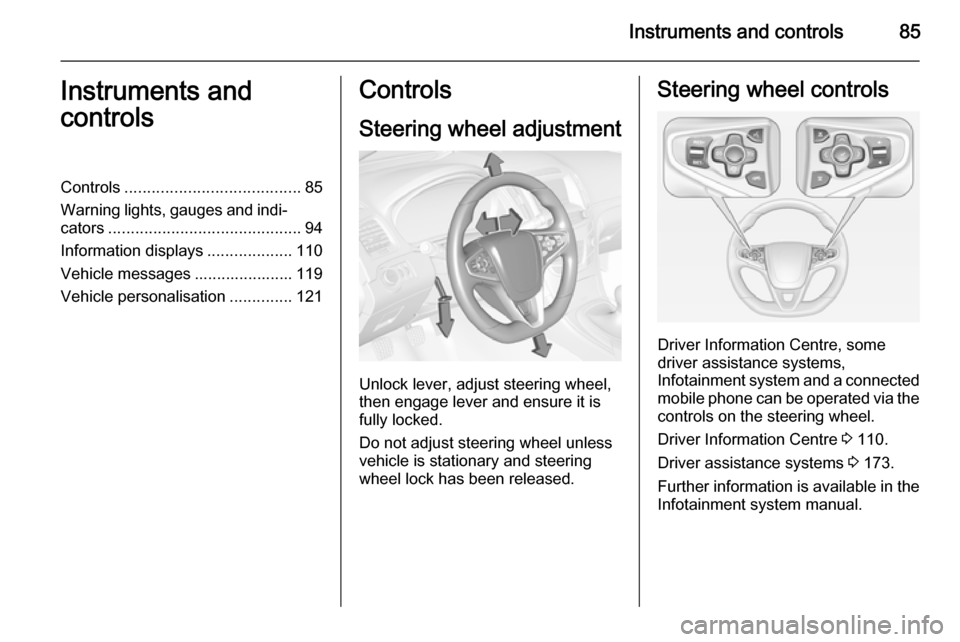
Steering wheel adjustment
Unlock lever, adjust steering wheel,
then engage lever and ensure it is fully locked.
Do not adjust steering wheel unless
vehicle is stationary and steering
wheel lock has been released.
Steering wheel controls
Driver Information Centre, some
driver assistance systems,
Infotainment system and a connected
mobile phone can be operated via the controls on the steering wheel.
Driver Information Centre 3 110.
Driver assistance systems 3 173.
Further information is available in the
Infotainment system manual.
Page 88 of 321
86Instruments and controlsHeated steering wheel
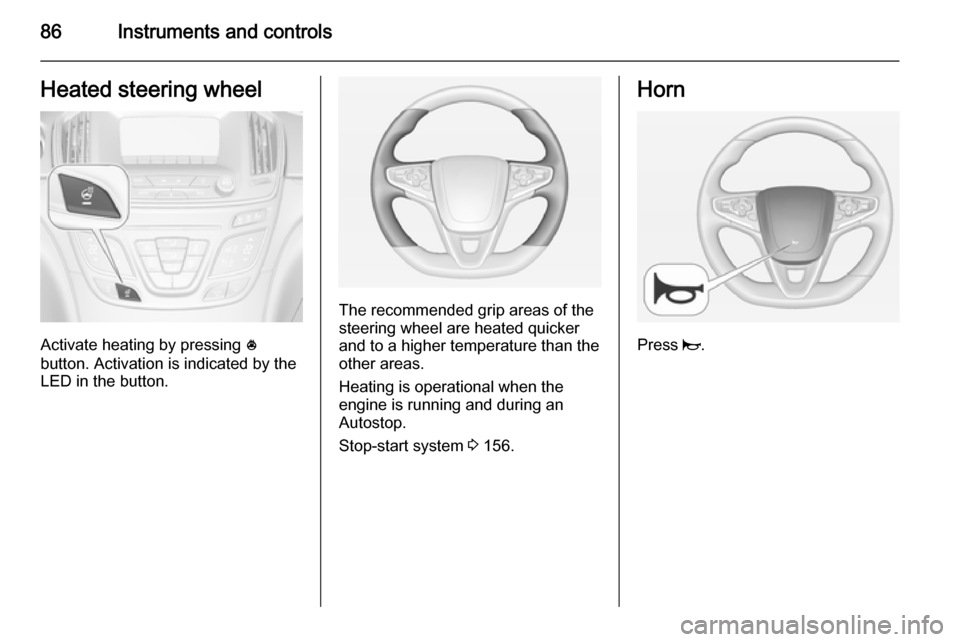
Activate heating by pressing *
button. Activation is indicated by the
LED in the button.
The recommended grip areas of the
steering wheel are heated quicker
and to a higher temperature than the
other areas.
Heating is operational when the
engine is running and during an
Autostop.
Stop-start system 3 156.
Horn
Press j.
Page 89 of 321
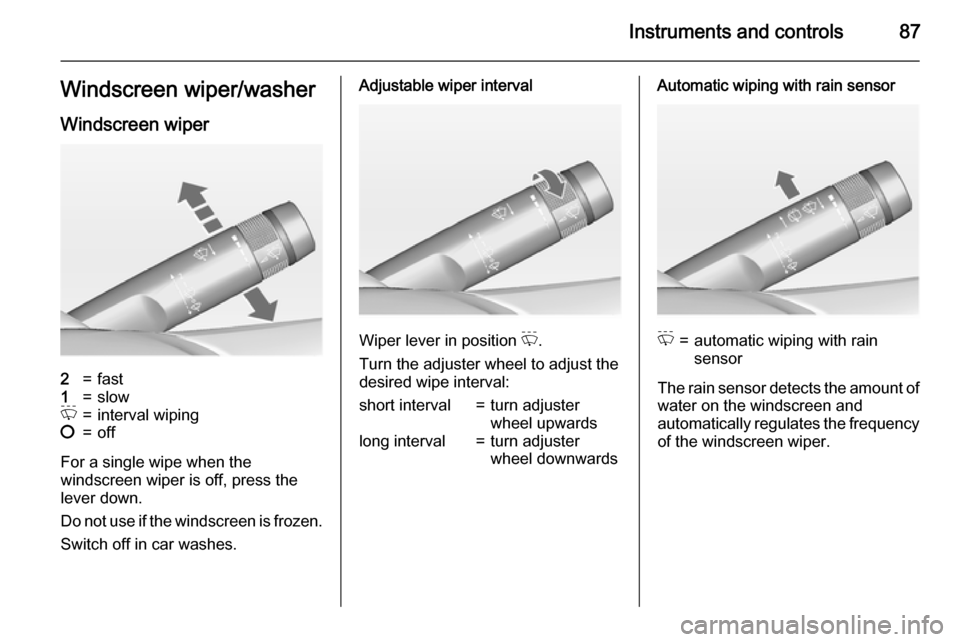
Instruments and controls87Windscreen wiper/washerWindscreen wiper2=fast1=slowP=interval wiping§=off
For a single wipe when the
windscreen wiper is off, press the
lever down.
Do not use if the windscreen is frozen.
Switch off in car washes.
Adjustable wiper interval
Wiper lever in position P.
Turn the adjuster wheel to adjust the
desired wipe interval:
short interval=turn adjuster
wheel upwardslong interval=turn adjuster
wheel downwardsAutomatic wiping with rain sensorP=automatic wiping with rain
sensor
The rain sensor detects the amount of water on the windscreen and
automatically regulates the frequency
of the windscreen wiper.
Page 90 of 321
88Instruments and controls
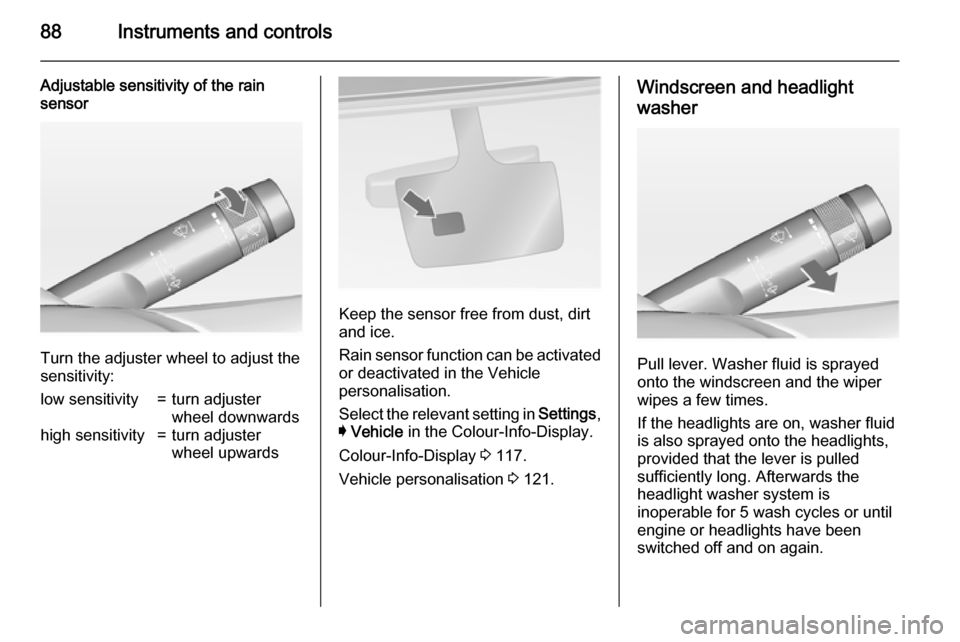
Adjustable sensitivity of the rain
sensor
Turn the adjuster wheel to adjust the
sensitivity:
low sensitivity=turn adjuster
wheel downwardshigh sensitivity=turn adjuster
wheel upwards
Keep the sensor free from dust, dirt
and ice.
Rain sensor function can be activated or deactivated in the Vehicle
personalisation.
Select the relevant setting in Settings,
I Vehicle in the Colour-Info-Display.
Colour-Info-Display 3 117.
Vehicle personalisation 3 121.
Windscreen and headlight
washer
Pull lever. Washer fluid is sprayed
onto the windscreen and the wiper
wipes a few times.
If the headlights are on, washer fluid is also sprayed onto the headlights,
provided that the lever is pulled
sufficiently long. Afterwards the
headlight washer system is
inoperable for 5 wash cycles or until
engine or headlights have been
switched off and on again.
Page 101 of 321
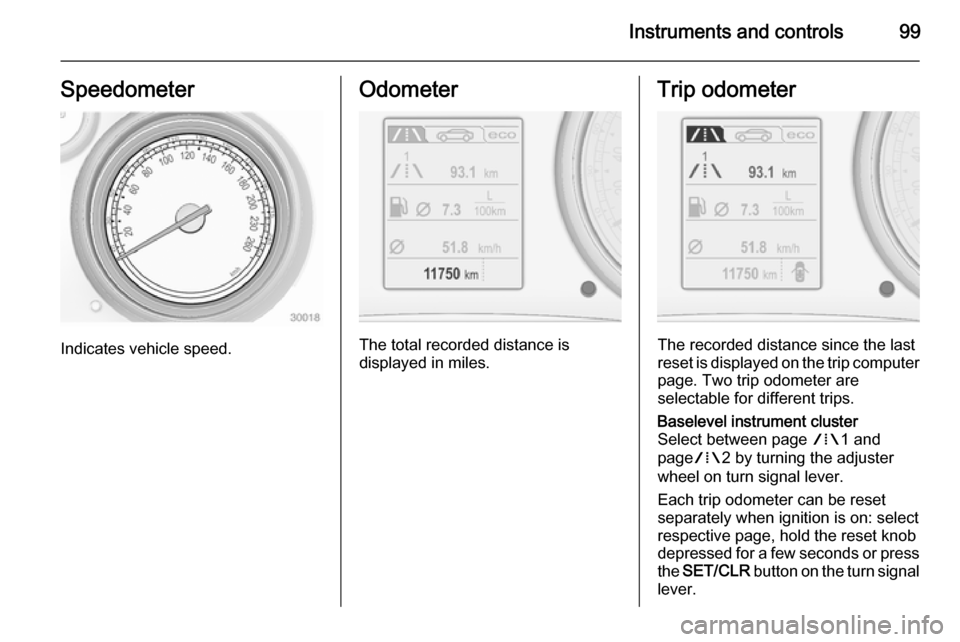
Instruments and controls99Speedometer
Indicates vehicle speed.
Odometer
The total recorded distance is
displayed in miles.
Trip odometer
The recorded distance since the last
reset is displayed on the trip computer page. Two trip odometer are
selectable for different trips.
Baselevel instrument cluster
Select between page W1 and
page W2 by turning the adjuster
wheel on turn signal lever.
Each trip odometer can be reset
separately when ignition is on: select
respective page, hold the reset knob
depressed for a few seconds or press
the SET/CLR button on the turn signal
lever.
Page 102 of 321
100Instruments and controls
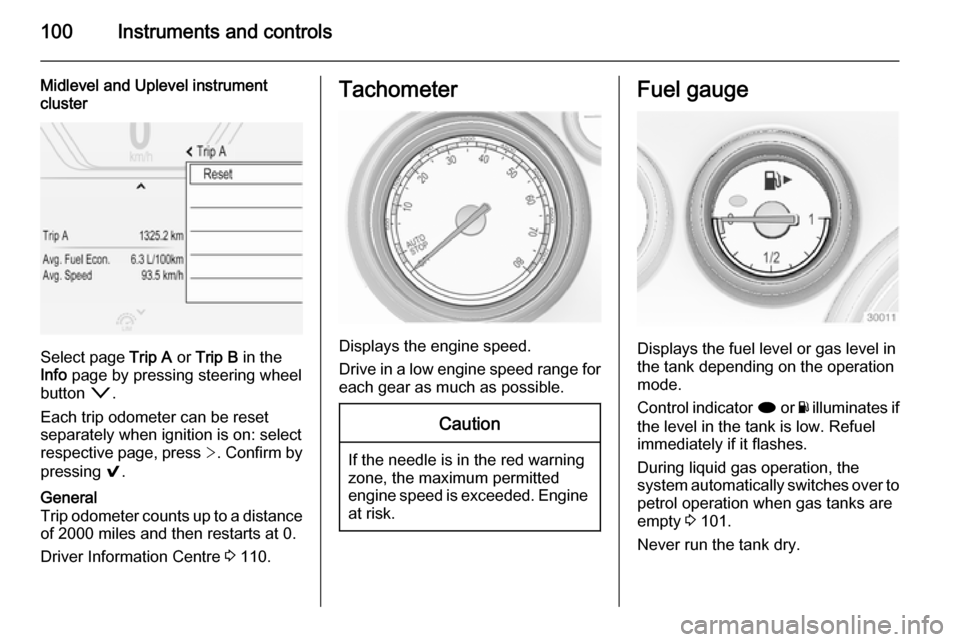
Midlevel and Uplevel instrument
cluster
Select page Trip A or Trip B in the
Info page by pressing steering wheel
button o.
Each trip odometer can be reset
separately when ignition is on: select
respective page, press >. Confirm by
pressing 9.
General
Trip odometer counts up to a distance
of 2000 miles and then restarts at 0.
Driver Information Centre 3 110.Tachometer
Displays the engine speed.
Drive in a low engine speed range for each gear as much as possible.
Caution
If the needle is in the red warning
zone, the maximum permitted
engine speed is exceeded. Engine at risk.
Fuel gauge
Displays the fuel level or gas level in
the tank depending on the operation
mode.
Control indicator i or Y illuminates if
the level in the tank is low. Refuel
immediately if it flashes.
During liquid gas operation, the
system automatically switches over to
petrol operation when gas tanks are
empty 3 101.
Never run the tank dry.
Page 104 of 321
102Instruments and controls
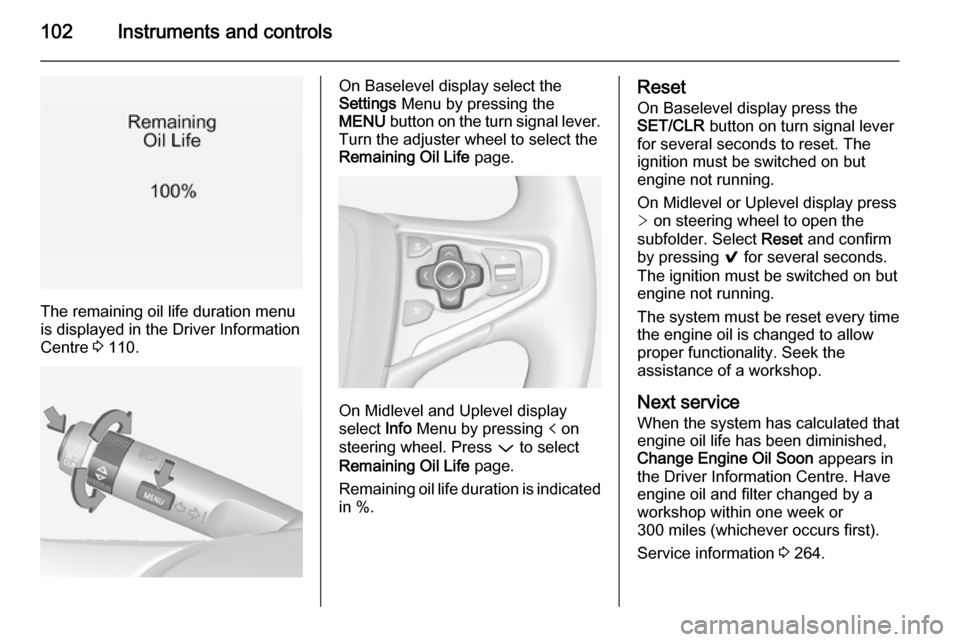
The remaining oil life duration menu
is displayed in the Driver Information
Centre 3 110.
On Baselevel display select the
Settings Menu by pressing the
MENU button on the turn signal lever.
Turn the adjuster wheel to select the
Remaining Oil Life page.
On Midlevel and Uplevel display
select Info Menu by pressing p on
steering wheel. Press P to select
Remaining Oil Life page.
Remaining oil life duration is indicated
in %.
Reset
On Baselevel display press the
SET/CLR button on turn signal lever
for several seconds to reset. The
ignition must be switched on but
engine not running.
On Midlevel or Uplevel display press
> on steering wheel to open the
subfolder. Select Reset and confirm
by pressing 9 for several seconds.
The ignition must be switched on but
engine not running.
The system must be reset every time
the engine oil is changed to allow
proper functionality. Seek the
assistance of a workshop.
Next service
When the system has calculated that
engine oil life has been diminished,
Change Engine Oil Soon appears in
the Driver Information Centre. Have engine oil and filter changed by a
workshop within one week or
300 miles (whichever occurs first).
Service information 3 264.