lock VAUXHALL INSIGNIA 2015 Owner's Guide
[x] Cancel search | Manufacturer: VAUXHALL, Model Year: 2015, Model line: INSIGNIA, Model: VAUXHALL INSIGNIA 2015Pages: 321, PDF Size: 8.99 MB
Page 39 of 321
Keys, doors and windows37
Folding mirrors with remote
control This function is only available if the
vehicle is equipped with electrical
seat memory.
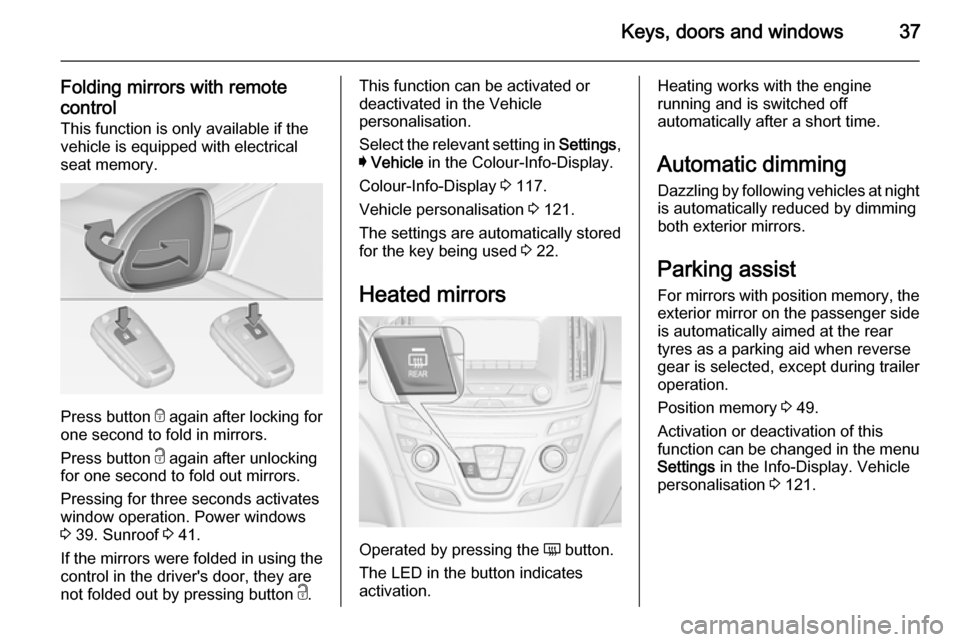
Press button e
again after locking for
one second to fold in mirrors.
Press button c again after unlocking
for one second to fold out mirrors.
Pressing for three seconds activates
window operation. Power windows
3 39. Sunroof 3 41.
If the mirrors were folded in using the
control in the driver's door, they are
not folded out by pressing button c.
This function can be activated or
deactivated in the Vehicle
personalisation.
Select the relevant setting in Settings,
I Vehicle in the Colour-Info-Display.
Colour-Info-Display 3 117.
Vehicle personalisation 3 121.
The settings are automatically stored
for the key being used 3 22.
Heated mirrors
Operated by pressing the Ü button.
The LED in the button indicates
activation.
Heating works with the engine
running and is switched off
automatically after a short time.
Automatic dimming Dazzling by following vehicles at nightis automatically reduced by dimming
both exterior mirrors.
Parking assist
For mirrors with position memory, the exterior mirror on the passenger side
is automatically aimed at the rear
tyres as a parking aid when reverse
gear is selected, except during trailer
operation.
Position memory 3 49.
Activation or deactivation of this
function can be changed in the menu Settings in the Info-Display. Vehicle
personalisation 3 121.
Page 42 of 321
40Keys, doors and windows
Child safety system for rearwindows
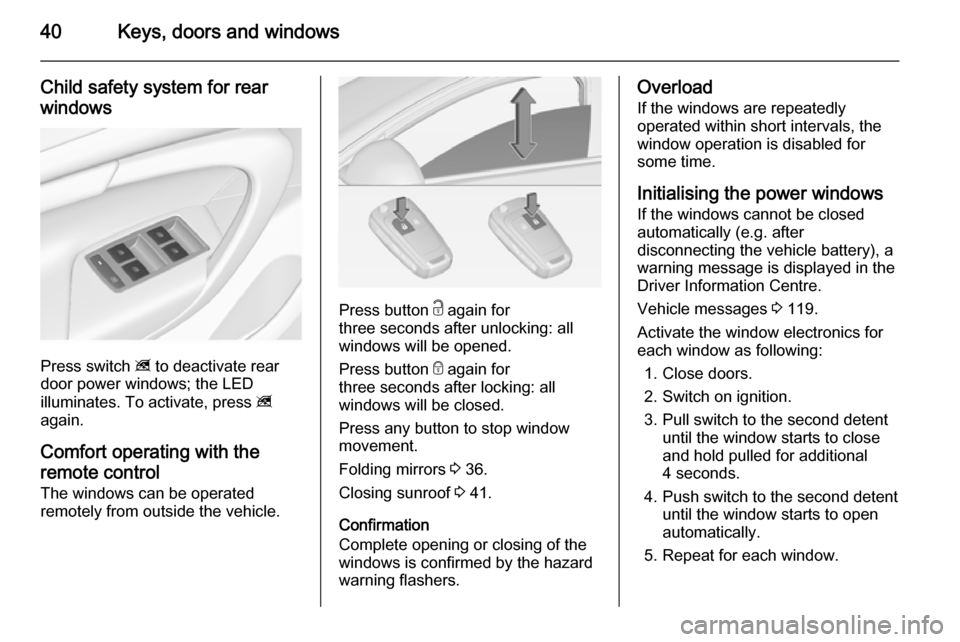
Press switch z to deactivate rear
door power windows; the LED
illuminates. To activate, press z
again.
Comfort operating with the
remote control The windows can be operated
remotely from outside the vehicle.
Press button c again for
three seconds after unlocking: all
windows will be opened.
Press button e again for
three seconds after locking: all
windows will be closed.
Press any button to stop window
movement.
Folding mirrors 3 36.
Closing sunroof 3 41.
Confirmation
Complete opening or closing of the
windows is confirmed by the hazard
warning flashers.
Overload
If the windows are repeatedly
operated within short intervals, the
window operation is disabled for
some time.
Initialising the power windowsIf the windows cannot be closed
automatically (e.g. after
disconnecting the vehicle battery), a
warning message is displayed in the
Driver Information Centre.
Vehicle messages 3 119.
Activate the window electronics for
each window as following:
1. Close doors.
2. Switch on ignition.
3. Pull switch to the second detent until the window starts to close
and hold pulled for additional
4 seconds.
4. Push switch to the second detent until the window starts to open
automatically.
5. Repeat for each window.
Page 53 of 321
Seats, restraints51
Storing memory positions by buttons
1 and 2
■ Adjust driver's seat and then adjust
exterior mirrors to desired
positions.
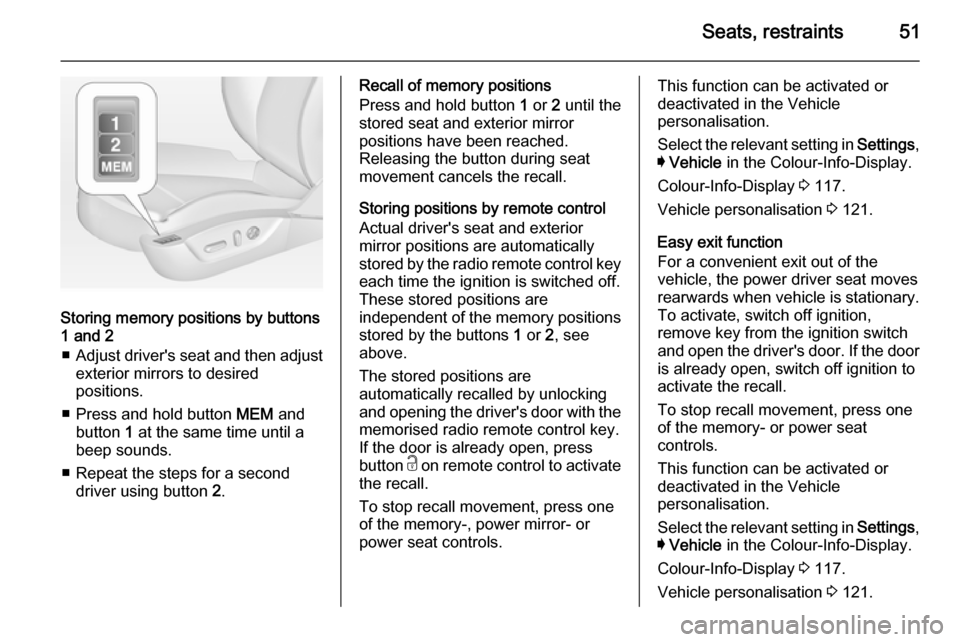
■ Press and hold button MEM and
button 1 at the same time until a
beep sounds.
■ Repeat the steps for a second driver using button 2.
Recall of memory positions
Press and hold button 1 or 2 until the
stored seat and exterior mirror
positions have been reached.
Releasing the button during seat
movement cancels the recall.
Storing positions by remote control
Actual driver's seat and exterior
mirror positions are automatically
stored by the radio remote control key
each time the ignition is switched off.
These stored positions are
independent of the memory positions
stored by the buttons 1 or 2, see
above.
The stored positions are
automatically recalled by unlocking
and opening the driver's door with the
memorised radio remote control key.
If the door is already open, press
button c on remote control to activate
the recall.
To stop recall movement, press one
of the memory-, power mirror- or
power seat controls.This function can be activated or
deactivated in the Vehicle
personalisation.
Select the relevant setting in Settings,
I Vehicle in the Colour-Info-Display.
Colour-Info-Display 3 117.
Vehicle personalisation 3 121.
Easy exit function
For a convenient exit out of the
vehicle, the power driver seat moves
rearwards when vehicle is stationary.
To activate, switch off ignition,
remove key from the ignition switch
and open the driver's door. If the door
is already open, switch off ignition to
activate the recall.
To stop recall movement, press one
of the memory- or power seat
controls.
This function can be activated or
deactivated in the Vehicle
personalisation.
Select the relevant setting in Settings,
I Vehicle in the Colour-Info-Display.
Colour-Info-Display 3 117.
Vehicle personalisation 3 121.
Page 55 of 321
Seats, restraints53Ventilating
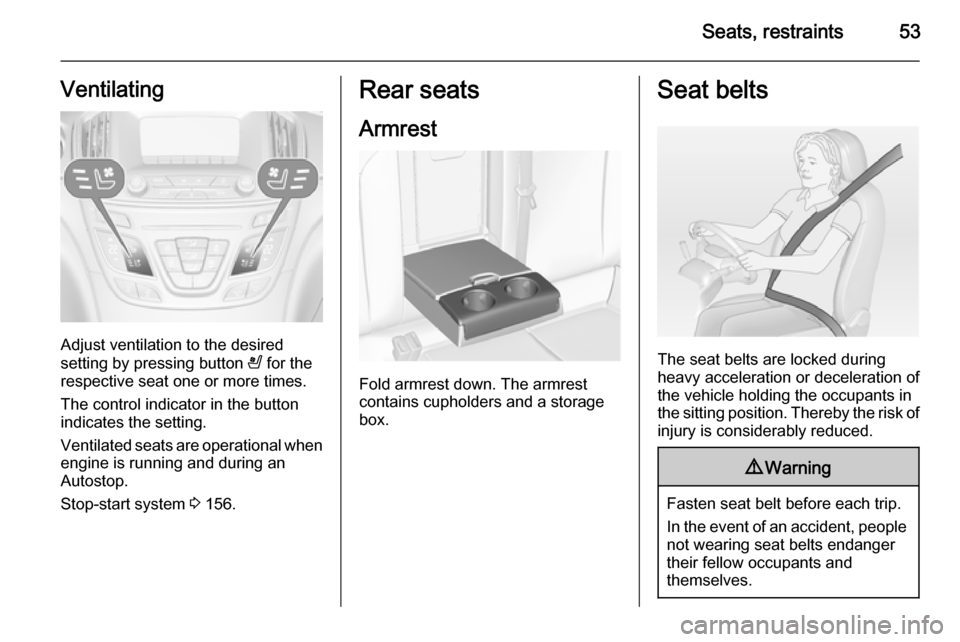
Adjust ventilation to the desired
setting by pressing button A for the
respective seat one or more times.
The control indicator in the button
indicates the setting.
Ventilated seats are operational when
engine is running and during an
Autostop.
Stop-start system 3 156.
Rear seats
Armrest
Fold armrest down. The armrest
contains cupholders and a storage
box.
Seat belts
The seat belts are locked during
heavy acceleration or deceleration of
the vehicle holding the occupants in
the sitting position. Thereby the risk of injury is considerably reduced.
9 Warning
Fasten seat belt before each trip.
In the event of an accident, people
not wearing seat belts endanger their fellow occupants and
themselves.
Page 71 of 321
Storage69StorageStorage compartments................69
Load compartment .......................71
Roof rack system .........................82
Loading information .....................83Storage compartments9Warning
Do not store heavy or sharp
objects in the storage
compartments. Otherwise, the
storage compartment lid could
open and vehicle occupants could be injured by objects being thrown
around in the event of hard
braking, a sudden change in
direction or an accident.
Glovebox
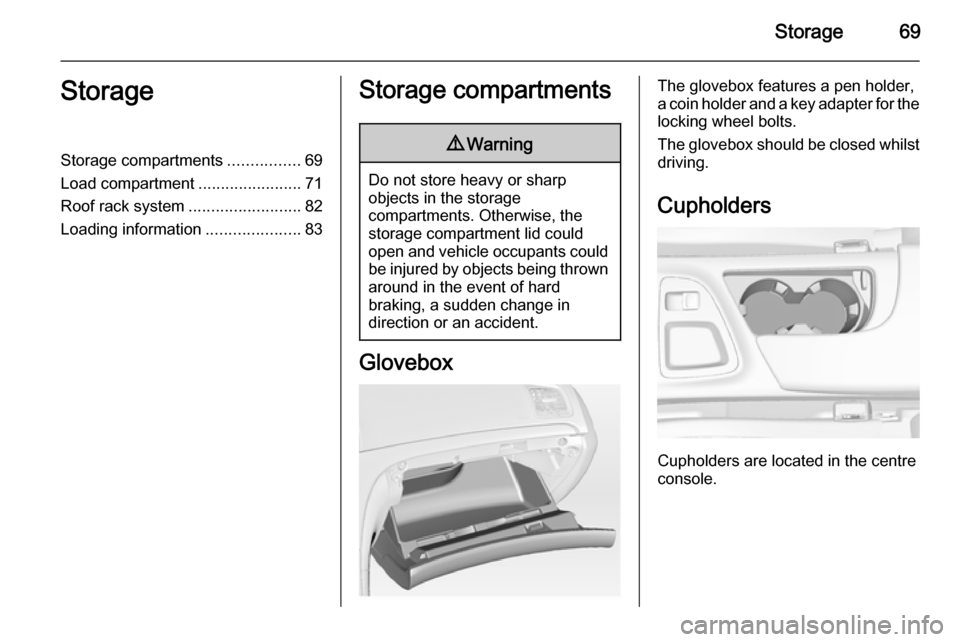
The glovebox features a pen holder,
a coin holder and a key adapter for the locking wheel bolts.
The glovebox should be closed whilst
driving.
Cupholders
Cupholders are located in the centre
console.
Page 74 of 321
72Storage
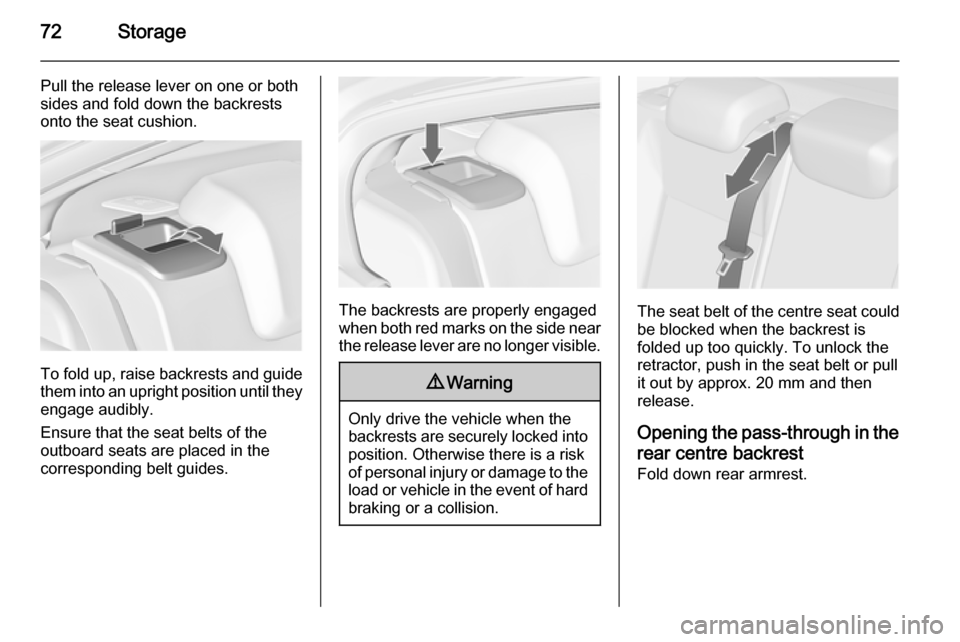
Pull the release lever on one or both
sides and fold down the backrests
onto the seat cushion.
To fold up, raise backrests and guide them into an upright position until they
engage audibly.
Ensure that the seat belts of the
outboard seats are placed in the corresponding belt guides.
The backrests are properly engaged
when both red marks on the side near the release lever are no longer visible.
9 Warning
Only drive the vehicle when the
backrests are securely locked into position. Otherwise there is a risk
of personal injury or damage to the
load or vehicle in the event of hard braking or a collision.
The seat belt of the centre seat could
be blocked when the backrest is
folded up too quickly. To unlock the
retractor, push in the seat belt or pull
it out by approx. 20 mm and then
release.
Opening the pass-through in the
rear centre backrest Fold down rear armrest.
Page 79 of 321
Storage77
plate upwards to lock the adapter. To
remove, turn the handle plate
downwards and move out of the rail.
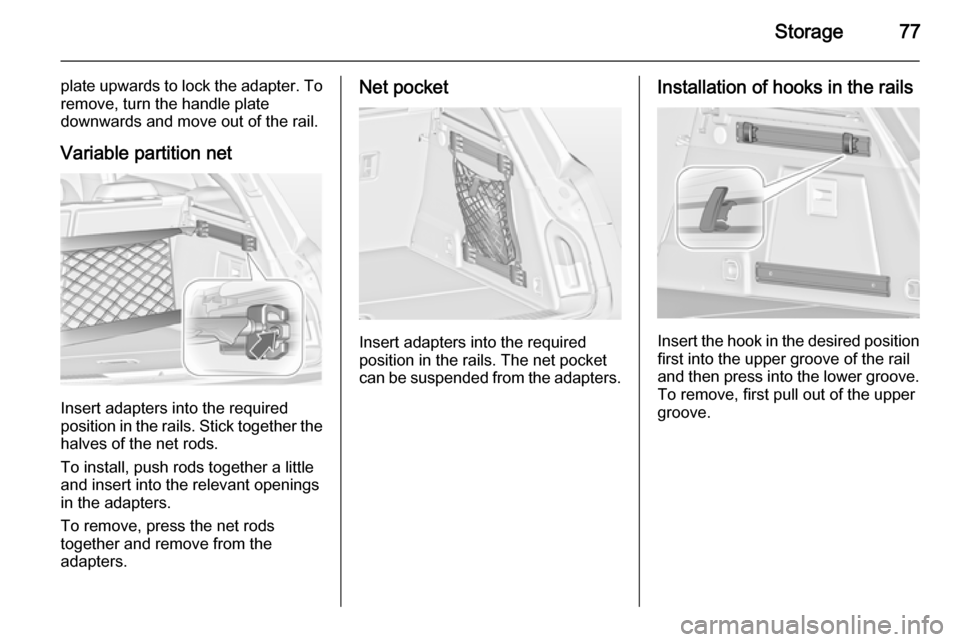
Variable partition net
Insert adapters into the required
position in the rails. Stick together the
halves of the net rods.
To install, push rods together a little
and insert into the relevant openings
in the adapters.
To remove, press the net rods
together and remove from the
adapters.
Net pocket
Insert adapters into the required
position in the rails. The net pocket
can be suspended from the adapters.
Installation of hooks in the rails
Insert the hook in the desired position first into the upper groove of the rail
and then press into the lower groove.
To remove, first pull out of the upper
groove.
Page 80 of 321
78Storage
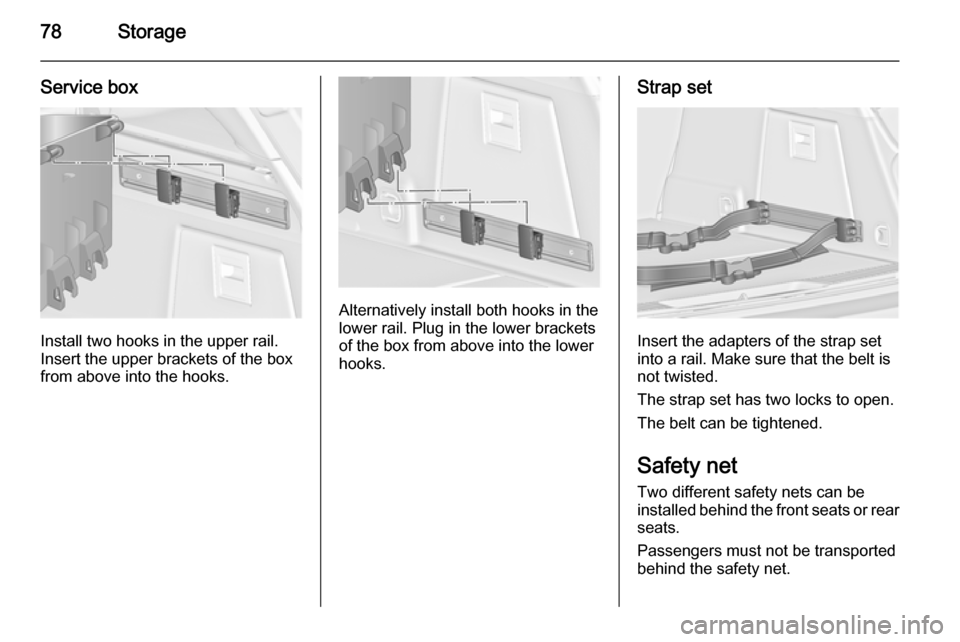
Service box
Install two hooks in the upper rail.
Insert the upper brackets of the box
from above into the hooks.
Alternatively install both hooks in the
lower rail. Plug in the lower brackets
of the box from above into the lower
hooks.
Strap set
Insert the adapters of the strap set
into a rail. Make sure that the belt is
not twisted.
The strap set has two locks to open. The belt can be tightened.
Safety net
Two different safety nets can be
installed behind the front seats or rear seats.
Passengers must not be transported
behind the safety net.
Page 81 of 321
Storage79
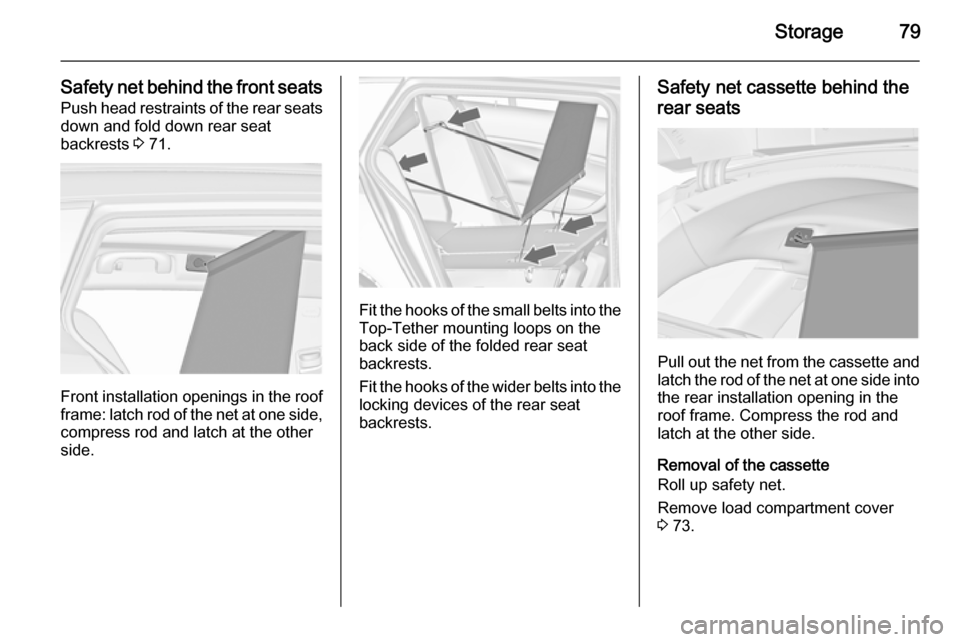
Safety net behind the front seatsPush head restraints of the rear seatsdown and fold down rear seat
backrests 3 71.
Front installation openings in the roof
frame: latch rod of the net at one side,
compress rod and latch at the other
side.
Fit the hooks of the small belts into the Top-Tether mounting loops on the
back side of the folded rear seat
backrests.
Fit the hooks of the wider belts into the locking devices of the rear seat
backrests.
Safety net cassette behind the
rear seats
Pull out the net from the cassette and latch the rod of the net at one side into
the rear installation opening in the
roof frame. Compress the rod and
latch at the other side.
Removal of the cassette
Roll up safety net.
Remove load compartment cover
3 73.
Page 82 of 321
80Storage
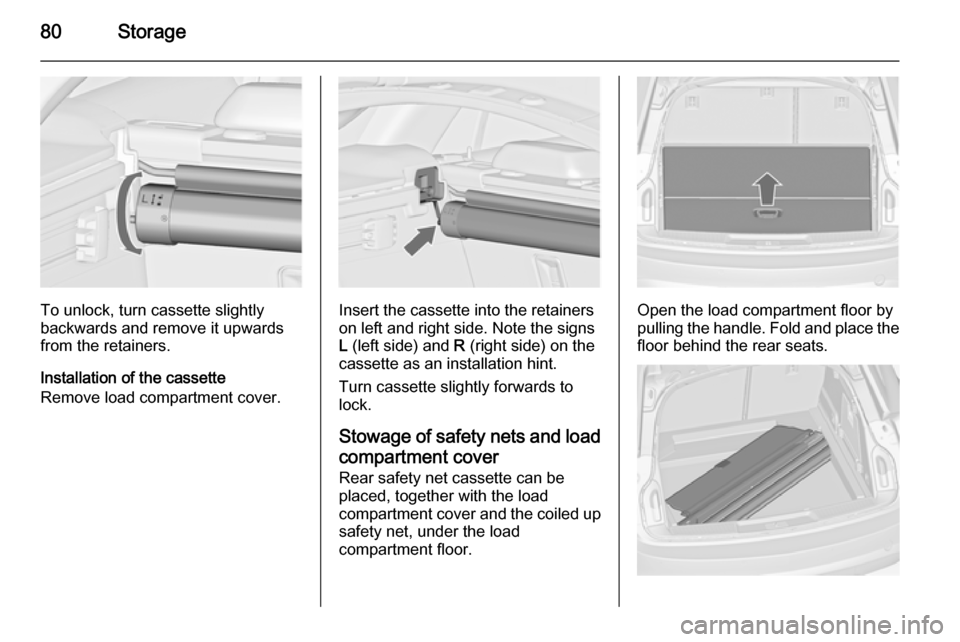
To unlock, turn cassette slightly
backwards and remove it upwards from the retainers.
Installation of the cassette
Remove load compartment cover.Insert the cassette into the retainers
on left and right side. Note the signs
L (left side) and R (right side) on the
cassette as an installation hint.
Turn cassette slightly forwards to
lock.
Stowage of safety nets and load
compartment cover Rear safety net cassette can be
placed, together with the load
compartment cover and the coiled up safety net, under the load
compartment floor.Open the load compartment floor by
pulling the handle. Fold and place the
floor behind the rear seats.