buttons VAUXHALL INSIGNIA 2015 Owner's Manual
[x] Cancel search | Manufacturer: VAUXHALL, Model Year: 2015, Model line: INSIGNIA, Model: VAUXHALL INSIGNIA 2015Pages: 321, PDF Size: 8.99 MB
Page 13 of 321

In brief11
1Power windows .....................39
2 Central locking system ..........22
3 Exterior mirrors .....................36
4 Light switch ........................ 125
Headlight range
adjustment ......................... 127
Front/rear fog lights ............131
Instrument illumination .......133
5 Side air vents ...................... 148
6 Turn and lane-change
signals, headlight flash,
low/high beam, high beam
assist ................................... 131
Exit lighting ......................... 135
Parking lights ...................... 132
Buttons for Driver
Information Centre ..............110
7 Cruise control .....................173
Speed limiter ....................... 174
Adaptive cruise control .......175
Forward collision alert .........1838Instruments .......................... 99
Driver Information Centre .... 110
9 Buttons for Driver
Information Centre ..............110
10 Windscreen wiper and
washer, headlight washer,
rear wiper and washer .........87
11 Centre air vents .................. 148
12 Sport/Tour mode ................170
Traction Control system .....168
Electronic Stability Control . 169
Hazard warning flashers ....131
Parking assist/Advanced
parking aid ......................... 189
Lane departure warning .....203
13 Anti-theft alarm system
status LED ........................... 33
14 Colour-Info-Display ............117
15 Glovebox .............................. 69
Fuse box ............................ 23816Control indicator for airbag
activation/deactivation .......104
Control indicator for front
passenger seat belt ...........103
17 Controls for Colour-Info-
Display operation ................117
18 CD-slot
19 Climate control system ........ 137
20 Electric parking brake .........166
21 Touchpad ............................ 117
22 Manual transmission ..........164
Automatic transmission ......160
23 Storage ................................. 69
24 Eco button for stop-start
system ................................. 156
Fuel selector button ............101
25 Ignition/Power switch ..........152
26 Horn ..................................... 86
27 Steering wheel adjustment ..85
28 Bonnet release lever ..........217
29 Storage compartment ...........70
Page 22 of 321
20Keys, doors and windowsCar Pass
The Car Pass contains security
related vehicle data and should
therefore be kept in a safe place.
When the vehicle is taken to a
workshop, this vehicle data is needed
in order to perform certain operations.
Radio remote control
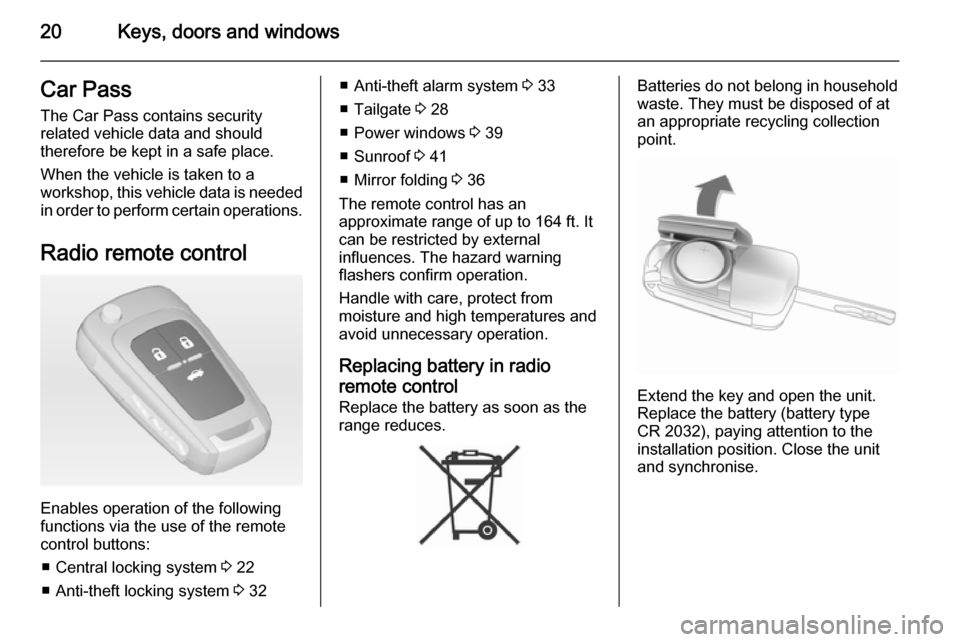
Enables operation of the following
functions via the use of the remote
control buttons:
■ Central locking system 3 22
■ Anti-theft locking system 3 32
■ Anti-theft alarm system 3 33
■ Tailgate 3 28
■ Power windows 3 39
■ Sunroof 3 41
■ Mirror folding 3 36
The remote control has an
approximate range of up to 164 ft. It
can be restricted by external
influences. The hazard warning
flashers confirm operation.
Handle with care, protect from
moisture and high temperatures and
avoid unnecessary operation.
Replacing battery in radio remote control Replace the battery as soon as the
range reduces.Batteries do not belong in household
waste. They must be disposed of at
an appropriate recycling collection
point.
Extend the key and open the unit.
Replace the battery (battery type CR 2032), paying attention to the
installation position. Close the unit
and synchronise.
Page 27 of 321
Keys, doors and windows25
Locking
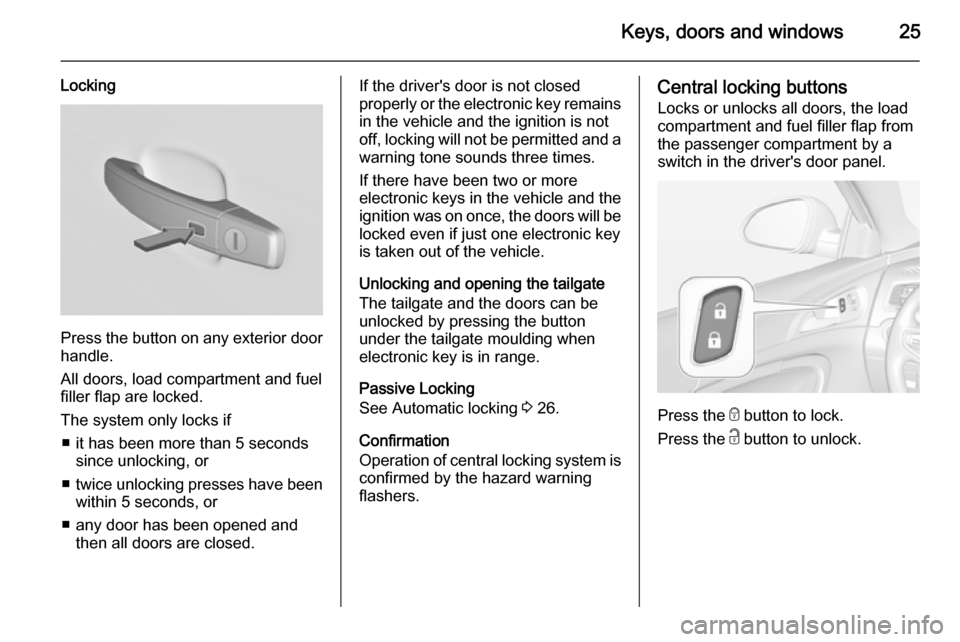
Press the button on any exterior door
handle.
All doors, load compartment and fuel
filler flap are locked.
The system only locks if ■ it has been more than 5 seconds since unlocking, or
■ twice unlocking presses have been
within 5 seconds, or
■ any door has been opened and then all doors are closed.
If the driver's door is not closed
properly or the electronic key remains in the vehicle and the ignition is not
off, locking will not be permitted and a warning tone sounds three times.
If there have been two or more
electronic keys in the vehicle and the
ignition was on once, the doors will be
locked even if just one electronic key
is taken out of the vehicle.
Unlocking and opening the tailgate
The tailgate and the doors can be
unlocked by pressing the button
under the tailgate moulding when
electronic key is in range.
Passive Locking
See Automatic locking 3 26.
Confirmation
Operation of central locking system is
confirmed by the hazard warning
flashers.Central locking buttons
Locks or unlocks all doors, the load
compartment and fuel filler flap from
the passenger compartment by a
switch in the driver's door panel.
Press the e button to lock.
Press the c button to unlock.
Page 53 of 321
Seats, restraints51
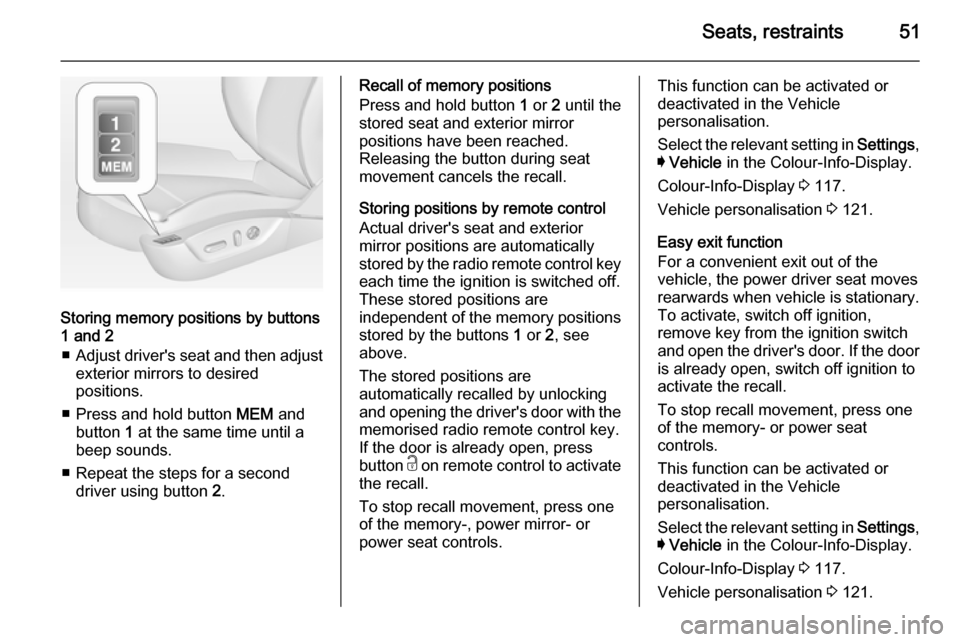
Storing memory positions by buttons
1 and 2
■ Adjust driver's seat and then adjust
exterior mirrors to desired
positions.
■ Press and hold button MEM and
button 1 at the same time until a
beep sounds.
■ Repeat the steps for a second driver using button 2.
Recall of memory positions
Press and hold button 1 or 2 until the
stored seat and exterior mirror
positions have been reached.
Releasing the button during seat
movement cancels the recall.
Storing positions by remote control
Actual driver's seat and exterior
mirror positions are automatically
stored by the radio remote control key
each time the ignition is switched off.
These stored positions are
independent of the memory positions
stored by the buttons 1 or 2, see
above.
The stored positions are
automatically recalled by unlocking
and opening the driver's door with the
memorised radio remote control key.
If the door is already open, press
button c on remote control to activate
the recall.
To stop recall movement, press one
of the memory-, power mirror- or
power seat controls.This function can be activated or
deactivated in the Vehicle
personalisation.
Select the relevant setting in Settings,
I Vehicle in the Colour-Info-Display.
Colour-Info-Display 3 117.
Vehicle personalisation 3 121.
Easy exit function
For a convenient exit out of the
vehicle, the power driver seat moves
rearwards when vehicle is stationary.
To activate, switch off ignition,
remove key from the ignition switch
and open the driver's door. If the door
is already open, switch off ignition to
activate the recall.
To stop recall movement, press one
of the memory- or power seat
controls.
This function can be activated or
deactivated in the Vehicle
personalisation.
Select the relevant setting in Settings,
I Vehicle in the Colour-Info-Display.
Colour-Info-Display 3 117.
Vehicle personalisation 3 121.
Page 92 of 321
90Instruments and controls
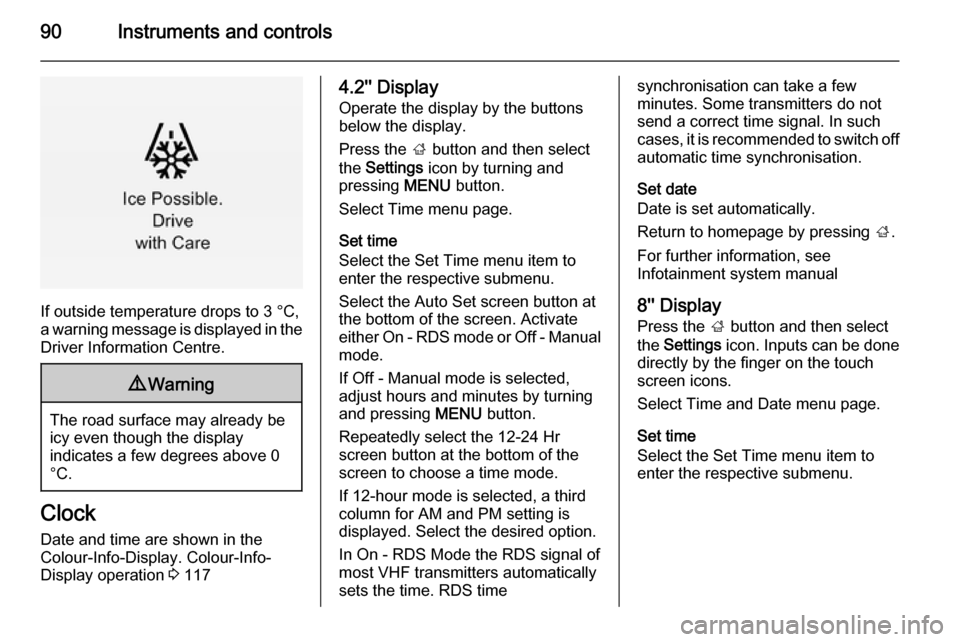
If outside temperature drops to 3 °C,
a warning message is displayed in the Driver Information Centre.
9 Warning
The road surface may already be
icy even though the display
indicates a few degrees above 0
°C.
Clock
Date and time are shown in the
Colour-Info-Display. Colour-Info-
Display operation 3 117
4.2'' Display
Operate the display by the buttons
below the display.
Press the ; button and then select
the Settings icon by turning and
pressing MENU button.
Select Time menu page.
Set time
Select the Set Time menu item to
enter the respective submenu.
Select the Auto Set screen button at
the bottom of the screen. Activate
either On - RDS mode or Off - Manual mode.
If Off - Manual mode is selected,
adjust hours and minutes by turning
and pressing MENU button.
Repeatedly select the 12-24 Hr
screen button at the bottom of the
screen to choose a time mode.
If 12-hour mode is selected, a third
column for AM and PM setting is
displayed. Select the desired option.
In On - RDS Mode the RDS signal of
most VHF transmitters automatically
sets the time. RDS timesynchronisation can take a few
minutes. Some transmitters do not
send a correct time signal. In such
cases, it is recommended to switch off
automatic time synchronisation.
Set date
Date is set automatically.
Return to homepage by pressing ;.
For further information, see
Infotainment system manual
8'' Display
Press the ; button and then select
the Settings icon. Inputs can be done
directly by the finger on the touch screen icons.
Select Time and Date menu page.
Set time
Select the Set Time menu item to
enter the respective submenu.
Page 93 of 321
Instruments and controls91
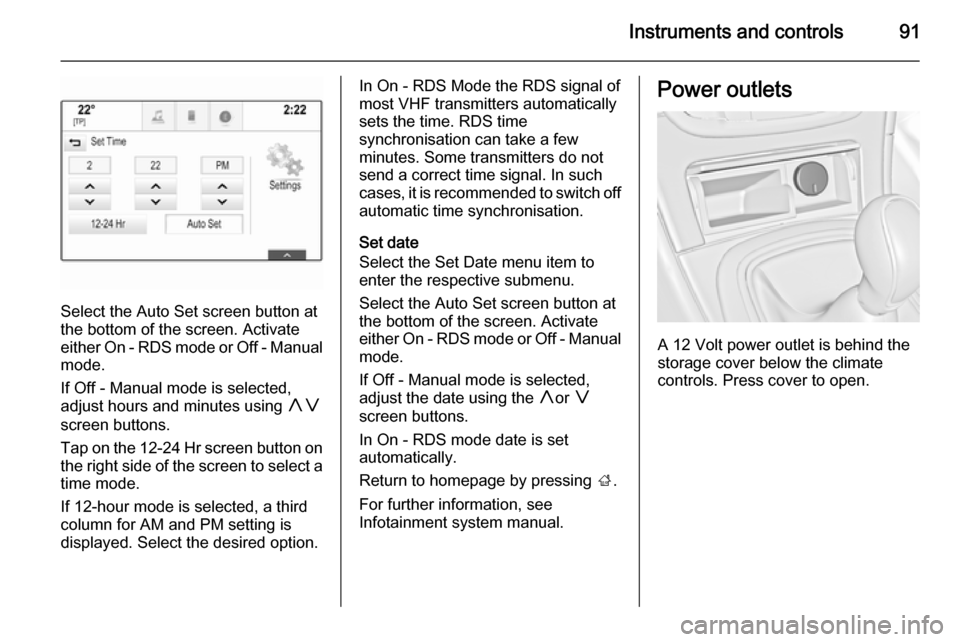
Select the Auto Set screen button at
the bottom of the screen. Activate
either On - RDS mode or Off - Manual
mode.
If Off - Manual mode is selected,
adjust hours and minutes using hg
screen buttons.
Tap on the 12-24 Hr screen button on the right side of the screen to select a
time mode.
If 12-hour mode is selected, a third column for AM and PM setting is
displayed. Select the desired option.
In On - RDS Mode the RDS signal of
most VHF transmitters automatically
sets the time. RDS time
synchronisation can take a few
minutes. Some transmitters do not
send a correct time signal. In such
cases, it is recommended to switch off automatic time synchronisation.
Set date
Select the Set Date menu item to
enter the respective submenu.
Select the Auto Set screen button at
the bottom of the screen. Activate
either On - RDS mode or Off - Manual
mode.
If Off - Manual mode is selected,
adjust the date using the hor g
screen buttons.
In On - RDS mode date is set
automatically.
Return to homepage by pressing ;.
For further information, see
Infotainment system manual.Power outlets
A 12 Volt power outlet is behind the
storage cover below the climate
controls. Press cover to open.
Page 113 of 321
Instruments and controls111
Vehicle personalisation 3 121.
Memorised settings 3 22.
Selecting menus and functions
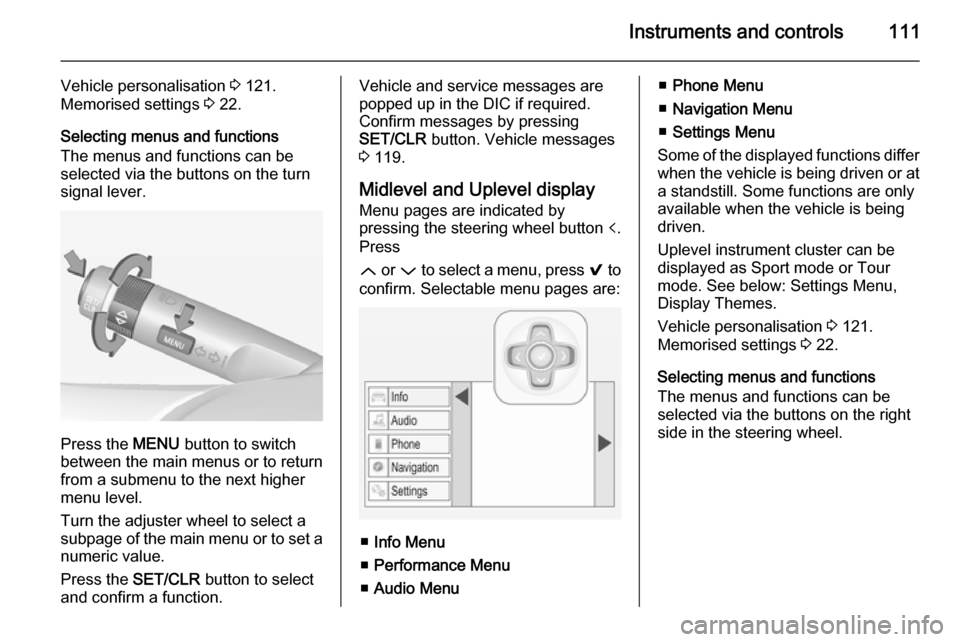
The menus and functions can be
selected via the buttons on the turn signal lever.
Press the MENU button to switch
between the main menus or to return
from a submenu to the next higher
menu level.
Turn the adjuster wheel to select a
subpage of the main menu or to set a
numeric value.
Press the SET/CLR button to select
and confirm a function.
Vehicle and service messages are
popped up in the DIC if required.
Confirm messages by pressing
SET/CLR button. Vehicle messages
3 119.
Midlevel and Uplevel display Menu pages are indicated by
pressing the steering wheel button p.
Press
Q or P to select a menu, press 9 to
confirm. Selectable menu pages are:
■ Info Menu
■ Performance Menu
■ Audio Menu
■Phone Menu
■ Navigation Menu
■ Settings Menu
Some of the displayed functions differ
when the vehicle is being driven or at a standstill. Some functions are onlyavailable when the vehicle is being
driven.
Uplevel instrument cluster can be
displayed as Sport mode or Tour
mode. See below: Settings Menu,
Display Themes.
Vehicle personalisation 3 121.
Memorised settings 3 22.
Selecting menus and functions
The menus and functions can be
selected via the buttons on the right
side in the steering wheel.
Page 120 of 321
118Instruments and controls
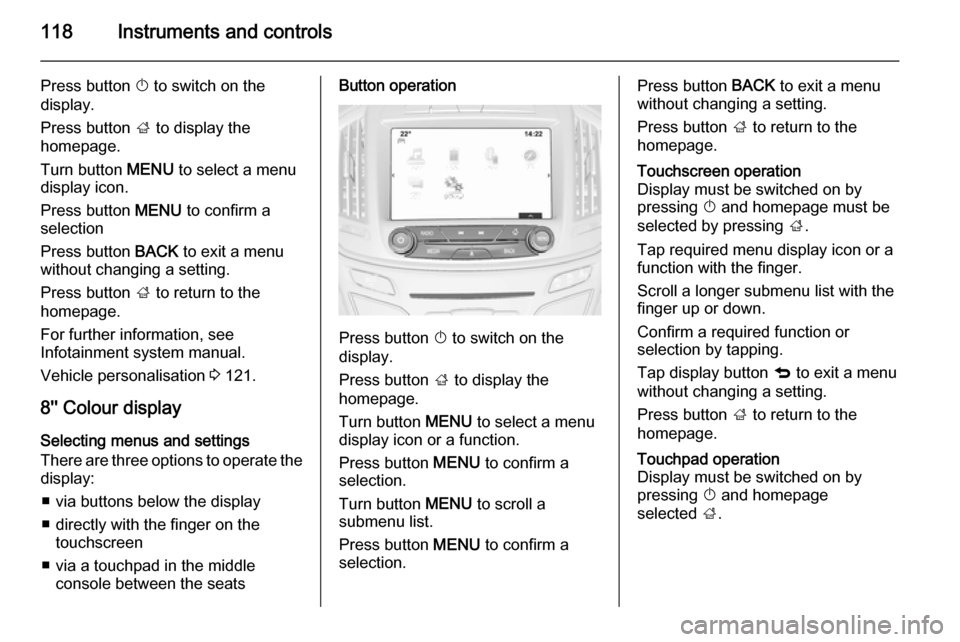
Press button X to switch on the
display.
Press button ; to display the
homepage.
Turn button MENU to select a menu
display icon.
Press button MENU to confirm a
selection
Press button BACK to exit a menu
without changing a setting.
Press button ; to return to the
homepage.
For further information, see
Infotainment system manual.
Vehicle personalisation 3 121.
8'' Colour display Selecting menus and settings
There are three options to operate the
display:
■ via buttons below the display
■ directly with the finger on the touchscreen
■ via a touchpad in the middle console between the seatsButton operation
Press button X to switch on the
display.
Press button ; to display the
homepage.
Turn button MENU to select a menu
display icon or a function.
Press button MENU to confirm a
selection.
Turn button MENU to scroll a
submenu list.
Press button MENU to confirm a
selection.
Press button BACK to exit a menu
without changing a setting.
Press button ; to return to the
homepage.Touchscreen operation
Display must be switched on by
pressing X and homepage must be
selected by pressing ;.
Tap required menu display icon or a function with the finger.
Scroll a longer submenu list with the
finger up or down.
Confirm a required function or
selection by tapping.
Tap display button q to exit a menu
without changing a setting.
Press button ; to return to the
homepage.Touchpad operation
Display must be switched on by
pressing X and homepage
selected ;.
Page 123 of 321

Instruments and controls121
■ If adaptive cruise controldeactivates automatically.
■ If approaching a vehicle ahead too closely.
■ If a programmed speed or speed limit is exceeded.
■ If a warning message appears in the Driver Information Centre.
■ If the electronic key is not in the passenger compartment.
■ If the parking assist detects an object.
■ If an unintended lane change occurs.
■ If the diesel particle filter has reached the maximum filling level.
When the vehicle is parked and/ or the driver's door is opened ■ When the key is in the ignition switch.
■ With exterior lights on.
■ If the trailer hitch is not engaged.
During an Autostop ■ If the driver's door is opened.Battery voltage
When the vehicle battery voltage is running low, a warning message will
appear in the Driver Information
Centre.
1. Switch off any electrical consumers which are not requiredfor a safe ride, e.g. seat heating,
heated rear window or other main consumers.
2. Charge the vehicle battery by driving continuously for a while or
by using a charging device.
The warning message will disappear
after the engine has been started
twice without a voltage drop.
If the vehicle battery cannot be
recharged, have the cause of the fault
remedied by a workshop.Vehicle personalisation
The vehicle's behaviour can be
personalised by changing the settings
in the Colour-Info-Display.
Some of the personal settings for
different drivers can be memorised
individually for each vehicle key.
Memorised settings 3 22.
Depending on vehicle equipment and
country-specific regulations some of
the functions described below might
not be available.
Some functions are only displayed or
active when the engine is running.
Personal settings Following the changing of personal
settings is described via the buttons
below the display. This is valid for
4.2'' as well as 8'' Colour-Info-Display.
Additionally the 8'' display is operable
as a touchscreen and with the
touchpad between the front seats. See description Colour-Info-Display
3 117 and the Infotainment system
manual.
Page 135 of 321
Lighting133Interior lighting
Instrument panel
illumination control
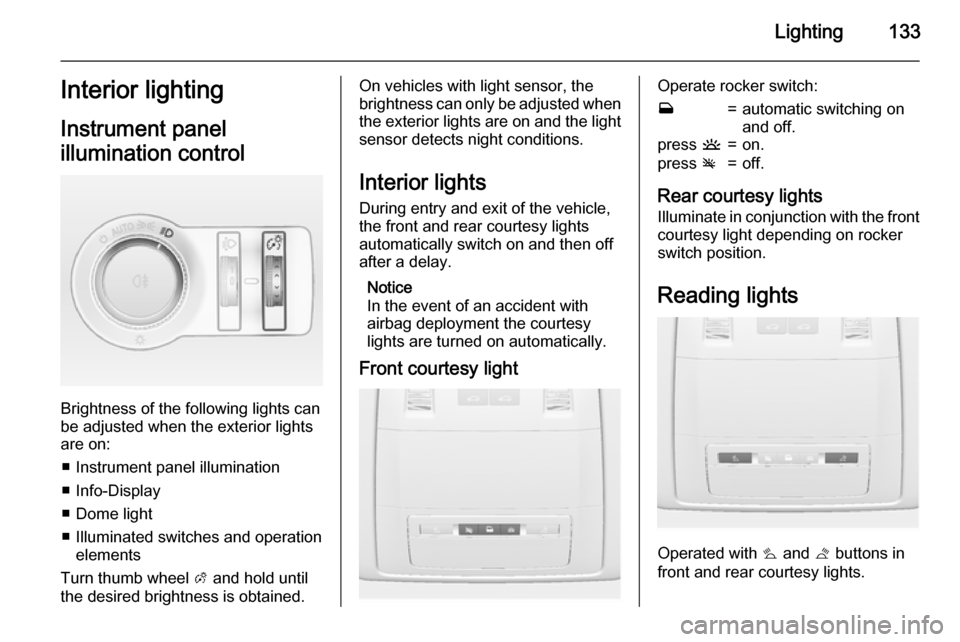
Brightness of the following lights can
be adjusted when the exterior lights
are on:
■ Instrument panel illumination
■ Info-Display
■ Dome light
■ Illuminated switches and operation elements
Turn thumb wheel A and hold until
the desired brightness is obtained.
On vehicles with light sensor, the
brightness can only be adjusted when
the exterior lights are on and the light sensor detects night conditions.
Interior lights
During entry and exit of the vehicle,
the front and rear courtesy lights
automatically switch on and then off
after a delay.
Notice
In the event of an accident with airbag deployment the courtesy
lights are turned on automatically.
Front courtesy lightOperate rocker switch:w=automatic switching on
and off.press u=on.press v=off.
Rear courtesy lights
Illuminate in conjunction with the front courtesy light depending on rocker
switch position.
Reading lights
Operated with s and t buttons in
front and rear courtesy lights.