change wheel VAUXHALL INSIGNIA 2015 Owner's Manual
[x] Cancel search | Manufacturer: VAUXHALL, Model Year: 2015, Model line: INSIGNIA, Model: VAUXHALL INSIGNIA 2015Pages: 321, PDF Size: 8.99 MB
Page 13 of 321

In brief11
1Power windows .....................39
2 Central locking system ..........22
3 Exterior mirrors .....................36
4 Light switch ........................ 125
Headlight range
adjustment ......................... 127
Front/rear fog lights ............131
Instrument illumination .......133
5 Side air vents ...................... 148
6 Turn and lane-change
signals, headlight flash,
low/high beam, high beam
assist ................................... 131
Exit lighting ......................... 135
Parking lights ...................... 132
Buttons for Driver
Information Centre ..............110
7 Cruise control .....................173
Speed limiter ....................... 174
Adaptive cruise control .......175
Forward collision alert .........1838Instruments .......................... 99
Driver Information Centre .... 110
9 Buttons for Driver
Information Centre ..............110
10 Windscreen wiper and
washer, headlight washer,
rear wiper and washer .........87
11 Centre air vents .................. 148
12 Sport/Tour mode ................170
Traction Control system .....168
Electronic Stability Control . 169
Hazard warning flashers ....131
Parking assist/Advanced
parking aid ......................... 189
Lane departure warning .....203
13 Anti-theft alarm system
status LED ........................... 33
14 Colour-Info-Display ............117
15 Glovebox .............................. 69
Fuse box ............................ 23816Control indicator for airbag
activation/deactivation .......104
Control indicator for front
passenger seat belt ...........103
17 Controls for Colour-Info-
Display operation ................117
18 CD-slot
19 Climate control system ........ 137
20 Electric parking brake .........166
21 Touchpad ............................ 117
22 Manual transmission ..........164
Automatic transmission ......160
23 Storage ................................. 69
24 Eco button for stop-start
system ................................. 156
Fuel selector button ............101
25 Ignition/Power switch ..........152
26 Horn ..................................... 86
27 Steering wheel adjustment ..85
28 Bonnet release lever ..........217
29 Storage compartment ...........70
Page 71 of 321
Storage69StorageStorage compartments................69
Load compartment .......................71
Roof rack system .........................82
Loading information .....................83Storage compartments9Warning
Do not store heavy or sharp
objects in the storage
compartments. Otherwise, the
storage compartment lid could
open and vehicle occupants could be injured by objects being thrown
around in the event of hard
braking, a sudden change in
direction or an accident.
Glovebox
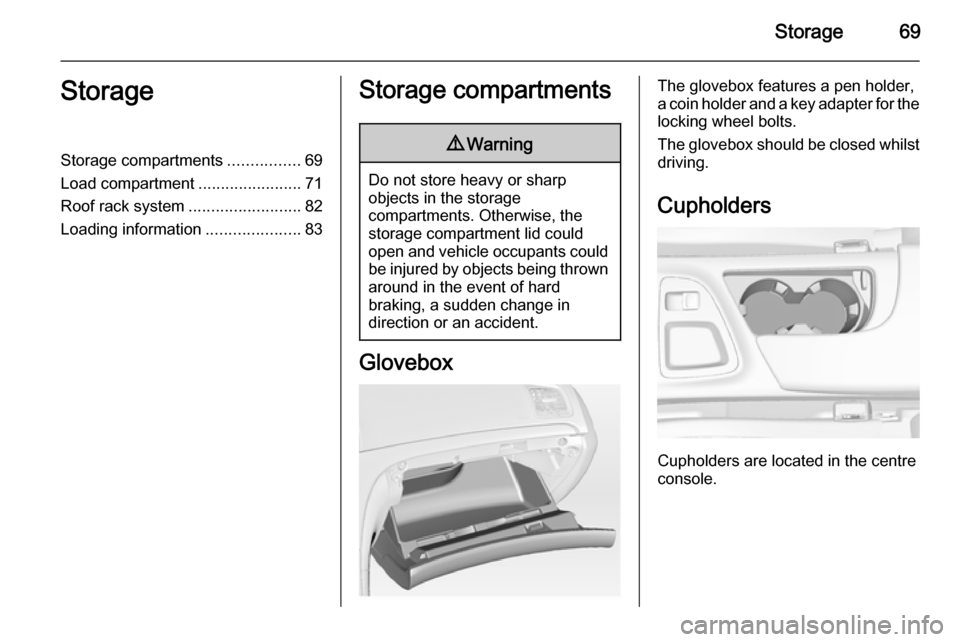
The glovebox features a pen holder,
a coin holder and a key adapter for the locking wheel bolts.
The glovebox should be closed whilst
driving.
Cupholders
Cupholders are located in the centre
console.
Page 104 of 321
102Instruments and controls
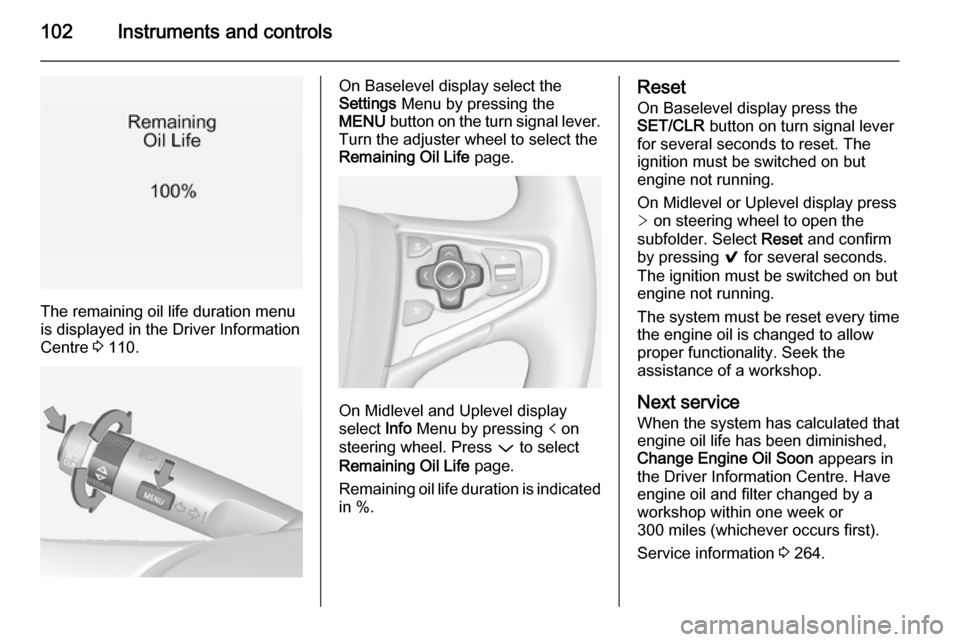
The remaining oil life duration menu
is displayed in the Driver Information
Centre 3 110.
On Baselevel display select the
Settings Menu by pressing the
MENU button on the turn signal lever.
Turn the adjuster wheel to select the
Remaining Oil Life page.
On Midlevel and Uplevel display
select Info Menu by pressing p on
steering wheel. Press P to select
Remaining Oil Life page.
Remaining oil life duration is indicated
in %.
Reset
On Baselevel display press the
SET/CLR button on turn signal lever
for several seconds to reset. The
ignition must be switched on but
engine not running.
On Midlevel or Uplevel display press
> on steering wheel to open the
subfolder. Select Reset and confirm
by pressing 9 for several seconds.
The ignition must be switched on but
engine not running.
The system must be reset every time
the engine oil is changed to allow
proper functionality. Seek the
assistance of a workshop.
Next service
When the system has calculated that
engine oil life has been diminished,
Change Engine Oil Soon appears in
the Driver Information Centre. Have engine oil and filter changed by a
workshop within one week or
300 miles (whichever occurs first).
Service information 3 264.
Page 114 of 321
112Instruments and controls
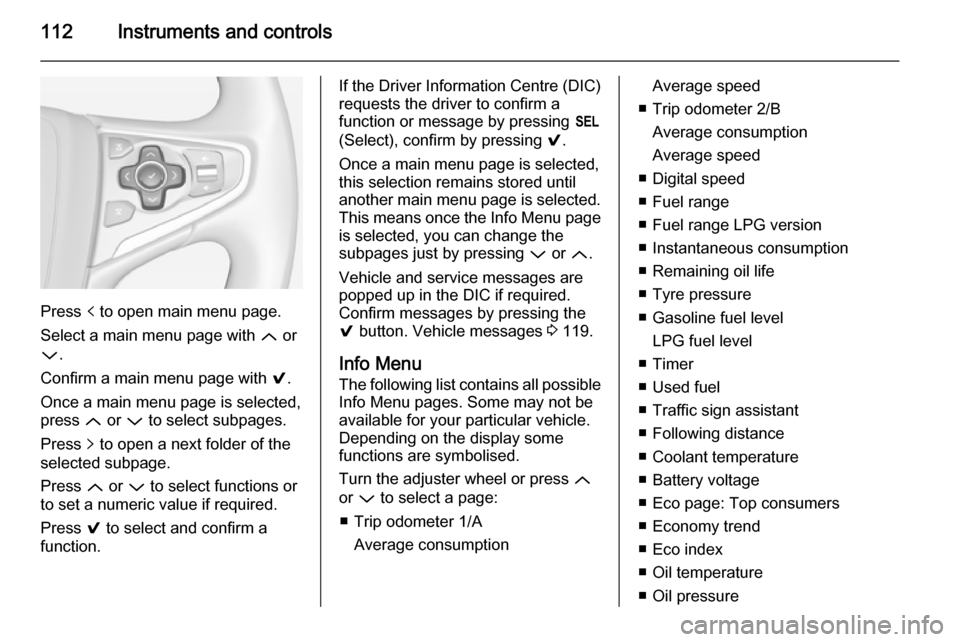
Press p to open main menu page.
Select a main menu page with Q or
P .
Confirm a main menu page with 9.
Once a main menu page is selected, press Q or P to select subpages.
Press q to open a next folder of the
selected subpage.
Press Q or P to select functions or
to set a numeric value if required.
Press 9 to select and confirm a
function.
If the Driver Information Centre (DIC) requests the driver to confirm a
function or message by pressing H
(Select), confirm by pressing 9.
Once a main menu page is selected,
this selection remains stored until
another main menu page is selected.
This means once the Info Menu page
is selected, you can change the
subpages just by pressing P or Q.
Vehicle and service messages are
popped up in the DIC if required.
Confirm messages by pressing the 9 button. Vehicle messages 3 119.
Info Menu The following list contains all possible Info Menu pages. Some may not be
available for your particular vehicle. Depending on the display some
functions are symbolised.
Turn the adjuster wheel or press Q
or P to select a page:
■ Trip odometer 1/A Average consumptionAverage speed
■ Trip odometer 2/B Average consumption
Average speed
■ Digital speed
■ Fuel range
■ Fuel range LPG version
■ Instantaneous consumption
■ Remaining oil life
■ Tyre pressure
■ Gasoline fuel level LPG fuel level
■ Timer
■ Used fuel
■ Traffic sign assistant
■ Following distance
■ Coolant temperature
■ Battery voltage
■ Eco page: Top consumers
■ Economy trend
■ Eco index
■ Oil temperature
■ Oil pressure
Page 124 of 321
122Instruments and controls
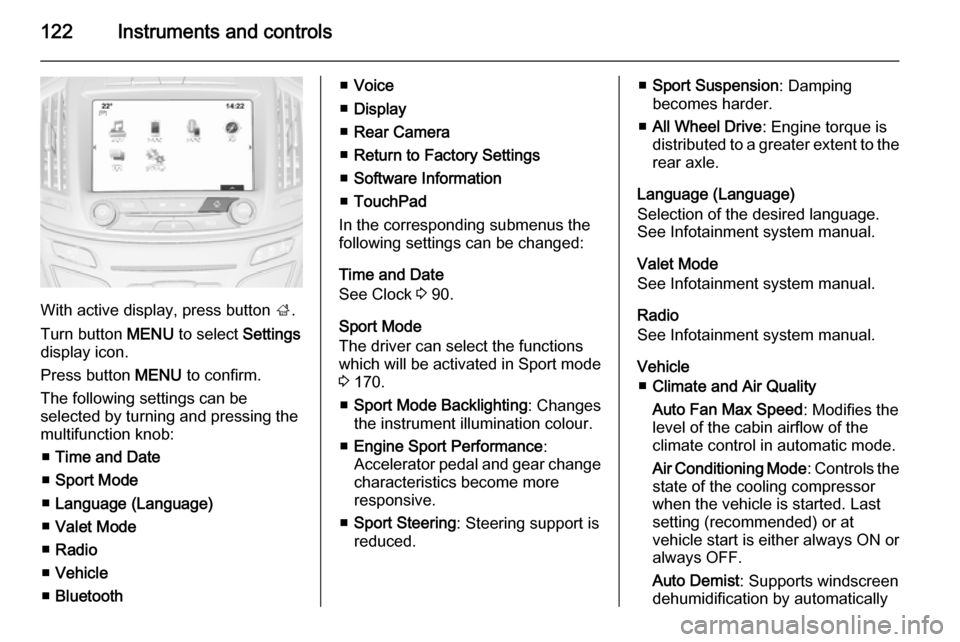
With active display, press button ;.
Turn button MENU to select Settings
display icon.
Press button MENU to confirm.
The following settings can be
selected by turning and pressing the
multifunction knob:
■ Time and Date
■ Sport Mode
■ Language (Language)
■ Valet Mode
■ Radio
■ Vehicle
■ Bluetooth
■Voice
■ Display
■ Rear Camera
■ Return to Factory Settings
■ Software Information
■ TouchPad
In the corresponding submenus the
following settings can be changed:
Time and Date
See Clock 3 90.
Sport Mode
The driver can select the functions
which will be activated in Sport mode
3 170.
■ Sport Mode Backlighting : Changes
the instrument illumination colour.
■ Engine Sport Performance :
Accelerator pedal and gear change
characteristics become more
responsive.
■ Sport Steering : Steering support is
reduced.■ Sport Suspension : Damping
becomes harder.
■ All Wheel Drive : Engine torque is
distributed to a greater extent to the rear axle.
Language (Language)
Selection of the desired language.
See Infotainment system manual.
Valet Mode
See Infotainment system manual.
Radio
See Infotainment system manual.
Vehicle ■ Climate and Air Quality
Auto Fan Max Speed : Modifies the
level of the cabin airflow of the
climate control in automatic mode.
Air Conditioning Mode : Controls the
state of the cooling compressor
when the vehicle is started. Last
setting (recommended) or at
vehicle start is either always ON or
always OFF.
Auto Demist : Supports windscreen
dehumidification by automatically
Page 133 of 321
Lighting131
Fault in Adaptive forward
lighting system When the system detects a failure in
the Adaptive forward lighting system,
the system moves to a preset position to avoid dazzling of oncoming traffic.
If this is not possible, the affected
headlight will be automatically
switched off. In any case, one
headlight will stay on. A warning is
displayed in the Driver Information Centre.
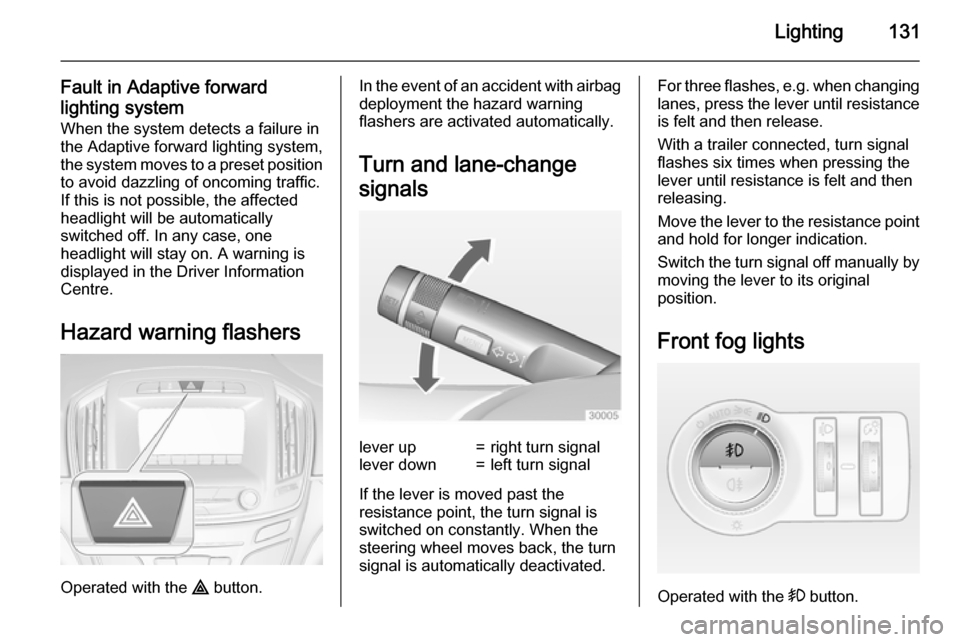
Hazard warning flashers
Operated with the ¨ button.
In the event of an accident with airbag
deployment the hazard warning
flashers are activated automatically.
Turn and lane-change
signalslever up=right turn signallever down=left turn signal
If the lever is moved past the
resistance point, the turn signal is
switched on constantly. When the
steering wheel moves back, the turn
signal is automatically deactivated.
For three flashes, e.g. when changing lanes, press the lever until resistance
is felt and then release.
With a trailer connected, turn signal
flashes six times when pressing the
lever until resistance is felt and then
releasing.
Move the lever to the resistance point
and hold for longer indication.
Switch the turn signal off manually by moving the lever to its original
position.
Front fog lights
Operated with the > button.
Page 142 of 321
140Climate control
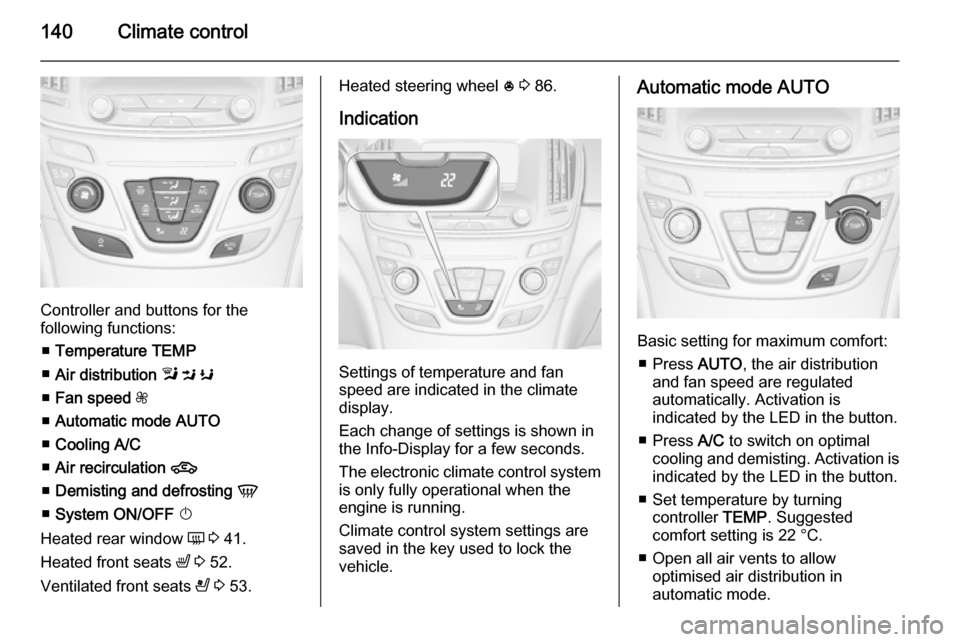
Controller and buttons for the
following functions:
■ Temperature TEMP
■ Air distribution l M K
■ Fan speed Z
■ Automatic mode AUTO
■ Cooling A/C
■ Air recirculation 4
■ Demisting and defrosting V
■ System ON/OFF X
Heated rear window Ü 3 41.
Heated front seats ß 3 52.
Ventilated front seats A 3 53.
Heated steering wheel * 3 86.
Indication
Settings of temperature and fan
speed are indicated in the climate
display.
Each change of settings is shown in
the Info-Display for a few seconds.
The electronic climate control system
is only fully operational when the
engine is running.
Climate control system settings are
saved in the key used to lock the vehicle.
Automatic mode AUTO
Basic setting for maximum comfort:
■ Press AUTO, the air distribution
and fan speed are regulated
automatically. Activation is
indicated by the LED in the button.
■ Press A/C to switch on optimal
cooling and demisting. Activation is indicated by the LED in the button.
■ Set temperature by turning controller TEMP. Suggested
comfort setting is 22 °C.
■ Open all air vents to allow optimised air distribution in
automatic mode.
Page 146 of 321
144Climate control
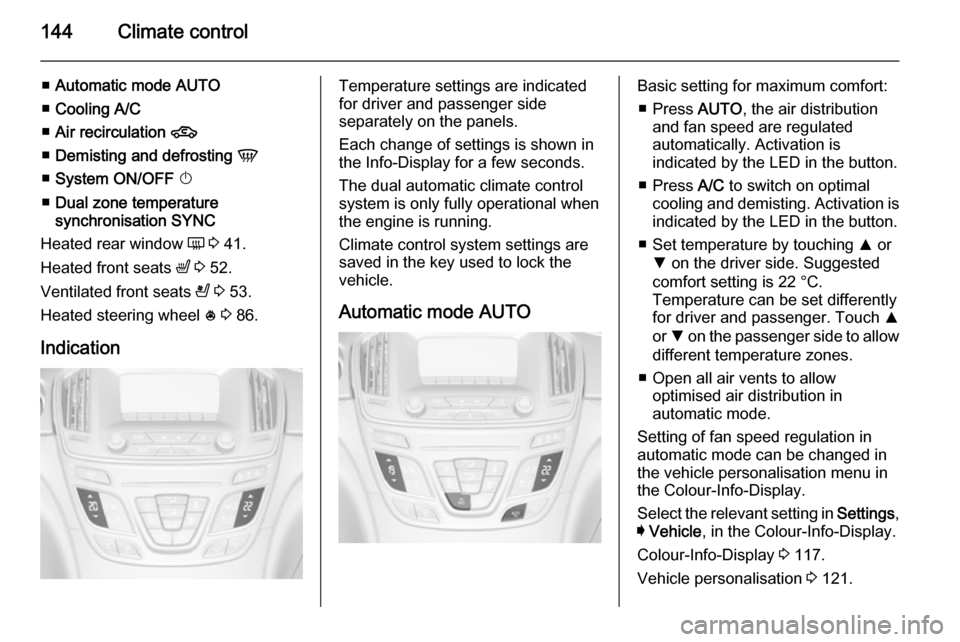
■Automatic mode AUTO
■ Cooling A/C
■ Air recirculation 4
■ Demisting and defrosting V
■ System ON/OFF X
■ Dual zone temperature
synchronisation SYNC
Heated rear window Ü 3 41.
Heated front seats ß 3 52.
Ventilated front seats A 3 53.
Heated steering wheel * 3 86.
IndicationTemperature settings are indicated
for driver and passenger side
separately on the panels.
Each change of settings is shown in
the Info-Display for a few seconds.
The dual automatic climate control
system is only fully operational when
the engine is running.
Climate control system settings are
saved in the key used to lock the vehicle.
Automatic mode AUTOBasic setting for maximum comfort: ■ Press AUTO, the air distribution
and fan speed are regulated
automatically. Activation is
indicated by the LED in the button.
■ Press A/C to switch on optimal
cooling and demisting. Activation is indicated by the LED in the button.
■ Set temperature by touching R or
S on the driver side. Suggested
comfort setting is 22 °C.
Temperature can be set differently
for driver and passenger. Touch R
or S on the passenger side to allow
different temperature zones.
■ Open all air vents to allow optimised air distribution in
automatic mode.
Setting of fan speed regulation in
automatic mode can be changed in the vehicle personalisation menu in
the Colour-Info-Display.
Select the relevant setting in Settings,
I Vehicle , in the Colour-Info-Display.
Colour-Info-Display 3 117.
Vehicle personalisation 3 121.
Page 164 of 321
162Driving and operating
Tap selector leverforwards=shift to a higher gearbackwards=shift to a lower gear.
The selected gear is indicated in theinstrument cluster.
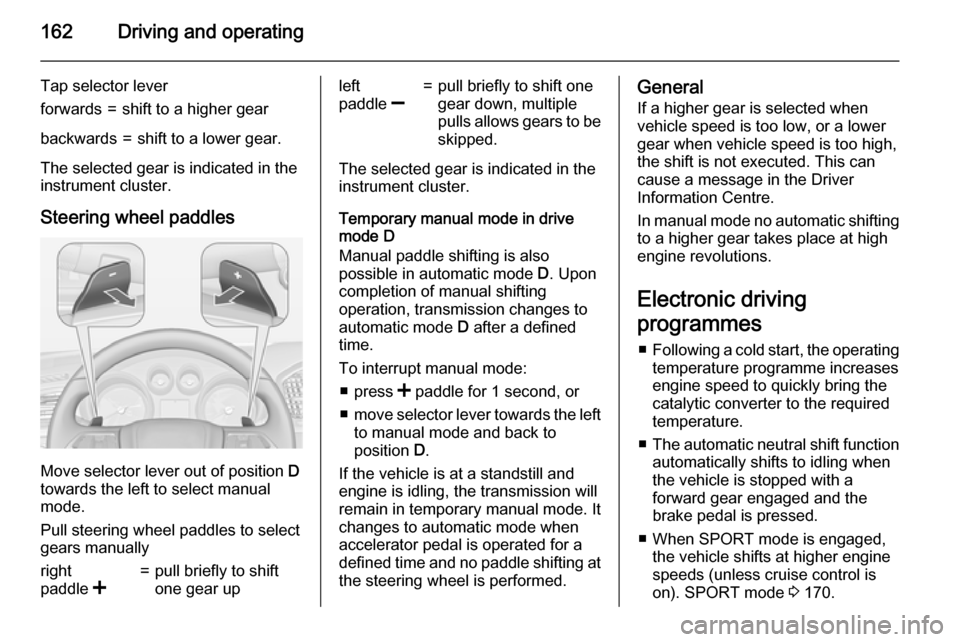
Steering wheel paddles
Move selector lever out of position D
towards the left to select manual
mode.
Pull steering wheel paddles to select
gears manually
right
paddle <=pull briefly to shift
one gear upleft
paddle ]=pull briefly to shift one
gear down, multiple
pulls allows gears to be
skipped.
The selected gear is indicated in the instrument cluster.
Temporary manual mode in drive
mode D
Manual paddle shifting is also
possible in automatic mode D. Upon
completion of manual shifting operation, transmission changes to
automatic mode D after a defined
time.
To interrupt manual mode: ■ press < paddle for 1 second, or
■ move selector lever towards the left
to manual mode and back to
position D.
If the vehicle is at a standstill and
engine is idling, the transmission will
remain in temporary manual mode. It
changes to automatic mode when
accelerator pedal is operated for a
defined time and no paddle shifting at
the steering wheel is performed.
General
If a higher gear is selected when
vehicle speed is too low, or a lower
gear when vehicle speed is too high,
the shift is not executed. This can
cause a message in the Driver
Information Centre.
In manual mode no automatic shifting to a higher gear takes place at high
engine revolutions.
Electronic driving
programmes ■ Following a cold start, the operating
temperature programme increasesengine speed to quickly bring the
catalytic converter to the required
temperature.
■ The automatic neutral shift function
automatically shifts to idling when
the vehicle is stopped with a
forward gear engaged and the
brake pedal is pressed.
■ When SPORT mode is engaged, the vehicle shifts at higher engine
speeds (unless cruise control is
on). SPORT mode 3 170.
Page 173 of 321
Driving and operating171
■ Engine torque of All-wheel drive isdistributed more to the rear axle.
■ Shift points of automatic transmission occur later.
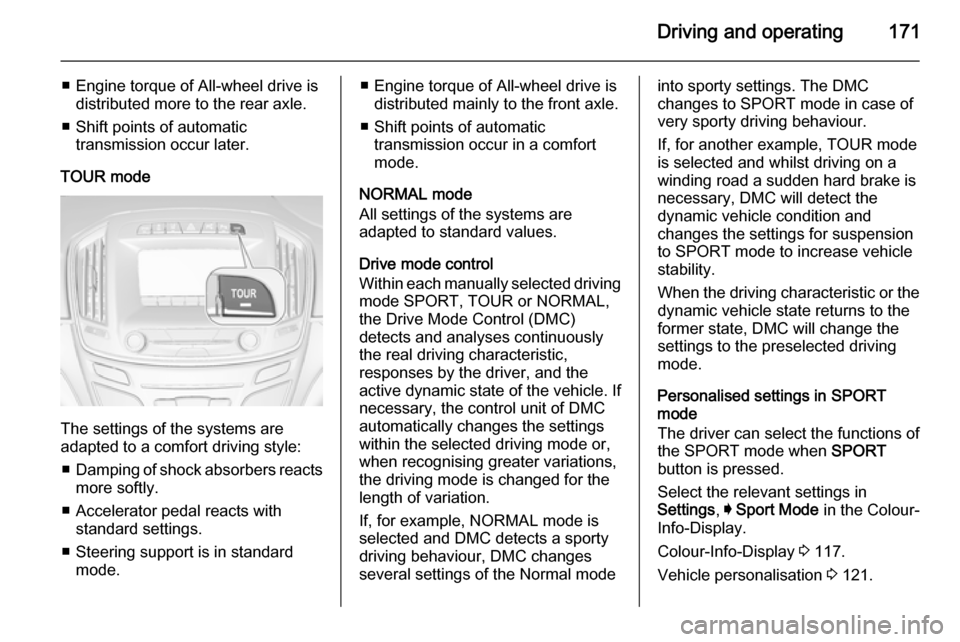
TOUR mode
The settings of the systems are
adapted to a comfort driving style:
■ Damping of shock absorbers reacts
more softly.
■ Accelerator pedal reacts with standard settings.
■ Steering support is in standard mode.
■ Engine torque of All-wheel drive isdistributed mainly to the front axle.
■ Shift points of automatic transmission occur in a comfort
mode.
NORMAL mode
All settings of the systems are
adapted to standard values.
Drive mode control
Within each manually selected driving mode SPORT, TOUR or NORMAL,
the Drive Mode Control (DMC)
detects and analyses continuously
the real driving characteristic,
responses by the driver, and the
active dynamic state of the vehicle. If
necessary, the control unit of DMC
automatically changes the settings
within the selected driving mode or,
when recognising greater variations,
the driving mode is changed for the
length of variation.
If, for example, NORMAL mode is
selected and DMC detects a sporty
driving behaviour, DMC changes
several settings of the Normal modeinto sporty settings. The DMC
changes to SPORT mode in case of
very sporty driving behaviour.
If, for another example, TOUR mode
is selected and whilst driving on a
winding road a sudden hard brake is
necessary, DMC will detect the
dynamic vehicle condition and
changes the settings for suspension
to SPORT mode to increase vehicle
stability.
When the driving characteristic or the
dynamic vehicle state returns to the
former state, DMC will change the
settings to the preselected driving
mode.
Personalised settings in SPORT
mode
The driver can select the functions of
the SPORT mode when SPORT
button is pressed.
Select the relevant settings in
Settings , I Sport Mode in the Colour-
Info-Display.
Colour-Info-Display 3 117.
Vehicle personalisation 3 121.