remote control VAUXHALL INSIGNIA 2016.5 User Guide
[x] Cancel search | Manufacturer: VAUXHALL, Model Year: 2016.5, Model line: INSIGNIA, Model: VAUXHALL INSIGNIA 2016.5Pages: 325, PDF Size: 9.26 MB
Page 32 of 325
30Keys, doors and windowsPower tailgate9Warning
Take care when operating the
power tailgate. Risk of injury,
particularly to children.
Keep a close watch on the
movable tailgate when operating.
Ensure that nothing becomes
trapped during operating and no
one is standing within the moving
area.
The power tailgate is operated by:
● x on the radio remote control.
● The switch G in the door panel
of the driver's door.
● The touchpad switch and G in
the tailgate.
On vehicles with automatic transmission, the tailgate can only be operated when the vehicle is
stationary and automatic
transmission in P.
The tail lights flash and a chime
sounds when the power tailgate is
operating.
Notice
Operating the power tailgate does
not operate the central locking
system. To open the tailgate with the remote control, it is not necessary to
unlock the vehicle. Unlock the
vehicle first when operating with the
touchpad switch or the switch in the
driver's door. Lock the vehicle after
closing.
Central locking system 3 24.
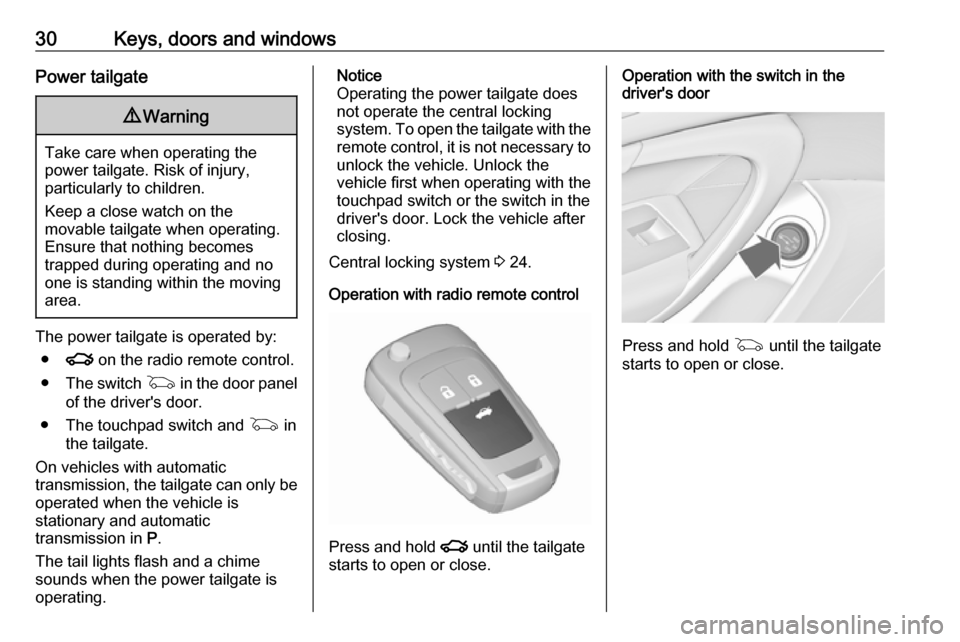
Operation with radio remote control
Press and hold x until the tailgate
starts to open or close.
Operation with the switch in the
driver's door
Press and hold G until the tailgate
starts to open or close.
Page 33 of 325

Keys, doors and windows31Operation with switches in the tailgate
To open the tailgate, press the
touchpad switch under the tailgate
moulding until the tailgate starts to
move.
To close, press G in the open
tailgate until the tailgate starts to
move.
Stop or change direction of
movement
Pressing x on radio remote control
or G on the tailgate or press on the
touchpad switch whilst the tailgate is
moving will stop the tailgate in the
current position. Pressing x or
G again will reverse the direction of
movement.
Operation modes
The power tailgate has three modes
of operation, which are controlled by
the switch in the driver's door. To
change the mode, turn the switch:
● Normal mode MAX: Power
tailgate opens to full height.
● Intermediate mode 3/4: Power
tailgate opens to a reduced
height that can be adjusted.
● Mode Off: Tailgate can only be
operated manually.
Page 36 of 325
34Keys, doors and windowsActivating
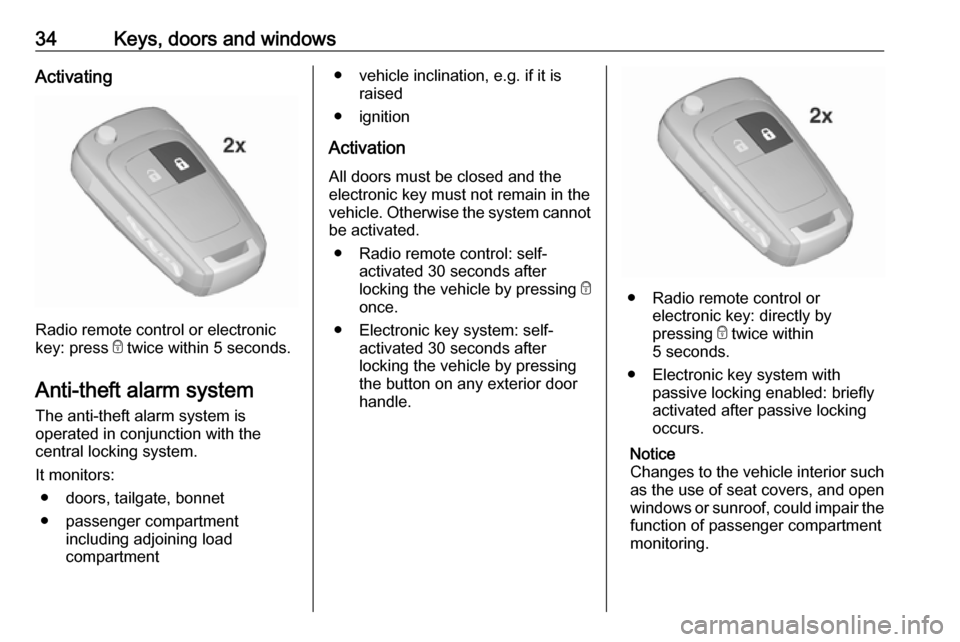
Radio remote control or electronic
key: press e twice within 5 seconds.
Anti-theft alarm system The anti-theft alarm system is
operated in conjunction with the
central locking system.
It monitors: ● doors, tailgate, bonnet
● passenger compartment including adjoining load
compartment
● vehicle inclination, e.g. if it is raised
● ignition
Activation All doors must be closed and the
electronic key must not remain in the
vehicle. Otherwise the system cannot
be activated.
● Radio remote control: self- activated 30 seconds after
locking the vehicle by pressing e
once.
● Electronic key system: self- activated 30 seconds after
locking the vehicle by pressing the button on any exterior door
handle.
● Radio remote control or electronic key: directly by
pressing e twice within
5 seconds.
● Electronic key system with passive locking enabled: briefly
activated after passive locking
occurs.
Notice
Changes to the vehicle interior such
as the use of seat covers, and open
windows or sunroof, could impair the
function of passenger compartment
monitoring.
Page 37 of 325
Keys, doors and windows35Activation without monitoring of
passenger compartment and
vehicle inclination
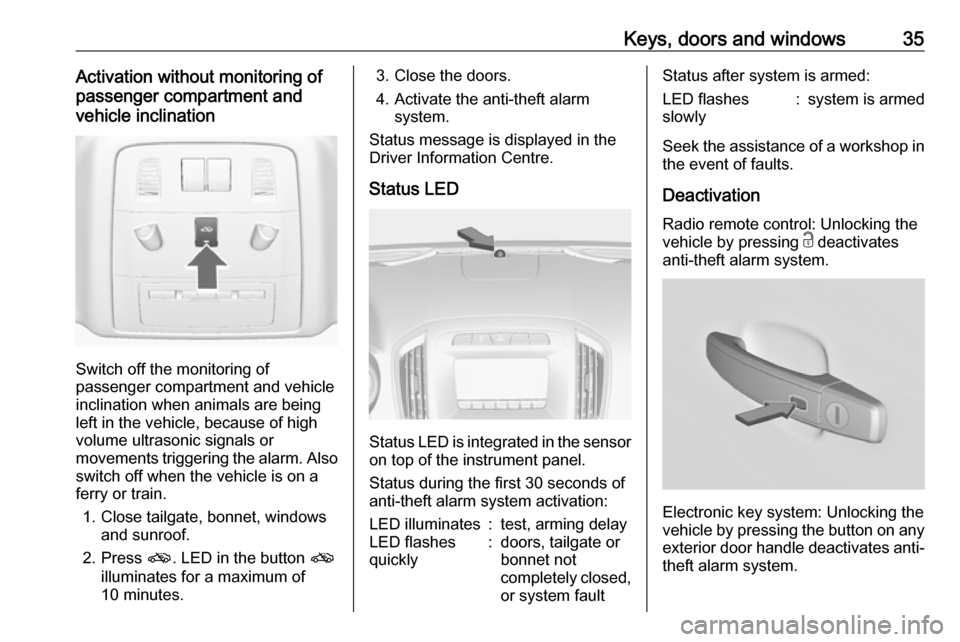
Switch off the monitoring of
passenger compartment and vehicle
inclination when animals are being
left in the vehicle, because of high
volume ultrasonic signals or
movements triggering the alarm. Also switch off when the vehicle is on a
ferry or train.
1. Close tailgate, bonnet, windows and sunroof.
2. Press o. LED in the button o
illuminates for a maximum of
10 minutes.
3. Close the doors.
4. Activate the anti-theft alarm system.
Status message is displayed in the
Driver Information Centre.
Status LED
Status LED is integrated in the sensor
on top of the instrument panel.
Status during the first 30 seconds of
anti-theft alarm system activation:
LED illuminates:test, arming delayLED flashes
quickly:doors, tailgate or
bonnet not
completely closed,
or system faultStatus after system is armed:LED flashes
slowly:system is armed
Seek the assistance of a workshop in
the event of faults.
Deactivation
Radio remote control: Unlocking the
vehicle by pressing c deactivates
anti-theft alarm system.
Electronic key system: Unlocking the
vehicle by pressing the button on any
exterior door handle deactivates anti-
theft alarm system.
Page 38 of 325

36Keys, doors and windowsThe system is not deactivated when
unlocking the driver's door with the
key or with the central locking button
in the passenger compartment.
AlarmWhen triggered, the alarm hornsounds and the hazard warning lights
flash simultaneously. The number
and duration of alarm signals are
stipulated by legislation.
The anti-theft alarm system can be
deactivated only by pressing c or by
pressing the switch on the door
handle (electronic key system) or
switching on the ignition.
A triggered alarm, which has not been interrupted by the driver, will be
indicated by the hazard warning
lights. They will flash quickly three
times when the vehicle is unlocked
next time with the radio remote
control. Additionally, a warning
message is displayed in the Driver
Information Centre after switching on
the ignition.
Vehicle messages 3 119.If the vehicle's battery is to be
disconnected (e.g. for maintenance
work), the alarm siren must be
deactivated as follows: switch the
ignition on then off, then disconnect
the vehicle's battery within
15 seconds.
Immobiliser The system is part of the ignition
switch and checks whether the
vehicle is allowed to be started with
the key being used.
The immobiliser is activated
automatically after the key is removed
from the ignition switch.
If control indicator d flashes when the
ignition is on, there is a fault in the
system; the engine cannot be started. Switch off the ignition and repeat start
attempt.
If control indicator d continues
flashing, attempt to start the engine
using the spare key and seek the
assistance of a workshop.Notice
The immobiliser does not lock the
doors. You should always lock the
vehicle after leaving it and switch on the anti-theft alarm system 3 24,
3 34.
Control indicator d 3 108.
Page 40 of 325
38Keys, doors and windowsFolding mirrors with remote
control
This function is only available if thevehicle is equipped with electrical
seat memory.
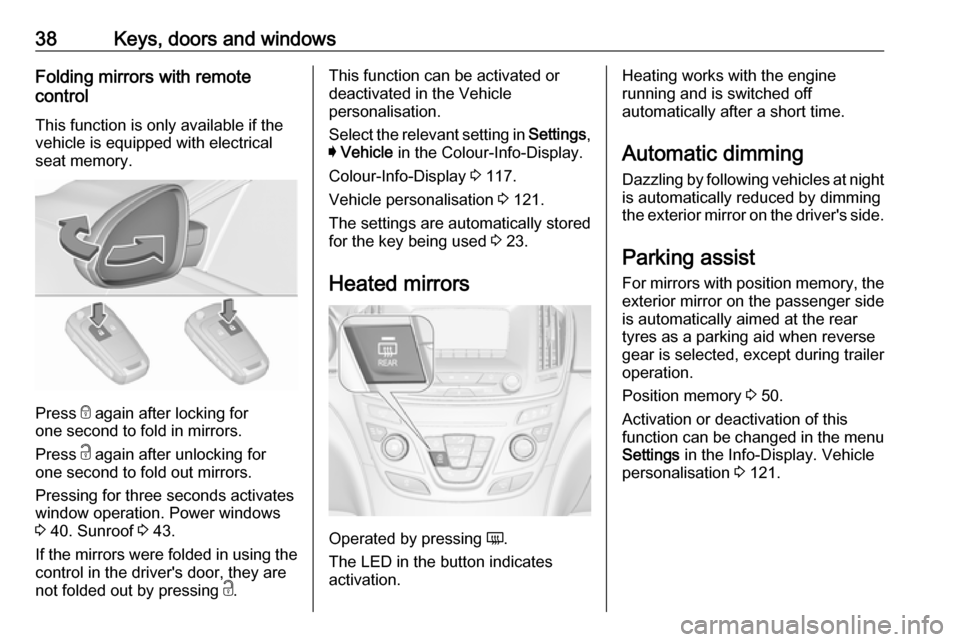
Press e again after locking for
one second to fold in mirrors.
Press c again after unlocking for
one second to fold out mirrors.
Pressing for three seconds activates
window operation. Power windows
3 40. Sunroof 3 43.
If the mirrors were folded in using the
control in the driver's door, they are
not folded out by pressing c.
This function can be activated or
deactivated in the Vehicle
personalisation.
Select the relevant setting in Settings,
I Vehicle in the Colour-Info-Display.
Colour-Info-Display 3 117.
Vehicle personalisation 3 121.
The settings are automatically stored
for the key being used 3 23.
Heated mirrors
Operated by pressing Ü.
The LED in the button indicates
activation.
Heating works with the engine
running and is switched off
automatically after a short time.
Automatic dimming Dazzling by following vehicles at night
is automatically reduced by dimming
the exterior mirror on the driver's side.
Parking assist For mirrors with position memory, theexterior mirror on the passenger side
is automatically aimed at the rear
tyres as a parking aid when reverse
gear is selected, except during trailer
operation.
Position memory 3 50.
Activation or deactivation of this
function can be changed in the menu Settings in the Info-Display. Vehicle
personalisation 3 121.
Page 43 of 325
Keys, doors and windows41Safety function
If the window glass encounters
resistance above the middle of the
window during automatic closing, it is immediately stopped and opened
again.
Override safety function In the event of closing difficulties due
to frost or the like, switch on the
ignition, then pull the switch to the first
detent and hold. The window moves
up without safety function enabled.
To stop movement, release the
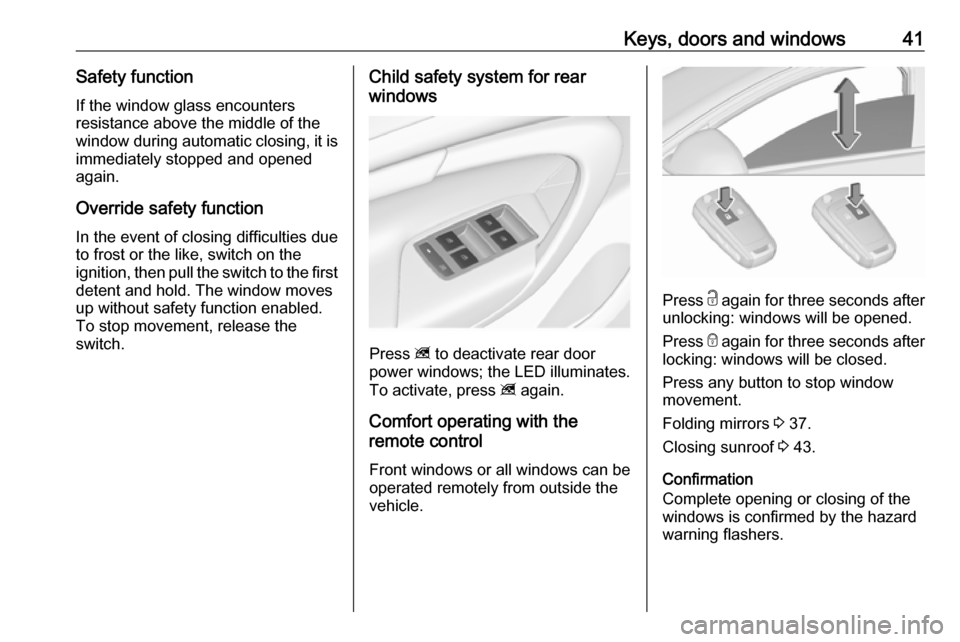
switch.Child safety system for rear
windows
Press z to deactivate rear door
power windows; the LED illuminates.
To activate, press z again.
Comfort operating with the
remote control
Front windows or all windows can be
operated remotely from outside the
vehicle.
Press c again for three seconds after
unlocking: windows will be opened.
Press e again for three seconds after
locking: windows will be closed.
Press any button to stop window
movement.
Folding mirrors 3 37.
Closing sunroof 3 43.
Confirmation
Complete opening or closing of the
windows is confirmed by the hazard
warning flashers.
Page 46 of 325
44Keys, doors and windowsOpen
Press p gently to the first detent:
sunroof is opened in the spoiler
position.
Press p firmly to the second detent
and then release: the sunroof is
opened automatically with safety
function enabled. To stop movement,
operate the switch once more.
Close
Press r gently to the first detent:
sunroof is closed from fully open or
spoiler position with safety function
enabled as long as the switch is
operated.
Press r firmly to the second detent
and then release: the sunroof is
completely closed automatically with
safety function enabled. To stop
movement, operate the switch once
more.
Sunblind
The sunblind is power operated.
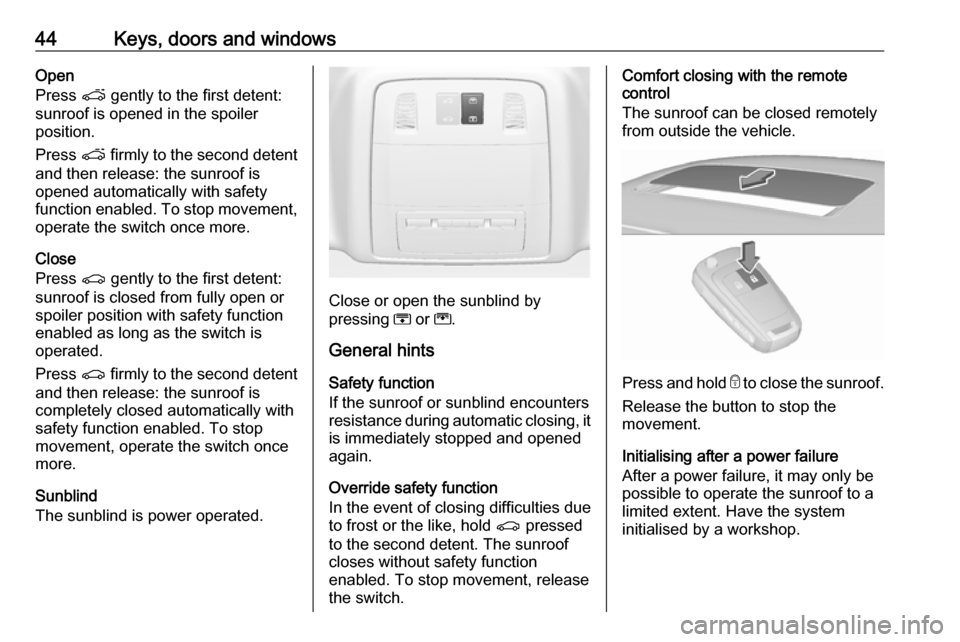
Close or open the sunblind by
pressing H or G.
General hints
Safety function
If the sunroof or sunblind encounters
resistance during automatic closing, it is immediately stopped and opened
again.
Override safety function
In the event of closing difficulties due
to frost or the like, hold r pressed
to the second detent. The sunroof
closes without safety function
enabled. To stop movement, release
the switch.
Comfort closing with the remote
control
The sunroof can be closed remotely
from outside the vehicle.
Press and hold e to close the sunroof.
Release the button to stop the
movement.
Initialising after a power failure
After a power failure, it may only be
possible to operate the sunroof to a
limited extent. Have the system
initialised by a workshop.
Page 54 of 325
52Seats, restraintsStoring positions by remote control
Actual driver's seat and exterior
mirror positions are automatically
stored by the radio remote control key each time the ignition is switched off.
These stored positions are
independent of the memory positions
stored by the buttons 1 or 2.
The stored positions are
automatically recalled by unlocking
and opening the driver's door with the
memorised radio remote control key.
If the door is already open, press c on
remote control to activate the recall.
To stop recall movement, press one
of the memory-, power mirror- or
power seat controls.
This function can be activated or
deactivated in the vehicle
personalisation.
Select the relevant setting in Settings,
I Vehicle in the Colour-Info-Display.
Colour-Info-Display 3 117.
Vehicle personalisation 3 121.Easy exit function
For a convenient exit out of the
vehicle, the power driver seat moves
rearwards when vehicle is stationary.
To activate, switch off ignition,
remove key from the ignition switch
and open the driver's door. If the door
is already open, switch off ignition to
activate the recall.
To stop recall movement, press one
of the memory- or power seat
controls.
This function can be activated or
deactivated in the vehicle
personalisation.
Select the relevant setting in Settings,
I Vehicle in the Colour-Info-Display.
Colour-Info-Display 3 117.
Vehicle personalisation 3 121.
Safety function
If the driver's seat encounters
resistance during movement, the
recall may stop. After removing the
obstruction, press and hold the
appropriate power seat position
button for the memory item for
two seconds. Try recalling thememory position again. If the recall
does not operate, consult a
workshop.
Overload
If the seat setting is electrically
overloaded, the power supply is
automatically cut-off for a short time.
Notice
After an accident in which airbags have been deployed, the memorised
settings for each position button will
be deactivated.
Armrest
Page 121 of 325
Instruments and controls119Vehicle messages
Messages are indicated in the Driver
Information Centre, in some cases
together with a warning and signal
buzzer.
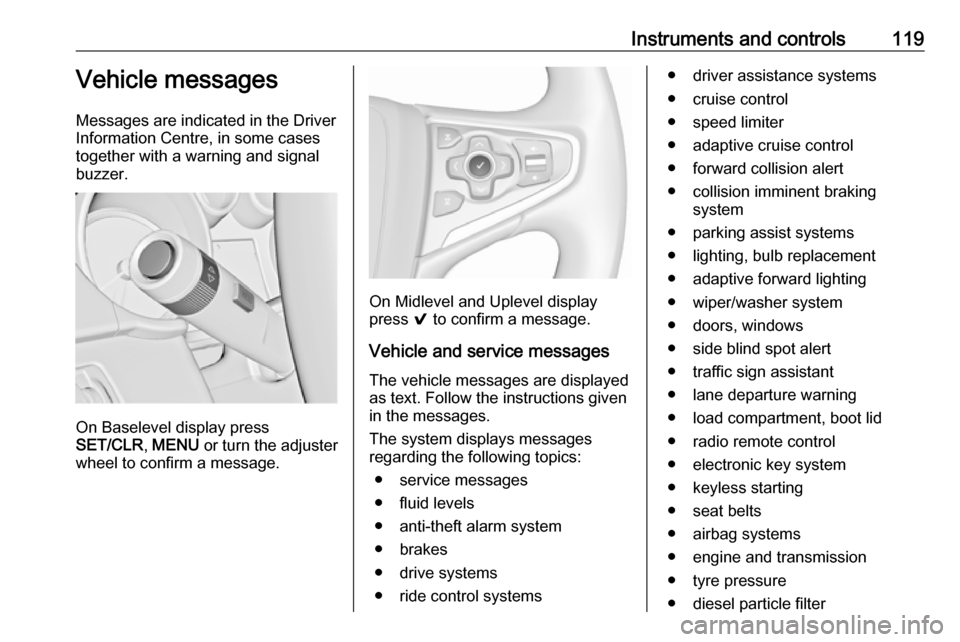
On Baselevel display press
SET/CLR , MENU or turn the adjuster
wheel to confirm a message.
On Midlevel and Uplevel display
press 9 to confirm a message.
Vehicle and service messages The vehicle messages are displayed
as text. Follow the instructions given
in the messages.
The system displays messages
regarding the following topics:
● service messages
● fluid levels
● anti-theft alarm system
● brakes
● drive systems
● ride control systems
● driver assistance systems
● cruise control
● speed limiter
● adaptive cruise control
● forward collision alert
● collision imminent braking system
● parking assist systems
● lighting, bulb replacement
● adaptive forward lighting
● wiper/washer system
● doors, windows
● side blind spot alert
● traffic sign assistant
● lane departure warning
● load compartment, boot lid
● radio remote control
● electronic key system
● keyless starting
● seat belts
● airbag systems
● engine and transmission
● tyre pressure
● diesel particle filter