Camera VAUXHALL INSIGNIA 2016 User Guide
[x] Cancel search | Manufacturer: VAUXHALL, Model Year: 2016, Model line: INSIGNIA, Model: VAUXHALL INSIGNIA 2016Pages: 327, PDF Size: 9.26 MB
Page 209 of 327

Driving and operating207Select the relevant setting in Settings,
I Vehicle in the Colour-Info-Display.
Colour-Info-Display 3 117.
Vehicle personalisation 3 121.
Fault
Fault messages are displayed with a 9 on the top line of the Info-Display.
The rear view camera may not
operate properly when:
● The surrounding is dark.
● The sun or the beam of headlights is shining directly into
the camera lens.
● Ice, snow, mud, or anything else covers the camera lens. Clean
the lens, rinse it with water, and
wipe it with a soft cloth.
● The tailgate is not closed correctly.
● The vehicle is towing a trailer.
● The vehicle had a rear end accident.
● There are extreme temperature changes.Rear cross traffic alert
Additional to the rear view camera
3 205 , rear cross traffic alert warns of
cross traffic from left or right side
when driving rearwards. When cross
traffic is recognized and the rear view camera is activated, a warning
triangle with a direction arrow K
appears on the Colour-Info-Display,
showing the direction of the traffic.
Furthermore, three beeps will sound
from the speaker on the respective
side.
The radar distance sensors are
located sideways in the rear bumper.
9 Warning
The rear cross traffic alert does not
replace driver vision. Note that
objects that are outside sensors,
e.g. below the bumper or
underneath the vehicle, are not
displayed.
Pedestrians, children or animals
are not detected.
Do not reverse the vehicle by only
looking at the Info-Display and
check the surrounding behind and
around the vehicle before
reversing.
Activation
Rear cross traffic alert is
automatically activated together with
the rear view camera when reverse
gear is engaged.
Page 210 of 327

208Driving and operatingDetection zones
The system sensors cover a zone of
approx. 20 metres to the left or right
side behind the vehicle.
Deactivation Rear cross traffic alert is deactivatedtogether with the rear view camera
when a certain forward speed is
exceeded or if reverse gear is not
engaged for approx. 10 seconds.
Activation or deactivation of the rear
cross traffic alert can be set in the vehicle personalisation menu in the
Colour-Info-Display.
Select the relevant setting in Settings,
I Vehicle in the Colour-Info-Display.
Colour-Info-Display 3 117.
Vehicle personalisation 3 121.
Fault
The system may not operate properly
when:
● Ice, snow, mud, or anything else covers the sensors.
● The vehicle is towing a trailer.
● The vehicle had a rear end accident.
● There are extreme temperature changes.
Traffic sign assistant
Functionality The traffic sign assistant system
detects designated traffic signs via a
front camera and displays them in the
Driver Information Centre.
Traffic signs, which will be detected,
are:
Limit- and no passing signs
● speed limit
● no passing
● end of speed limit
● end of no passingRoad signs
Beginning and end of:
● motorways
● A-roads
● play streetsAdd on signs ● additional hints to traffic signs
● restriction of trailer towing
● tractor constraints
● wet warning
● ice warning
● direction arrows
Page 213 of 327

Driving and operating211System resetThe content of the traffic sign memory
can be cleared in the setting menu of the traffic sign assistant page by
selecting Reset and confirm by
pressing SET/CLR on the turn signal
lever or 9 on right steering wheel
control. Upon successful reset, a
chime will sound and the following
symbol is indicated until the next
traffic sign is detected.
In some cases, traffic sign assistant is
cleared up automatically by the
system.
Traffic sign detection in
conjunction with navigation
system
If the vehicle is equipped with a
navigation system, the following
features can be available:
● constant indication of actual speed limits
● on heavy weather conditions, the
navigation data for speed limits
are displayed
Fault
The traffic sign assistant system may
not operate correctly when:
● The area of the windscreen, where the front camera is
located, is not clean or affected
by foreign items, e.g. stickers.
● Traffic signs are completely or partially covered or difficult to
discern.
● There are adverse environmental
conditions, e.g. heavy rain, snow,
direct sunlight or shadows. In thisevent, No Traffic Sign Detection
due to Weather is indicated on
the display.
● Traffic signs are incorrectly mounted or damaged.
● Traffic signs do not comply with the Vienna Convention on traffic
signs (Wiener Übereinkommen
über Straßenverkehrszeichen).Caution
The system is intended to help the driver within a defined speed
range to recognise certain traffic
signs. Do not ignore traffic signs
which are not displayed by the
system.
The system does not recognise
any other than the conventional
traffic signs that might give or end
a speed limit.
Do not let this special feature
tempt you into taking risks when
driving.
Always adapt speed to the road
conditions.
Page 214 of 327
212Driving and operatingThe driver assistance systems donot relieve the driver from full
responsibility for vehicle
operation.
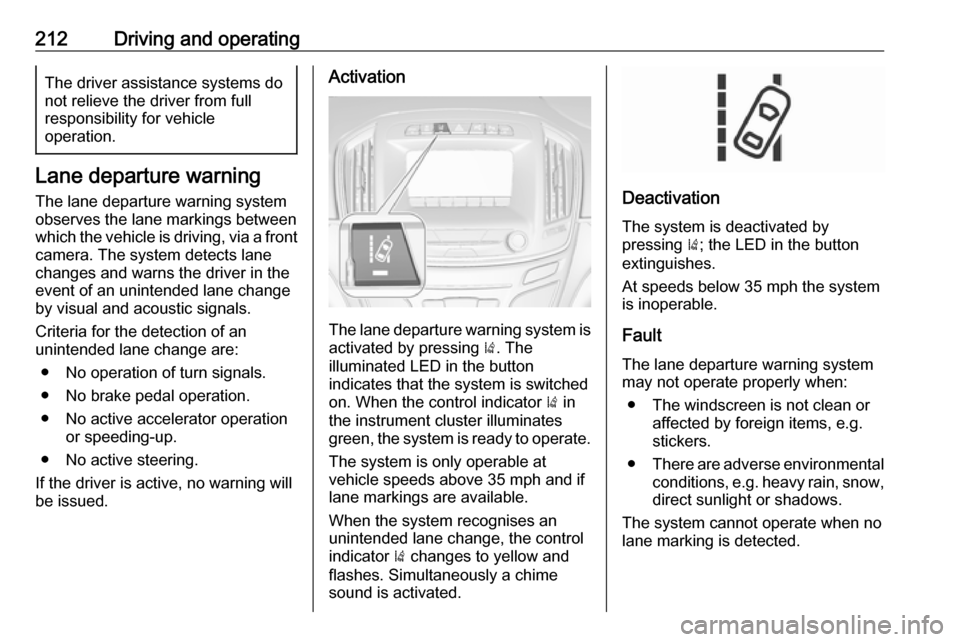
Lane departure warning
The lane departure warning system
observes the lane markings between
which the vehicle is driving, via a front camera. The system detects lane
changes and warns the driver in the
event of an unintended lane change
by visual and acoustic signals.
Criteria for the detection of an
unintended lane change are:
● No operation of turn signals.
● No brake pedal operation.
● No active accelerator operation or speeding-up.
● No active steering.
If the driver is active, no warning will
be issued.
Activation
The lane departure warning system is activated by pressing ). The
illuminated LED in the button
indicates that the system is switched
on. When the control indicator ) in
the instrument cluster illuminates
green, the system is ready to operate.
The system is only operable at
vehicle speeds above 35 mph and if
lane markings are available.
When the system recognises an
unintended lane change, the control
indicator ) changes to yellow and
flashes. Simultaneously a chime
sound is activated.
Deactivation
The system is deactivated by
pressing ); the LED in the button
extinguishes.
At speeds below 35 mph the system
is inoperable.
Fault
The lane departure warning system
may not operate properly when:
● The windscreen is not clean or affected by foreign items, e.g.
stickers.
● There are adverse environmental
conditions, e.g. heavy rain, snow,
direct sunlight or shadows.
The system cannot operate when no
lane marking is detected.
Page 325 of 327

323OnStar® system.........................124
Operate pedal ............................. 105
Outside temperature ....................89
Overrun cut-off ........................... 159
P Parking ................................ 18, 162
Parking assist ......................38, 196
Parking brake ............................ 173
Parking lights ............................. 135
Performance .............................. 283
Performing work ........................226
Pollen filter ................................. 152
Power button .............................. 156
Power outlets ............................... 91
Power seat adjustment .................50
Power steering fluid ....................230
Power windows ............................ 40
Preheating ................................. 107
Puncture ..................................... 260
Q Quickheat ................................... 151
R
Radio Frequency Identification (RFID) ..................................... 318
Radio remote control ...................21
Reading lights ............................ 137
Rear cross traffic alert ................207
Rear floor storage cover ..............74Rear fog light ............................. 109
Rear fog lights ........................... 135
Rear seats .................................... 53
Rear view camera ...................... 205
Rear window wiper/washer .......... 88
Recommended fluids and lubricants ........................ 274, 278
Refuelling ................................... 215 Retained power off .....................157
Reversing lights .........................136
Ride control systems ..................175
Roller blinds ................................. 42
Roof .............................................. 43
Roof load ...................................... 82
Roof rack ..................................... 81
S Safety belts ................................... 54
Safety net .................................... 77
Seat adjustment ............................. 6
Seat belt ........................................ 8
Seat belt reminder .....................103
Seat belts ..................................... 54
Seat heating ................................. 53
Seat position ................................ 47
Selective catalytic reduction .......164
Selector lever ............................. 168
Service ............................... 153, 273
Service display .......................... 101
Service information ....................273Side airbag system ......................61
Side blind spot alert ....................202
Sidelights .................................... 128
Side turn signal lights ................242
Smartphone controller ................118
Software acknowledgement .......315
Spare wheel ............................... 262
Speed limiter....................... 110, 182
Speedometer ............................... 99
Starting and operating ................155
Starting off ................................... 16
Starting the engine ....................158
Steering ...................................... 155
Steering wheel adjustment ......9, 85
Steering wheel controls ...............85
Stop-start system........................ 159
Storage ......................................... 69
Storage compartments .................69
Sunroof ........................................ 43
Sunvisor lights ........................... 137
Sun visors .................................... 42
Symbols ......................................... 4
T
Tachometer ............................... 100
Tail lights ................................... 240
Three-point seat belt .................... 55
Tools .......................................... 251
Top-tether fastening eyes ............68
Tow bar....................................... 220