sport mode VAUXHALL INSIGNIA 2016 Owner's Manual
[x] Cancel search | Manufacturer: VAUXHALL, Model Year: 2016, Model line: INSIGNIA, Model: VAUXHALL INSIGNIA 2016Pages: 327, PDF Size: 9.26 MB
Page 13 of 327

In brief111Power windows .....................40
2 Central locking system ..........24
3 Exterior mirrors .....................37
4 Light switch ........................ 128
Headlight range
adjustment ......................... 131
Front/rear fog lights ............135
Instrument illumination .......136
5 Side air vents ...................... 151
6 Turn and lane-change
signals, headlight flash,
low/high beam, high beam assist ................................... 134
Exit lighting ......................... 138
Parking lights ...................... 135
Buttons for Driver
Information Centre ..............110
7 Cruise control .....................180
Speed limiter ....................... 182
Adaptive cruise control .......183
Forward collision alert .........1908Instruments .......................... 99
Driver Information Centre .... 110
9 Buttons for Driver
Information Centre ..............110
10 Windscreen wiper and
washer, headlight washer,
rear wiper and washer .........86
11 Centre air vents .................. 151
12 Sport/Tour mode ................177
Traction Control system .....175
Electronic Stability Control . 176
Hazard warning flashers ....134
Parking assist/Advanced
parking aid ......................... 196
Lane departure warning .....212
13 Anti-theft alarm system
status LED ........................... 34
14 Colour-Info-Display ............117
15 Glovebox .............................. 69
Fuse box ............................ 24816Control indicator for airbag
activation/deactivation .......104
Control indicator for front
passenger seat belt ...........103
17 Controls for Colour-Info-
Display operation ................117
18 CD-slot
19 Climate control system ........ 140
20 Electric parking brake .........173
21 Manual transmission ..........171
Automatic transmission ......167
22 Storage ................................. 69
23 Eco button for stop-start
system ................................. 159
Fuel selector button ............101
24 Ignition/Power switch ..........155
25 Horn ..................................... 86
26 Steering wheel adjustment ..85
27 Bonnet release lever ..........226
28 Storage compartment ...........70
Page 25 of 327

Keys, doors and windows23Notice
Do not put the electronic key in the
load compartment or in front of the
Info-Display.
Replacing battery in electronic
key
Replace the battery as soon as the
system no longer operates properly or the range is reduced. The need for battery replacement is indicated by a
message in the Driver Information
Centre 3 119.
Battery replacement, see 'Radio
remote control' 3 21.
Electronic key synchronisation
The electronic key synchronises itself automatically during every starting
procedure.Fault
If the central locking cannot be
operated or the engine cannot be
started, the cause may be one of the
following:
● Fault in electronic key.
● Electronic key is out of reception range.
● The battery voltage is too low.
● Overload of the central locking system by operating at frequent
intervals; the power supply is
interrupted for a short time.
● Interference from higher-power radio waves from other sources.
To rectify the cause of the fault,
change the position of the electronic
key.
Manual unlocking 3 24.
Memorised settings
Whenever the ignition is switched off, the following settings are
automatically memorised by the
remote control unit or the electronic
key:● automatic climate control
● lighting
● Infotainment system
● central locking system
● Sport mode settings
● comfort settings
The saved settings are automatically used the next time the ignition is
switched on with the memorised key
with remote control unit 3 155 or
electronic key 3 22.
A precondition is that Personalisation
by Driver is activated in the personal
settings of the Info-Display. This must
be set for each remote control unit or
electronic key which is used.
Also memorised are the adjustments
of the driver's seat and exterior
mirrors, independent of the memory
positions 3 50.
Power seat automatically moves into the saved position when unlocking
and opening the driver's door with the
memorised remote control or
electronic key and Auto Memory
Recall in the Info-Display is activated.
Vehicle personalisation 3 121.
Page 27 of 327
Keys, doors and windows25Unlocking and opening the tailgate4-door Saloon, Country Tourer,
Sports Tourer with power tailgate
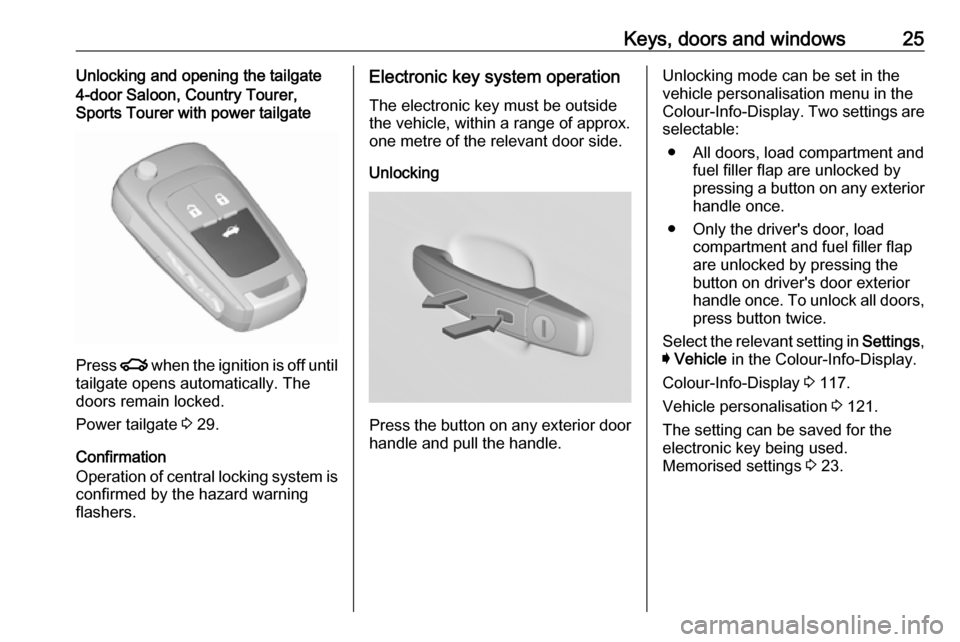
Press x when the ignition is off until
tailgate opens automatically. The
doors remain locked.
Power tailgate 3 29.
Confirmation
Operation of central locking system is
confirmed by the hazard warning
flashers.
Electronic key system operation
The electronic key must be outsidethe vehicle, within a range of approx.
one metre of the relevant door side.
Unlocking
Press the button on any exterior door
handle and pull the handle.
Unlocking mode can be set in the
vehicle personalisation menu in the
Colour-Info-Display. Two settings are selectable:
● All doors, load compartment and fuel filler flap are unlocked by
pressing a button on any exterior
handle once.
● Only the driver's door, load compartment and fuel filler flapare unlocked by pressing the
button on driver's door exterior
handle once. To unlock all doors, press button twice.
Select the relevant setting in Settings,
I Vehicle in the Colour-Info-Display.
Colour-Info-Display 3 117.
Vehicle personalisation 3 121.
The setting can be saved for the
electronic key being used.
Memorised settings 3 23.
Page 34 of 327
32Keys, doors and windowsAdjust reduced opening height in
intermediate mode
1. Turn operation mode switch to 3/4 .
2. Open power tailgate with any operation switch.
3. Stop movement at the desired height by pressing any operation
switch. If required, manually move
the stopped tailgate to the desired position.
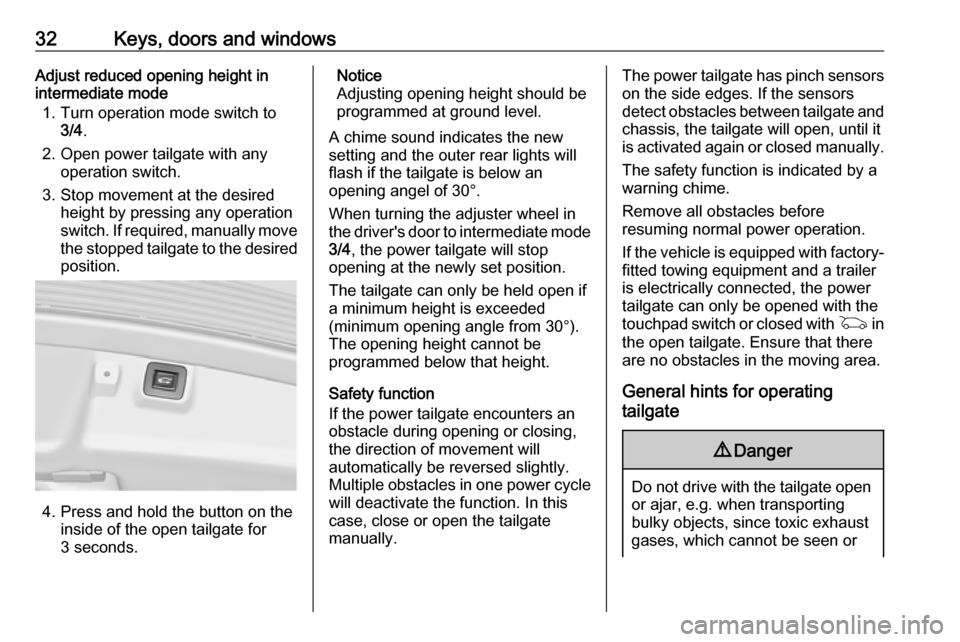
4. Press and hold the button on the
inside of the open tailgate for
3 seconds.
Notice
Adjusting opening height should be
programmed at ground level.
A chime sound indicates the new
setting and the outer rear lights will
flash if the tailgate is below an
opening angel of 30°.
When turning the adjuster wheel in
the driver's door to intermediate mode 3/4 , the power tailgate will stop
opening at the newly set position.
The tailgate can only be held open if a minimum height is exceeded
(minimum opening angle from 30°).
The opening height cannot be
programmed below that height.
Safety function
If the power tailgate encounters an
obstacle during opening or closing,
the direction of movement will
automatically be reversed slightly.
Multiple obstacles in one power cycle
will deactivate the function. In this
case, close or open the tailgate
manually.The power tailgate has pinch sensors
on the side edges. If the sensors
detect obstacles between tailgate and chassis, the tailgate will open, until it
is activated again or closed manually.
The safety function is indicated by a
warning chime.
Remove all obstacles before
resuming normal power operation.
If the vehicle is equipped with factory- fitted towing equipment and a trailer
is electrically connected, the power
tailgate can only be opened with the
touchpad switch or closed with G in
the open tailgate. Ensure that there are no obstacles in the moving area.
General hints for operating
tailgate9 Danger
Do not drive with the tailgate open
or ajar, e.g. when transporting
bulky objects, since toxic exhaust
gases, which cannot be seen or
Page 45 of 327
Keys, doors and windows43Roof
Sunroof9 Warning
Take care when operating the
sunroof. Risk of injury, particularly to children.
Keep a close watch on the
movable parts when operating
them. Ensure that nothing
becomes trapped in them as they
move.
Operable with ignition in position
Accessory power mode or Ignition on
power mode 3 155, 3 156.
Retained power off 3 157.
Sunroof, 5-door Hatchback/
4-door Saloon
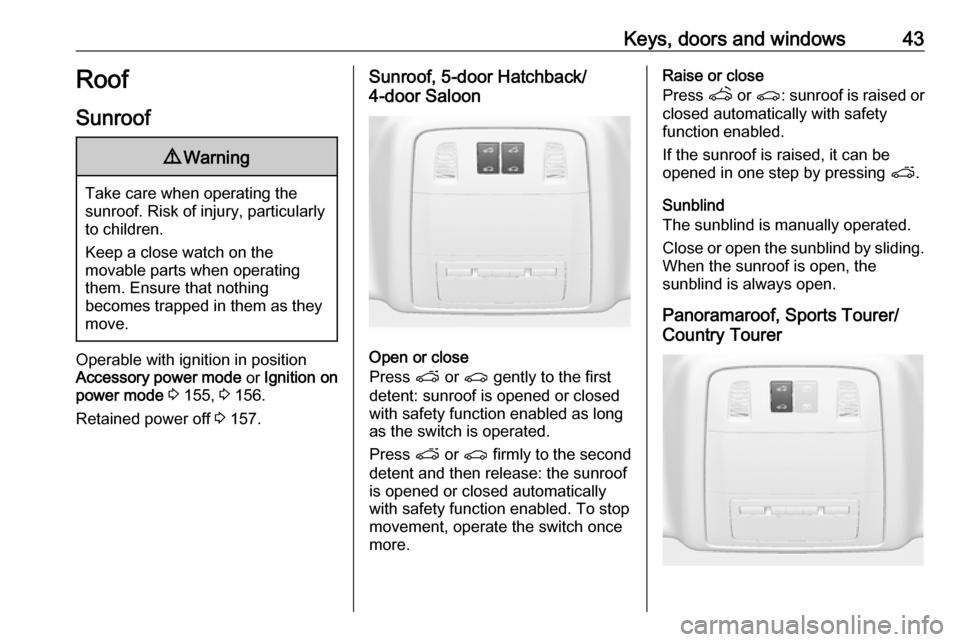
Open or close
Press p or r gently to the first
detent: sunroof is opened or closed with safety function enabled as long
as the switch is operated.
Press p or r firmly to the second
detent and then release: the sunroof
is opened or closed automatically
with safety function enabled. To stop
movement, operate the switch once
more.
Raise or close
Press q or r : sunroof is raised or
closed automatically with safety
function enabled.
If the sunroof is raised, it can be
opened in one step by pressing p.
Sunblind
The sunblind is manually operated.
Close or open the sunblind by sliding.
When the sunroof is open, the
sunblind is always open.
Panoramaroof, Sports Tourer/
Country Tourer
Page 95 of 327

Instruments and controls93Warning lights, gauges
and indicators
Instrument cluster
Depending on the version, three
instrument clusters are available:
● Baselevel
● Midlevel
● Uplevel
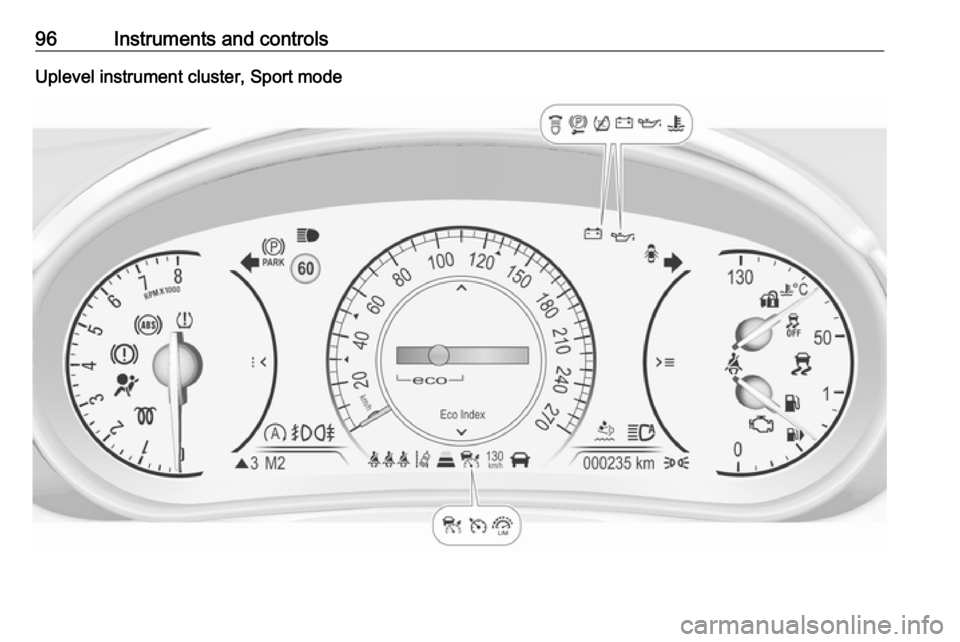
Uplevel instrument cluster can be
displayed as Sport mode or Tour
mode.
Page 98 of 327
96Instruments and controlsUplevel instrument cluster, Sport mode
Page 114 of 327

112Instruments and controls●Phone
● Navigation
● Settings
Some of the displayed functions differ
when the vehicle is being driven or at
a standstill. Some functions are only
available when the vehicle is being
driven.
Uplevel instrument cluster can be
displayed as Sport mode or Tour
mode. See below: Settings Menu,
Display Themes.
Vehicle personalisation 3 121.
Memorised settings 3 23.
Selecting menus and functions
The menus and functions can be
selected via the buttons on the right
side in the steering wheel.
Press p to open main menu page.
Select a main menu page with Q or
P .
Confirm a main menu page with 9.
Once a main menu page is selected, press Q or P to select subpages.
Press q to open a next folder of the
selected subpage.
Press Q or P to select functions or
to set a numeric value, if required.
Press 9 to select and confirm a
function.
If the Driver Information Centre
requests the driver to confirm a
function or message by pressing H
(Select), confirm by pressing 9.
Once a main menu page is selected,
this selection remains stored until
another main menu page is selected.
This means once the 'Info Menu' page is selected, you can change the
subpages just by pressing P or Q.
Vehicle and service messages are
popped-up in the Driver Information
Centre if required. Confirm messages
by pressing 9. Vehicle messages
3 119.
Info Menu The following list contains all possible
Info Menu pages. Some may not be
available for your particular vehicle. Depending on the display some
functions are symbolised.
Turn the adjuster wheel or press Q
or P to select a page:
● trip odometer 1/A average fuel consumption
Page 118 of 327

116Instruments and controlsAudio Menu
Audio menu enables browsing for
music, selecting from favourites or
changing the audio source.
See Infotainment manual.
Phone Menu
Phone menu enables managing and performing of phone calls, scrolling through contacts or operating
handsfree phoning.
See Infotainment manual.
Navigation Menu Navigation menu enables route
guidance.
See Infotainment manual.
Settings Menu The following list contains all possible Settings Menu pages. Some may not
be available for your particular
vehicle. Depending on the display
some functions are symbolised.Turn the adjuster wheel or press Q
or P to select a page and follow the
instructions given in the submenus:
● units
● display themes
● info pages
● speed warning
● tyre loading
● software information
Units
Press > while units is displayed.
Select imperial or metric units by
pressing 9.
Display themes
Press > while display themes is
displayed. Select Sport or Touring
mode by pressing 9. Sport mode
includes more vehicle information,
Tour mode includes more media
information.
This setting is only available with
Uplevel display.Info pages
Press > while Info pages is displayed.
A list of all items in the Info Menu is displayed. Select the functions to be
displayed in the Info page by pressing
9 . Selected pages have a 9 in a
checkbox. Non viewable functions
have a blank checkbox. See Info
Menu above.
Speed warning
The speed warning display allows
you to set a speed that you do not
want to exceed.
To set the speed warning, press >
while the page is displayed. Press
Q or P to adjust the value. Press
9 to set the speed. Once the speed
is set, this feature can be turned off by
pressing 9 while viewing this page. If
the selected speed limit is exceeded,
a pop-up warning is displayed with a
chime.
Tyre loading
The tyre pressure category according
to the actually inflated tyre pressure
can be selected 3 254.
Page 123 of 327
Instruments and controls121Vehicle personalisation
The vehicle's behaviour can be
personalised by changing the settings in the Colour-Info-Display.
Some of the personal settings for
different drivers can be memorised
individually for each vehicle key.
Memorised settings 3 23.
Depending on vehicle equipment and
country-specific regulations some of
the functions described below might
not be available.
Some functions are only displayed or
active when the engine is running.
Personal settings Following the changing of personal
settings is described via the buttons
below the display. This is valid for
4.2'' as well as 8'' Colour-Info-Display.
Additionally, the 8'' display is operable
as a touchscreen. See description
'Colour-Info-Display' 3 117 and the
Infotainment manual.
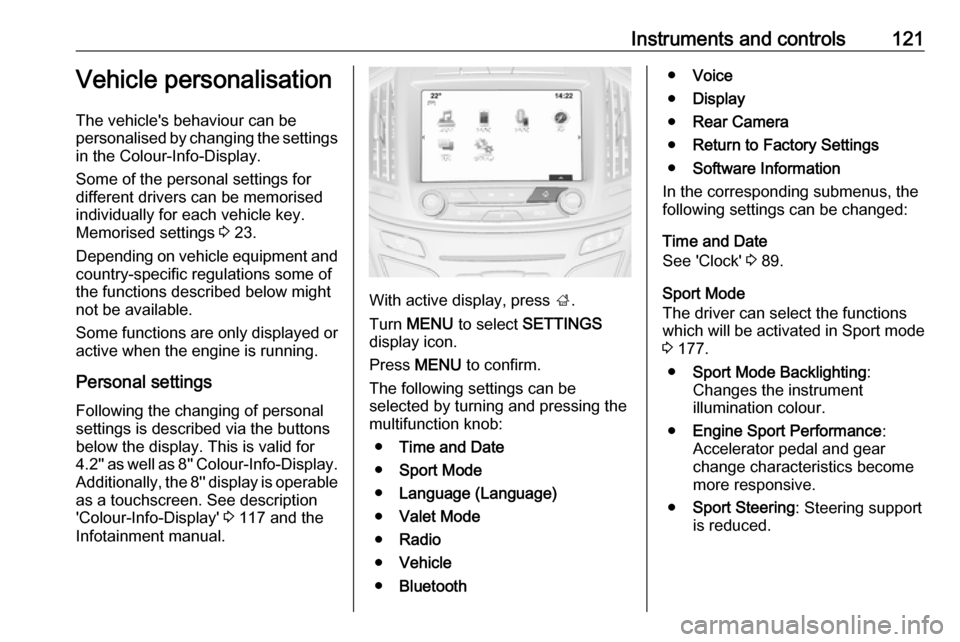
With active display, press ;.
Turn MENU to select SETTINGS
display icon.
Press MENU to confirm.
The following settings can be selected by turning and pressing the
multifunction knob:
● Time and Date
● Sport Mode
● Language (Language)
● Valet Mode
● Radio
● Vehicle
● Bluetooth
●Voice
● Display
● Rear Camera
● Return to Factory Settings
● Software Information
In the corresponding submenus, the
following settings can be changed:
Time and Date
See 'Clock' 3 89.
Sport Mode
The driver can select the functions
which will be activated in Sport mode
3 177.
● Sport Mode Backlighting :
Changes the instrument
illumination colour.
● Engine Sport Performance :
Accelerator pedal and gear
change characteristics become
more responsive.
● Sport Steering : Steering support
is reduced.