warning VAUXHALL INSIGNIA 2017.5 Owner's Guide
[x] Cancel search | Manufacturer: VAUXHALL, Model Year: 2017.5, Model line: INSIGNIA, Model: VAUXHALL INSIGNIA 2017.5Pages: 301, PDF Size: 8.32 MB
Page 67 of 301

Seats, restraints65Pedestrian protection
system
Active bonnet
Pedestrian protection system can help to reduce the injury of
pedestrians in case of a front
collision.
When the sensors in the front bumper
detect a certain impact within the
speed range of 15 mph to 31 mph, the
rear part of the bonnet will be lifted to
reduce pedestrians head injuries.
In addition the front bumper is
designed to reduce leg injuries of
pedestrians.
The active bonnet can be triggered
only once and remains in the raised
position. A message is displayed in
the Driver Information Centre.
Seek the assistance of a workshop as soon as possible, thereby adapting
the driving style, to have the
actuators, hinges and bonnet
replaced.9 Warning
Do not drive with the bonnet
raised.
9 Warning
After any frontal accident the front
bumper may appear to be intact,
however, the sensors may be
damaged. Consult a workshop to
verify proper functionality of the
sensors.
The system may not trigger under the following conditions:
● The impact is out of sensor range.
● The sensors are damaged or blocked by accessory parts.
● The bonnet is blocked by snow or
ice.
● The vehicle speed is not within the range.
● The object is too small.
Manually bonnet lowering9 Warning
After the system has triggered, the
hinges of the bonnet are hot. Do
not touch.
To manually lower the triggered
bonnet for driving to the next
workshop:
1. Pull the bonnet release lever.
2. Push the safety catch to left vehicle side.
3. Open the bonnet approx. 20 cm and lower it slowly without
engaging.
4. Push down bonnet with both hands at rear corners in small
steps alternating between right
and left side.
9 Warning
Be sure to keep away from the
edge of the bonnet to prevent
injuries.
Page 69 of 301
Storage67StorageStorage compartments................67
Glovebox ................................... 67
Cupholders ................................ 67
Front storage ............................. 68
Sunglasses storage ...................68
Armrest storage .........................68
Centre console storage .............68
Load compartment .......................69
Load compartment cover ...........72
Rear floor storage cover ............73
Lashing eyes ............................. 73
Warning triangle ........................73
First aid kit ................................. 74
Roof rack system .........................74
Roof rack ................................... 74
Loading information .....................75Storage compartments9Warning
Do not store heavy or sharp
objects in the storage
compartments. Otherwise, the
storage compartment lid could
open and vehicle occupants could be injured by objects being thrown
around in the event of hard
braking, a sudden change in
direction or an accident.
Glovebox
The glovebox should be closed whilst driving.
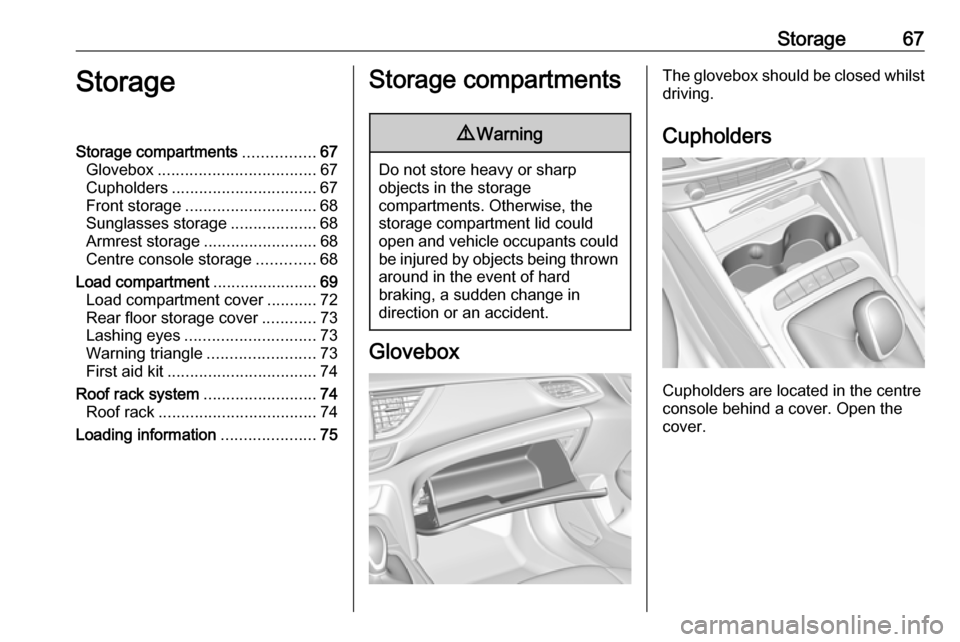
Cupholders
Cupholders are located in the centre
console behind a cover. Open the
cover.
Page 72 of 301
70Storage
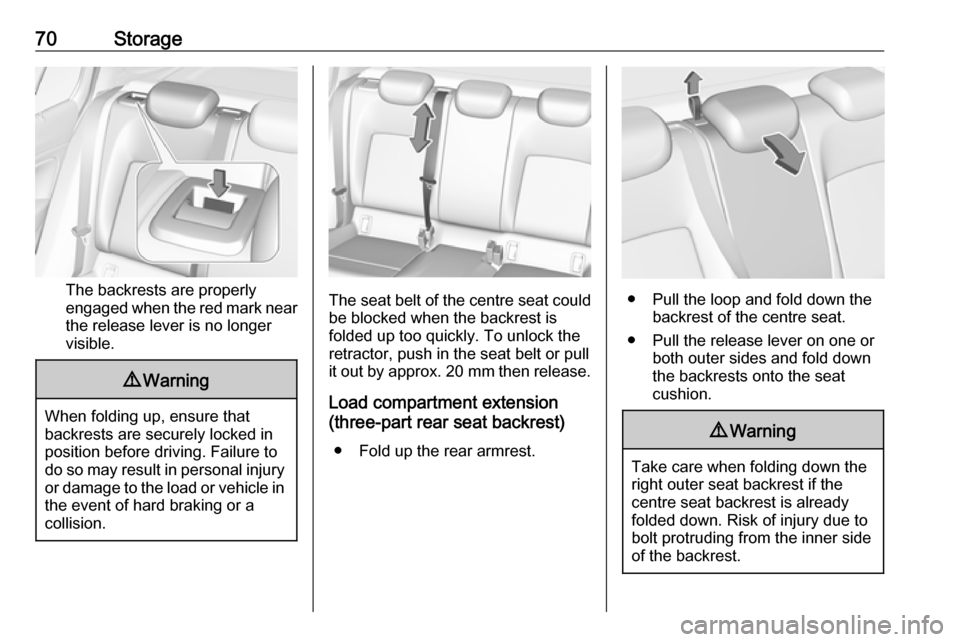
The backrests are properly
engaged when the red mark near the release lever is no longer
visible.
9 Warning
When folding up, ensure that
backrests are securely locked in
position before driving. Failure to
do so may result in personal injury or damage to the load or vehicle in the event of hard braking or a
collision.
The seat belt of the centre seat could
be blocked when the backrest is
folded up too quickly. To unlock the
retractor, push in the seat belt or pull
it out by approx. 20 mm then release.
Load compartment extension
(three-part rear seat backrest)
● Fold up the rear armrest.● Pull the loop and fold down the backrest of the centre seat.
● Pull the release lever on one or both outer sides and fold down
the backrests onto the seat
cushion.
9 Warning
Take care when folding down the
right outer seat backrest if the
centre seat backrest is already
folded down. Risk of injury due to
bolt protruding from the inner sideof the backrest.
Page 73 of 301
Storage71
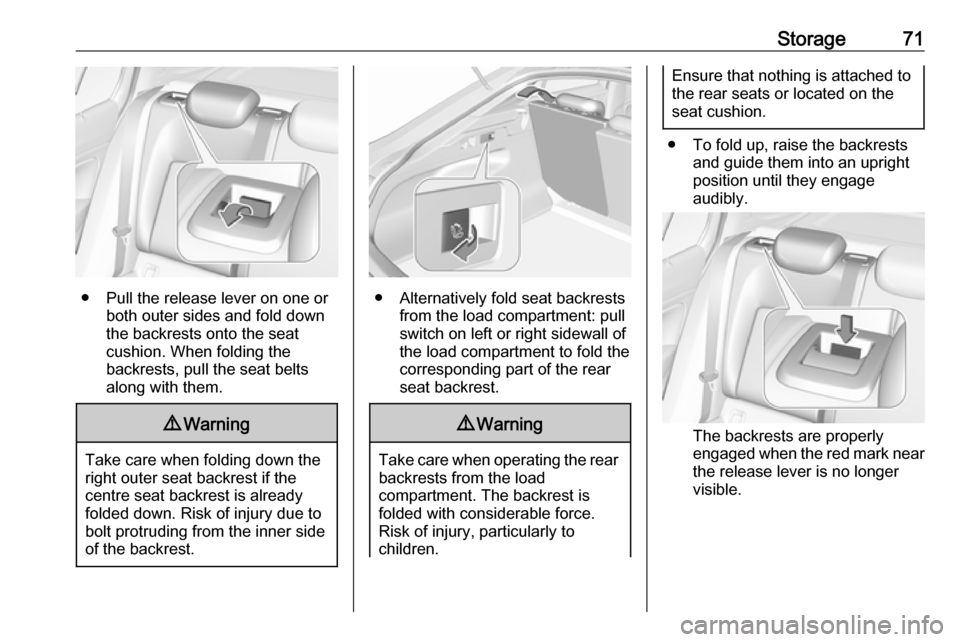
● Pull the release lever on one orboth outer sides and fold down
the backrests onto the seat
cushion. When folding the
backrests, pull the seat belts along with them.
9 Warning
Take care when folding down the
right outer seat backrest if the
centre seat backrest is already
folded down. Risk of injury due to bolt protruding from the inner side
of the backrest.
● Alternatively fold seat backrests from the load compartment: pullswitch on left or right sidewall of
the load compartment to fold the
corresponding part of the rear
seat backrest.
9 Warning
Take care when operating the rear
backrests from the load
compartment. The backrest is
folded with considerable force.
Risk of injury, particularly to
children.
Ensure that nothing is attached to
the rear seats or located on the
seat cushion.
● To fold up, raise the backrests and guide them into an upright
position until they engage
audibly.
The backrests are properly
engaged when the red mark near the release lever is no longer
visible.
Page 74 of 301
72Storage9Warning
When folding up, ensure that
backrests are securely locked in
position before driving. Failure to
do so may result in personal injury or damage to the load or vehicle in the event of hard braking or a
collision.
The seat belt of the centre seat could
be blocked when the backrest is
folded up too quickly. To unlock the
retractor, push in the seat belt or pull
it out by approx. 20 mm then release.
Load compartment cover
Do not place any objects on the cover.
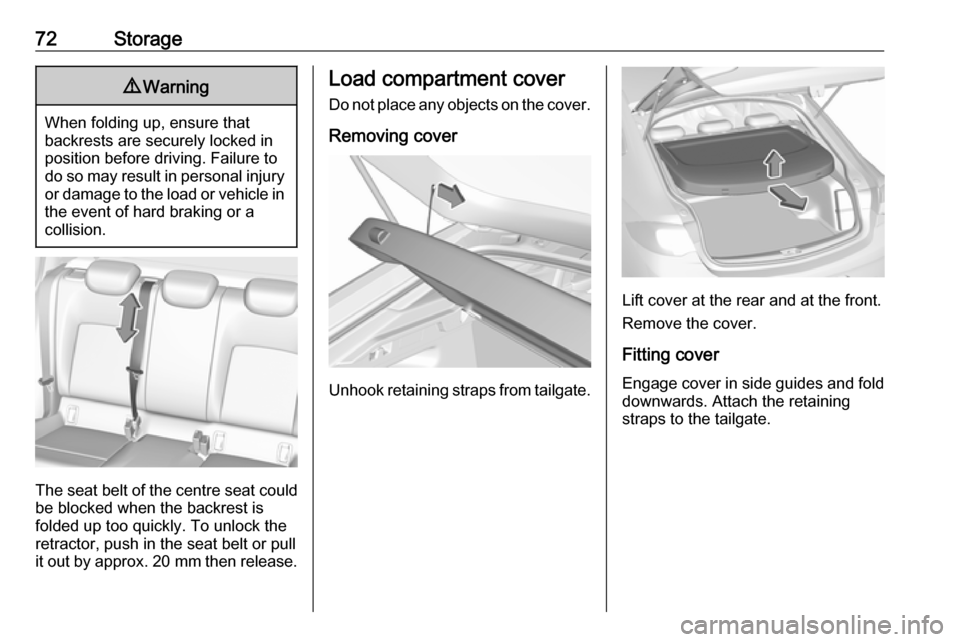
Removing cover
Unhook retaining straps from tailgate.
Lift cover at the rear and at the front.
Remove the cover.
Fitting cover Engage cover in side guides and fold downwards. Attach the retaining
straps to the tailgate.
Page 75 of 301
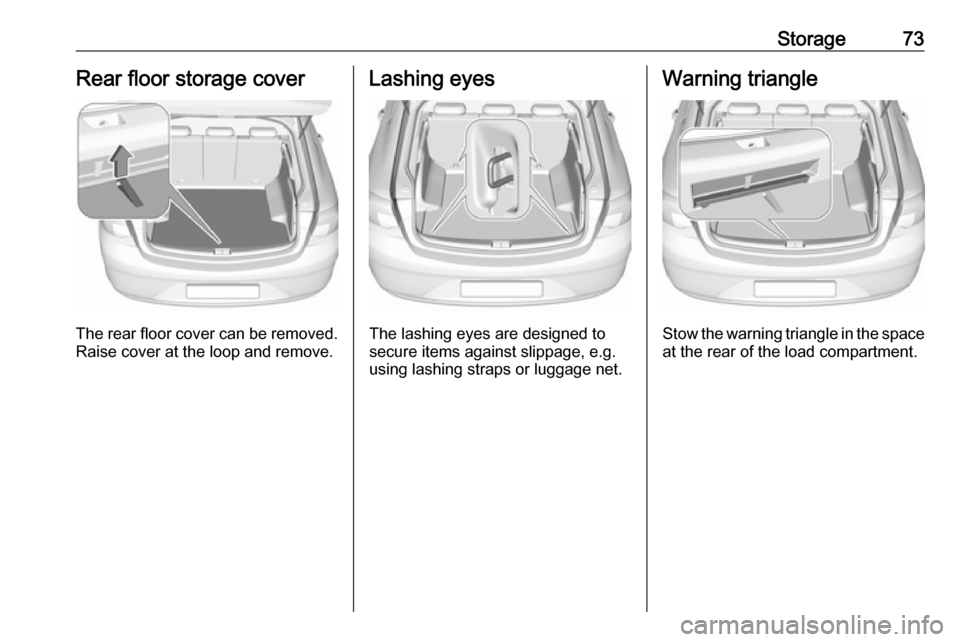
Storage73Rear floor storage cover
The rear floor cover can be removed.
Raise cover at the loop and remove.
Lashing eyes
The lashing eyes are designed to
secure items against slippage, e.g.
using lashing straps or luggage net.
Warning triangle
Stow the warning triangle in the space
at the rear of the load compartment.
Page 77 of 301

Storage75Loading information
● Heavy objects in the loadcompartment should be placed
against the seat backrests. Make
sure that the backrests are
securely engaged, i.e. no longer
showing the red markings on the side near the release lever. If
objects can be stacked, heavier
objects should be placed at the
bottom.
● Secure objects with lashing straps attached to lashing eyes
3 73.
● Secure loose objects in the load
compartment to prevent from
sliding.
● When transporting objects in the load compartment, the backrestsof the rear seats must not be
angled forward.
● Do not allow the load to protrude above the upper edge of the
backrests.
● Do not place any objects on the load compartment cover or theinstrument panel, and do not
cover the sensor on top of the instrument panel.
● The load must not obstruct the operation of the pedals, parking
brake and gear selector, or
hinder the freedom of movement of the driver. Do not place any
unsecured objects in the interior.
● Do not drive with an open load compartment.9Warning
Always ensure that the load in the
vehicle is securely stowed.
Otherwise objects can be thrown
around inside the vehicle and
cause personal injury or damage
to the load or vehicle.
● The payload is the difference between the permitted grossvehicle weight (see identification
plate 3 274) and the EC kerb
weight.
To calculate the payload, enter the data for your vehicle in the
weights table at the front of this
manual.
The EC kerb weight includes
weights for the driver (68 kg),
luggage (7 kg) and all fluids (fuel
tank 90% full).
Optional equipment and
accessories increase the kerb
weight.
● Driving with a roof load increases
the sensitivity of the vehicle to
cross-winds and has a
Page 79 of 301

Instruments and controls77Instruments and
controlsControls ....................................... 78
Steering wheel adjustment ........78
Steering wheel controls .............78
Heated steering wheel ...............79
Horn ........................................... 79
Windscreen wiper/washer .........79
Rear window wiper/washer .......81
Outside temperature ..................82
Clock ......................................... 82
Power outlets ............................. 84
Inductive charging .....................85
Ashtrays .................................... 85
Warning lights, gauges and indi‐ cators ........................................... 87
Instrument cluster ......................87
Speedometer ............................. 92
Odometer .................................. 93
Trip odometer ............................ 93
Tachometer ............................... 94
Fuel gauge ................................ 94
Engine coolant temperature gauge ....................................... 95
Service display .......................... 95
Control indicators ......................96Turn signal................................. 96
Seat belt reminder .....................96
Airbag and belt tensioners .........97
Airbag deactivation ....................97
Charging system .......................98
Malfunction indicator light ..........98
Brake and clutch system ...........98
Electric parking brake ................98
Electric parking brake fault ........98
Antilock brake system (ABS) .....99
Gear shifting .............................. 99
Following distance .....................99
Lane keep assist .......................99
Electronic Stability Control off ...99
Electronic Stability Control and Traction Control system ...........99
Traction Control system off .....100
Engine coolant temperature ....100
Preheating ............................... 100
AdBlue ..................................... 100
Tyre pressure monitoring system .................................... 100
Engine oil pressure ..................100
Low fuel ................................... 101
Immobiliser .............................. 101
Exterior light ............................ 101
High beam ............................... 101
High beam assist .....................101
LED headlights ........................ 101
Fog light ................................... 101Rear fog light........................... 102
Cruise control .......................... 102
Adaptive cruise control ............102
Vehicle detected ahead ...........102
Pedestrian detection ................102
Speed limiter ........................... 102
Traffic sign assistant ................102
Door open ................................ 102
Information displays ...................103
Driver Information Centre ........103
Info display .............................. 110
Head-up display ......................112
Vehicle messages ......................114
Warning chimes .......................115
Battery voltage ........................ 115
Vehicle personalisation ..............116
Telematics service .....................120
OnStar ..................................... 120
Page 84 of 301
82Instruments and controlsActivation or deactivation of this
function can be changed in the menu Settings in the Info-Display.
Vehicle personalisation 3 116.
Rear window washer
Push lever.
Washer fluid is sprayed onto the rear
window and the wiper wipes a few
times.
The rear window washer system is
deactivated when the fluid level is
low.
Washer fluid 3 233.
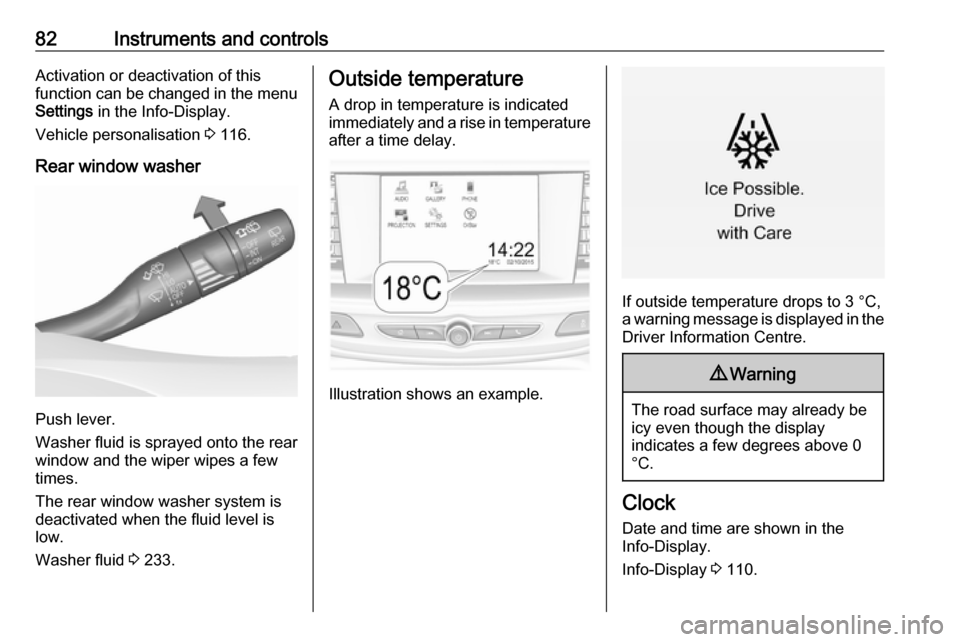
Outside temperature
A drop in temperature is indicated
immediately and a rise in temperature
after a time delay.
Illustration shows an example.
If outside temperature drops to 3 °C,
a warning message is displayed in the Driver Information Centre.
9 Warning
The road surface may already be
icy even though the display
indicates a few degrees above 0
°C.
Clock
Date and time are shown in the
Info-Display.
Info-Display 3 110.
Page 87 of 301

Instruments and controls85
Two USB ports for charging devices
only are located in the back of the
centre console.
Notice
The sockets must always be kept clean and dry.
Inductive charging
9 Warning
Inductive charging can affect the
operation of implanted
pacemakers or other medical
devices. If applicable, seek
medical advice before using the
inductive charging device.
9 Warning
Remove any metal objects from
the charging device before
charging a mobile phone, as these
objects could become very hot.
To charge a device, the ignition must
be switched on.
The charging slot is located below the
front armrest.
To charge a mobile phone:
1. Remove all objects from the charging device.
2. Insert the mobile phone with the display facing to the rear in the
charging slot.
Charging status is indicated in the
Info display.
PMA or Qi compatible mobile phones can be charged inductively.
A back cover with an integrated coil
(e.g. Samsung 4 and 5) or a jacket
(e.g. some iPhone models) may be
required to charge a mobile phone.
The mobile phone must be smaller
than 8 cm in width and 15 cm in length
to fit into the charging device.
AshtraysCaution
To be used only for ash and not forcombustible rubbish.