buttons VAUXHALL INSIGNIA 2017 User Guide
[x] Cancel search | Manufacturer: VAUXHALL, Model Year: 2017, Model line: INSIGNIA, Model: VAUXHALL INSIGNIA 2017Pages: 327, PDF Size: 9.34 MB
Page 126 of 327
124Instruments and controlsTelematics service
OnStar OnStar is a personal connectivity and
service assistant with integrated
Wi-Fi hotspot. The OnStar service is
available 24 hours a day, seven days
a week.
Notice
OnStar is not available for all
markets. For further information,
contact your workshop.
Notice
In order to be available and
operational, OnStar needs a valid
OnStar subscription, functioning
vehicle electrics, mobile service and
GPS satellite link.
To activate the OnStar services and
set up an account, press Z and speak
with an advisor.Depending on the equipment of the vehicle, the following services areavailable:
● Emergency services and support
in the case of a vehicle
breakdown
● Wi-Fi hotspot
● Smartphone application
● Remote control, e.g. location of the vehicle, activation of horn and
lights, control of central locking system
● Stolen vehicle assistance
● Vehicle diagnostics
● Destination download
Notice
The OnStar module of the vehicle is
deactivated after ten days without an
ignition cycle. Functions requiring a
data connection will be available
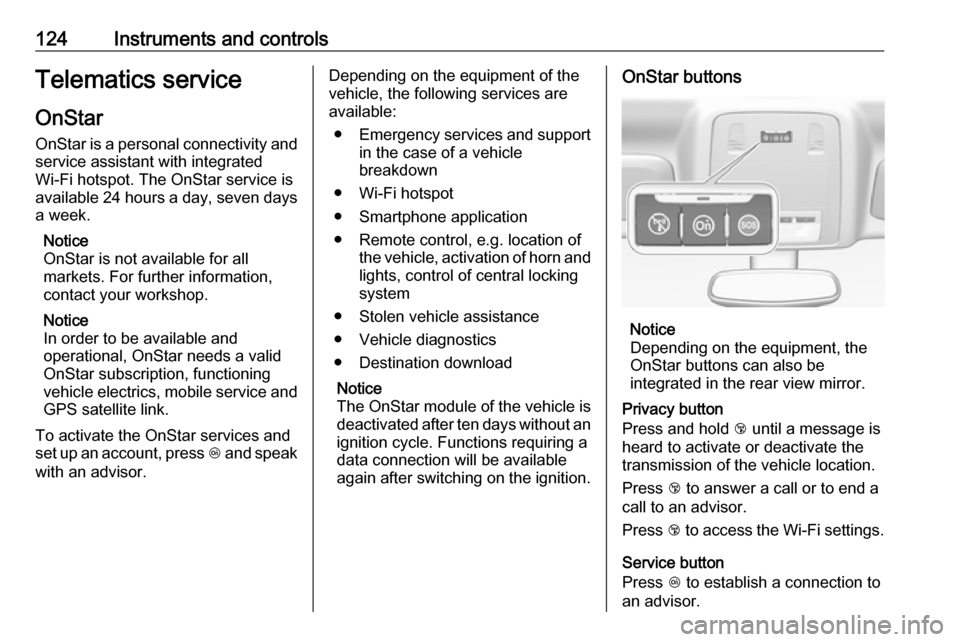
again after switching on the ignition.OnStar buttons
Notice
Depending on the equipment, the
OnStar buttons can also be
integrated in the rear view mirror.
Privacy button
Press and hold j until a message is
heard to activate or deactivate the transmission of the vehicle location.
Press j to answer a call or to end a
call to an advisor.
Press j to access the Wi-Fi settings.
Service button
Press Z to establish a connection to
an advisor.
Page 142 of 327
140Climate controlClimate controlClimate control systems.............140
Air conditioning system ...........140
Automatic climate control system .................................... 142
Dual automatic climate control system .................................... 147
Auxiliary heater ........................151
Air vents ..................................... 151
Adjustable air vents .................151
Fixed air vents ......................... 152
Maintenance .............................. 152
Air intake ................................. 152
Pollen filter ............................... 152
Air conditioning regular operation ................................ 153
Service .................................... 153Climate control systems
Air conditioning system
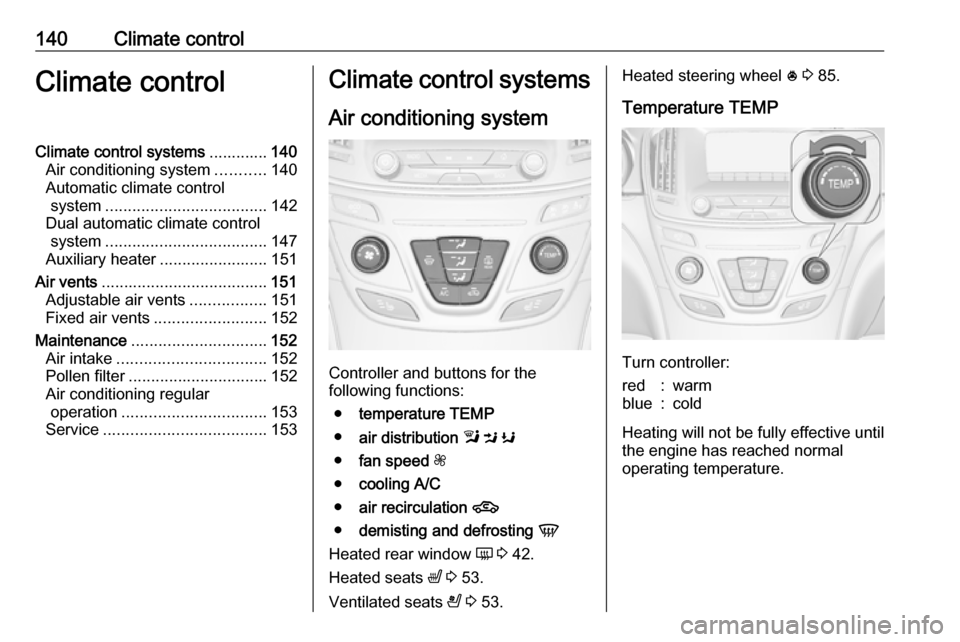
Controller and buttons for the
following functions:
● temperature TEMP
● air distribution l M K
● fan speed Z
● cooling A/C
● air recirculation 4
● demisting and defrosting V
Heated rear window Ü 3 42.
Heated seats ß 3 53.
Ventilated seats A 3 53.
Heated steering wheel * 3 85.
Temperature TEMP
Turn controller:
red:warmblue:cold
Heating will not be fully effective until
the engine has reached normal
operating temperature.
Page 145 of 327
Climate control143
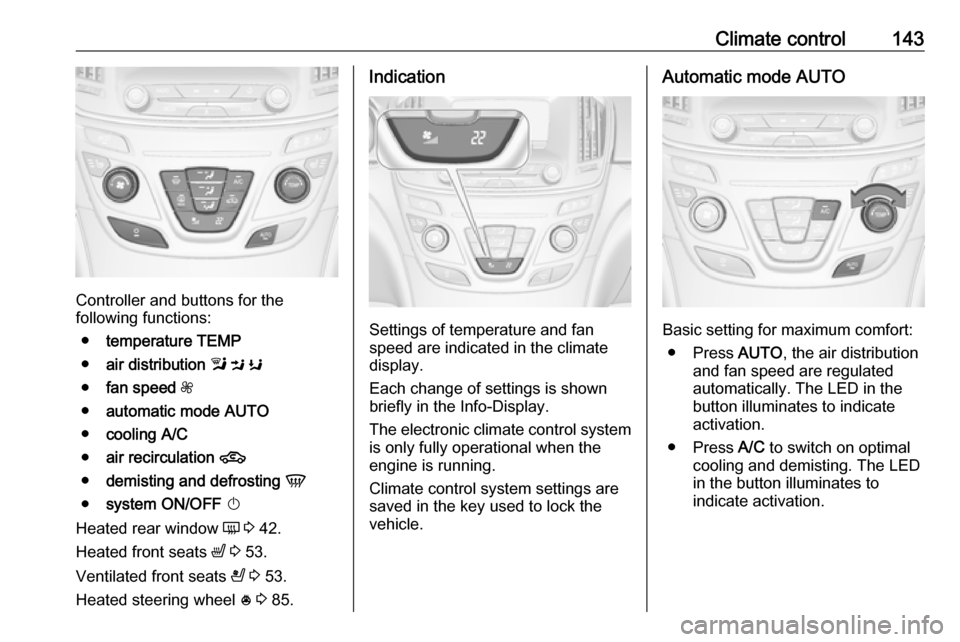
Controller and buttons for the
following functions:
● temperature TEMP
● air distribution l M K
● fan speed Z
● automatic mode AUTO
● cooling A/C
● air recirculation 4
● demisting and defrosting V
● system ON/OFF X
Heated rear window Ü 3 42.
Heated front seats ß 3 53.
Ventilated front seats A 3 53.
Heated steering wheel * 3 85.
Indication
Settings of temperature and fan
speed are indicated in the climate
display.
Each change of settings is shown
briefly in the Info-Display.
The electronic climate control system
is only fully operational when the
engine is running.
Climate control system settings are
saved in the key used to lock the
vehicle.
Automatic mode AUTO
Basic setting for maximum comfort:
● Press AUTO, the air distribution
and fan speed are regulated
automatically. The LED in the
button illuminates to indicate
activation.
● Press A/C to switch on optimal
cooling and demisting. The LED in the button illuminates to
indicate activation.
Page 147 of 327
Climate control145Select the relevant setting in Settings,
I Vehicle in the Colour-Info-Display.
Colour-Info-Display 3 117.
Vehicle personalisation 3 120.
Notice
If V is pressed while the engine is
running, an Autostop will be inhibited
until V is pressed again.
If V is pressed while the engine is
in an Autostop, the engine will restart automatically.
Stop-start system 3 159.
Manual settings Climate control system settings can
be manually adapted by using the air
distribution buttons and the fan speed controller as follows. Manual
changing of settings will deactivate
automatic mode.Fan speed Z
Turn controller Z. The selected fan
speed is indicated by the number of segments in the climate display.
If the fan is switched off, the air
conditioning is also deactivated.
To return to automatic mode: Press AUTO .
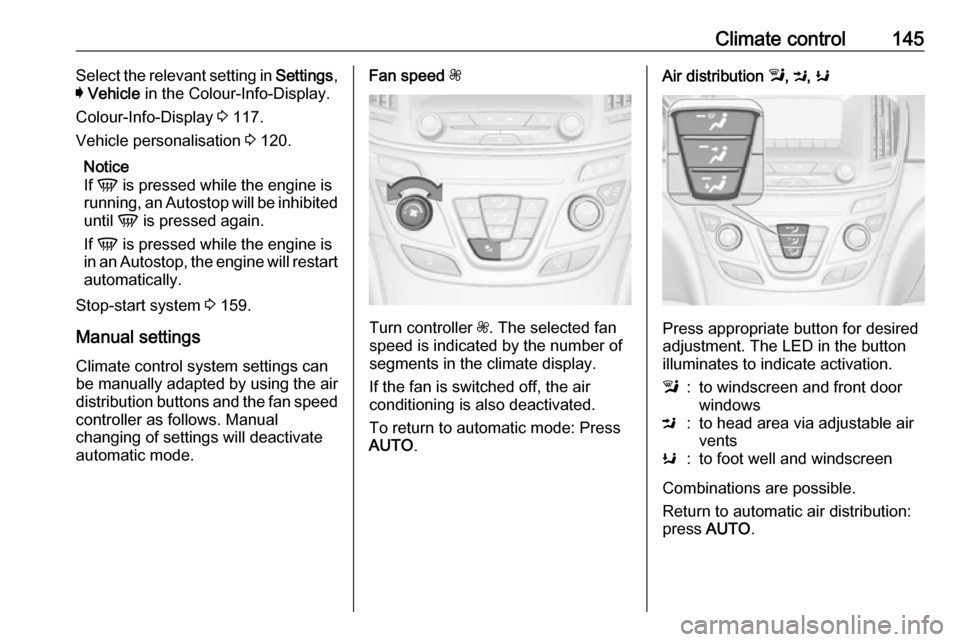
Air distribution l, M , K
Press appropriate button for desired
adjustment. The LED in the button
illuminates to indicate activation.
l:to windscreen and front door
windowsM:to head area via adjustable air
ventsK:to foot well and windscreen
Combinations are possible.
Return to automatic air distribution:
press AUTO .
Page 149 of 327
Climate control147Dual automatic climate
control system
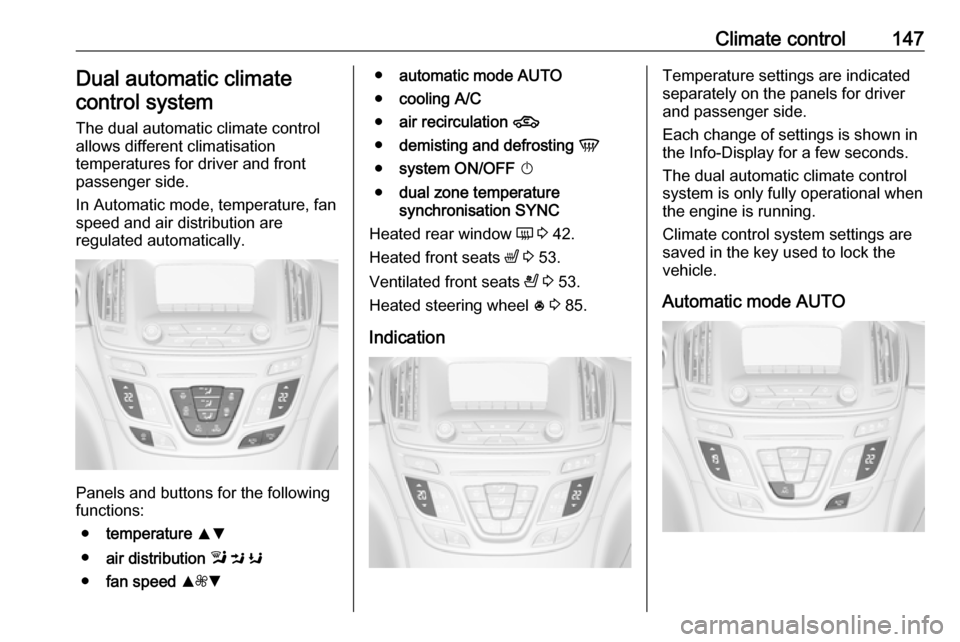
The dual automatic climate control
allows different climatisation
temperatures for driver and front
passenger side.
In Automatic mode, temperature, fan speed and air distribution are
regulated automatically.
Panels and buttons for the following
functions:
● temperature RS
● air distribution l M K
● fan speed R ZS
● automatic mode AUTO
● cooling A/C
● air recirculation 4
● demisting and defrosting V
● system ON/OFF X
● dual zone temperature
synchronisation SYNC
Heated rear window Ü 3 42.
Heated front seats ß 3 53.
Ventilated front seats A 3 53.
Heated steering wheel * 3 85.
IndicationTemperature settings are indicated
separately on the panels for driver
and passenger side.
Each change of settings is shown in
the Info-Display for a few seconds.
The dual automatic climate control
system is only fully operational when
the engine is running.
Climate control system settings are
saved in the key used to lock the vehicle.
Automatic mode AUTO
Page 151 of 327
Climate control149Demisting and defrosting the
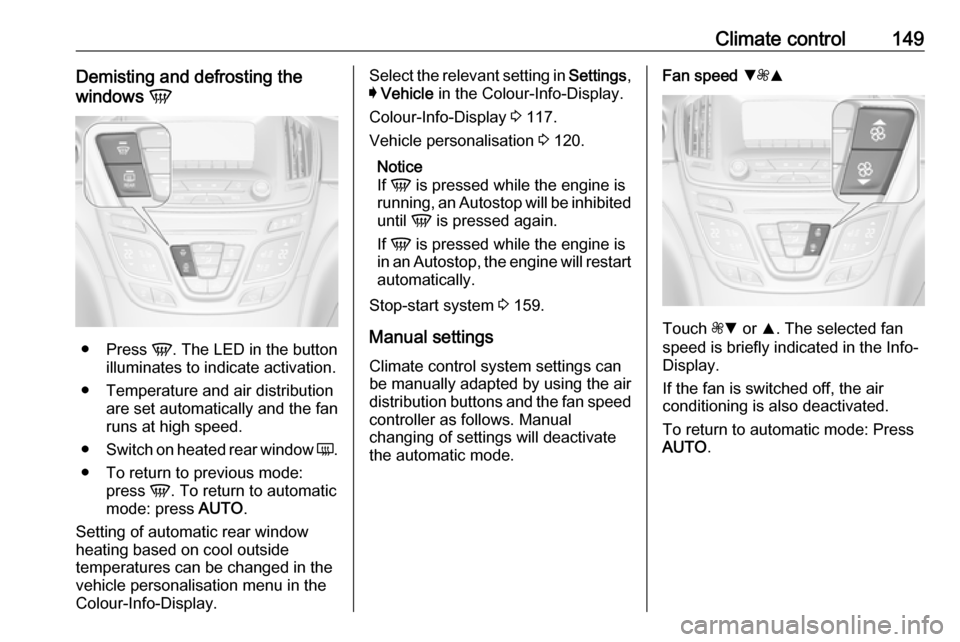
windows V
●
Press V. The LED in the button
illuminates to indicate activation.
● Temperature and air distribution are set automatically and the fan
runs at high speed.
● Switch on heated rear window Ü.
● To return to previous mode: press V. To return to automatic
mode: press AUTO.
Setting of automatic rear window heating based on cool outside
temperatures can be changed in the
vehicle personalisation menu in the
Colour-Info-Display.
Select the relevant setting in Settings,
I Vehicle in the Colour-Info-Display.
Colour-Info-Display 3 117.
Vehicle personalisation 3 120.
Notice
If V is pressed while the engine is
running, an Autostop will be inhibited
until V is pressed again.
If V is pressed while the engine is
in an Autostop, the engine will restart automatically.
Stop-start system 3 159.
Manual settings
Climate control system settings can
be manually adapted by using the air
distribution buttons and the fan speed controller as follows. Manual
changing of settings will deactivate
the automatic mode.Fan speed SZR
Touch ZS or R. The selected fan
speed is briefly indicated in the Info-
Display.
If the fan is switched off, the air
conditioning is also deactivated.
To return to automatic mode: Press
AUTO .
Page 212 of 327
210Driving and operating
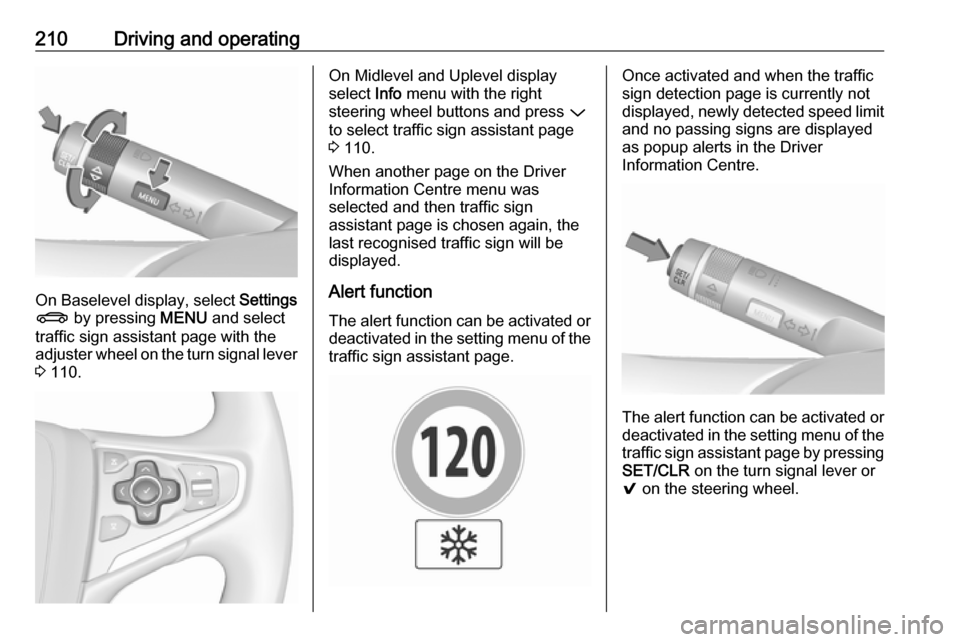
On Baselevel display, select Settings
X by pressing MENU and select
traffic sign assistant page with the adjuster wheel on the turn signal lever
3 110.
On Midlevel and Uplevel display
select Info menu with the right
steering wheel buttons and press P
to select traffic sign assistant page
3 110.
When another page on the Driver
Information Centre menu was
selected and then traffic sign
assistant page is chosen again, the
last recognised traffic sign will be
displayed.
Alert function The alert function can be activated or
deactivated in the setting menu of the
traffic sign assistant page.Once activated and when the traffic
sign detection page is currently not
displayed, newly detected speed limit
and no passing signs are displayed
as popup alerts in the Driver
Information Centre.
The alert function can be activated or
deactivated in the setting menu of the
traffic sign assistant page by pressing SET/CLR on the turn signal lever or
9 on the steering wheel.