ad blue VAUXHALL INSIGNIA 2018.5 User Guide
[x] Cancel search | Manufacturer: VAUXHALL, Model Year: 2018.5, Model line: INSIGNIA, Model: VAUXHALL INSIGNIA 2018.5Pages: 327, PDF Size: 9.2 MB
Page 174 of 327

172Driving and operatingNotice
In case of high AdBlue consumption, the Driver Information Centre may
display this warning without the
previous warning stages.
The last warning level is entered
when the AdBlue tank is empty.
Restart of the engine is not possible.
The following warning messages are
alternately displayed and cannot be
dismissed:
● AdBlue Empty Refill Now
● Engine Will Not Restart .
Additionally, control indicator Y
flashes continuously.
With active prevention of an engine
start, the following message will be
displayed:
Refill AdBlue To Start Vehicle .
The tank must be refilled completely with AdBlue, otherwise restarting of
the engine is not possible.
3 302High emission warnings
If the exhaust emission rises above a
certain value, warnings similar to the
range warnings will be displayed in
the Driver Information Centre.
Requests to have the exhaust system checked and finally the
announcement of the prevention of
an engine restart are displayed.
These restrictions are a legal
requirement.
Consult a workshop for assistance.
Refilling AdBlueCaution
Only use AdBlue that complies
with European standards
DIN 70 070 and ISO 22241-1.
Do not use additives.
Do not dilute AdBlue.
Otherwise the selective catalytic
reduction system could be
damaged.
Notice
Whenever a filling pump with a
nozzle for passenger cars is not
available at a filling station, use only
AdBlue bottles or canisters with a
sealed refill adapter for refilling, to
prevent splashback and overspill,
and in order to ensure that the fumes
from the tank are captured and do
not emerge. AdBlue in bottles or
canisters is available in many filling
stations and can be purchased e.g. at Vauxhall dealers and other retail
outlets.
Since AdBlue has a limited
durability, check the date of expiry
before refilling.
Notice
The refilling of AdBlue is only
detected by the system when the
above mentioned liquid level switch
in the tank is activated.
In case AdBlue refill is not
successfully detected:
Page 175 of 327
Driving and operating1731. Continuously drive the vehiclefor 10 minutes making sure that
vehicle speed is always higher
than 12 mph.
2. If AdBlue refill is detected successfully, AdBlue supply-
driven limitations will disappear.
If AdBlue refill is still not detected,
seek the assistance of a workshop.
If AdBlue must be refilled at
temperatures below -11 °C, the
refilling of AdBlue may not be
detected by the system. In this
event, park the vehicle in a space
with a higher ambient temperature
until AdBlue is liquefied.
Notice
When unscrewing the protective cap
from the filler neck, ammonia fumes
may emerge. Do not inhale as the fumes have a pungent smell. The
fumes are not harmful by inhalation.
The AdBlue tank should be filled
completely. This must be done if the
warning message regarding
prevention of an engine restart is
already displayed.The vehicle must be parked on a level surface.
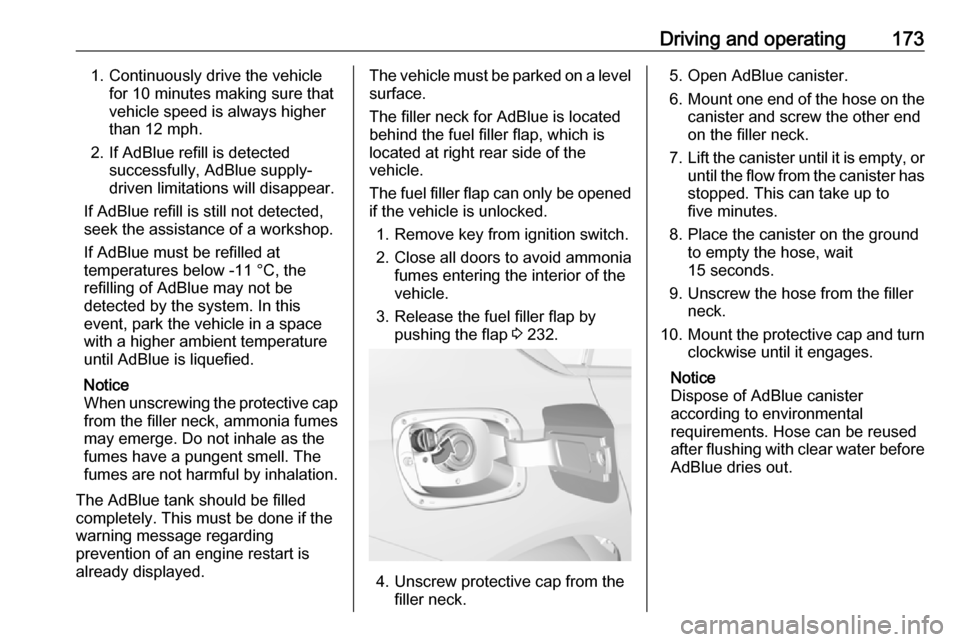
The filler neck for AdBlue is located
behind the fuel filler flap, which is located at right rear side of the
vehicle.
The fuel filler flap can only be opened
if the vehicle is unlocked.
1. Remove key from ignition switch.
2. Close all doors to avoid ammonia fumes entering the interior of the
vehicle.
3. Release the fuel filler flap by pushing the flap 3 232.
4. Unscrew protective cap from the
filler neck.
5. Open AdBlue canister.
6. Mount one end of the hose on the
canister and screw the other end
on the filler neck.
7. Lift the canister until it is empty, or
until the flow from the canister has stopped. This can take up to
five minutes.
8. Place the canister on the ground to empty the hose, wait
15 seconds.
9. Unscrew the hose from the filler neck.
10. Mount the protective cap and turn
clockwise until it engages.
Notice
Dispose of AdBlue canister
according to environmental
requirements. Hose can be reused
after flushing with clear water before
AdBlue dries out.
Page 189 of 327
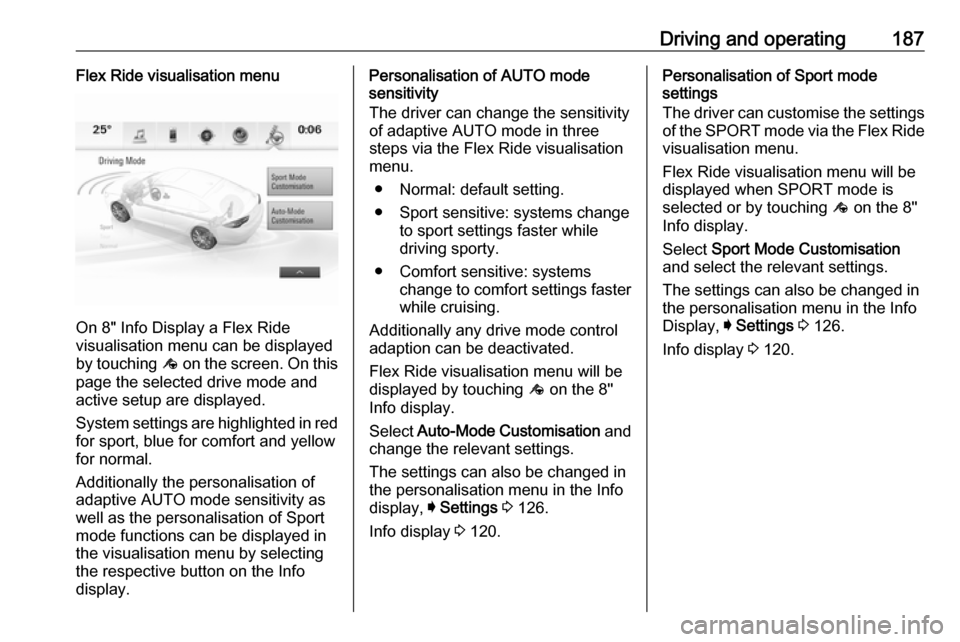
Driving and operating187Flex Ride visualisation menu
On 8" Info Display a Flex Ride
visualisation menu can be displayed
by touching ê on the screen. On this
page the selected drive mode and
active setup are displayed.
System settings are highlighted in red for sport, blue for comfort and yellowfor normal.
Additionally the personalisation of
adaptive AUTO mode sensitivity as
well as the personalisation of Sport
mode functions can be displayed in
the visualisation menu by selecting
the respective button on the Info
display.
Personalisation of AUTO mode
sensitivity
The driver can change the sensitivity
of adaptive AUTO mode in three
steps via the Flex Ride visualisation
menu.
● Normal: default setting.
● Sport sensitive: systems change to sport settings faster while
driving sporty.
● Comfort sensitive: systems change to comfort settings faster
while cruising.
Additionally any drive mode control adaption can be deactivated.
Flex Ride visualisation menu will be
displayed by touching ê on the 8"
Info display.
Select Auto-Mode Customisation and
change the relevant settings.
The settings can also be changed in
the personalisation menu in the Info
display, I Settings 3 126.
Info display 3 120.Personalisation of Sport mode
settings
The driver can customise the settings
of the SPORT mode via the Flex Ride visualisation menu.
Flex Ride visualisation menu will be
displayed when SPORT mode is
selected or by touching ê on the 8"
Info display.
Select Sport Mode Customisation
and select the relevant settings.
The settings can also be changed in
the personalisation menu in the Info
Display, I Settings 3 126.
Info display 3 120.
Page 195 of 327
Driving and operating193
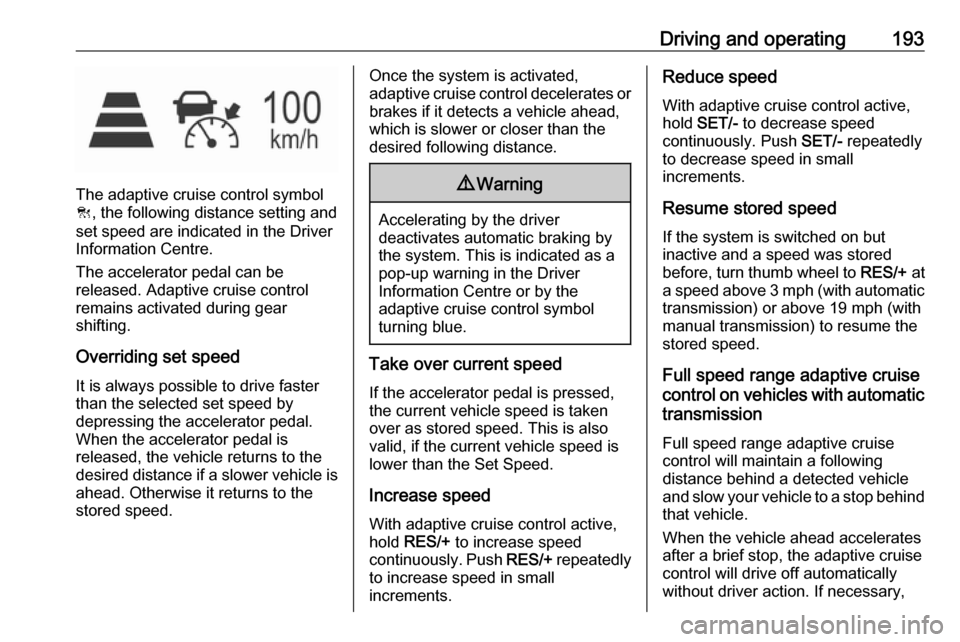
The adaptive cruise control symbol
C , the following distance setting and
set speed are indicated in the Driver
Information Centre.
The accelerator pedal can be
released. Adaptive cruise control
remains activated during gear
shifting.
Overriding set speed
It is always possible to drive faster
than the selected set speed by
depressing the accelerator pedal.
When the accelerator pedal is
released, the vehicle returns to the
desired distance if a slower vehicle is ahead. Otherwise it returns to the
stored speed.
Once the system is activated,
adaptive cruise control decelerates or
brakes if it detects a vehicle ahead,
which is slower or closer than the
desired following distance.9 Warning
Accelerating by the driver
deactivates automatic braking by
the system. This is indicated as a
pop-up warning in the Driver
Information Centre or by the
adaptive cruise control symbol
turning blue.
Take over current speed
If the accelerator pedal is pressed,
the current vehicle speed is taken
over as stored speed. This is also
valid, if the current vehicle speed is
lower than the Set Speed.
Increase speed
With adaptive cruise control active,
hold RES/+ to increase speed
continuously. Push RES/+ repeatedly
to increase speed in small
increments.
Reduce speed
With adaptive cruise control active,
hold SET/- to decrease speed
continuously. Push SET/- repeatedly
to decrease speed in small
increments.
Resume stored speed
If the system is switched on but
inactive and a speed was stored
before, turn thumb wheel to RES/+ at
a speed above 3 mph (with automatic transmission) or above 19 mph (with
manual transmission) to resume the stored speed.
Full speed range adaptive cruise
control on vehicles with automatic transmission
Full speed range adaptive cruise control will maintain a following
distance behind a detected vehicle
and slow your vehicle to a stop behind
that vehicle.
When the vehicle ahead accelerates
after a brief stop, the adaptive cruise
control will drive off automatically
without driver action. If necessary,
Page 289 of 327

Service and maintenance287Washer fluidUse only washer fluid approved for
the vehicle to prevent damage of
wiper blades, paintwork, plastic and
rubber parts. Consult a workshop.
Brake and clutch fluid Over time, brake fluid absorbs
moisture which will reduce braking
effectiveness. The brake fluid should
therefore be replaced at the specified
interval.
AdBlue Only use AdBlue to reduce the
nitrogen oxides in the exhaust
emission 3 171.
Page 304 of 327
![VAUXHALL INSIGNIA 2018.5 User Guide 302Technical dataCapacities
Engine oilEngineB15XHLB15XHTB20NFTincluding filter [l]4.04.05.7between MIN and MAX [l]1.01.01.0EngineB16DTEB16DTHB20DTHD20DTRincluding filter [l]5.05.05.254.5between MIN an](/img/38/19494/w960_19494-303.png "VAUXHALL INSIGNIA 2018.5 User Guide 302Technical dataCapacities
Engine oilEngineB15XHLB15XHTB20NFTincluding filter [l]4.04.05.7between MIN and MAX [l]1.01.01.0EngineB16DTEB16DTHB20DTHD20DTRincluding filter [l]5.05.05.254.5between MIN an")
302Technical dataCapacities
Engine oilEngineB15XHLB15XHTB20NFTincluding filter [l]4.04.05.7between MIN and MAX [l]1.01.01.0EngineB16DTEB16DTHB20DTHD20DTRincluding filter [l]5.05.05.254.5between MIN and MAX [l]1.01.01.01.0
Fuel tank
Petrol/diesel, refilling quantity [l]61
AdBlue tank
AdBlue, refilling quantity [l]15
Page 317 of 327

Customer information315use of the Zip-Bugs or Info-ZIP e-mail addresses or of the Info-ZIP
URL(s).
4. Info-ZIP retains the right to use the names “Info-ZIP,” “Zip,”
“UnZip,” “UnZipSFX,” “WiZ,”
“Pocket UnZip,” “Pocket Zip,” and
“MacZip” for its own source and
binary releases.
Software update
The Infotainment system can
download and install selected
software updates over a wireless
connection.
Notice
The availability of these over-the-air
vehicle software updates varies by
vehicle and country. Find more
information on our home page.
Internet connection
Downloading over-the-air vehicle
software updates requires internet
connectivity, which can be accessed
through the vehicle's built-in OnStarconnection or another password-
protected Wi-Fi hotspot, e.g. provided by a mobile phone.
To connect the Infotainment system
to a hotspot, select Settings on the
home screen, Wi-Fi and then Manage
Wi-Fi Networks . Select the desired
Wi-Fi network, and follow the on-
screen prompts.
Updates The system will prompt for certain
updates to be downloaded and
installed. There is also an option to
check for updates manually.
To manually check for updates, select
Settings on the home screen,
Software Information and then
System Update . Follow the on-screen
prompts.
Notice
Steps for downloading and installing updates may vary by vehicle.
Notice
During the installation process, the
vehicle may not be operational.Registered trademarksApple Inc.
Apple CarPlay™ is a trademark of
Apple Inc.
App Store ®
and iTunes Store ®
are
registered trademarks of Apple Inc.
iPhone ®
, iPod ®
, iPod touch ®
, iPod
nano ®
, iPad ®
and Siri ®
are registered
trademarks of Apple Inc.Bluetooth SIG, Inc.
Bluetooth ®
is a registered trademark
of Bluetooth SIG, Inc.DivX, LLC
DivX ®
and DivX Certified ®
are
registered trademarks of DivX, LLC.EnGIS Technologies, Inc.
BringGo ®
is a registered trademark of
EnGIS Technologies, Inc.Google Inc.
Android™ and Google Play™ Store are trademarks of Google Inc.Stitcher Inc.
Stitcher™ is a trademark of Stitcher,
Inc.
Page 318 of 327

316Customer informationVerband der Automobilindustrie e.V.
AdBlue ®
is a registered trademark of
the VDA.Vehicle data recording
and privacy
Event data recorders
Electronic control units are installed in
your vehicle. Control units process
data which is received by vehicle
sensors, for example, or which they
generate themselves or exchange
amongst themselves. Some control
units are necessary for the safe
functioning of your vehicle, others
assist you while you drive (driver
assistance systems), while others
provide comfort or infotainment
functions.
Operating data in the vehicle Control units process data for
operation of the vehicle.This data includes, for example:
● Vehicle status information (e.g. wheel rotation rate, speed,
movement delay, lateral
acceleration, "seatbelts
fastened" display),
● Ambient conditions (e.g. temperature, rain sensor,
distance sensor).
Most of this data is volatile and is
processed only in the vehicle itself, and not beyond the operating time.
Moreover, many control units include
data storage device (amongst others the vehicle key). This is used to allow
information to be documented
temporarily or permanently on vehicle
condition, component stress,
maintenance requirements and
technical events and errors.
The following information, for
example, is stored:
● System component operating states (e.g. fill level, tyre
pressure, battery status),
● State of charge of the high voltage battery, estimated range
(in the case of electric vehicles),
Page 322 of 327

320IndexAAccessories and vehicle modifications .......................... 238
Active bonnet ................................ 70
Active emergency braking ..........202
Adaptive cruise control .......112, 191
AdBlue ................................ 110, 171
Adjustable air vents ...................158
Airbag and belt tensioners .........107
Airbag deactivation ..............62, 107
Airbag label................................... 57
Airbag system .............................. 57
Air conditioning regular operation ................................ 160
Air conditioning system .............. 149
Air intake .................................... 159
Air vents...................................... 158
All-wheel drive ........................... 179
Antilock brake system ................ 179
Antilock brake system (ABS) .....109
Anti-theft alarm system ................33
Anti-theft locking system .............. 33
Appearance care ........................280
Armrest ................................... 52, 54
Armrest storage ........................... 73
Ashtrays ....................................... 96 Automatic anti-dazzle ..................38
Automatic dimming ......................37
Automatic light control ...............136
Automatic locking ........................26Automatic transmission .............174
Autostop ..................................... 166
Auxiliary heater ........................... 158
B Baselevel display ........................113
Battery discharge protection ......147
Battery voltage ........................... 125
Belts.............................................. 55 BlueInjection ............................... 171
Bonnet ....................................... 240
Brake and clutch fluid .................285
Brake and clutch system ...........108
Brake assist ............................... 181
Brake fluid .................................. 243
Brakes ............................... 179, 243
Breakdown.................................. 278
Bulb replacement ....................... 246
C Capacities .................................. 302
Cargo management system ........80
Catalytic converter .....................170
Central locking system ................24
Centre console lighting ..............146
Centre console storage ...............73
Changing tyre and wheel size ...267
Charging system ........................ 108
Child locks ................................... 27
Child restraint installation locations ................................... 66