keys VAUXHALL INSIGNIA 2018 Owner's Guide
[x] Cancel search | Manufacturer: VAUXHALL, Model Year: 2018, Model line: INSIGNIA, Model: VAUXHALL INSIGNIA 2018Pages: 323, PDF Size: 9.25 MB
Page 40 of 323
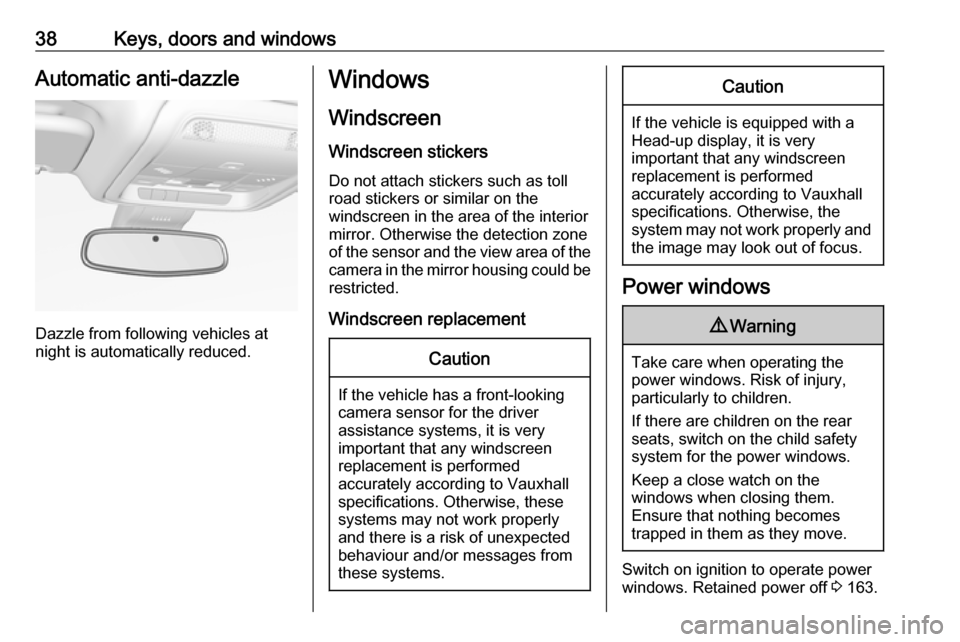
38Keys, doors and windowsAutomatic anti-dazzle
Dazzle from following vehicles at
night is automatically reduced.
Windows
Windscreen Windscreen stickers
Do not attach stickers such as toll
road stickers or similar on the
windscreen in the area of the interior
mirror. Otherwise the detection zone
of the sensor and the view area of the camera in the mirror housing could be
restricted.
Windscreen replacementCaution
If the vehicle has a front-looking
camera sensor for the driver
assistance systems, it is very
important that any windscreen
replacement is performed
accurately according to Vauxhall
specifications. Otherwise, these systems may not work properly
and there is a risk of unexpected
behaviour and/or messages from
these systems.
Caution
If the vehicle is equipped with a
Head-up display, it is very
important that any windscreen
replacement is performed
accurately according to Vauxhall
specifications. Otherwise, the
system may not work properly and the image may look out of focus.
Power windows
9 Warning
Take care when operating the
power windows. Risk of injury,
particularly to children.
If there are children on the rear seats, switch on the child safety
system for the power windows.
Keep a close watch on the
windows when closing them.
Ensure that nothing becomes
trapped in them as they move.
Switch on ignition to operate power
windows. Retained power off 3 163.
Page 41 of 323
Keys, doors and windows39
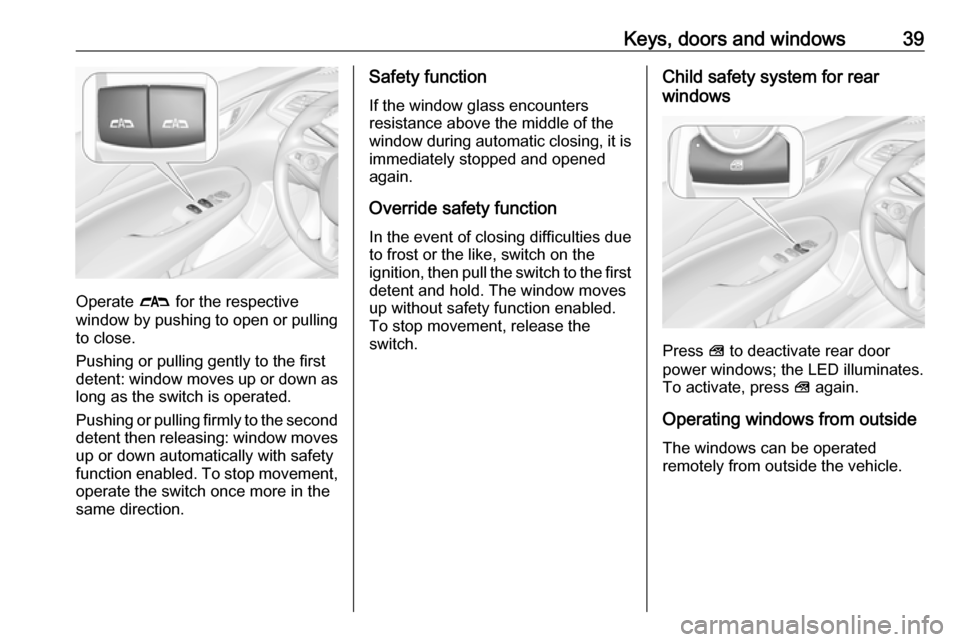
Operate # for the respective
window by pushing to open or pulling to close.
Pushing or pulling gently to the first
detent: window moves up or down as long as the switch is operated.
Pushing or pulling firmly to the second
detent then releasing: window moves
up or down automatically with safety
function enabled. To stop movement,
operate the switch once more in the
same direction.
Safety function
If the window glass encounters
resistance above the middle of the
window during automatic closing, it is
immediately stopped and opened
again.
Override safety function
In the event of closing difficulties due
to frost or the like, switch on the
ignition, then pull the switch to the first
detent and hold. The window moves
up without safety function enabled.
To stop movement, release the
switch.Child safety system for rear
windows
Press V to deactivate rear door
power windows; the LED illuminates.
To activate, press V again.
Operating windows from outside
The windows can be operated
remotely from outside the vehicle.
Page 42 of 323
40Keys, doors and windows
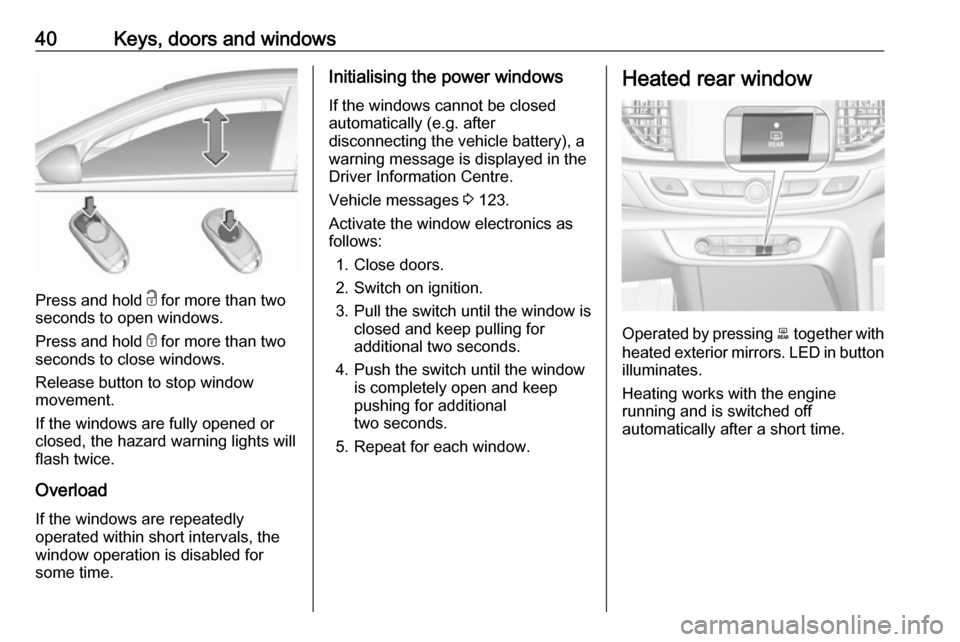
Press and hold c for more than two
seconds to open windows.
Press and hold e for more than two
seconds to close windows.
Release button to stop window
movement.
If the windows are fully opened or
closed, the hazard warning lights will
flash twice.
Overload
If the windows are repeatedly
operated within short intervals, the
window operation is disabled for
some time.
Initialising the power windows
If the windows cannot be closed
automatically (e.g. after
disconnecting the vehicle battery), a
warning message is displayed in the
Driver Information Centre.
Vehicle messages 3 123.
Activate the window electronics as
follows:
1. Close doors.
2. Switch on ignition.
3. Pull the switch until the window is closed and keep pulling for
additional two seconds.
4. Push the switch until the window is completely open and keep
pushing for additional
two seconds.
5. Repeat for each window.Heated rear window
Operated by pressing b together with
heated exterior mirrors. LED in button illuminates.
Heating works with the engine
running and is switched off
automatically after a short time.
Page 43 of 323
Keys, doors and windows41Heated windscreen
Operated by pressing ,. LED in
button illuminates.
Heating works with the engine
running and is switched off
automatically after a short time.
Pressing , once more during the
same ignition cycle allows the heating to operate for another three minutes.
Sun visors The sun visors can be folded down or
swivelled to the side to prevent
dazzling.
The covers of the mirrors should be
closed when driving.
A ticket holder is located on the
backside of the sun visor.Roof
Sunroof9 Warning
Take care when operating the
sunroof. Risk of injury, particularly to children.
Keep a close watch on the
movable parts when operating
them. Ensure that nothing
becomes trapped in them as they
move.
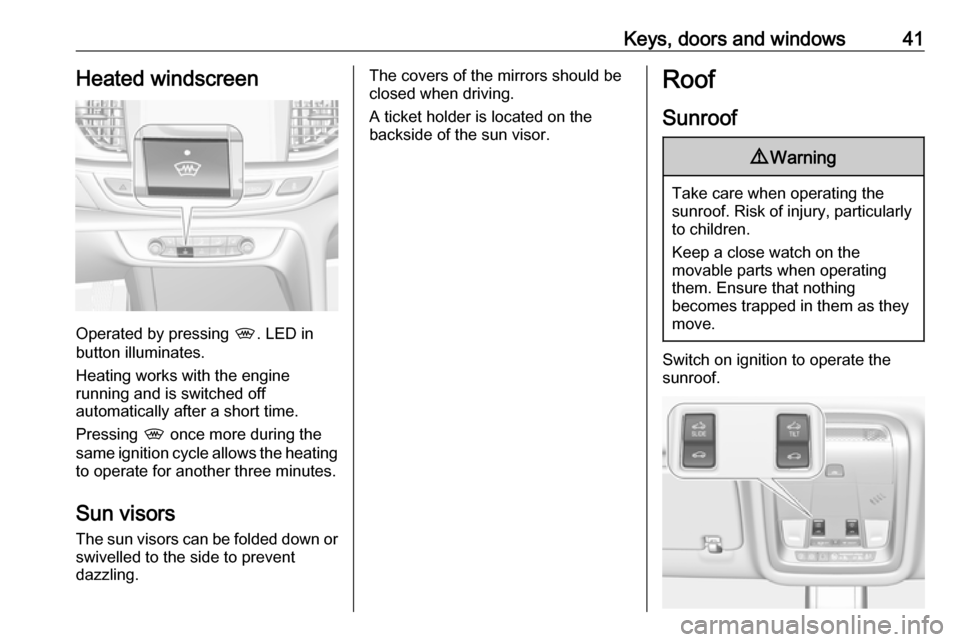
Switch on ignition to operate the sunroof.
Page 44 of 323
42Keys, doors and windowsOpen or closePress * or r gently to the first
detent: sunroof is opened or closed
as long as the switch is operated.
Press * or r firmly to the second
detent then release: the sunroof is
opened or closed automatically.
During closing the safety function is
enabled. To stop movement, operate
the switch once more.
Raise or close
Press + or r : sunroof is raised or
closed automatically. During closing
the safety function is enabled.
Sunblind The sunblind is manually operated.
Close or open the sunblind by sliding. When the sunroof is open, the
sunblind is always open.General hints
Safety function
If the sunroof encounters resistance
during automatic closing, it is
immediately stopped and opened
again.
Override safety function
In the event of closing difficulties, e.g.
due to frost, hold the switch r
pressed to the second detent. The
sunroof closes with safety function
disabled. To stop movement, release
the switch.
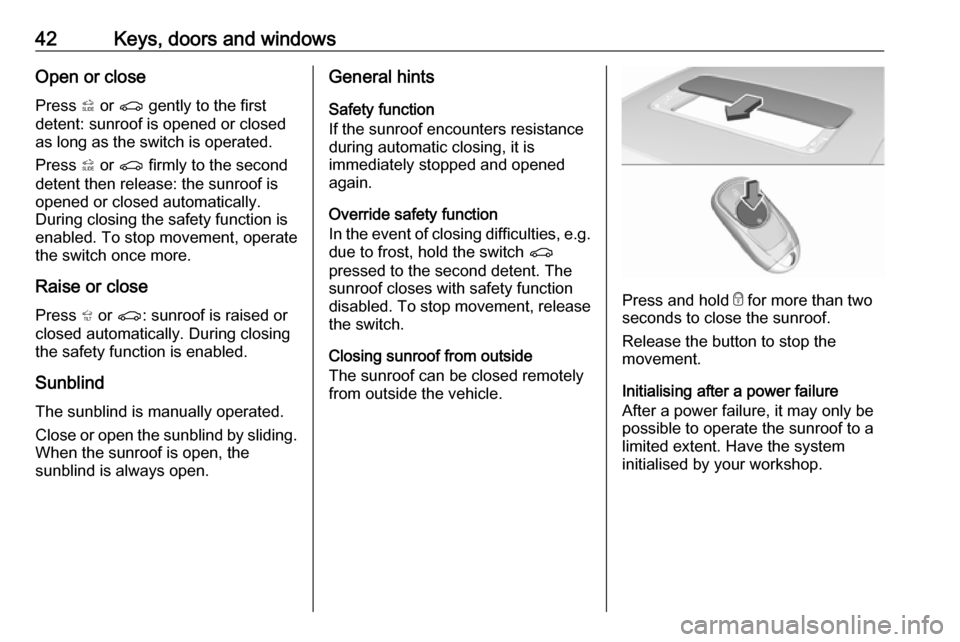
Closing sunroof from outside
The sunroof can be closed remotely
from outside the vehicle.
Press and hold e for more than two
seconds to close the sunroof.
Release the button to stop the
movement.
Initialising after a power failure
After a power failure, it may only be
possible to operate the sunroof to a
limited extent. Have the system
initialised by your workshop.
Page 165 of 323
Driving and operating163Operation on vehicles with
electronic key system in case of
failure
If either the electronic key fails or the
battery of the electronic key is weak,
the Driver Information Centre may
display No Remote Detected or
Replace Battery in Remote Key when
you try to start the vehicle.
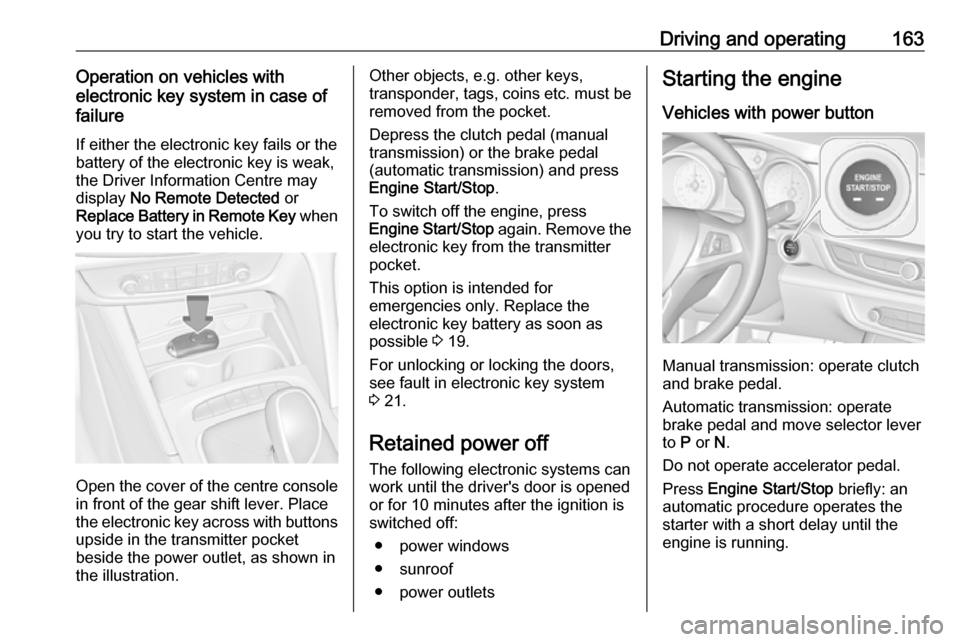
Open the cover of the centre console
in front of the gear shift lever. Place
the electronic key across with buttons
upside in the transmitter pocket
beside the power outlet, as shown in
the illustration.
Other objects, e.g. other keys,
transponder, tags, coins etc. must be removed from the pocket.
Depress the clutch pedal (manual
transmission) or the brake pedal
(automatic transmission) and press
Engine Start/Stop .
To switch off the engine, press
Engine Start/Stop again. Remove the
electronic key from the transmitter
pocket.
This option is intended for
emergencies only. Replace the
electronic key battery as soon as
possible 3 19.
For unlocking or locking the doors,
see fault in electronic key system
3 21.
Retained power off The following electronic systems can
work until the driver's door is opened
or for 10 minutes after the ignition is switched off:
● power windows
● sunroof
● power outletsStarting the engine
Vehicles with power button
Manual transmission: operate clutch
and brake pedal.
Automatic transmission: operate
brake pedal and move selector lever
to P or N.
Do not operate accelerator pedal.
Press Engine Start/Stop briefly: an
automatic procedure operates the
starter with a short delay until the engine is running.
Page 316 of 323

314Customer information● vehicle reactions in particulardriving situations ( e.g. inflation of
an airbag, activation of the
stability regulation system)
● environmental conditions (e.g. temperature)
These data are exclusively technical
and help identifying and correcting
errors as well as optimising vehicle
functions.
Motion profiles indicating travelled
routes cannot be created with these
data.
If services are used (e.g. repair
works, service processes, warranty
cases, quality assurance),
employees of the service network
(manufacturer included) are able to
read out this technical information
from the event and error data storage
modules applying special diagnostic
devices. If required, you will receive
further information at these
workshops. After an error has been
corrected, the data are deleted from
the error storage module or they are
constantly overwritten.When using the vehicle, situations
may occur in which these technical
data related to other information
(accident report, damages on the
vehicle, witness statements etc.) may be associated with a specific person -possibly, with the assistance of an
expert.
Additional functions contractually
agreed upon with the client (e.g.
vehicle location in emergency cases)
allow the transmission of particular
vehicle data from the vehicle.Radio Frequency
Identification (RFID)
RFID technology is used in some
vehicles for functions such as tyre
pressure monitoring and ignition
system security. It is also used in
connection with conveniences such
as radio remote controls and
electronic keys for door locking/
unlocking and starting, and in-vehicle
transmitters for garage door openers. RFID technology in Vauxhall vehicles
does not use or record personal
information or link with any other
Vauxhall system containing personal
information.