ESC VAUXHALL INSIGNIA 2019 Owner's Guide
[x] Cancel search | Manufacturer: VAUXHALL, Model Year: 2019, Model line: INSIGNIA, Model: VAUXHALL INSIGNIA 2019Pages: 345, PDF Size: 9.61 MB
Page 156 of 345
154Infotainment systemcategories can be activated or
deactivated under DAB
Announcements .
Notice
The volume will not increase during DAB announcements.
DAB-DAB linking
If this function is activated, the device
switches over to the same service
(programme) on another DAB
ensemble (if available) when the DAB signal is too weak to be picked up by
the receiver.
To activate or deactivate DAB-DAB
linking, go to the homescreen, select Settings , go to the Apps tab and
activate or deactivate the function in
the Audio menu.
DAB-FM linking
This function enables switching from
a DAB station to a corresponding FM
station and vice versa.
If this function is activated, the device switches over to a corresponding FM
station of the active DAB service (if
available) when the DAB signal is too
weak to be picked up by the receiver.To activate or deactivate DAB-FM
linking, go to the homescreen, select
Settings , go to the Apps tab and
activate or deactivate the function in
the Audio menu.
Adjusting the sound settings
To adjust the sound settings, touch
b . The following settings can be
adjusted:
● Equalizer
● Fade / BalanceNavigation
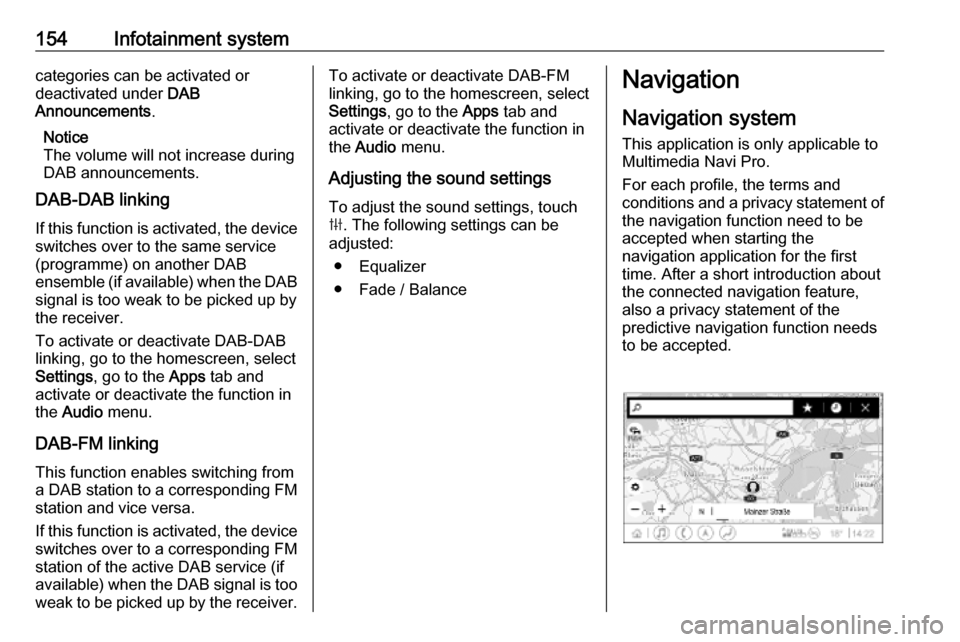
Navigation system
This application is only applicable to
Multimedia Navi Pro.
For each profile, the terms and
conditions and a privacy statement of
the navigation function need to be
accepted when starting the
navigation application for the first
time. After a short introduction about
the connected navigation feature,
also a privacy statement of the
predictive navigation function needs
to be accepted.
Page 160 of 345

158Infotainment systemNotice
To ensure that conversations inside
the vehicle do not lead to
unintentional triggering of the
system functions, the speech
recognition does not start until it has
been activated.
The system can only be operated by
the driver.
Important informationLanguage support ● Not all languages available for the Info Display are also
available for the speech
recognition.
● If the display language currently selected is not supported by the
speech recognition, speech
recognition is not available.
In such a case, selecting another language is necessary to control
the Infotainment system via voice
input.Address input of destination
Address input is only possible in the
language of the country of your
destination.E.g., for entering an address in
France, the display and the speech recognition must be set to French.
Notice
For a multilingual country, several
languages can be used.
E.g. French, German or Italian can
be used for Switzerland.Input order for destination addresses
The order in which the parts of an
address need to be entered using the speech recognition system is
dependent on the country where the
destination is located.
Notice
The system only works with
complete addresses. The city and the street need to be entered.
Setting up speech recognition
Several settings and adaptions for the embedded speech recognition of the
Infotainment system can be
performed, such as the frequency of
command confirmations by the user
or the level of detailed feedback given
by the system.
To set up speech recognition, select Settings on the homescreen and then
System I Voice .
Prompt Length
The prompt length can be set to either
Informative , Short or Auto . When set
to Auto , the system provides more
detailed feedback in the beginning of
its first usage. The system adjusts
automatically to your speech habits.
The more familiar you are with the
system, the less detailed feedback is
given by the system.
To set up the prompt length, select
Settings on the homescreen and then
System I Voice I Prompt Length .
Voice pass-thru application The voice pass-thru application of the
Infotainment system allows access to the speech recognition commands on
a smartphone.
To activate the speech recognition on a smartphone, press and hold w on
the steering wheel when phone
projection is active.
Page 162 of 345

160Infotainment system● Say "Help" or read the example
commands on the screen.
● The voice prompt can be interrupted by pressing w again.
● Wait for the beep and the green speech recognition symbol then
speak the command naturally,
not too fast, not too slow. Use short and direct commands.
Notice
If the system provides several
suggestions, the selection is to be
done manually and the speech
recognition symbol flashes red and green when scrolling the list.
In case of complex commands or
when information is missing, the
system starts a dialogue sequence.
When searching for a "Point of
Interest", only major chains may be
selected by name. Chains are
businesses with at least 20 locations.
For other POIs, say the name of a
category, e.g. "Restaurants",
"Shopping centres", or "Hospitals".Help command
After saying " Help", the help prompt
for the current screen is read aloud.
Additionally, the prompt is displayed
on the screen.
To interrupt the help prompt, press w.
A beep is heard. A command can be
said again.
Voice pass-thru application
Activating speech recognition
Press and hold s on the steering
wheel until a speech recognition icon
is displayed.
Adjusting the volume of voice
prompts
Turn ) on the control panel or press
À or Á on the steering wheel
upwards or downwards during a voice prompt.
Deactivating speech recognition
Press n on the steering wheel. The
speech recognition session is ended.Phone
General information
Not every mobile phone fully supports
the phone function. Therefore,
deviations from the range of functions
described below are possible.
Phone main menu ● Favourites : List of favourite
contacts.
● Keypad : Phone numbers can be
entered and dialed.
● Recent : List of recent phone
calls.
● Contacts : List of contacts.
● Phones : Overview of connected
and disconnected phones.
Page 164 of 345

162Infotainment systemPrecondition is that Secondary
Phone is enabled for both mobile
phones.
To switch the mobile phone
assignment:
1. In the phone menu on the Info Display, select Phones.
2. Touch on the respective mobile phone.
3. The mobile phone assignment changes from either primary to
secondary phone or vice versa.
When First to Connect is enabled for
one mobile phone, this phone will
automatically be connected as
primary phone.
Disconnecting a connected
mobile phone
1. In the phone menu on the Info Display, select Phones.
2. Touch / next to the paired mobile
phone to open the settings menu.
3. Touch Disconnect .Deleting a paired mobile phone
1. In the phone menu on the Info Display, select Phones.
2. Touch / next to the paired mobile
phone to open the settings menu.
3. Touch Forget Phone .
Using smartphone applications
The phone projection applications
Apple CarPlay and Android Auto
display selected applications from a
smartphone on the Infotainment
screen and allow their operation
directly via the Infotainment controls.
Check with the device's manufacturer if this function is compatible with your
smartphone and if this application is
available in the country you are in.
Preparing the smartphone Android phone: Download the
Android Auto application to the
smartphone from the Google Play
Store.
iPhone ®
: Make sure Siri ®
is activated
on the smartphone.Activating phone projection in the
settings menu
Press ;, select Settings on the
homescreen and go to Apps.
Scroll through the list and select
Apple CarPlay or Android Auto .
Make sure the respective application is activated.
Connecting the mobile phone
Connect the smartphone to the USB
port via an original cable provided by
the manufacturer of the smartphone.
Returning to the Infotainment
screen
Press ;.
Page 170 of 345
168Climate control● Cooling must be activated in theclimate setting menu for optimalcooling and demisting. Press
Climate to enter the menu and
follow the touch button to switch on air conditioning A/C.
● Set the preselected temperatures separately for
driver and front passenger using
the left and right control dials.
Recommended temperature is
22 °C. Temperature is indicated
briefly in displays beside the
control dials and in the climate
setting menu.
● Air recirculation mode n should
be deactivated. When
deactivated the LED in the button is not illuminated.
Manual settings Climate control system settings can
be changed by activating the
following functions as described
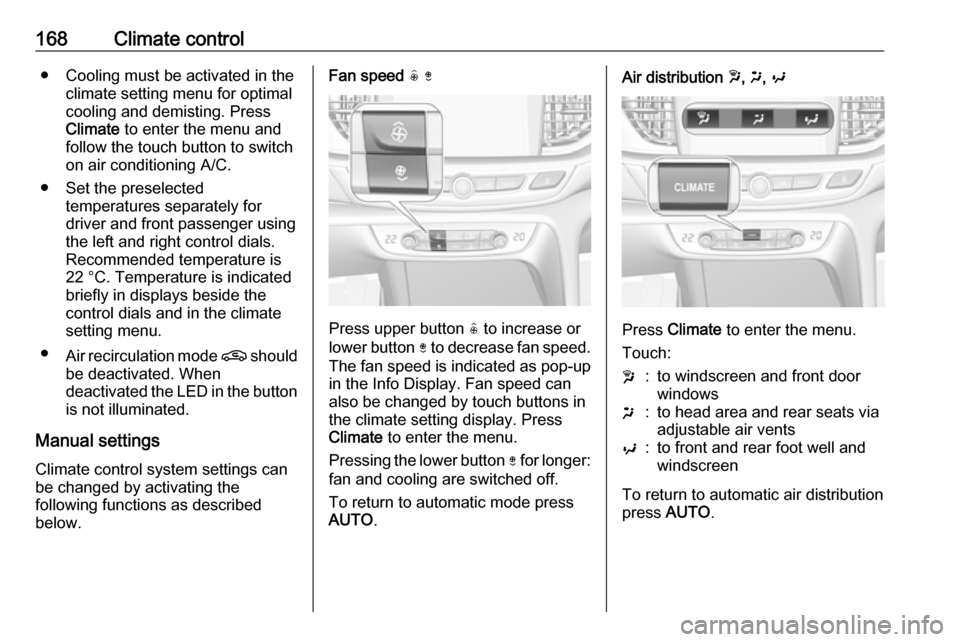
below.Fan speed ( )
Press upper button ( to increase or
lower button ) to decrease fan speed.
The fan speed is indicated as pop-up in the Info Display. Fan speed can
also be changed by touch buttons in
the climate setting display. Press
Climate to enter the menu.
Pressing the lower button ) for longer:
fan and cooling are switched off.
To return to automatic mode press
AUTO .
Air distribution w, x , y
Press Climate to enter the menu.
Touch:
w:to windscreen and front door
windowsx:to head area and rear seats via
adjustable air ventsy:to front and rear foot well and
windscreen
To return to automatic air distribution
press AUTO .
Page 198 of 345

196Driving and operating● driver seat belt is unfastened.
● driver's door is open.
Extended hold hill start assist
Vehicles with automatic transmission
are additionally equipped with the
extended hold hill start assist. This
function holds the vehicle stationary
for up to five minutes after the brake
pedal is released.
The electric parking brake will be
automatically activated to prevent
vehicle movement when one of the
following conditions occurs:
● extended hold hill start assist is deactivated after five minutes.
● ignition is switched off.
● driver's exit is detected.
Hill start assist or extended hold hill
start assist can be selected in the
vehicle personalisation. 3 123
Notice
Hill start assist and extended hold hill start assist will not be activated in neutral gear. If neutral gear isselected during an active hold,
assists will deactivate and vehicle may start moving.Ride control systems
Traction Control systemThe Traction Control system (TC) is a
component of the Electronic Stability
Control (ESC).
TC improves driving stability when
necessary, regardless of the type of
road surface or tyre grip, by
preventing the drive wheels from
spinning.
As soon as the drive wheels starts to spin, engine output is reduced and
the wheel spinning the most is braked
individually. This considerably
improves the driving stability of the
vehicle on slippery road surfaces.
TC is operational after each engine
start as soon as the control indicator
b extinguishes.
When TC operates b flashes.
Page 199 of 345
Driving and operating1979Warning
Do not let this special safety
feature tempt you into taking risks
when driving.
Adapt speed to the road
conditions.
Control indicator b 3 107.
Deactivation
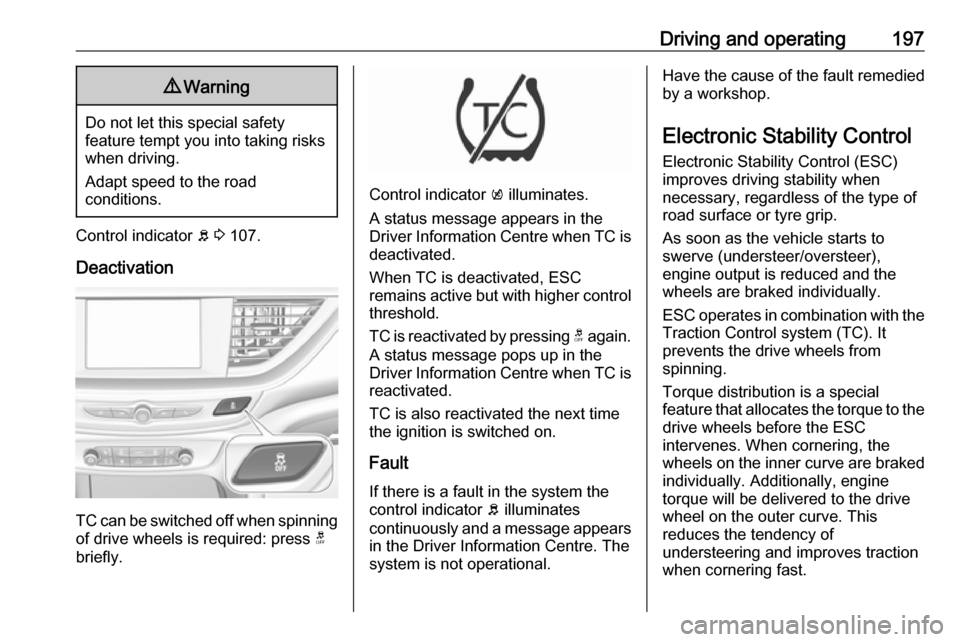
TC can be switched off when spinning of drive wheels is required: press t
briefly.
Control indicator k illuminates.
A status message appears in the
Driver Information Centre when TC is
deactivated.
When TC is deactivated, ESC
remains active but with higher control threshold.
TC is reactivated by pressing t again.
A status message pops up in the
Driver Information Centre when TC is
reactivated.
TC is also reactivated the next time
the ignition is switched on.
Fault
If there is a fault in the system the
control indicator b illuminates
continuously and a message appears
in the Driver Information Centre. The
system is not operational.
Have the cause of the fault remedied
by a workshop.
Electronic Stability Control
Electronic Stability Control (ESC)
improves driving stability when
necessary, regardless of the type of
road surface or tyre grip.
As soon as the vehicle starts to
swerve (understeer/oversteer),
engine output is reduced and the wheels are braked individually.
ESC operates in combination with the Traction Control system (TC). It
prevents the drive wheels from
spinning.
Torque distribution is a special
feature that allocates the torque to the drive wheels before the ESC
intervenes. When cornering, the
wheels on the inner curve are braked
individually. Additionally, engine
torque will be delivered to the drive
wheel on the outer curve. This
reduces the tendency of
understeering and improves traction
when cornering fast.
Page 200 of 345
198Driving and operating
ESC is operational after each engine
start as soon as the control indicator
b extinguishes.
When ESC operates b flashes.
9 Warning
Do not let this special safety
feature tempt you into taking risks
when driving.
Adapt speed to the road
conditions.
Control indicator b 3 107.
Deactivation
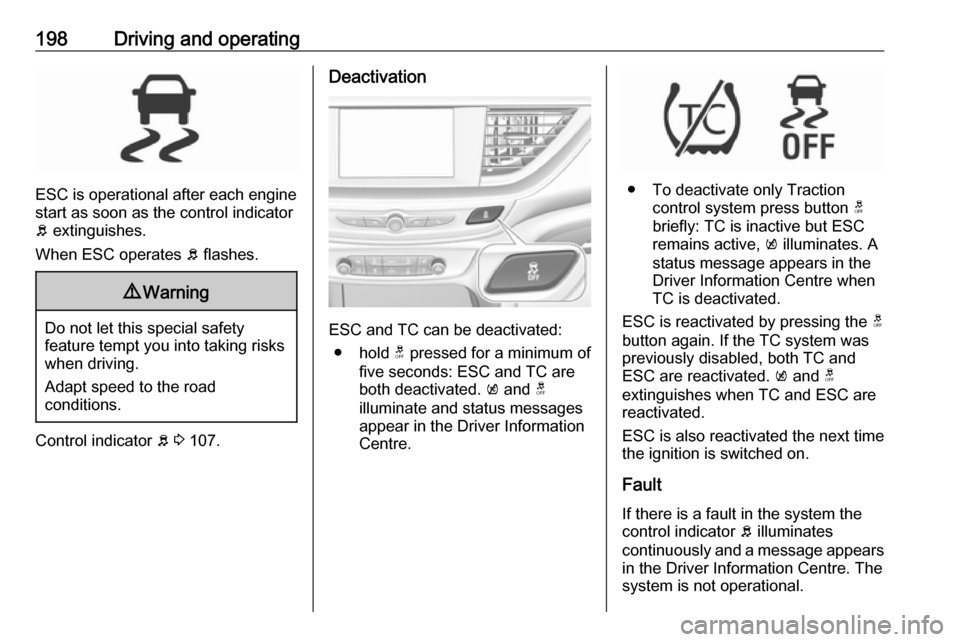
ESC and TC can be deactivated:
● hold t pressed for a minimum of
five seconds: ESC and TC are
both deactivated. k and t
illuminate and status messages appear in the Driver Information Centre.
● To deactivate only Traction control system press button t
briefly: TC is inactive but ESC
remains active, k illuminates. A
status message appears in the
Driver Information Centre when
TC is deactivated.
ESC is reactivated by pressing the t
button again. If the TC system was
previously disabled, both TC and
ESC are reactivated. k and t
extinguishes when TC and ESC are
reactivated.
ESC is also reactivated the next time
the ignition is switched on.
Fault
If there is a fault in the system the
control indicator b illuminates
continuously and a message appears in the Driver Information Centre. The
system is not operational.
Page 215 of 345

Driving and operating213Notice
Speed limit signs which are
combined with add-on signs, e.g.
time, weather or vehicle type
limitations, are not considered by
this system.
Notice
The driver stays fully responsible for
driving conform to speed limits and
has to supervise any automatic set
speed change performed by this
system.
Due to system limitations and
latencies, the set speed might be
changed after entering the road
section with the new speed limit.
Speed limit signs between 20 mph
and 90 mph are considered.
Switching on the system
The function can be activated or
deactivated in the vehicle settings
menu of the Driver Information Centre
3 111. Furthermore, adaptive cruise
control has be to switched on as
described above.Usage
Even if adaptive cruise control is
inactive, the set speed is updated
automatically at each new detected
speed limit as described in the next
section. Press RES+ to re-activate
adaptive cruise control, using the
memorised set speed.
Notice
Adaptive cruise control has to be
initiated once by pressing SET- after
ignition or just adaptive cruise
control has been is switched on.
If adaptive cruise control is active, the detected speed limit will be displayed in the Driver Information Centre. The
driver can accept or decline the
detected new set speed while the
display message is shown.
Press SET- on the steering wheel to
accept the detected speed limit and
take over as new set speed.
Press RES+ to decline detected
speed limit and keep the current set
speed.
If no action is performed when the
message is displayed, the detected
speed limit is taken over as new setspeed automatically after 3 seconds.
The message disappears and is
followed by the offset message:
If a new set speed was defined, a confirmation message is displayed.
During this time, the offset from the
set speed can be adjusted.
Press SET- or RES+ to adjust the
offset.
If no action is performed while the
message is displayed, the last set
offset will be used and the message
disappears after 3 seconds.
The new set speed including offset is displayed in the Driver Information
Centre.
System limitations
Intelligent adaptive cruise control has
the same limitations as the traffic sign assistant 3 238.
Implicit speed limits may be
considered with a delay, e.g. city entry, city exit, or highway entry signs.
The system may ignore a particular
traffic sign or use a wrong speed limit.
Page 230 of 345

228Driving and operatingDisplay priorities
Advanced parking assist indication in the Driver Information Centre can beinhibited by vehicle messages with a
higher priority. After approving the
message by pressing SET/CLR on
the turn signal lever or 9 on the
steering wheel, advanced parking
assist instructions appear again and
the parking manoeuvre can be
continued.
Deactivation
The system is deactivated by:
● a short press of (
● parking manoeuvre successfully ended
● driving faster than 18 mph during
parking slot search
● driving faster than 5 mph during parking guidance
● driver interference on steering wheel detected
● steep hill incline detected● exceeding maximum number of gear changes: eight cycles when
parallel parking or five cycles
when perpendicular parking
● switching off the ignition
Deactivation by the driver or by the system during manoeuvring will beindicated by a message on the
display. Additionally, an acoustic
signal sounds.
Automatic transmission:
If advanced park assist is deactivated
during the parking manoeuvre or
manoeuvre is finished successfully, the assist holds the vehicle in position
until one of the following conditions
occur:
1. brake pedal is applied.
2. electric parking brake is activated.
3. Selector lever is set to P
Fault
A message appears when:
● There is a fault in the system.● The driver did not successfully complete the parking
manoeuvre.● The system is not operational.
● Any of the deactivation reasons described above apply.
If an object is detected during parking
instructions, a message to stop the
vehicle is indicated. Removing the
object will resume the parking
manoeuvre. If the object is not
removed, the system will be
deactivated.
Basic notes on parking assist
systems9 Warning
Under certain circumstances,
various reflective surfaces on
objects or clothing as well as
external noise sources may cause the system to fail to detect
obstacles.