Seat VAUXHALL INSIGNIA 2019 Workshop Manual
[x] Cancel search | Manufacturer: VAUXHALL, Model Year: 2019, Model line: INSIGNIA, Model: VAUXHALL INSIGNIA 2019Pages: 345, PDF Size: 9.61 MB
Page 122 of 345

120Instruments and controls● automatic transmission: selectorlever position
● manual/automatic transmission: gear shift indication
Audio view
Indicates
● speedometer: digital indication of
speed
● actual audio playing information
Navigation view
Indicates
● speedometer: digital indication of
speed
● turn-by-turn navigation information
Active safety control indicators
On all views control indicators of
following Driver assistance systems
are indicated in the top line of the
display
● vehicle detected ahead A:
vehicle recognition
● lane keep assist a: status and
warning● adaptive cruise control Õ: set
speed and status
● pedestrian detected ahead 7:
pedestrian recognition
Pop-up alerts
The following list contains just an
extract of possible alerts. Some may
not be available for your particular
vehicle, others can appear depending on vehicle configuration.
Alerts pop-up on each page if
required
● pedestrian protection alert
● forward collision alert
● up-/downshift alert
● incoming call
Alerts with lower priority can be reset
by pressing G, high priority alerts
appear as long as danger continues.
System messages or vehicle
warnings may require immediately
action. Seek the assistance of a
workshop.Adjust position of head-up display
image
1. Adjust the driver's seat.
2. Start the engine.
3. Press down or lift up button . to
centre the image. It can only be
adjusted up and down, not side to
side.9 Warning
If the head-up display image is too
bright or too high in your field of
view, it may obstruct your view
when it is dark outside. Be sure to keep the head-up display imagedim and placed low in your field of
view.
Adjust brightness
The head-up display image will
automatically dim and brighten to compensate for outside lighting.
Brightness can also be adjusted
manually as needed:
Lift up & and hold to brighten the
display. Press down and hold to dim
the display.
Page 124 of 345
122Instruments and controlsVehicle messagesMessages are indicated in the Driver
Information Centre, in some cases
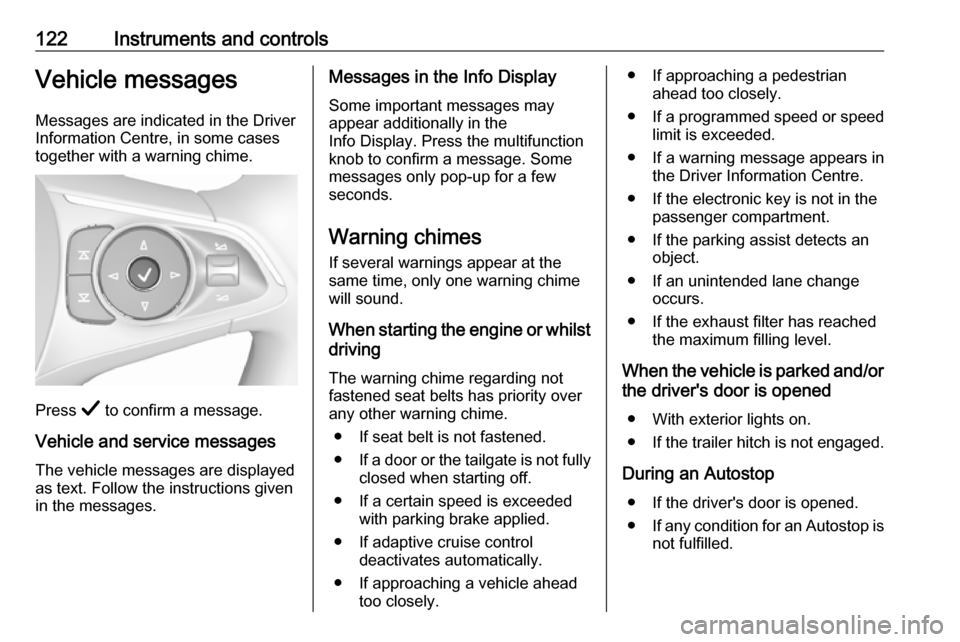
together with a warning chime.
Press Å to confirm a message.
Vehicle and service messages
The vehicle messages are displayed
as text. Follow the instructions given
in the messages.
Messages in the Info Display
Some important messages may
appear additionally in the
Info Display. Press the multifunction
knob to confirm a message. Some messages only pop-up for a few
seconds.
Warning chimes If several warnings appear at thesame time, only one warning chime
will sound.
When starting the engine or whilst driving
The warning chime regarding not
fastened seat belts has priority over
any other warning chime.
● If seat belt is not fastened.
● If a door or the tailgate is not fully
closed when starting off.
● If a certain speed is exceeded with parking brake applied.
● If adaptive cruise control deactivates automatically.
● If approaching a vehicle ahead too closely.● If approaching a pedestrian ahead too closely.
● If a programmed speed or speed
limit is exceeded.
● If a warning message appears in the Driver Information Centre.
● If the electronic key is not in the passenger compartment.
● If the parking assist detects an object.
● If an unintended lane change occurs.
● If the exhaust filter has reached the maximum filling level.
When the vehicle is parked and/or the driver's door is opened
● With exterior lights on.
● If the trailer hitch is not engaged.
During an Autostop ● If the driver's door is opened.
● If any condition for an Autostop is
not fulfilled.
Page 125 of 345
Instruments and controls123Battery voltageWhen the vehicle battery voltage isrunning low, a warning message will
appear in the Driver Information
Centre.
1. Switch off any electrical consumers which are not requiredfor a safe ride, e.g. seat heating,
heated rear window or other main consumers.
2. Charge the vehicle battery by driving continuously for a while or
by using a charging device.
The warning message will disappear
after the engine has been started
twice without a voltage drop.
If the vehicle battery cannot be
recharged, have the cause of the fault
remedied by a workshop.Vehicle personalisation
The vehicle's behaviour can be
personalised by changing the settings
in the Info-Display.
Some of the personal settings for
different drivers can be memorised
individually for each vehicle key.
Memorised settings 3 24.
Depending on vehicle equipment and
country-specific regulations some of the functions described below may
not be available.
Some functions are only displayed or
active when the engine is running.
Personal settings 8" Colour-Info-Display
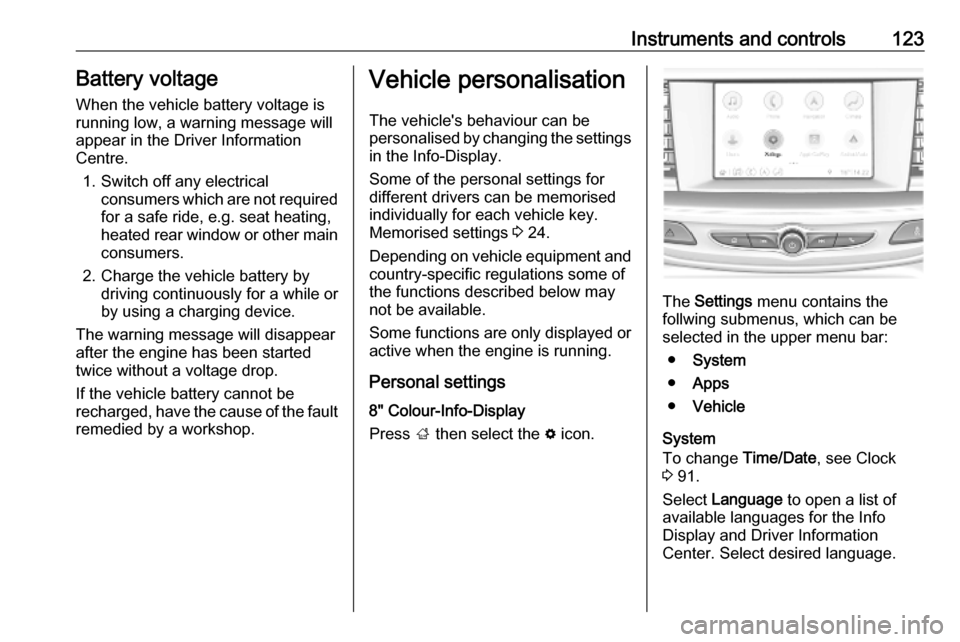
Press ; then select the % icon.
The Settings menu contains the
follwing submenus, which can be
selected in the upper menu bar:
● System
● Apps
● Vehicle
System
To change Time/Date, see Clock
3 91.
Select Language to open a list of
available languages for the Info
Display and Driver Information
Center. Select desired language.
Page 126 of 345

124Instruments and controlsApps
Infotainment system 3 148
Vehicle ● Sport Mode Custom. / Auto Mode
Customisation
Changes the settings of the
Interactive driving system modes 3 199.
● Climate and Air Quality
Auto Fan Speed : Modifies the
level of the cabin airflow of the
climate control in automatic
mode.
Auto heated seats : Automatically
activates the seat heating.
Auto Demist : Supports
windscreen dehumidification by
automatically selecting the
necessary settings and
automatic air conditioning mode.
Auto Rear Demist : Automatically
activates heated rear window.
● Collision/Detection Systems
Forward Collision System :
Deactivates the system
completely, activates warning
chimes only or warning chimes incombination with automatic
brake functionality.
Front Pedestrian Detection :
Activates warning chimes only or warning chimes in combination
with automatic brake functionality
or deactivates the system
completely.
Adaptive Cruise Go Notifier :
Activates or deactivates the
reminder message to drive off
when the adaptive cruise control
holds the vehicle at standstill.
Lane Change Alert : Activates or
deactivates side blind zone alert.
Park Assist : Activates or
deactivates the parking assist.
Activation is selectable with or
without attached trailer coupling.
Rear Cross Traffic Alert :
Activates or deactivates rear
cross traffic alert.
● Comfort and Convenience
Auto Memory Recall : Changes
the settings to the recall of
memorised settings for power
seat adjustment.Easy Exit Driver\'s Seat :
Activates or deactivates easy exit
function of the power seat.
Chime Volume : Changes the
volume of warning chimes.
Reverse Tilt Mirror : Activates or
deactivates the parking assist function of the exterior mirrors.
Auto Mirror Folding : Activates or
deactivates folding of the exterior
mirrors with the remote control.
Personalisation by Driver :
Activates or deactivates the
personalisation function,
depending on which key is being
used.
Rain Sense Wipers : Activates or
deactivates automatic wiping with rain sensor.
Auto Wipe in Reverse Gear :
Activates or deactivates
automatic switching on of the
rear window wiper when reverse gear is engaged.
Extended Hill Start Assist :
Toggles between hill start assist
and extended hold hill start assist
Page 135 of 345
Lighting133Activation
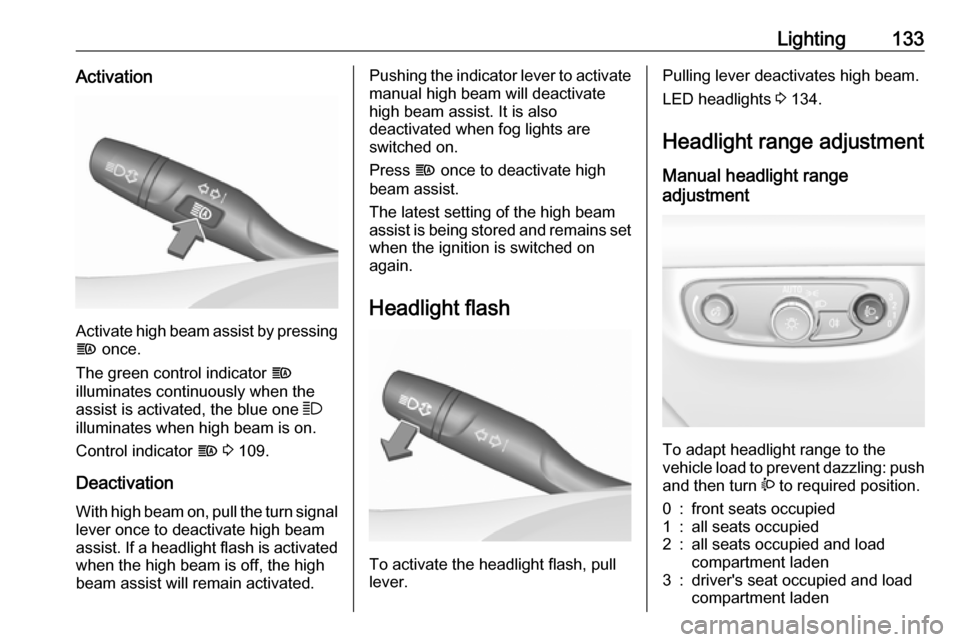
Activate high beam assist by pressingf once.
The green control indicator f
illuminates continuously when the
assist is activated, the blue one 7
illuminates when high beam is on.
Control indicator f 3 109.
Deactivation With high beam on, pull the turn signallever once to deactivate high beam
assist. If a headlight flash is activated when the high beam is off, the high
beam assist will remain activated.
Pushing the indicator lever to activate
manual high beam will deactivate
high beam assist. It is also
deactivated when fog lights are
switched on.
Press f once to deactivate high
beam assist.
The latest setting of the high beam
assist is being stored and remains set when the ignition is switched on
again.
Headlight flash
To activate the headlight flash, pull
lever.
Pulling lever deactivates high beam.
LED headlights 3 134.
Headlight range adjustment Manual headlight range
adjustment
To adapt headlight range to the
vehicle load to prevent dazzling: push
and then turn ? to required position.
0:front seats occupied1:all seats occupied2:all seats occupied and load
compartment laden3:driver's seat occupied and load
compartment laden
Page 144 of 345
142LightingThey will switch off automatically after
a delay. This function works only in
the dark. Theatre lighting is activated
if the driver's door is opened during
this time.
Path lighting Headlights, tail lights and number
plate lights illuminate the surrounding
area for an adjustable time after
leaving the vehicle.
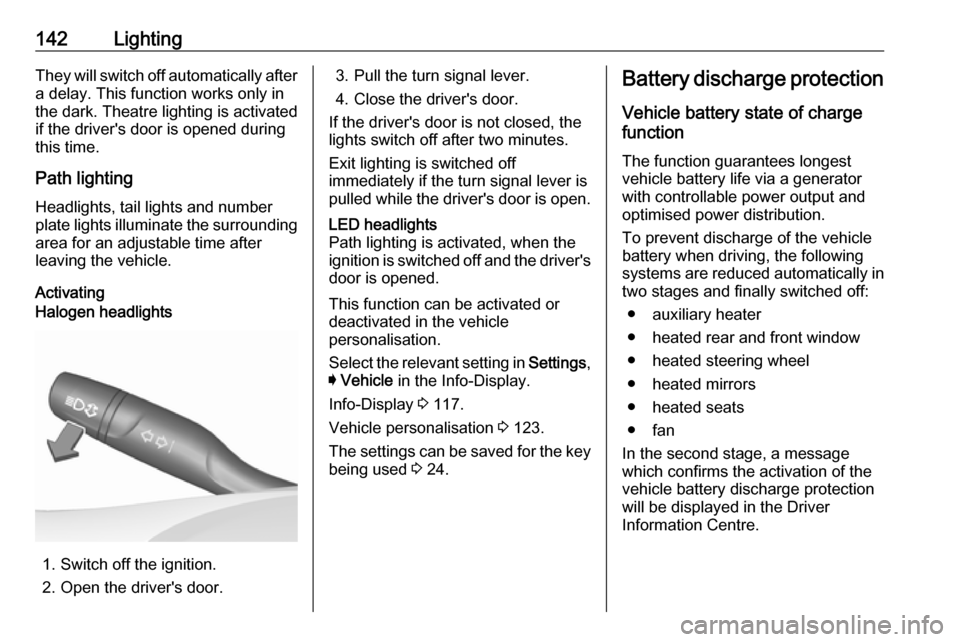
ActivatingHalogen headlights
1. Switch off the ignition.
2. Open the driver's door.
3. Pull the turn signal lever.
4. Close the driver's door.
If the driver's door is not closed, the
lights switch off after two minutes.
Exit lighting is switched off
immediately if the turn signal lever is pulled while the driver's door is open.LED headlights
Path lighting is activated, when the
ignition is switched off and the driver's door is opened.
This function can be activated or
deactivated in the vehicle
personalisation.
Select the relevant setting in Settings,
I Vehicle in the Info-Display.
Info-Display 3 117.
Vehicle personalisation 3 123.
The settings can be saved for the key being used 3 24.
Battery discharge protection
Vehicle battery state of charge
function
The function guarantees longest
vehicle battery life via a generator
with controllable power output and
optimised power distribution.
To prevent discharge of the vehicle
battery when driving, the following
systems are reduced automatically in two stages and finally switched off:
● auxiliary heater
● heated rear and front window
● heated steering wheel
● heated mirrors
● heated seats
● fan
In the second stage, a message
which confirms the activation of the
vehicle battery discharge protection
will be displayed in the Driver
Information Centre.
Page 165 of 345
Climate control163Climate controlClimate control systems.............163
Air conditioning system ...........163
Electronic climate control system .................................... 166
Auxiliary heater ........................172
Air vents ..................................... 172
Adjustable air vents .................172
Fixed air vents ......................... 173
Maintenance .............................. 173
Air intake ................................. 173
Air conditioning regular operation ................................ 174
Service .................................... 174Climate control systems
Air conditioning system
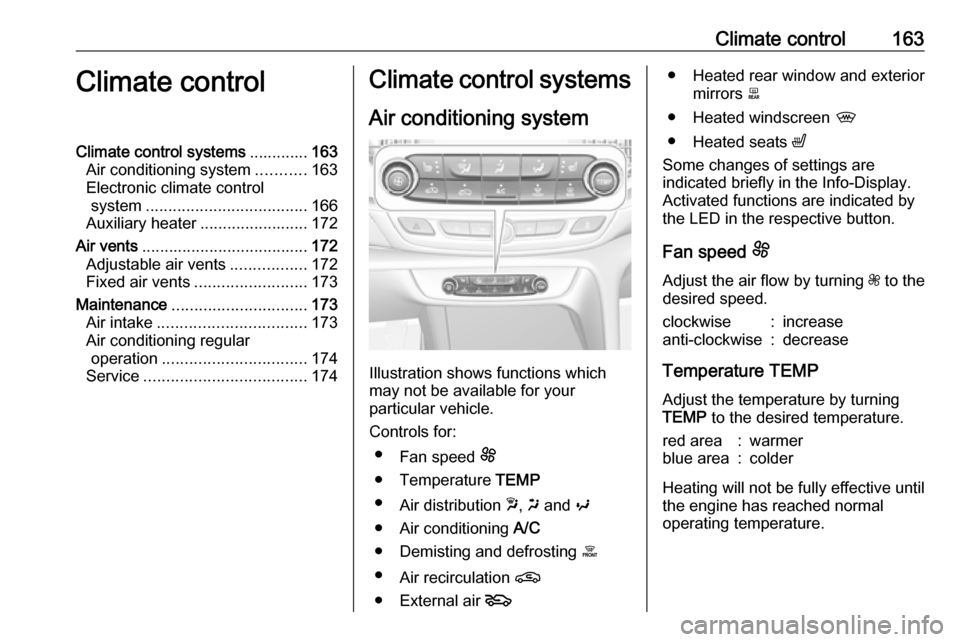
Illustration shows functions which
may not be available for your
particular vehicle.
Controls for: ● Fan speed E
● Temperature TEMP
● Air distribution w, x and y
● Air conditioning A/C
● Demisting and defrosting á
● Air recirculation n
● External air 5
● Heated rear window and exterior
mirrors b
● Heated windscreen ,
● Heated seats ß
Some changes of settings are
indicated briefly in the Info-Display.
Activated functions are indicated by
the LED in the respective button.
Fan speed E
Adjust the air flow by turning Z to the
desired speed.clockwise:increaseanti-clockwise:decrease
Temperature TEMP
Adjust the temperature by turning
TEMP to the desired temperature.
red area:warmerblue area:colder
Heating will not be fully effective until
the engine has reached normal
operating temperature.
Page 166 of 345
164Climate controlAir distribution w x y
Press:w:to windscreen and front door
windowsx:to head area and rear seats via
adjustable air ventsy:to front and rear foot well and
windscreen
Combinations are possible.
Air conditioning A/C
Press A/C to switch on cooling.
Activation is indicated by the LED in
the button. Cooling is only functional
when the engine is running and
climate control fan is switched on.
Press A/C again to switch off cooling.
The air conditioning system cools and
dehumidifies (dries) as soon as the
outside temperature is slightly above the freezing point. Therefore
condensation may form and drip from under the vehicle.
If no cooling or drying is required,
switch off the cooling system for fuel
saving reasons.
Activated cooling may inhibit
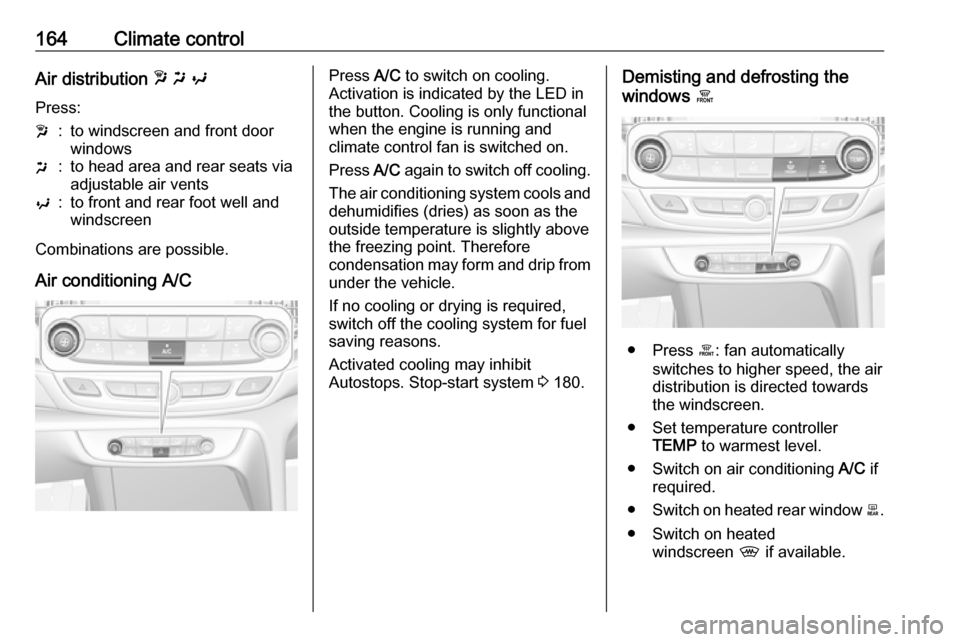
Autostops. Stop-start system 3 180.Demisting and defrosting the
windows á
● Press á: fan automatically
switches to higher speed, the air
distribution is directed towards
the windscreen.
● Set temperature controller TEMP to warmest level.
● Switch on air conditioning A/C if
required.
● Switch on heated rear window b.
● Switch on heated windscreen , if available.
Page 168 of 345
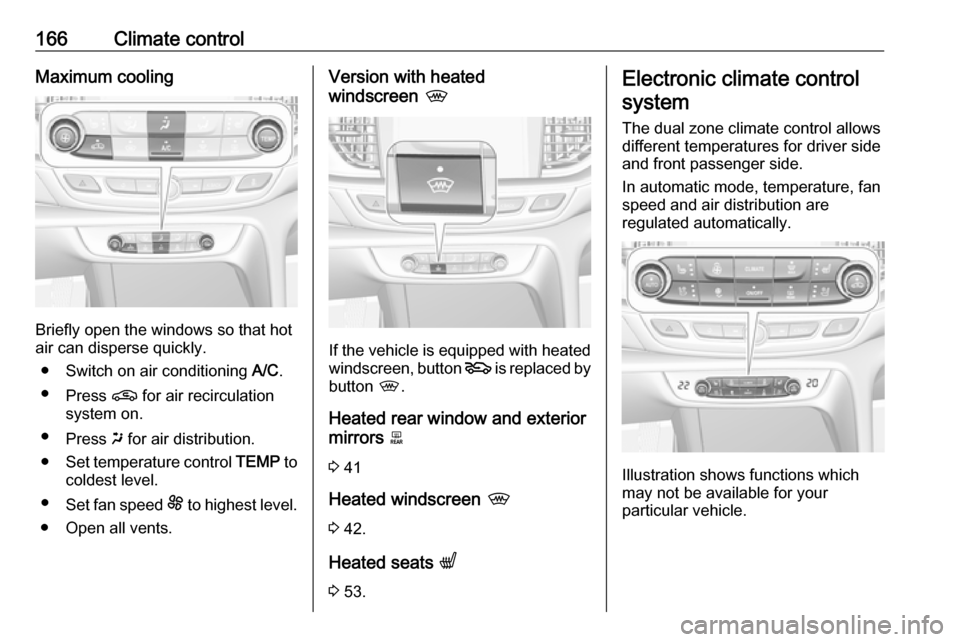
166Climate controlMaximum cooling
Briefly open the windows so that hot
air can disperse quickly.
● Switch on air conditioning A/C.
● Press n for air recirculation
system on.
● Press x for air distribution.
● Set temperature control TEMP to
coldest level.
● Set fan speed E to highest level.
● Open all vents.
Version with heated
windscreen ,
If the vehicle is equipped with heated
windscreen, button 5 is replaced by
button ,.
Heated rear window and exterior mirrors b
3 41
Heated windscreen ,
3 42.
Heated seats q
3 53.
Electronic climate control
system
The dual zone climate control allows
different temperatures for driver side
and front passenger side.
In automatic mode, temperature, fan
speed and air distribution are
regulated automatically.
Illustration shows functions which
may not be available for your
particular vehicle.
Page 169 of 345
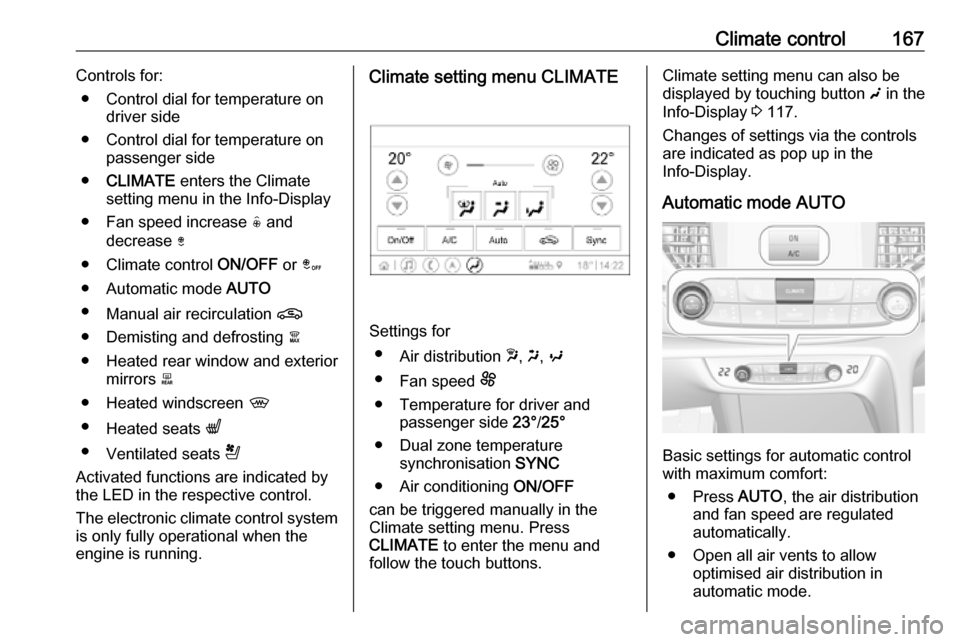
Climate control167Controls for:● Control dial for temperature on driver side
● Control dial for temperature on passenger side
● CLIMATE enters the Climate
setting menu in the Info-Display
● Fan speed increase ( and
decrease )
● Climate control ON/OFF or â
● Automatic mode AUTO
● Manual air recirculation n
● Demisting and defrosting à
● Heated rear window and exterior mirrors b
● Heated windscreen ,
● Heated seats q
● Ventilated seats r
Activated functions are indicated by
the LED in the respective control.
The electronic climate control system
is only fully operational when the
engine is running.Climate setting menu CLIMATE
Settings for
● Air distribution w, x , y
● Fan speed E
● Temperature for driver and passenger side 23°/25°
● Dual zone temperature synchronisation SYNC
● Air conditioning ON/OFF
can be triggered manually in the
Climate setting menu. Press
CLIMATE to enter the menu and
follow the touch buttons.
Climate setting menu can also be
displayed by touching button g in the
Info-Display 3 117.
Changes of settings via the controls
are indicated as pop up in the
Info-Display.
Automatic mode AUTO
Basic settings for automatic control
with maximum comfort:
● Press AUTO, the air distribution
and fan speed are regulated
automatically.
● Open all air vents to allow optimised air distribution in
automatic mode.