instrument cluster VAUXHALL INSIGNIA 2020 Owner's Manual
[x] Cancel search | Manufacturer: VAUXHALL, Model Year: 2020, Model line: INSIGNIA, Model: VAUXHALL INSIGNIA 2020Pages: 313, PDF Size: 9.32 MB
Page 89 of 313

Instruments and controls87Instruments and
controlsControls ....................................... 88
Steering wheel adjustment ........88
Steering wheel controls .............88
Heated steering wheel ...............88
Horn ........................................... 89
Windscreen wiper and washer ..89
Rear window wiper and washer ...................................... 91
Outside temperature ..................92
Clock ......................................... 92
Power outlets ............................. 93
Inductive charging .....................94
Ashtrays .................................... 95
Warning lights, gauges and indi‐ cators ........................................... 96
Instrument cluster ......................96
Speedometer ........................... 100
Odometer ................................ 101
Trip odometer .......................... 101
Tachometer ............................. 102
Fuel gauge .............................. 102
Engine coolant temperature gauge ..................................... 102
Service display ........................ 103Control indicators ....................104
Turn lights ................................ 104
Seat belt reminder ...................104
Airbag and belt tensioners .......105
Airbag deactivation ..................105
Charging system .....................105
Malfunction indicator light ........105
Brake and clutch system .........106
Electric parking brake ..............106
Electric parking brake fault ......106
Antilock brake system (ABS) ...106
Gear shifting ............................ 107
Following distance ...................107
Lane keep assist .....................107
Electronic Stability Control off . 107
Electronic Stability Control and Traction Control system .........107
Traction Control system off .....107
Engine coolant temperature ....107
Preheating ............................... 108
AdBlue ..................................... 108
Tyre pressure monitoring system .................................... 108
Engine oil pressure ..................108
Low fuel ................................... 108
Immobiliser .............................. 109
Exterior light ............................ 109
High beam ............................... 109
High beam assist .....................109
LED headlights ........................ 109Front fog lights......................... 109
Rear fog light ........................... 109
Cruise control .......................... 109
Adaptive cruise control ............109
Vehicle detected ahead ...........110
Pedestrian detection ................110
Speed limiter ........................... 110
Traffic sign assistant ................110
Door open ................................ 110
Displays ..................................... 110
Driver Information Centre ........110
Info Display .............................. 116
Head-up display ......................117
Vehicle messages ......................121
Warning chimes .......................121
Vehicle personalisation ..............122
Telematics service .....................126
Emergency call ........................126
Page 98 of 313

96Instruments and controlsWarning lights, gauges
and indicators
Instrument cluster
Depending on the version, two
instrument clusters are available:
● Baselevel
● Uplevel
Uplevel instrument cluster can be
displayed as Sport mode or Tour
mode.
Page 99 of 313

Instruments and controls97Baselevel instrument cluster
Page 100 of 313

98Instruments and controlsUplevel instrument cluster, Sport mode
Page 101 of 313

Instruments and controls99Uplevel instrument cluster, Touring mode
Page 103 of 313

Instruments and controls101Odometer
The total recorded distance is
displayed in miles.
Trip odometer The recorded distance since the last
reset is displayed on the trip computer
page.
Trip odometer counts up to
9,999 miles and then restarts at 0.
Two trip odometer pages are
selectable for different trips.
Baselevel instrument cluster
Select ; on main menu. Choose
page Trip 1 or Trip 2 by pressing P
or N on the steering wheel.
Each trip odometer can be reset
separately when ignition is on: select
respective page, press Å on the
steering wheel. Confirm by choosing
Yes: when the confirmation message
is displayed.
Uplevel instrument cluster
Select Info page on main menu.
Choose page Trip A or Trip B by
pressing P or N on the steering
wheel.
Each trip odometer can be reset separately when ignition is on: select
respective page, press >. Confirm
reset by pressing Å.
Page 106 of 313

104Instruments and controlscarried out by a workshop within one
week or 300 miles, whichever occurs first.
Service information 3 276.
Control indicators The control indicators described are
not present in all vehicles. The
description applies to all instrument
versions. Depending on the
equipment, the position of the control indicators may vary. When the
ignition is switched on, most control
indicators will illuminate briefly as a
functionality test.
The control indicator colours mean:red:danger, important reminderyellow:warning, information, faultgreen:confirmation of activationblue:confirmation of activationwhite:confirmation of activation
See all control indicators on different
instrument clusters 3 96.
Turn lights
O illuminates or flashes green.
Illuminates briefly
The parking lights are switched on.
Flashes
A turn light or the hazard warning
flashers are activated.
Rapid flashing: failure of a turn light or associated fuse, failure of turn light on
trailer.
Bulb replacement 3 237.
Fuses 3 247.
Turn lights 3 134.
Seat belt reminder
Seat belt reminder on front seats
X for driver seat illuminates or flashes
red in the instrument cluster.k for front passenger seat illuminates
or flashes red in the roof console,
when seat is occupied.
Illuminates
After the ignition has been switched on until the seat belt has been
fastened.
Flashes
After having started the engine for a
maximum of 100 seconds until the
seat belt has been fastened.
Seat belt status on rear seats
X or > illuminates or flashes white (in
Baselevel Driver Information Centre)
or red (in Uplevel Driver Information Centre).
X illuminates
During 60 seconds after ignition has
been switched on: seat belt is
unfastened.
> illuminates
During 60 seconds after ignition has
been switched on: seat belt has been fastened. After this time, indicators of
Page 112 of 313

110Instruments and controlsAdaptive cruise control 3 180.
Vehicle detected ahead
A illuminates green or yellow.
Illuminates green
A vehicle ahead is detected in the
same lane.
Illuminates yellow The distance to a preceding moving
vehicle gets too small or when
approaching another vehicle too
rapidly.
Adaptive cruise control 3 180.
Forward collision alert 3 189.
Pedestrian detection
7 illuminates yellow.
A pedestrian ahead is detected.
Speed limiter
L illuminates white or green.Illuminates white
The system is on.
Illuminates green
Speed limiter is active. Set speed is
indicated near L symbol.
Speed limiter 3 179.
Traffic sign assistant L displays detected traffic signs as
control indicator.
Traffic sign assistant 3 213.
Door open h illuminates red.
A door or the tailgate is open.Displays
Driver Information Centre The Driver Information Centre is
located in the instrument cluster.
Depending on the version and the
instrument cluster, the Driver
Information Centre is available as
Baselevel display or Uplevel display.
Driver Information Centre indicates
depending on the equipment:
● overall and trip odometer
● vehicle information
● trip/fuel information
● driving economy information ● vehicle and warning messages
● audio and infotainment information
● phone information
● navigation information
● vehicle settings
Page 114 of 313

112Instruments and controlsSelecting menus and functions
The menus and functions can be
selected via the buttons on the right
side of the steering wheel.
Press è to open main menu page.
Browse through main menu by
pressing è or é.
Confirm a main menu page with Å.
Press å or ä to browse through
submenu pages of the currently
selected main menu entry. Use these
buttons also to alter a numeric value.
Press Å to select a function or check
a box in a dialogue.
Vehicle and service messages are
popped-up in the Driver Information
Centre if required. Confirm messages by pressing Å.
Vehicle messages 3 121.
Main menu
Main menus are:
● Trip / fuel information, displayed by Info .
● Audio information, displayed by Audio .
● Navigation information, displayed by Navigation.
● Phone information, displayed by Phone .
● Vehicle information, displayed by
Options .
Some of the displayed functions differ
when the vehicle is being driven or at
a standstill and some functions are
only active when the vehicle is being
driven.
Uplevel instrument cluster can be
displayed as Sport mode or Tour
mode. See Options menu, Display.Info Menu, ; or "
The following list contains all possible Info Menu pages. Some may not be
available for your particular vehicle.
Depending on the display some
functions are symbolised.
● Speed
● Trip 1 / Trip A , containing:
Distance
Fuel Economy / Average Fuel
Economy
Average Speed
● Trip 2 / Trip B , containing:
Distance
Fuel Economy / Average Fuel
Economy
Average Speed
● Fuel / Fuel Information ,
containing:
Fuel Range
Instant Fuel Economy
● Oil Life
● Tyre Pressure
● Timer
● Traffic Sign Memory
Page 118 of 313
116Instruments and controls●Battery Voltage
Displays the vehicle battery
voltage. During engine running
voltage can vary between 12 V
and 15.5 V. Temporary voltage
below 12 V is possible when high
electrical load is used.
● Engine Boost
Displays the engine turbocharger
boost pressure in %.
● AdBlue
Displays the level of the Adblue
tank 3 161.
● IFE-AFE
Displays both instantaneous and
average fuel economy.
● Fuel Range
Displays average remaining
distance with remaining fuel in
the tank.
● Blank Page
Displays a blank gauge.
Software information
Displays the open source software
information.Head-Up Display
Allows rotation of the head-up display
projection 3 117.
Info Display The Info Display is located in theinstrument panel near the instrument
cluster.
Depending on the vehicle
configuration the vehicle is equipped
with one of the following infotainment
systems:
● Multimedia
or
● Multimedia Navi
or
● Multimedia Navi Pro
or
The Info Display can indicate: ● time 3 92
● outside temperature 3 92
● date 3 92
● Infotainment system
● climate control settings 3 142
● rear view camera 3 210● panoramic view system 3 208
● parking assist instructions 3 198
● rear cross traffic 3 212
● Flex Ride visualisation menu 3 175
● navigation
● system messages
● settings for vehicle personalisation 3 122
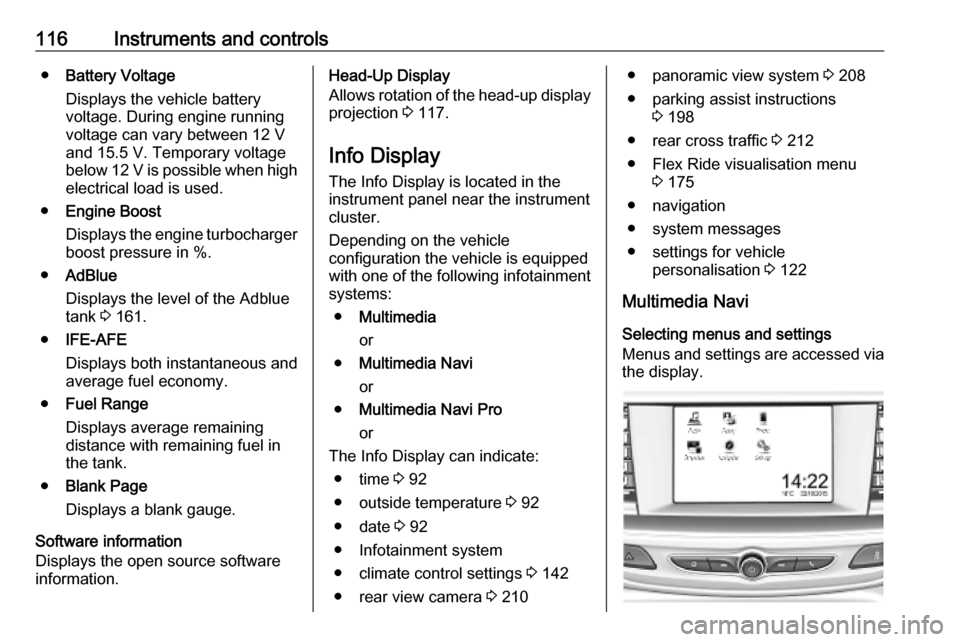
Multimedia Navi Selecting menus and settings
Menus and settings are accessed via the display.