phone VAUXHALL MERIVA 2014.5 Infotainment system
[x] Cancel search | Manufacturer: VAUXHALL, Model Year: 2014.5, Model line: MERIVA, Model: VAUXHALL MERIVA 2014.5Pages: 129, PDF Size: 2.38 MB
Page 114 of 129
114PhonePhoneGeneral information...................114
Bluetooth connection .................115
Emergency call .......................... 119
Operation ................................... 120
Mobile phones and CB radio equipment .................................. 123General information
The Phone portal provides you with
the possibility of having mobile phone conversations via a vehicle
microphone and the vehicle
loudspeakers as well as operating the
most important mobile phone
functions via the Infotainment system in the vehicle. To be able to use the
Phone portal, the mobile phone has
to be connected with it via Bluetooth.
The Phone portal can be operated
optionally via the speech recognition
system.
Not all Phone portal functions are
supported by every mobile phone.
The possible phone functions depend on the relevant mobile phone andnetwork provider. You will find further
information on this in the operating
instructions for your mobile phone or you can enquire about them with your network provider.Important information for
operation and traffic safety9 Warning
Mobile phones have effects on
your environment. For this reason safety regulations and directions
have been prepared. You should
be familiar with the related
directions before you use the
telephone function.
9 Warning
Use of the hands-free facility while
driving can be dangerous because
your concentration is reduced
when telephoning. Park your
vehicle before you use the hands- free facility. Follow the stipulations
of the country in which you find
yourself at present.
Do not forget to follow the special
regulations that apply in specific areas and always switch off the
mobile phone if the use of mobile
Page 115 of 129

Phone115phones is prohibited, if
interference is caused by the
mobile phone or if dangerous
situations can occur.
Bluetooth
The Phone portal is certified by the
Bluetooth Special Interest Group
(SIG).
You will find further information about the specification on the Internet at
http://www.bluetooth.com
Operating the speech
recognition Do not use the speech recognition in
emergencies, because in stress
situations your voice can change so
much that it can no longer be
recognised sufficiently to set up the
desired connection quickly enough.
Control elements The most important telephone
specific control elements are as
follows:
PHONE button: opens the telephone
main menu.
Controls on steering wheel:
q , w : accept call, activate speech
recognition.
n , x : end/reject call, deactivate
speech recognition.
The Phone portal can be operated
optionally via speech recognition
3 109.
Bluetooth connection
Bluetooth is a radio standard for the
wireless connection of, for example, a
telephone with other devices.
Information such as a telephone book, call lists, the network operator's
name and field strength can be
transferred. The functionality can be
restricted depending on the
telephone type.
To be able to set up a Bluetooth
connection with the Phone portal, the Bluetooth function of the mobile
phone has to be activated and the
mobile phone has to be set to
"visible". For further information
please refer to the operating
instructions for the mobile phone.Bluetooth menu
Press the CONFIG button.
Select Phone settings and then
Bluetooth .
Activating Bluetooth
If the Bluetooth function of the Phone portal is deactivated: set Activation to
On and confirm the subsequent
message.Device list
When a mobile phone is connected to the Phone portal via Bluetooth for the first time, the mobile phone is stored
in the device list.
Page 116 of 129
116Phone
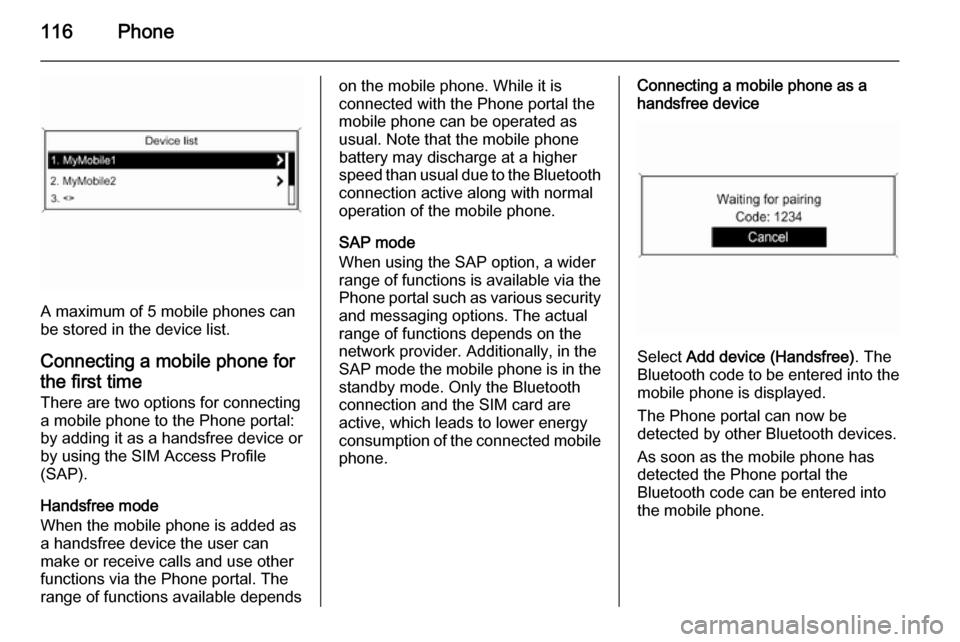
A maximum of 5 mobile phones can
be stored in the device list.
Connecting a mobile phone for the first time There are two options for connectinga mobile phone to the Phone portal: by adding it as a handsfree device or
by using the SIM Access Profile
(SAP).
Handsfree mode
When the mobile phone is added as
a handsfree device the user can
make or receive calls and use other
functions via the Phone portal. The
range of functions available depends
on the mobile phone. While it is
connected with the Phone portal the
mobile phone can be operated as
usual. Note that the mobile phone
battery may discharge at a higher
speed than usual due to the Bluetooth
connection active along with normal
operation of the mobile phone.
SAP mode
When using the SAP option, a wider
range of functions is available via the
Phone portal such as various security and messaging options. The actual
range of functions depends on the
network provider. Additionally, in the
SAP mode the mobile phone is in the standby mode. Only the Bluetooth
connection and the SIM card are
active, which leads to lower energy
consumption of the connected mobile
phone.Connecting a mobile phone as a
handsfree device
Select Add device (Handsfree) . The
Bluetooth code to be entered into the
mobile phone is displayed.
The Phone portal can now be
detected by other Bluetooth devices.
As soon as the mobile phone has
detected the Phone portal the
Bluetooth code can be entered into
the mobile phone.
Page 117 of 129
Phone117
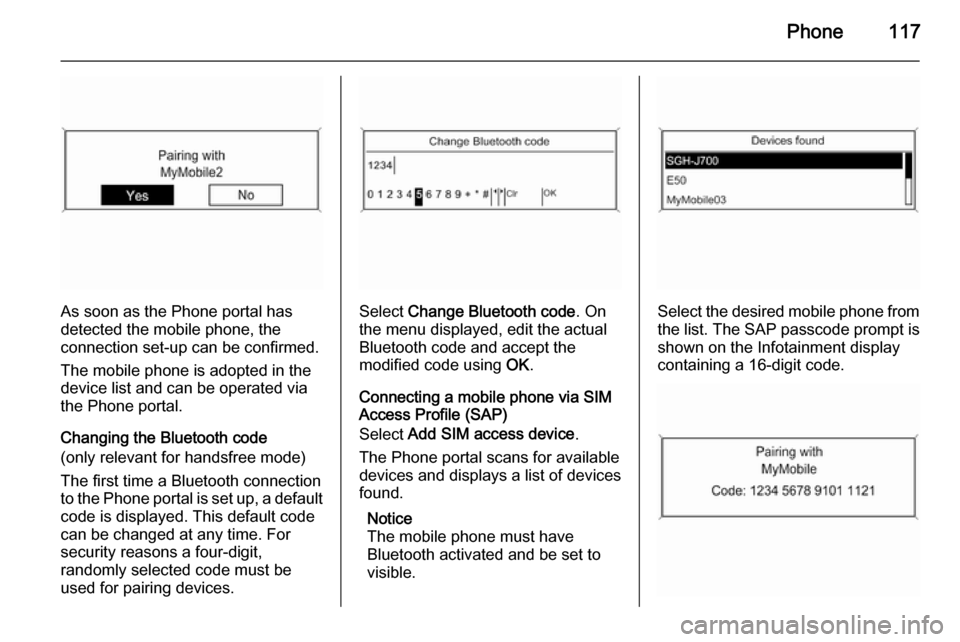
As soon as the Phone portal has
detected the mobile phone, the
connection set-up can be confirmed.
The mobile phone is adopted in the
device list and can be operated via
the Phone portal.
Changing the Bluetooth code
(only relevant for handsfree mode)
The first time a Bluetooth connection
to the Phone portal is set up, a default code is displayed. This default code
can be changed at any time. For
security reasons a four-digit,
randomly selected code must be
used for pairing devices.Select Change Bluetooth code . On
the menu displayed, edit the actual
Bluetooth code and accept the
modified code using OK.
Connecting a mobile phone via SIM
Access Profile (SAP)
Select Add SIM access device .
The Phone portal scans for available
devices and displays a list of devices
found.
Notice
The mobile phone must have
Bluetooth activated and be set to visible.Select the desired mobile phone from
the list. The SAP passcode prompt is
shown on the Infotainment display
containing a 16-digit code.
Page 118 of 129

118Phone
Enter the displayed SAP passcode in
the mobile phone (without spaces).
The mobile phone PIN code is shown
on the Infotainment display.
If the PIN request function is active,
the user will have to enter the PIN code of the SIM card in the mobile
phone.
Enter the PIN code of the mobile
phone SIM. The mobile phone is
paired with the Phone portal.
Services of the mobile network
provider can be used via the Phone
portal.
Connecting a mobile phone
saved in the device list
Select the desired mobile phone and
then select the option Select in the
menu displayed.
As soon as the Phone portal has
detected the mobile phone, the
connection setup can be confirmed.
The mobile phone can be operated
via the Phone portal.
Removing mobile phone from
device list Select the desired mobile phone from
the device list. In the menu displayed
select Delete and confirm the
subsequent message.
Setting up a connected phone
Various mobile phone settings can be configured in the Phone settings
menu, if the phone is connected via
SAP.
Adjusting the ring tone
To change the ring tone
characteristic:
Press CONFIG button.
Select Phone settings and then Ring
tone .
Select the desired option.
To change the ring tone volume:
While the phone rings turn the m knob
of the Infotainment system or press
the buttons + / - on the steering wheel.
Changing security settings
Press CONFIG button.
Page 119 of 129

Phone119
Select Phone settings and then
Security .
The security dialogue is displayed.
Activating/Deactivating PIN request
Select PIN request On or Off.
Enter the PIN code of the mobile
phone SIM card and confirm.
Notice
This option depends on the
individual network provider.
Changing the PIN codeSelect Change PIN .
Enter the current PIN code. Enter the
new PIN code. Repeat the new PIN
code and confirm. The PIN has been
changed.Configuring network services
Select Phone settings and then
Network services . The Network
services dialogue is displayed.
Depending on the network provider
and mobile phone there are several
options available.■ Network selection : choose
between automatic or manual
network selection.
■ Call waiting : activate or deactivate
call waiting.
■ Call diverting : select diverting
options depending on the situation.
■ Call barring : configure call barring
options depending on the situation.
For details on network services
configuration refer to the mobile
phone manual or enquire with the
mobile network provider.
Configuring SMS centre number
The SMS centre number is a phone
number that acts as a gateway for
transferring SMS messages between mobile phones. This number is
usually preset by the network
provider.
To configure the SMS centre number
select Phone settings and then SMS
centre number . If required, modify the
SMS centre number.Resetting the mobile phone to factory
settings
Select Phone settings and then
Restore factory settings .
Emergency call9 Warning
Connection setup cannot be
guaranteed in all situations. For
this reason you should not rely
exclusively on a mobile phone
when a vitally important
communication (e. g. a medical
emergency) is concerned.
In some networks it may be
necessary for a valid SIM card to
be properly inserted in the mobile
phone.
9 Warning
Bear in mind that you can make
and receive calls with the mobile
phone, if it is in a service area with
Page 120 of 129

120Phonea sufficiently strong signal. Undercertain circumstances emergency
calls cannot be made on all mobile
phone networks; it is possible that
they cannot be made when certain network services and/or telephonefunctions are active. You can
enquire about this with the local
network operators.
The emergency call number can
differ depending on the region and
country. Please enquire
beforehand about the correct
emergency call number for the
relevant region.
Making an emergency call
Dial the emergency call number (e.g.
112 ).
The telephone connection to the
emergency call centre is set up.
Answer when the service personnel
questions you about the emergency.
9 Warning
Do not end the call until you are
requested to do so by the
emergency call centre.
Operation
Introduction As soon as a connection via
Bluetooth has been set up between
your mobile phone and the
Infotainment system, you can also
operate many functions of your
mobile phone via the Infotainment
system.
Via the Infotainment system, you can,
e.g., set up a connection to the
telephone numbers stored in your
mobile phone or change the
telephone numbers.
Notice
In the handsfree mode mobile phone
operation continues to be possible,
e. g. taking a call or adjusting the
volume.
After setup of a connection between
the mobile phone and the
Infotainment system the mobile
phone data is transmitted to the
Infotainment system. This can take
some time depending on the phone
model. During this period operation of
the mobile phone is possible via the
Infotainment system only to a limited
extent.
Not every telephone supports all
functions of the Phone portal.
Therefore deviations from the range
of functions described with these
specific telephones are possible.
Setting the volume for hands-
free facility
Turn the m knob on the Infotainment
system or press the buttons + / - on
the steering wheel.
Page 121 of 129

Phone121
Dialling a telephone number
With the telephone main menu active,press the multifunction knob to open
the phone operation menu.
Several options for dialling telephone numbers, for using the phone book
and call lists, for viewing and editing
messages are available.
Using the Phone off command the
connected phone can be detached
from the Phone portal.
Entering a number manually
Select Enter number and then enter
the desired number sequence.
Select Call to start the dialling
process.
You can switch to the telephone book menu by selecting PB.
Telephone book
After setting up the connection the
telephone book is compared with the
telephone book in the temporary
memory, provided that the same SIM
card or same telephone is connected. During this period any newly added
entries are not displayed.
If the SIM card or telephone are
different, the telephone book is
reloaded. This process can take a few
minutes depending on the phone
model.Selecting a telephone number from
the telephone book
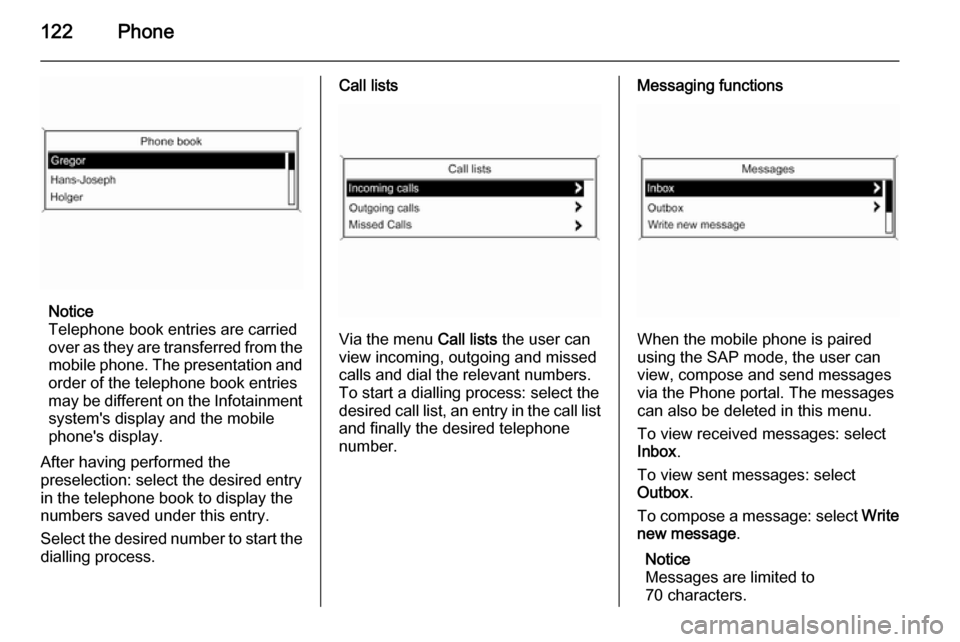
Select Phone book . In the displayed
menu select the desired first letter
range to start a preselection of the
telephone book entries that you want
to have displayed.
Page 122 of 129
122Phone
Notice
Telephone book entries are carried
over as they are transferred from the mobile phone. The presentation and
order of the telephone book entries
may be different on the Infotainment system's display and the mobile
phone's display.
After having performed the
preselection: select the desired entry
in the telephone book to display the
numbers saved under this entry.
Select the desired number to start the dialling process.
Call lists
Via the menu Call lists the user can
view incoming, outgoing and missed
calls and dial the relevant numbers.
To start a dialling process: select the desired call list, an entry in the call list and finally the desired telephone
number.
Messaging functions
When the mobile phone is paired
using the SAP mode, the user can
view, compose and send messages
via the Phone portal. The messages
can also be deleted in this menu.
To view received messages: select
Inbox .
To view sent messages: select
Outbox .
To compose a message: select Write
new message .
Notice
Messages are limited to
70 characters.
Page 123 of 129

Phone123
Incoming callWhen there is an incoming call a
menu is displayed to accept or
decline the telephone call.
Select required option.
Functions during a telephone call
If you currently have a telephone call, press the multifunction knob to open
a submenu.
Various options are available
depending on the situation and range
of functions of the mobile phone:
■ Hang up : disconnect the telephone
connection.
■ Call number : enter a telephone
number to make a second
telephone call or perform DTMF
(touch-tone dialling), e.g. for voice
mail or telephone banking.
■ Detach call : detach the connection
to a conference participant in a telephone conference.
■ Merge calls : merge two calls when
there are several active calls.■ Switch calls : switch between calls,
if there are several calls.
■ Mute call : mute a call.
Mobile phones and CB
radio equipment
Installation instructions and operating guidelines The vehicle specific installation
instructions and the operating
guidelines of the mobile phone and
handsfree manufacturer must be
observed when installing and
operating a mobile telephone. Failure
to do so could invalidate the vehicle
type approval (EU directive 95/54/
EC).Recommendations for fault-free
operation:
■ Professionally installed exterior antenna to obtain the maximum
range possible,
■ Maximum transmission power 10 watts,
■ Installation of the phone in a suitable spot, consider relevant
Note in the Owner's manual,
chapter Airbag system .
Seek advice on predetermined
installation points for the external
antenna or equipment holder and
ways of using devices with a
transmission power exceeding
10 watts.
Use of a handsfree attachment
without external antenna with mobile
telephone standards GSM
900/1800/1900 and UMTS is only
permitted if the maximum
transmission power of the mobile
telephone is 2 watts for GSM 900 or
1 watt for the other types.