cooling VAUXHALL MERIVA 2014.5 User Guide
[x] Cancel search | Manufacturer: VAUXHALL, Model Year: 2014.5, Model line: MERIVA, Model: VAUXHALL MERIVA 2014.5Pages: 237, PDF Size: 7.59 MB
Page 130 of 237
128Climate control
If no cooling or drying is required,
switch off the cooling system for fuel
saving reasons. Activated cooling
might inhibit Autostops.
Stop-start system 3 135.
Depending on the vehicle equipment, the display will indicate AC when
cooling is actived or Eco when the
cooling is deactivated.
Activation or deactivation of cooling
operation after engine start can be
changed in the menu Settings in the
Info-Display. Vehicle personalisation
3 109.
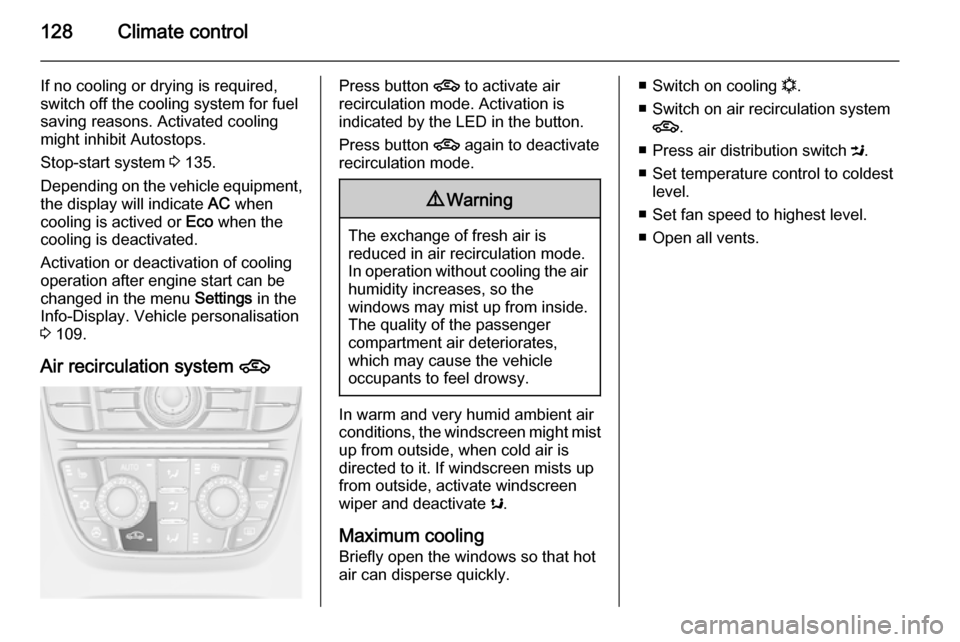
Air recirculation system 4Press button 4 to activate air
recirculation mode. Activation is
indicated by the LED in the button.
Press button 4 again to deactivate
recirculation mode.9 Warning
The exchange of fresh air is
reduced in air recirculation mode.
In operation without cooling the air humidity increases, so the
windows may mist up from inside.
The quality of the passenger
compartment air deteriorates,
which may cause the vehicle
occupants to feel drowsy.
In warm and very humid ambient air conditions, the windscreen might mist up from outside, when cold air is
directed to it. If windscreen mists up
from outside, activate windscreen
wiper and deactivate s.
Maximum cooling
Briefly open the windows so that hot
air can disperse quickly.
■ Switch on cooling n.
■ Switch on air recirculation system 4 .
■ Press air distribution switch M.
■ Set temperature control to coldest level.
■ Set fan speed to highest level.
■ Open all vents.
Page 131 of 237

Climate control129
Demisting and defrosting the
windows V
■
Press button V: fan automatically
switches to higher speed, the air distribution is directed towards the
windscreen.
■ Switch on cooling n.
■ Set temperature control to warmest
level.
■ Switch on heated rear window Ü.
■ Open side air vents as required and
direct them towards the door
windows.
Notice
If the V button is pressed while the
engine is running, an Autostop will
be inhibited until the V button is
pressed again.
If the V button is pressed while the
engine is in an Autostop, the engine will restart automatically.
Stop-start system 3 135.
Auxiliary heater
Air heater Quickheat is an electric auxiliary air
heater which automatically warms up
the passenger compartment more
quickly.Air vents
Adjustable air vents
To open the vent, turn the adjuster
wheel to the right. Adjust the air
amount at the vent outlet by turning
the adjuster wheel.
Page 132 of 237
130Climate control
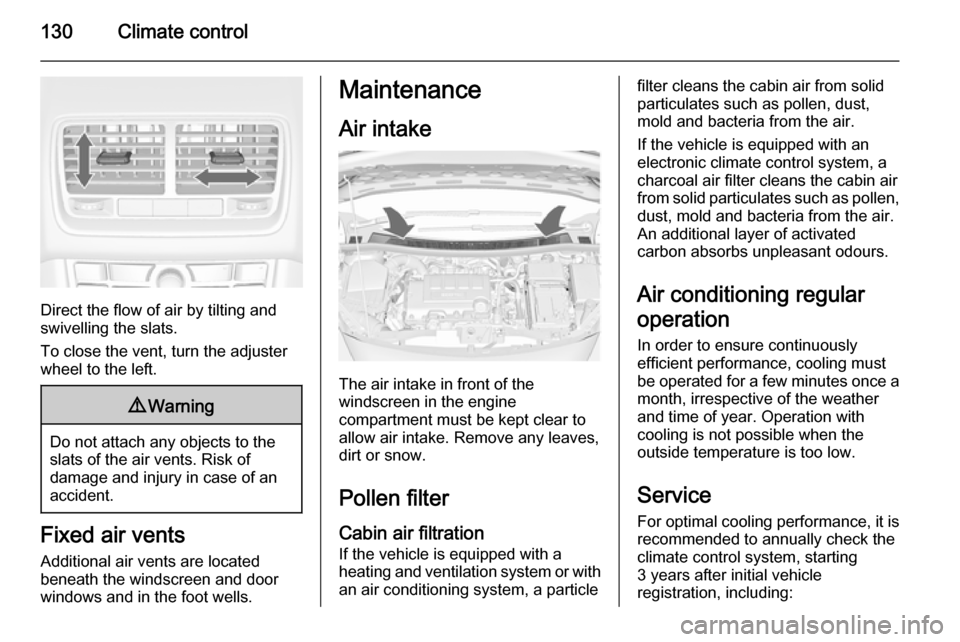
Direct the flow of air by tilting and
swivelling the slats.
To close the vent, turn the adjuster
wheel to the left.
9 Warning
Do not attach any objects to the
slats of the air vents. Risk of
damage and injury in case of an
accident.
Fixed air vents
Additional air vents are located
beneath the windscreen and door windows and in the foot wells.
Maintenance
Air intake
The air intake in front of the
windscreen in the engine
compartment must be kept clear to
allow air intake. Remove any leaves,
dirt or snow.
Pollen filterCabin air filtration
If the vehicle is equipped with a
heating and ventilation system or with an air conditioning system, a particle
filter cleans the cabin air from solidparticulates such as pollen, dust,
mold and bacteria from the air.
If the vehicle is equipped with an
electronic climate control system, a
charcoal air filter cleans the cabin air
from solid particulates such as pollen, dust, mold and bacteria from the air.
An additional layer of activated
carbon absorbs unpleasant odours.
Air conditioning regular
operation In order to ensure continuously
efficient performance, cooling must
be operated for a few minutes once a
month, irrespective of the weather
and time of year. Operation with
cooling is not possible when the
outside temperature is too low.
Service
For optimal cooling performance, it is recommended to annually check the
climate control system, starting
3 years after initial vehicle
registration, including:
Page 161 of 237

Driving and operating159
Fuel consumption data and CO2
emission data are determined
according to regulation R (EC) No.
715/2007 (in the version respectively
applicable), taking into consideration
the vehicle weight in running order, as specified by the regulation.
The figures are provided only for the
purpose of comparison between
different vehicle variants and must not be taken as a guarantee for the
actual fuel consumption of a
particular vehicle. Additional
equipment may result in slightly
higher results than the stated
consumption and CO 2 figures.
Furthermore, fuel consumption is
dependent on personal driving style
as well as road and traffic conditions.Trailer hitch
General information
Only use towing equipment that has
been approved for your vehicle.
Entrust retrofitting of towing
equipment to a workshop. It may be
necessary to make changes that
affect the cooling system, heat
shields or other equipment.
Fitting of towing equipment could
cover the opening of the towing eye.
If this is the case use the coupling ball
bar for towing. Always keep the
coupling ball bar in the vehicle.
Driving characteristics and
towing tips Before attaching a trailer, lubricate
the coupling ball. However, do not do so if a stabiliser, which acts on the
coupling ball, is being used to reduce
snaking movements.
For trailers with low driving stability
and caravan trailers with a permitted
gross vehicle weight of more than1100 kg the use of a stabiliser is
strongly recommended when driving
above 50 mph.
If the trailer starts snaking, drive more slowly, do not attempt to correct the
steering and brake sharply if
necessary.
When driving downhill, drive in the
same gear as if driving uphill and
drive at a similar speed.
Adjust tyre pressure to the value
specified for full load 3 224.
Trailer towing Trailer loads9 Warning
Vehicles with engine A13DTE:
Use of towing equipment is
permissible for attaching
compatible bicycle carriers only.
Do not use towing equipment for
trailer towing.
Page 167 of 237

Vehicle care165
■ Open the bonnet, close all doorsand lock the vehicle.
■ Disconnect the clamp from the negative terminal of the vehicle
battery. Beware that all systems are
not functional, e.g. anti-theft alarm
system.
Putting back into operation
When the vehicle is to be put back into
operation:
■ Connect the clamp to the negative terminal of the vehicle battery.
Activate the electronics of the
power windows.
■ Check tyre pressure.
■ Fill up the washer fluid reservoir.
■ Check the engine oil level.
■ Check the coolant level.
■ Fit the number plate if necessary.End-of-life vehicle
recovery
Information on end-of-life vehicle
recovery centres and the recycling of
end-of-life vehicles is available on our website. Only entrust this work to an
authorised recycling centre.
Gas vehicles must be recycled by a
service centre authorised for gas
vehicles.Vehicle checks
Performing work9 Warning
Only perform engine compartment
checks when the ignition is off.
The cooling fan may start
operating even if the ignition is off.
Page 170 of 237

168Vehicle care
If the cooling system is cold, the
coolant level should be above the
filling line mark. Top up if the level is
low.
9 Warning
Allow the engine to cool before
opening the cap. Carefully open
the cap, relieving the pressure
slowly.
To top up use a 1:1 mixture of
approved coolant concentrate mixed
with clean tap water. If no coolant
concentrate is available, use clean
tap water. Install the cap tightly. Have
the coolant concentration checked
and have the cause of the coolant
loss remedied by a workshop.
Washer fluid
Fill with clean water mixed with a
suitable quantity of washer fluid which
contains antifreeze.
Caution
Only washer fluid with a sufficient
antifreeze concentration provides
protection at low temperatures or
a sudden drop in temperature.
Brakes
In the event of minimum thickness ofthe brake lining, a squealing noise
sounds during braking.
Continued driving is possible but
have the brake lining replaced as
soon as possible.
Once new brake linings are installed,
do not brake unnecessarily hard for
the first few journeys.
Brake fluid9 Warning
Brake fluid is poisonous and
corrosive. Avoid contact with eyes, skin, fabrics and painted surfaces.
Page 186 of 237

184Vehicle care
No.Circuit1Starter2–3Fuel filter, cooling4Horn5Terminal 306Engine control module, trans‐
mission control unit7Fog light8Engine cooling9Engine cooling10Vacuum pump11Ignition, preheating12Headlamp levelling13Air conditioning system,
terminal 1514Transmission control unit15High beam rightNo.Circuit16High beam left17Engine control module18Engine control module,
terminal 1519Airbag20Engine control module21Engine control module,
terminal 87
Page 193 of 237
Vehicle care191
If the system is ready again, a
message is displayed in the Driver
Information Centre with
Uplevel-Display.
Tread depth
Check tread depth at regular
intervals.
Tyres should be replaced for safety
reasons at a tread depth of 2-3 mm
(4 mm for winter tyres).
For safety reasons it is recommended
that the tread depth of the tyres on
one axle should not vary by more than 2 mm.The legally permissible minimum
tread depth (1.6 mm) has been
reached when the tread has worn
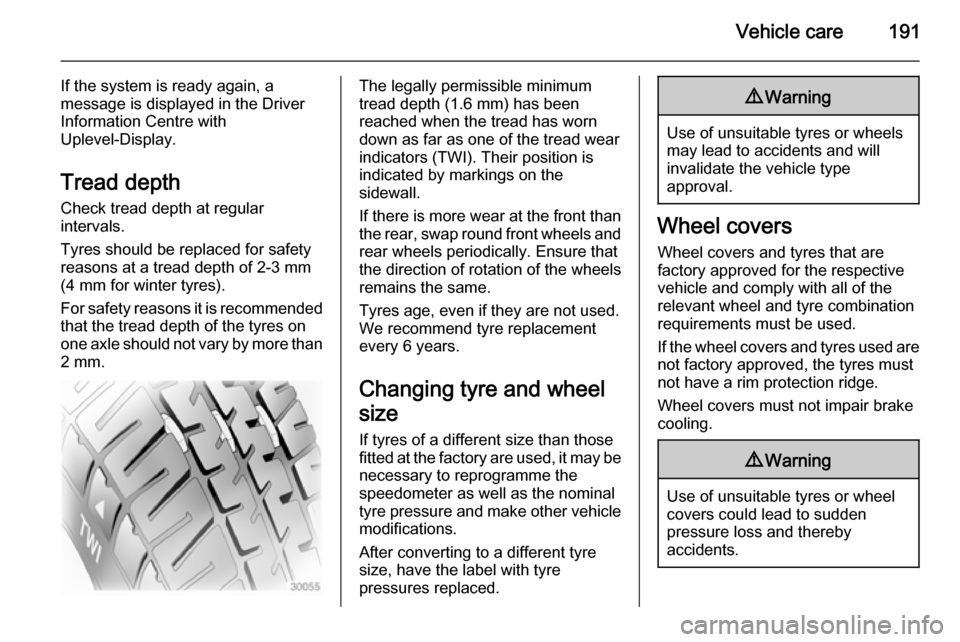
down as far as one of the tread wear
indicators (TWI). Their position is
indicated by markings on the
sidewall.
If there is more wear at the front than
the rear, swap round front wheels and rear wheels periodically. Ensure that
the direction of rotation of the wheels
remains the same.
Tyres age, even if they are not used.
We recommend tyre replacement
every 6 years.
Changing tyre and wheel
size If tyres of a different size than those
fitted at the factory are used, it may be necessary to reprogramme the
speedometer as well as the nominal
tyre pressure and make other vehicle
modifications.
After converting to a different tyre
size, have the label with tyre
pressures replaced.9 Warning
Use of unsuitable tyres or wheels
may lead to accidents and will
invalidate the vehicle type
approval.
Wheel covers
Wheel covers and tyres that are
factory approved for the respective
vehicle and comply with all of the
relevant wheel and tyre combination requirements must be used.
If the wheel covers and tyres used are
not factory approved, the tyres must
not have a rim protection ridge.
Wheel covers must not impair brake
cooling.
9 Warning
Use of unsuitable tyres or wheel
covers could lead to sudden
pressure loss and thereby
accidents.