engine VAUXHALL MERIVA 2015.5 Owner's Guide
[x] Cancel search | Manufacturer: VAUXHALL, Model Year: 2015.5, Model line: MERIVA, Model: VAUXHALL MERIVA 2015.5Pages: 247, PDF Size: 7.83 MB
Page 108 of 247

106Instruments and controls
No.Vehicle message6Depress brake pedal to release
electrical parking brake7Turn steering wheel, switch
ignition off and then on9Turn steering wheel, start
engine again12Vehicle overloaded13Compressor overheated15Centre high-mounted brake
light failure16Brake light failure17Headlight levelling malfunction18Left low beam failure19Rear fog light failure20Right low beam failure21Left sidelight failure22Right sidelight failure23Reversing light failureNo.Vehicle message24Number plate light failure25Left front turn signal failure26Left rear turn signal failure27Right front turn signal failure28Right rear turn signal failure29Check trailer brake light30Check trailer reversing light31Check left trailer turn signal32Check right trailer turn signal33Check trailer rear fog light34Check trailer rear light35Replace battery in radio remote
control48Clean side blind zone alert
system53Tighten gas cap54Water in diesel fuel filterNo.Vehicle message55Diesel particle filter is full
3 14156Tyre pressure imbalance on
front axle57Tyre pressure imbalance on
rear axle58Tyres without TPMS sensors
detected59Open and then close driver
window60Open and then close front
passenger window61Open and then close rear left
window62Open and then close rear right
window65Theft attempted66Service theft alarm system67Service steering wheel lock68Service power steering
Page 109 of 247

Instruments and controls107
No.Vehicle message69Service suspension system70Service level control system71Service rear axle74Service AFL75Service air conditioning76Service side blind zone alert
system79Top up engine oil81Service transmission82Change engine oil soon83Service adaptive cruise control84Engine power is reduced89Service vehicle soon94Shift to park before exiting95Service airbag128Bonnet open134Park assist fault, clean bumperNo.Vehicle message136Service parking assist174Low vehicle battery258Park assist off
Vehicle messages on the
Uplevel-Display or Uplevel-Combi-Display
The vehicle messages are displayed
as text. Follow the instructions given
in the messages.
The system displays messages
regarding the following topics:
■ fluid levels
■ anti-theft alarm system
■ brakes
■ drive systems
■ ride control systems
■ cruise control
■ object detection systems
■ lighting, bulb replacement
■ wiper/washer system
■ doors, windows
■ radio remote control
■ seat belts
■ airbag systems
■ engine and transmission
■ tyre pressure
■ diesel particle filter
Page 110 of 247

108Instruments and controls
Vehicle messages on theColour-Info-Display
Some important messages appear
additionally in the
Colour-Info-Display. Press the
multifunction knob to confirm a
message. Some messages only pop- up for a few seconds.
Warning chimes Only one warning chime will sound at
a time.
The warning chime regarding
unfastened seat belts has priority
over any other warning chime.
When starting the engine or
whilst driving ■ If seat belt is not fastened.
■ If a door or the tailgate is not fully closed when starting-off.
■ If a certain speed is exceeded with parking brake applied.
■ If a programmed speed is exceeded.■ If a warning message or a warning code appears in the Driver
Information Centre.
■ If the parking assist detects an object.
■ If reverse gear is engaged and the rear end carrier is extended.
■ If a fault in the automatic locking system is detected.
■ If the diesel particle filter has reached the maximum filling level.
When the vehicle is parked and/ or the driver's door is opened ■ When the key is in the ignition switch.
■ With exterior lights on.
During an Autostop ■ If the driver's door is opened.
Battery voltage When the vehicle battery voltage is
running low, a warning message or
warning code 174 will appear in the
Driver Information Centre.1. Switch off immediately any electrical consumers which are
not required for a safe ride, e.g.
seat heating, heated rear window
or other main consumers.
2. Charge the vehicle battery by driving continuously for a while or
by using a charging device.
The warning message or warning
code will disappear after the engine has been started twice consecutively
without a voltage drop.
If the vehicle battery cannot be
recharged, have the cause of the fault
remedied by a workshop.
Page 113 of 247

Instruments and controls111
Reset trip odometer by pressing the
SET/CLR button on the turn signal
lever for a few seconds or, on vehicles
with reset knob, by pressing the reset
knob near the speedometer
separately for selected page 1 or 2.
Fuel range
Range is calculated from current fuel
tank content and current
consumption. The display shows
average values.
After refuelling, the range is updated
automatically after a brief delay.
When the fuel level in the tank is low,
a message appears in the display.
When the tank has to be refuelled
immediately, a warning message is
displayed.
Additionally the control indicator i in
the fuel gauge illuminates or flashes
3 98.
Fuel range LPG version
Display of approximate fuel range
available with the remaining fuel in
each respective fuel tank of gasoline
and LPG fuel, along with a total range
of both fuel types together. Switch
between the mode by pressing
SET/CLR button.
Average consumption
Display of average consumption. The measurement can be reset at any
time and starts with a default value.
To reset, press the SET/CLR button
for a few seconds separately for
selected page 1 or 2.
On vehicles with LPG engines:
Average consumption is indicated for
the currently selected mode; LPG or
Gasoline.Instantaneous consumption
Displays the instantaneous
consumption.
On vehicles with LPG engines:
Instantaneous consumption is
indicated for the currently selected
mode; LPG or Gasoline.
Average speed
Display of average speed. The
measurement can be reset at any
time.
To reset, press the SET/CLR button
for a few seconds separately for
selected page 1 or 2.
Digital speed
Digital display of the instantaneous
speed.
Page 114 of 247

112Instruments and controlsVehicle personalisationThe vehicle's behaviour can be
personalised by changing the settings in the Info-Display.
Some of the personal settings for
different drivers can be memorised
individually for each vehicle key.
Memorised settings 3 21.
Depending on vehicle equipment and
country-specific regulations some of
the functions described below might
not be available.
Some functions are only displayed or
active when the engine is running.
Personal settings in the
Graphic-Info-Display
CD 300/CD 400/CD 400plus
Press CONFIG . The menu Settings is
displayed.
The following settings can be
selected by turning and pressing the
multifunction knob:
■ Languages
■ Time Date
■ Radio settings
■ Phone settings
■ Vehicle settings
In the corresponding submenus the
following settings can be changed:
Languages
Selection of the desired language.
Time Date
See Clock 3 86.
Radio settings
See description for Infotainment
system in the Infotainment system
manual.
Phone settings
See description for Infotainment
system in the Infotainment system
manual.
Page 119 of 247

Lighting117
In the Driver Information Centre with
Uplevel-Display or
Uplevel-Combi-Display, the current
status of the automatic light control is displayed.
When switching on the ignition,
automatic light control is active.
When low beam is on, 8 illuminates.
Control indicator 8 3 99.
Tail lights
Tail lights are illuminated together
with low beam and sidelights.
Automatic light controlWhen the automatic light control
function is switched on and the
engine is running, the system
switches between daytime running
light and low beam depending on the
lighting conditions.
Daytime running light 3 119.
Automatic low beam activation
During poor lighting conditions the
low beam is switched on.
Tunnel detectionWhen a tunnel is entered the low
beam is switched on.
Adaptive forward lighting 3 119.High beam
To switch from low to high beam,
push lever.
To switch to low beam, push lever
again or pull.
Headlight flash To activate the headlight flash, pull
lever.
Page 127 of 247
Climate control125Climate controlClimate control systems ............. 125
Air vents ..................................... 132
Maintenance .............................. 133Climate control systems
Heating and ventilation
system
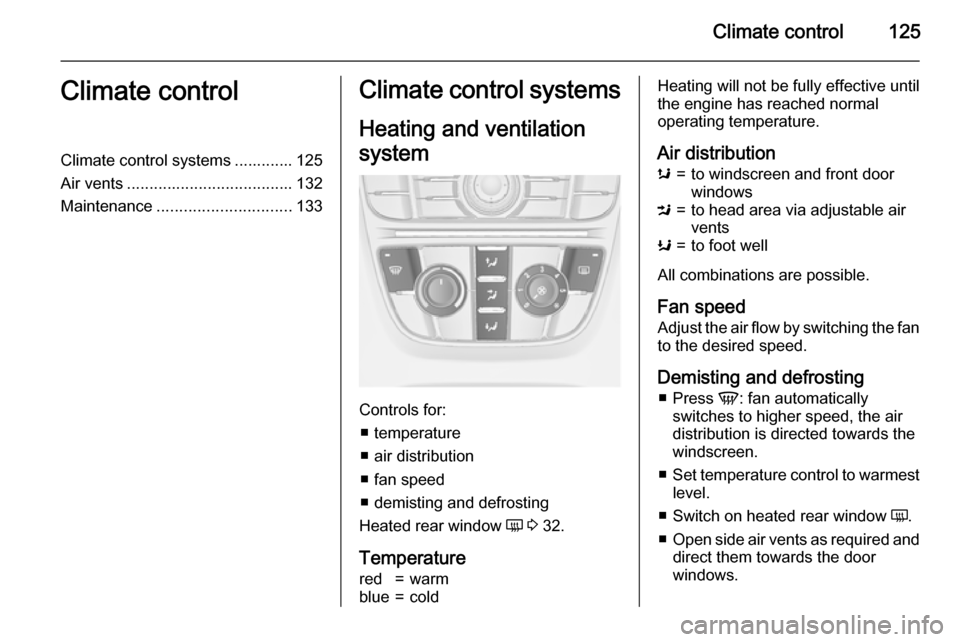
Controls for: ■ temperature
■ air distribution
■ fan speed
■ demisting and defrosting
Heated rear window Ü 3 32.
Temperature
red=warmblue=coldHeating will not be fully effective until
the engine has reached normal
operating temperature.
Air distributions=to windscreen and front door
windowsM=to head area via adjustable air
ventsK=to foot well
All combinations are possible.
Fan speed
Adjust the air flow by switching the fan to the desired speed.
Demisting and defrosting ■ Press V: fan automatically
switches to higher speed, the air
distribution is directed towards the
windscreen.
■ Set temperature control to warmest
level.
■ Switch on heated rear window Ü.
■ Open side air vents as required and
direct them towards the door
windows.
Page 128 of 247
126Climate control
Notice
If the settings for demisting and
defrosting are selected, an Autostop will be inhibited.
If the settings for demisting and
defrosting are selected while the
engine is in an Autostop, the engine will restart automatically.
Stop-start system 3 138.
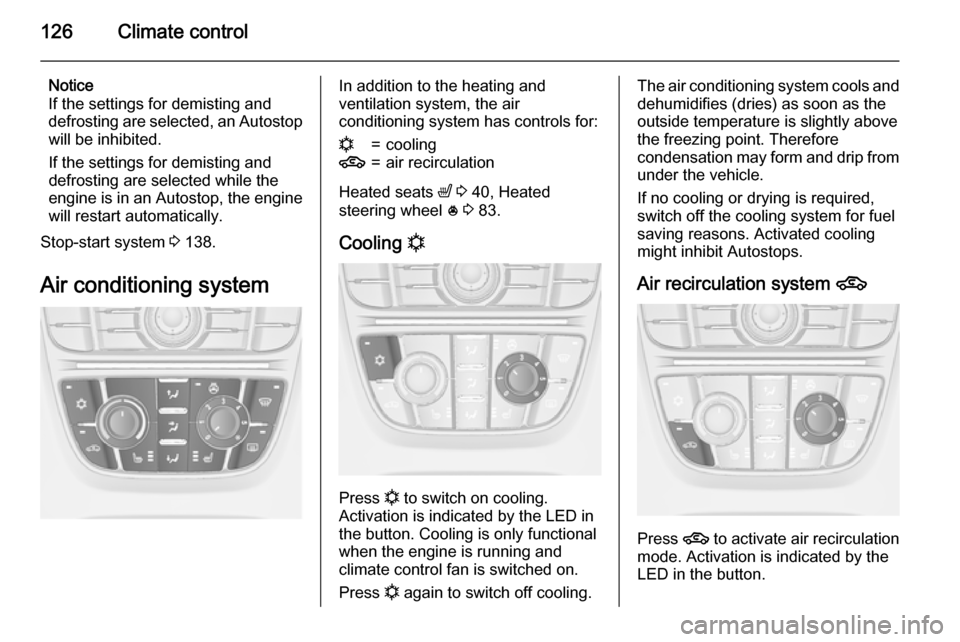
Air conditioning systemIn addition to the heating and
ventilation system, the air
conditioning system has controls for:n=cooling4=air recirculation
Heated seats ß 3 40, Heated
steering wheel * 3 83.
Cooling n
Press n to switch on cooling.
Activation is indicated by the LED in
the button. Cooling is only functional
when the engine is running and
climate control fan is switched on.
Press n again to switch off cooling.
The air conditioning system cools and
dehumidifies (dries) as soon as the
outside temperature is slightly above
the freezing point. Therefore
condensation may form and drip from under the vehicle.
If no cooling or drying is required,
switch off the cooling system for fuel
saving reasons. Activated cooling
might inhibit Autostops.
Air recirculation system 4
Press 4 to activate air recirculation
mode. Activation is indicated by the
LED in the button.
Page 130 of 247

128Climate control
Notice
If V is pressed while the engine is
running, an Autostop will be inhibited
until V is pressed again.
If V is pressed while the engine is
in an Autostop, the engine will restart
automatically.
Stop-start system 3 138.
Electronic climate control
system
The dual zone climate control allows
different climatisation temperatures
for driver and front passenger side.
In Automatic mode temperature, fan
speed and air distribution are
regulated automatically.
Controls for:
■ temperature on driver side
■ air distribution
■ fan speed
■ temperature on front passenger side
n=coolingAUTO=automatic mode4=manual air recirculationV=demisting and defrosting
Heated rear window Ü 3 32, Heated
seats ß 3 40, Heated steering wheel
* 3 83.
Climate control settings are shown on
the Graphic-Info-Display, or
depending on the version, on Colour-
Info-Display. Setting modifications
are briefly popped-up in both
displays, superimposed over the
currently displayed menu.
The electronic climate control system is only fully operational when the
engine is running.
Page 131 of 247
Climate control129
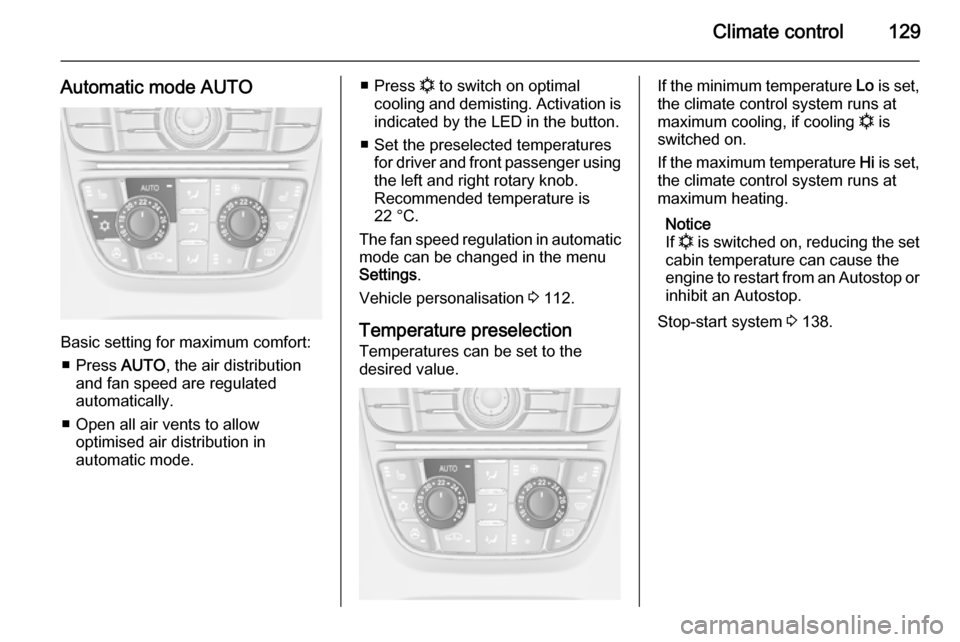
Automatic mode AUTO
Basic setting for maximum comfort:■ Press AUTO, the air distribution
and fan speed are regulated
automatically.
■ Open all air vents to allow optimised air distribution in
automatic mode.
■ Press n to switch on optimal
cooling and demisting. Activation is indicated by the LED in the button.
■ Set the preselected temperatures for driver and front passenger using
the left and right rotary knob.
Recommended temperature is
22 °C.
The fan speed regulation in automatic mode can be changed in the menu
Settings .
Vehicle personalisation 3 112.
Temperature preselection
Temperatures can be set to the
desired value.If the minimum temperature Lo is set,
the climate control system runs at
maximum cooling, if cooling n is
switched on.
If the maximum temperature Hi is set,
the climate control system runs at
maximum heating.
Notice
If n is switched on, reducing the set
cabin temperature can cause the
engine to restart from an Autostop or inhibit an Autostop.
Stop-start system 3 138.