wheel VAUXHALL MERIVA 2015.5 Owner's Guide
[x] Cancel search | Manufacturer: VAUXHALL, Model Year: 2015.5, Model line: MERIVA, Model: VAUXHALL MERIVA 2015.5Pages: 247, PDF Size: 7.83 MB
Page 87 of 247

Instruments and controls85
Adjustable sensitivity of the rain
sensor
Turn the adjuster wheel to adjust the
sensitivity:
low sensitivity=turn adjuster
wheel downwardshigh sensitivity=turn adjuster
wheel upwards
Keep the sensor free from dust, dirt
and ice.
Windscreen washer
Pull lever. Washer fluid is sprayed
onto the windscreen and the wiper
wipes a few times.
Rear window wiper/washer
Press the rocker switch to activate the
rear window wiper:
upper position=continuous
operationlower position=intermittent
operationmiddle position=off
Page 94 of 247
92Instruments and controls
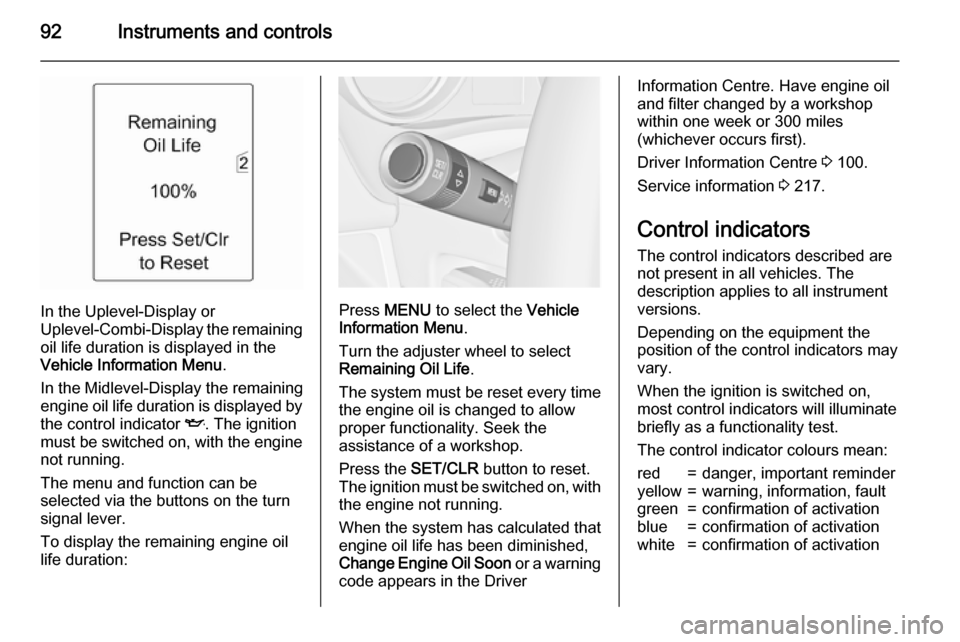
In the Uplevel-Display or
Uplevel-Combi-Display the remaining
oil life duration is displayed in the
Vehicle Information Menu .
In the Midlevel-Display the remaining
engine oil life duration is displayed by
the control indicator I. The ignition
must be switched on, with the engine not running.
The menu and function can be
selected via the buttons on the turn
signal lever.
To display the remaining engine oil life duration:Press MENU to select the Vehicle
Information Menu .
Turn the adjuster wheel to select
Remaining Oil Life .
The system must be reset every time
the engine oil is changed to allow
proper functionality. Seek the
assistance of a workshop.
Press the SET/CLR button to reset.
The ignition must be switched on, with the engine not running.
When the system has calculated that
engine oil life has been diminished,
Change Engine Oil Soon or a warning
code appears in the Driver
Information Centre. Have engine oil
and filter changed by a workshop
within one week or 300 miles
(whichever occurs first).
Driver Information Centre 3 100.
Service information 3 217.
Control indicators
The control indicators described are
not present in all vehicles. The
description applies to all instrument
versions.
Depending on the equipment the
position of the control indicators may
vary.
When the ignition is switched on,
most control indicators will illuminate
briefly as a functionality test.
The control indicator colours mean:red=danger, important reminderyellow=warning, information, faultgreen=confirmation of activationblue=confirmation of activationwhite=confirmation of activation
Page 100 of 247

98Instruments and controls
Illuminates
Tyre pressure loss. Stop immediately
and check tyre pressure.
Flashes Fault in system or tyre without
pressure sensor mounted (e.g. spare wheel). After 60-90 seconds the
control indicator illuminates
continuously. Consult a workshop.
Tyre pressure monitoring system
3 194.
Engine oil pressure
I illuminates red.
Illuminates when the ignition is
switched on and extinguishes shortly
after the engine starts.Illuminates when the engine is
runningCaution
Engine lubrication may be
interrupted. This may result in
damage to the engine and/or
locking of the drive wheels.
1. Depress clutch.
2. Select neutral gear, set selector lever to N.
3. Move out of the flow of traffic as quickly as possible without
impeding other vehicles.
4. Switch off ignition.
9 Warning
When the engine is off,
considerably more force is needed
to brake and steer. During an
Autostop the brake servo unit will still be operational.
Do not remove key until vehicle isstationary, otherwise the steeringwheel lock could engage
unexpectedly.
Check oil level before seeking
assistance of a workshop 3 170.
Low fuel
i illuminates or flashes yellow.
Illuminates Level in fuel tank is too low.
Additionally a warning message is
displayed on vehicles with Uplevel-
Display.
Flashes
Fuel used up. Refuel immediately.
Never run the tank dry.
Additionally a warning message is
displayed on vehicles with Midlevel- and Uplevel-Display.
Catalytic converter 3 142.
Bleeding the diesel fuel system
3 176.
Page 103 of 247
Instruments and controls101
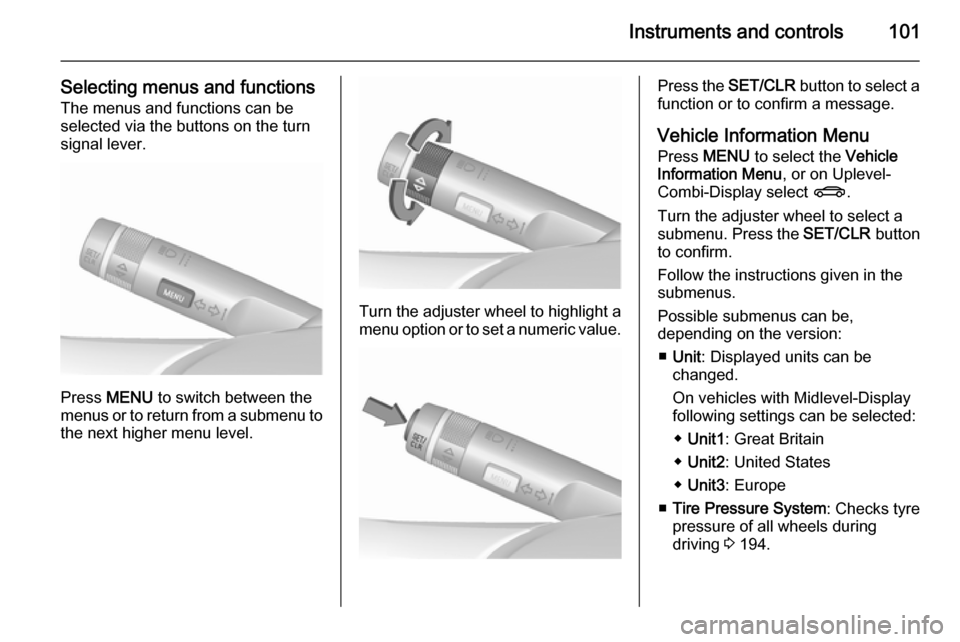
Selecting menus and functionsThe menus and functions can be
selected via the buttons on the turn signal lever.
Press MENU to switch between the
menus or to return from a submenu to the next higher menu level.
Turn the adjuster wheel to highlight a
menu option or to set a numeric value.
Press the SET/CLR button to select a
function or to confirm a message.
Vehicle Information Menu Press MENU to select the Vehicle
Information Menu , or on Uplevel-
Combi-Display select X.
Turn the adjuster wheel to select a
submenu. Press the SET/CLR button
to confirm.
Follow the instructions given in the submenus.
Possible submenus can be,
depending on the version:
■ Unit : Displayed units can be
changed.
On vehicles with Midlevel-Display
following settings can be selected:
◆ Unit1 : Great Britain
◆ Unit2 : United States
◆ Unit3 : Europe
■ Tire Pressure System : Checks tyre
pressure of all wheels during
driving 3 194.
Page 104 of 247
102Instruments and controls
■Tire Load : Select tyre pressure
category according to the actually
inflated tyre pressure 3 194.
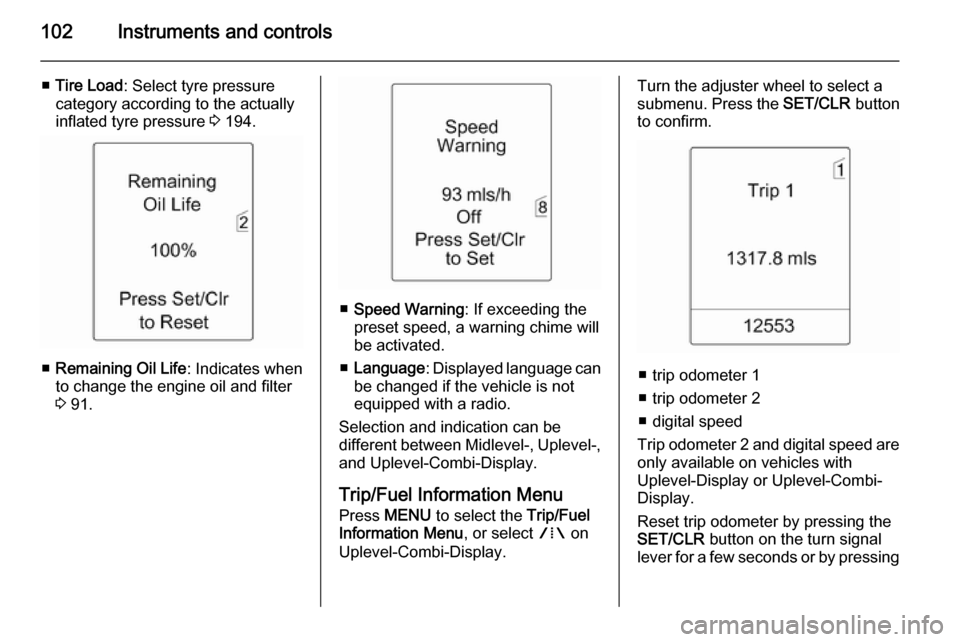
■ Remaining Oil Life : Indicates when
to change the engine oil and filter
3 91.
■ Speed Warning : If exceeding the
preset speed, a warning chime will
be activated.
■ Language : Displayed language can
be changed if the vehicle is not equipped with a radio.
Selection and indication can be
different between Midlevel-, Uplevel-,
and Uplevel-Combi-Display.
Trip/Fuel Information Menu Press MENU to select the Trip/Fuel
Information Menu , or select W on
Uplevel-Combi-Display.
Turn the adjuster wheel to select a
submenu. Press the SET/CLR button
to confirm.
■ trip odometer 1
■ trip odometer 2
■ digital speed
Trip odometer 2 and digital speed are
only available on vehicles with
Uplevel-Display or Uplevel-Combi-
Display.
Reset trip odometer by pressing the
SET/CLR button on the turn signal
lever for a few seconds or by pressing
Page 107 of 247
Instruments and controls105
Turn■ to mark a menu option
■ to set a numeric value or to display
a menu option
Press (the outer ring) ■ to select or activate the marked option
■ to confirm a set value
■ to switch a system function on/off
BACK button
Press BACK to:
■ exit a menu without changing settings
■ return from a submenu to a higher menu level
■ delete the last character in a character sequence
Press and hold BACK for a few
seconds to delete the entire entry.
Vehicle personalisation 3 112,
Memorised settings 3 21.Vehicle messages
Messages are indicated mainly in the
Driver Information Centre (DIC), in
some cases together with a warning
and signal buzzer.
Press the SET/CLR button, MENU or
turn the adjuster wheel to confirm a
message.
Vehicle messages on the
Midlevel-Display
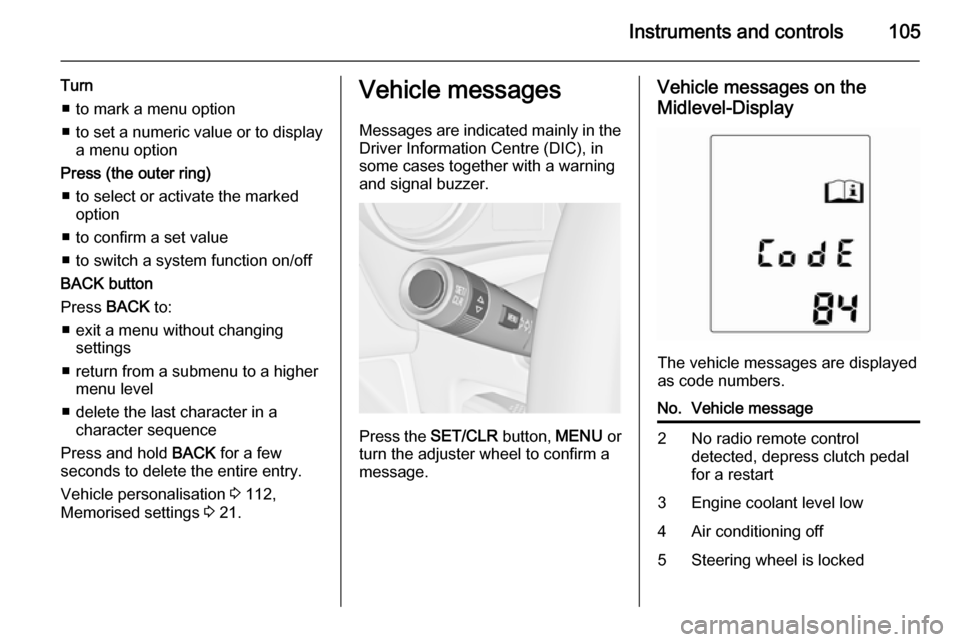
The vehicle messages are displayed
as code numbers.
No.Vehicle message2No radio remote control
detected, depress clutch pedal
for a restart3Engine coolant level low4Air conditioning off5Steering wheel is locked
Page 108 of 247

106Instruments and controls
No.Vehicle message6Depress brake pedal to release
electrical parking brake7Turn steering wheel, switch
ignition off and then on9Turn steering wheel, start
engine again12Vehicle overloaded13Compressor overheated15Centre high-mounted brake
light failure16Brake light failure17Headlight levelling malfunction18Left low beam failure19Rear fog light failure20Right low beam failure21Left sidelight failure22Right sidelight failure23Reversing light failureNo.Vehicle message24Number plate light failure25Left front turn signal failure26Left rear turn signal failure27Right front turn signal failure28Right rear turn signal failure29Check trailer brake light30Check trailer reversing light31Check left trailer turn signal32Check right trailer turn signal33Check trailer rear fog light34Check trailer rear light35Replace battery in radio remote
control48Clean side blind zone alert
system53Tighten gas cap54Water in diesel fuel filterNo.Vehicle message55Diesel particle filter is full
3 14156Tyre pressure imbalance on
front axle57Tyre pressure imbalance on
rear axle58Tyres without TPMS sensors
detected59Open and then close driver
window60Open and then close front
passenger window61Open and then close rear left
window62Open and then close rear right
window65Theft attempted66Service theft alarm system67Service steering wheel lock68Service power steering
Page 111 of 247

Instruments and controls109Trip computer
The menus and functions can be selected via the buttons on the turn
signal lever 3 100.
Press MENU to select the Trip/Fuel
Information Menu , or select W on
the Uplevel-Combi-Display.
Trip/Fuel Information Menu on
Uplevel-Display
Turn the adjuster wheel to select one of the submenus:
■ trip odometer 1
■ trip odometer 2
■ range
■ average consumption
■ instantaneous consumption
■ average speed
■ digital speed
Trip/Fuel Information Menu on
Uplevel-Combi-Display
Turn the adjuster wheel to select a
page:
Page 120 of 247

118LightingHeadlight range
adjustment
Manual headlight range
adjustment
To adapt headlight range to the
vehicle load to prevent dazzling: turn
thumb wheel ? to required position.
0=front seats occupied1=all seats occupied2=all seats occupied and load
compartment laden3=driver's seat occupied and load
compartment ladenHeadlights when driving
abroad
The asymmetrical headlight beam
extends visibility at the edge of the
road on the front passenger side.
However, when driving in countries
where traffic drives on the opposite
side of the road, adjust the headlights to prevent dazzling of oncoming
traffic.
Vehicles without Adaptive
Forward Lighting
Turn the adjusting screws clockwise
using the screwdriver for half a turn.
The adjusting screws are located at the headlights above the low beam
caps 3 176.
For deactivation, turn the adjusting
screws anticlockwise for half a turn.Caution
Have the adjustment of the
headlights checked after
deactivation.
We recommend consulting a
workshop.
Page 121 of 247
Lighting119
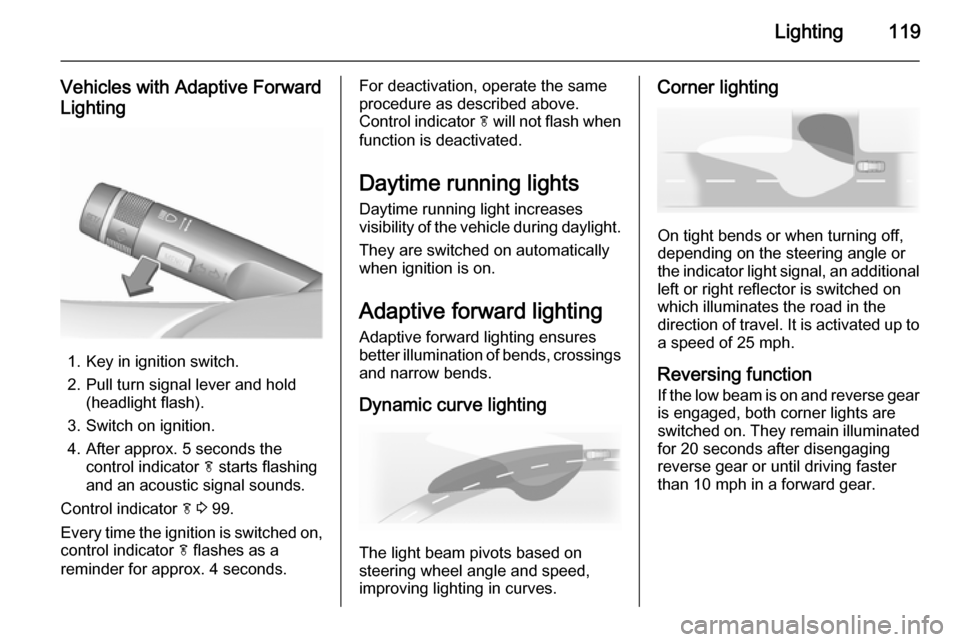
Vehicles with Adaptive Forward
Lighting
1. Key in ignition switch.
2. Pull turn signal lever and hold (headlight flash).
3. Switch on ignition.
4. After approx. 5 seconds the control indicator f starts flashing
and an acoustic signal sounds.
Control indicator f 3 99.
Every time the ignition is switched on,
control indicator f flashes as a
reminder for approx. 4 seconds.
For deactivation, operate the same
procedure as described above.
Control indicator f will not flash when
function is deactivated.
Daytime running lights
Daytime running light increases
visibility of the vehicle during daylight.
They are switched on automatically
when ignition is on.
Adaptive forward lighting
Adaptive forward lighting ensures
better illumination of bends, crossings
and narrow bends.
Dynamic curve lighting
The light beam pivots based on
steering wheel angle and speed,
improving lighting in curves.
Corner lighting
On tight bends or when turning off,
depending on the steering angle or
the indicator light signal, an additional left or right reflector is switched on
which illuminates the road in the
direction of travel. It is activated up to
a speed of 25 mph.
Reversing function If the low beam is on and reverse gear is engaged, both corner lights are
switched on. They remain illuminated
for 20 seconds after disengaging
reverse gear or until driving faster than 10 mph in a forward gear.