radio VAUXHALL MERIVA 2015 User Guide
[x] Cancel search | Manufacturer: VAUXHALL, Model Year: 2015, Model line: MERIVA, Model: VAUXHALL MERIVA 2015Pages: 245, PDF Size: 7.76 MB
Page 107 of 245

Instruments and controls105
No.Vehicle message6Depress brake pedal to release
electrical parking brake7Turn steering wheel, switch
ignition off and then on9Turn steering wheel, start
engine again12Vehicle overloaded13Compressor overheated15Centre high-mounted brake
light failure16Brake light failure17Headlight levelling malfunction18Left low beam failure19Rear fog light failure20Right low beam failure21Left sidelight failure22Right sidelight failure23Reversing light failureNo.Vehicle message24Number plate light failure25Left front turn signal failure26Left rear turn signal failure27Right front turn signal failure28Right rear turn signal failure29Check trailer brake light30Check trailer reversing light31Check left trailer turn signal32Check right trailer turn signal33Check trailer rear fog light34Check trailer rear light35Replace battery in radio remote
control48Clean side blind zone alert
system53Tighten gas cap54Water in diesel fuel filterNo.Vehicle message55Diesel particle filter is full
3 14056Tyre pressure imbalance on
front axle57Tyre pressure imbalance on
rear axle58Tyres without TPMS sensors
detected59Open and then close driver
window60Open and then close front
passenger window61Open and then close rear left
window62Open and then close rear right
window65Theft attempted66Service theft alarm system67Service steering wheel lock68Service power steering
Page 108 of 245
106Instruments and controls
No.Vehicle message69Service suspension system70Service level control system71Service rear axle74Service AFL75Service air conditioning76Service side blind zone alert
system79Top up engine oil81Service transmission82Change engine oil soon83Service adaptive cruise control84Engine power is reduced89Service vehicle soon94Shift to park before exiting95Service airbag128Bonnet open134Park assist fault, clean bumperNo.Vehicle message136Service parking assist174Low vehicle battery258Park assist off
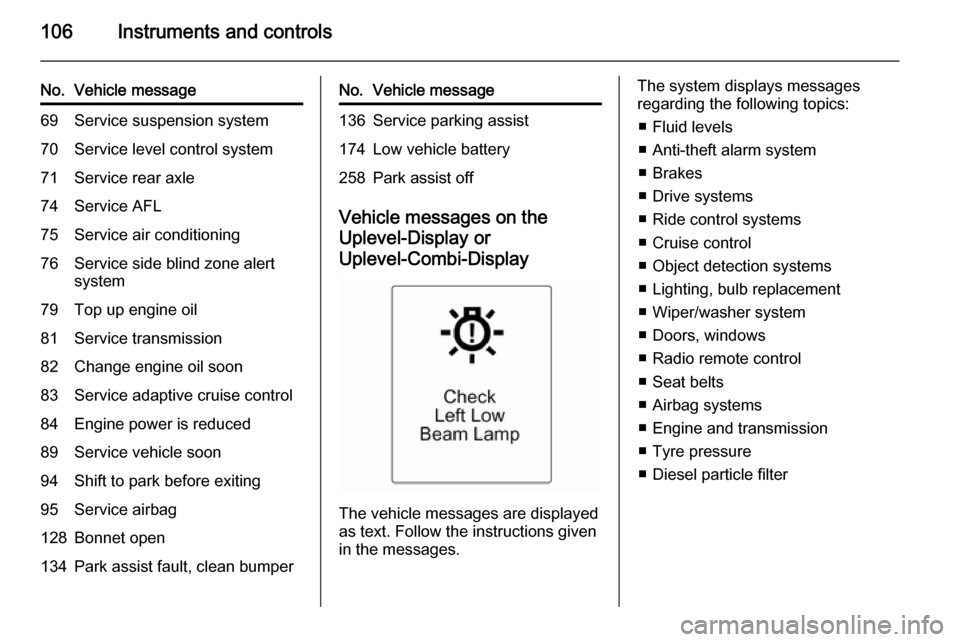
Vehicle messages on the
Uplevel-Display or Uplevel-Combi-Display
The vehicle messages are displayed
as text. Follow the instructions given
in the messages.
The system displays messages
regarding the following topics:
■ Fluid levels
■ Anti-theft alarm system
■ Brakes
■ Drive systems
■ Ride control systems
■ Cruise control
■ Object detection systems
■ Lighting, bulb replacement
■ Wiper/washer system
■ Doors, windows
■ Radio remote control
■ Seat belts
■ Airbag systems
■ Engine and transmission
■ Tyre pressure
■ Diesel particle filter
Page 113 of 245
Instruments and controls111Vehicle personalisation
The vehicle's behaviour can be
personalised by changing the settings in the Info-Display.
Some of the personal settings for
different drivers can be memorised
individually for each vehicle key.
Memorised settings 3 21.
Depending on vehicle equipment and
country-specific regulations some of
the functions described below might
not be available.
Some functions are only displayed or
active when the engine is running.
Personal settings in the
Graphic-Info-Display
CD 300/CD 400/CD400plus
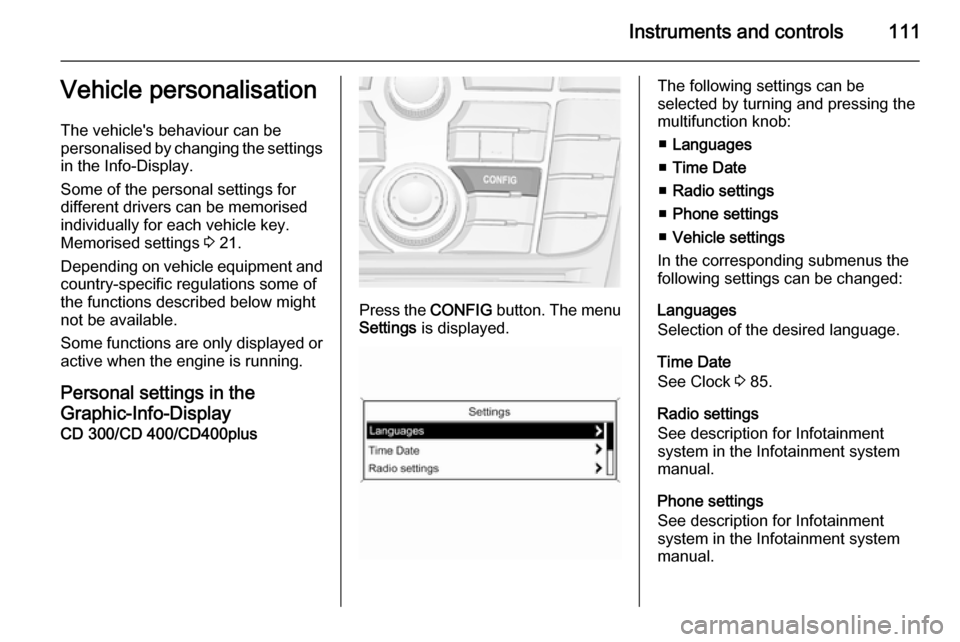
Press the CONFIG button. The menu
Settings is displayed.
The following settings can be
selected by turning and pressing the
multifunction knob:
■ Languages
■ Time Date
■ Radio settings
■ Phone settings
■ Vehicle settings
In the corresponding submenus the
following settings can be changed:
Languages
Selection of the desired language.
Time Date
See Clock 3 85.
Radio settings
See description for Infotainment
system in the Infotainment system
manual.
Phone settings
See description for Infotainment
system in the Infotainment system
manual.
Page 115 of 245
Instruments and controls113
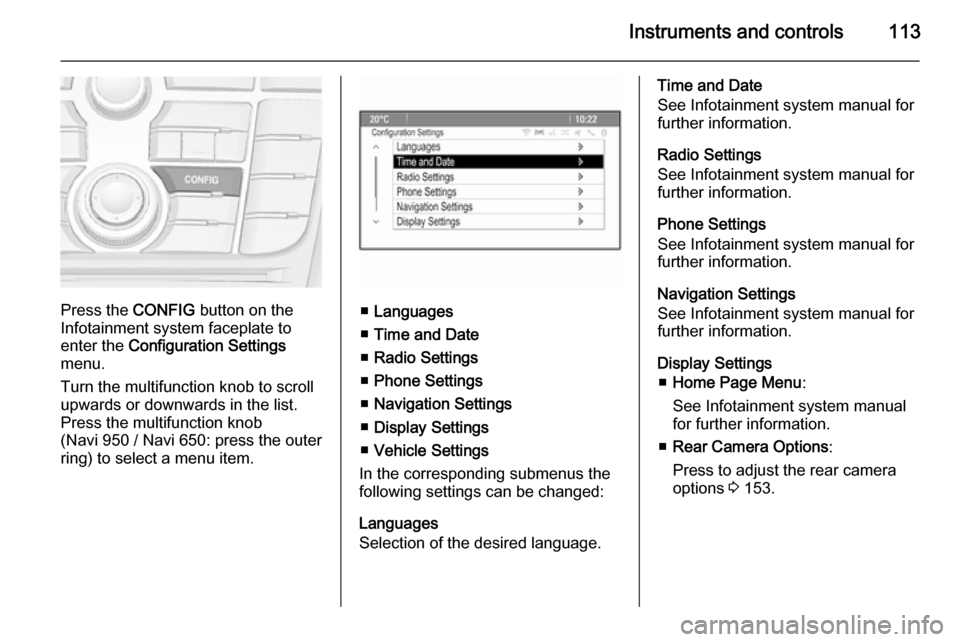
Press the CONFIG button on the
Infotainment system faceplate to
enter the Configuration Settings
menu.
Turn the multifunction knob to scroll
upwards or downwards in the list.
Press the multifunction knob
(Navi 950 / Navi 650: press the outer
ring) to select a menu item.■ Languages
■ Time and Date
■ Radio Settings
■ Phone Settings
■ Navigation Settings
■ Display Settings
■ Vehicle Settings
In the corresponding submenus the
following settings can be changed:
Languages
Selection of the desired language.
Time and Date
See Infotainment system manual for further information.
Radio Settings
See Infotainment system manual for
further information.
Phone Settings
See Infotainment system manual for
further information.
Navigation Settings
See Infotainment system manual for
further information.
Display Settings ■ Home Page Menu :
See Infotainment system manual
for further information.
■ Rear Camera Options :
Press to adjust the rear camera
options 3 153.
Page 124 of 245
122LightingReading lights
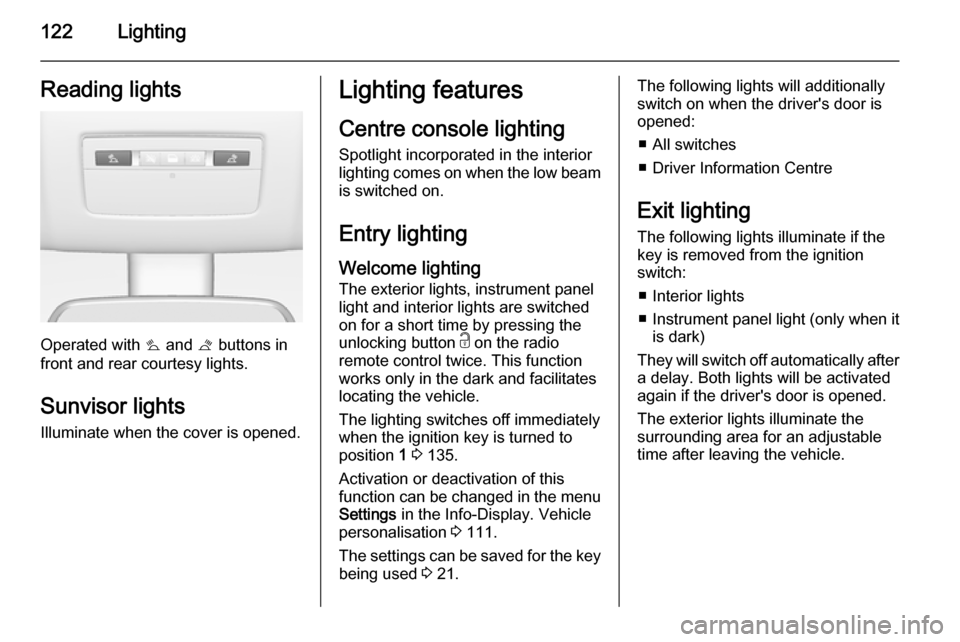
Operated with s and t buttons in
front and rear courtesy lights.
Sunvisor lights
Illuminate when the cover is opened.
Lighting features
Centre console lighting
Spotlight incorporated in the interior
lighting comes on when the low beam
is switched on.
Entry lighting Welcome lighting
The exterior lights, instrument panel
light and interior lights are switched
on for a short time by pressing the
unlocking button c on the radio
remote control twice. This function
works only in the dark and facilitates
locating the vehicle.
The lighting switches off immediately
when the ignition key is turned to
position 1 3 135.
Activation or deactivation of this
function can be changed in the menu Settings in the Info-Display. Vehicle
personalisation 3 111.
The settings can be saved for the key
being used 3 21.The following lights will additionally
switch on when the driver's door is
opened:
■ All switches
■ Driver Information Centre
Exit lighting
The following lights illuminate if the
key is removed from the ignition
switch:
■ Interior lights
■ Instrument panel light (only when it
is dark)
They will switch off automatically after
a delay. Both lights will be activated
again if the driver's door is opened.
The exterior lights illuminate the
surrounding area for an adjustable
time after leaving the vehicle.
Page 191 of 245

Vehicle care189
No.Circuit1Radio2Display, instrument, telephone3Radio4Ignition switch, immobiliser5Windscreen washer, rear
screen washer6Central locking system, tailgate7Central locking system8Display, instrument, telephone9Heated steering wheel10Rear left door unlocking11Rear right door unlocking12Courtesy light13Rain sensor, interior mirror,
outside mirrors14–Load compartment fuse
box
The fuse box is on the left side of the
load compartment behind a cover.
Remove the cover.
Disengage the four retaining lugs and remove the cover.
Page 196 of 245

194Vehicle care
Turn the adjuster wheel to select the
tyre pressure monitoring system.
System status and pressure warnings
are displayed by a message with the
corresponding tyre flashing in the
DIC.A detected low tyre pressure
condition is indicated by the control
indicator w 3 96.
If w illuminates, stop as soon as
possible and inflate the tyres as
recommended 3 232.
If w flashes for 60-90 seconds and
then illuminates continuously, there is a fault in the system. Consult a
workshop.
After inflating, driving may be
required to update the tyre pressure
values in the DIC. During this time w
may illuminate.
If w illuminates at lower temperatures
and extinguishes after some driving,
this could be an indicator for getting
low pressure. Check tyre pressure.
Vehicle messages 3 104.
If the tyre pressure shall be reduced
or increased, switch off ignition.
Only mount wheels with pressure
sensors, otherwise the tyre pressure
will not be displayed and w
illuminates continuously.
A temporary spare wheel is not
equipped with pressure sensors. The
tyre pressure monitoring system is
not operational for these wheels.
Control indicator w illuminates. For
the further three wheels the system
remains operational.
The use of commercially available
liquid tyre repair kits can impair the
function of the system. Factory-
approved repair kits can be used.
External high-power radio equipment
could disrupt the tyre pressure
monitoring system.
Page 237 of 245

Customer information235Customer informationCustomer information................235
Vehicle data recording and pri‐
vacy ........................................... 236Customer information
Declaration of conformity Transmission systems
This vehicle has systems that
transmit and/or receive radio waves
subject to Directive 1999/5/EC.
These systems are in compliance with the essential requirements and
other relevant provisions of
Directive 1999/5/EC. Copies of the
original Declarations of Conformity
can be obtained on our website.
Jack
Translation of the original declaration of conformity
Declaration of conformity according to EC Directive 2006/42/EC
We declare that the product:
Product designation: Jack
Type/GM part number: 13576735
is in compliance with the provisions of
Directive 2006/42/EC.Applied technical standards:GMN9737=JackingGM 14337=Standard
Equipment Jack –
Hardware TestsGMN5127=Vehicle Integrity –
Hoisting and
Service Station
JackingGMW15005=Standard
Equipment Jack
and Spare Tire,
Vehicle TestISO TS 16949=Quality
management
systems
The signatory is authorised to
compile the technical documentation.
Rüsselsheim, 31st January 2014
signed by
Hans-Peter Metzger
Engineering Group Manager Chassis & Structure
Adam Opel AG
D-65423 Rüsselsheim
Page 239 of 245

Customer information237Radio Frequency
Identification (RFID)
RFID technology is used in some vehicles for functions such as tyre
deflation detection and ignition
system security. It is also used in
connection with conveniences such
as radio remote controls for door
locking/unlocking and starting, and in- vehicle transmitters for garage dooropeners. RFID technology in
Vauxhall vehicles does not use or
record personal information or link with any other Vauxhall system
containing personal information.
Page 243 of 245

241
Oil............................................... 169
Oil, engine .......................... 217, 221
Oil pressure .................................. 97
Operate pedal ............................... 95
Outside temperature ....................85
Overrun cut-off ........................... 136
P Parking ................................ 17, 139
Parking assist ............................ 151
Parking brake ............................ 146
Parking lights ............................. 120
Particulate filter ........................... 140
Performance .............................. 227
Performing work ........................168
Personalisation ........................... 111
Pollen filter ................................. 132
Power outlets ............................... 87
Power steering fluid ....................171
Power windows ............................ 30
Preheating ................................... 96
Puncture ..................................... 203
Q
Quickheat ................................... 131
R Radio Frequency Identification (RFID) ..................................... 237
Radio remote control ...................20Reading lights ............................ 122
Rear carrier system ......................64
Rear doors ................................... 25
Rear floor storage cover ..............75
Rear fog light ............................... 98
Rear fog lights ........................... 120
Rear seats .................................... 41
Rear storage ................................ 74
Rear view camera ...................... 153
Rear window wiper/washer .......... 84 Recommended fluids and lubricants ........................ 217, 221
Reduced engine power ...............98
Refuelling ................................... 158
Remote control ............................. 20
Retained power off ....................135
Reversing lights .........................120
Ride control systems ..................148
Roof .............................................. 33
Roof load ...................................... 79
Roof rack ..................................... 79
S Safety belts ................................... 44
Safety net .................................... 76
Seat adjustment ....................... 6, 36
Seat belt ........................................ 8
Seat belt reminder .......................93
Seat belts ..................................... 44
Seat heating ................................. 40Seat position ................................ 36
Selector lever ............................. 142
Service ............................... 132, 216
Service display ............................ 90
Service information ....................216
Service vehicle soon .................... 94
Side airbag system ......................52
Sidelights .................................... 115
Side turn signal lights ................183
Spare wheel ............................... 207
Speedometer ............................... 88
Starting and operating ................135
Starting off ................................... 16
Starting the engine ....................135
Steering ...................................... 134
Steering wheel adjustment ......9, 81
Steering wheel controls ...............81
Steering wheel, heated .................82
Stop-start system........................ 137
Storage ......................................... 61
Storage compartments .................61
Sunvisor lights ........................... 122
Sun visors .................................... 32
Symbols ......................................... 4
T
Tachometer ................................. 89
Tailgate ......................................... 25
Tail lights ................................... 180
Technical data ............................ 224