phone VAUXHALL MERIVA 2016.5 Infotainment system
[x] Cancel search | Manufacturer: VAUXHALL, Model Year: 2016.5, Model line: MERIVA, Model: VAUXHALL MERIVA 2016.5Pages: 171, PDF Size: 2.85 MB
Page 137 of 171

Introduction137Usage
Control elements
The Infotainment system is operated
via function buttons, a multifunction
knob and menus that are shown on
the display.
Inputs are made optionally via: ● the control panel on the Infotainment system 3 134
● audio controls on the steering wheel 3 134
Switching the Infotainment
system on or off
Press X briefly. After switching on,
the last selected Infotainment source becomes active.
Press X again to turn the system off.
Automatic switch-off
If the Infotainment system is switched
on pressing X while the ignition is
turned off, it will switch off again automatically 10 minutes after the last user input.Setting the volume
Turn m. The current setting is shown
on the display.
When the Infotainment system is
switched on, the last selected volume is set, provided this setting is lower
than the maximum start-up volume
(see below).
The following inputs can be made
separately:
● the maximum start-up volume 3 141
● the volume of traffic announcements 3 141
Speed compensated volume
When speed compensated volume is
activated 3 141, the volume is
adapted automatically to make up for
the road and wind noises as you
drive.
Mute function
Press PHONE (if Phone portal
available: press for a few seconds) to mute the audio sources.To cancel the mute function: turn m or
press PHONE (if Phone portal
available: press for a few seconds).
Volume limitation at high
temperatures
At very high temperatures inside the
vehicle the Infotainment system limits
the maximum adjustable volume. If
necessary, the volume is decreased
automatically.
Modes of operation
Radio
Press RADIO to open the radio main
menu or to change between the
different wavebands.
Press the multifunction knob to open
the waveband menus with options for the station selection.
For a detailed description of the radio functions 3 142.
Audio players
Press CD or AUX once or several
times to open the USB, iPod or AUX main menu (if available) or to switch
between these menus.
Page 138 of 171

138IntroductionPress the multifunction knob to open
the relevant menus with options for
the track selection.
For a detailed description of CD
player functions 3 151, AUX
functions 3 154, USB port functions
3 155 and Bluetooth music functions
3 158.
Phone
Press PHONE briefly to open the
telephone menu.
Press the multifunction knob to open
the phone menu with options for the
input and selection of numbers.
For a detailed description of the
Phone portal 3 160.
System settings Adjusting the language
The menu texts on the Infotainment
system's display can be displayed in
various languages.
Press CONFIG to open the Settings
menu.
Select Languages in the Settings
menu to display the respective menu.Choose the desired language for the
menu texts.
Notice
For a detailed description of menu
operation 3 138.
Time and date settings
For a detailed description, refer to
your Owner's manual.
Basic operation
Multifunction knob The multifunction knob is the central
control element for the menus.
Turn the multifunction knob: ● to mark a menu option
● to set a numeric value
Press the multifunction knob: ● to select or activate the marked option
● to confirm a set value ● to switch a system function on/offBACK button
Press BACK briefly:
● to exit a menu
● to return from a submenu to the next higher menu level
● to delete the last character in a character sequence
Press and hold BACK for a few
seconds to delete the entire entry.
Examples of menu operation
Selecting an option
Page 140 of 171
140IntroductionSwitching a function on or off
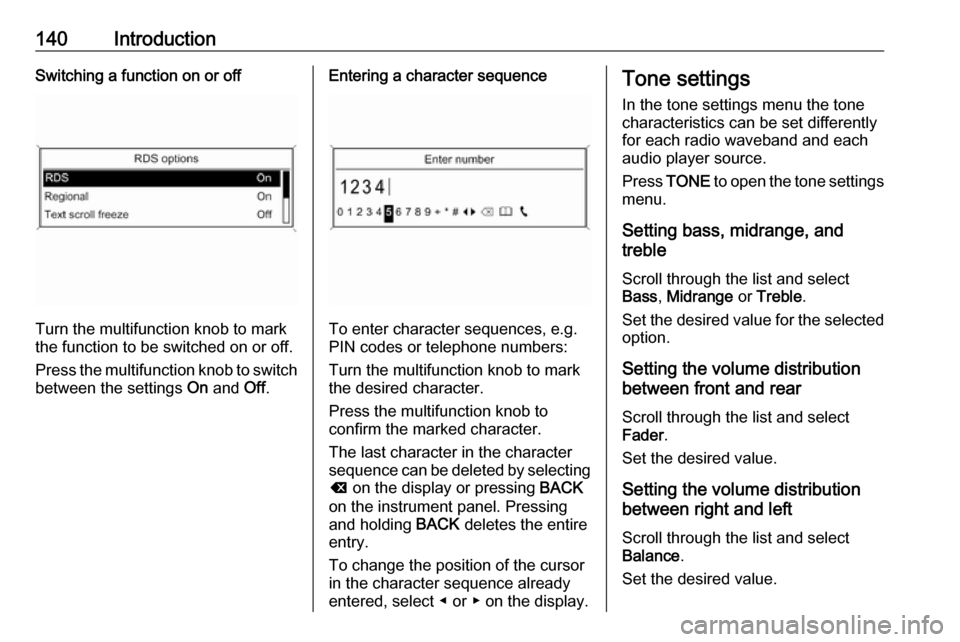
Turn the multifunction knob to mark
the function to be switched on or off.
Press the multifunction knob to switch
between the settings On and Off.
Entering a character sequence
To enter character sequences, e.g.
PIN codes or telephone numbers:
Turn the multifunction knob to mark
the desired character.
Press the multifunction knob to
confirm the marked character.
The last character in the character
sequence can be deleted by selecting
k on the display or pressing BACK
on the instrument panel. Pressing
and holding BACK deletes the entire
entry.
To change the position of the cursor
in the character sequence already
entered, select ◀ or ▶ on the display.
Tone settings
In the tone settings menu the tone characteristics can be set differently
for each radio waveband and each
audio player source.
Press TONE to open the tone settings
menu.
Setting bass, midrange, and
treble
Scroll through the list and select
Bass , Midrange or Treble .
Set the desired value for the selected
option.
Setting the volume distribution
between front and rear
Scroll through the list and select
Fader .
Set the desired value.
Setting the volume distribution
between right and left
Scroll through the list and select
Balance .
Set the desired value.
Page 141 of 171
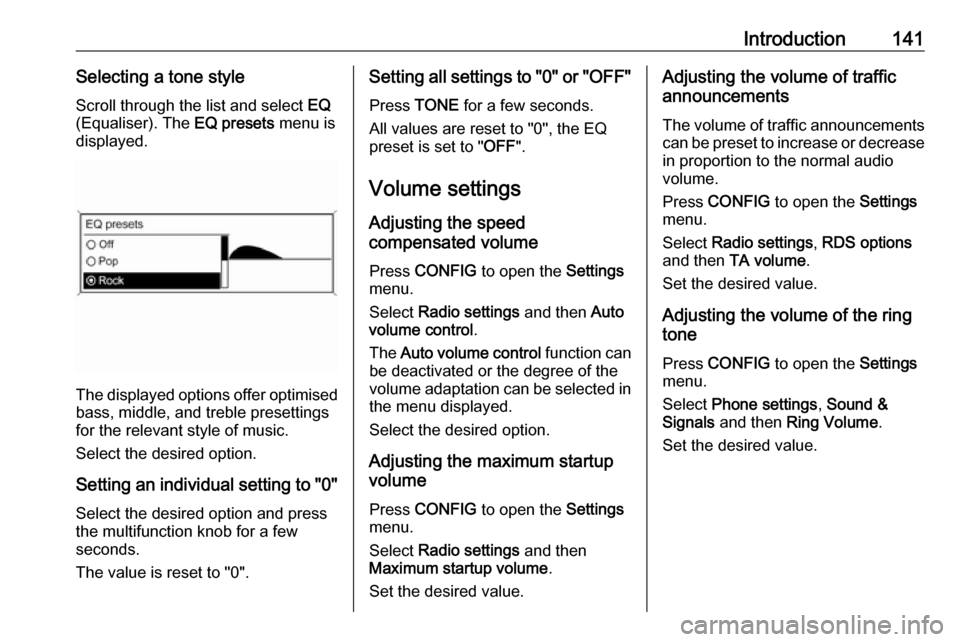
Introduction141Selecting a tone styleScroll through the list and select EQ
(Equaliser). The EQ presets menu is
displayed.
The displayed options offer optimised
bass, middle, and treble presettings
for the relevant style of music.
Select the desired option.
Setting an individual setting to "0" Select the desired option and press
the multifunction knob for a few
seconds.
The value is reset to "0".
Setting all settings to "0" or " OFF"
Press TONE for a few seconds.
All values are reset to "0", the EQ
preset is set to " OFF".
Volume settings
Adjusting the speed
compensated volume
Press CONFIG to open the Settings
menu.
Select Radio settings and then Auto
volume control .
The Auto volume control function can
be deactivated or the degree of the
volume adaptation can be selected in the menu displayed.
Select the desired option.
Adjusting the maximum startup
volume
Press CONFIG to open the Settings
menu.
Select Radio settings and then
Maximum startup volume .
Set the desired value.Adjusting the volume of traffic
announcements
The volume of traffic announcements
can be preset to increase or decrease
in proportion to the normal audio
volume.
Press CONFIG to open the Settings
menu.
Select Radio settings , RDS options
and then TA volume .
Set the desired value.
Adjusting the volume of the ring
tone
Press CONFIG to open the Settings
menu.
Select Phone settings , Sound &
Signals and then Ring Volume .
Set the desired value.
Page 158 of 171

158Bluetooth musicBluetooth musicGeneral information...................158
Operation ................................... 158General information
Bluetooth enabled audio sources (e.g. music mobile phones, MP3
players featuring Bluetooth, etc.)
which support the Bluetooth music
protocol A2DP can be connected
wirelessly to the Infotainment system.
Important information ● The Infotainment system only connects to Bluetooth devices
that support A2DP (Advanced
Audio Distribution Profile)
version 1.2 or higher.
● The Bluetooth device must support AVRCP (Audio VideoRemote Control Profile)
version 1.0 or higher. If the
device does not support AVRCP, only the volume can be controlled via the Infotainment system.
● Before connecting the Bluetooth device to the Infotainment
system, become acquainted with
its user guide for Bluetooth
functions.Operation
Prerequisites The following prerequisites must bemet in order to use the Bluetooth music mode of the Infotainment
system:
● The Bluetooth function of the Infotainment system must be
activated 3 161.
● The Bluetooth function of the external Bluetooth audio source
must be activated (see user
guide of the device).
● Depending on the external Bluetooth audio source, it may be
required to set the device to
"visible" (see user guide of the
device).
● The external Bluetooth audio source must be paired and
connected to the Infotainment
system 3 161.
Activating the Bluetooth music
mode
Press AUX once or several times to
activate the Bluetooth music mode.
Page 160 of 171

160PhonePhoneGeneral information...................160
Bluetooth connection .................161
Emergency call .......................... 163
Operation ................................... 163
Mobile phones and CB radio
equipment .................................. 166General information
The Phone portal provides you with
the possibility of having mobile phone conversations via a vehicle
microphone and the vehicle
loudspeakers as well as operating the
most important mobile phone
functions via the Infotainment system in the vehicle. To be able to use the
Phone portal, the mobile phone must
be connected to the Infotainment
system via Bluetooth.
Not all Phone portal functions are supported by every mobile phone.
The possible phone functions depend
on the relevant mobile phone and
network provider. You will find further information on this in the operating
instructions for your mobile phone or
you can enquire about them with your network provider.Important information for
operation and traffic safety9 Warning
Mobile phones have effects on
your environment. For this reason, safety regulations and directions
have been prepared. You should
be familiar with the related
directions before you use the
telephone function.
9 Warning
Use of the hands-free facility while
driving can be dangerous because
your concentration is reduced
when telephoning. Park your
vehicle before you use the hands- free facility. Follow the stipulations
of the country in which you find
yourself at present.
Do not forget to follow the special
regulations that apply in specific
areas and always switch off the
mobile phone if the use of mobile
phones is prohibited, if
Page 161 of 171
Phone161interference is caused by the
mobile phone or if dangerous
situations can occur.
Bluetooth
The Phone portal is certified by the
Bluetooth Special Interest Group
(SIG).
You will find further information about the specification on the Internet at
http://www.bluetooth.com
Bluetooth connection
Bluetooth is a radio standard for the
wireless connection of e.g. a
telephone with other devices. Data
such as a telephone book, call lists,
the network operator's name, and
field strength can be transferred. The
functionality can be restricted
depending on the telephone type.
To be able to set up a Bluetooth
connection with the Phone portal, the
Bluetooth function of the mobile
phone must be activated and the
mobile phone must be set to "visible".
Find a detailed description in the
operating instructions for the mobile
phone.
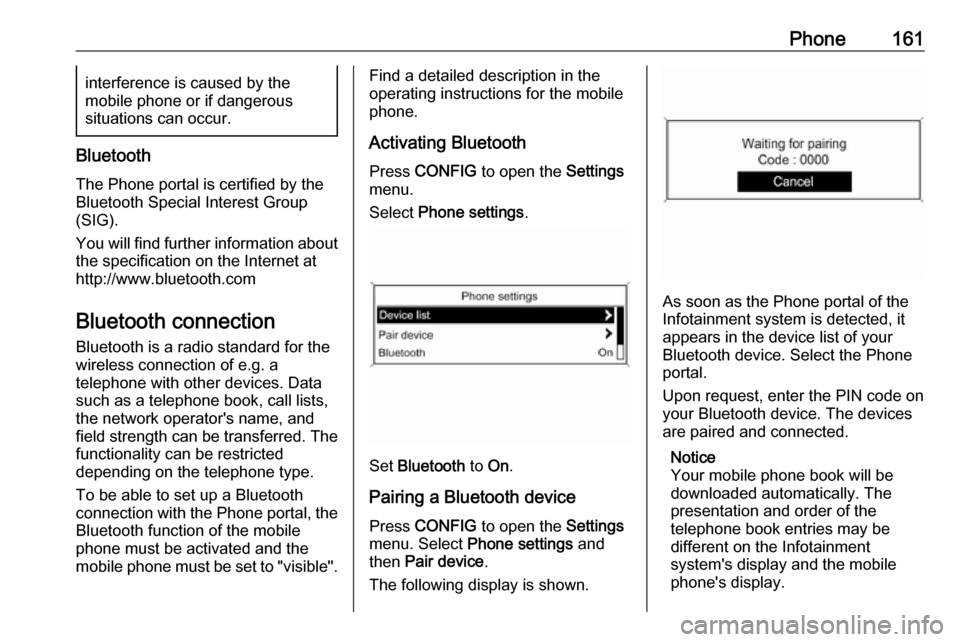
Activating Bluetooth
Press CONFIG to open the Settings
menu.
Select Phone settings .
Set Bluetooth to On.
Pairing a Bluetooth device
Press CONFIG to open the Settings
menu. Select Phone settings and
then Pair device .
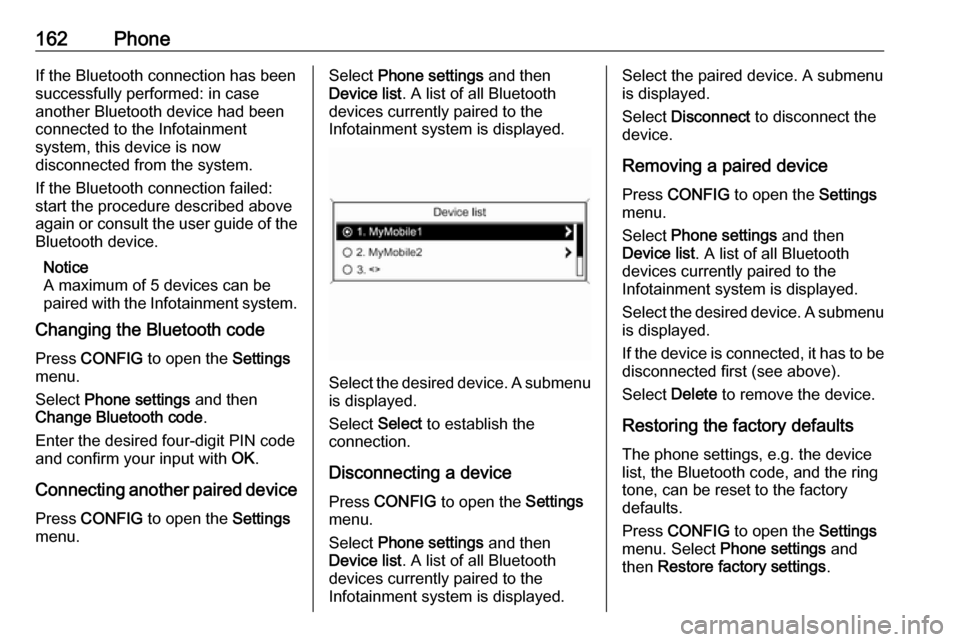
The following display is shown.
As soon as the Phone portal of the
Infotainment system is detected, it
appears in the device list of your
Bluetooth device. Select the Phone
portal.
Upon request, enter the PIN code on
your Bluetooth device. The devices
are paired and connected.
Notice
Your mobile phone book will be
downloaded automatically. The
presentation and order of the
telephone book entries may be
different on the Infotainment
system's display and the mobile
phone's display.
Page 162 of 171
162PhoneIf the Bluetooth connection has been
successfully performed: in case
another Bluetooth device had been
connected to the Infotainment
system, this device is now
disconnected from the system.
If the Bluetooth connection failed:
start the procedure described above again or consult the user guide of the
Bluetooth device.
Notice
A maximum of 5 devices can be paired with the Infotainment system.
Changing the Bluetooth code
Press CONFIG to open the Settings
menu.
Select Phone settings and then
Change Bluetooth code .
Enter the desired four-digit PIN code
and confirm your input with OK.
Connecting another paired device Press CONFIG to open the Settings
menu.Select Phone settings and then
Device list . A list of all Bluetooth
devices currently paired to the
Infotainment system is displayed.
Select the desired device. A submenu is displayed.
Select Select to establish the
connection.
Disconnecting a device Press CONFIG to open the Settings
menu.
Select Phone settings and then
Device list . A list of all Bluetooth
devices currently paired to the
Infotainment system is displayed.
Select the paired device. A submenu
is displayed.
Select Disconnect to disconnect the
device.
Removing a paired device
Press CONFIG to open the Settings
menu.
Select Phone settings and then
Device list . A list of all Bluetooth
devices currently paired to the
Infotainment system is displayed.
Select the desired device. A submenu is displayed.
If the device is connected, it has to be
disconnected first (see above).
Select Delete to remove the device.
Restoring the factory defaults The phone settings, e.g. the device
list, the Bluetooth code, and the ring
tone, can be reset to the factory
defaults.
Press CONFIG to open the Settings
menu. Select Phone settings and
then Restore factory settings .
Page 163 of 171
Phone163The submenu prompts you with a
question. To reset all values to the factory defaults, select Yes.
Emergency call9 Warning
Connection setup cannot be
guaranteed in all situations. For
this reason you should not rely
exclusively on a mobile phone
when a vitally important
communication (e.g. a medical
emergency) is concerned.
In some networks it may be
necessary for a valid SIM card to
be properly inserted in the mobile
phone.
9 Warning
Bear in mind that you can make
and receive calls with the mobile
phone, if it is in a service area with
a sufficiently strong signal. Under
certain circumstances emergency
calls cannot be made on all mobile
phone networks; it is possible that
they cannot be made when certain network services and/or telephone
functions are active. You can
enquire about this with the local
network operators.
The emergency call number can
differ depending on the region and country. Please enquire
beforehand about the correct
emergency call number for the
relevant region.
Making an emergency call
Dial the emergency call number (e.g.
112 ).
The telephone connection to the
emergency call centre is set up.
Answer when the service personnel
questions you about the emergency.
9 Warning
Do not end the call until you are
requested to do so by the
emergency call centre.
Operation
As soon as a Bluetooth connection
has been set up between your mobile
phone and the Infotainment system,
you can also operate many functions
of your mobile phone via the
Infotainment system.
Via the Infotainment system, you can, e.g., set up a connection to the
telephone numbers stored in your
mobile phone or change the
telephone numbers.
Notice
In the handsfree mode, mobile
phone operation is still possible,
e.g. taking a call or adjusting the
volume.
After the setup of a connection
between the mobile phone and the
Infotainment system, mobile phone
data is transmitted to the Infotainment
system. This can take several
minutes depending on the phone
model. During this period, operation
of the mobile phone is possible via the
Infotainment system only to a limited extent.
Page 164 of 171
164PhoneNotice
Not every mobile phone supports all
functions of the Phone portal.
Therefore deviations from the range
of functions described with these
specific mobile phones are possible.
Prerequisites
The following prerequisites must be met in order to use the handsfree
mode of the Infotainment system:
● The Bluetooth function of the Infotainment system must be
activated 3 161.
● The Bluetooth function of the mobile phone must be activated
(see user guide of the device).
● The mobile phone must be set to
"visible" (see user guide of the
device).
● The mobile phone must be paired
to the Infotainment system
3 161.
Activating the handsfree mode
Press PHONE on the control panel of
the Infotainment system. The phone
main menu is displayed.Notice
If there is no mobile phone
connected to the Infotainment
system, No phone available is
displayed. For a detailed description of how to establish a Bluetooth
connection 3 161.
Many functions of the mobile phone
can now be controlled via the phone
main menu (and associated
submenus) and via the phone-
specific controls on the steering
wheel.
Initiating a phone call
Entering a number manually
Being in the phone main menu, press
the multifunction knob to open the
Phone Menu .
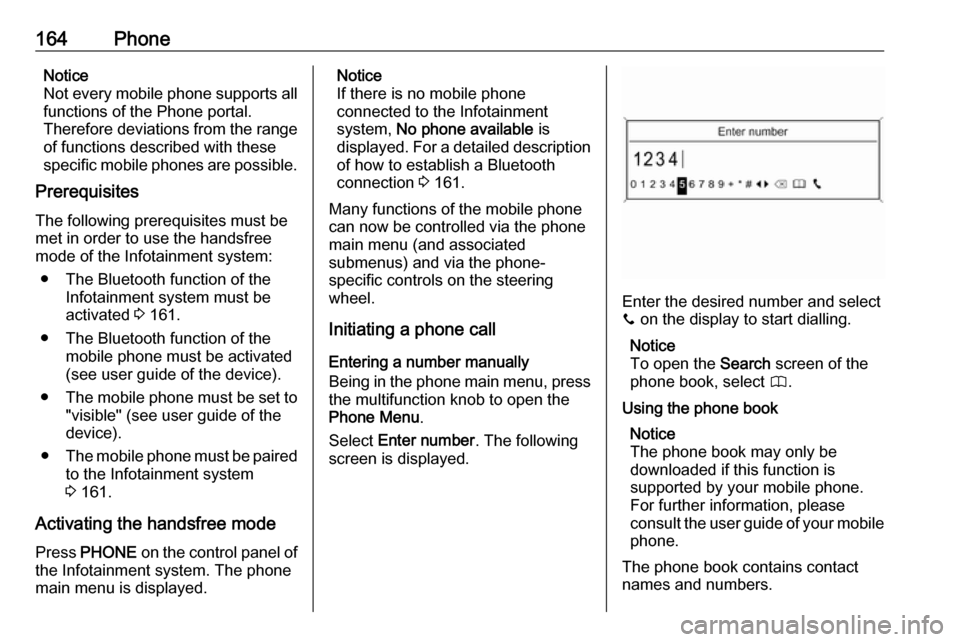
Select Enter number . The following
screen is displayed.
Enter the desired number and select
y on the display to start dialling.
Notice
To open the Search screen of the
phone book, select 4.
Using the phone book Notice
The phone book may only be
downloaded if this function is
supported by your mobile phone.
For further information, please
consult the user guide of your mobile phone.
The phone book contains contact
names and numbers.