buttons VAUXHALL MERIVA 2016 Infotainment system
[x] Cancel search | Manufacturer: VAUXHALL, Model Year: 2016, Model line: MERIVA, Model: VAUXHALL MERIVA 2016Pages: 171, PDF Size: 2.86 MB
Page 39 of 171

Navigation39The following options are available:● Full Map ("Normal" view
described above): Full screen
map view, all function and
indication screen buttons
displayed.
● Full Glory : Full screen map view,
most functions and indication
screen buttons hidden.
● Split with Turn List : Divided
screen with map on the left and
turn list on the right side.
● Split with Turn Arrow : Divided
screen with map on the left side
and turn arrow for the next
turning manoeuvre on the right
side.
● Split with Media : Divided screen
with map on the left side and
audio source currently active on the right side.
Select the desired option.
Map display
Press the multifunction knob to
display the Navigation Menu . Select
Map Settings and then Map Display
to display the respective submenu.Depending on the external lighting
conditions, activate Day or Night .
For an automatic adaption by the
system, activate Automatic.
Displaying POIs
Press the multifunction knob to
display the Navigation Menu .
Select Show POIs to display the
respective submenu.
If you wish all POIs available in the system to be displayed on the map,activate Show all POIs .
If you do not wish POIs to be
displayed on the map, activate Hide
all POIs .
To only display specific POIs, activate
User Defined and then activate the
POI categories you wish to be
displayed.
Changing screen information
The route information displayed on
the screen during active route
guidance may be customised.
Press the multifunction knob to
display the Navigation Menu . Scroll
through the list and select Switch
Route Time/Destination .Time information
If you wish to change the time
information displayed, select Switch
Arrival/Travel Time to display the
respective submenu.
Activate the information setting you
wish to be displayed.Destination information
If you are in a waypoint trip, you may
want to display the route information
for a waypoint instead of those for the final destination.
To change the setting, select Switch
Waypoint/Destination . A list of all
destinations in the waypoint trip
currently active is displayed.
Activate the information setting you
wish to be displayed.
Position information
Current position
Press the multifunction knob to
display the Navigation Menu . Select
the Current Position Info menu item.
Page 83 of 171

Introduction831RADIO (BAND) .....................96
Activate radio or change
waveband .............................. 96
2 CD....................................... 108
Start CD/MP3/WMA replay . 108
3 s ....................................... 96
Radio: search backwards .....96
CD/MP3/WMA: skip track
backwards ........................... 106
4 Radio station buttons 1...6 ....97
Long press: save station .......97
Short press: select station ....97
5 m........................................... 88
Press: switch on/off ..............88
Infotainment system .............88
Turn: adjust volume ..............88
6 u ....................................... 96
Radio: search forwards .........96
CD/MP3/WMA: skip track
forwards .............................. 1067AS (1/2) ................................. 97
Automatic memory levels (preset radio stations) ...........97
Short press: select autostore list .......................... 97
Long press: save stations
automatically ......................... 97
8 FAV (1/2/3) ............................ 97
Lists of favourites (preset
radio stations) ....................... 97
9 TP....................................... 101
Activate or deactivate
radio traffic service ..............101
If Infotainment system is
switched off: display time
and date .............................. 101
10 CD ejection ......................... 106
11 CONFIG ................................ 95
Open settings menu ..............9512INFO ..................................... 82
Radio: information on the
currently played station .........96
CD/MP3/WMA:
information on the
currently inserted CD ..........106
13 Multifunction knob .................89
Turn: mark menu options
or set numeric values ...........89
Press: select/activate the
marked option; confirm set
value; switch function on/off ..89
14 CD slot ................................ 106
15 BACK .................................... 89
Menu: one level back ............89
Input: delete last character
or entire entry ........................ 89
16 TONE .................................... 93
Tone settings ........................ 93
17 PHONE ............................... 116
Open telephone main menu 122
Activate mute ........................ 88
Page 86 of 171

86Introduction1RADIO (BAND) .....................96
Activate radio or change
waveband .............................. 96
2 CD....................................... 108
Start CD/MP3/WMA replay . 108
3 s ....................................... 96
Radio: search backwards .....96
CD/MP3/WMA: skip track
backwards ........................... 106
4 Radio station buttons 1...6 ....97
Long press: save station .......97
Short press: select station ....97
5 m........................................... 88
Press: switch on/off the
Infotainment system ..............88
Turn: adjust volume ..............88
6 u ....................................... 96
Radio: search forwards .........96
CD/MP3/WMA: skip track
forwards .............................. 1067AS (1/2) ................................. 97
Automatic memory levels
(preset radio stations) ...........97
Short press: select
autostore list .......................... 97
Long press: save stations
automatically ......................... 97
8 FAV (1/2/3) ............................ 97
Lists of favourites (preset
radio stations) ....................... 97
9 TP....................................... 101
Activate or deactivate
radio traffic service ..............101
If Infotainment system is
switched off: display time
and date .............................. 101
10 CD ejection ......................... 106
11 CONFIG ................................ 95
Open settings menu ..............95
12 MP3: folder level lower ........ 10613INFO ..................................... 82
Radio: information on the
currently played station .........96
CD/MP3/WMA:
information on the
currently inserted CD ..........106
14 Multifunction knob .................89
Turn: mark menu options
or set numeric values ...........89
Press: select/activate the
marked option; confirm set
value; switch function on/off ..89
15 CD slot ................................ 106
16 BACK .................................... 89
Menu: one level back ............89
Input: delete last character
or entire entry ........................ 89
17 MP3: folder level higher ......106
18 TONE .................................... 93
Tone settings ........................ 93
19 PHONE ............................... 116
Open telephone main menu 122
Activate mute ........................ 88
Page 88 of 171

88Introductionor activate/deactivate mute...88
or deactivate speech
recognition .......................... 111Usage
Control elements The Infotainment system is operated
via function buttons, multifunctional
knobs and menus that are shown on
the display.
Inputs are made optionally via: ● the central control unit in the instrument panel 3 82
● controls on the steering wheel 3 82
● the speech recognition system 3 111
Switching the Infotainment
system on or off
Press X briefly. After switching on,
the last selected Infotainment source
is active.
Automatic switch-off If the Infotainment system has been
switched on using X when the ignition
was switched off, it will switch off
again automatically after 10 minutes.Setting the volume
Turn X. The current setting is shown
on the display.
When the Infotainment system is
switched on, the last selected volume
is set, provided that this volume is
lower than the maximum start-up
volume.
The following can be set separately: ● the maximum start-up volume 3 95
● the volume of the traffic announcements 3 95
Speed compensated volume
When speed compensated volume is
activated 3 95, the volume is
adapted automatically to make up for the road and wind noise as you drive.
Mute
Press PHONE (if Phone portal is
available: press for a few seconds) to
mute the audio sources.
To cancel mute again: turn X or press
PHONE again (if Phone portal is
available: press for a few seconds).
Page 97 of 171
Radio97Turn the multifunction knob and set
the required reception frequency on the pop-up frequency display.
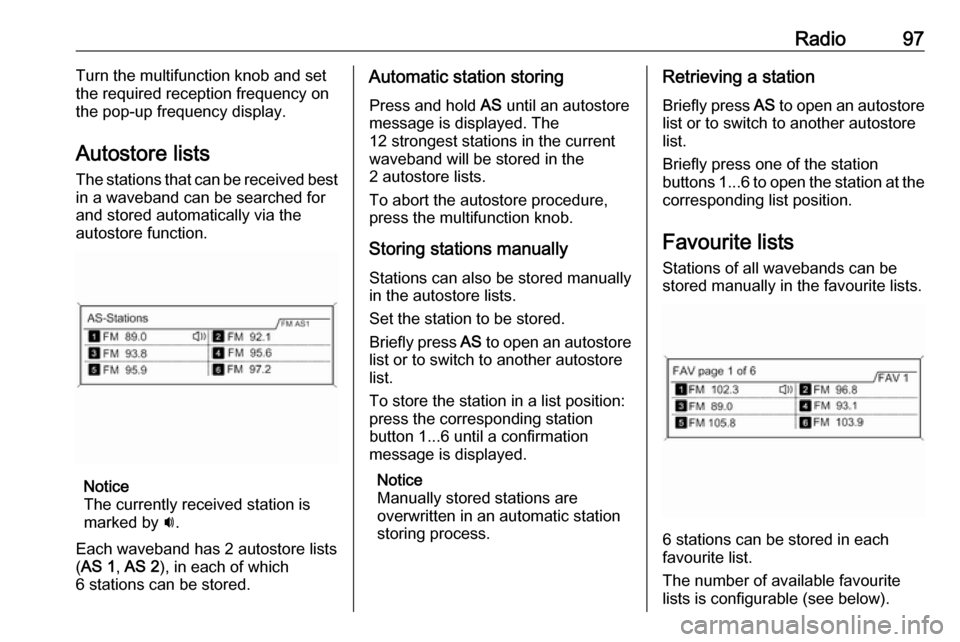
Autostore lists The stations that can be received best
in a waveband can be searched for
and stored automatically via the
autostore function.
Notice
The currently received station is
marked by i.
Each waveband has 2 autostore lists ( AS 1 , AS 2 ), in each of which
6 stations can be stored.
Automatic station storing
Press and hold AS until an autostore
message is displayed. The
12 strongest stations in the current
waveband will be stored in the
2 autostore lists.
To abort the autostore procedure,
press the multifunction knob.
Storing stations manuallyStations can also be stored manually
in the autostore lists.
Set the station to be stored.
Briefly press AS to open an autostore
list or to switch to another autostore
list.
To store the station in a list position:
press the corresponding station
button 1...6 until a confirmation
message is displayed.
Notice
Manually stored stations are
overwritten in an automatic station
storing process.Retrieving a station
Briefly press AS to open an autostore
list or to switch to another autostore
list.
Briefly press one of the station
buttons 1...6 to open the station at the
corresponding list position.
Favourite lists
Stations of all wavebands can be
stored manually in the favourite lists.
6 stations can be stored in each
favourite list.
The number of available favourite
lists is configurable (see below).
Page 98 of 171
98RadioNotice
The currently received station is
marked by i.
Storing a station
Set the station to be stored.
Briefly press FAV to open a favourite
list or to switch to another favourite list.
To store the station in a list position:
press the corresponding station
button 1...6 until a confirmation
message is displayed.
Retrieving a station
Briefly press FAV to open a favourite
list or to switch to another favourite
list.
Briefly press one of the station
buttons 1...6 to open the station at the
related list position.Defining the number of available
favourite lists
Press CONFIG .
Select Radio settings and then Radio
favourites .
Select the desired number of
available favourite lists.
Waveband menus
Alternative facilities for station
selection are available via waveband-
specific menus.
With the radio main menu active,
press the multifunction knob to open
the relevant waveband menu.
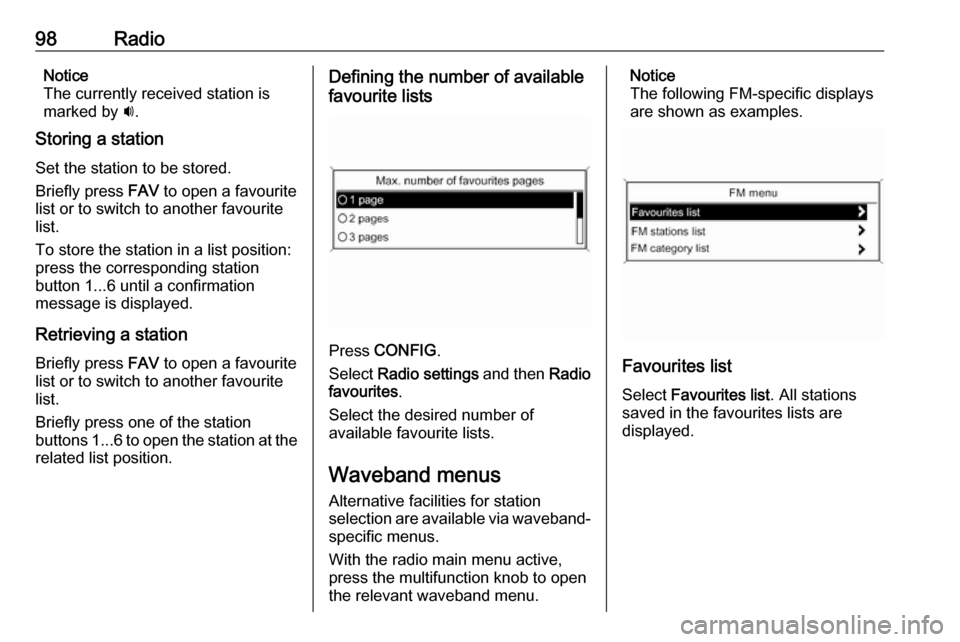
Notice
The following FM-specific displays
are shown as examples.
Favourites list
Select Favourites list . All stations
saved in the favourites lists are
displayed.
Page 135 of 171

Introduction1351 RADIO................................. 142
Activate radio or change
waveband ........................... 142
2 CD ....................................... 154
Start CD/MP3/WMA
playback .............................. 154
3 Search backwards ..............142
Radio: search backwards ...142
CD/MP3/WMA: skip track
backwards ........................... 152
4 Radio station buttons 1...6 ..143
Long press: save station .....143
Short press: select station ..143
5 m......................................... 137
Press: switch on/off ............137
Infotainment system ...........137
Turn: adjust volume ............137
6 Search forwards ..................142
Radio: search forwards .......142
CD/MP3/WMA: skip track
forwards .............................. 1527 AS 1/2................................. 143
Automatic memory levels
(preset radio stations) .........143
Short press: select
autostore list ........................ 143
Long press: save stations
automatically ....................... 143
8 FAV 1/2/3 ............................ 143
Lists of favourites (preset
radio stations) .....................143
9 TP ....................................... 147
Activate or deactivate
radio traffic service ..............147
If Infotainment system is
switched off: display time
and date .............................. 147
10 CD ejection ......................... 152
11 CONFIG .............................. 141
Open settings menu ............14112 INFO ................................... 134
Radio: information on the
currently played station .......142
CD/MP3/WMA:
information on the
currently inserted CD ..........152
13 Multifunction knob ...............138
Turn: mark menu options
or set numeric values .........138
Press: select/activate the marked option; confirm set
value; switch function on/off 138
14 CD slot ................................ 152
15 BACK .................................. 138
Menu: one level back ..........138
Input: delete last character
or entire entry ......................138
16 TONE .................................. 140
Tone settings ...................... 140
17 PHONE ............................... 160
Open telephone main menu 163
Activate mute ...................... 137
Page 137 of 171

Introduction137Usage
Control elements
The Infotainment system is operated
via function buttons, a multifunction
knob and menus that are shown on
the display.
Inputs are made optionally via: ● the control panel on the Infotainment system 3 134
● audio controls on the steering wheel 3 134
Switching the Infotainment
system on or off
Press X briefly. After switching on,
the last selected Infotainment source becomes active.
Press X again to turn the system off.
Automatic switch-off
If the Infotainment system is switched
on pressing X while the ignition is
turned off, it will switch off again automatically 10 minutes after the last user input.Setting the volume
Turn m. The current setting is shown
on the display.
When the Infotainment system is
switched on, the last selected volume is set, provided this setting is lower
than the maximum start-up volume
(see below).
The following inputs can be made
separately:
● the maximum start-up volume 3 141
● the volume of traffic announcements 3 141
Speed compensated volume
When speed compensated volume is
activated 3 141, the volume is
adapted automatically to make up for
the road and wind noises as you
drive.
Mute function
Press PHONE (if Phone portal
available: press for a few seconds) to mute the audio sources.To cancel the mute function: turn m or
press PHONE (if Phone portal
available: press for a few seconds).
Volume limitation at high
temperatures
At very high temperatures inside the
vehicle the Infotainment system limits
the maximum adjustable volume. If
necessary, the volume is decreased
automatically.
Modes of operation
Radio
Press RADIO to open the radio main
menu or to change between the
different wavebands.
Press the multifunction knob to open
the waveband menus with options for the station selection.
For a detailed description of the radio functions 3 142.
Audio players
Press CD or AUX once or several
times to open the USB, iPod or AUX main menu (if available) or to switch
between these menus.
Page 143 of 171
Radio143when the radio traffic service (TP) is
activated, only traffic service
stations 3 147 are searched for.
Manual station tuning
In the radio main menu, press the
multifunction knob to open the
respective waveband menu and
select manual tuning, e.g. FM manual
tuning .
On the pop-up frequency display, turn the multifunction knob and set the
optimal reception frequency.
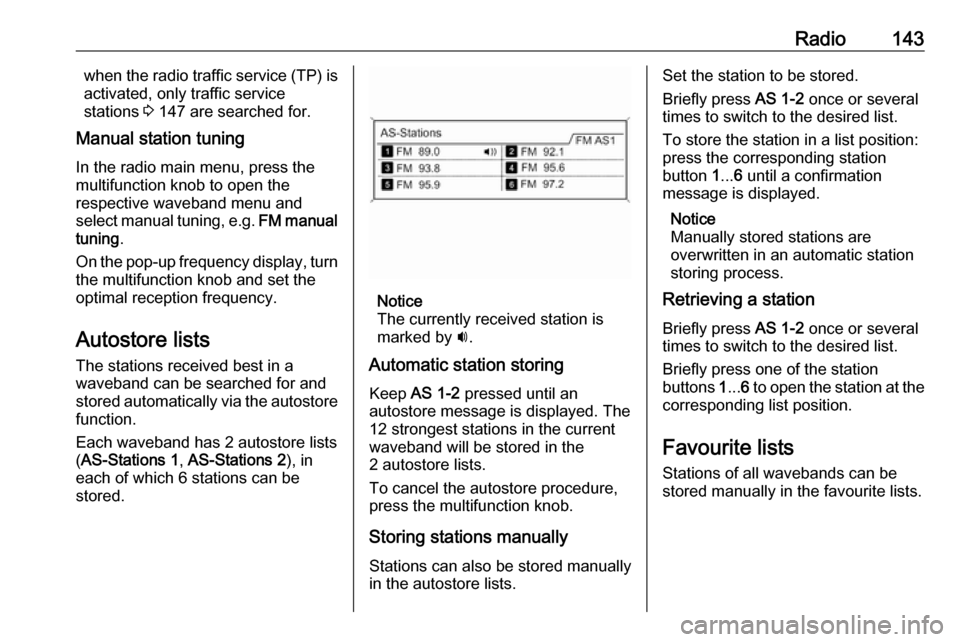
Autostore lists The stations received best in a
waveband can be searched for and
stored automatically via the autostore
function.
Each waveband has 2 autostore lists ( AS-Stations 1 , AS-Stations 2 ), in
each of which 6 stations can be stored.
Notice
The currently received station is
marked by i.
Automatic station storing
Keep AS 1-2 pressed until an
autostore message is displayed. The 12 strongest stations in the current
waveband will be stored in the
2 autostore lists.
To cancel the autostore procedure,
press the multifunction knob.
Storing stations manuallyStations can also be stored manually
in the autostore lists.
Set the station to be stored.
Briefly press AS 1-2 once or several
times to switch to the desired list.
To store the station in a list position:
press the corresponding station
button 1... 6 until a confirmation
message is displayed.
Notice
Manually stored stations are
overwritten in an automatic station
storing process.
Retrieving a station
Briefly press AS 1-2 once or several
times to switch to the desired list.
Briefly press one of the station
buttons 1... 6 to open the station at the
corresponding list position.
Favourite lists
Stations of all wavebands can be
stored manually in the favourite lists.
Page 144 of 171
144Radio
6 stations can be stored in each
favourite list. The number of available favourite lists can be set (see below).
Notice
The currently received station is
marked by i.
Storing a station Set the station to be stored.
Briefly press FAV 1-2-3 once or
several times to switch to the desired
list.
To store the station in a list position:
press the corresponding station
button 1... 6 until a confirmation
message is displayed.
Retrieving a station
Briefly press FAV 1-2-3 once or
several times to switch to the desired list.
Briefly press one of the station
buttons 1... 6 to open the station at the
corresponding list position.
Defining the number of available
favourite lists
Press CONFIG to open the Settings
menu.
Select Radio settings and then Radio
favourites to open the menu Max.
number of favourites pages .
Select the desired number of
available favourite lists.
Waveband menus Alternative facilities for station
selection are available via waveband
specific menus.
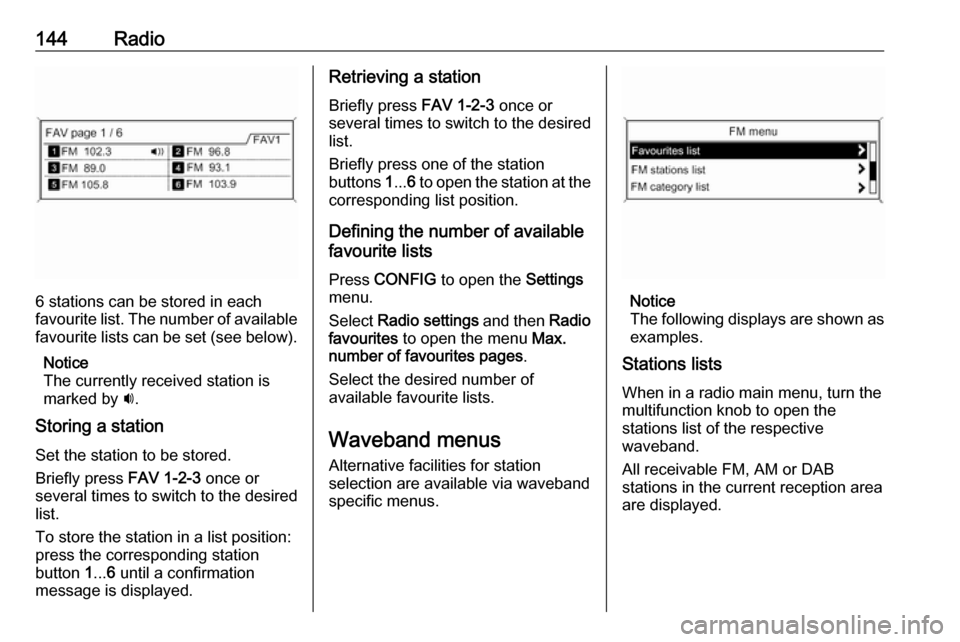
Notice
The following displays are shown as
examples.
Stations lists
When in a radio main menu, turn the
multifunction knob to open the
stations list of the respective
waveband.
All receivable FM, AM or DAB
stations in the current reception area are displayed.