radio VAUXHALL MERIVA 2016 Infotainment system
[x] Cancel search | Manufacturer: VAUXHALL, Model Year: 2016, Model line: MERIVA, Model: VAUXHALL MERIVA 2016Pages: 171, PDF Size: 2.86 MB
Page 81 of 171
Introduction81
Important information on
operation and traffic safety
9 Warning
The Infotainment system must be
used so that the vehicle can be
driven safely at all times. If in
doubt, stop the vehicle and
operate the Infotainment system
while the vehicle is stationary.
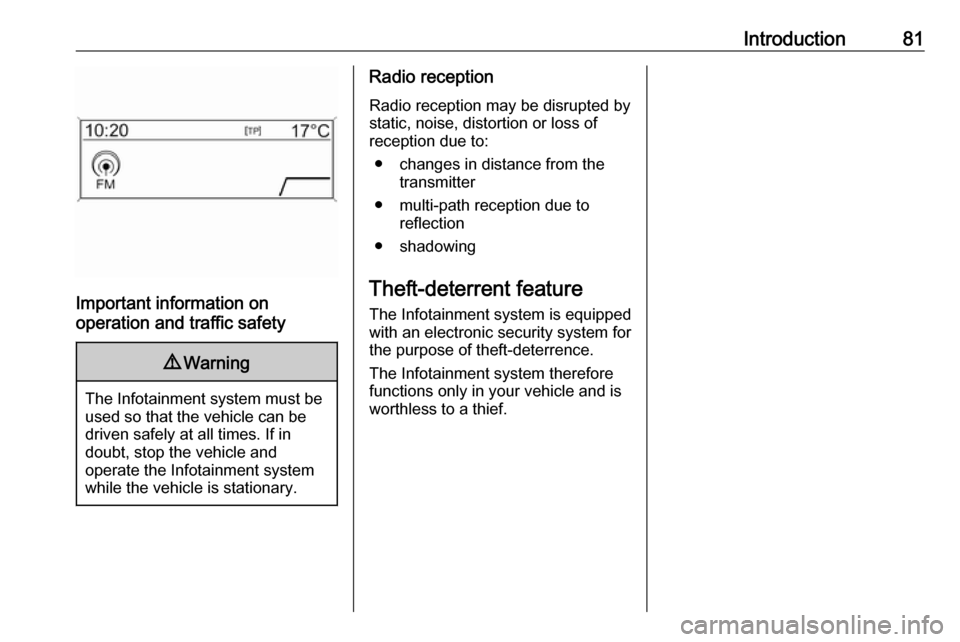
Radio reception
Radio reception may be disrupted by
static, noise, distortion or loss of
reception due to:
● changes in distance from the transmitter
● multi-path reception due to reflection
● shadowing
Theft-deterrent feature The Infotainment system is equipped
with an electronic security system for the purpose of theft-deterrence.
The Infotainment system therefore functions only in your vehicle and is
worthless to a thief.
Page 83 of 171

Introduction831RADIO (BAND) .....................96
Activate radio or change
waveband .............................. 96
2 CD....................................... 108
Start CD/MP3/WMA replay . 108
3 s ....................................... 96
Radio: search backwards .....96
CD/MP3/WMA: skip track
backwards ........................... 106
4 Radio station buttons 1...6 ....97
Long press: save station .......97
Short press: select station ....97
5 m........................................... 88
Press: switch on/off ..............88
Infotainment system .............88
Turn: adjust volume ..............88
6 u ....................................... 96
Radio: search forwards .........96
CD/MP3/WMA: skip track
forwards .............................. 1067AS (1/2) ................................. 97
Automatic memory levels (preset radio stations) ...........97
Short press: select autostore list .......................... 97
Long press: save stations
automatically ......................... 97
8 FAV (1/2/3) ............................ 97
Lists of favourites (preset
radio stations) ....................... 97
9 TP....................................... 101
Activate or deactivate
radio traffic service ..............101
If Infotainment system is
switched off: display time
and date .............................. 101
10 CD ejection ......................... 106
11 CONFIG ................................ 95
Open settings menu ..............9512INFO ..................................... 82
Radio: information on the
currently played station .........96
CD/MP3/WMA:
information on the
currently inserted CD ..........106
13 Multifunction knob .................89
Turn: mark menu options
or set numeric values ...........89
Press: select/activate the
marked option; confirm set
value; switch function on/off ..89
14 CD slot ................................ 106
15 BACK .................................... 89
Menu: one level back ............89
Input: delete last character
or entire entry ........................ 89
16 TONE .................................... 93
Tone settings ........................ 93
17 PHONE ............................... 116
Open telephone main menu 122
Activate mute ........................ 88
Page 86 of 171

86Introduction1RADIO (BAND) .....................96
Activate radio or change
waveband .............................. 96
2 CD....................................... 108
Start CD/MP3/WMA replay . 108
3 s ....................................... 96
Radio: search backwards .....96
CD/MP3/WMA: skip track
backwards ........................... 106
4 Radio station buttons 1...6 ....97
Long press: save station .......97
Short press: select station ....97
5 m........................................... 88
Press: switch on/off the
Infotainment system ..............88
Turn: adjust volume ..............88
6 u ....................................... 96
Radio: search forwards .........96
CD/MP3/WMA: skip track
forwards .............................. 1067AS (1/2) ................................. 97
Automatic memory levels
(preset radio stations) ...........97
Short press: select
autostore list .......................... 97
Long press: save stations
automatically ......................... 97
8 FAV (1/2/3) ............................ 97
Lists of favourites (preset
radio stations) ....................... 97
9 TP....................................... 101
Activate or deactivate
radio traffic service ..............101
If Infotainment system is
switched off: display time
and date .............................. 101
10 CD ejection ......................... 106
11 CONFIG ................................ 95
Open settings menu ..............95
12 MP3: folder level lower ........ 10613INFO ..................................... 82
Radio: information on the
currently played station .........96
CD/MP3/WMA:
information on the
currently inserted CD ..........106
14 Multifunction knob .................89
Turn: mark menu options
or set numeric values ...........89
Press: select/activate the
marked option; confirm set
value; switch function on/off ..89
15 CD slot ................................ 106
16 BACK .................................... 89
Menu: one level back ............89
Input: delete last character
or entire entry ........................ 89
17 MP3: folder level higher ......106
18 TONE .................................... 93
Tone settings ........................ 93
19 PHONE ............................... 116
Open telephone main menu 122
Activate mute ........................ 88
Page 87 of 171
Introduction8720AUX ..................................... 108
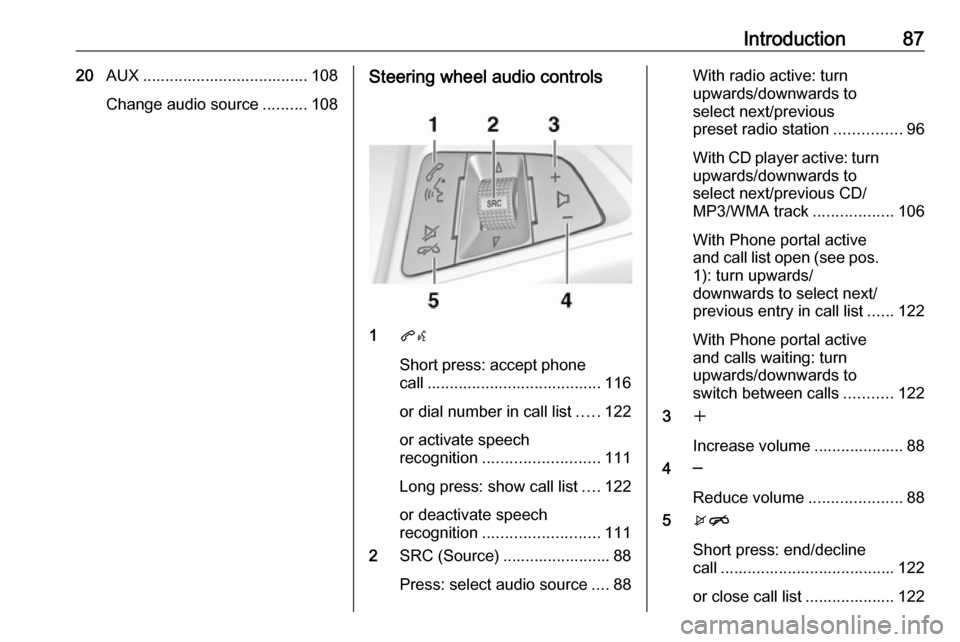
Change audio source ..........108Steering wheel audio controls
1qw
Short press: accept phone
call ....................................... 116
or dial number in call list .....122
or activate speech
recognition .......................... 111
Long press: show call list ....122
or deactivate speech
recognition .......................... 111
2 SRC (Source) ........................ 88
Press: select audio source ....88
With radio active: turn
upwards/downwards to
select next/previous
preset radio station ...............96
With CD player active: turn
upwards/downwards to
select next/previous CD/
MP3/WMA track ..................106
With Phone portal active
and call list open (see pos. 1): turn upwards/
downwards to select next/
previous entry in call list ......122
With Phone portal active
and calls waiting: turn
upwards/downwards to
switch between calls ...........122
3 w
Increase volume .................... 88
4 ─
Reduce volume .....................88
5 xn
Short press: end/decline
call ....................................... 122
or close call list .................... 122
Page 89 of 171

Introduction89Volume limitation at high
temperatures
At very high temperatures inside the vehicle the Infotainment system limits
the maximum adjustable volume. If
necessary, the volume is decreased
automatically.
Modes of operation
Radio
Press RADIO to open the radio main
menu or to change between the
different wavebands.
Press the multifunction knob to open
a submenu with options for station
selection.
Detailed description of the radio
functions 3 96.
Audio players
Press CD / AUX to open the CD, USB,
iPod or AUX menus or to switch
between these menus.
Press the multifunction knob to open
a submenu with options for track
selection.Detailed description of:
● CD player functions 3 106
● AUX input functions 3 108
● USB port functions 3 109
Phone
Press PHONE to open the telephone
menu.
Press the multifunction knob to open
a submenu with options for the input
or selection of numbers.
Detailed description of the mobile
phone portal functions 3 116.
Basic operation
Multifunction knob The multifunction knob is the central
control element for the menus.
Turn the multifunction knob: ● CD 400 / CD 400plus: to mark a menu option
● CD 300: to display a menu option
● to set a numeric valuePress the multifunction knob: ● CD 400 / CD 400plus: to select or
activate the marked option
● CD 300: to select or activate the option displayed
● to confirm a set value
● to switch a system function on/off
BACK button Press BACK briefly to:
● exit a menu
● return from a submenu to the next higher menu level
● delete the last character in a character sequence
Press and hold BACK for a few
seconds to delete the entire entry.
Page 93 of 171
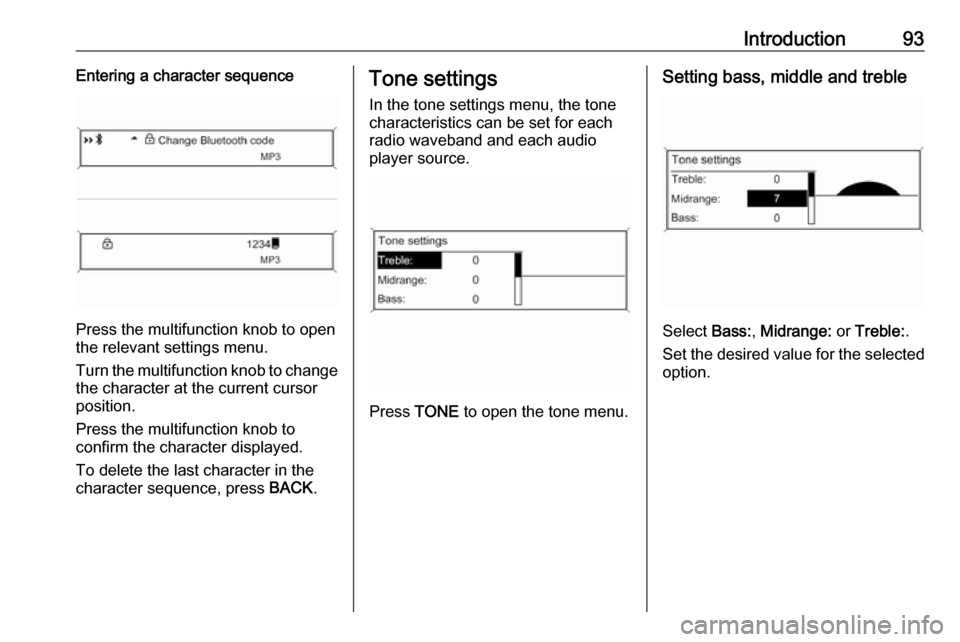
Introduction93Entering a character sequence
Press the multifunction knob to open
the relevant settings menu.
Turn the multifunction knob to change the character at the current cursor
position.
Press the multifunction knob to
confirm the character displayed.
To delete the last character in the
character sequence, press BACK.
Tone settings
In the tone settings menu, the tone
characteristics can be set for each
radio waveband and each audio
player source.
Press TONE to open the tone menu.
Setting bass, middle and treble
Select Bass:, Midrange: or Treble: .
Set the desired value for the selected
option.
Page 95 of 171
Introduction95Volume settings
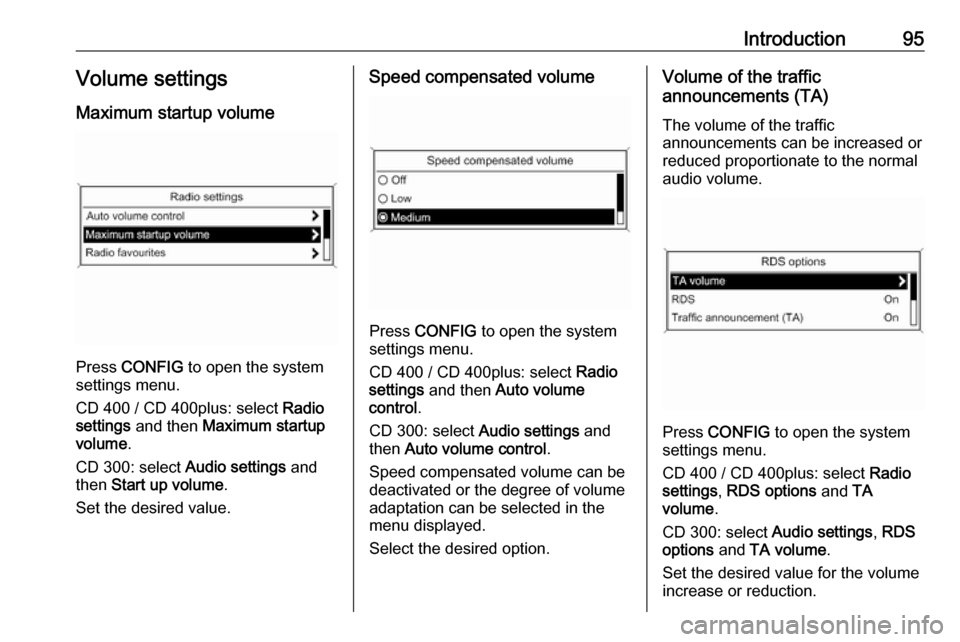
Maximum startup volume
Press CONFIG to open the system
settings menu.
CD 400 / CD 400plus: select Radio
settings and then Maximum startup
volume .
CD 300: select Audio settings and
then Start up volume .
Set the desired value.
Speed compensated volume
Press CONFIG to open the system
settings menu.
CD 400 / CD 400plus: select Radio
settings and then Auto volume
control .
CD 300: select Audio settings and
then Auto volume control .
Speed compensated volume can be
deactivated or the degree of volume
adaptation can be selected in the
menu displayed.
Select the desired option.
Volume of the traffic
announcements (TA)
The volume of the traffic
announcements can be increased or
reduced proportionate to the normal
audio volume.
Press CONFIG to open the system
settings menu.
CD 400 / CD 400plus: select Radio
settings , RDS options and TA
volume .
CD 300: select Audio settings, RDS
options and TA volume .
Set the desired value for the volume increase or reduction.
Page 96 of 171

96RadioRadioUsage.......................................... 96
Station search .............................. 96
Autostore lists .............................. 97
Favourite lists ............................... 97
Waveband menus ........................98
Radio data system (RDS) ..........101
Digital audio broadcasting .........103Usage
Activating the radio
Press RADIO to open the radio main
menu.
The station last played will be
received.
Selecting the waveband
Press RADIO once or several times to
select the desired waveband.
The station last played in that
waveband will be received.
Station search Automatic station search
Briefly press s or u to play the
next station in the station memory.
Manual station search
Press s or u for a few seconds
to start a search for the next
receivable station in the current
waveband.When the required frequency has
been reached the station is played
automatically.
Notice
Manual station search: If the radio
does not find a station, it switches
automatically to a more sensitive
search level. If it still does not find a
station, the frequency that was last
active is set again.
Notice
FM waveband: when the RDS
function is activated, only RDS
stations 3 101 are searched for, and
when the radio traffic service (TP) is activated, only traffic service
stations 3 101 are searched for.
Manual station tuning
AM waveband
Turn the multifunction knob and set
the optimal reception frequency on
the pop-up frequency display.
DAB waveband
Press the multifunction knob to open
the DAB menu and select DAB
manual tuning .
Page 97 of 171
Radio97Turn the multifunction knob and set
the required reception frequency on the pop-up frequency display.
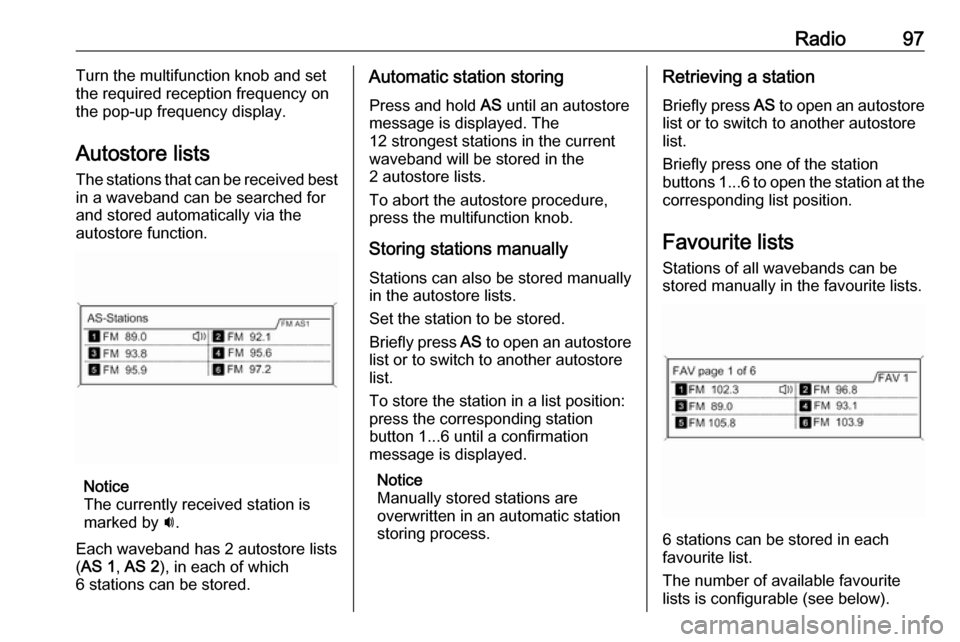
Autostore lists The stations that can be received best
in a waveband can be searched for
and stored automatically via the
autostore function.
Notice
The currently received station is
marked by i.
Each waveband has 2 autostore lists ( AS 1 , AS 2 ), in each of which
6 stations can be stored.
Automatic station storing
Press and hold AS until an autostore
message is displayed. The
12 strongest stations in the current
waveband will be stored in the
2 autostore lists.
To abort the autostore procedure,
press the multifunction knob.
Storing stations manuallyStations can also be stored manually
in the autostore lists.
Set the station to be stored.
Briefly press AS to open an autostore
list or to switch to another autostore
list.
To store the station in a list position:
press the corresponding station
button 1...6 until a confirmation
message is displayed.
Notice
Manually stored stations are
overwritten in an automatic station
storing process.Retrieving a station
Briefly press AS to open an autostore
list or to switch to another autostore
list.
Briefly press one of the station
buttons 1...6 to open the station at the
corresponding list position.
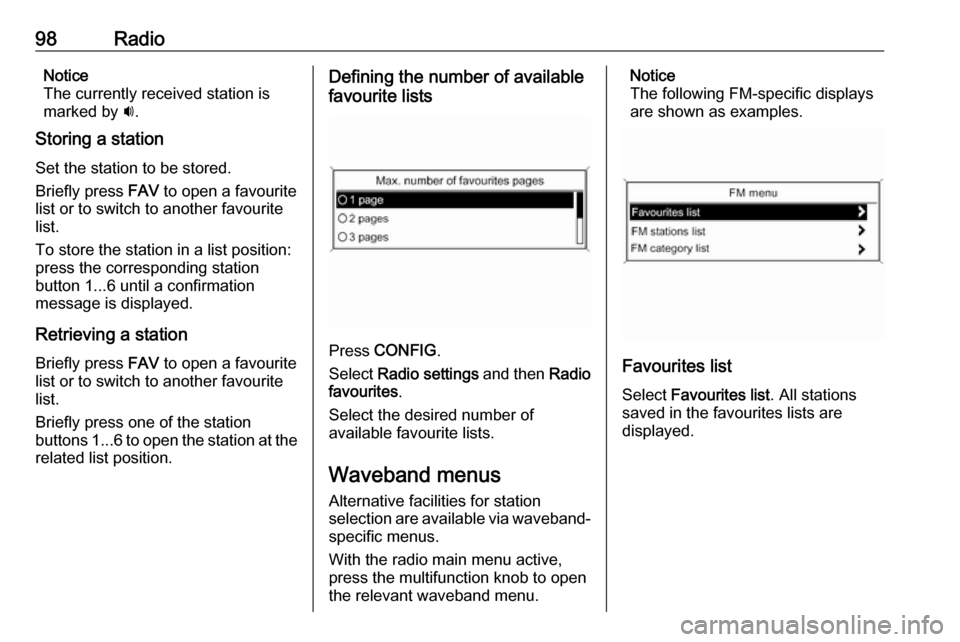
Favourite lists
Stations of all wavebands can be
stored manually in the favourite lists.
6 stations can be stored in each
favourite list.
The number of available favourite
lists is configurable (see below).
Page 98 of 171
98RadioNotice
The currently received station is
marked by i.
Storing a station
Set the station to be stored.
Briefly press FAV to open a favourite
list or to switch to another favourite list.
To store the station in a list position:
press the corresponding station
button 1...6 until a confirmation
message is displayed.
Retrieving a station
Briefly press FAV to open a favourite
list or to switch to another favourite
list.
Briefly press one of the station
buttons 1...6 to open the station at the
related list position.Defining the number of available
favourite lists
Press CONFIG .
Select Radio settings and then Radio
favourites .
Select the desired number of
available favourite lists.
Waveband menus
Alternative facilities for station
selection are available via waveband-
specific menus.
With the radio main menu active,
press the multifunction knob to open
the relevant waveband menu.
Notice
The following FM-specific displays
are shown as examples.
Favourites list
Select Favourites list . All stations
saved in the favourites lists are
displayed.