ESP VAUXHALL MERIVA 2016 Infotainment system
[x] Cancel search | Manufacturer: VAUXHALL, Model Year: 2016, Model line: MERIVA, Model: VAUXHALL MERIVA 2016Pages: 171, PDF Size: 2.86 MB
Page 143 of 171
Radio143when the radio traffic service (TP) is
activated, only traffic service
stations 3 147 are searched for.
Manual station tuning
In the radio main menu, press the
multifunction knob to open the
respective waveband menu and
select manual tuning, e.g. FM manual
tuning .
On the pop-up frequency display, turn the multifunction knob and set the
optimal reception frequency.
Autostore lists The stations received best in a
waveband can be searched for and
stored automatically via the autostore
function.
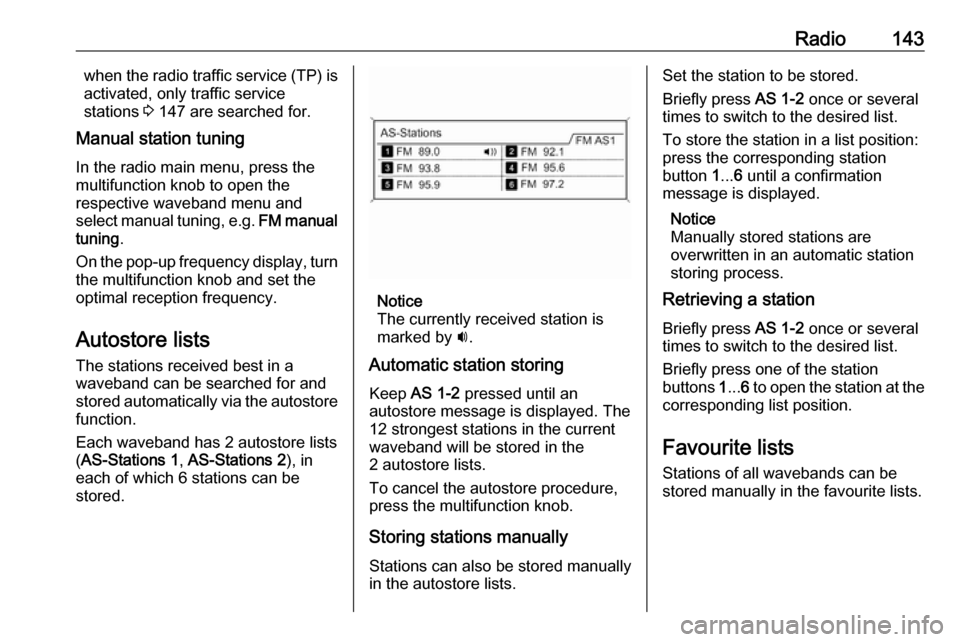
Each waveband has 2 autostore lists ( AS-Stations 1 , AS-Stations 2 ), in
each of which 6 stations can be stored.
Notice
The currently received station is
marked by i.
Automatic station storing
Keep AS 1-2 pressed until an
autostore message is displayed. The 12 strongest stations in the current
waveband will be stored in the
2 autostore lists.
To cancel the autostore procedure,
press the multifunction knob.
Storing stations manuallyStations can also be stored manually
in the autostore lists.
Set the station to be stored.
Briefly press AS 1-2 once or several
times to switch to the desired list.
To store the station in a list position:
press the corresponding station
button 1... 6 until a confirmation
message is displayed.
Notice
Manually stored stations are
overwritten in an automatic station
storing process.
Retrieving a station
Briefly press AS 1-2 once or several
times to switch to the desired list.
Briefly press one of the station
buttons 1... 6 to open the station at the
corresponding list position.
Favourite lists
Stations of all wavebands can be
stored manually in the favourite lists.
Page 144 of 171
144Radio
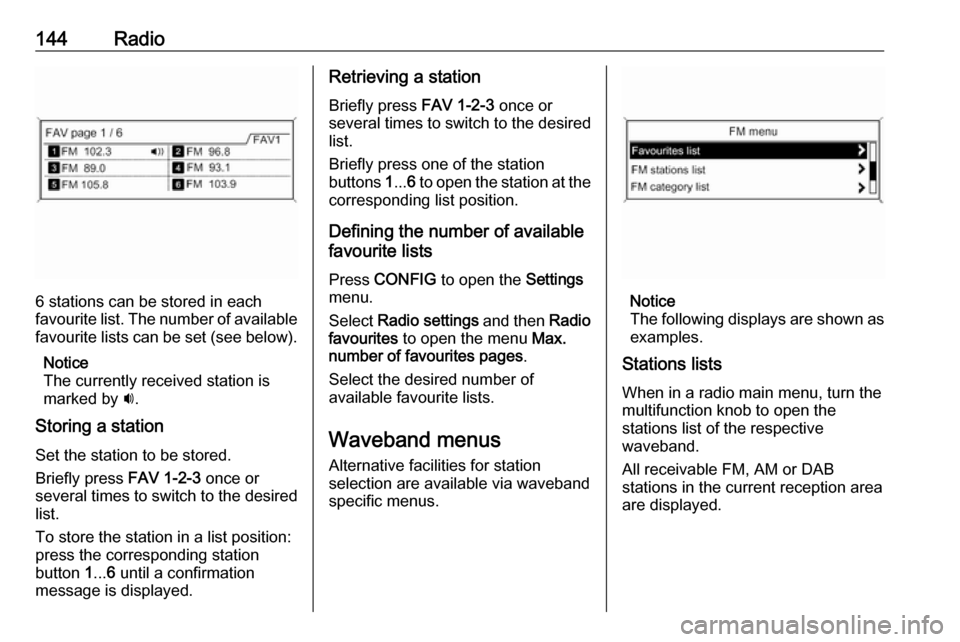
6 stations can be stored in each
favourite list. The number of available favourite lists can be set (see below).
Notice
The currently received station is
marked by i.
Storing a station Set the station to be stored.
Briefly press FAV 1-2-3 once or
several times to switch to the desired
list.
To store the station in a list position:
press the corresponding station
button 1... 6 until a confirmation
message is displayed.
Retrieving a station
Briefly press FAV 1-2-3 once or
several times to switch to the desired list.
Briefly press one of the station
buttons 1... 6 to open the station at the
corresponding list position.
Defining the number of available
favourite lists
Press CONFIG to open the Settings
menu.
Select Radio settings and then Radio
favourites to open the menu Max.
number of favourites pages .
Select the desired number of
available favourite lists.
Waveband menus Alternative facilities for station
selection are available via waveband
specific menus.
Notice
The following displays are shown as
examples.
Stations lists
When in a radio main menu, turn the
multifunction knob to open the
stations list of the respective
waveband.
All receivable FM, AM or DAB
stations in the current reception area are displayed.
Page 145 of 171
Radio145
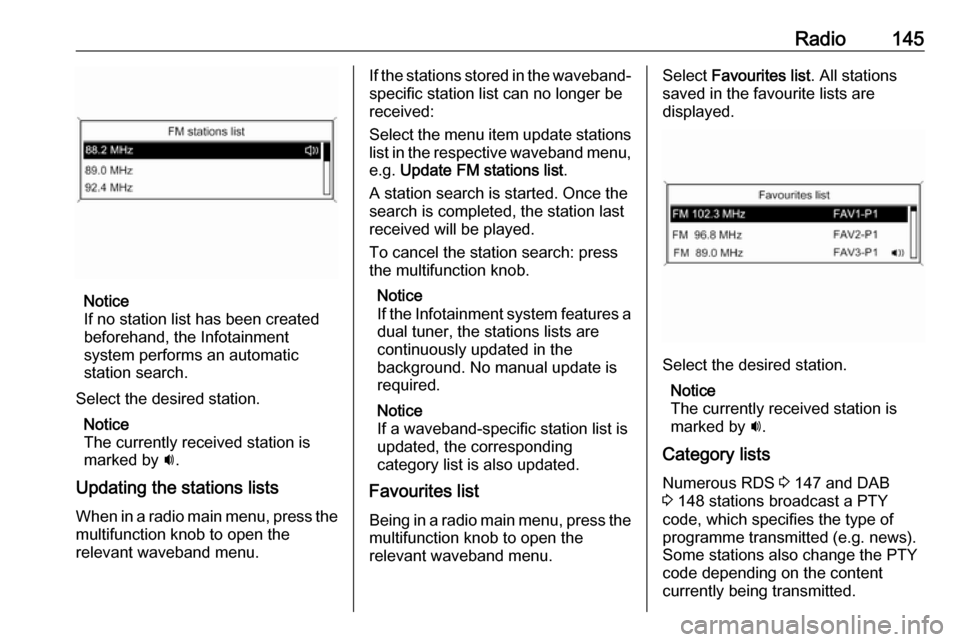
Notice
If no station list has been created
beforehand, the Infotainment
system performs an automatic
station search.
Select the desired station. Notice
The currently received station is marked by i.
Updating the stations lists When in a radio main menu, press the
multifunction knob to open the
relevant waveband menu.
If the stations stored in the waveband-
specific station list can no longer be
received:
Select the menu item update stations
list in the respective waveband menu, e.g. Update FM stations list .
A station search is started. Once the search is completed, the station last
received will be played.
To cancel the station search: press
the multifunction knob.
Notice
If the Infotainment system features a dual tuner, the stations lists are
continuously updated in the
background. No manual update is
required.
Notice
If a waveband-specific station list is
updated, the corresponding
category list is also updated.
Favourites list
Being in a radio main menu, press the multifunction knob to open the
relevant waveband menu.Select Favourites list . All stations
saved in the favourite lists are
displayed.
Select the desired station.
Notice
The currently received station is
marked by i.
Category lists Numerous RDS 3 147 and DAB
3 148 stations broadcast a PTY
code, which specifies the type of
programme transmitted (e.g. news).
Some stations also change the PTY
code depending on the content
currently being transmitted.
Page 146 of 171
146RadioThe Infotainment system stores these
stations, sorted by programme type,
in the corresponding category list.
To search for a programme type
determined by station: select the
waveband specific category list
option.
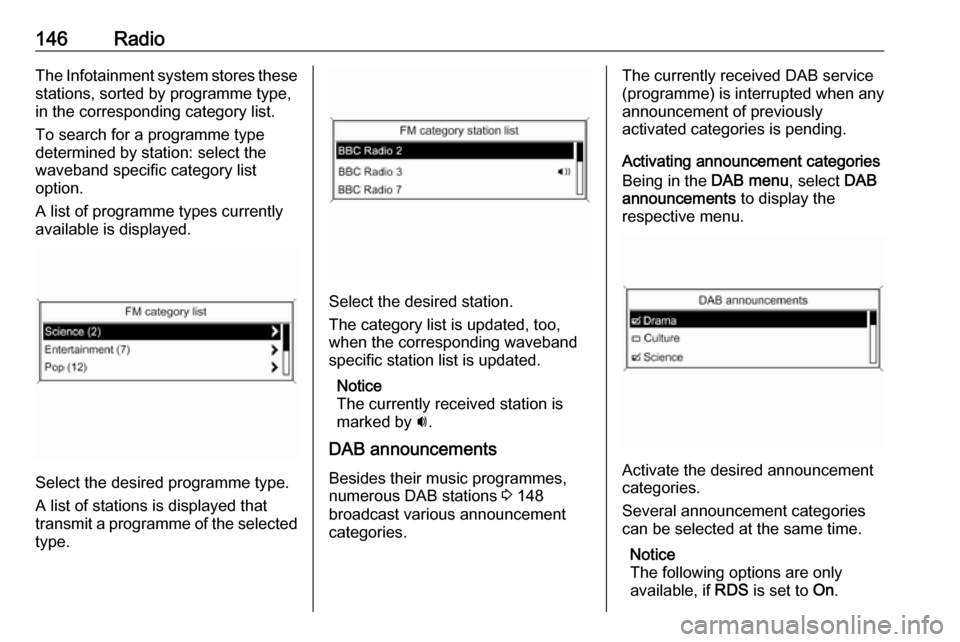
A list of programme types currently
available is displayed.
Select the desired programme type.
A list of stations is displayed that
transmit a programme of the selected
type.
Select the desired station.
The category list is updated, too,
when the corresponding waveband specific station list is updated.
Notice
The currently received station is marked by i.
DAB announcements
Besides their music programmes,
numerous DAB stations 3 148
broadcast various announcement
categories.
The currently received DAB service
(programme) is interrupted when any
announcement of previously
activated categories is pending.
Activating announcement categories
Being in the DAB menu, select DAB
announcements to display the
respective menu.
Activate the desired announcement
categories.
Several announcement categories
can be selected at the same time.
Notice
The following options are only
available, if RDS is set to On.
Page 149 of 171

Radio149General information● With DAB, several radio programmes (services) can bebroadcasted on a single
frequency (ensemble).
● Besides high-quality digital audio
services, DAB is also able to
transmit programme-associated data and a multitude of other data services including travel andtraffic information.
● As long as a given DAB receiver can pick up the signal sent out bya broadcasting station (even if
the signal is very weak), sound
reproduction is ensured.
● There is no fading (weakening of
the sound that is typical of AM or
FM reception). The DAB signal is reproduced at a constant volume.
● If the DAB signal is too weak to be picked up by the receiver,
reception is interrupted
completely. This incident can be
avoided by activating Auto
ensemble linking and/or Auto
linking DAB-FM in the DAB
settings menu.● Interference caused by stations that are on nearby frequencies (a
phenomenon that is typical of AM and FM reception) does not
occur with DAB.
● If the DAB signal is reflected by natural obstacles or buildings,
the reception quality of DAB is
improved, whereas AM or FM
reception is considerably
impaired in such cases.
● When DAB reception is enabled, the FM tuner of the Infotainmentsystem remains active in the
background and continually
searches for the best receivable
FM stations. If TP 3 147 is
activated, traffic announcements
of the FM station which is
currently best receivable are issued. Deactivate TP, if DABreception should not be
interrupted by FM traffic
announcements.
Configuring DAB
Press CONFIG .
Select Radio settings and then DAB
settings .The following options are available in
the configuration menu:
Auto ensemble linking
With this function activated, the
device switches over to the same
service (programme) on another DAB ensemble (frequency) when the DAB
signal is too weak to be picked up by
the receiver.
Set the function to On or Off.
Auto linking DAB-FM
With this function activated, the
device switches over to a
corresponding FM station of the
active DAB service when the DAB
signal is too weak to be picked up by
the receiver.
Set the function to On or Off.
Dynamic audio adaption
With this function activated, the
dynamic range of the DAB signal is
reduced. That means the level of the
loud sounds is reduced and the level
of the quiet sounds is increased.
Therefore, the volume of the
Infotainment system can be raised to
Page 150 of 171

150Radioa point where the quiet sounds are
audible, without the loud sounds being too loud.
Set the function to On or Off.
Band selection
Select Band selection to display the
respective menu.
To define which DAB wavebands are
to be received by the Infotainment
system, activate one of the options:
L-Band : 1452 - 1492 MHz, earth and
satellite radio
Band III : 174 - 240 MHz, earth radio
Both
Page 151 of 171
CD Player151CD PlayerGeneral information...................151
Usage ........................................ 152General information
The Infotainment system's CD player
can play audio CDs and MP3/
WMA CDs.
Important informationCaution
Under no circumstances place
single-CDs with a diameter of
8 cm or shaped CDs in the audio
player.
You must not put any stickers on
CDs. These discs can get jammed in the CD drive and ruin the player. Replacement of the device will
then be necessary.
● The following CD formats can be
used:
CD-ROM Mode 1 and Mode 2
CD-ROM XA Mode 2, Form 1 and
Form 2
● The following file formats can be used:
ISO 9660 Level 1, Level 2
(Romeo, Joliet)
MP3 and WMA files written in any
format other than listed above
may not play correctly and their
file names and folder names may not be displayed correctly.
● Audio CDs with copy protection, which are not in compliance with
the audio CD standard, may not
play correctly or not at all.
● Self-recorded CD-Rs and CD- RWs are more vulnerable to
mishandling than prerecorded
CDs. Correct handling,
especially in the case of self-
recorded CD-Rs and CD-RWs,
must be ensured (see below).
● Self-recorded CD-Rs and CD- RWs may not play correctly or not
at all. In such cases it is not the
equipment that is at fault.
● On mixed mode CDs (audio tracks and compressed files,
e.g. MP3, are stored), the audio
tracks part and the compressed
files part can be played
separately.
● Avoid leaving fingerprints when you change CDs.
Page 153 of 171
CD Player153
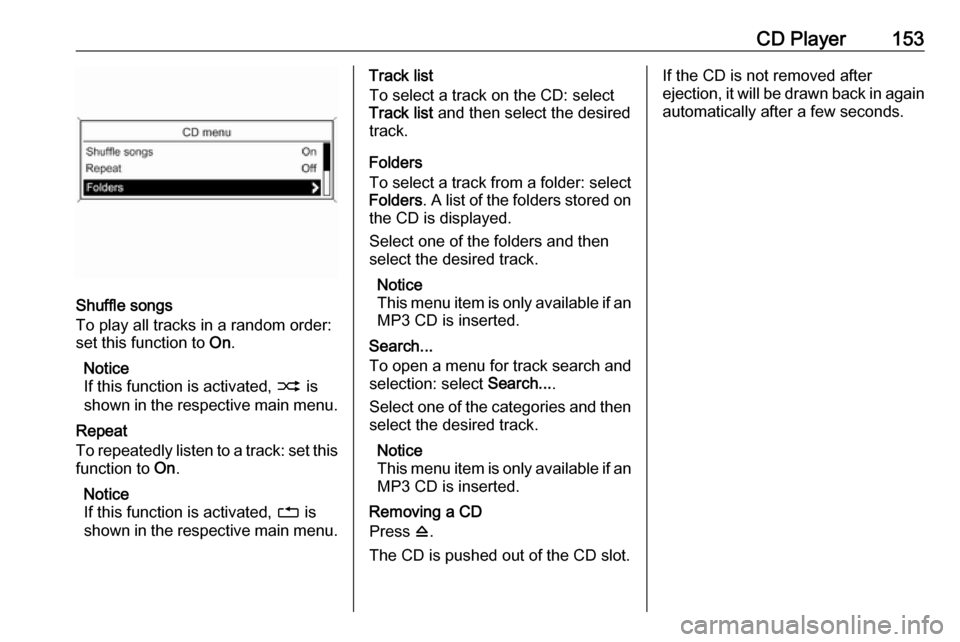
Shuffle songs
To play all tracks in a random order:
set this function to On.
Notice
If this function is activated, 2 is
shown in the respective main menu.
Repeat
To repeatedly listen to a track: set this
function to On.
Notice
If this function is activated, 1 is
shown in the respective main menu.
Track list
To select a track on the CD: select
Track list and then select the desired
track.
Folders
To select a track from a folder: select
Folders . A list of the folders stored on
the CD is displayed.
Select one of the folders and then
select the desired track.
Notice
This menu item is only available if an MP3 CD is inserted.
Search...
To open a menu for track search and
selection: select Search....
Select one of the categories and then select the desired track.
Notice
This menu item is only available if an MP3 CD is inserted.
Removing a CD
Press d.
The CD is pushed out of the CD slot.If the CD is not removed after
ejection, it will be drawn back in again
automatically after a few seconds.
Page 156 of 171
156USB portand 24 kHz, 22.05 kHz, 16kHz
(for MPEG-2).
● The following restrictions apply to
the data stored on external
devices connected to the USB
port:
Number of tracks: max. 999.
Number of tracks per folder level: max. 512.
Folder structure depth: max.
10 levels.
WMA files with Digital Rights
Management (DRM) from online
music shops cannot be played.
WMA files can only be played
safely, if they were created with
Windows Media Player
version 9 or later.
Applicable playlist
extensions: .m3u, .pls, .wpl.
Playlist entries must be in the
form of relative paths.
The system attribute for folders/
files that contain audio data must not be set.Playing saved audio files
Press AUX once or several times to
activate the MP3 or iPod mode.
Playback of the audio data stored on
the device is started automatically.
Using the device-specific menu
Press the multifunction knob to open
the menu of the device currently
connected.
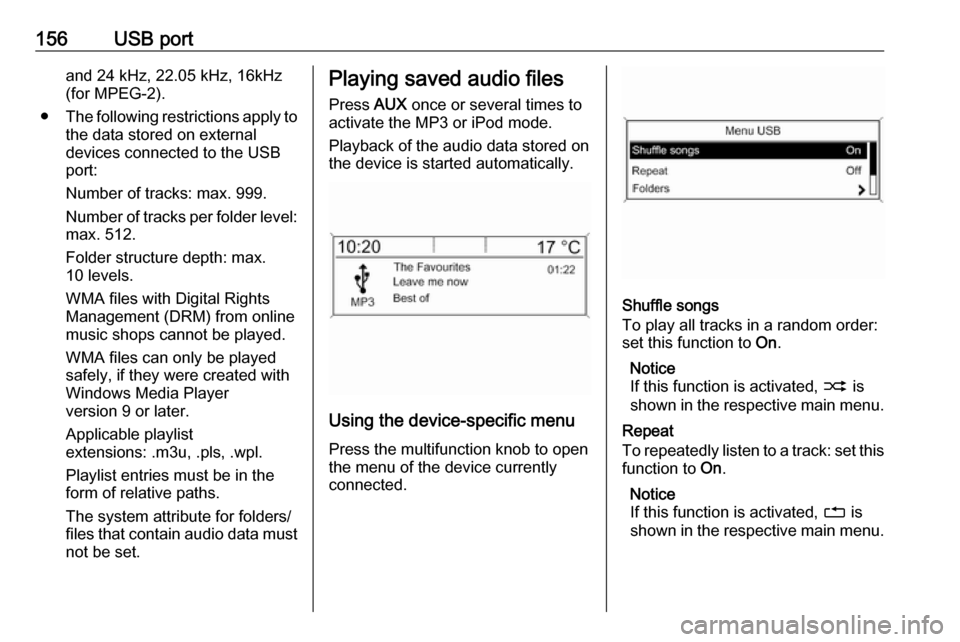
Shuffle songs
To play all tracks in a random order:
set this function to On.
Notice
If this function is activated, 2 is
shown in the respective main menu.
Repeat
To repeatedly listen to a track: set this function to On.
Notice
If this function is activated, 1 is
shown in the respective main menu.
Page 165 of 171
Phone165
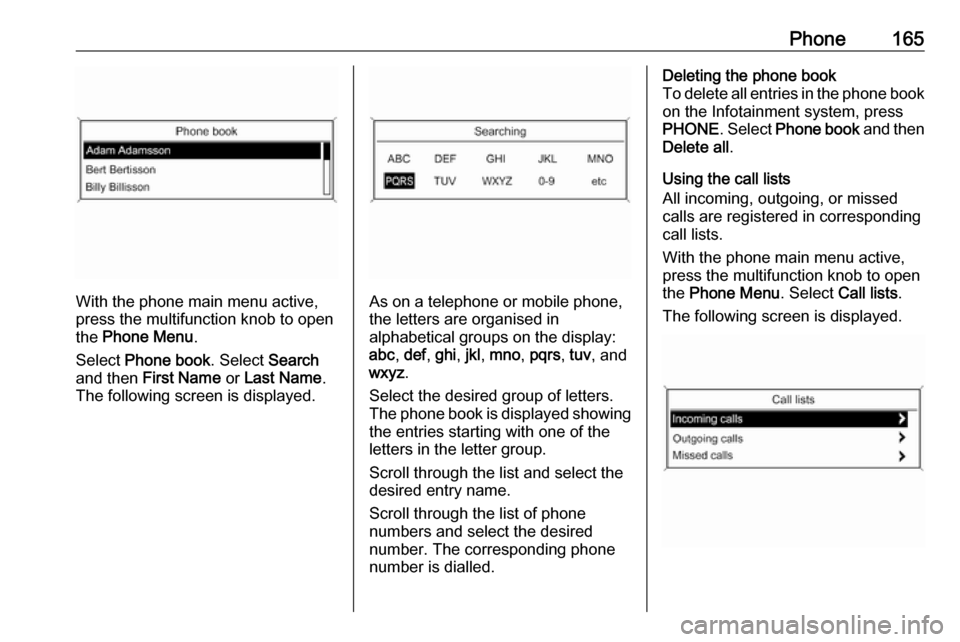
With the phone main menu active,
press the multifunction knob to open
the Phone Menu .
Select Phone book . Select Search
and then First Name or Last Name .
The following screen is displayed.As on a telephone or mobile phone,
the letters are organised in
alphabetical groups on the display:
abc , def , ghi , jkl , mno , pqrs , tuv , and
wxyz .
Select the desired group of letters.
The phone book is displayed showing the entries starting with one of theletters in the letter group.
Scroll through the list and select the
desired entry name.
Scroll through the list of phone
numbers and select the desired
number. The corresponding phone
number is dialled.
Deleting the phone book
To delete all entries in the phone book
on the Infotainment system, press
PHONE . Select Phone book and then
Delete all .
Using the call lists
All incoming, outgoing, or missed
calls are registered in corresponding
call lists.
With the phone main menu active,
press the multifunction knob to open
the Phone Menu . Select Call lists .
The following screen is displayed.