audio VAUXHALL MERIVA 2016 Infotainment system
[x] Cancel search | Manufacturer: VAUXHALL, Model Year: 2016, Model line: MERIVA, Model: VAUXHALL MERIVA 2016Pages: 171, PDF Size: 2.86 MB
Page 140 of 171
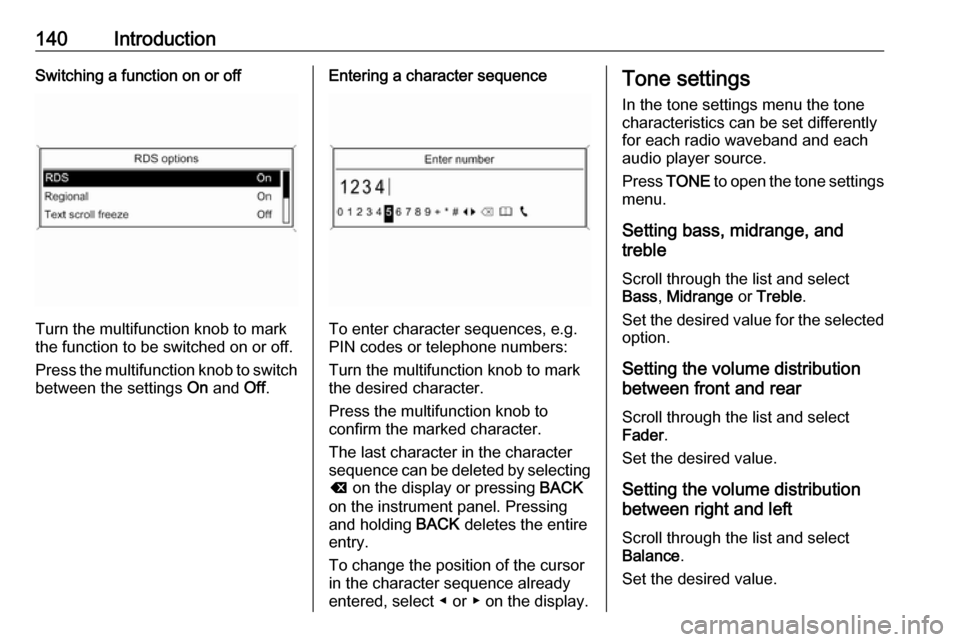
140IntroductionSwitching a function on or off
Turn the multifunction knob to mark
the function to be switched on or off.
Press the multifunction knob to switch
between the settings On and Off.
Entering a character sequence
To enter character sequences, e.g.
PIN codes or telephone numbers:
Turn the multifunction knob to mark
the desired character.
Press the multifunction knob to
confirm the marked character.
The last character in the character
sequence can be deleted by selecting
k on the display or pressing BACK
on the instrument panel. Pressing
and holding BACK deletes the entire
entry.
To change the position of the cursor
in the character sequence already
entered, select ◀ or ▶ on the display.
Tone settings
In the tone settings menu the tone characteristics can be set differently
for each radio waveband and each
audio player source.
Press TONE to open the tone settings
menu.
Setting bass, midrange, and
treble
Scroll through the list and select
Bass , Midrange or Treble .
Set the desired value for the selected
option.
Setting the volume distribution
between front and rear
Scroll through the list and select
Fader .
Set the desired value.
Setting the volume distribution
between right and left
Scroll through the list and select
Balance .
Set the desired value.
Page 141 of 171
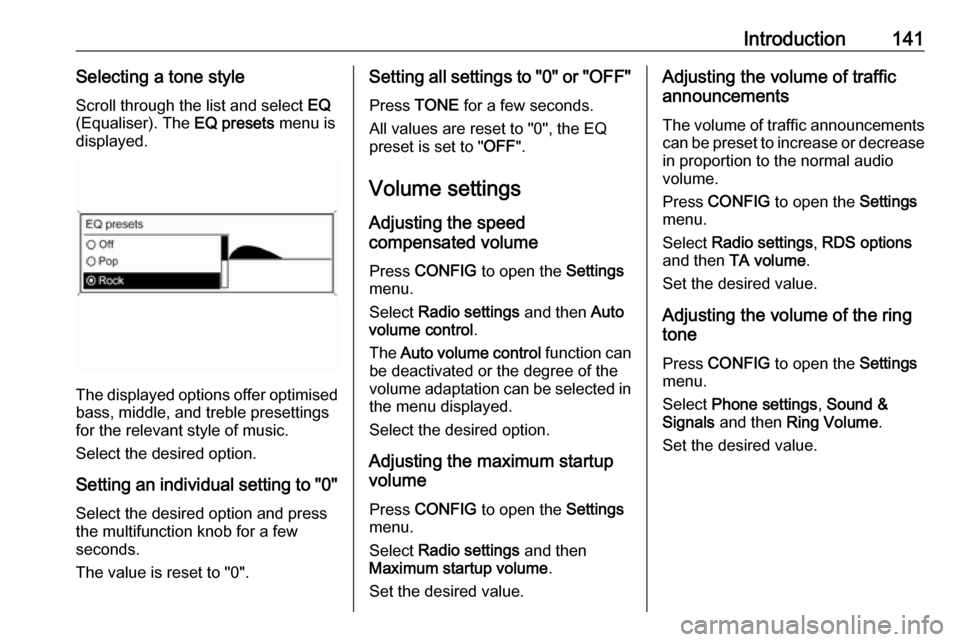
Introduction141Selecting a tone styleScroll through the list and select EQ
(Equaliser). The EQ presets menu is
displayed.
The displayed options offer optimised
bass, middle, and treble presettings
for the relevant style of music.
Select the desired option.
Setting an individual setting to "0" Select the desired option and press
the multifunction knob for a few
seconds.
The value is reset to "0".
Setting all settings to "0" or " OFF"
Press TONE for a few seconds.
All values are reset to "0", the EQ
preset is set to " OFF".
Volume settings
Adjusting the speed
compensated volume
Press CONFIG to open the Settings
menu.
Select Radio settings and then Auto
volume control .
The Auto volume control function can
be deactivated or the degree of the
volume adaptation can be selected in the menu displayed.
Select the desired option.
Adjusting the maximum startup
volume
Press CONFIG to open the Settings
menu.
Select Radio settings and then
Maximum startup volume .
Set the desired value.Adjusting the volume of traffic
announcements
The volume of traffic announcements
can be preset to increase or decrease
in proportion to the normal audio
volume.
Press CONFIG to open the Settings
menu.
Select Radio settings , RDS options
and then TA volume .
Set the desired value.
Adjusting the volume of the ring
tone
Press CONFIG to open the Settings
menu.
Select Phone settings , Sound &
Signals and then Ring Volume .
Set the desired value.
Page 142 of 171
142RadioRadioUsage........................................ 142
Station search ............................ 142
Autostore lists ............................ 143
Favourite lists ............................. 143
Waveband menus ......................144
Radio data system (RDS) ..........147
Digital audio broadcasting .........148Usage
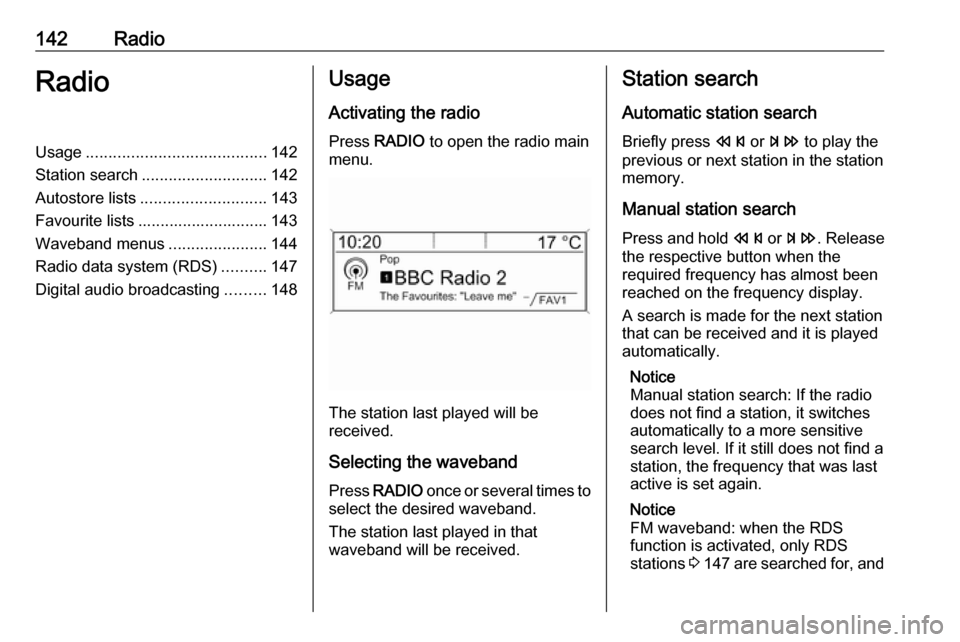
Activating the radio
Press RADIO to open the radio main
menu.
The station last played will be
received.
Selecting the waveband
Press RADIO once or several times to
select the desired waveband.
The station last played in that
waveband will be received.
Station search
Automatic station search
Briefly press s or u to play the
previous or next station in the station
memory.
Manual station search
Press and hold s or u . Release
the respective button when the
required frequency has almost been
reached on the frequency display.
A search is made for the next station that can be received and it is played
automatically.
Notice
Manual station search: If the radio
does not find a station, it switches
automatically to a more sensitive
search level. If it still does not find a
station, the frequency that was last
active is set again.
Notice
FM waveband: when the RDS
function is activated, only RDS
stations 3 147 are searched for, and
Page 148 of 171
148Radioprogramme and the music track
currently playing are displayed below
the programme name.
To show or hide the information, set
Radio text to On or Off.
TA volume
The volume of traffic announcements
(TA) can be preset. For a detailed
description 3 141.
Radio traffic service
(TP = Traffic Programme)
Radio traffic service stations are RDS
stations that broadcast traffic news.
Switching the radio traffic service on
and off
To switch the traffic announcement
standby facility of the Infotainment
system on and off:
Press TP.
● If the radio traffic service is switched on, [ ] is displayed in the
radio main menu.
● Only radio traffic service stations are received.●If the current station is not a radio
traffic service station, a search is
started automatically for the next
radio traffic service station.
● If a radio traffic service station has been found, [TP] is displayed
in the radio main menu.
● Traffic announcements are played at the preset TA volume
3 141.
● If the radio traffic service is switched on, CD/MP3 playback is
interrupted for the duration of the traffic announcement.
Listening to traffic announcements
only
Switch on the radio traffic service and completely turn down the volume of
the Infotainment system.
Blocking out traffic announcements
To block out a traffic announcement,
e.g. during CD/MP3 playback:
Press TP or the multifunction knob to
confirm the cancelling message on
the display.The traffic announcement is
cancelled, but the radio traffic service
remains switched on.
Digital audio broadcasting
Digital audio broadcasting (DAB) is
an innovative and universal
broadcast system.
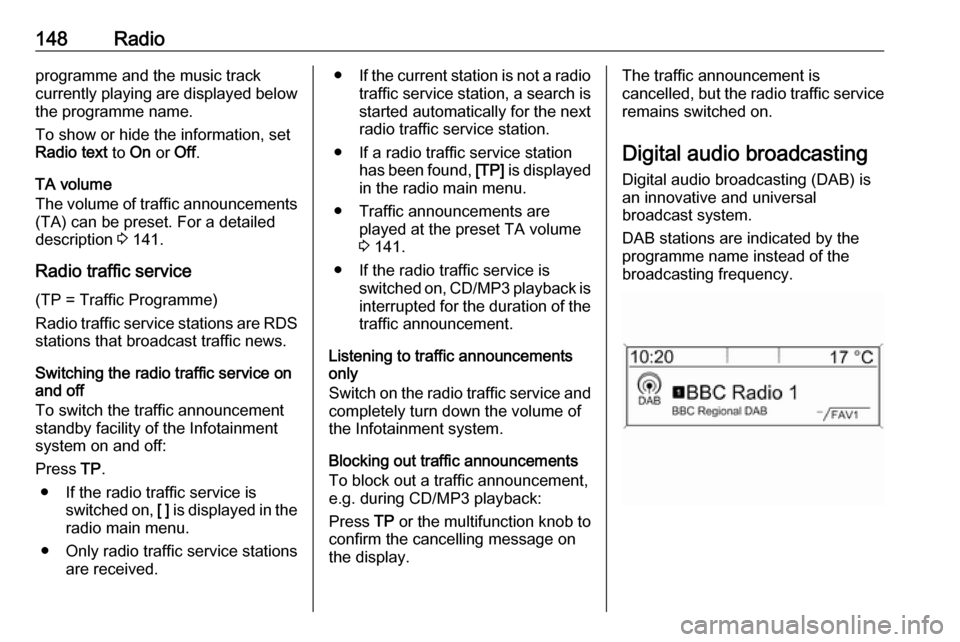
DAB stations are indicated by the
programme name instead of the
broadcasting frequency.
Page 149 of 171

Radio149General information● With DAB, several radio programmes (services) can bebroadcasted on a single
frequency (ensemble).
● Besides high-quality digital audio
services, DAB is also able to
transmit programme-associated data and a multitude of other data services including travel andtraffic information.
● As long as a given DAB receiver can pick up the signal sent out bya broadcasting station (even if
the signal is very weak), sound
reproduction is ensured.
● There is no fading (weakening of
the sound that is typical of AM or
FM reception). The DAB signal is reproduced at a constant volume.
● If the DAB signal is too weak to be picked up by the receiver,
reception is interrupted
completely. This incident can be
avoided by activating Auto
ensemble linking and/or Auto
linking DAB-FM in the DAB
settings menu.● Interference caused by stations that are on nearby frequencies (a
phenomenon that is typical of AM and FM reception) does not
occur with DAB.
● If the DAB signal is reflected by natural obstacles or buildings,
the reception quality of DAB is
improved, whereas AM or FM
reception is considerably
impaired in such cases.
● When DAB reception is enabled, the FM tuner of the Infotainmentsystem remains active in the
background and continually
searches for the best receivable
FM stations. If TP 3 147 is
activated, traffic announcements
of the FM station which is
currently best receivable are issued. Deactivate TP, if DABreception should not be
interrupted by FM traffic
announcements.
Configuring DAB
Press CONFIG .
Select Radio settings and then DAB
settings .The following options are available in
the configuration menu:
Auto ensemble linking
With this function activated, the
device switches over to the same
service (programme) on another DAB ensemble (frequency) when the DAB
signal is too weak to be picked up by
the receiver.
Set the function to On or Off.
Auto linking DAB-FM
With this function activated, the
device switches over to a
corresponding FM station of the
active DAB service when the DAB
signal is too weak to be picked up by
the receiver.
Set the function to On or Off.
Dynamic audio adaption
With this function activated, the
dynamic range of the DAB signal is
reduced. That means the level of the
loud sounds is reduced and the level
of the quiet sounds is increased.
Therefore, the volume of the
Infotainment system can be raised to
Page 151 of 171
CD Player151CD PlayerGeneral information...................151
Usage ........................................ 152General information
The Infotainment system's CD player
can play audio CDs and MP3/
WMA CDs.
Important informationCaution
Under no circumstances place
single-CDs with a diameter of
8 cm or shaped CDs in the audio
player.
You must not put any stickers on
CDs. These discs can get jammed in the CD drive and ruin the player. Replacement of the device will
then be necessary.
● The following CD formats can be
used:
CD-ROM Mode 1 and Mode 2
CD-ROM XA Mode 2, Form 1 and
Form 2
● The following file formats can be used:
ISO 9660 Level 1, Level 2
(Romeo, Joliet)
MP3 and WMA files written in any
format other than listed above
may not play correctly and their
file names and folder names may not be displayed correctly.
● Audio CDs with copy protection, which are not in compliance with
the audio CD standard, may not
play correctly or not at all.
● Self-recorded CD-Rs and CD- RWs are more vulnerable to
mishandling than prerecorded
CDs. Correct handling,
especially in the case of self-
recorded CD-Rs and CD-RWs,
must be ensured (see below).
● Self-recorded CD-Rs and CD- RWs may not play correctly or not
at all. In such cases it is not the
equipment that is at fault.
● On mixed mode CDs (audio tracks and compressed files,
e.g. MP3, are stored), the audio
tracks part and the compressed
files part can be played
separately.
● Avoid leaving fingerprints when you change CDs.
Page 152 of 171

152CD Player● Put CDs back in their sleevesimmediately after removing themfrom the CD player in order to
protect them from damage and
dirt.
● Dirt and liquids on CDs can smear the lens of the CD playerinside the device and cause
faults.
● Protect CDs from heat and direct
sunlight.
● The following restrictions apply to
MP3/WMA CDs:
Bit rate: 8 kbit/s - 320 kbit/s.
Sampling frequency: 48 kHz,
44.1 kHz, 32 kHz (for MPEG-1)
and 24 kHz, 22.05 kHz, 16kHz
(for MPEG-2).
● The following restrictions apply to
the data stored on an MP3/
WMA CD:
Number of tracks: max. 999.
Number of tracks per folder level: max. 512.
Folder structure depth: max.
10 levels.Notice
This chapter deals only with playing
MP3 files since the operation for
MP3 and WMA files is identical.
When a CD with WMA files is loaded
MP3 related menus are displayed.
Usage
Starting CD playback
Press CD once or several times to
open the CD or MP3 main menu.
If there is a CD in the CD player, CD
playback is started.
Depending on the data stored on the
audio CD or MP3 CD, differing
information about the CD and the current music track will be shown on
the display.
Inserting a CDInsert a CD with the printed sidefacing up into the CD slot until it is
drawn in.
Notice
If a CD is inserted, 0 is shown on the
display.
Skipping to the next or previous
track
Briefly press s or u .
Fast forward or rewind Press and hold s or u to fast
forward or fast rewind the current
track.
Selecting tracks using the audio
CD menu
Press the multifunction knob to open
the CD menu .
Page 154 of 171
154AUX inputAUX inputGeneral information...................154
Usage ........................................ 154General information
On the control panel of the
Infotainment system 3 134, there is
an AUX input for the connection of
external audio sources.
It is possible, for example, to connect a portable CD player with a 3.5 mm
jack plug to the AUX input.
Notice
The socket must always be kept clean and dry.
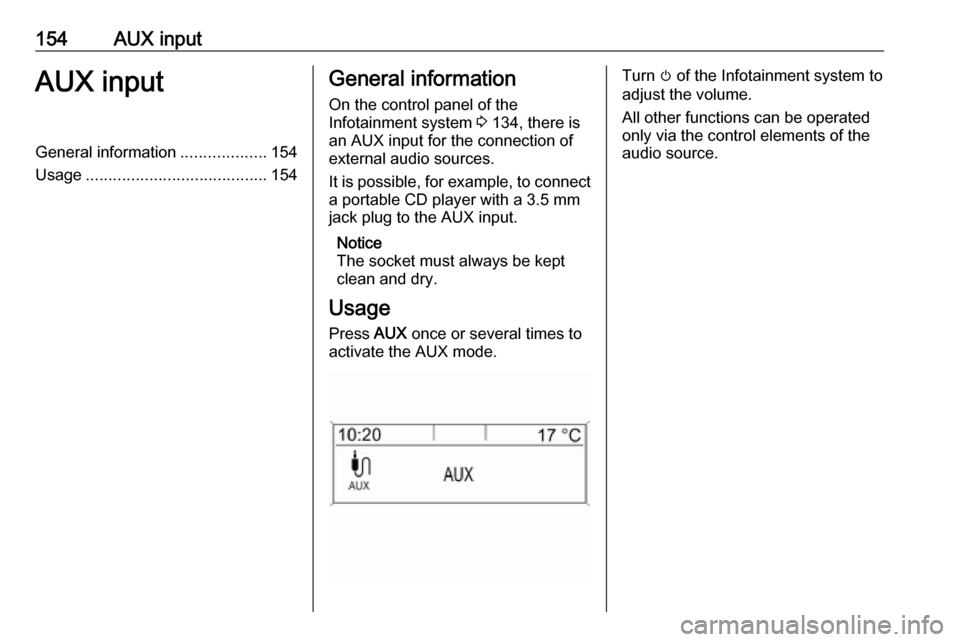
Usage Press AUX once or several times to
activate the AUX mode.Turn m of the Infotainment system to
adjust the volume.
All other functions can be operated
only via the control elements of the
audio source.
Page 155 of 171

USB port155USB portGeneral information...................155
Playing saved audio files ...........156General information
In the centre console below the
climate controls there is a USB socket for the connection of external audio
data sources.
Notice
The socket must always be kept
clean and dry.
An MP3 player, USB drive, SD card
(via USB connector/adapter), or iPod
can be connected to the USB port.
When connected to the USB port,
various functions of the above
devices can be operated via the
controls and menus of the
Infotainment system.
Notice
Not all MP3 player, USB drive, SD card or iPod models are supported
by the Infotainment system.
Important information
● The external devices connected to the USB port must comply with
the USB Mass Storage Class
specification (USB MSC).● Devices connected via USB are supported according to USB
Specification V 2.0. Maximum
supported speed: 12 Mbit/s.
● Only devices with a FAT16/ FAT32 file system are supported.
● Hard disk drives (HDD) are not supported.
● USB hubs are not supported.
● The following file formats can be used:
ISO9660 Level 1, Level 2
(Romeo, Joliet).
MP3 and WMA files written in another format than listed above
may not play correctly, and their
file names and folder names may
not be displayed correctly.
● The following restrictions apply to
the files stored on the external
device:
Bit rate: 8 kbit/s - 320 kbit/s.
Sampling frequency: 48 kHz,
44.1 kHz, 32 kHz (for MPEG-1)
Page 156 of 171
156USB portand 24 kHz, 22.05 kHz, 16kHz
(for MPEG-2).
● The following restrictions apply to
the data stored on external
devices connected to the USB
port:
Number of tracks: max. 999.
Number of tracks per folder level: max. 512.
Folder structure depth: max.
10 levels.
WMA files with Digital Rights
Management (DRM) from online
music shops cannot be played.
WMA files can only be played
safely, if they were created with
Windows Media Player
version 9 or later.
Applicable playlist
extensions: .m3u, .pls, .wpl.
Playlist entries must be in the
form of relative paths.
The system attribute for folders/
files that contain audio data must not be set.Playing saved audio files
Press AUX once or several times to
activate the MP3 or iPod mode.
Playback of the audio data stored on
the device is started automatically.
Using the device-specific menu
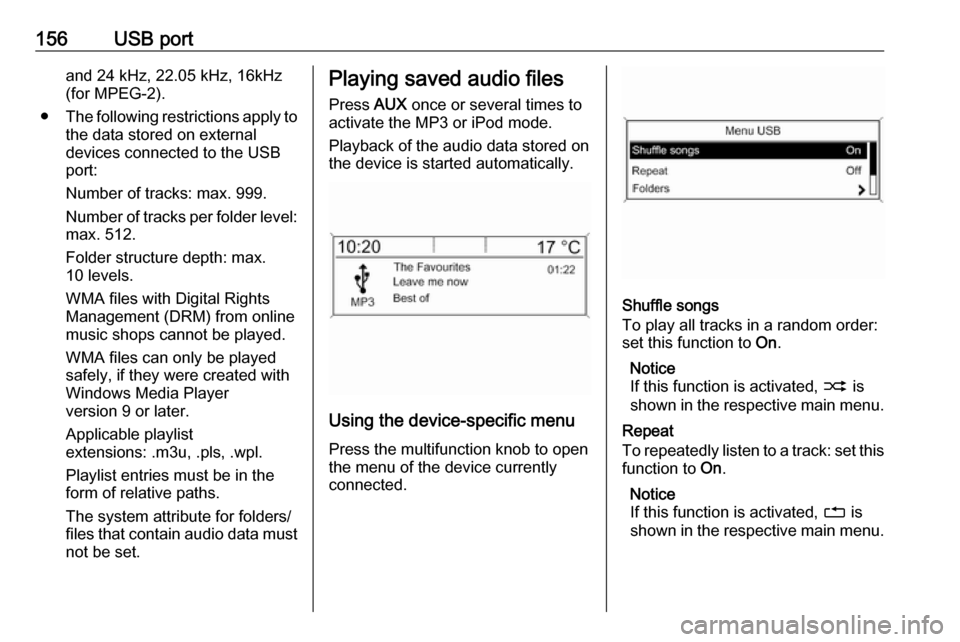
Press the multifunction knob to open
the menu of the device currently
connected.
Shuffle songs
To play all tracks in a random order:
set this function to On.
Notice
If this function is activated, 2 is
shown in the respective main menu.
Repeat
To repeatedly listen to a track: set this function to On.
Notice
If this function is activated, 1 is
shown in the respective main menu.