remote control VAUXHALL MERIVA 2016 User Guide
[x] Cancel search | Manufacturer: VAUXHALL, Model Year: 2016, Model line: MERIVA, Model: VAUXHALL MERIVA 2016Pages: 251, PDF Size: 8.02 MB
Page 107 of 251
Instruments and controls105Vehicle messages
Messages are indicated mainly in the
Driver Information Centre, in some
cases together with a warning and
signal buzzer.
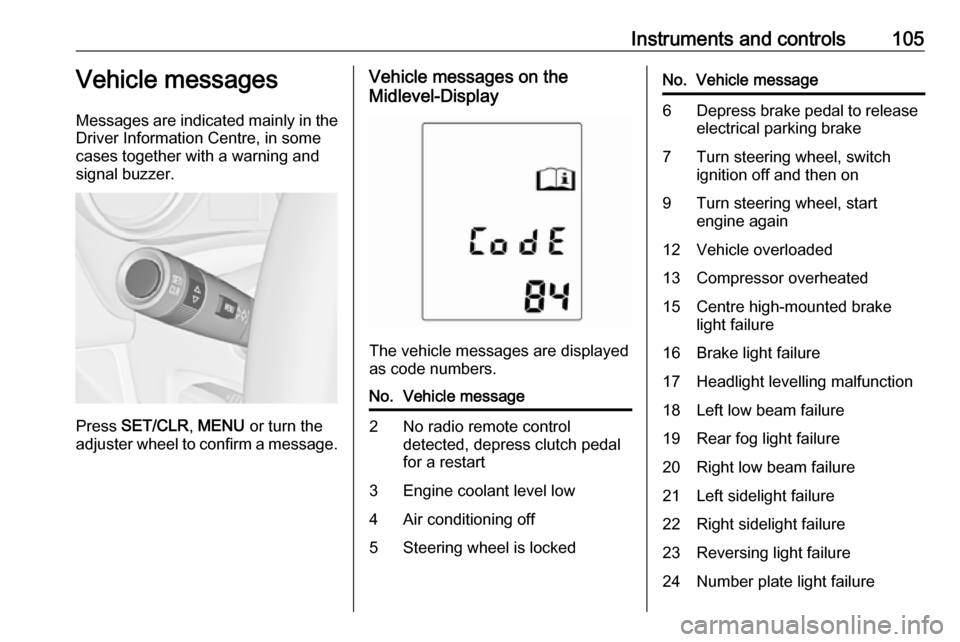
Press SET/CLR , MENU or turn the
adjuster wheel to confirm a message.
Vehicle messages on the
Midlevel-Display
The vehicle messages are displayed
as code numbers.
No.Vehicle message2No radio remote control
detected, depress clutch pedal
for a restart3Engine coolant level low4Air conditioning off5Steering wheel is lockedNo.Vehicle message6Depress brake pedal to release
electrical parking brake7Turn steering wheel, switch
ignition off and then on9Turn steering wheel, start
engine again12Vehicle overloaded13Compressor overheated15Centre high-mounted brake
light failure16Brake light failure17Headlight levelling malfunction18Left low beam failure19Rear fog light failure20Right low beam failure21Left sidelight failure22Right sidelight failure23Reversing light failure24Number plate light failure
Page 108 of 251

106Instruments and controlsNo.Vehicle message25Left front turn signal failure26Left rear turn signal failure27Right front turn signal failure28Right rear turn signal failure29Check trailer brake light30Check trailer reversing light31Check left trailer turn signal32Check right trailer turn signal33Check trailer rear fog light34Check trailer rear light35Replace battery in radio remote
control48Clean side blind zone alert
system53Tighten gas cap54Water in diesel fuel filter55Diesel particle filter is full
3 144No.Vehicle message56Tyre pressure imbalance on
front axle57Tyre pressure imbalance on
rear axle58Tyres without TPMS sensors
detected59Open and then close driver
window60Open and then close front
passenger window61Open and then close rear left
window62Open and then close rear right
window65Theft attempted66Service theft alarm system67Service steering wheel lock68Service power steering69Service suspension system70Service level control systemNo.Vehicle message71Service rear axle74Service AFL75Service air conditioning76Service side blind zone alert
system79Top up engine oil81Service transmission82Change engine oil soon83Service adaptive cruise control84Engine power is reduced89Service vehicle soon94Shift to park before exiting95Service airbag128Bonnet open134Park assist fault, clean bumper136Service parking assist
Page 109 of 251

Instruments and controls107No.Vehicle message174Low vehicle battery258Park assist off
Vehicle messages on the
Uplevel-Display or
Uplevel-Combi-Display
The vehicle messages are displayed
as text. Follow the instructions given
in the messages.
The system displays messages
regarding the following topics:
● fluid levels
● anti-theft alarm system
● brakes
● drive systems
● ride control systems
● cruise control
● object detection systems
● lighting, bulb replacement
● wiper/washer system
● doors, windows
● radio remote control
● seat belts
● airbag systems
● engine and transmission
● tyre pressure
● diesel particle filter
Vehicle messages on the
Colour-Info-Display
Some important messages appear
additionally in the
Colour-Info-Display. Press the
multifunction knob to confirm a
message. Some messages only pop- up for a few seconds.Warning chimes
Only one warning chime will sound at
a time.
The warning chime regarding
unfastened seat belts has priority
over any other warning chime.
When starting the engine or whilst
driving
● If seat belt is not fastened.
● If a door or the tailgate is not fully
closed when starting-off.
● If a certain speed is exceeded with parking brake applied.
● If a programmed speed is exceeded.
● If a warning message or a warning code appears in the
Driver Information Centre.
● If the parking assist detects an object.
● If reverse gear is engaged and the rear end carrier is extended.
Page 115 of 251
Instruments and controls113
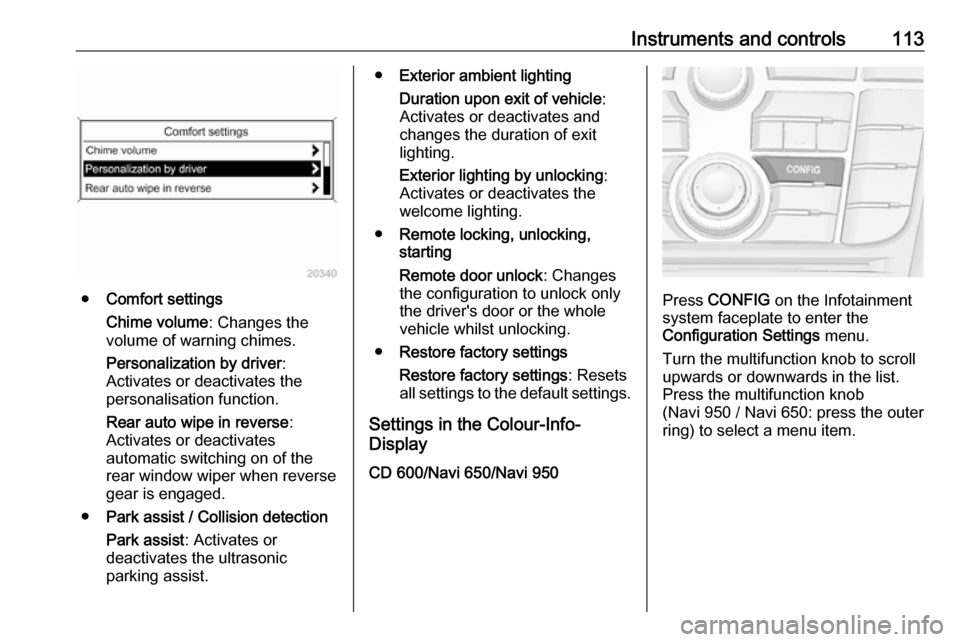
●Comfort settings
Chime volume : Changes the
volume of warning chimes.
Personalization by driver :
Activates or deactivates the
personalisation function.
Rear auto wipe in reverse :
Activates or deactivates
automatic switching on of the
rear window wiper when reverse gear is engaged.
● Park assist / Collision detection
Park assist : Activates or
deactivates the ultrasonic
parking assist.
● Exterior ambient lighting
Duration upon exit of vehicle :
Activates or deactivates and
changes the duration of exit
lighting.
Exterior lighting by unlocking :
Activates or deactivates the
welcome lighting.
● Remote locking, unlocking,
starting
Remote door unlock : Changes
the configuration to unlock only
the driver's door or the whole
vehicle whilst unlocking.
● Restore factory settings
Restore factory settings : Resets
all settings to the default settings.
Settings in the Colour-Info-
Display
CD 600/Navi 650/Navi 950
Press CONFIG on the Infotainment
system faceplate to enter the
Configuration Settings menu.
Turn the multifunction knob to scroll
upwards or downwards in the list.
Press the multifunction knob
(Navi 950 / Navi 650: press the outer
ring) to select a menu item.
Page 117 of 251

Instruments and controls115●Collision Detection Systems
Park Assist : Activates or
deactivates the ultrasonic
sensors.
● Lighting
Vehicle Locator Lights : Activates
or deactivates the entry lighting.
Exit Lighting : Activates or
deactivates and changes the
duration of exit lighting.
● Remote Lock/Unlock/Start
Remote Door Unlock : Changes
the configuration to unlock only
the driver's door or the whole
vehicle whilst unlocking.
● Return to Factory Settings? :
Resets all settings to the default settings.OnStar® system
OnStar is a personal connectivity and mobility assistant with integrated
Wi-Fi hotspot. The OnStar service is
available 24 hours a day, seven days
a week.
Notice
OnStar is not available for all
markets. For further information,
contact your workshop.
Notice
In order to be available and
operational, OnStar needs a valid
OnStar subscription, functioning
vehicle electrics, mobile service and
GPS satellite link.
To activate the OnStar services and
set up an account, press Z and speak
with an OnStar advisor.
Depending on the equipment of the vehicle, the following services areavailable:
● OnStar emergency services and support in the case of a vehicle
breakdown
● Wi-Fi hotspot● OnStar smartphone application
● OnStar remote services, e.g. location of the vehicle, activation
of horn and lights
● Stolen vehicle assistance
● Vehicle health check
● Destination download
Notice
All functions requiring data
connection to the vehicle are no
longer available if the vehicle ignition
has not been turned on for ten days.
OnStar buttons
Page 119 of 251

Instruments and controls117The following functions are available:● Honk horn or flash lights.
● Check fuel level and engine oil life.
● Send navigation destination to the vehicle, if equipped with a
built-in navigation system.
● Locate vehicle on a map.
● Manage Wi-Fi settings.
To operate these functions, download the app from the respective app store.
Remote service
If desired, use any phone to call an
OnStar advisor, who can remotely
operate specific vehicle functions.
Find the respective OnStar phone
number on our country-specific
website.
The following functions are available: ● Provide information on the vehicle location.
● Honk horn or flash lights.Stolen vehicle assistance
If a vehicle is stolen, the OnStar
stolen vehicle assistance service can
provide support in locating and
recovering the vehicle.
When the anti-theft alarm system is
triggered, a notification is sent to
OnStar. You are then informed about
this event by text message or email.
If required, report the theft to the
authorities and request OnStar stolen vehicle assistance. Use any phone tocall an OnStar advisor. Find the
respective OnStar phone number on
our country-specific website.
On-demand diagnostics
At any time e.g. if the vehicle displays a service message, press Z to
contact an OnStar advisor and ask to
complete a real-time diagnostic check
to directly determine the issue.
Depending on the results, the advisor
will provide further support.
Monthly vehicle diagnostics
The vehicle automatically transmits
diagnostic data to OnStar which
sends a monthly email report to you
and your preferred workshop.Notice
The workshop notification function
can be disabled in your account.
The report contains the status of key
operating systems of the vehicle like
engine, transmission, airbags,
antilock brakes, and other major
systems. It also provides information
on possible maintenance items.
To look at the information in greater
detail, select the link within the email and log into your account.
Destination download
A desired destination can be directly
downloaded to the navigation system.
Press Z to call an OnStar advisor and
describe the destination or point of
interest.
The OnStar advisor can look up any
address or point of interest and
directly download the destination to
the built-in navigation system.
Page 120 of 251

118Instruments and controlsOnStar settings
OnStar PIN
To have full access to all OnStar
services, a four-digit PIN is required. The PIN has to be personalised when first talking to an OnStar advisor.
To change the PIN, press Z to call an
OnStar advisor.
Account data
An OnStar subscriber has an
account, where all the data is stored.
To request a change of the account
information, press Z and talk to an
OnStar advisor or logon to your
account.
If the OnStar service is used on
another vehicle, press Z and request
that the account be transferred to the new vehicle.
Notice
In any case, if the vehicle is disposed
of, sold or otherwise transferred,
immediately inform OnStar about
the changes and terminate the
OnStar service on this vehicle.Vehicle location
The vehicle location is transmitted to OnStar when service is requested ortriggered. A message on the Info-
Display informs about this
transmission.
To activate or deactivate the
transmission of the vehicle location,
press and hold j until an audio
message is heard.
The deactivation is indicated by the
status light flashing red and green for a short period of time and each time
the vehicle is started.
Notice
If the transmission of the vehicle
location is deactivated, some
services are no longer available.
Notice
The vehicle location always remains
accessible to OnStar in the case of
an emergency.
Find the privacy policy in your
account.Software updates
OnStar may remotely carry out
software updates without further
notice or consent. These updates are
to enhance or maintain safety and
security or the operation of the
vehicle.
These updates may concern privacy
issues. Find the privacy policy in your account.
Page 128 of 251
126LightingReading lights
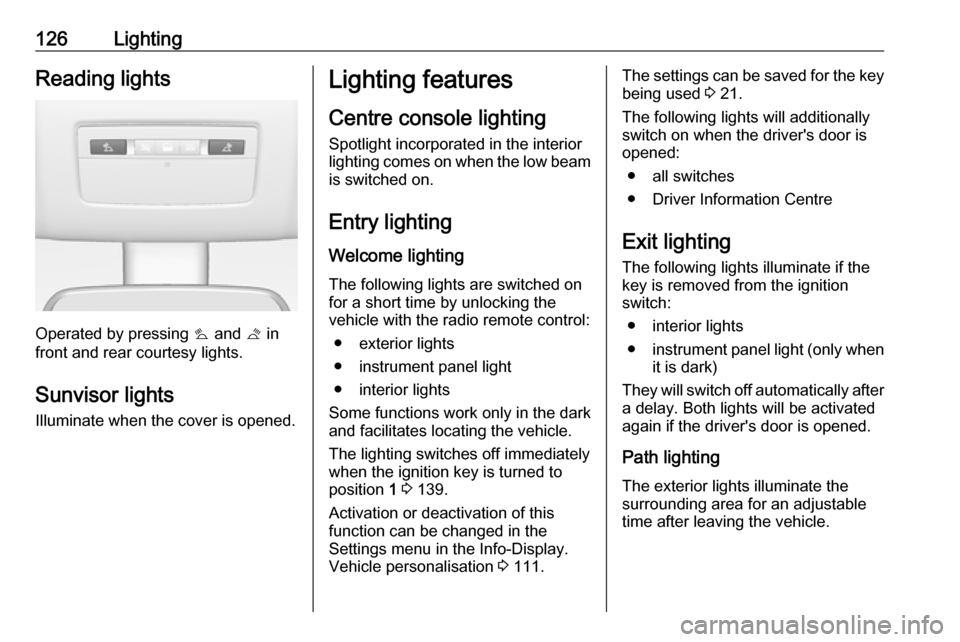
Operated by pressing s and t in
front and rear courtesy lights.
Sunvisor lights Illuminate when the cover is opened.
Lighting features
Centre console lighting Spotlight incorporated in the interiorlighting comes on when the low beam is switched on.
Entry lighting
Welcome lighting
The following lights are switched on
for a short time by unlocking the
vehicle with the radio remote control:
● exterior lights
● instrument panel light
● interior lights
Some functions work only in the dark
and facilitates locating the vehicle.
The lighting switches off immediately
when the ignition key is turned to
position 1 3 139.
Activation or deactivation of this
function can be changed in the
Settings menu in the Info-Display.
Vehicle personalisation 3 111.The settings can be saved for the key
being used 3 21.
The following lights will additionally
switch on when the driver's door is
opened:
● all switches
● Driver Information Centre
Exit lighting
The following lights illuminate if the key is removed from the ignition
switch:
● interior lights
● instrument panel light (only when
it is dark)
They will switch off automatically after
a delay. Both lights will be activated
again if the driver's door is opened.
Path lighting
The exterior lights illuminate the
surrounding area for an adjustable
time after leaving the vehicle.
Page 244 of 251

242Customer informationWhen using the vehicle, situations
may occur in which these technical
data related to other information
(accident report, damages on the
vehicle, witness statements etc.) may be associated with a specific person -
possibly, with the assistance of an
expert.
Additional functions contractually
agreed upon with the client (e.g.
vehicle location in emergency cases)
allow the transmission of particular vehicle data from the vehicle.
Radio Frequency
Identification (RFID)
RFID technology is used in some
vehicles for functions such as tyre
deflation detection and ignition
system security. It is also used in
connection with conveniences such
as radio remote controls for door
locking/unlocking and starting, and in-
vehicle transmitters for garage door
openers. RFID technology in
Vauxhall vehicles does not use or
record personal information or link
with any other Vauxhall system
containing personal information.
Page 249 of 251

247Operate pedal............................... 95
Outside temperature ....................84
Overrun cut-off ........................... 141
P Parking ................................ 17, 143
Parking assist ............................ 155
Parking brake ............................ 150
Parking lights ............................. 124
Particulate filter ........................... 144
Performance .............................. 229
Performing work ........................172
Personalisation ........................... 111
Pollen filter ................................. 136
Power outlets ............................... 86
Power steering fluid ....................175
Power windows ............................ 31
Preheating ................................... 97
Puncture ..................................... 206
Q Quickheat ................................... 135
R
Radio Frequency Identification (RFID) ..................................... 242
Radio remote control ...................20
Reading lights ............................ 126
Rear carrier system ......................63
Rear doors ................................... 26
Rear floor storage cover ..............74Rear fog light ............................... 99
Rear fog lights ........................... 124
Rear seats .................................... 41
Rear storage ................................. 73
Rear view camera ...................... 157
Rear window wiper/washer .......... 84
Recommended fluids and lubricants ........................ 220, 224
Reduced engine power ...............98
Refuelling ................................... 161
Remote control ............................. 20
Retained power off .....................139
Reversing lights .........................124
Ride control systems ..................152
Roof .............................................. 33
Roof load ...................................... 78
Roof rack ..................................... 78
S Safety belts ................................... 44
Safety net .................................... 75
Seat adjustment ....................... 6, 37
Seat belt ........................................ 8
Seat belt reminder .......................94
Seat belts ..................................... 44
Seat heating ................................. 40
Seat position ................................ 36
Selector lever ............................. 146
Service ............................... 136, 219
Service display ............................ 90Service information ....................219
Service vehicle soon .................... 95
Side airbag system ......................51
Sidelights .................................... 119
Side turn signal lights ................187
Software acknowledgement .......239
Spare wheel ............................... 209
Speedometer ............................... 88
Starting and operating ................139
Starting off ................................... 16
Starting the engine ....................140
Steering ...................................... 139
Steering wheel adjustment ......9, 81
Steering wheel controls ...............81
Steering wheel, heated .................81
Stop-start system........................ 141
Storage ......................................... 60
Storage compartments .................60
Sunvisor lights ........................... 126
Sun visors .................................... 33
Symbols ......................................... 4
T
Tachometer ................................. 88
Tailgate ......................................... 26
Tail lights ................................... 184
Technical data ............................ 227
Three-point seat belt .................... 45
Tools .......................................... 194
Top-tether fastening eyes ............59