service VAUXHALL MOKKA 2014.5 Infotainment system
[x] Cancel search | Manufacturer: VAUXHALL, Model Year: 2014.5, Model line: MOKKA, Model: VAUXHALL MOKKA 2014.5Pages: 135, PDF Size: 3.02 MB
Page 98 of 135
98Radio
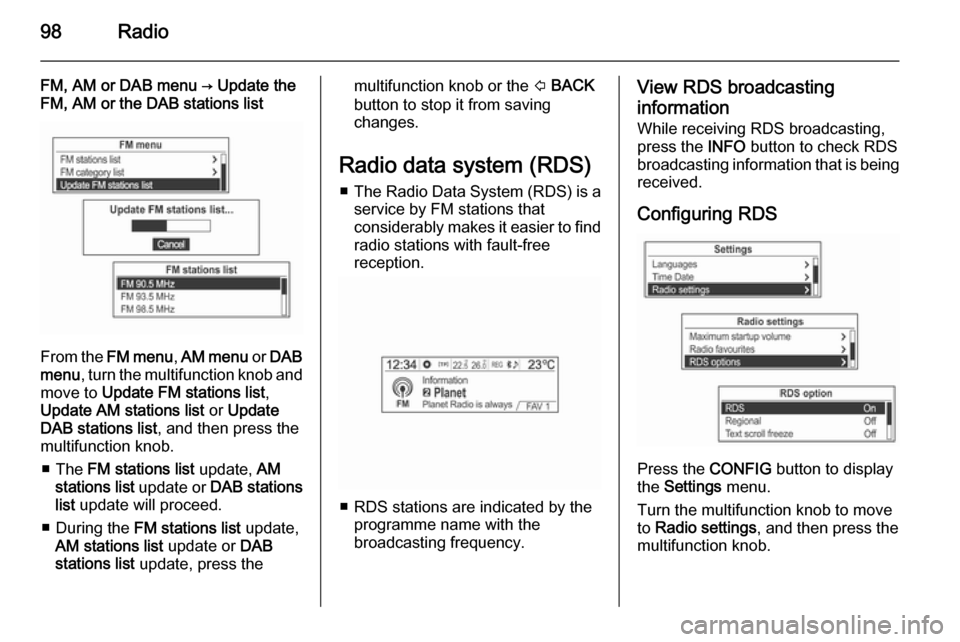
FM, AM or DAB menu → Update the
FM, AM or the DAB stations list
From the FM menu , AM menu or DAB
menu , turn the multifunction knob and
move to Update FM stations list ,
Update AM stations list or Update
DAB stations list , and then press the
multifunction knob.
■ The FM stations list update, AM
stations list update or DAB stations
list update will proceed.
■ During the FM stations list update,
AM stations list update or DAB
stations list update, press the
multifunction knob or the P BACK
button to stop it from saving
changes.
Radio data system (RDS) ■ The Radio Data System (RDS) is a
service by FM stations that
considerably makes it easier to find
radio stations with fault-free
reception.
■ RDS stations are indicated by the programme name with the
broadcasting frequency.
View RDS broadcasting
information
While receiving RDS broadcasting,
press the INFO button to check RDS
broadcasting information that is being
received.
Configuring RDS
Press the CONFIG button to display
the Settings menu.
Turn the multifunction knob to move
to Radio settings , and then press the
multifunction knob.
Page 99 of 135

Radio99
Turn the multifunction knob to select
RDS options , and then press the
multifunction knob.
Switching RDS on and off
Set the RDS option On or Off.
The following advantages result from
activating RDS:
■ On the display, the programme name of the set station appears
instead of its frequency.
■ The Infotainment system always tunes into the best receivable
broadcasting frequency of the set station by means of AF (alternative frequency).From RDS options , turn the
multifunction knob to move to RDS
Off , and then press the multifunction
knob to turn on the RDS function.
Switching regionalisation on
and off RDS must be activated for
regionalisation.
At certain times, some RDS stations
broadcast regionally different
programmes on different frequencies.
Set the option Regional to On or Off.
Only alternative frequencies (AF) with the same regional programmes are
selected.
If regionalisation is switched off,
alternative frequencies of the stations
are selected without regarding
regional programmes.
From Settings → Radio settings →
RDS options , turn the multifunction
knob to move to Regional Off , and
then press the multifunction knob to
turn on the Regional function.
Switching Text scroll freeze on and off
Switch the Text scroll freeze function
(for displaying the information of the
programme service) on or off:
Page 100 of 135

100Radio
From Settings → Radio settings →
RDS options , turn the multifunction
knob to move to Text scroll freeze
Off , and then press the multifunction
knob to turn on the Text scroll freeze
function.
Switching the Radio text
function on and off Switch the Radio text function for
displaying the information of the
programme service on and off.From Settings → Radio settings →
RDS options , turn the multifunction
knob to select Radio text Off , and then
press the multifunction knob to turn
on the Radio text function.
Volume of the traffic
announcements (TA) The minimum volume of the traffic
announcements (TA) can be preset.
The minimum volume of the traffic
announcements can be increased or
reduced in comparison to the normal
audio volume.From RDS options , turn the
multifunction knob to move to TA
volume , and then press the
multifunction knob.
Turn the multifunction knob to adjust
the TA volume level, and then press
the multifunction knob.
Radio traffic service TP = traffic programme
Radio traffic service stations are RDS
stations that broadcast traffic news.
Switch the traffic announcement standby facility of the Infotainment
system on or off:
Page 101 of 135
![VAUXHALL MOKKA 2014.5 Infotainment system Radio101
Press the TP button to turn the traffic
programme service function on or off.
■ If the radio traffic service is switched on, [ ] is displayed in the
radio main menu.■ If the current stati](/img/38/19525/w960_19525-100.png "VAUXHALL MOKKA 2014.5 Infotainment system Radio101
Press the TP button to turn the traffic
programme service function on or off.
■ If the radio traffic service is switched on, [ ] is displayed in the
radio main menu.■ If the current stati")
Radio101
Press the TP button to turn the traffic
programme service function on or off.
■ If the radio traffic service is switched on, [ ] is displayed in the
radio main menu.■ If the current station is not a radio traffic service station, then a search
is automatically started for the next radio traffic service station.
■ Once a radio traffic service station has been found, [TP] is displayed in
the radio main menu.
■ If the radio traffic service is switched on, then the CD, MP3,
USB, iPod, Bluetooth music or AUX replay is interrupted for the duration
of the traffic announcement.
Blocking out traffic
announcements Block out a traffic announcement, e.g.
during CD or MP3 replay or during
radio reception:
Press the TP
button.
Switch on the radio traffic service and
fully turn down the volume of the
Infotainment system.
The traffic announcement is aborted, but the radio traffic service remains
switched on.
Page 124 of 135
124Phone
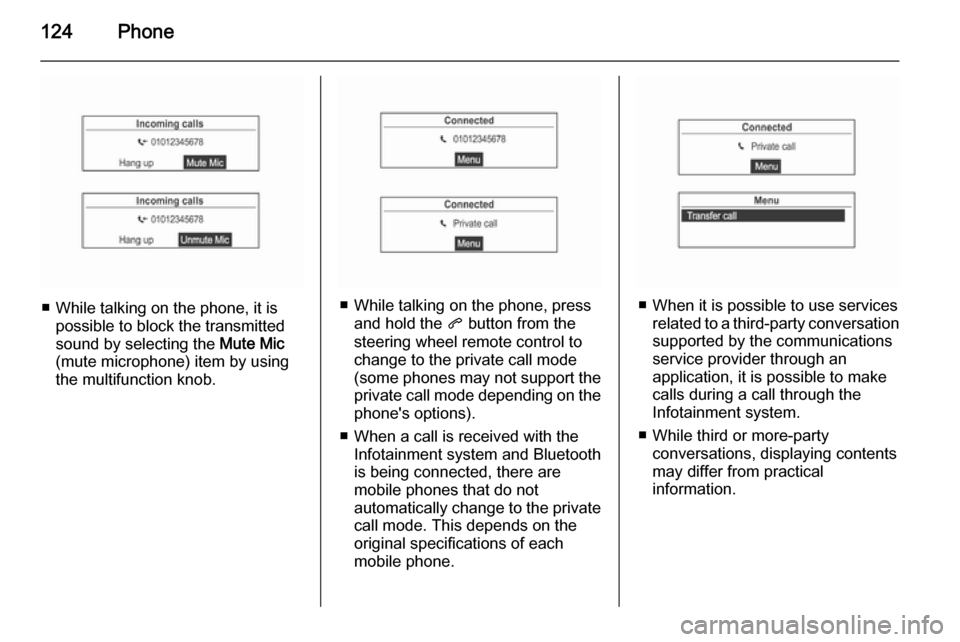
■ While talking on the phone, it ispossible to block the transmitted
sound by selecting the Mute Mic
(mute microphone) item by using
the multifunction knob.■ While talking on the phone, press and hold the q button from the
steering wheel remote control to
change to the private call mode
(some phones may not support the
private call mode depending on the
phone's options).
■ When a call is received with the Infotainment system and Bluetooth
is being connected, there are
mobile phones that do not
automatically change to the private call mode. This depends on the
original specifications of each
mobile phone.■ When it is possible to use services related to a third-party conversation
supported by the communications
service provider through an
application, it is possible to make
calls during a call through the
Infotainment system.
■ While third or more-party conversations, displaying contents
may differ from practical
information.