AUX VAUXHALL MOKKA 2014 Infotainment system
[x] Cancel search | Manufacturer: VAUXHALL, Model Year: 2014, Model line: MOKKA, Model: VAUXHALL MOKKA 2014Pages: 221, PDF Size: 4.66 MB
Page 188 of 221
![VAUXHALL MOKKA 2014 Infotainment system 188Radio
Press the TP button to turn the traffic
programme service function on or off.
■ If the radio traffic service is switched on, [ ] is displayed in the
radio main menu.■ If the current stati](/img/38/19523/w960_19523-187.png "VAUXHALL MOKKA 2014 Infotainment system 188Radio
Press the TP button to turn the traffic
programme service function on or off.
■ If the radio traffic service is switched on, [ ] is displayed in the
radio main menu.■ If the current stati")
188Radio
Press the TP button to turn the traffic
programme service function on or off.
■ If the radio traffic service is switched on, [ ] is displayed in the
radio main menu.■ If the current station is not a radio traffic service station, then a search
is automatically started for the next radio traffic service station.
■ Once a radio traffic service station has been found, [TP] is displayed in
the radio main menu.
■ If the radio traffic service is switched on, then the CD, MP3,
USB, iPod, Bluetooth music or AUX replay is interrupted for the duration
of the traffic announcement.
Blocking out traffic
announcements Block out a traffic announcement, e.g.
during CD or MP3 replay or during
radio reception:
Press the TP
button.
Switch on the radio traffic service and
fully turn down the volume of the
Infotainment system.
The traffic announcement is aborted, but the radio traffic service remains
switched on.
Page 190 of 221
190Audio playersAudio playersCD player................................... 190
Auxiliary devices ........................198CD player
The CD/MP3 player of this system
can play audio CD and MP3 (WMA)
discs.
Before using the CD player Important information about audio CDand MP3 (WMA) discsCaution
In any case, do not insert any
DVDs, mini disks with a diameter
of 8 cm, or discs with abnormal
surfaces in this CD/MP3 (WMA)
player.
Do not put any stickers on the disk surface. Such disks may get stuck
in the CD player, and damage the
drive device. If this occurs, then
the device will need to be replaced
at high costs.
■ An audio CD disc with an anti- piracy function with no compatibilitywith the audio CD standard may not
work properly or not at all.
■ CD-R and CD-RW discs that are manually recorded are more often
handled with carelessness than the
original CD discs. Manually
recorded CD-R and CD-RW discs should be handled with special
care. Please refer to the following.
■ Manually recorded CD-R and CD- RW discs may not play properly or
not at all. In such cases, this is not a problem with the device.
■ When changing discs, take care to not smear any fingerprints on the
playing side.
■ After removing the disc from the CD/MP3 player, make sure to
immediately put the disc into a disc
sleeve to prevent it from being
damaged or smeared with dust.
■ If the disc is smeared with dust or liquid, then this may cause
problems by contaminating the lens of the CD/MP3 player inside the
device.
■ Protect the disc from heat and exposure to direct light.
Page 198 of 221

198Audio players
Turn the multifunction knob to select
the detailed classification item, and then press the multifunction knob.
Turn the multifunction knob to find the
desired track/title, and then press the
multifunction knob to play the
selected track.
Auxiliary devices USB player
Cautions for using USB devices ■ Operation cannot be guaranteed if the HDD built-in USB mass storage
device or CF or SD memory card is
connected by using an USB
adapter. Use a USB of flash
memory type storage device.
■ Take caution to avoid static electricity discharge when
connecting or disconnecting the
USB device. If connection and
disconnection are repeated many
times in a short time, this may
cause a problem in using the
device.
■ Operation is not guaranteed if the connecting terminal of the USB
device is not metal.
■ The connection with i-Stick Type USB storage devices may be faultydue to vehicle vibration, so their
operation cannot be guaranteed.
■ Be careful not to touch the USB connecting terminal with an object
or any part of your body.
■ The USB storage device can only be recognised when it is formatted
in FAT16/32 file format. Only
devices with an allocated unit size
of 512 byte/sector or 2,048 byte/sector can be used. NTFS and
other file systems cannot be
recognised.
■ According to the type and capacity of the USB storage device and the
type of the stored file, the time it takes to recognise the files may
differ. This is not a problem with the product in this case, so please wait
for the files to be processed.
■ Files in some USB storage devices
may not be recognised due to
compatibility problems, and
connections with a memory reader
or a USB hub are not supported.
Please check the device's
operation in the vehicle before use.
■ When devices such as an MP3 player, mobile phone, or digital
camera are connected through a
mobile disc, it may not operate normally.
■ Do not disconnect the USB storage
device while it is being played. This
may cause damage to the product
or the performance of the USB
device.
Page 200 of 221
200Audio players
◆ ISO 9660 Level 1: Maximum of12 characters
◆ ISO 9660 Level 2: Maximum of 31 characters
◆ Joliet: Maximum of 64 characters
(1 byte)
◆ Windows long file name: maximum of 28 characters
(1 byte)
■ This product can play MP3 files which use VBR. When a VBR type
MP3 file is being played, the
remaining time displayed may be
different from the actual time
remaining.
Main buttons and controls
The following main buttons and
controls are used to play USB music
files.
(5) AUX button
Press the button repeatedly when the USB device is connected to select the
USB play mode.(10) Multifunction knob
■ Turn the control knob to move to the
track list, menu or MP3 (WMA)
track information.
■ Press the button to display the menu screen provided by the
current item or current mode.
(17) 1 / 8 buttons
■ Press these buttons to play the previous or next track.
■ Hold down these buttons to rewind or fast forward, and then release toplay at normal speed.
(12) INFO button
Displays the information of the track
being played.
(6) O button
Hold down the button to turn the
pause function on or off.
(9) P BACK button
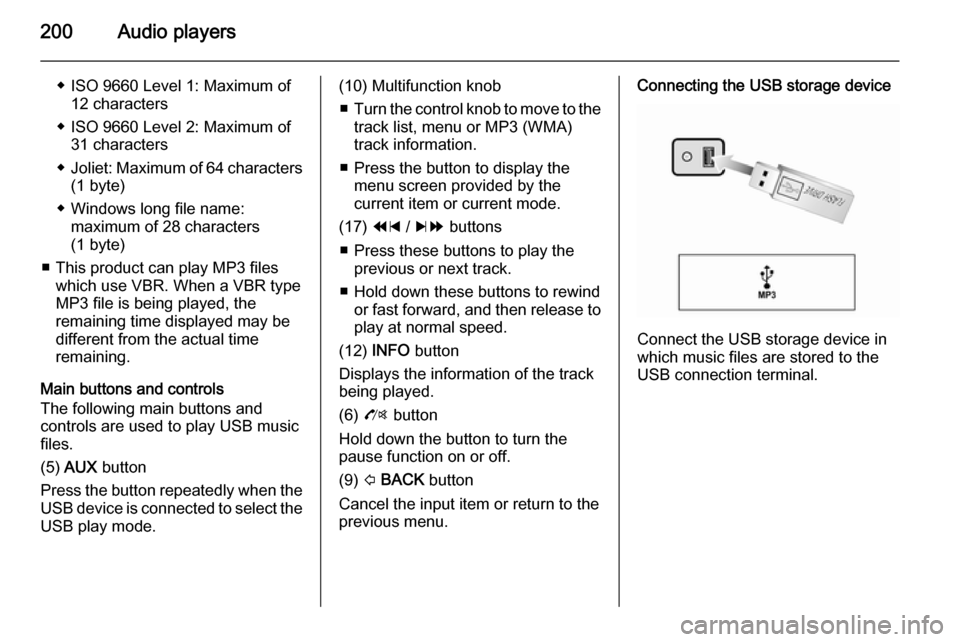
Cancel the input item or return to the previous menu.Connecting the USB storage device
Connect the USB storage device in
which music files are stored to the
USB connection terminal.
Page 201 of 221
Audio players201
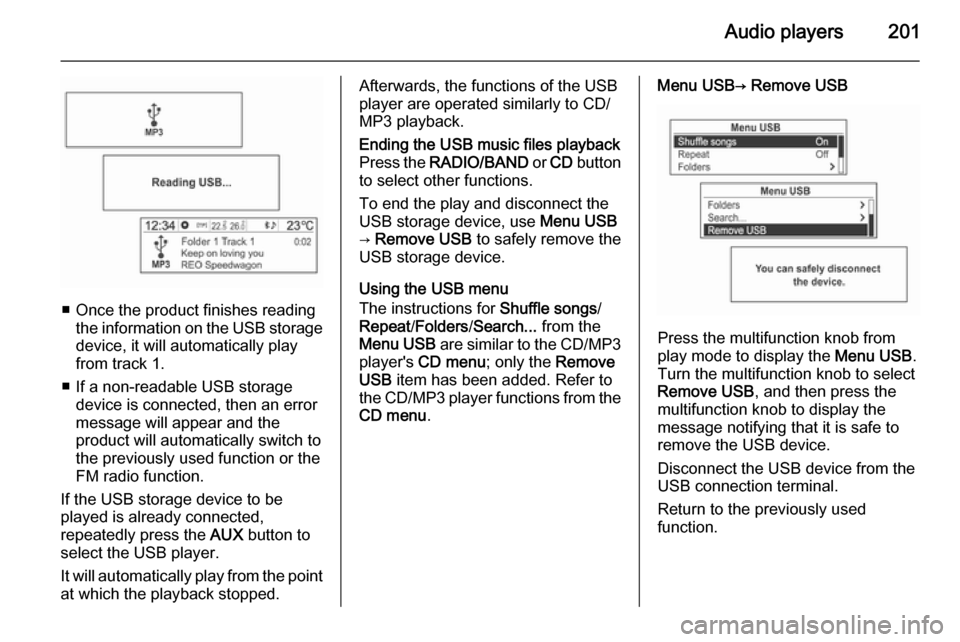
■ Once the product finishes readingthe information on the USB storage
device, it will automatically play
from track 1.
■ If a non-readable USB storage device is connected, then an error
message will appear and the
product will automatically switch to
the previously used function or the FM radio function.
If the USB storage device to be
played is already connected,
repeatedly press the AUX button to
select the USB player.
It will automatically play from the point
at which the playback stopped.
Afterwards, the functions of the USB
player are operated similarly to CD/
MP3 playback.Ending the USB music files playback
Press the RADIO/BAND or CD button
to select other functions.
To end the play and disconnect the
USB storage device, use Menu USB
→ Remove USB to safely remove the
USB storage device.
Using the USB menu
The instructions for Shuffle songs/
Repeat /Folders /Search... from the
Menu USB are similar to the CD/MP3
player's CD menu ; only the Remove
USB item has been added. Refer to
the CD/MP3 player functions from the CD menu .
Menu USB→ Remove USB
Press the multifunction knob from
play mode to display the Menu USB.
Turn the multifunction knob to select
Remove USB , and then press the
multifunction knob to display the
message notifying that it is safe to
remove the USB device.
Disconnect the USB device from the
USB connection terminal.
Return to the previously used
function.
Page 202 of 221
202Audio players
iPod player
Main buttons and controls
The following main buttons and
controls are used to play iPod music
files.
(5) AUX button
Press the button repeatedly when the
iPod is connected to select the iPod
play mode.
(10) Multifunction knob ■ Turn the control knob to move and display the track list that is playing.
■ Press the button to display the menu screen provided by the
current item or current mode.
(17) 1 / 8 buttons
■ Press these buttons to play the previous or next track.
■ Hold down these buttons to rewind or fast forward, and then release toplay at normal speed.
(12) INFO button
Displays the information of the track
being played.
(6) O buttonHold down the button to turn the
pause function on or off.
(9) P BACK button
Cancel the previous item or return to the previous menu.
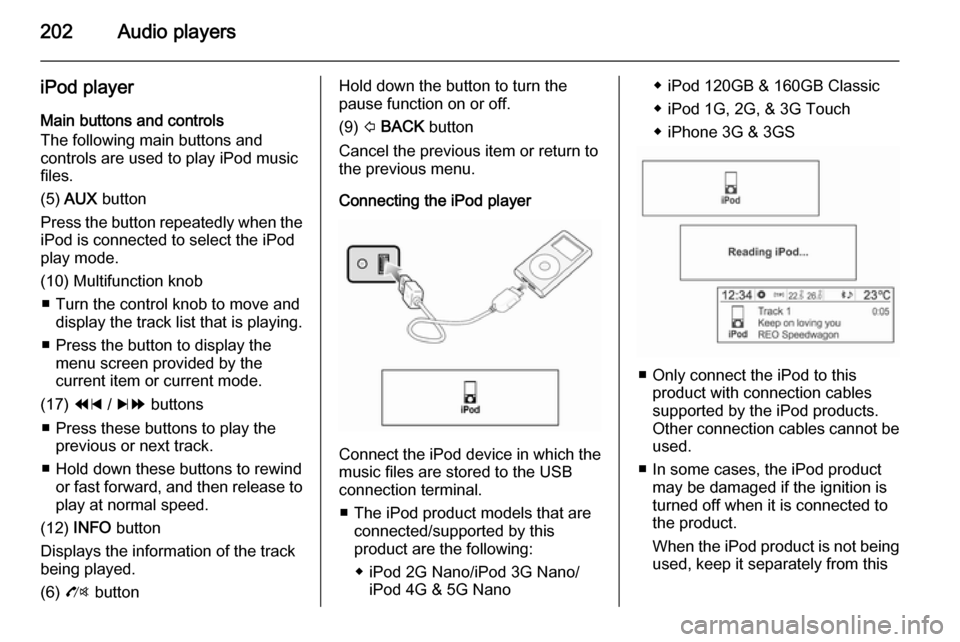
Connecting the iPod player
Connect the iPod device in which the
music files are stored to the USB
connection terminal.
■ The iPod product models that are connected/supported by this
product are the following:
◆ iPod 2G Nano/iPod 3G Nano/ iPod 4G & 5G Nano
◆ iPod 120GB & 160GB Classic
◆ iPod 1G, 2G, & 3G Touch
◆ iPhone 3G & 3GS
■ Only connect the iPod to this product with connection cablessupported by the iPod products.
Other connection cables cannot be
used.
■ In some cases, the iPod product may be damaged if the ignition is
turned off when it is connected to
the product.
When the iPod product is not being used, keep it separately from this
Page 203 of 221
Audio players203
product with the vehicle ignition
turned off.
■ Once the product finishes reading the information on the iPod device,
it will automatically play from track
1 or the previously played track.
■ If a non-readable iPod device is connected, then the relevant errormessage will appear and the
product will automatically switch to
the previously used function or the FM radio function.
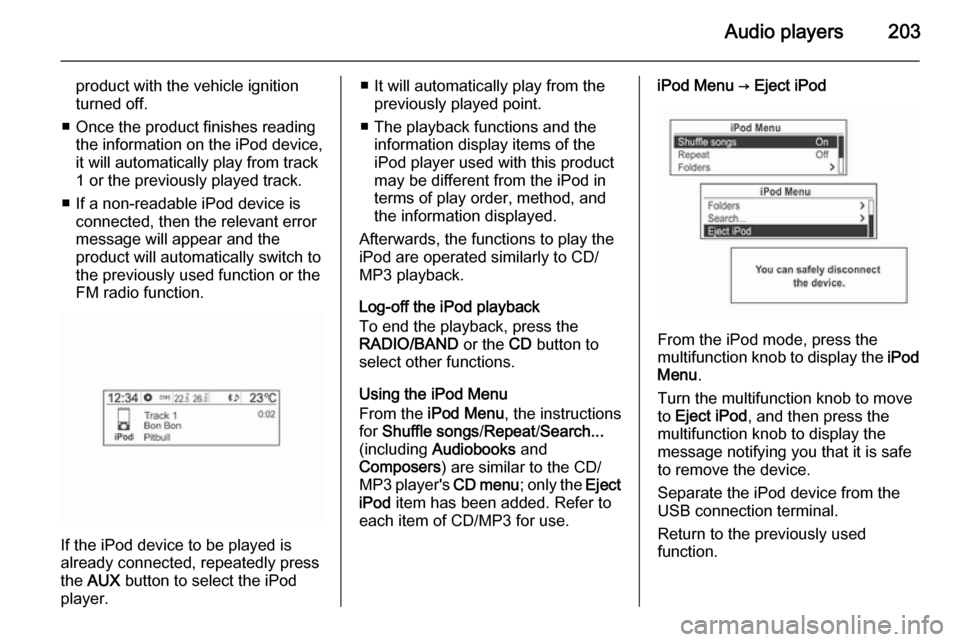
If the iPod device to be played is
already connected, repeatedly press
the AUX button to select the iPod
player.
■ It will automatically play from the previously played point.
■ The playback functions and the information display items of the
iPod player used with this product
may be different from the iPod in terms of play order, method, andthe information displayed.
Afterwards, the functions to play the
iPod are operated similarly to CD/
MP3 playback.
Log-off the iPod playback
To end the playback, press the
RADIO/BAND or the CD button to
select other functions.
Using the iPod Menu
From the iPod Menu , the instructions
for Shuffle songs /Repeat /Search...
(including Audiobooks and
Composers ) are similar to the CD/
MP3 player's CD menu; only the Eject
iPod item has been added. Refer to
each item of CD/MP3 for use.iPod Menu → Eject iPod
From the iPod mode, press the
multifunction knob to display the iPod
Menu .
Turn the multifunction knob to move
to Eject iPod , and then press the
multifunction knob to display the
message notifying you that it is safe
to remove the device.
Separate the iPod device from the
USB connection terminal.
Return to the previously used
function.
Page 204 of 221
204Audio players
Exterior sound (AUX) Input
Main buttons and controls
The following main buttons and
controls are used to enjoy the rich
sound of the Infotainment system from the sound output of a connected exterior sound device.
(5) AUX button
When an exterior sound device is
connected, press the button
repeatedly to select the exterior
sound input mode.
(2) m button with VOL control knob
Turn the control knob to adjust the
volume.
(6) O button
Hold down this button to turn the mute
function On or Off.Connecting an exterior sound
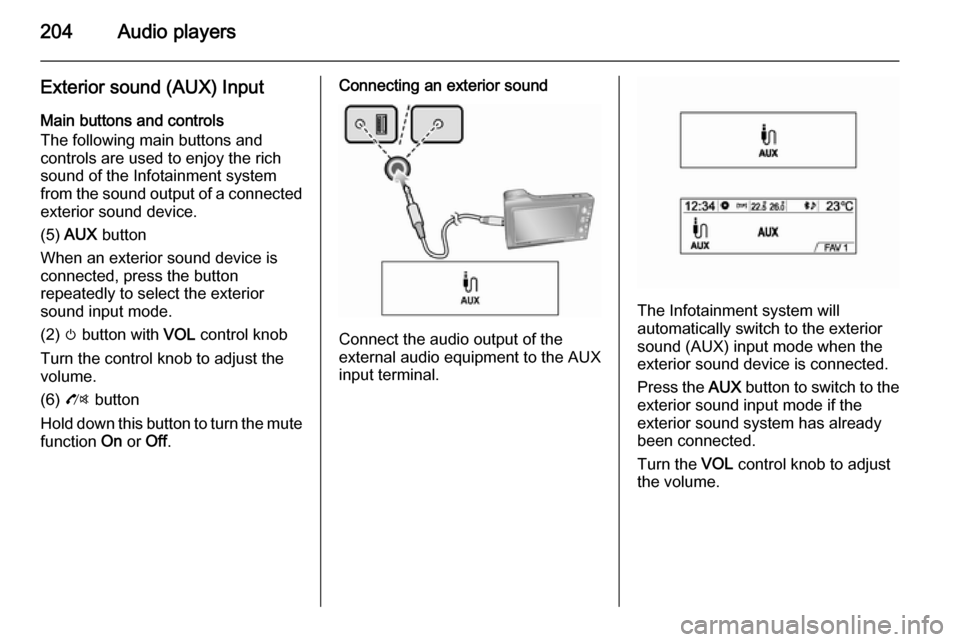
Connect the audio output of the
external audio equipment to the AUX
input terminal.
The Infotainment system will
automatically switch to the exterior
sound (AUX) input mode when the
exterior sound device is connected.
Press the AUX button to switch to the
exterior sound input mode if the
exterior sound system has already
been connected.
Turn the VOL control knob to adjust
the volume.
Page 205 of 221

Phone205PhoneBluetooth®................................. 205
Hands free phone ......................210Bluetooth®
Main buttons and controls
The following main buttons and
controls are used to play music files
or use the call functions via a
Bluetooth device.
(6) O button
Press this button to activate the
Bluetooth mode.
(5) AUX button
When a Bluetooth device with a music player function is connected, press
this button repeatedly to select
Bluetooth audio play mode.
(10) Multifunction knob ■ Press the button in Bluetooth phone mode to display the menuscreen.
■ Turn the control knob to move to the
menu or setup value.(17) 1 / 8 buttons
■ Press these buttons in Bluetooth audio play mode to play the
previous or next track.
■ Hold down these buttons to rewind or fast forward, and release to play
at normal speed.
Connecting Bluetooth Registering the Bluetooth device
Register the Bluetooth device to be
connected to the Infotainment system with the vehicle ignition turned off.
Firstly, set up the Bluetooth device to
be connected from Bluetooth
settings to enable other devices to
search for the Bluetooth device.
Page 208 of 221

208Phone
device to be connected, and try
again. If deleting the entire device
list does not work, then reinstall the battery and reconnect.
■ If there is a problem after the Bluetooth device has been
connected, use the multifunction
knob to carry out Settings →
Bluetooth settings → Restore
factory settings .
Initialise the device with the
problem caused by an error that occurred with the connection of the
Bluetooth device and the
Infotainment system.
■ Sometimes, Bluetooth can only be connected through handsfree or
the Bluetooth audio play functions
despite a stereo headset being
connected. In this case, try and
reconnect the Infotainment system
using the Bluetooth device.
■ For Bluetooth devices that do not support stereo headsets, the
Bluetooth audio play function
cannot be used.Bluetooth audio
How to play Bluetooth audio ■ A mobile phone or Bluetooth device
that supports A2DP (Advanced
Audio Distribution Profile) versions
over 1.2 must be registered and
connected to the product.
■ From the mobile phone or Bluetooth device, find the Bluetoothdevice type to set/connect the item
as a stereo headset.
A musical note icon n will appear at
the bottom right of the screen, if the stereo headset is successfully
connected.
■ Do not connect the mobile phone to
the Bluetooth connection terminal.
An error may occur if it is connected
during the CD/MP3 and Bluetooth
audio play mode.Playing Bluetooth audio
Press the AUX button repeatedly to
select the connected Bluetooth audio play mode.
If the Bluetooth device is not
connected, then this function cannot
be selected.
Activating the mobile phone or
Bluetooth device will play the music
files.