radio VAUXHALL MOKKA 2015 User Guide
[x] Cancel search | Manufacturer: VAUXHALL, Model Year: 2015, Model line: MOKKA, Model: VAUXHALL MOKKA 2015Pages: 223, PDF Size: 6.2 MB
Page 104 of 223
102Instruments and controls
Delayed door lock: Activates or
deactivates the delayed door
locking function.
■ Remote locking, unlocking, starting
Remote unlock feedback :
Activates or deactivates the hazard
warning flasher feedback whilst
unlocking.
Remote door unlock : Changes the
configuration to unlock only the
driver's door or the whole vehicle
whilst unlocking.
■ Restore factory settings :
Resets all settings to the default settings.
Settings in the Colour-Info-
Display
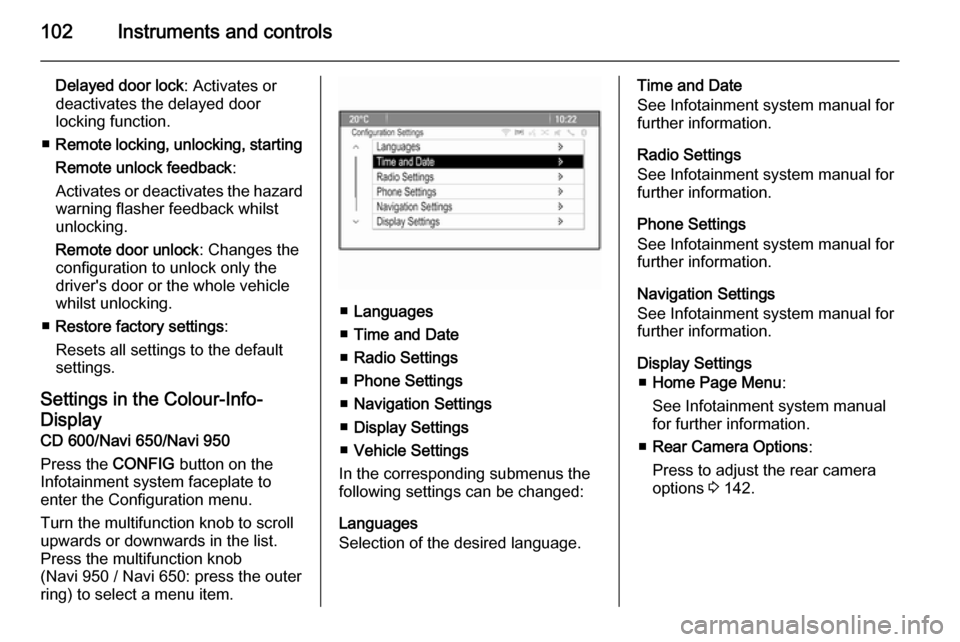
CD 600/Navi 650/Navi 950
Press the CONFIG button on the
Infotainment system faceplate to enter the Configuration menu.
Turn the multifunction knob to scroll
upwards or downwards in the list.
Press the multifunction knob
(Navi 950 / Navi 650: press the outer
ring) to select a menu item.
■ Languages
■ Time and Date
■ Radio Settings
■ Phone Settings
■ Navigation Settings
■ Display Settings
■ Vehicle Settings
In the corresponding submenus the
following settings can be changed:
Languages
Selection of the desired language.
Time and Date
See Infotainment system manual for further information.
Radio Settings
See Infotainment system manual for
further information.
Phone Settings
See Infotainment system manual for
further information.
Navigation Settings
See Infotainment system manual for
further information.
Display Settings ■ Home Page Menu :
See Infotainment system manual
for further information.
■ Rear Camera Options :
Press to adjust the rear camera
options 3 142.
Page 114 of 223
112LightingLighting featuresEntry lighting
Welcome lighting Following lights are switched on for a
short time by unlocking the vehicle
with the radio remote control:
■ low beam,
■ sidelights,
■ tail lights,
■ number plate lights,
■ instrument panel light,
■ interior lights.
This function works only in the dark
and facilitates locating the vehicle.
Activation or deactivation of this
function can be changed in the menu Settings in the Info-Display. Vehicle
personalisation 3 100.
The following lights will additionally
switch on when driver's door is
opened:
■ some switches,
■ some interior lights.Exit lighting
Low beam, sidelights and tail lights
illuminate the surrounding area for an adjustable time after leaving the
vehicle.
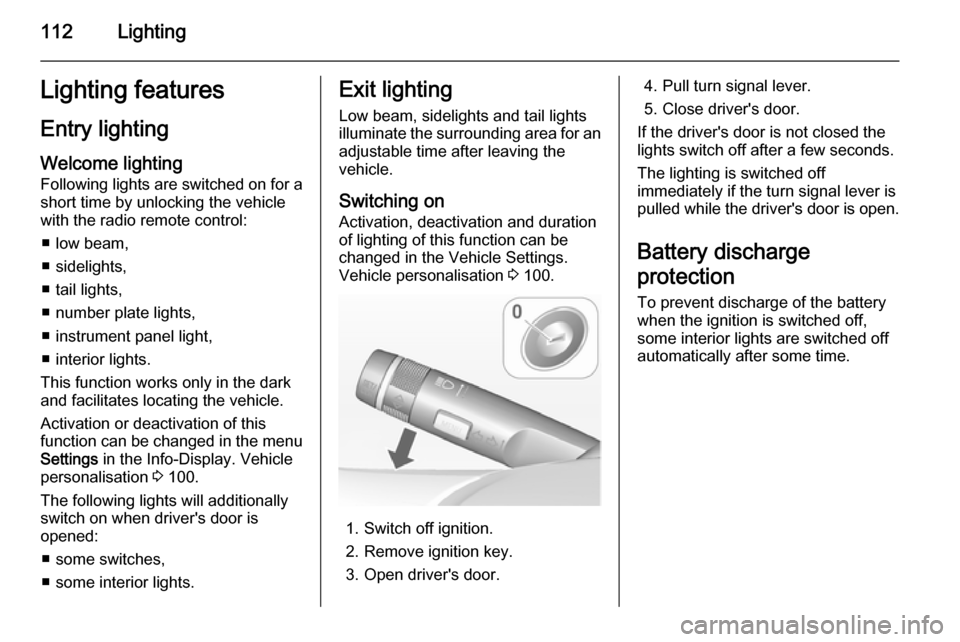
Switching on
Activation, deactivation and duration of lighting of this function can bechanged in the Vehicle Settings.
Vehicle personalisation 3 100.
1. Switch off ignition.
2. Remove ignition key.
3. Open driver's door.
4. Pull turn signal lever.
5. Close driver's door.
If the driver's door is not closed the
lights switch off after a few seconds.
The lighting is switched off
immediately if the turn signal lever is pulled while the driver's door is open.
Battery discharge
protection To prevent discharge of the batterywhen the ignition is switched off,
some interior lights are switched off
automatically after some time.
Page 181 of 223
Vehicle care179
If w illuminates at lower temperatures
and extinguishes after some driving,
this could be an indicator for getting
low pressure. Check tyre pressure.
Vehicle messages 3 95.
If the tyre pressure shall be reduced
or increased, switch off ignition.
Only mount wheels with pressure
sensors, otherwise the tyre pressure
will not be displayed and w
illuminates continuously.
A temporary spare wheel is not
equipped with pressure sensors. The
tyre pressure monitoring system is
not operational for these wheels.
Control indicator w illuminates. For
the further three wheels the system
remains operational.
The use of commercially available
liquid tyre repair kits can impair the
function of the system. Factory-
approved repair kits can be used.
External high-power radio equipment
could disrupt the tyre pressure
monitoring system.Each time the tyres are replaced tyre
pressure monitoring system sensors
must be dismounted and serviced. For the screwed sensor: replace
valve core and sealing ring. For
clipped sensor: replace complete
valve stem.
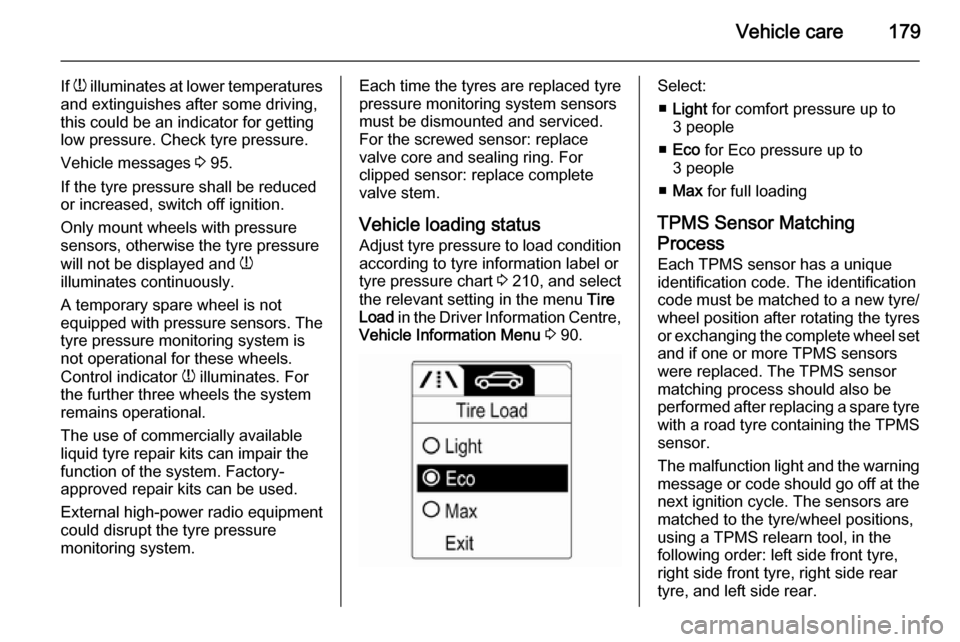
Vehicle loading status
Adjust tyre pressure to load condition according to tyre information label or
tyre pressure chart 3 210, and select
the relevant setting in the menu Tire
Load in the Driver Information Centre,
Vehicle Information Menu 3 90.Select:
■ Light for comfort pressure up to
3 people
■ Eco for Eco pressure up to
3 people
■ Max for full loading
TPMS Sensor Matching
Process
Each TPMS sensor has a unique
identification code. The identification
code must be matched to a new tyre/
wheel position after rotating the tyres
or exchanging the complete wheel set and if one or more TPMS sensors
were replaced. The TPMS sensor matching process should also be
performed after replacing a spare tyre
with a road tyre containing the TPMS
sensor.
The malfunction light and the warning
message or code should go off at the
next ignition cycle. The sensors are
matched to the tyre/wheel positions,
using a TPMS relearn tool, in the
following order: left side front tyre,
right side front tyre, right side rear
tyre, and left side rear.
Page 214 of 223

212Customer informationCustomer informationCustomer information................212
Vehicle data recording and pri‐ vacy ........................................... 214Customer information
Declaration of conformity Transmission systems
This vehicle has systems that
transmit and/or receive radio waves
subject to Directive 1999/5/EC.
These systems are in compliance with the essential requirements and
other relevant provisions of
Directive 1999/5/EC. Copies of the
original Declarations of Conformity
can be obtained on our website.
Page 217 of 223

Customer information215Radio Frequency
Identification (RFID)
RFID technology is used in some vehicles for functions such as tyre
pressure monitoring and ignition
system security. It is also used in
connection with conveniences such
as radio remote controls for door
locking/unlocking and starting, and in- vehicle transmitters for garage dooropeners. RFID technology in
Vauxhall vehicles does not use or
record personal information or link with any other Vauxhall system
containing personal information.
Page 221 of 223

219
RRadio Frequency Identification (RFID) ..................................... 215
Radio remote control ...................20
Reading lights ............................ 111
Rear carrier system ......................57
Rear floor storage cover ..............68
Rear fog light ....................... 89, 110
Rear view camera ...................... 142
Rear window wiper/washer .......... 75
Recommended fluids and lubricants ........................ 198, 202
Refuelling ................................... 150
Reversing lights .........................110
Ride control systems ..................133
Roof .............................................. 31
Roof load ...................................... 70
Roof rack ..................................... 70
S Seat adjustment ....................... 6, 35
Seat belt ........................................ 8
Seat belt reminder .......................84
Seat belts ..................................... 38
Seat position ................................ 34
Selector lever ............................. 127
Service ....................................... 119
Service display ............................ 81
Service information ....................197Service vehicle soon .................... 85
Side airbag system ......................45
Side turn signal lights ................169
Spare wheel ............................... 187
Speed limiter............................... 137
Speedometer ............................... 79
Starting and operating ................121
Starting off ................................... 16
Starting the engine ....................121
Steering ...................................... 120
Steering wheel adjustment ......9, 72
Steering wheel controls ...............72
Stop-start system........................ 122
Storage compartments .................54
Sunglasses storage .....................56
Sunroof ........................................ 31
Sunvisor lights ........................... 111
Sun visors .................................... 31
Symbols ......................................... 4
T
Tachometer ................................. 79
Tail lights ................................... 167
Three-point seat belt .................... 39
Tools .......................................... 175
Top-tether fastening eyes ............53
Tow bar....................................... 154
Towing ................................ 154, 191
Towing another vehicle .............192Towing hitch installation
dimensions ............................. 211
Towing the vehicle .....................191
Traction Control system ............. 133
Traction Control system off........... 87
Traffic sign assistant ...................144
Trailer towing ............................. 155
Transmission ............................... 16
Transmission display .................127
Tread depth ............................... 180
Trip computer .............................. 97
Trip odometer .............................. 79
Turn and lane-change signals ...109
Turn signal ................................... 84
Tyre chains ................................ 182
Tyre designations ......................176
Tyre pressure ............................ 177
Tyre pressure monitoring system ............................... 87, 177
Tyre pressures ........................... 210
Tyre repair kit ............................. 182
Tyres .......................................... 176
U Ultrasonic parking assist ...... 86, 140
Underseat storage .......................56
Upholstery .................................. 195
Upshift .......................................... 86
Using this manual ..........................3