lock VAUXHALL MOKKA 2015 Owner's Guide
[x] Cancel search | Manufacturer: VAUXHALL, Model Year: 2015, Model line: MOKKA, Model: VAUXHALL MOKKA 2015Pages: 223, PDF Size: 6.2 MB
Page 74 of 223
72Instruments and controlsInstruments and
controlsControls ....................................... 72
Warning lights, gauges and indi‐
cators ........................................... 79
Information displays .....................90
Vehicle messages ........................ 95
Trip computer ............................... 97
Vehicle personalisation ..............100Controls
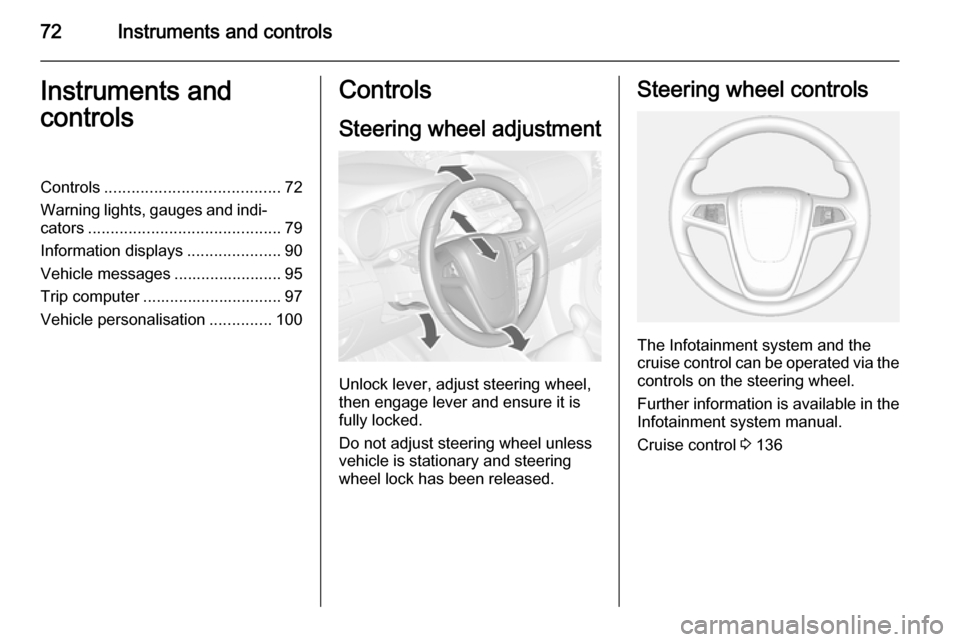
Steering wheel adjustment
Unlock lever, adjust steering wheel,
then engage lever and ensure it is fully locked.
Do not adjust steering wheel unless
vehicle is stationary and steering
wheel lock has been released.
Steering wheel controls
The Infotainment system and the
cruise control can be operated via the controls on the steering wheel.
Further information is available in the
Infotainment system manual.
Cruise control 3 136
Page 78 of 223
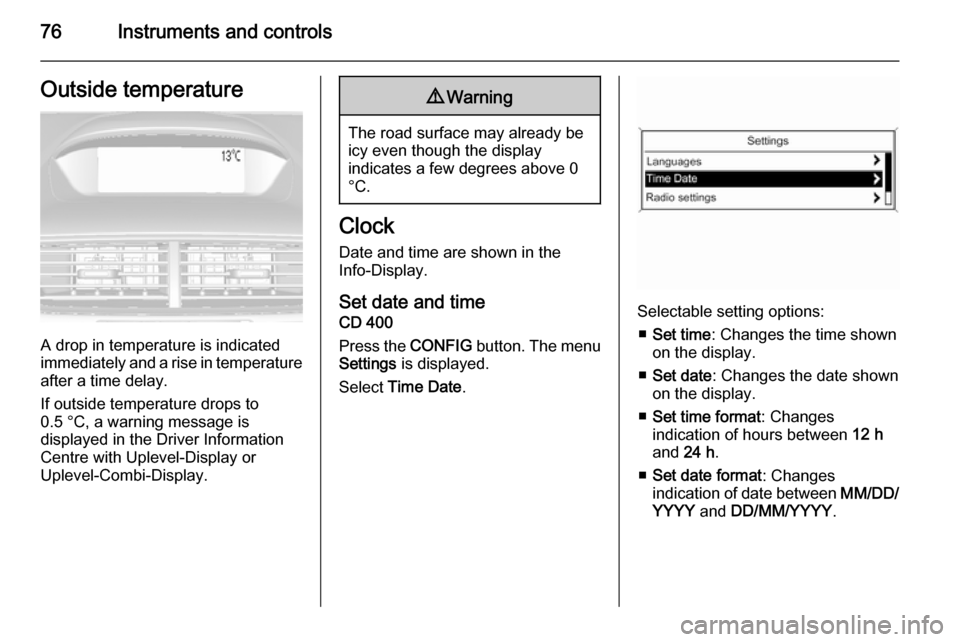
76Instruments and controlsOutside temperature
A drop in temperature is indicated
immediately and a rise in temperature
after a time delay.
If outside temperature drops to
0.5 °C, a warning message is
displayed in the Driver Information
Centre with Uplevel-Display or
Uplevel-Combi-Display.
9 Warning
The road surface may already be
icy even though the display
indicates a few degrees above 0
°C.
Clock
Date and time are shown in the
Info-Display.
Set date and time CD 400
Press the CONFIG button. The menu
Settings is displayed.
Select Time Date .
Selectable setting options:
■ Set time : Changes the time shown
on the display.
■ Set date : Changes the date shown
on the display.
■ Set time format : Changes
indication of hours between 12 h
and 24 h.
■ Set date format : Changes
indication of date between MM/DD/
YYYY and DD/MM/YYYY .
Page 79 of 223
Instruments and controls77
■Display clock : Switches on/off
indication of time on the display.
■ RDS clock synchronization : The
RDS signal of most VHF
transmitters automatically sets the
time. RDS time synchronisation
can take a few minutes. Some
transmitters do not send a correct
time signal. In such cases, it is
recommended to switch off
automatic time synchronisation.
Vehicle personalisation 3 100.
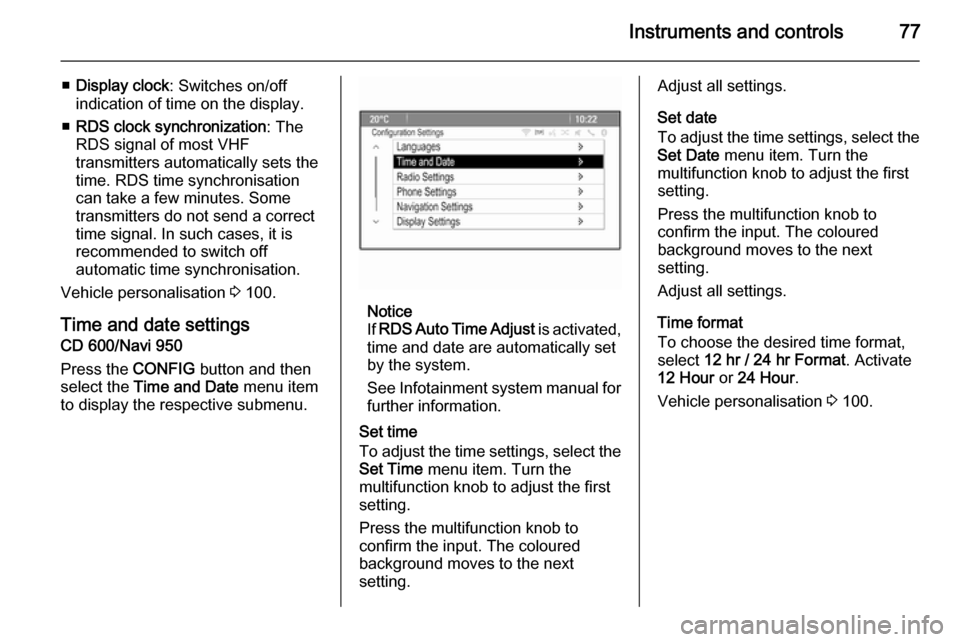
Time and date settings
CD 600/Navi 950
Press the CONFIG button and then
select the Time and Date menu item
to display the respective submenu.
Notice
If RDS Auto Time Adjust is activated,
time and date are automatically set
by the system.
See Infotainment system manual for further information.
Set time
To adjust the time settings, select the Set Time menu item. Turn the
multifunction knob to adjust the first
setting.
Press the multifunction knob to
confirm the input. The coloured
background moves to the next
setting.
Adjust all settings.
Set date
To adjust the time settings, select the
Set Date menu item. Turn the
multifunction knob to adjust the first
setting.
Press the multifunction knob to
confirm the input. The coloured
background moves to the next
setting.
Adjust all settings.
Time format
To choose the desired time format, select 12 hr / 24 hr Format . Activate
12 Hour or 24 Hour .
Vehicle personalisation 3 100.
Page 88 of 223

86Instruments and controls
Flashes
Clutch pedal must be depressed for a main start of the engine 3 16, 3 121.
Antilock brake system
(ABS) u illuminates yellow.
Illuminates for a few seconds after the ignition is switched on. The system is
ready for operation when the control
indicator extinguishes.
If the control indicator does not
extinguish after a few seconds, or if it illuminates while driving, there is a
fault in the ABS. The brake system
remains operational but without ABS
regulation.
Antilock brake system 3 131.
Upshift
[ illuminates green or is shown as a
symbol in the Driver Information
Centre with Uplevel-Display or
Uplevel-Combi-Display when
upshifting is recommended for fuel
saving reasons.ECO drive assistant 3 97.
Descent control system
u illuminates or flashes green.
Descent control system 3 135
Illuminates The system is ready for operation.
Flashes The system is activated.
Power steering c illuminates yellow.
It illuminates when the ignition is
switched on and extinguishes shortly
after the engine starts.
If the indicator does not extinguish
after a few seconds, or if it illuminates
while driving, there is a failure in the
power steering system.
Seek the assistance of a workshop.Lane departure warning
) illuminates green or yellow or
flashes yellow.
Illuminates green
System is switched on and ready to
operate.
Illuminates yellow
Failure in the system. Seek the
assistance of a workshop.
Flashes yellow
System recognises an unintended
lane change.
Ultrasonic parking assist
r illuminates yellow.
Fault in system
or
Fault due to sensors that are dirty or
covered by ice or snow
or
Page 90 of 223
88Instruments and controls
Flashes
Fault in system or tyre without
pressure sensor mounted (e.g. spare wheel). After 60-90 seconds the
control indicator illuminates
continuously. Consult a workshop.
Tyre pressure monitor system
3 177.
Engine oil pressure
I illuminates red.
Illuminates when the ignition is
switched on and extinguishes shortly
after the engine starts.
Illuminates when the engine isrunningCaution
Engine lubrication may be
interrupted. This may result in
damage to the engine and/or
locking of the drive wheels.
1. Depress clutch.
2. Select neutral gear, set selector lever to N.
3. Move out of the flow of traffic as quickly as possible without
impeding other vehicles.
4. Switch off ignition.9 Warning
When the engine is off,
considerably more force is needed
to brake and steer. During an
Autostop the brake servo unit will still be operational.
Do not remove key until vehicle is stationary, otherwise the steeringwheel lock could engage
unexpectedly.
Check oil level before seeking the
assistance of a workshop 3 158.
Low fuel
i illuminates or flashes yellow.
Illuminates
Level in fuel tank is too low.
Flashes
Fuel used up. Refuel immediately.
Never run the tank dry.
Catalytic converter 3 126.
Bleeding the diesel fuel system
3 163.
Immobiliser
d flashes yellow.
Fault in the immobiliser system. The
engine cannot be started.
Have the cause of the fault remedied by a repairer.
Exterior light8 illuminates green.
The exterior lights are on 3 104.
High beam
C illuminates blue.
Page 103 of 223

Instruments and controls101
Press the CONFIG button, when
ignition is on and Infotainment system is activated.
Setting menus is displayed.
To switch the setting menus, turn the
MENU knob.
To select the setting menus, press the
MENU button.
To close or back to previous, press the BACK button.
The following settings can be
selected:
■ Languages
■ Time Date
■ Radio settings
■ Bluetooth settings
■ Vehicle settings
In the corresponding submenus the
following settings can be changed:
Languages
Selection of the desired language.
Time Date
See Clock 3 76.Radio settings
See Infotainment system manual for further information.
Bluetooth settings
See Infotainment system manual for further information.
Vehicle settings ■ Climate and air quality
Auto fan speed : Modifies the fan
regulation. Changed setting will be
active after switching the ignition off
and on again.
Climate control mode : Activates or
deactivates cooling.
Auto demist : Supports windscreen
dehumidification by automatically
selecting the necessary settings
and auto air conditioning mode.
Auto rear demist : Automatic
activation of rear heated window.
■ Comfort settings
Chime volume : Changes the
volume of warning chimes.Personalization by driver : Activates
or deactivates the personalisation
function.
Rear auto wipe in reverse :
Activates or deactivates automatic
switching on of the rear window
wiper when reverse gear is
engaged.
■ Exterior ambient lighting
Exterior lighting by unlocking :
Activates or deactivates the entry lighting.
Duration upon exit of vehicle :
Activates or deactivates and
changes the duration of exit
lighting.
■ Power door locks
Auto door lock : Activates or
deactivates the automatic door
unlocking function after switching
off ignition. Activates or deactivates the automatic door locking function after driving-off.
Stop door lock if door open :
Activates or deactivates the
automatic door locking function
while a door is open.
Page 104 of 223
102Instruments and controls
Delayed door lock: Activates or
deactivates the delayed door
locking function.
■ Remote locking, unlocking, starting
Remote unlock feedback :
Activates or deactivates the hazard
warning flasher feedback whilst
unlocking.
Remote door unlock : Changes the
configuration to unlock only the
driver's door or the whole vehicle
whilst unlocking.
■ Restore factory settings :
Resets all settings to the default settings.
Settings in the Colour-Info-
Display
CD 600/Navi 650/Navi 950
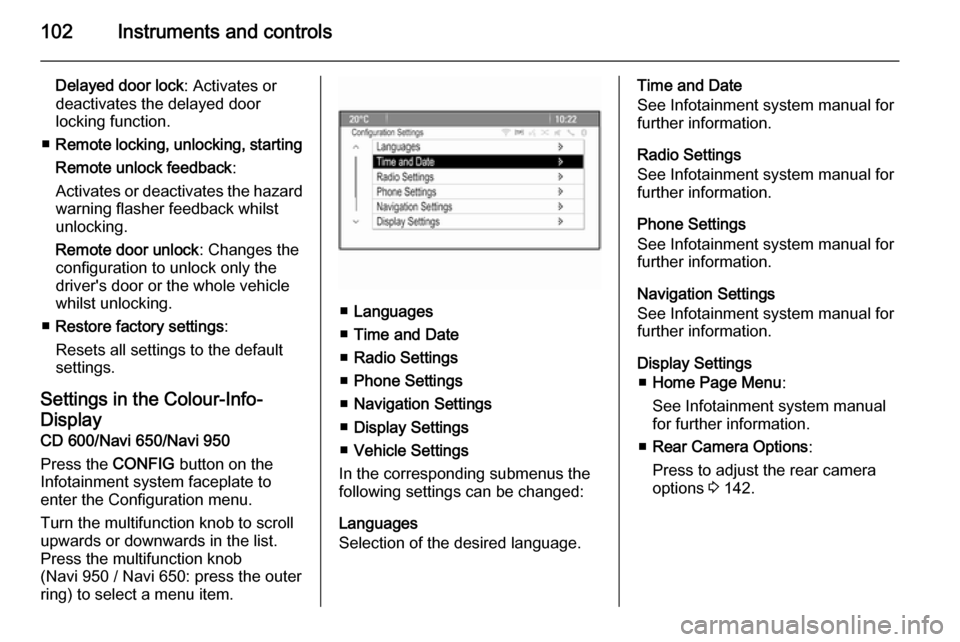
Press the CONFIG button on the
Infotainment system faceplate to enter the Configuration menu.
Turn the multifunction knob to scroll
upwards or downwards in the list.
Press the multifunction knob
(Navi 950 / Navi 650: press the outer
ring) to select a menu item.
■ Languages
■ Time and Date
■ Radio Settings
■ Phone Settings
■ Navigation Settings
■ Display Settings
■ Vehicle Settings
In the corresponding submenus the
following settings can be changed:
Languages
Selection of the desired language.
Time and Date
See Infotainment system manual for further information.
Radio Settings
See Infotainment system manual for
further information.
Phone Settings
See Infotainment system manual for
further information.
Navigation Settings
See Infotainment system manual for
further information.
Display Settings ■ Home Page Menu :
See Infotainment system manual
for further information.
■ Rear Camera Options :
Press to adjust the rear camera
options 3 142.
Page 105 of 223

Instruments and controls103
■Display Off :
See Infotainment system manual
for further information.
■ Map Settings :
See Infotainment system manual
for further information.
Vehicle Settings ■ Climate and Air Quality
Auto Fan Speed : Modifies the fan
regulation. Changed setting will be active after switching the ignition off
and on again.
Air Conditioning Mode : Activates or
deactivates cooling when switching
on the ignition or uses the last chosen setting.
Auto Demist : Activates or
deactivates auto demist.
Auto Rear Demist : Activates the
heated rear window automatically.
■ Comfort and Convenience
Chime Volume : Changes the
volume of warning chimes.Personalisation by Driver :
Activates or deactivates the
personalisation function.
Auto Reverse Gear Wiper :
Activates or deactivates
automatically switching on of the
rear window wiper when reverse gear is engaged.
■ Collision Detection Systems
Park Assist : Activates or
deactivates the ultrasonic sensors.
■ Lighting
Vehicle Locator Lights : Activates or
deactivates the entry lighting.
Exit Lighting : Activates or
deactivates and changes the
duration of exit lighting.
■ Power Door Locks
Open Door Anti Lock Out : Activates
or deactivates the automatic door
locking function while a door is open.
Auto Door Lock : Activates or
deactivates the automatic door
unlocking function after switching
off ignition. Activates or deactivatesthe automatic door locking function after driving-off.
Delay Door Lock : Activates or
deactivates the delayed door
locking function.
■ Remote Lock/Unlock/Start
Remote Lock Feedback : Activates
or deactivates the hazard warning light feedback whilst locking.
Remote Unlock Feedback :
Activates or deactivates the hazard
warning flasher feedback whilst
unlocking.
Remote Door Unlock : Changes the
configuration to unlock only the
driver's door or the entire vehicle
whilst unlocking.
Relock Remotely Unlocked Doors :
Activates or deactivates the automatic relock function after
unlocking without opening the
vehicle.
■ Return to Factory Settings? :
Resets all settings to the default settings.
Page 108 of 223
106Lighting
Vehicles with halogen headlight
system
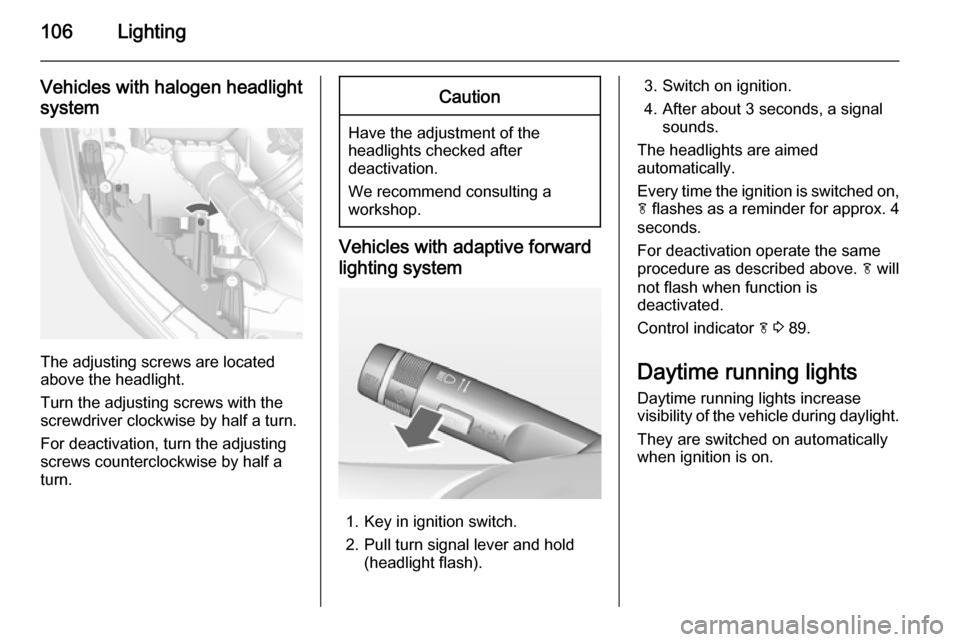
The adjusting screws are located
above the headlight.
Turn the adjusting screws with the
screwdriver clockwise by half a turn.
For deactivation, turn the adjusting
screws counterclockwise by half a
turn.
Caution
Have the adjustment of the
headlights checked after
deactivation.
We recommend consulting a
workshop.
Vehicles with adaptive forward
lighting system
1. Key in ignition switch.
2. Pull turn signal lever and hold (headlight flash).
3. Switch on ignition.
4. After about 3 seconds, a signal sounds.
The headlights are aimed
automatically.
Every time the ignition is switched on,
f flashes as a reminder for approx. 4
seconds.
For deactivation operate the same
procedure as described above. f will
not flash when function is
deactivated.
Control indicator f 3 89.
Daytime running lights
Daytime running lights increase
visibility of the vehicle during daylight.
They are switched on automatically
when ignition is on.
Page 114 of 223
112LightingLighting featuresEntry lighting
Welcome lighting Following lights are switched on for a
short time by unlocking the vehicle
with the radio remote control:
■ low beam,
■ sidelights,
■ tail lights,
■ number plate lights,
■ instrument panel light,
■ interior lights.
This function works only in the dark
and facilitates locating the vehicle.
Activation or deactivation of this
function can be changed in the menu Settings in the Info-Display. Vehicle
personalisation 3 100.
The following lights will additionally
switch on when driver's door is
opened:
■ some switches,
■ some interior lights.Exit lighting
Low beam, sidelights and tail lights
illuminate the surrounding area for an adjustable time after leaving the
vehicle.
Switching on
Activation, deactivation and duration of lighting of this function can bechanged in the Vehicle Settings.
Vehicle personalisation 3 100.
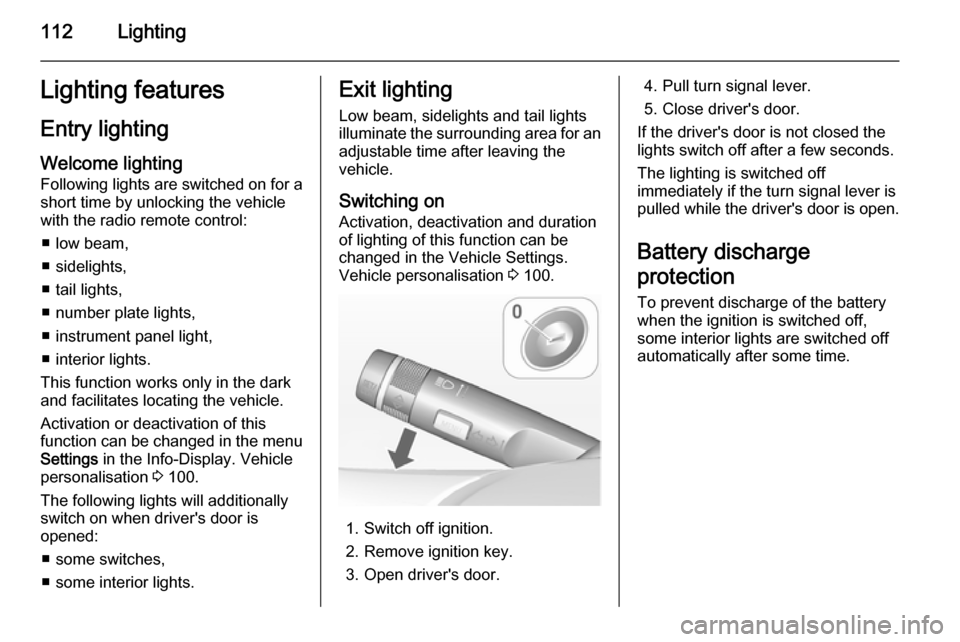
1. Switch off ignition.
2. Remove ignition key.
3. Open driver's door.
4. Pull turn signal lever.
5. Close driver's door.
If the driver's door is not closed the
lights switch off after a few seconds.
The lighting is switched off
immediately if the turn signal lever is pulled while the driver's door is open.
Battery discharge
protection To prevent discharge of the batterywhen the ignition is switched off,
some interior lights are switched off
automatically after some time.