display VAUXHALL MOVANO_B 2014 Owner's Guide
[x] Cancel search | Manufacturer: VAUXHALL, Model Year: 2014, Model line: MOVANO_B, Model: VAUXHALL MOVANO_B 2014Pages: 201, PDF Size: 4.74 MB
Page 104 of 201

102Climate control
Batteries do not belong in household
waste. They must be disposed of at
an appropriate recycling collection
point.
Remote control fault displayscobA=Poor signal –
adjust positionconP=No signal – move closerbALo=Battery low –
change batteryErr=System error –
consult workshopAdd,
AddE=System in learning
mode
Teach remote control
If the vehicle battery is reconnected, the LED in the instrument panel
button illuminates and the system
configures the remote control menu
automatically. If the LED flashes,
press OK button on remote control,
select Add or AddE and confirm.
Additional remote control units may
also be configured. Press the button
until LED flashes, switch on the
remote control, select Add and
confirm.
AddE teaches the current remote
control unit exclusively and blocks all
previously configured units. Add
teaches up to 4 remote control units,
but only one unit can operate the
system at any one time.
Operation
Heating Y
Select Y in the menu bar and confirm.
The predetermined heating duration,
e.g. L 30, flashes in the display. The
factory setting is 30 minutes.
To temporarily adjust the heating
duration, adjust with the q or r
button and confirm. The value can be
set from 10 to 120 minutes. Due to the power consumption, note the heatingduration.
To switch off, select Y in the menu bar
again and confirm.
Ventilation x
Select x in the menu bar and confirm.
The ventilation duration can be
accepted or adjusted. The duration
shown is accepted without
confirmation.To switch off, select x in the menu bar
again and confirm.
Programming P
Up to 3 preset departure times can be
programmed, either during one day or over one week.
■ Select P in the menu bar and
confirm
■ Select desired preset memory number 1, 2 or 3 and confirm
■ Select day and confirm
■ Select hour and confirm
■ Select minutes and confirm
■ Select Y or x and confirm
■ If necessary, adjust the runtime duration prior to departure andconfirm
The next preset memory number to
be activated is underlined and the
weekday is displayed. Repeat the
procedure to programme the other
preset memory numbers.
Pressing button X during the
procedure will exit without storing programme adjustments.
Page 105 of 201
Climate control103
To delete a preset departure time,
follow the steps for programming until
heating symbol Y flashes. Press
button q or r until oFF appears in
the display and confirm.
Heating stops automatically
5 minutes after the programmed departure time.
Notice
The remote control system features
a temperature sensor which
calculates the runtime according to
the ambient temperature and the
desired heating level (ECO or
HIGH). The system starts
automatically between 5 and
60 minutes prior to the programmed
departure time.
Set weekday, time and heating
duration Ö
If the vehicle battery is disconnected
or its voltage is too low, the unit will
need to be reset.
■ Select Ö and confirm
■ Select weekday and confirm
■ Change hours and confirm■ Change minutes and confirm
■ Change the default heating duration and confirm
Heating level Y
The preferred heating level for
programmed departure times can be set to either ECO or HIGH.
Select Y and confirm. ECO or HIGH
flashes in the display. Adjust using the q or r button and confirm.Air vents
Adjustable air vents
At least one air vent must be open
while cooling is on in order to prevent
the evaporator from icing up due to lack of air movement.
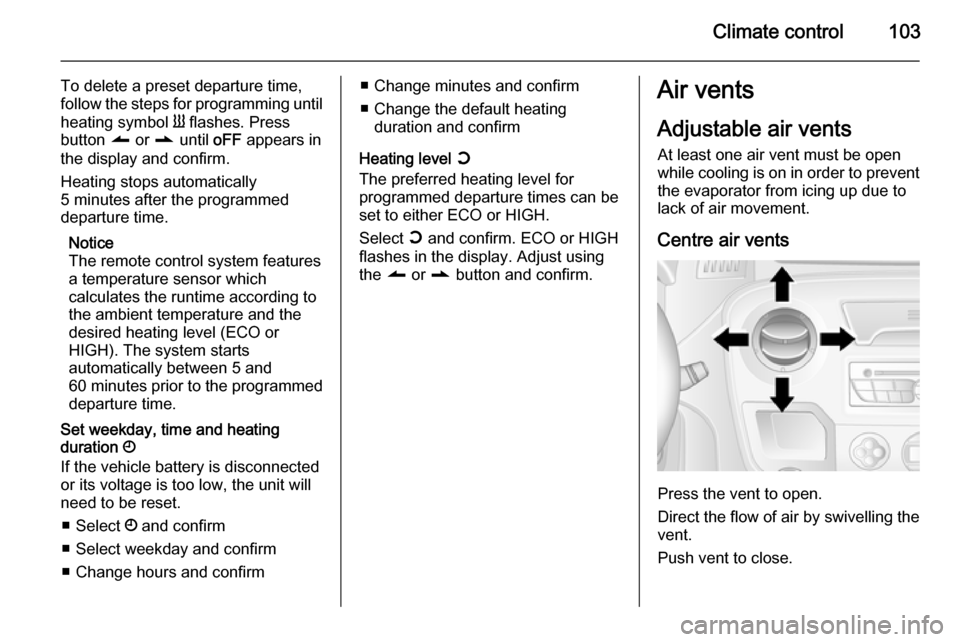
Centre air vents
Press the vent to open.
Direct the flow of air by swivelling the vent.
Push vent to close.
Page 116 of 201
114Driving and operatingCaution
It is inadvisable to drive with hand
resting on the selector lever.
Manual transmission
automated
The manual transmission automated (MTA) permits manual (manual
mode) or automatic gear shifting
(automatic mode), both with
automatic clutch control.
Transmission display
Shows the mode and current gear.
Starting the engine Depress the foot brake when starting
the engine. If the foot brake is not
depressed, T illuminates in the
transmission display and the engine
cannot be started.
When the foot brake is depressed, the
transmission automatically shifts to
N (neutral); "N" appears in the
transmission display and the engine
can be started. There may be a slight delay.
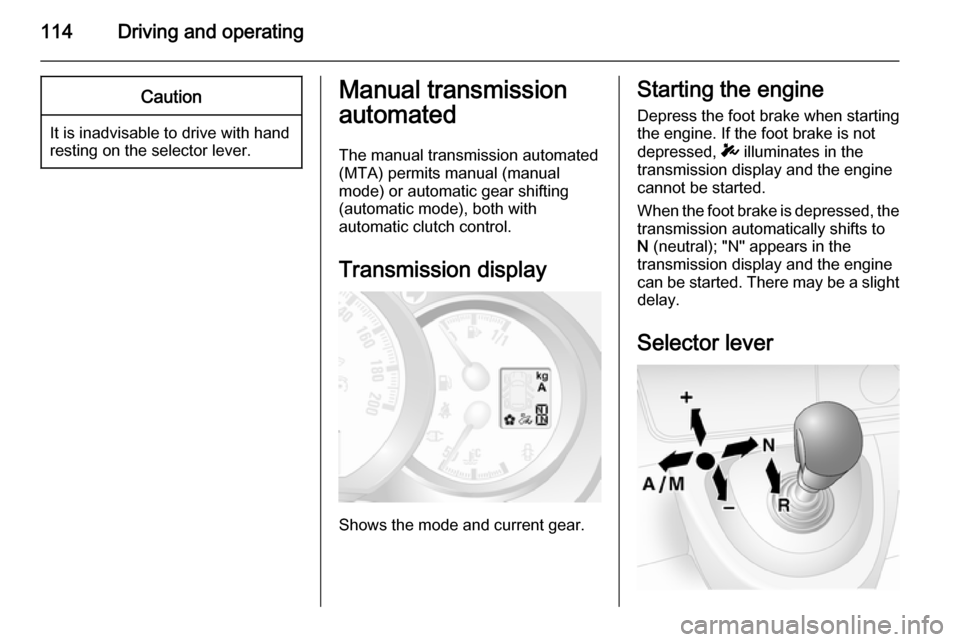
Selector lever
Page 117 of 201

Driving and operating115
Always move the selector lever in the
appropriate direction as far as it will
go.Upon release, it automatically
returns to the centre position.N=Neutral.A/
M=Switch between automatic
and manual mode.
The transmission display
shows "A" when in automatic mode.R=Reverse gear.
Engage only when vehicle is
stationary.The transmission
display shows "R" when
reverse gear is engaged.+=Shift to a higher gear.-=Shift to a lower gear.
Starting off
When the engine is started, the
transmission is in automatic
mode.Depress the foot brake and
move the selector lever towards + to
engage first gear.
If R is selected, reverse gear is
engaged.The vehicle starts to move
when the foot brake is released.To
start off quickly, release the foot brake and accelerate immediately after
engaging a gear.
In automatic mode the transmission
shifts to other gears automatically,
dependent on driving conditions.
To engage manual mode, move the
selector lever towards A/M. The
current gear will appear in the
transmission display.
To engage first gear, depress foot
brake and move selector lever
towards + or -. Shift to a higher or
lower gear by moving selector lever to
+ or -. Gears can be skipped by
moving the selector lever repeatedly
at short intervals.
Stopping the vehicle
In automatic or manual mode,
first gear is engaged and the clutch is
released when the vehicle is
stopped.In R, reverse gear remains
engaged.
When stopping on gradients, engage parking brake or depress the foot
brake.To prevent overheating of the
clutch, an intermittent audiblewarning may sound as a signal to
depress the foot brake or apply the
parking brake.
Switch off engine if stopping for a
lengthy period, e.g. in traffic jams.
When the vehicle is parked and the
driver's door is opened, a warning
chime will sound if neutral is not
selected or the foot brake has not
been depressed.
Engine braking
Automatic mode
When driving downhill, the manual transmission automated does not
shift into higher gears until a fairly
high engine speed has been
reached.It shifts down in good time
when braking.
Manual mode
To utilise the engine braking effect,
select a lower gear in good time when
driving downhill.
Page 118 of 201
116Driving and operating
Rocking the vehicleRocking the vehicle is only
permissible if the vehicle is stuck in
sand, mud, snow or a hole.Move the
selector lever between R and A/M (or
between + and -) in a repeat pattern,
while applying light pressure to the
accelerator pedal.Do not race the
engine and avoid sudden
acceleration.
Parking
Apply the parking brake.The most recently engaged gear (see
transmission display) remains
engaged.With N, no gear is engaged.
When the ignition is switched off, the
transmission no longer responds to
movement of the selector lever.
If the ignition is not switched off, or the
parking brake has not been applied, a warning chime will sound upon
opening the driver's door.
Manual mode If a higher gear is selected when the
engine speed is too low, or a lower
gear when the speed is too high, theshift is not executed. This prevents
the engine from running at too low or
too high an engine speed.
If engine speed is too low, the
transmission automatically shifts to a
lower gear.
If engine speed is too high, the
transmission only switches to a higher gear via kickdown.
Electronic driving
programmes
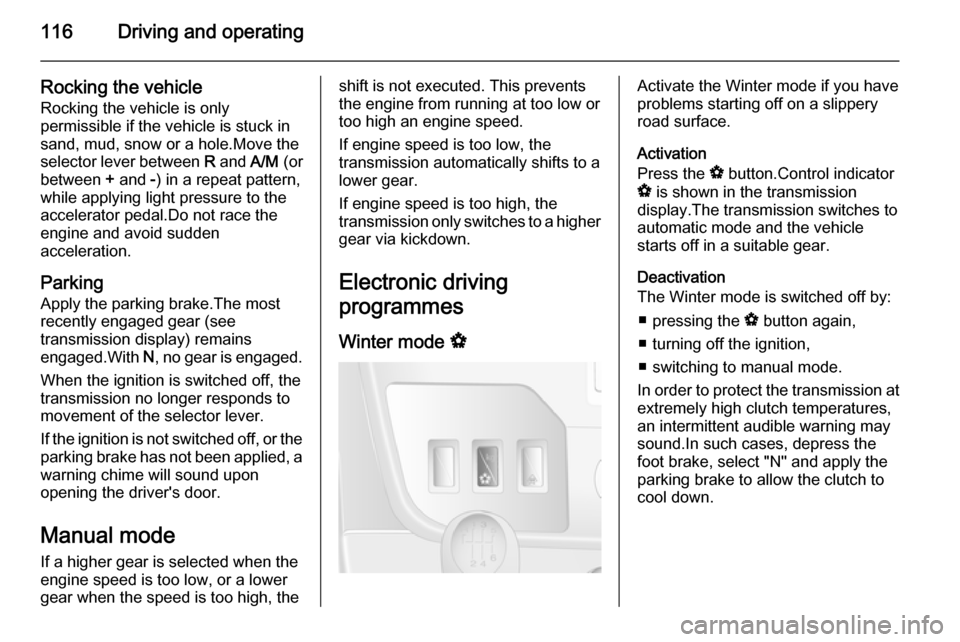
Winter mode VActivate the Winter mode if you have
problems starting off on a slippery
road surface.
Activation
Press the V button.Control indicator
V is shown in the transmission
display.The transmission switches to
automatic mode and the vehicle
starts off in a suitable gear.
Deactivation
The Winter mode is switched off by:
■ pressing the V button again,
■ turning off the ignition,
■ switching to manual mode.
In order to protect the transmission at extremely high clutch temperatures,
an intermittent audible warning may
sound.In such cases, depress the
foot brake, select "N" and apply the
parking brake to allow the clutch to
cool down.
Page 119 of 201
Driving and operating117
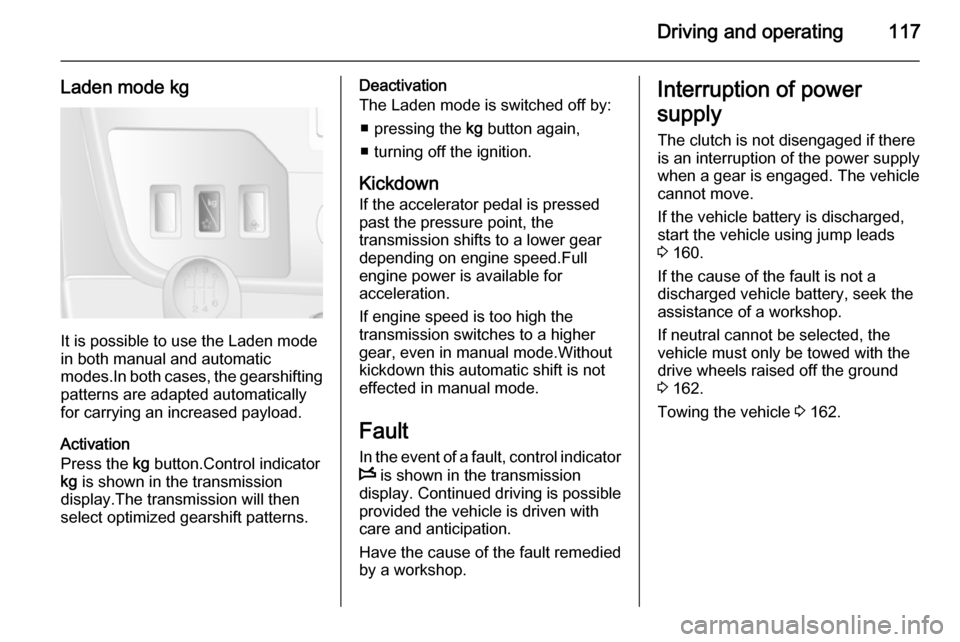
Laden mode kg
It is possible to use the Laden mode
in both manual and automatic
modes.In both cases, the gearshifting
patterns are adapted automatically
for carrying an increased payload.
Activation
Press the kg button.Control indicator
kg is shown in the transmission
display.The transmission will then
select optimized gearshift patterns.
Deactivation
The Laden mode is switched off by:
■ pressing the kg button again,
■ turning off the ignition.
Kickdown If the accelerator pedal is pressedpast the pressure point, the
transmission shifts to a lower gear
depending on engine speed.Full
engine power is available for
acceleration.
If engine speed is too high the
transmission switches to a higher
gear, even in manual mode.Without
kickdown this automatic shift is not
effected in manual mode.
Fault In the event of a fault, control indicator
W is shown in the transmission
display. Continued driving is possible
provided the vehicle is driven with
care and anticipation.
Have the cause of the fault remedied
by a workshop.Interruption of power
supply The clutch is not disengaged if there
is an interruption of the power supply
when a gear is engaged. The vehicle
cannot move.
If the vehicle battery is discharged,
start the vehicle using jump leads
3 160.
If the cause of the fault is not a discharged vehicle battery, seek the
assistance of a workshop.
If neutral cannot be selected, the
vehicle must only be towed with the drive wheels raised off the ground
3 162.
Towing the vehicle 3 162.
Page 128 of 201
126Driving and operating
FaultIf the system detects an operatingfault, a continuous acoustic alarm will sound for approx. 5 seconds when
selecting reverse gear. Consult a
workshop to have the cause of the
fault remedied.Caution
When reversing, the area should
be free from obstacles which could impact on the underside of the
vehicle.
Impact to the rear axle, which may
not be visible, could lead to
uncharacteristic changes in the
vehicle handling. In the event of
such an impact, consult a
workshop.
Rear view camera
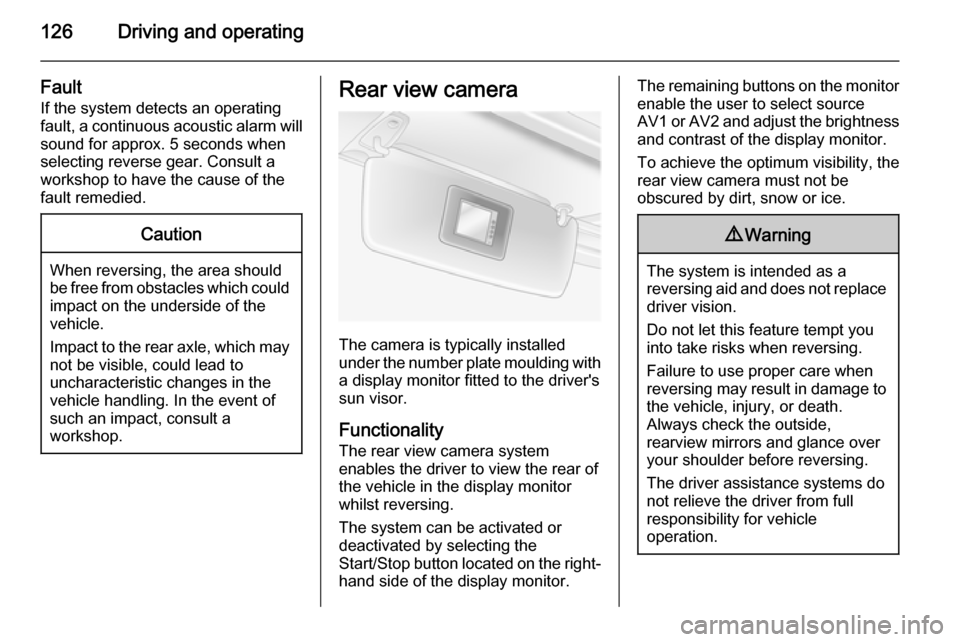
The camera is typically installed
under the number plate moulding with a display monitor fitted to the driver's
sun visor.
Functionality
The rear view camera system
enables the driver to view the rear of
the vehicle in the display monitor
whilst reversing.
The system can be activated or
deactivated by selecting the
Start/Stop button located on the right-
hand side of the display monitor.
The remaining buttons on the monitor enable the user to select source
AV1 or AV2 and adjust the brightness
and contrast of the display monitor.
To achieve the optimum visibility, the
rear view camera must not be
obscured by dirt, snow or ice.9 Warning
The system is intended as a
reversing aid and does not replace
driver vision.
Do not let this feature tempt you
into take risks when reversing.
Failure to use proper care when
reversing may result in damage to
the vehicle, injury, or death.
Always check the outside,
rearview mirrors and glance over
your shoulder before reversing.
The driver assistance systems do not relieve the driver from full
responsibility for vehicle
operation.
Page 152 of 201
150Vehicle care
SymbolCircuitZInfotainment system, seat
heating, vehicle display
screen, audio connections,
alarm?Power outletÌCigarette lightereInstrument panelUCentral lockingOTurn signals, rear fog lights, body control moduleDIAGDiagnostic connectoruABS, Electronic stability
programdInterior lights, brake lightsZBody control moduleSTOPBrake lightIBody control module, power windows, air conditioningmLeft heated rear windowSymbolCircuitnRight heated rear windowRWindscreen washerMElectronic immobiliserUHeated seatsFBLCornering lightlHands-free connection&TachographPTOPower take-offjHornÍPreheating, diesel fuel filterxClimate control fanADPAdditional adaptations,Power windows, body
control moduleVehicle tools
Tools
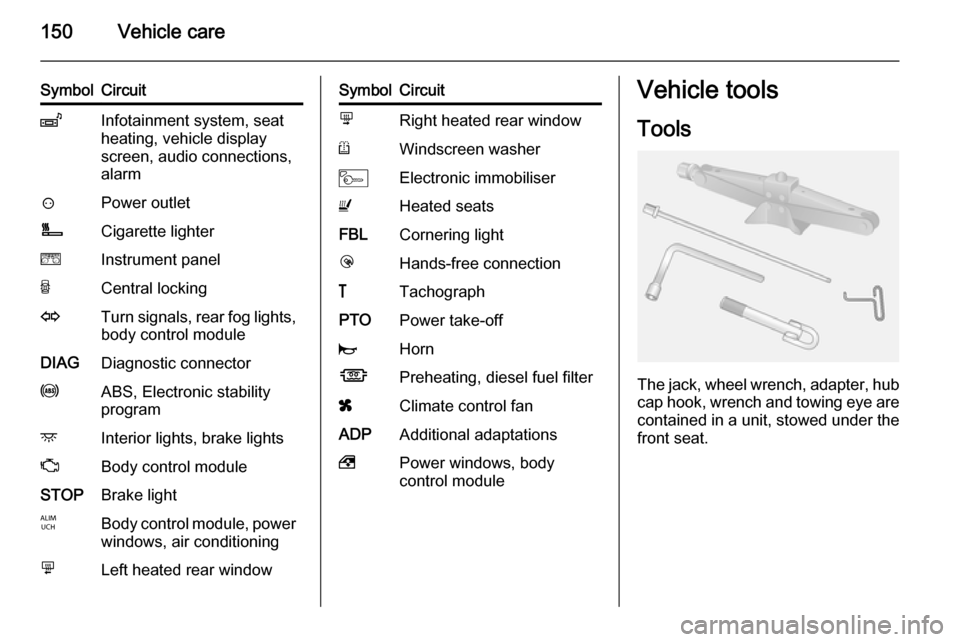
The jack, wheel wrench, adapter, hubcap hook, wrench and towing eye are
contained in a unit, stowed under the front seat.
Page 167 of 201

Vehicle care165
Windows and windscreen wiperblades
Use a soft lint-free cloth or chamois
leather together with window cleaner
and insect remover.
When cleaning the rear window from
inside, always wipe in parallel to the
heating element to prevent damage.
For mechanical removal of ice, use a
sharp-edged ice scraper. Press the
scraper firmly against the glass so
that no dirt can get under it and
scratch the glass.
Clean smearing wiper blades with a
soft cloth and window cleaner.
Wheels and tyres
Do not use high-pressure jet
cleaners.
Clean rims with a pH-neutral wheel
cleaner.
Rims are painted and can be treated
with the same agents as the body.Paintwork damage
Rectify minor paintwork damage with
a touch-up pen before rust forms.
Have more extensive damage or rust areas repaired by a workshop.
Underbody Some areas of the vehicle underbody
have a PVC undercoating while other
critical areas have a durable
protective wax coating.
After the underbody is washed, check the underbody and have it waxed if
necessary.
Bitumen/rubber materials could
damage the PVC coating. Have
underbody work carried out by a
workshop.
Before and after winter, wash the
underbody and have the protective
wax coating checked.
Towing equipment Do not clean the coupling ball bar with
a steam-jet or high-pressure jet
cleaner.Interior care
Interior and upholsteryOnly clean the vehicle interior,
including the instrument panel fascia
and panelling, with a dry cloth or
interior cleaner.
Clean leather upholstery with clear
water and a soft cloth. In case of
heavy soiling, use leather care.
The instrument cluster and the
displays should only be cleaned using
a soft damp cloth. If necessary use a
weak soap solution.
Clean fabric upholstery with a
vacuum cleaner and brush. Remove
stains with an upholstery cleaner.
Clothing fabrics may not be
colourfast. This could cause visible
discolourations, especially on light- coloured upholstery. Removable
stains and discolourations should be
cleaned as soon as possible.
Clean seat belts with lukewarm water or interior cleaner.
Page 169 of 201

Service and maintenance167Service and
maintenanceGeneral information ...................167
Recommended fluids, lubricants and parts .................................... 168General information
Service information In order to ensure economical and
safe vehicle operation and to
maintain the value of your vehicle, it
is of vital importance that all
maintenance work is carried out at the proper intervals as specified.
The detailed, up-to-date service
schedule for the vehicle is available at
the workshop.
Service display 3 75.
Engine identification 3 171.
Service intervals - except Bus Maintenance of your vehicle is
required every 25,000 miles or after
2 years, whichever occurs first,
unless otherwise indicated by the
service display.
Service intervals - Bus only
Maintenance of your vehicle is
required every 20,000 miles or after
2 years, whichever occurs first,
unless otherwise indicated by the
service display.Confirmations
Confirmation of service is recorded in the Service and Warranty Booklet.The date and mileage is completed
with the stamp and signature of the
servicing workshop.
Make sure that the Service and
Warranty Booklet is completed
correctly as continuous proof of
service is essential if any warranty or
goodwill claims are to be met, and is
also a benefit when selling the
vehicle.
Service display
The service interval is based on
several parameters depending on
usage.
The service display, located in the
Driver Information Centre, indicates
when the next service is due. Seek
the assistance of a workshop.
Service display 3 75.
Engine oil lever monitor 3 74.