AUX VAUXHALL MOVANO_B 2015.5 Infotainment system
[x] Cancel search | Manufacturer: VAUXHALL, Model Year: 2015.5, Model line: MOVANO_B, Model: VAUXHALL MOVANO_B 2015.5Pages: 139, PDF Size: 1.84 MB
Page 25 of 139

Introduction25
■G Vehicle
Press to open Driving Eco 2
, Care
(e.g. outside air quality), On-board
computer and Settings menus.
Refer to (NAVI 80) "Modes of
operation" below.
■ @ Services
Press to open Store, Navigation
services, Applications and Settings
menus.
Refer to (NAVI 80) "Modes of
operation" below.
■ t System
Refer to (NAVI 80) "System
settings" 3 34.
■ i: Move to previous page
■ j: Move to next page
■ <: Open pop-up menu
■ r : Return to previous menuThe display screen can also be
operated using the following controls on the Infotainment system fascia:
■ ; : Home page
■ R: Display lists; Scroll up
Map; Change scale
■ Central button: Enter menus, confirm actions
■ S: Display lists; Scroll down
Map; Change scale
Notice
Depending on vehicle, operation of
the touchscreen may be restricted
during driving.
Modes of operation
RADIO
To change the audio source to radio:
Depending on Infotainment system,
press the RADIO, RADIO/CD or
AUDIO/SOURCE button.NAVI 50
To access the radio menu at any time, press the Home button ; followed by
RADIO on the display screen.NAVI 80
To access the radio menu from the
Home page, press MENU then
Multimedia followed by Radio on the
display screen
Detailed description of the radio
functions 3 39.
AUDIO PLAYERS
To change the audio source to CD,
USB , AUX , Bluetooth or iPod (where
applicable): Depending on
Infotainment system, press the
MEDIA , RADIO/CD or
AUDIO/SOURCE button.
NAVI 50 : To access the menu for
auxiliary devices ( USB, iPod , BT
(Bluetooth), AUX) at any time, press
the Home button ; followed by
MEDIA on the display screen. Press
S in top left corner and select
auxiliary source.
NAVI 80 : To access the menu for
auxiliary devices (USB, SD card, AUX
input, Audio CD, Bluetooth) from the
Home page, press MENU then
Page 26 of 139

26Introduction
Multimedia followed by Media on the
display screen. Select auxiliary
source from the display list.R15 BT USB, R16 BT USB
Detailed descriptions of:
■ AUX input functions 3 54
■ USB port functions 3 56
■ Bluetooth music operation 3 60CD16 BT USB, CD18 BT USB
Detailed descriptions of:
■ CD player functions 3 51
■ AUX input functions 3 54
■ USB port functions 3 56
■ Bluetooth music operation 3 60CD35 BT USB
Detailed descriptions of:
■ CD player functions 3 51
■ AUX input functions 3 54
■ USB port functions 3 56
■ Bluetooth music operation 3 60NAVI 50
Detailed descriptions of:
■ AUX input functions 3 54
■ USB port functions 3 56
■ Bluetooth music operation 3 60NAVI 80
Detailed descriptions of:
■ AUX input functions 3 54
■ USB port functions 3 56
■ Bluetooth music operation 3 60
NAVIGATION, MAP
(CD35 BT USB NAVI, NAVI 50,
NAVI 80)
Detailed description of the Navigation system 3 69, Browse map 3 98.
PHONE
Use the display options in the
following menus to connect mobile
phones, make telephone calls, create
contacts lists and adjust various
settings.
Detailed description of the handsfree
phone system functions 3 113.
R15 BT USB, R16 BT USB,
CD16 BT USB, CD18 BT USB -
Phone
To access the Phone menu: Press
the 6 or TEL button.
To access the phone settings menu: Press the TEL button and select
Phone settings .CD35 BT USB - Phone
To access the Phone menu: Press
the 6 or TEL button.
To access the phone settings menu:
Press the SETUP / TEXT button and
select Phone settings .NAVI 50 - Phone
To access the Phone menu at any
time: Press the Home button ;
followed by PHONE on the display
screen.NAVI 80 - Phone
To access the Phone menu from the
Home page, press MENU followed by
Phone on the display screen.
Page 29 of 139

Introduction29
The following options are displayed:■ Selection : Displays a list of
applications.
■ Top apps : Sorts applications by
order of popularity.
■ Categories : Displays applications
by theme, e.g. entertainment,
maps.
■ < (pop-up menu):
◆ Search : Search using key words.
◆ Update : Search for updates to
applications, services and
downloaded content.
◆ My products : Summary of
applications, services and
downloaded content and their
expiry dates.
◆ Legal information : Displays the
legal information regarding the Store.
When new content is selected for
download, press Purchase to choose
the type of payment; select credit card or debit card. Tick the box to accept
the conditions of sale, then continue
with payment.Enter a valid email address, then
press OK to confirm.
Notice
Invoices are sent to the entered
email address, with (if necessary)
the install instructions and user
information for the applications,
services or other downloaded
content.
Enter the payment card details. Press
Done to confirm and the download
begins immediately. When the
application is downloaded, its icon is
displayed in the Services menu.
Notice
Download time can vary depending
on size of application and network
reception quality.
Payment card details and email
addresses are automatically saved.
Saved payment cards can be
selected via Pay with a card already
saved in the memory when making
future purchases.
To delete payment cards, press ë
alongside the required payment card. To delete email addresses, select theicon alongside the email line to open
a list of email addresses and press
ë alongside the required email
address.Navigation services
In addition to the free navigation
services ( e.g. traffic information, fixed
speed cameras), extra features can
be added by subscribing to paid LIVE services.
Refer to (NAVI 80) "LIVE services" in
the "Navigation" section 3 73.Settings
The following menus are displayed:
■ Applications manager
Select to delete application data,
uninstall applications and view the
"about", "system usage" and
"confidentiality" information.
To delete content, select the
application then press < followed
by Delete application or Delete
application data .
■ Connectivity manager
Select to manage Bluetooth
auxiliary devices.
Page 47 of 139

Radio47
NAVI 50 - RDS functionsConfiguring RDS
Press Options on the display screen.
The following settings can be changed:
■ RDS (On/Off)
Switch off if not required.
■ TA (On/Off)
See below.
■ Region (On/Off)
See below.
■ News (On/Off)
See below.
■ AM (On/Off)
Switch off if not required.
■ Update list (On/Off)
Refer to (NAVI 50) "Autostore lists"
3 44.TA (Traffic announcements)
If TA is switched on:
■ Traffic announcements from certain FM radio stations are
broadcast automatically.
■ FM radio and auxiliary audio source
playback is interrupted for the
duration of the traffic
announcement.Region
If Region is switched on:
The frequency of certain FM radio
stations may change depending on
the geographical area.
Poor reception can sometimes cause erratic and unwelcome changes in
frequency. Switch off Region if
necessary.News
If News is switched on:
■ News announcements from certain
FM radio stations are broadcast
automatically.
■ FM radio and auxiliary audio source
playback is interrupted for the
duration of the traffic
announcement.Text information (Radio text)
Certain FM radio stations issue text information relating to the broadcast
program (e.g. song name).
NAVI 80 - RDS functions
Configuring RDS
To access the Radio settings menu
from the Home page, press MENU
then Multimedia , followed by
Settings then Radio on the display
screen.
Press < to open a pop-up menu, and
access the 'Radio settings' option.
The following radio settings can be
updated:
■ Switch searching for alternative frequencies (AF) on/off
■ Switch I-Traffic on/off
■ Switch programme type on/off
■ Update list of saved radio stationsAlternative Frequency (AF)
Switch on the RDS-AF function to
always tune into the best receivable
broadcasting frequency of the chosen station
Page 54 of 139
54AUX inputAUX inputGeneral information.....................54
Usage .......................................... 54General information
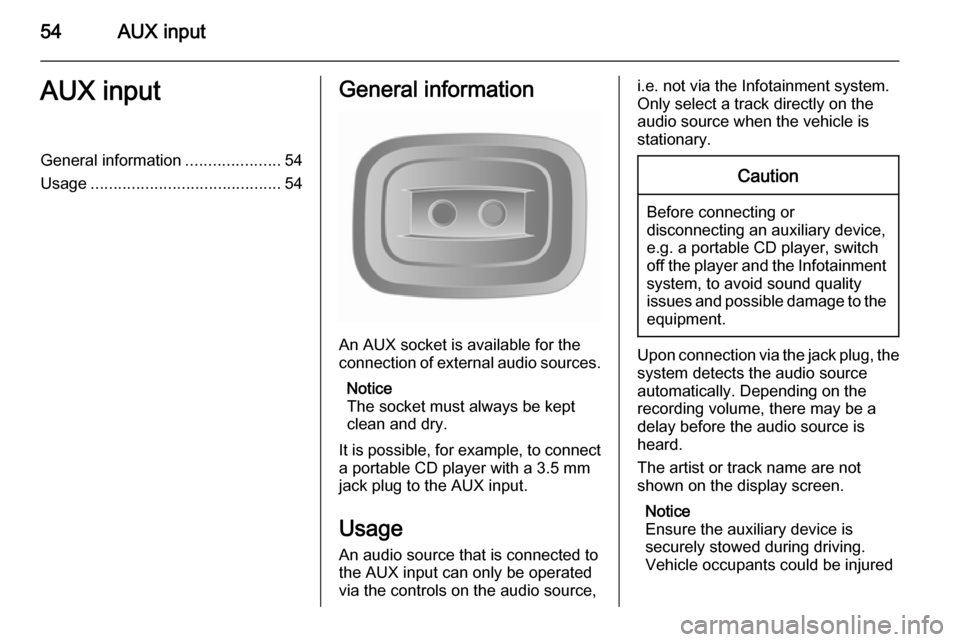
An AUX socket is available for the
connection of external audio sources.
Notice
The socket must always be kept
clean and dry.
It is possible, for example, to connect a portable CD player with a 3.5 mm
jack plug to the AUX input.
Usage An audio source that is connected to
the AUX input can only be operated
via the controls on the audio source,
i.e. not via the Infotainment system.
Only select a track directly on the
audio source when the vehicle is stationary.Caution
Before connecting or
disconnecting an auxiliary device,
e.g. a portable CD player, switch off the player and the Infotainment system, to avoid sound quality
issues and possible damage to the equipment.
Upon connection via the jack plug, thesystem detects the audio source
automatically. Depending on the
recording volume, there may be a
delay before the audio source is
heard.
The artist or track name are not
shown on the display screen.
Notice
Ensure the auxiliary device is
securely stowed during driving.
Vehicle occupants could be injured
Page 55 of 139

AUX input55
by objects being thrown around in
the event of hard braking, a sudden
change in direction or an accident.
R15 BT USB, R16 BT USB, CD16 BT USB, CD18 BT USB-AUX input usage Press the MEDIA or
AUDIO/SOURCE button to change
the audio source to AUX mode, then switch on the auxiliary device. AUX
appears on the display screen.
AUX settings
Press the SETUP button to access
the settings menu.
Select AUX IN and turn the OK rotary
knob until the desired setting is
selected from:
■ HI (300 mV)
■ MID (600 mV)
■ LO (1200 mV)CD35 BT USB - AUX input
usage Press the MEDIA button to activate
the AUX mode, then switch on the
auxiliary device. Jack appears on the
display screen.
NAVI 50 - AUX input usage
To access the media menu at any
time, press the Home button ;
followed by MEDIA on the display
screen.
To switch between auxiliary sources,
press S in top left corner. The
following options are available:
■ USB : Refer to (NAVI 50) "USB port"
3 56.
■ iPod : Refer to (NAVI 50) "USB port"
3 56.
■ BT : Refer to (NAVI 50) "Bluetooth
music" 3 60.
■ AUX : Select to change the audio
source to AUX mode, then switch
on the auxiliary device.NAVI 80 - AUX input usage
Change the audio source to AUX
mode to playback content from a
connected auxiliary device.
To access the media menu from the
Home page, press MENU then
Multimedia , followed by Media on the
display screen.
Press < to open a pop-up menu. The
following options are available:
■ Auxiliary socket : Change the audio
source to AUX mode, then switch
on the auxiliary device.
■ USB : Refer to (NAVI 80) "USB port"
3 56
■ Bluetooth connection : Refer to
(NAVI 80) "Bluetooth music"
3 60
■ SD card
■ CD player
Page 58 of 139

58USB port
When the MEDIA menu is active, the
following submenus are available:
■ Player
■ List
■ Options
To switch between audio sources,
press S in top left corner. The
following options are available:
■ USB : Select to change the audio
source to USB mode.
■ iPod : Select to change the audio
source to USB mode.
■ BT : Refer to NAVI 50 "Bluetooth
music" 3 60.
■ AUX : Refer to NAVI 50 "Aux input"
3 54.Player
Press to display the current track. In this display screen, the following
options are available:
■ l (press to skip to previous track,
press and hold to fast rewind)
■ =/l (press to pause/play)
■ m (press to skip to next track,
press and hold to fast forward)List
Displays a list of the tracks in the
current album/folder. Press a
particular track to play it directly.
Notice
By default, albums are listed in
alphabetical order.
If a USB drive is connected, all the
folders will be at the same level on
the tree structure.
To return to the previous level on the
folder tree structure, press ò.Options
Press to display the following options:
■ Repeat (Off/Track/Folder/All)
■ Shuffle (On/Off)
NAVI 80 - Playing music via
USB socket
MP3 player / USB drives
Change the audio source to USB
mode to playback files from a
connected USB device.
To access the media menu from the
Home page, press MENU then
Multimedia , followed by Media on the
display screen.
Press < to open a pop-up menu. The
following options are available:
■ USB : Change the audio source to
USB mode.
■ Auxiliary socket : Refer to NAVI 80
"AUX input" 3 54.
■ Bluetooth connection : Refer to
NAVI 80 "Bluetooth music" 3 60.
■ SD card
■ CD player : Refer to NAVI 80 "AUX
input" 3 54.
When USB mode is selected, the display includes the following options:
■ t or v: Move to previous/next
track
■ =: Pause track
■ Scroll bar for time elapsed: Scroll through tracks
■ New selection : Choose another
track from the connected audio
source
Page 60 of 139

60Bluetooth musicBluetooth musicGeneral information.....................60
Operation ..................................... 60General information
Bluetooth-enabled auxiliary audio sources (e.g. music mobile phones,
MP3 players etc.), which support
Bluetooth music protocol A2DP, can
be connected wirelessly to the
Infotainment system.
Important information ■ The Infotainment system only connects to Bluetooth devices that
support A2DP (Advanced Audio
Distribution Profile). Connection
issues may arise with early
versions.
■ The Bluetooth device must support
AVRCP (Audio Video Remote
Control Profile) version 1.0 or
higher. If the device does not
support AVRCP, only the volume
can be controlled via the
Infotainment system.
■ Before connecting the Bluetooth device to the Infotainment system,
become acquainted with its
operating instructions for Bluetooth functions.Operation
Prerequisites
The following prerequisites must be
met, in order to control a Bluetooth-
enabled audio device via the
Infotainment system:
■ The Bluetooth function of the Infotainment system must be
activated.
Refer to "Bluetooth connection" in
the "Phone" section 3 118.
■ The Bluetooth function of the Bluetooth-enabled auxiliary audio
source must be activated (see
audio device operating
instructions).
■ Dependent upon the audio source, it may be required to set that deviceto "visible" (see audio device
operating instructions).
■ The audio source must be paired and connected to the Infotainment
system.
Page 61 of 139

Bluetooth music61
R15 BT USB, R16 BT USB,CD16 BT USB, CD18 BT USB -Playing music via Bluetooth
Bluetooth connection
A connection must be set up between the audio device and the Infotainmentsystem via Bluetooth, i.e. the device
must be paired to the vehicle before
using it.
Refer to "Bluetooth connection" in the
"Phone" section 3 118.
■ A maximum of 5 audio devices can
be paired and saved in the device
list, but only one can be connected
at a time.
■ If the device has both audio player and telephone functions, both
functions will be paired. Pairing a
mobile phone 3 115.
■ Phone functions will remain active while the audio player is in use, and
audio playback will be suspended
during phone use.Pairing an auxiliary audio device to
the Infotainment system
To pair the audio device, press the
TEL button and select Pair device by
turning and pressing the OK rotary
knob. The Ready to Pair screen is
displayed.
Then, on the audio device, search for
Bluetooth equipment in the vicinity of
the device.
Select My Radio (i.e. the name of the
system) from the list on the audio
device, then, if applicable, on the
audio device keypad enter the pairing
code shown on the Infotainment
system display screen.
Notice
If the audio device does not have a
screen, enter the default pairing
code on the device, then on the
Infotainment system. Refer to the
operating instructions for this default audio device pairing code, usually
0000 . Depending on the device, the
pairing code may need to be entered
in reverse order, i.e. on the
Infotainment system first.If pairing fails, the system returns to
the previous menu and a
corresponding message is displayed. Repeat procedure if necessary.
When pairing is completed, a
confirmation message followed by the
name of the paired audio device is shown on the Infotainment system
display screen.
Notice
When a Bluetooth connection is
active, controlling the audio device
via the Infotainment system will
discharge the audio device battery more rapidly.
Connecting an audio device
Audio devices are automatically
connected to the Infotainment system
after the pairing procedure is
completed.
To connect any audio device that has been paired, or to connect to a
different paired audio device than the
current one, press the TEL button and
select the Select Device menu. The
device list shows the audio devices already paired.
Page 62 of 139

62Bluetooth music
Select the desired device from the list
and confirm by pressing the OK rotary
knob. A display message confirms
connection.
Disconnecting an audio device
To disconnect an audio device from
the Infotainment system, press the
TEL button (or the SETUP button)
and select Bluetooth connection .
Select the desired device from the
device list then select Disconnect the
device by turning and pressing the
OK rotary knob. A display message
confirms disconnection.
Switching off the audio device or
deactivating the Bluetooth function on the audio device also disconnects the
device from the Infotainment system.
Unpairing an auxiliary audio device
from the Infotainment system
If the list of paired audio devices is full, a new device can only be paired if an
existing device is unpaired.
To unpair, i.e. to delete an audio
device from the system memory,
press the TEL button and select
Delete device . Select the desiredaudio device from the list and press
the OK rotary knob to confirm deletion
when prompted.
Operation via Infotainment system
When paired and connected
wirelessly, audio playback begins
automatically.
The audio device can then be
operated via the Infotainment system
function buttons, rotary knobs and
display menus.
The range of accessible functions
that can be operated via the
Infotainment system depends on the
type of audio player.
The operation of the audio device
when connected wirelessly is similar
to the operations for the CD player
3 51.CD35 BT USB - Playing music
via Bluetooth
Bluetooth connection
A connection must be set up between
the audio device and the Infotainment system via Bluetooth, i.e. the device
must be paired to the vehicle before
using it.
Refer to (CD35 BT USB) "Bluetooth connection" in the "Phone" section
3 118.
■ A maximum of 5 audio devices can
be paired and saved in the device
list, but only one can be connected
at a time.
■ If the device has both audio player and telephone functions, one or
both functions can be paired.
Pairing a mobile phone 3 115.
■ Phone functions will remain active while the audio player is in use, andaudio playback will be suspended
during phone use.