ECO mode VAUXHALL MOVANO_B 2015.5 Owner's Manual
[x] Cancel search | Manufacturer: VAUXHALL, Model Year: 2015.5, Model line: MOVANO_B, Model: VAUXHALL MOVANO_B 2015.5Pages: 215, PDF Size: 5.11 MB
Page 5 of 215

Introduction3Vehicle specific data
Please enter your vehicle's data on
the previous page to keep it easily
accessible. This information is
available in the sections "Service and maintenance" and "Technical data"
as well as on the identification plate.
Introduction
Your vehicle is a designed
combination of advanced technology, safety, environmental friendliness
and economy.
This Owner's Manual provides you
with all the necessary information to
enable you to drive your vehicle
safely and efficiently.
Make sure your passengers are
aware of the possible risk of accident
and injury which may result from
improper use of the vehicle.
You must always comply with the
specific laws and regulations of the
country that you are in. These laws
may differ from the information in this Owner's Manual.When this Owner's Manual refers to aworkshop visit, we recommend your
Vauxhall Authorised Repairer.
All Vauxhall Authorised Repairers
provide first-class service at
reasonable prices. Experienced
mechanics trained by Vauxhall work
according to specific Vauxhall
instructions.
The customer literature pack should
always be kept ready to hand in the
vehicle.
Using this manual ■ This manual describes all options and features available for this
model. Certain descriptions,
including those for display and
menu functions, may not apply to
your vehicle due to model variant,
country specifications, special
equipment or accessories.
■ The "In brief" section will give you an initial overview.
■ The table of contents at the beginning of this manual and withineach section shows where the
information is located.■ The index will enable you to search
for specific information.
■ This Owner's Manual depicts left- hand drive vehicles. Operation is
similar for right-hand drive vehicles.
■ The Owner's Manual uses the factory engine designations. The
corresponding sales designations
can be found in the section
"Technical data".
■ Directional data, e.g. left or right, or
front or back, always relate to the
direction of travel.
■ The vehicle display screens may not support your specific language.
■ Display messages and interior labelling are written in bold letters.
Danger, Warnings and
Cautions9 Danger
Text marked 9 Danger provides
information on risk of fatal injury.
Disregarding this information may
endanger life.
Page 26 of 215
24Keys, doors and windowsAutomatic locking
Automatic locking after driving
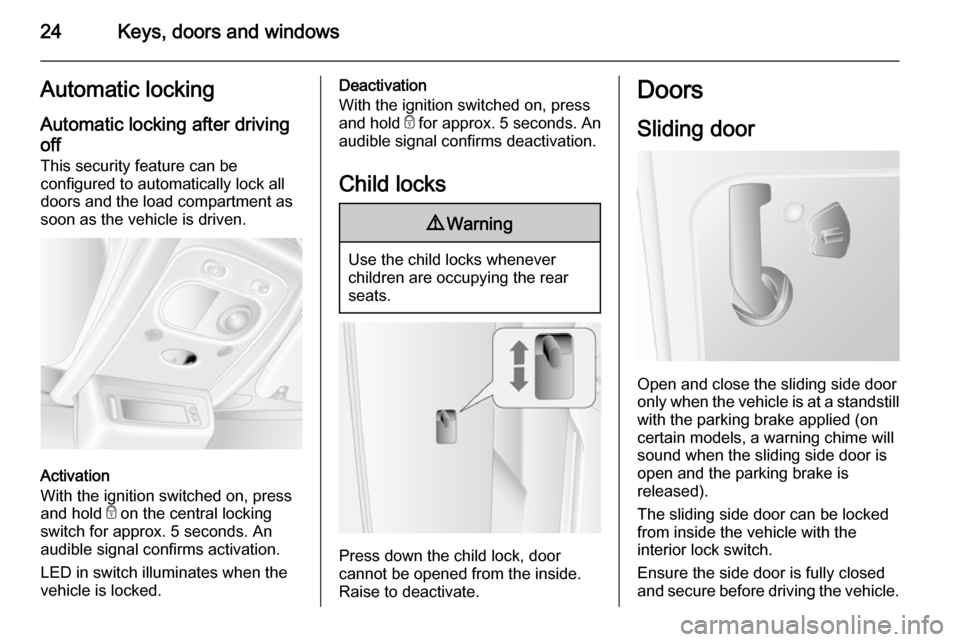
off This security feature can be
configured to automatically lock all
doors and the load compartment as
soon as the vehicle is driven.
Activation
With the ignition switched on, press
and hold e on the central locking
switch for approx. 5 seconds. An
audible signal confirms activation.
LED in switch illuminates when thevehicle is locked.
Deactivation
With the ignition switched on, press and hold e for approx. 5 seconds. An
audible signal confirms deactivation.
Child locks9 Warning
Use the child locks whenever
children are occupying the rear
seats.
Press down the child lock, door
cannot be opened from the inside.
Raise to deactivate.
Doors
Sliding door
Open and close the sliding side door
only when the vehicle is at a standstill with the parking brake applied (on
certain models, a warning chime will
sound when the sliding side door is
open and the parking brake is
released).
The sliding side door can be locked
from inside the vehicle with the
interior lock switch.
Ensure the side door is fully closed and secure before driving the vehicle.
Page 74 of 215
72Instruments and controls9Warning
The road surface may already be
icy even though the display
indicates a few degrees above 0
°C.
Clock
Depending on vehicle, the current
time and/or date may appear in the
information display 3 85 or the
Driver Information Centre 3 84.
Set time and date in information display
Hours and minutes can be adjusted
by pressing the appropriate buttons
by the display or with the Infotainment
system controls.
Further information is available in the
Infotainment system manual.
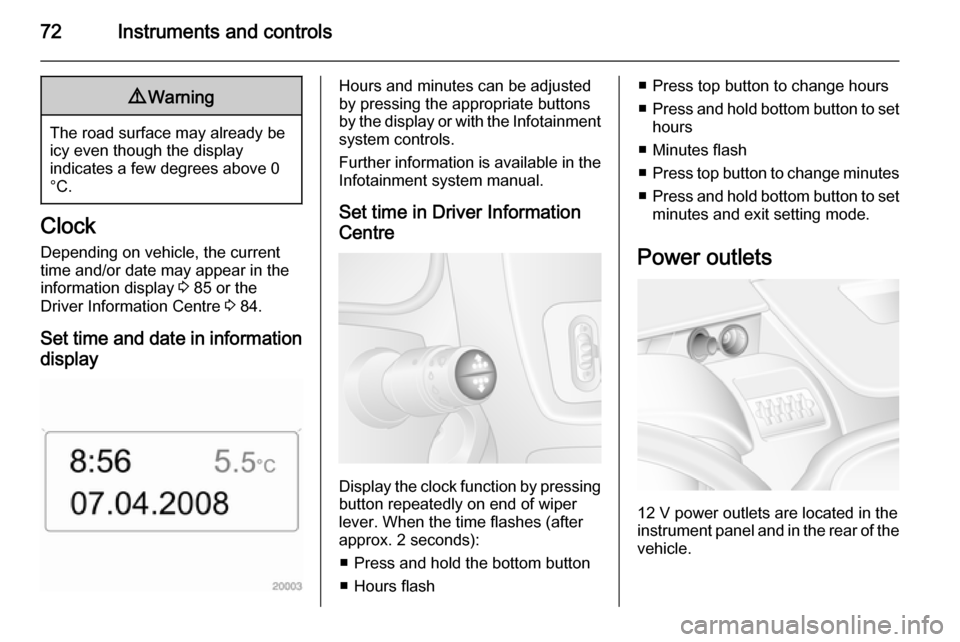
Set time in Driver Information
Centre
Display the clock function by pressing button repeatedly on end of wiper
lever. When the time flashes (after
approx. 2 seconds):
■ Press and hold the bottom button
■ Hours flash
■ Press top button to change hours
■ Press and hold bottom button to set
hours
■ Minutes flash
■ Press top button to change minutes
■ Press and hold bottom button to set
minutes and exit setting mode.
Power outlets
12 V power outlets are located in the instrument panel and in the rear of the
vehicle.
Page 83 of 215
Instruments and controls81
If C illuminates (possibly in
combination with W and/or R), stop
vehicle and switch off engine as soon
as possible.9 Warning
Have the cause of the fault
remedied immediately by a
workshop.
Depending on the type of fault, a
warning message may also appear in the Driver Information Centre 3 84.
Brake system R illuminates red.
Illuminates briefly when the ignition is
switched on.
Control indicator R remains
illuminated after the ignition is
switched on if the parking brake is
applied 3 122.
When the parking brake is released,
R illuminates (possibly in
combination with C) if the brake fluid
level is too low 3 144.
9
Warning
Stop. Do not continue your
journey. Consult a workshop.
Brake system 3 121.
Antilock brake system
(ABS) u illuminates yellow.
Illuminates briefly when the ignition is
switched on. The system is ready for
operation when u extinguishes.
If control indicators u and A
illuminate with the messages CHECK
ABS and CHECK ESP in the Driver
Information Centre 3 84, there is a
fault in the ABS. The brake system
remains operational but without ABS
regulation.
If control indicators u, A , R and
C illuminate, the ABS and ESP are
deactivated and the message
BRAKING FAULT is displayed. Seek
the assistance of a workshop.
Antilock brake system 3 121.
Upshift
k or j illuminates yellow.
Illuminates when gearshifting is
recommended for fuel saving
reasons.
ECO mode 3 108.
Electronic Stability
Program
b flashes or illuminates yellow.
Illuminates for a few seconds when
the ignition is switched on.
Flashing during driving The system is actively engaged.
Engine output may be reduced and the vehicle may be braked
automatically to a small degree
3 125.
Illuminates during driving The system is unavailable.
May illuminate together with control
indicator A 3 80. A corresponding
message also appears in the Driver
Information Centre 3 84.
Page 87 of 215
Instruments and controls85
■ Vehicle messages 3 85
■ Trip computer 3 86
Some of the displayed functions differ
when the vehicle is being driven or at a standstill. Some functions are only
available when the vehicle is being
driven.
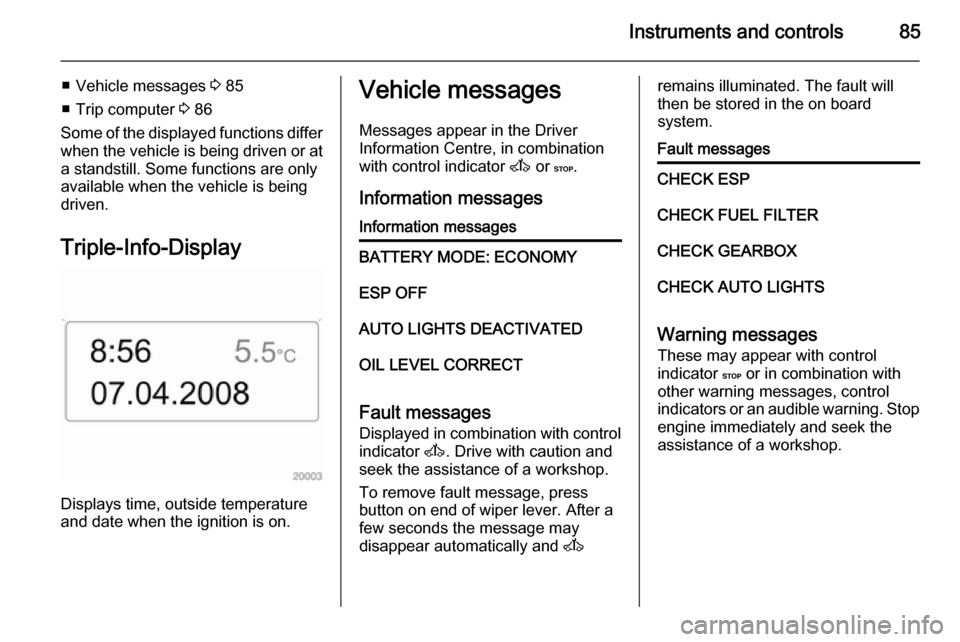
Triple-Info-Display
Displays time, outside temperature
and date when the ignition is on.
Vehicle messages
Messages appear in the Driver
Information Centre, in combination
with control indicator A or C.
Information messagesInformation messagesBATTERY MODE: ECONOMYESP OFFAUTO LIGHTS DEACTIVATEDOIL LEVEL CORRECT
Fault messages Displayed in combination with control
indicator A. Drive with caution and
seek the assistance of a workshop.
To remove fault message, press
button on end of wiper lever. After a
few seconds the message may
disappear automatically and A
remains illuminated. The fault will
then be stored in the on board
system.Fault messagesCHECK ESPCHECK FUEL FILTERCHECK GEARBOXCHECK AUTO LIGHTS
Warning messages
These may appear with control
indicator C or in combination with
other warning messages, control
indicators or an audible warning. Stop
engine immediately and seek the
assistance of a workshop.
Page 103 of 215

Climate control101
The day is set when the display stops
flashing.
The display will remain illuminated for approx. 15 seconds after the ignition
is switched off.
Operating the rear compartment
additional heating Press button Y to operate heating. Y
will appear in the display to indicate
that the heating is operating.
Changing the period for which
heating is operating
With the heating switched off ( Y
extinguished in display), press m
button for briefly until the period for
which heating is provided flashes in
the display.
Use the m or n buttons to adjust
the heating duration. The duration is
set when the display extinguishes.
Programming the heating mode It is possible to store up to three
programmes which allow the heating
to be switched on.Press P button the appropriate
number of times to select the desired
stored programme.
Press the m or n buttons briefly;
the programming time flashes in the
display.
Using the m or n buttons adjust to
the desired time, then, as soon as the time display stops flashing, adjust the
day using the m or n buttons.
The time and day are set when the display stops flashing.
Recalling a programming mode
To activate a stored programme,
press P button the appropriate
number of times until the
corresponding number appears on
the display.
Neutral position or no stored
programme activated
Press P button until their is no stored
programme number visible in the
display.Adjusting the temperature
To adjust the temperature of the
heating, turn the rotary knob located
on the control panel.Turn clockwise=increase
temperatureTurn anti-clock‐
wise=decrease
temperature
Rear air conditioning
system
The rear air conditioning system is
actuated in conjunction with the front
passenger compartment air
conditioning system.
Page 106 of 215
104Climate control9Warning
When refuelling, switch off the
remote control unit as well as the
heater!
To switch off, press and hold
activation button X to prevent
inadvertent operation.
The remote control has a maximum
range of 600 metres. The range may
be reduced due to environmental
conditions and as the battery
becomes weaker.
In addition to the remote control unit,
the heating can also be switched on
for 30 minutes, or off, using the button
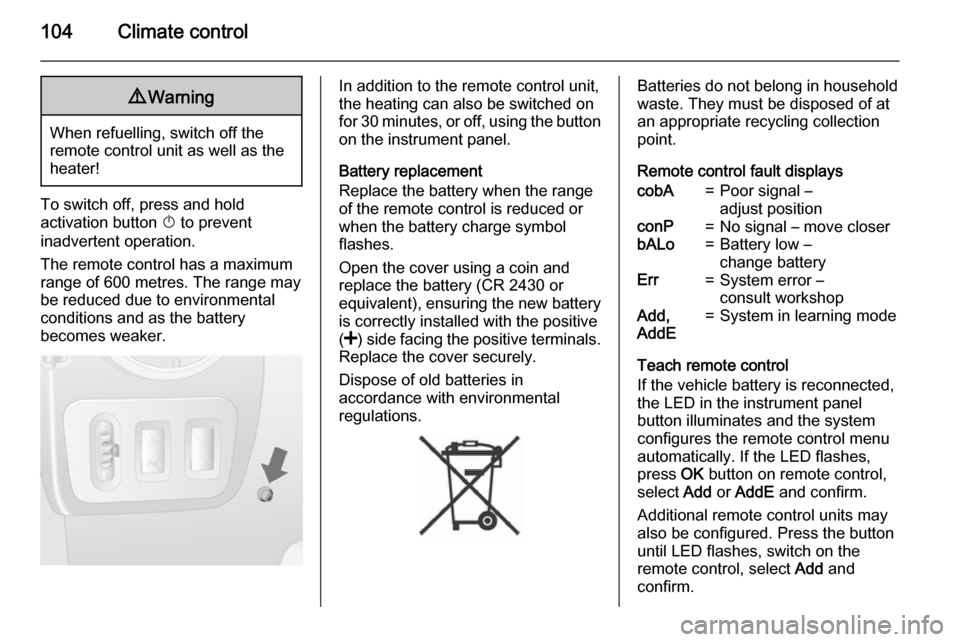
on the instrument panel.
Battery replacement
Replace the battery when the range
of the remote control is reduced or when the battery charge symbol
flashes.
Open the cover using a coin and
replace the battery (CR 2430 or equivalent), ensuring the new battery
is correctly installed with the positive
( < ) side facing the positive terminals.
Replace the cover securely.
Dispose of old batteries in
accordance with environmental
regulations.Batteries do not belong in household
waste. They must be disposed of at
an appropriate recycling collection
point.
Remote control fault displayscobA=Poor signal –
adjust positionconP=No signal – move closerbALo=Battery low –
change batteryErr=System error –
consult workshopAdd,
AddE=System in learning mode
Teach remote control
If the vehicle battery is reconnected,
the LED in the instrument panel
button illuminates and the system
configures the remote control menu
automatically. If the LED flashes,
press OK button on remote control,
select Add or AddE and confirm.
Additional remote control units may
also be configured. Press the button
until LED flashes, switch on the
remote control, select Add and
confirm.
Page 110 of 215
108Driving and operatingDriving and operatingDriving hints............................... 108
Starting and operating ...............109
Engine exhaust .......................... 116
Manual transmission ..................117
Manual transmission automa‐
ted .............................................. 118
Brakes ........................................ 121
Ride control systems .................124
Driver assistance systems .........126
Fuel ............................................ 132
Trailer hitch ................................ 134
Auxiliary features .......................136Driving hints
Driving economically ECO mode
ECO mode is a function that
optimises fuel consumption. It affects engine power and torque,
acceleration, gear shift indication,
heating, air conditioning and electrical consumers.
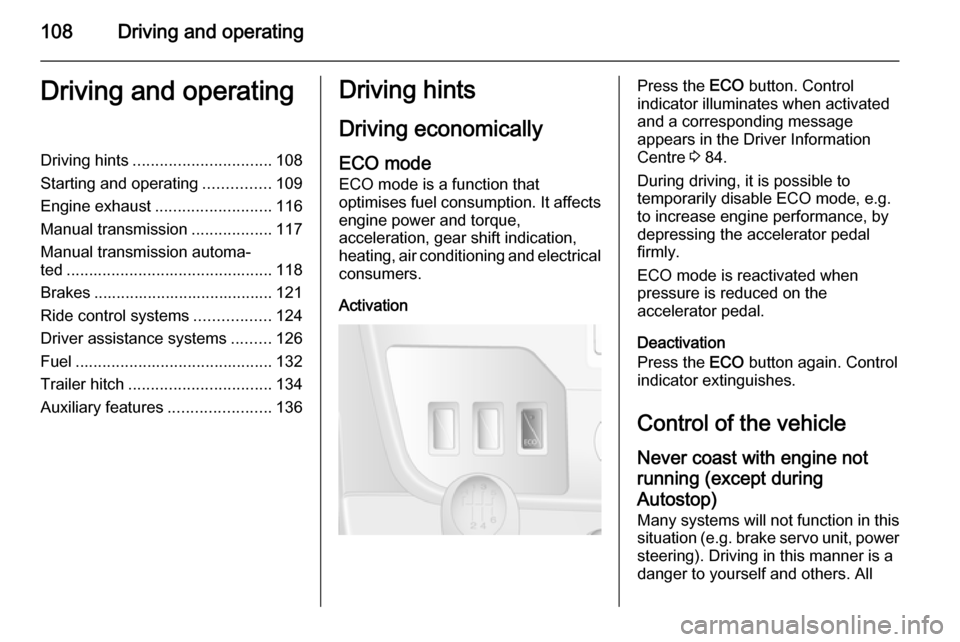
ActivationPress the ECO button. Control
indicator illuminates when activated
and a corresponding message
appears in the Driver Information
Centre 3 84.
During driving, it is possible to
temporarily disable ECO mode, e.g.
to increase engine performance, by
depressing the accelerator pedal
firmly.
ECO mode is reactivated when
pressure is reduced on the
accelerator pedal.
Deactivation
Press the ECO button again. Control
indicator extinguishes.
Control of the vehicle Never coast with engine not
running (except during
Autostop) Many systems will not function in this
situation (e.g. brake servo unit, power
steering). Driving in this manner is a
danger to yourself and others. All
Page 117 of 215

Driving and operating115
When increased ground clearance orimproved vehicle access is required,the suspension can be raised or
lowered using the remote control.
The remote control unit is magnetic
and can be fixed to any metal part of
the vehicle.
With the ignition switched on, press
the appropriate button for 2 seconds
to adjust the suspension height.
Indicator light will flash intermittently
while height adjustment is in progress
and illuminates when complete.
Handle with care, protect from
moisture and high temperatures and
avoid unnecessary operation.
Pre-programmed settings Adjusts the suspension height to oneof three pre-programmed positions.
The buttons are only functional when
the engine is running.l=lowered positionk=normal positionj=raised positionManual settings
Manual adjustment can only be
performed when the vehicle is
stationary.
Select by pressing button h for 2
seconds, then button R to raise, or
button S to lower.
To exit, press any of the pre-
programmed buttons.
When the vehicle is moving, manual
adjustment will exit automatically. If
the ignition is switched off, the vehicle
will return to normal ride height when
the ignition is switched back on.
Service mode
Press button i for 5 seconds to put
the vehicle into service mode. The
indicator light will illuminate. When
service mode has been activated, the air suspension master switch must be
turned off.
To exit service mode, press button
i again for 5 seconds.Fault
If a fault is detected, i button will
flash intermittently. If the service
mode has been activated and there is a fault h, S and R buttons will flash
simultaneously.
Have the cause of the fault remedied by a workshop.
Page 136 of 215

134Driving and operating
When refuelling is complete, replace
the fuel filler cap and turn it clockwise.
Close the fuel filler flap.
Fuel filler cap
Only use genuine fuel filler caps. Diesel-engined vehicles have special fuel filler caps.
Fuel consumption - CO 2-
Emissions
For the values specific to your
vehicle, refer to the EEC Certificate of Conformity provided with your vehicle
or other national registration
documents.
General information The official fuel consumption and
specific CO 2 emission figures quoted
relate to the EU base model with
standard equipment.
Fuel consumption data and CO 2
emission data are determined
according to regulation
715/2007 692/2008 A, taking intoconsideration the vehicle weight in running order, as specified by the
regulation.
The figures must not be taken as a
guarantee for the actual fuel
consumption of a particular vehicle.
Additional equipment may result in
slightly higher results than the stated
consumption and CO 2 figures.
Furthermore, fuel consumption is dependent on personal driving style
as well as road and traffic conditions.Trailer hitch
General information
Only use towing equipment that has
been approved for your vehicle.
Entrust fitting of towing equipment at
a later date to a workshop. It may be
necessary to make changes that
affect the cooling system, heat
shields or other equipment.
Driving characteristics and
towing tips In the case of trailers with brakes,
attach the breakaway stopping cable.
Before attaching a trailer, lubricate
the coupling ball. However, do not do so if a stabiliser, which acts on thecoupling ball, is being used to reduce
snaking movements. For trailers with
low driving stability the use of a
stabiliser is recommended.
A maximum speed of 50 mph must
not be exceeded, even in countries
where higher speeds are permitted.