remote control VAUXHALL MOVANO_B 2015 User Guide
[x] Cancel search | Manufacturer: VAUXHALL, Model Year: 2015, Model line: MOVANO_B, Model: VAUXHALL MOVANO_B 2015Pages: 209, PDF Size: 4.92 MB
Page 104 of 209
102Climate control
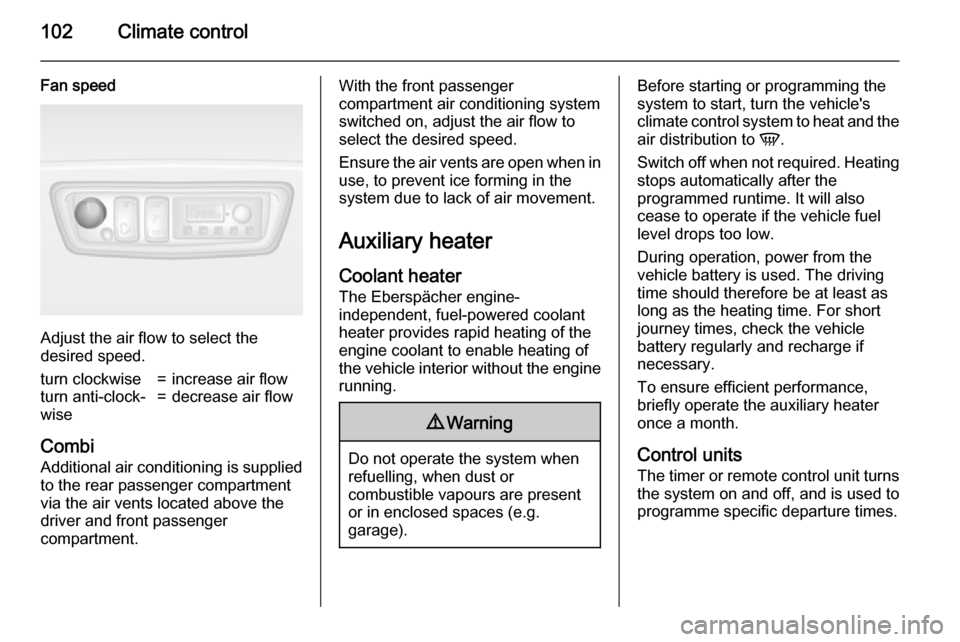
Fan speed
Adjust the air flow to select the
desired speed.
turn clockwise=increase air flowturn anti-clock‐
wise=decrease air flow
Combi
Additional air conditioning is supplied to the rear passenger compartment
via the air vents located above the
driver and front passenger
compartment.
With the front passenger
compartment air conditioning system
switched on, adjust the air flow to
select the desired speed.
Ensure the air vents are open when in
use, to prevent ice forming in the
system due to lack of air movement.
Auxiliary heater
Coolant heater The Eberspächer engine-
independent, fuel-powered coolant
heater provides rapid heating of the
engine coolant to enable heating of
the vehicle interior without the engine running.9 Warning
Do not operate the system when
refuelling, when dust or
combustible vapours are present
or in enclosed spaces (e.g.
garage).
Before starting or programming the
system to start, turn the vehicle's climate control system to heat and the
air distribution to V.
Switch off when not required. Heating stops automatically after the
programmed runtime. It will also
cease to operate if the vehicle fuel
level drops too low.
During operation, power from the
vehicle battery is used. The driving
time should therefore be at least as
long as the heating time. For short
journey times, check the vehicle
battery regularly and recharge if
necessary.
To ensure efficient performance,
briefly operate the auxiliary heater
once a month.
Control units
The timer or remote control unit turns the system on and off, and is used to
programme specific departure times.
Page 105 of 209
Climate control103
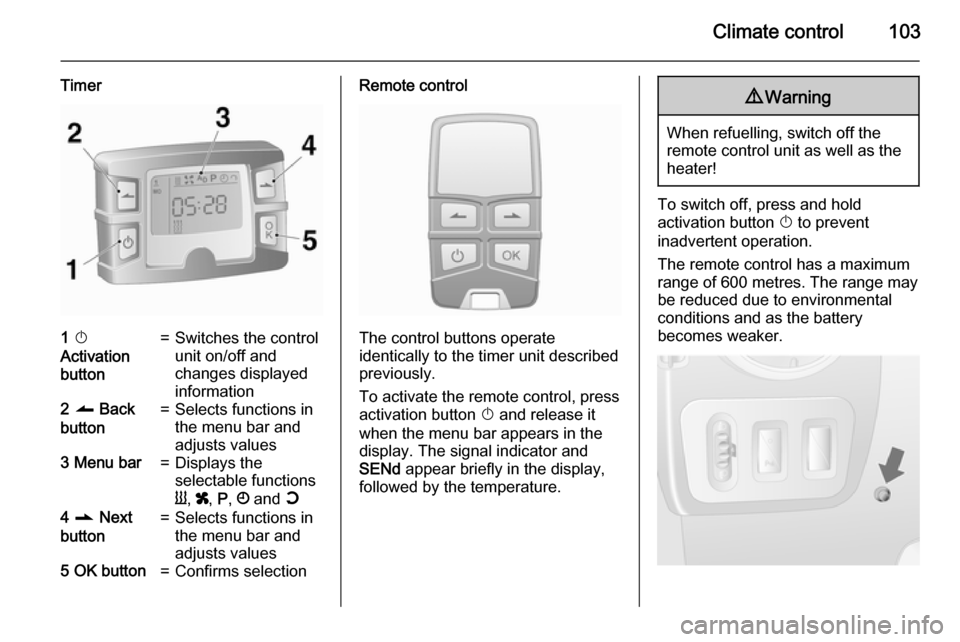
Timer1 X
Activation
button=Switches the control
unit on/off and
changes displayed
information2 q Back
button=Selects functions in
the menu bar and
adjusts values3 Menu bar=Displays the
selectable functions
Y , x , P , Ö and Y4 r Next
button=Selects functions in
the menu bar and
adjusts values5 OK button=Confirms selectionRemote control
The control buttons operate
identically to the timer unit described
previously.
To activate the remote control, press activation button X and release it
when the menu bar appears in the display. The signal indicator and
SENd appear briefly in the display,
followed by the temperature.
9 Warning
When refuelling, switch off the
remote control unit as well as the
heater!
To switch off, press and hold
activation button X to prevent
inadvertent operation.
The remote control has a maximum
range of 600 metres. The range may
be reduced due to environmental
conditions and as the battery
becomes weaker.
Page 106 of 209

104Climate control
In addition to the remote control unit,
the heating can also be switched on
for 30 minutes, or off, using the button on the instrument panel.
Battery replacement
Replace the battery when the range
of the remote control is reduced or
when the battery charge symbol
flashes.
Open the cover using a coin and
replace the battery (CR 2430 or
equivalent), ensuring the new battery
is correctly installed with the positive
( < ) side facing the positive terminals.
Replace the cover securely.
Dispose of old batteries in
accordance with environmental
regulations.Batteries do not belong in household
waste. They must be disposed of at
an appropriate recycling collection
point.
Remote control fault displayscobA=Poor signal –
adjust positionconP=No signal –
move closerbALo=Battery low –
change batteryErr=System error –
consult workshopAdd, AddE=System in learning
mode
Teach remote control
If the vehicle battery is reconnected, the LED in the instrument panel
button illuminates and the system
configures the remote control menu
automatically. If the LED flashes,
press OK button on remote control,
select Add or AddE and confirm.
Additional remote control units may
also be configured. Press the button
until LED flashes, switch on the
remote control, select Add and
confirm.
AddE teaches the current remote
control unit exclusively and blocks all
previously configured units. Add
teaches up to 4 remote control units,
but only one unit can operate the
system at any one time.
Operation
Heating Y
Select Y in the menu bar and confirm.
The predetermined heating duration,
e.g. L 30, flashes in the display. The
factory setting is 30 minutes.
To temporarily adjust the heating
duration, adjust with the q or r
button and confirm. The value can be
set from 10 to 120 minutes. Due to the power consumption, note the heatingduration.
To switch off, select Y in the menu bar
again and confirm.
Page 107 of 209

Climate control105
Ventilation x
Select x in the menu bar and confirm.
The ventilation duration can be
accepted or adjusted. The duration
shown is accepted without
confirmation.
To switch off, select x in the menu bar
again and confirm.
Programming P
Up to 3 preset departure times can be
programmed, either during one day or
over one week.
■ Select P in the menu bar and
confirm
■ Select desired preset memory number 1, 2 or 3 and confirm
■ Select day and confirm
■ Select hour and confirm
■ Select minutes and confirm
■ Select Y or x and confirm
■ If necessary, adjust the runtime duration prior to departure and
confirmThe next preset memory number to
be activated is underlined and the
weekday is displayed. Repeat the
procedure to programme the other preset memory numbers.
Pressing button X during the
procedure will exit without storing
programme adjustments.
To delete a preset departure time,
follow the steps for programming until
heating symbol Y flashes. Press
button q or r until oFF appears in
the display and confirm.
Heating stops automatically
5 minutes after the programmed
departure time.
Notice
The remote control system features
a temperature sensor which
calculates the runtime according to
the ambient temperature and the desired heating level (ECO or
HIGH). The system starts
automatically between 5 and
60 minutes prior to the programmed
departure time.Set weekday, time and heating
duration Ö
If the vehicle battery is disconnected or its voltage is too low, the unit will
need to be reset.
■ Select Ö and confirm
■ Select weekday and confirm
■ Change hours and confirm
■ Change minutes and confirm
■ Change the default heating duration and confirm
Heating level Y
The preferred heating level for
programmed departure times can be
set to either ECO or HIGH.
Select Y and confirm. ECO or HIGH
flashes in the display. Adjust using
the q or r button and confirm.
Page 116 of 209
114Driving and operating■ Always apply parking brakewithout pressing release button.Apply as firmly as possible on a
downhill slope or uphill slope.
Depress foot brake at the same
time to reduce operating force.
■ Switch off the engine.
■ If the vehicle is on a level surface or uphill slope, engage
first gear. On an uphill slope,
turn the front wheels away from the kerb.
If the vehicle is on a downhill
slope, engage reverse gear.
Turn the front wheels towards
the kerb.
Lock the vehicle 3 19 and activate the
anti-theft locking system 3 27 and
anti-theft alarm system 3 27.
Air suspension Operates automatically when the
vehicle is driven. The air suspension
system constantly adjusts the ride
height according to the vehicle load.
For further information on the air
suspension system, refer to the
operating instructions supplied.
Master switchCaution
The air suspension system must
be switched off when the vehicle is
being towed, jump‐started, raised
off the ground or transported.
Do not switch off the air
suspension system when driving.
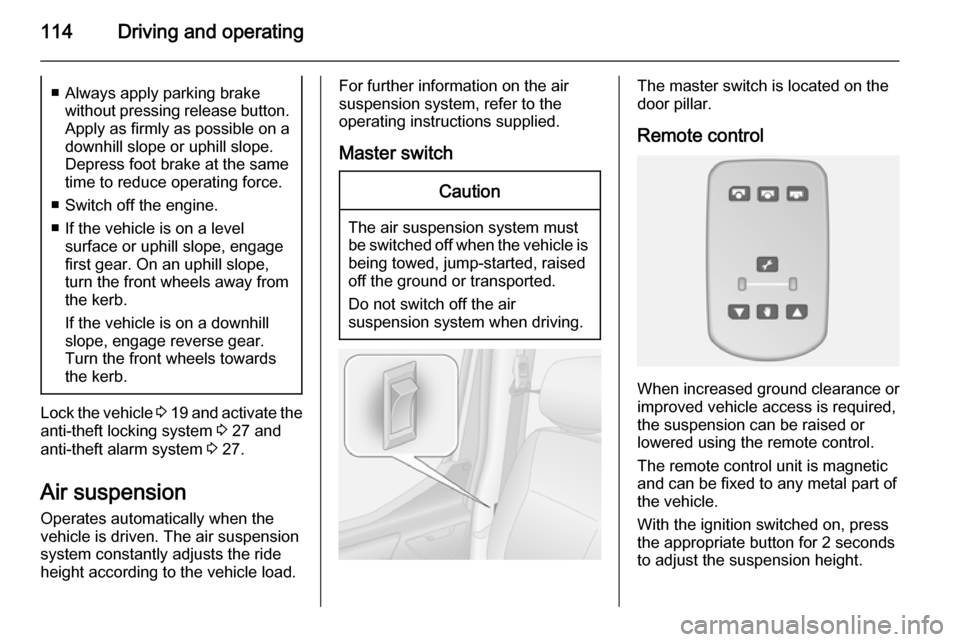
The master switch is located on the
door pillar.
Remote control
When increased ground clearance or improved vehicle access is required,the suspension can be raised or
lowered using the remote control.
The remote control unit is magnetic
and can be fixed to any metal part of
the vehicle.
With the ignition switched on, press
the appropriate button for 2 seconds
to adjust the suspension height.
Page 203 of 209

Customer information201
■ Vehicle reactions in particulardriving situations (e.g. inflation of
an airbag, activation of the stability
regulation system)
■ Environmental conditions (e.g. temperature)
These data are exclusively technical
and help identifying and correcting
errors as well as optimizing vehicle
functions.
Motion profiles indicating travelled
routes cannot be created with these
data.
If services are used (e.g. repair
works, service processes, warranty cases, quality assurance),
employees of the service network
(manufacturer included) are able to
read out this technical information
from the event and error data storage
modules applying special diagnostic
devices. If required, you will receive
further information at these
workshops. After an error has been
corrected, the data are deleted from
the error storage module or they are
constantly overwritten.When using the vehicle, situations
may occur in which these technical
data related to other information
(accident report, damages on the
vehicle, witness statements etc.) may be associated with a specific person -
possibly, with the assistance of an
expert.
Additional functions contractually
agreed upon with the client (e.g.
vehicle location in emergency cases)
allow the transmission of particular vehicle data from the vehicle.Radio Frequency
Identification (RFID) RFID technology is used in somevehicles for functions such as tyre
pressure monitoring and ignition
system security. It is also used in
connection with conveniences such
as radio remote controls for door
locking/unlocking and starting, and in-
vehicle transmitters for garage door
openers. RFID technology in
Vauxhall vehicles does not use or
record personal information or link with any other Vauxhall system
containing personal information.
Page 207 of 209

205
Parking brake ............................ 122
Particulate filter ........................... 115
Performing work ........................136
Pollen filter ................................. 107
Power door locks ..........................22
Power outlets ............................... 72
Power side step ............................ 24
Power sliding door ........................24
Power steering fluid ....................139
Power take-off ........................... 134
Power windows ............................ 32
Preheating ................................... 82
Puncture ............................. 161, 164
R
Radio Frequency Identification (RFID) ..................................... 201
Radio remote control ...................18
Reading lights .............................. 93
Rear air conditioning system .....101
Rear doors ................................... 26
Rear fog light ............................... 84
Rear fog lights ............................. 92
Rear heating system .................. 100
Rear seats .................................... 42
Rear view camera ...................... 130
Rear windows .............................. 33
Recommended fluids and lubricants ........................ 176, 181
Refuelling ................................... 131Remote control ............................. 18
Retractable parking brake ..........122
Reversing lights ........................... 92
Ride control systems ..................123
Roof .............................................. 35
Roof load ...................................... 67
Roof rack ..................................... 67
S Safety belts ................................... 44
Safety net .................................... 66
Seat adjustment ....................... 7, 38
Seat belt ........................................ 8
Seat belt reminder .......................79
Seat belts ..................................... 44
Seat heating ................................. 41
Seat position ................................ 37
Selector lever ............................. 118
Service ............................... 107, 174
Service display ............................ 76
Service information ....................174
Service vehicle soon .................... 80
Side airbag system ......................50
Sidelights ...................................... 89
Side turn signal lights ................149
Sliding door .................................. 24
Spare wheel ............................... 166
Speedometer ............................... 74
Speed regulator ............................ 74
Starting and operating ................109Starting off ................................... 16
Starting the engine ............110, 118
Steering ...................................... 109
Steering column controls ..............70
Steering wheel adjustment ......9, 69
Steering wheel controls ...............69
Stop engine .................................. 80
Stop-start system.................. 83, 111
Storage ......................................... 61
Storage compartments .................61
Sunglasses storage .....................62
Sun visors .................................... 34
Suspension seat ........................... 38
Symbols ......................................... 4
T
Tachograph ............................ 84, 88
Tachometer ................................. 74
Tail lights ................................... 148
Technical data ............................ 182
Three-point seat belt .................... 45
Tools .......................................... 155
Top-tether fastening eyes ............60
Tow bar....................................... 132
Towing ........................................ 132
Towing another vehicle .............171
Towing a trailer ........................... 133
Towing equipment .....................133
Towing eye ................................. 170
Towing the vehicle .....................170