lock VAUXHALL MOVANO_B 2015 Owner's Guide
[x] Cancel search | Manufacturer: VAUXHALL, Model Year: 2015, Model line: MOVANO_B, Model: VAUXHALL MOVANO_B 2015Pages: 209, PDF Size: 4.92 MB
Page 67 of 209
Storage65
Store the partition wall to one side of
the load compartment when not in
use.
Telescopic blocking bars
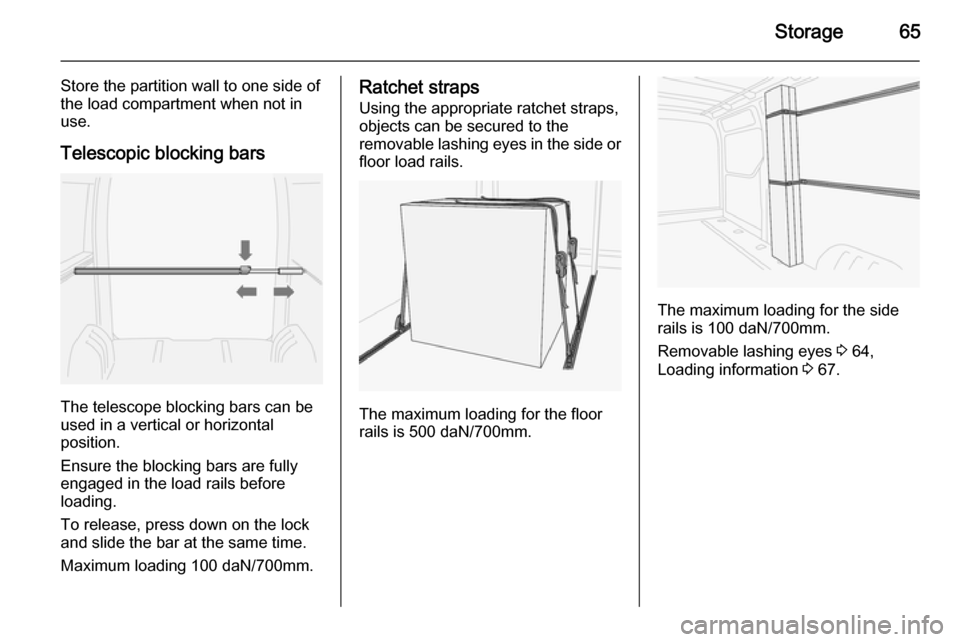
The telescope blocking bars can be
used in a vertical or horizontal
position.
Ensure the blocking bars are fully
engaged in the load rails before
loading.
To release, press down on the lock
and slide the bar at the same time.
Maximum loading 100 daN/700mm.
Ratchet straps
Using the appropriate ratchet straps,
objects can be secured to the
removable lashing eyes in the side or floor load rails.
The maximum loading for the floor
rails is 500 daN/700mm.
The maximum loading for the side
rails is 100 daN/700mm.
Removable lashing eyes 3 64,
Loading information 3 67.
Page 71 of 209
Instruments and controls69Instruments and
controlsControls ....................................... 69
Warning lights, gauges and indi‐ cators ........................................... 74
Information displays .....................84
Vehicle messages ........................ 85
Trip computer ............................... 86
Tachograph .................................. 88Controls
Steering wheel adjustment
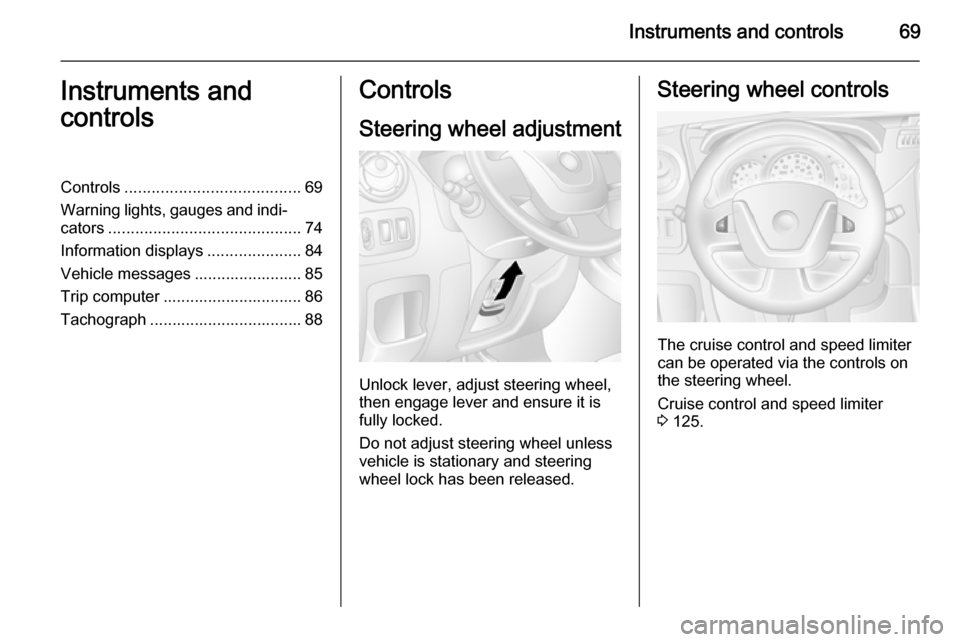
Unlock lever, adjust steering wheel,
then engage lever and ensure it is fully locked.
Do not adjust steering wheel unless
vehicle is stationary and steering
wheel lock has been released.
Steering wheel controls
The cruise control and speed limiter
can be operated via the controls on
the steering wheel.
Cruise control and speed limiter
3 125.
Page 74 of 209
72Instruments and controls9Warning
The road surface may already be
icy even though the display
indicates a few degrees above 0
°C.
Clock
Depending on vehicle, the current
time and/or date may appear in the
information display 3 85 or the
Driver Information Centre 3 84.
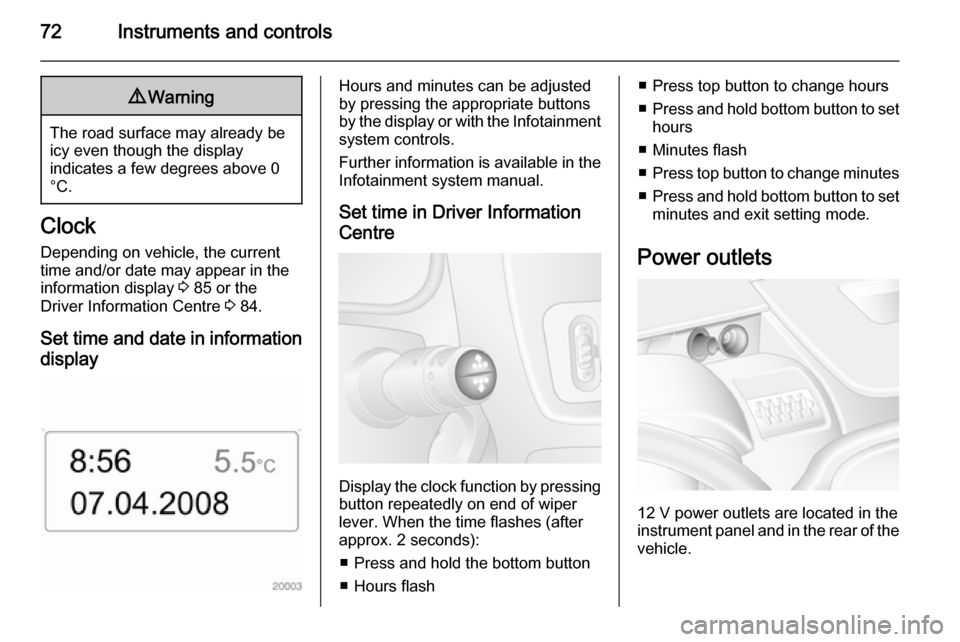
Set time and date in information display
Hours and minutes can be adjusted
by pressing the appropriate buttons
by the display or with the Infotainment
system controls.
Further information is available in the
Infotainment system manual.
Set time in Driver Information
Centre
Display the clock function by pressing button repeatedly on end of wiper
lever. When the time flashes (after
approx. 2 seconds):
■ Press and hold the bottom button
■ Hours flash
■ Press top button to change hours
■ Press and hold bottom button to set
hours
■ Minutes flash
■ Press top button to change minutes
■ Press and hold bottom button to set
minutes and exit setting mode.
Power outlets
12 V power outlets are located in the instrument panel and in the rear of the
vehicle.
Page 83 of 209
Instruments and controls819Warning
Stop. Do not continue your
journey. Consult a workshop.
Brake system 3 121.
Brake pad wear
F illuminates yellow.
Illuminates when the brake pads are
worn 3 121.
Seek the assistance of a workshop.
Antilock brake system
(ABS)
u illuminates yellow.
Illuminates briefly when the ignition is switched on. The system is ready for
operation when u extinguishes.
If control indicators u and A
illuminate with the messages CHECK
ABS and CHECK ESP in the Driver
Information Centre 3 84, there is a
fault in the ABS. The brake system
remains operational but without ABS
regulation.
If control indicators u, A , R and
C illuminate, the ABS and ESP are
deactivated and the message
BRAKING FAULT is displayed. Seek
the assistance of a workshop.
Antilock brake system 3 121.
Upshift k or j illuminates yellow.
Illuminates when gearshifting is
recommended for fuel saving
reasons.
ECO mode 3 108.
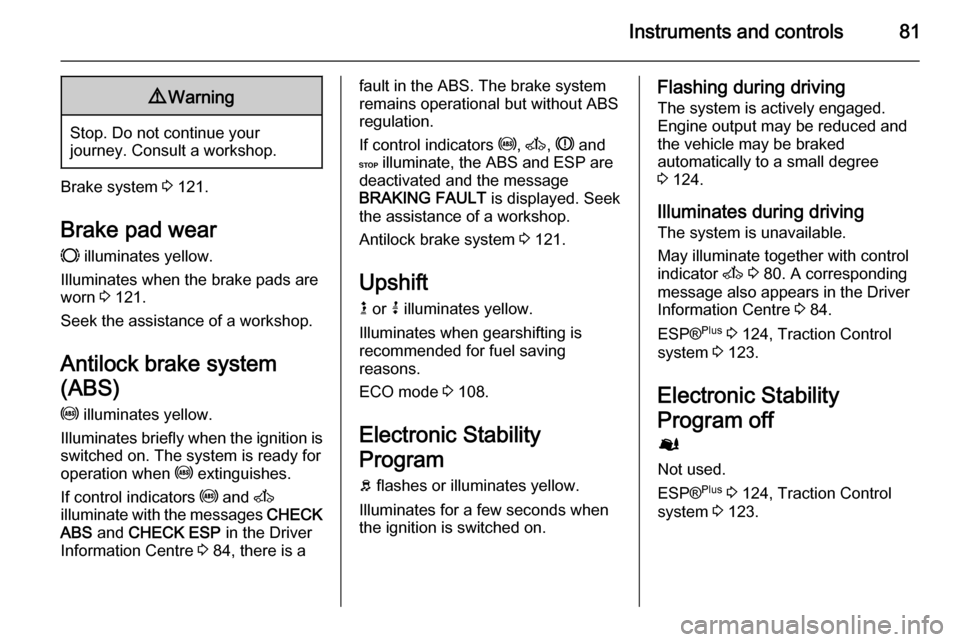
Electronic Stability
Program
b flashes or illuminates yellow.
Illuminates for a few seconds when
the ignition is switched on.Flashing during driving
The system is actively engaged.
Engine output may be reduced and the vehicle may be braked
automatically to a small degree
3 124.
Illuminates during driving The system is unavailable.
May illuminate together with control
indicator A 3 80. A corresponding
message also appears in the Driver
Information Centre 3 84.
ESP® Plus
3 124, Traction Control
system 3 123.
Electronic Stability
Program off
Ø
Not used.
ESP® Plus
3 124, Traction Control
system 3 123.
Page 84 of 209
82Instruments and controlsEngine coolant
temperature
W illuminates red.
Illuminates when the engine is running
If W illuminates (possibly in
combination with control indicator
C ), stop vehicle and switch off
engine.Caution
Coolant temperature too high.
Check coolant level 3 138.
If there is sufficient coolant, consult a workshop.
Preheating
! illuminates yellow.
Preheating is activated.Only
activates when outside temperature is low.
Diesel particle filter
8
Not used.
Diesel particle filter 3 80, 3 115.
Tyre pressure monitoring
system
w illuminates or flashes.
Illuminates
Tyre pressure loss. Stop immediately and check tyre pressure.
Control indicator w illuminates
together with C 3 80 and a
corresponding message appears in
the Driver Information Centre when a
puncture or severely under-inflated
tyre is detected.
Flashes
Fault in system. After a delay the
control indicator illuminates
continuously. Consult a workshop.
Control indicator w illuminates
together with A 3 80 and a
corresponding message appears inthe Driver Information Centre when a tyre without a pressure sensor ismounted (e.g. spare wheel).
Tyre pressure monitoring system
3 157.
Engine oil pressure
I illuminates red.
Illuminates briefly when the ignition is switched on.
Illuminates when the engine is runningCaution
Engine lubrication may be
interrupted. This may result in
damage to the engine and/or
locking of the drive wheels.
1. Depress clutch.
2. Select neutral gear, set selector lever to N.
Page 85 of 209
Instruments and controls83
3. Move out of the flow of traffic asquickly as possible without
impeding other vehicles.
4. Switch off ignition.9 Warning
When the engine is off,
considerably more force is needed
to brake and steer. During an
Autostop the brake servo unit will still be operational.
Do not remove key until vehicle is stationary, otherwise the steeringwheel lock could engage
unexpectedly.
Check oil level before seeking
assistance of a workshop 3 137.
Low fuel
Y illuminates yellow.
Illuminates when the ignition is
switched on and extinguishes shortly
after the engine starts.
Illuminates when the engine is
running
Fuel level in the tank is too low. Refuel immediately.
Never run the tank dry.
Refuelling 3 131.
Catalytic converter 3 116.
Bleeding the diesel fuel system
3 143.
Drain fuel filter
Q illuminates yellow.
Illuminates when the ignition is
switched on and extinguishes shortly
after the engine starts.
Illuminates when the engine is running
Indicates the presence of water in the diesel. Seek the assistance of a
workshop immediately.
Stop-start system \
Not used.Ï illuminates or flashes yellow /
green.
Illuminates
Illuminates green during an Autostop.
If Ï illuminates yellow there is a fault
in the stop-start system. Seek the
assistance of a workshop.
Flashes Flashes green during an automatic
restart.
Stop-start system 3 111.
Exterior light 9 illuminates green.
Illuminated when the exterior lights
are on 3 89.
High beam P illuminates blue.
Illuminated when high beam is on and during headlight flash 3 90.
Page 86 of 209
84Instruments and controlsFog light
> illuminates green.
Illuminated when the front fog lights
are on 3 91.
Rear fog light
r illuminates yellow.
Illuminated when the rear fog light is
on 3 92.
Cruise control m , U illuminates green or yellow.
m illuminates green when a certain
speed is stored.
U illuminates green when the system
is on.
Speed limiter U illuminates yellow.
U illuminates yellow when the
system is on.
Cruise control, Speed limiter 3 125.Tachograph
& illuminates when there is a fault
3 88.
Door open
U illuminates red.
Illuminates with the ignition switched
on when a door or the tailgate is open.
Vehicles with manual transmission
automated; control indicator
illuminates in transmission display indicating relevant open door.Information displays
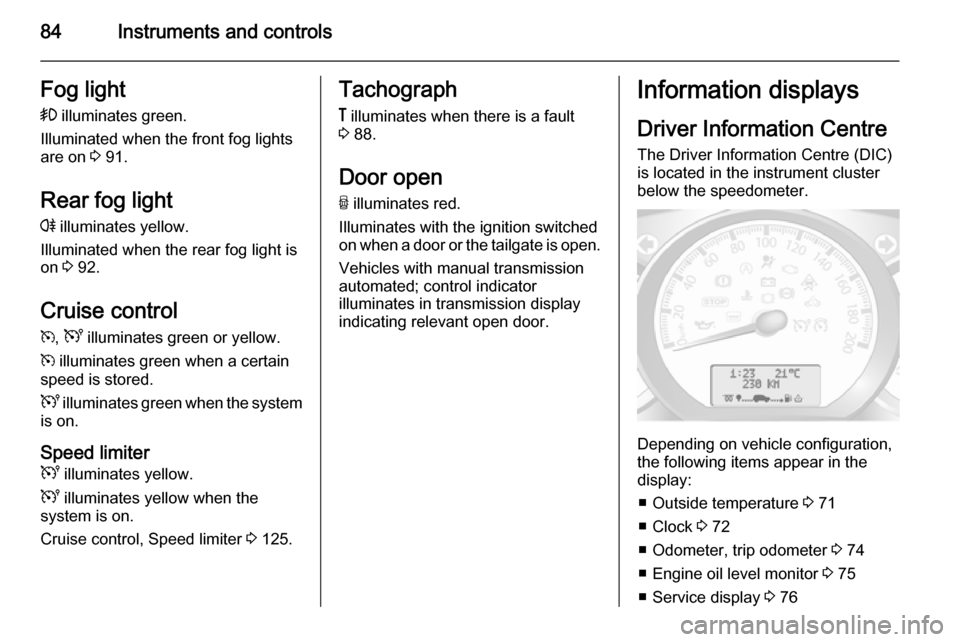
Driver Information Centre The Driver Information Centre (DIC)
is located in the instrument cluster
below the speedometer.
Depending on vehicle configuration,
the following items appear in the
display:
■ Outside temperature 3 71
■ Clock 3 72
■ Odometer, trip odometer 3 74
■ Engine oil level monitor 3 75
■ Service display 3 76
Page 89 of 209

Instruments and controls87
■ Distance travelled
■ Average speed
■ Distance before service 3 76
■ Clock 3 72
■ Cruise control and speed limiter stored speed 3 125
■ Tyre pressures 3 157
■ Fault and information messages
Fuel used
Displays the amount of fuel
consumed since the last reset.
The measurement can be restarted at
any time by pressing and holding
button.
Average consumption
The value is displayed after driving a
distance of 0.25 miles.
Average consumption is displayed,
taking into consideration the distance
travelled and the fuel used since the
last reset.
The measurement can be restarted at
any time.Instantaneous consumption
The value is displayed after reaching
a speed of 20 mph.
Range The value is displayed after driving adistance of 0.25 miles.
The range is calculated from the
current contents of the fuel tank and
the average consumption since the
last reset.
The range will not display if control
indicator Y is illuminated in the
instrument cluster 3 83.
The measurement can be restarted at
any time.
Distance travelled Displays the distance driven since the
last reset.
The measurement can be restarted at
any time.
Average speed The value is displayed after driving adistance of 0.25 miles.
The average speed since the last
reset is displayed.The measurement can be restarted at
any time.
Interruptions in the journey with the
ignition off are not included in the
calculations.
Reset trip computer information
To reset the trip computer, select one
of its functions then press and hold
button on end of wiper lever.
The following trip computer
information will be reset:
■ Fuel used
■ Average consumption
■ Range
■ Distance travelled
■ Average speed
The trip computer will reset
automatically when the maximum
value of any of the parameters is
exceeded.
Page 103 of 209

Climate control101
Press P button the appropriate
number of times to select the desired
stored programme.
Press the m or n buttons briefly;
the programming time flashes in the
display.
Using the m or n buttons adjust to
the desired time, then, as soon as the time display stops flashing, adjust the day using the m or n buttons.
The time and day are set when the
display stops flashing.
Recalling a programming mode To activate a stored programme,
press P button the appropriate
number of times until the
corresponding number appears on the display.
Neutral position or no stored programme activated Press P button until their is no stored
programme number visible in the
display.Adjusting the temperature
To adjust the temperature of the
heating, turn the rotary knob located
on the control panel.Turn clockwise=increase
temperatureTurn anti-clock‐
wise=decrease
temperature
Rear air conditioning
system The rear air conditioning system is
actuated in conjunction with the front
passenger compartment air
conditioning system.
Bus
Rear air vents
Additional air conditioning is supplied
to the rear passenger compartment
via the overhead air vents.
Page 104 of 209
102Climate control
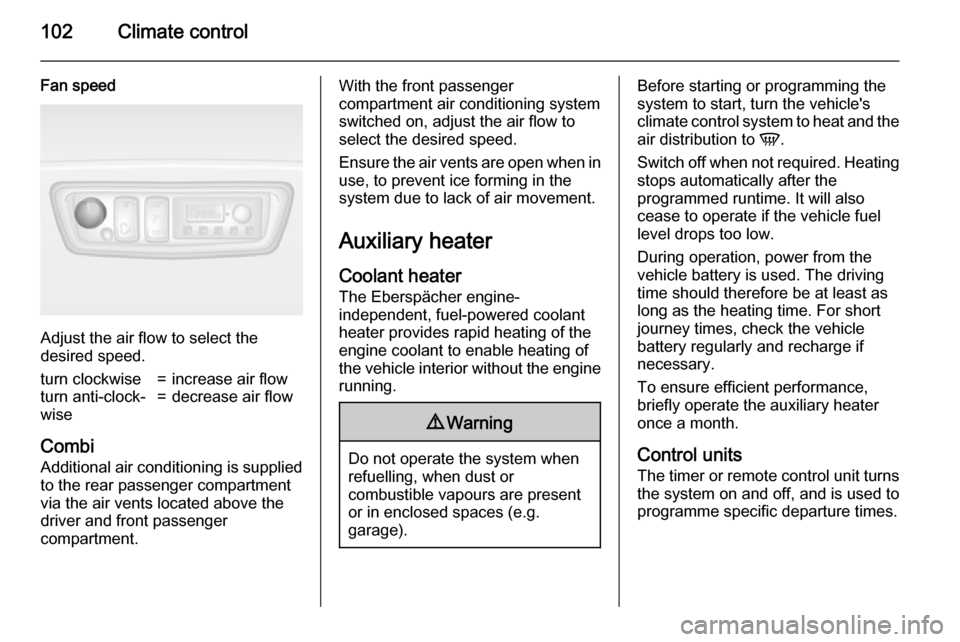
Fan speed
Adjust the air flow to select the
desired speed.
turn clockwise=increase air flowturn anti-clock‐
wise=decrease air flow
Combi
Additional air conditioning is supplied to the rear passenger compartment
via the air vents located above the
driver and front passenger
compartment.
With the front passenger
compartment air conditioning system
switched on, adjust the air flow to
select the desired speed.
Ensure the air vents are open when in
use, to prevent ice forming in the
system due to lack of air movement.
Auxiliary heater
Coolant heater The Eberspächer engine-
independent, fuel-powered coolant
heater provides rapid heating of the
engine coolant to enable heating of
the vehicle interior without the engine running.9 Warning
Do not operate the system when
refuelling, when dust or
combustible vapours are present
or in enclosed spaces (e.g.
garage).
Before starting or programming the
system to start, turn the vehicle's climate control system to heat and the
air distribution to V.
Switch off when not required. Heating stops automatically after the
programmed runtime. It will also
cease to operate if the vehicle fuel
level drops too low.
During operation, power from the
vehicle battery is used. The driving
time should therefore be at least as
long as the heating time. For short
journey times, check the vehicle
battery regularly and recharge if
necessary.
To ensure efficient performance,
briefly operate the auxiliary heater
once a month.
Control units
The timer or remote control unit turns the system on and off, and is used to
programme specific departure times.