stop start VAUXHALL MOVANO_B 2015 Owner's Manual
[x] Cancel search | Manufacturer: VAUXHALL, Model Year: 2015, Model line: MOVANO_B, Model: VAUXHALL MOVANO_B 2015Pages: 209, PDF Size: 4.92 MB
Page 13 of 209

In brief11
1Fixed air vents .................... 106
2 Headlight range
adjustment ........................... 90
Ultrasonic parking assist .....128
Traction control system ......123
Electronic stability program 124
3 Side air vents .....................106
4 Light switch .......................... 89
Turn and lane-change
signals .................................. 91
High beam and low beam,
headlight flash ......................90
Sidelights .............................. 89
Automatic light control .......... 89
Exit lighting ........................... 94
Front fog lights .....................91
Rear fog light ........................ 92
5 Instruments .......................... 74
Transmission display ............76
Driver Information Centre ...... 846 Horn ..................................... 70
Driver airbag ........................ 50
7 Remote control on
steering wheel .......................69
Cruise control .....................125
8 Windscreen wiper,
windscreen washer system ..70
Trip computer ........................ 86
9 Coin tray ............................... 61
10 Power outlet ......................... 72
11 Centre air vents .................. 106
12 Storage compartment ...........61
13 Front passenger airbag .........50
Storage compartment ..........61
14 Glovebox .............................. 62
15 Cupholders ........................... 62
16 Climate control system ......... 96
17 Cigarette lighter .................... 73
Power outlet ......................... 7218Gear lever, Manual
transmission ........................ 117
Manual transmission
automated ........................... 117
19 Cruise control and speed
limiter ................................. 125
Manual transmission
automated,
Winter and Laden modes ....119
Idle speed control ...............111
Stop-start system ................111
20 Ignition switch with
steering wheel lock ............110
21 Steering column controls .....70
22 Steering wheel adjustment ..69
23 Bonnet release lever ..........137
24 Auxiliary heater ...................102
25 Storage compartment ..........61
Fuse box ............................ 154
Page 19 of 209
In brief17
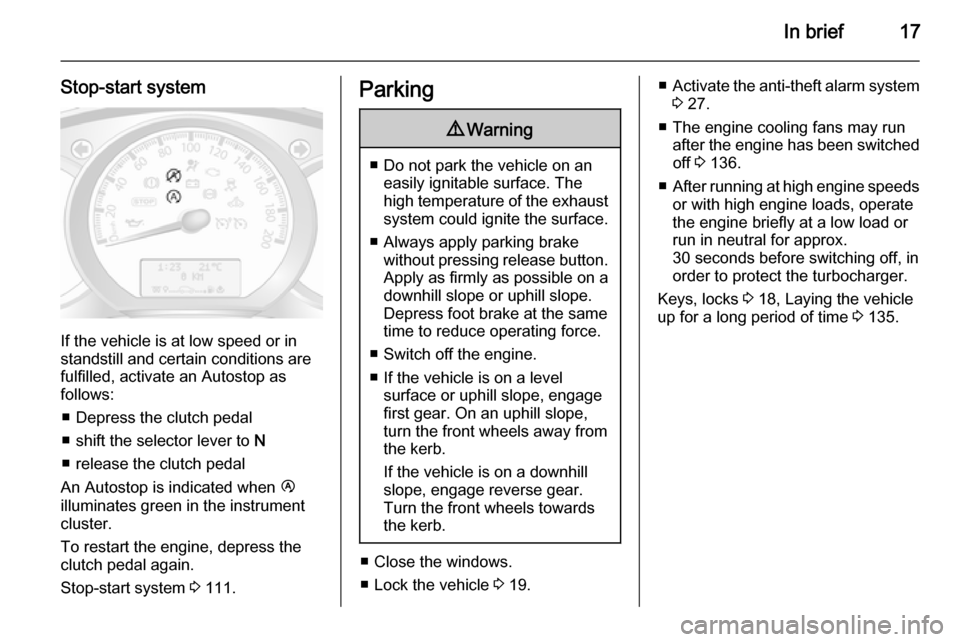
Stop-start system
If the vehicle is at low speed or in
standstill and certain conditions are
fulfilled, activate an Autostop as
follows:
■ Depress the clutch pedal
■ shift the selector lever to N
■ release the clutch pedal
An Autostop is indicated when Ï
illuminates green in the instrument
cluster.
To restart the engine, depress the clutch pedal again.
Stop-start system 3 111.
Parking9 Warning
■ Do not park the vehicle on an
easily ignitable surface. The
high temperature of the exhaust system could ignite the surface.
■ Always apply parking brake without pressing release button.Apply as firmly as possible on a
downhill slope or uphill slope.
Depress foot brake at the same
time to reduce operating force.
■ Switch off the engine.
■ If the vehicle is on a level surface or uphill slope, engage
first gear. On an uphill slope,
turn the front wheels away from the kerb.
If the vehicle is on a downhill
slope, engage reverse gear.
Turn the front wheels towards
the kerb.
■ Close the windows.
■ Lock the vehicle 3 19.
■ Activate the anti-theft alarm system
3 27.
■ The engine cooling fans may run after the engine has been switchedoff 3 136.
■ After running at high engine speeds
or with high engine loads, operate
the engine briefly at a low load or
run in neutral for approx.
30 seconds before switching off, in
order to protect the turbocharger.
Keys, locks 3 18, Laying the vehicle
up for a long period of time 3 135.
Page 30 of 209

28Keys, doors and windows
■ Load compartment
■ Vehicle inclination, e.g. if it is raised
■ Ignition
■ Interruption of alarm siren power supply
Activation
All doors and the bonnet must be
closed.
Press button e to activate anti-theft
alarm system. Hazard warning lights
flash twice to confirm activation.
If the hazard warning lights do not flash upon activation, a door or the
bonnet is not fully closed.
Notice
Changes to the vehicle interior, e.g.
the use of seat covers, and open
windows, could impair the function
of passenger compartment
monitoring.
Deactivation
Unlocking the vehicle or switching on the ignition deactivates the anti-theft
alarm system. Hazard warning lights flash once to confirm deactivation.
Notice
If the alarm has been triggered,
unlocking the vehicle with the key
will not stop the alarm siren. To stop
the siren, switch on the ignition. The hazard warning lights will not flash
upon deactivation if the alarm has
been triggered.
Activation without monitoring of
passenger compartment
Switch off monitoring of the
passenger compartment when
people or animals are being left in the
vehicle, or if the auxiliary heater
3 102 is set for a timed or remote
controlled start.
Depending on vehicle configuration:
■ press and hold button e, or
■ switch ignition on and off twice quickly, then close doors and
activate the anti-theft alarm system.
An audible signal will sound as
confirmation.
The status will remain until the doors
are unlocked.
Page 82 of 209

80Instruments and controlsCharging system
p illuminates red.
Illuminates when the ignition is
switched on and extinguishes shortly
after the engine starts.
Illuminates when the engine isrunning
Stop, switch off engine. Vehicle
battery is not charging. Engine
cooling may be interrupted. The
brake servo unit may cease to be
effective. Seek the assistance of a
workshop.
Malfunction indicator light
Z illuminates or flashes yellow.
Illuminates briefly when the ignition is switched on.
Illuminates when the engine is
running
Fault in the emission control system.
The permitted emission limits may be
exceeded. Seek the assistance of a
workshop immediately.Flashes when the engine is
running
Fault that could lead to catalytic
converter damage. Ease up on the
accelerator until the flashing stops.
Seek the immediate assistance of a
workshop.
Service vehicle soon A illuminates yellow.
Illuminates briefly when the ignition is
switched on.
The vehicle needs a service.
May illuminate in combination with
another control indicator or a
message in the Driver Information
Centre 3 84.
Illuminates if cleaning of the diesel
particle filter is required and
automatic cleaning does not occur
3 115.
Seek the assistance of a workshop
immediately.
Stop engine
C illuminates red.Illuminates for a few seconds when
the ignition is switched on.
If C illuminates (possibly in
combination with W and/or R), stop
engine immediately and seek the
assistance of a workshop.
Depending on the type of fault, a
warning message may also appear in the Driver Information Centre 3 84.
Brake system R illuminates red.
Illuminates briefly when the ignition is
switched on.
Control indicator R remains
illuminated after the ignition is
switched on if the parking brake is
applied 3 122.
When the parking brake is released,
R illuminates (possibly in
combination with C) if the brake fluid
level is too low 3 141.
Page 85 of 209
Instruments and controls83
3. Move out of the flow of traffic asquickly as possible without
impeding other vehicles.
4. Switch off ignition.9 Warning
When the engine is off,
considerably more force is needed
to brake and steer. During an
Autostop the brake servo unit will still be operational.
Do not remove key until vehicle is stationary, otherwise the steeringwheel lock could engage
unexpectedly.
Check oil level before seeking
assistance of a workshop 3 137.
Low fuel
Y illuminates yellow.
Illuminates when the ignition is
switched on and extinguishes shortly
after the engine starts.
Illuminates when the engine is
running
Fuel level in the tank is too low. Refuel immediately.
Never run the tank dry.
Refuelling 3 131.
Catalytic converter 3 116.
Bleeding the diesel fuel system
3 143.
Drain fuel filter
Q illuminates yellow.
Illuminates when the ignition is
switched on and extinguishes shortly
after the engine starts.
Illuminates when the engine is running
Indicates the presence of water in the diesel. Seek the assistance of a
workshop immediately.
Stop-start system \
Not used.Ï illuminates or flashes yellow /
green.
Illuminates
Illuminates green during an Autostop.
If Ï illuminates yellow there is a fault
in the stop-start system. Seek the
assistance of a workshop.
Flashes Flashes green during an automatic
restart.
Stop-start system 3 111.
Exterior light 9 illuminates green.
Illuminated when the exterior lights
are on 3 89.
High beam P illuminates blue.
Illuminated when high beam is on and during headlight flash 3 90.
Page 99 of 209
Climate control97
■Switch on heated rear window Ü.
■ Open side air vents as required and
direct them towards door windows.
■ For simultaneous warming of the foot well, set air distribution control
to J.
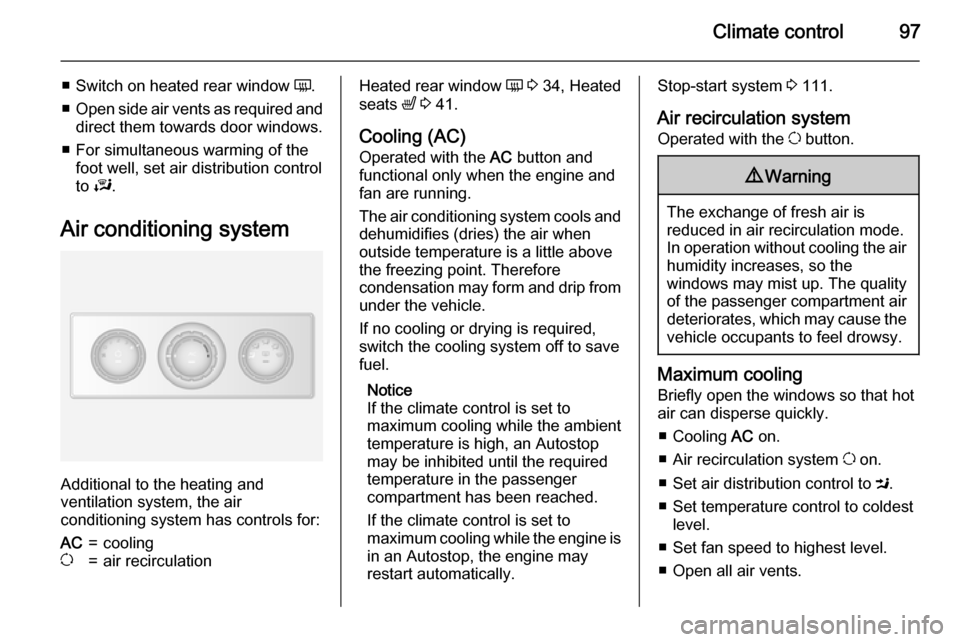
Air conditioning system
Additional to the heating and
ventilation system, the air
conditioning system has controls for:
AC=coolingu=air recirculationHeated rear window Ü 3 34, Heated
seats ß 3 41.
Cooling (AC)
Operated with the AC button and
functional only when the engine and fan are running.
The air conditioning system cools and
dehumidifies (dries) the air when
outside temperature is a little above
the freezing point. Therefore
condensation may form and drip from under the vehicle.
If no cooling or drying is required,
switch the cooling system off to save
fuel.
Notice
If the climate control is set to
maximum cooling while the ambient
temperature is high, an Autostop
may be inhibited until the required
temperature in the passenger
compartment has been reached.
If the climate control is set to
maximum cooling while the engine is in an Autostop, the engine mayrestart automatically.Stop-start system 3 111.
Air recirculation system Operated with the u button.9 Warning
The exchange of fresh air is
reduced in air recirculation mode.
In operation without cooling the air humidity increases, so the
windows may mist up. The quality
of the passenger compartment air
deteriorates, which may cause the vehicle occupants to feel drowsy.
Maximum cooling
Briefly open the windows so that hot air can disperse quickly.
■ Cooling AC on.
■ Air recirculation system u on.
■ Set air distribution control to M.
■ Set temperature control to coldest level.
■ Set fan speed to highest level.
■ Open all air vents.
Page 100 of 209
98Climate control
Demisting and defrosting the
windows ■ Switch cooling n on.
■ Set temperature control to warmest
level.
■ Set fan speed to highest level.
■ Set air distribution control to V.
■ Switch on heated rear window Ü.
■ Open side air vents as required and
direct them towards door windows.
■ For simultaneous warming of the foot well, set air distribution control
to J.
Notice
If the V button is pressed while the
engine is running, an Autostop will
be inhibited until the V button is
pressed again.
If the V button is pressed while the
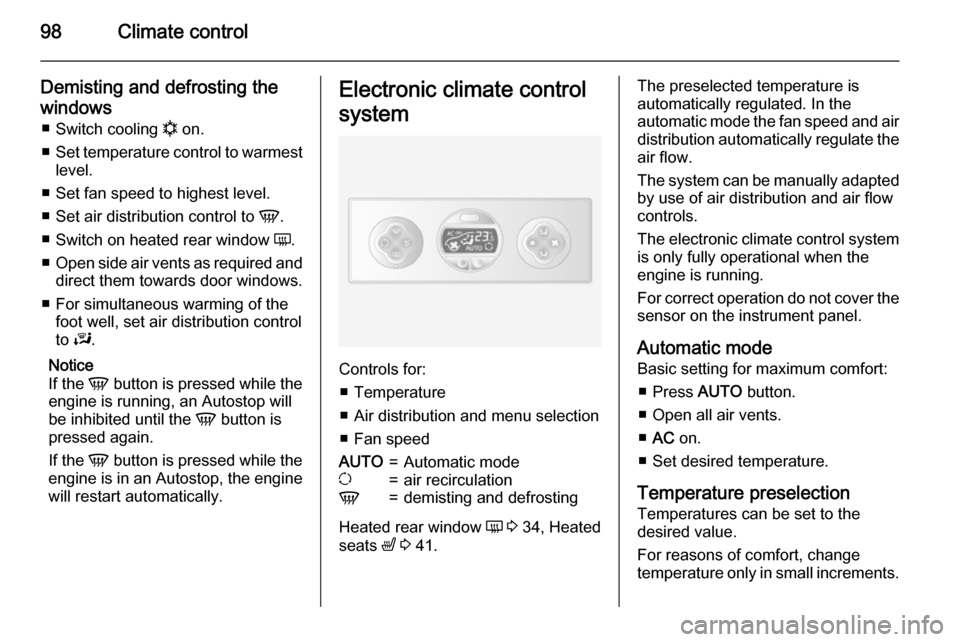
engine is in an Autostop, the engine will restart automatically.Electronic climate control
system
Controls for: ■ Temperature
■ Air distribution and menu selection
■ Fan speed
AUTO=Automatic modeu=air recirculationV=demisting and defrosting
Heated rear window Ü 3 34, Heated
seats ß 3 41.
The preselected temperature is
automatically regulated. In the
automatic mode the fan speed and air distribution automatically regulate the
air flow.
The system can be manually adapted by use of air distribution and air flowcontrols.
The electronic climate control system
is only fully operational when the
engine is running.
For correct operation do not cover the
sensor on the instrument panel.
Automatic mode Basic setting for maximum comfort:
■ Press AUTO button.
■ Open all air vents.
■ AC on.
■ Set desired temperature.
Temperature preselection
Temperatures can be set to the
desired value.
For reasons of comfort, change
temperature only in small increments.
Page 101 of 209

Climate control99
red=warmblue=cold
Heating will not be fully effective until
the engine has reached normal
operating temperature.
If the minimum temperature of 15 ℃
is set, the electronic climate control
system runs at maximum cooling.
If the maximum temperature of 27 ℃
is set, the electronic climate control
system runs at maximum heating.
Notice
If the temperature is to be reduced
for climate comfort reasons, an
Autostop can be inhibited or the
engine will restart automatically
when cooling is switched on.
Stop-start system 3 111.
Fan speed
The selected fan speed is indicated
with x in the display.
If the fan is switched off the air
conditioning is also deactivated.
To return to automatic mode: Press
AUTO button.
Demisting and defrosting the
windows
Press the V button.
Temperature and air distribution are
set automatically and the fan runs at
a high speed.
To return to automatic mode: press
button V or AUTO .
Notice
If the V button is pressed while the
engine is running, an Autostop will
be inhibited until the V button is
pressed again.
If the V button is pressed while the
engine is in an Autostop, the engine will restart automatically.
Air distribution
Press s or K repeatedly.
Arrows shown in the display indicate
the distribution settings.Cooling
The air conditioning system cools and
dehumidifies (dries) when outside
temperature is above a specific level. Therefore condensation may form
and drip from under the vehicle.
If no cooling or drying is required
press AC OFF to switch the cooling
system off, thus saving fuel.
Manual air recirculation mode
Operated with the u button.9 Warning
The exchange of fresh air is
reduced in air recirculation mode.
In operation without cooling the air humidity increases, so the
windows may mist up. The quality
of the passenger compartment air
deteriorates, which may cause the vehicle occupants to feel drowsy.
Page 104 of 209
102Climate control
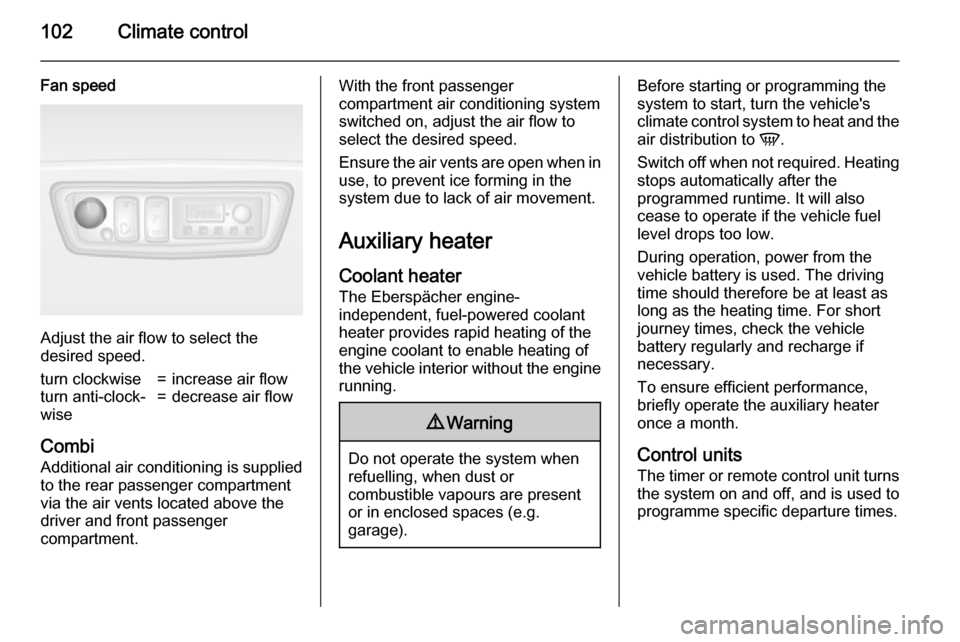
Fan speed
Adjust the air flow to select the
desired speed.
turn clockwise=increase air flowturn anti-clock‐
wise=decrease air flow
Combi
Additional air conditioning is supplied to the rear passenger compartment
via the air vents located above the
driver and front passenger
compartment.
With the front passenger
compartment air conditioning system
switched on, adjust the air flow to
select the desired speed.
Ensure the air vents are open when in
use, to prevent ice forming in the
system due to lack of air movement.
Auxiliary heater
Coolant heater The Eberspächer engine-
independent, fuel-powered coolant
heater provides rapid heating of the
engine coolant to enable heating of
the vehicle interior without the engine running.9 Warning
Do not operate the system when
refuelling, when dust or
combustible vapours are present
or in enclosed spaces (e.g.
garage).
Before starting or programming the
system to start, turn the vehicle's climate control system to heat and the
air distribution to V.
Switch off when not required. Heating stops automatically after the
programmed runtime. It will also
cease to operate if the vehicle fuel
level drops too low.
During operation, power from the
vehicle battery is used. The driving
time should therefore be at least as
long as the heating time. For short
journey times, check the vehicle
battery regularly and recharge if
necessary.
To ensure efficient performance,
briefly operate the auxiliary heater
once a month.
Control units
The timer or remote control unit turns the system on and off, and is used to
programme specific departure times.
Page 107 of 209

Climate control105
Ventilation x
Select x in the menu bar and confirm.
The ventilation duration can be
accepted or adjusted. The duration
shown is accepted without
confirmation.
To switch off, select x in the menu bar
again and confirm.
Programming P
Up to 3 preset departure times can be
programmed, either during one day or
over one week.
■ Select P in the menu bar and
confirm
■ Select desired preset memory number 1, 2 or 3 and confirm
■ Select day and confirm
■ Select hour and confirm
■ Select minutes and confirm
■ Select Y or x and confirm
■ If necessary, adjust the runtime duration prior to departure and
confirmThe next preset memory number to
be activated is underlined and the
weekday is displayed. Repeat the
procedure to programme the other preset memory numbers.
Pressing button X during the
procedure will exit without storing
programme adjustments.
To delete a preset departure time,
follow the steps for programming until
heating symbol Y flashes. Press
button q or r until oFF appears in
the display and confirm.
Heating stops automatically
5 minutes after the programmed
departure time.
Notice
The remote control system features
a temperature sensor which
calculates the runtime according to
the ambient temperature and the desired heating level (ECO or
HIGH). The system starts
automatically between 5 and
60 minutes prior to the programmed
departure time.Set weekday, time and heating
duration Ö
If the vehicle battery is disconnected or its voltage is too low, the unit will
need to be reset.
■ Select Ö and confirm
■ Select weekday and confirm
■ Change hours and confirm
■ Change minutes and confirm
■ Change the default heating duration and confirm
Heating level Y
The preferred heating level for
programmed departure times can be
set to either ECO or HIGH.
Select Y and confirm. ECO or HIGH
flashes in the display. Adjust using
the q or r button and confirm.