headlights VAUXHALL MOVANO_B 2017.5 Owner's Manual
[x] Cancel search | Manufacturer: VAUXHALL, Model Year: 2017.5, Model line: MOVANO_B, Model: VAUXHALL MOVANO_B 2017.5Pages: 259, PDF Size: 6.15 MB
Page 14 of 259
12In brief28Storage compartment ..........70
Fuse box ............................ 193Exterior lighting
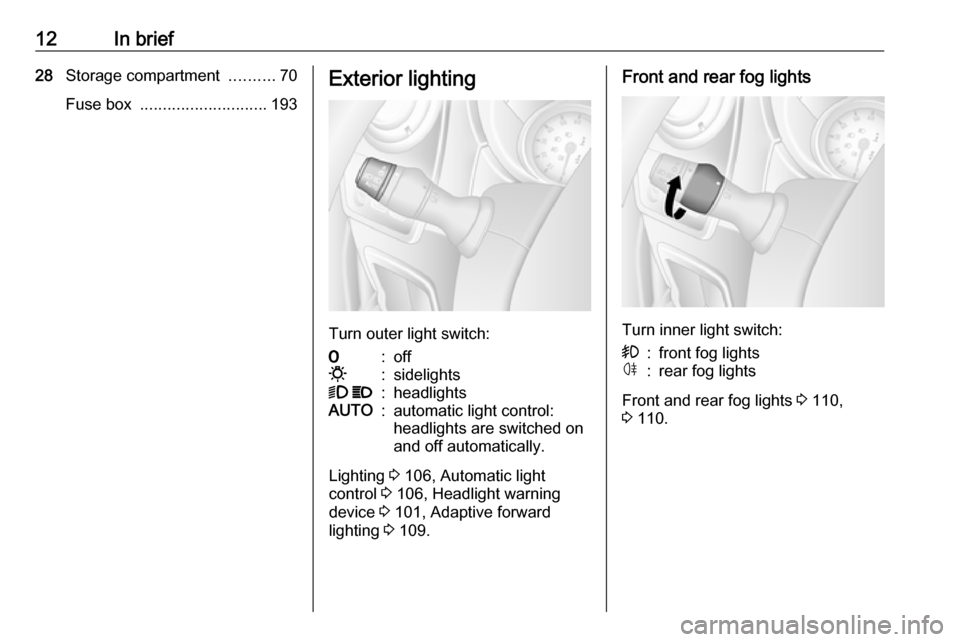
Turn outer light switch:
7:off0:sidelights9 P:headlightsAUTO:automatic light control:
headlights are switched on
and off automatically.
Lighting 3 106, Automatic light
control 3 106, Headlight warning
device 3 101, Adaptive forward
lighting 3 109.
Front and rear fog lights
Turn inner light switch:
>:front fog lightsø:rear fog lights
Front and rear fog lights 3 110,
3 110.
Page 108 of 259
106LightingLightingExterior lighting.......................... 106
Light switch .............................. 106
Automatic light control .............106
High beam ............................... 107
High beam assist .....................107
Headlight flash ......................... 108
Headlight range adjustment ....108
Headlights when driving abroad .................................... 108
Daytime running lights .............108
Adaptive forward lighting .........109
Hazard warning flashers ..........109
Turn and lane-change signals . 109
Front fog lights ......................... 110
Rear fog lights ......................... 110
Reversing lights .......................110
Misted light covers ...................110
Interior lighting ........................... 111
Interior lights ............................ 111
Load compartment lighting ......111
Reading lights .......................... 112
Lighting features ........................113
Exit lighting .............................. 113
Battery discharge protection ....113Exterior lighting
Light switch
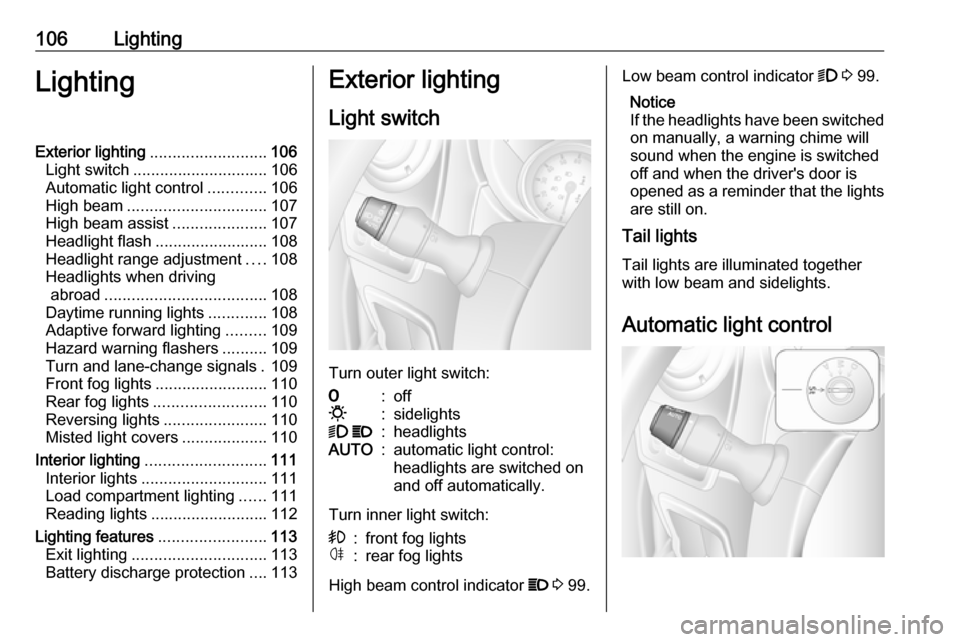
Turn outer light switch:
7:off0:sidelights9 P:headlightsAUTO:automatic light control:
headlights are switched on
and off automatically.
Turn inner light switch:
>:front fog lightsø:rear fog lights
High beam control indicator P 3 99.
Low beam control indicator 9 3 99.
Notice
If the headlights have been switched on manually, a warning chime will
sound when the engine is switched
off and when the driver's door is
opened as a reminder that the lights
are still on.
Tail lights
Tail lights are illuminated togetherwith low beam and sidelights.
Automatic light control
Page 109 of 259
Lighting107When the automatic light control
function is switched on and the
engine is running, the system
switches between daytime running
lights (where fitted) and headlights,
depending on the lighting conditions.
For reasons of safety, the light switch
should always remain in the AUTO
position.
Daytime running lights 3 108.
Automatic headlight activation During poor lighting conditions the
headlights are switched on.
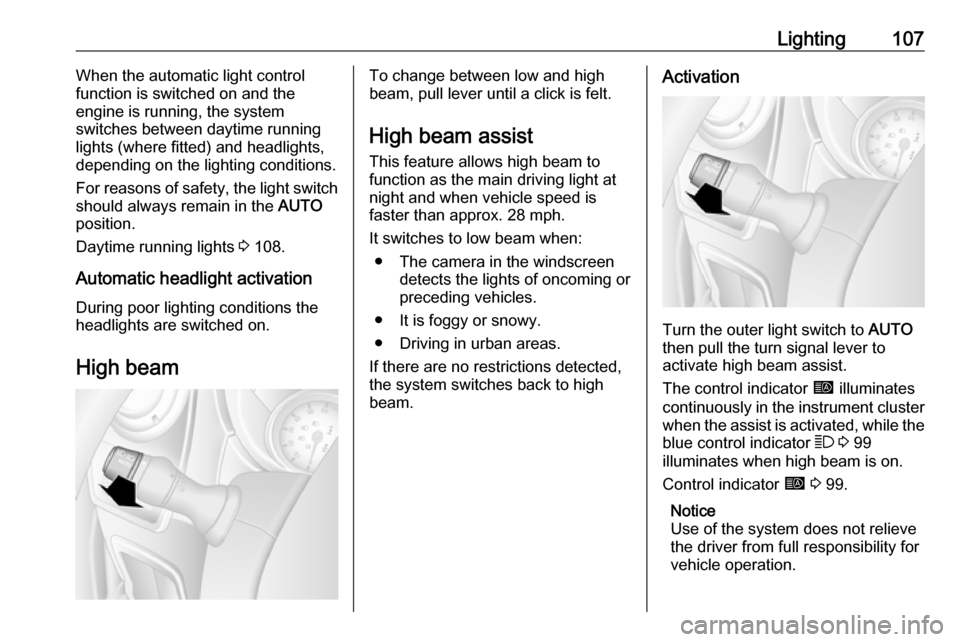
High beamTo change between low and high
beam, pull lever until a click is felt.
High beam assist This feature allows high beam to
function as the main driving light at
night and when vehicle speed is
faster than approx. 28 mph.
It switches to low beam when: ● The camera in the windscreen detects the lights of oncoming or
preceding vehicles.
● It is foggy or snowy.
● Driving in urban areas.
If there are no restrictions detected, the system switches back to high
beam.Activation
Turn the outer light switch to AUTO
then pull the turn signal lever to activate high beam assist.
The control indicator í illuminates
continuously in the instrument cluster when the assist is activated, while the
blue control indicator 7 3 99
illuminates when high beam is on.
Control indicator í 3 99.
Notice
Use of the system does not relieve
the driver from full responsibility for
vehicle operation.
Page 110 of 259
108LightingDeactivation
Pull the turn signal lever again.
Control indicator í extinguishes.
High beam assist is also deactivated
when the outer light switch is moved
out of the AUTO position.
Notice
Depending on version, the system
can be also be deactivated via the
Infotainment system. Refer to
Infotainment manual for further
information.
General information
Performance of the system can be affected due to the following:
● Extreme weather conditions, e.g.
heavy rain, fog or snow.
● The front camera or the windscreen is obstructed, e.g. bya portable navigation system.
● Oncoming or preceding vehicle lights are not detected.● Headlights are not adjustedcorrectly.
● Various reflective surfaces may also cause the system to fail to
detect other vehicles.
Headlight flash
To activate the headlight flash, pull
lever.
Headlight range adjustment
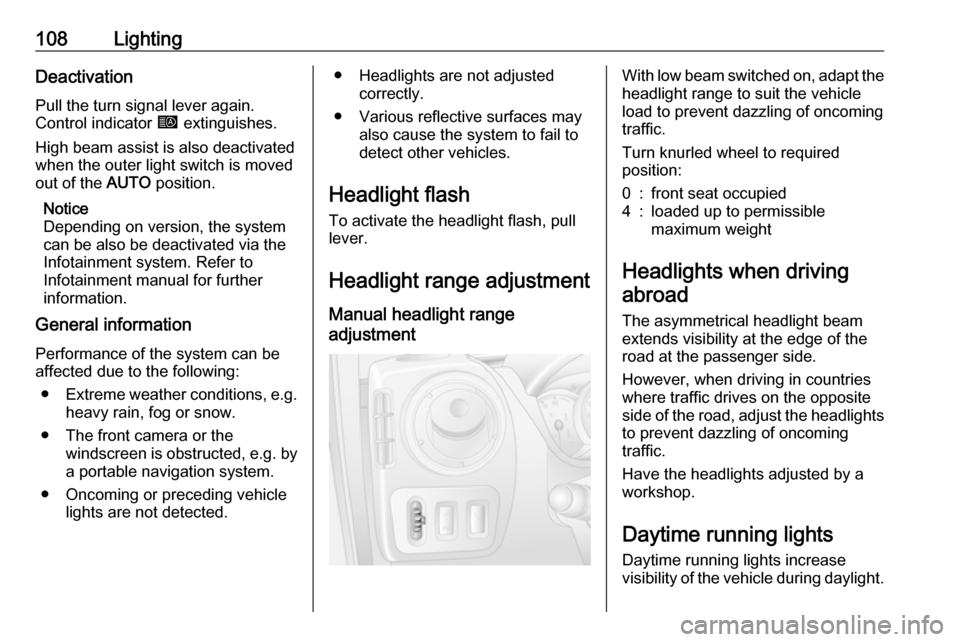
Manual headlight range
adjustment With low beam switched on, adapt the
headlight range to suit the vehicle
load to prevent dazzling of oncoming
traffic.
Turn knurled wheel to required
position:0:front seat occupied4:loaded up to permissible
maximum weight
Headlights when driving
abroad
The asymmetrical headlight beam
extends visibility at the edge of the
road at the passenger side.
However, when driving in countries
where traffic drives on the opposite
side of the road, adjust the headlights
to prevent dazzling of oncoming
traffic.
Have the headlights adjusted by a
workshop.
Daytime running lights
Daytime running lights increase
visibility of the vehicle during daylight.
Page 111 of 259
Lighting109The lights operate automatically
when the ignition is switched on.
If the vehicle is equipped with the
automatic light control function, the
system switches between daytime running lights and headlights
automatically depending on the
lighting conditions. Automatic light
control 3 106.
Adaptive forward lighting
Cornering light
Depending on the steering angle,
vehicle speed and gear selected
when cornering, an additional light
will illuminate the corner of the road
on the respective side when the
headlights are switched on.
The cornering light is switched off
automatically after prolonged use and at vehicle speeds above 25 mph.Hazard warning flashers
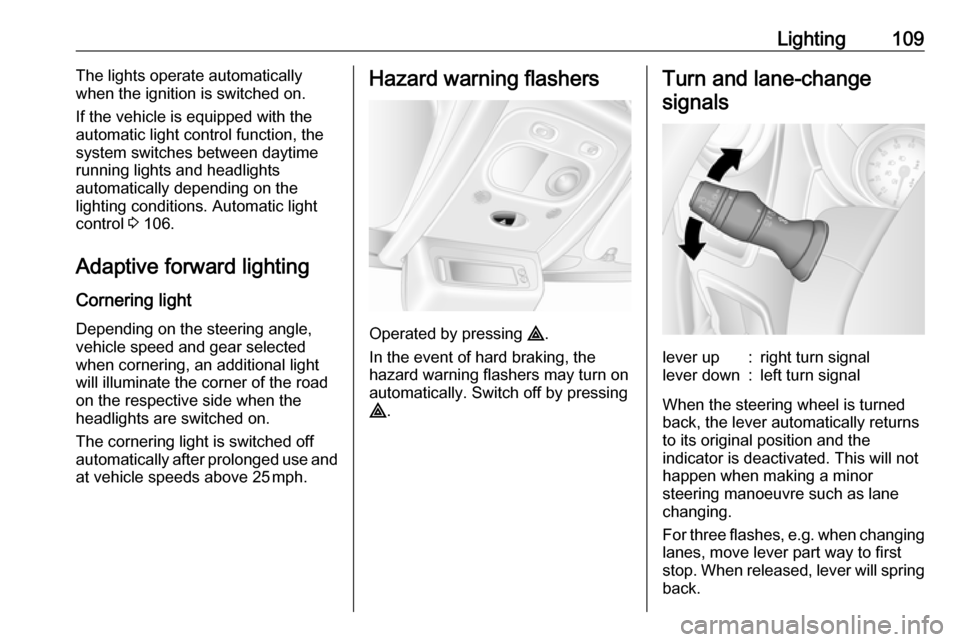
Operated by pressing ¨.
In the event of hard braking, the
hazard warning flashers may turn on automatically. Switch off by pressing
¨ .
Turn and lane-change
signalslever up:right turn signallever down:left turn signal
When the steering wheel is turned
back, the lever automatically returns
to its original position and the
indicator is deactivated. This will not happen when making a minor
steering manoeuvre such as lane
changing.
For three flashes, e.g. when changing lanes, move lever part way to first
stop. When released, lever will spring
back.
Page 112 of 259
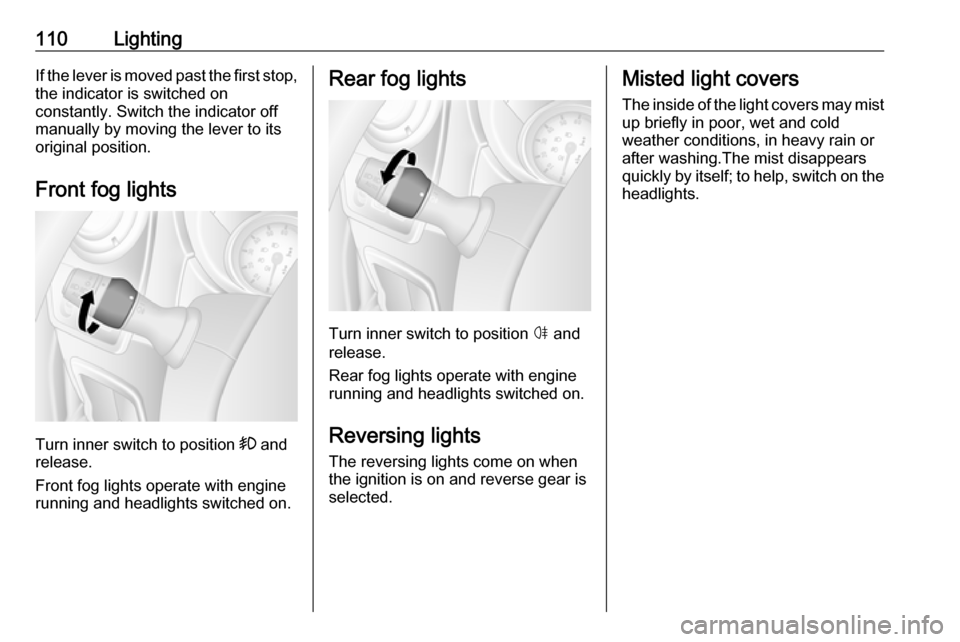
110LightingIf the lever is moved past the first stop,the indicator is switched on
constantly. Switch the indicator off
manually by moving the lever to its
original position.
Front fog lights
Turn inner switch to position >
and
release.
Front fog lights operate with engine
running and headlights switched on.
Rear fog lights
Turn inner switch to position ø and
release.
Rear fog lights operate with engine
running and headlights switched on.
Reversing lights
The reversing lights come on when
the ignition is on and reverse gear is
selected.
Misted light covers
The inside of the light covers may mist up briefly in poor, wet and cold
weather conditions, in heavy rain or
after washing.The mist disappears
quickly by itself; to help, switch on the
headlights.
Page 115 of 259
Lighting113Lighting features
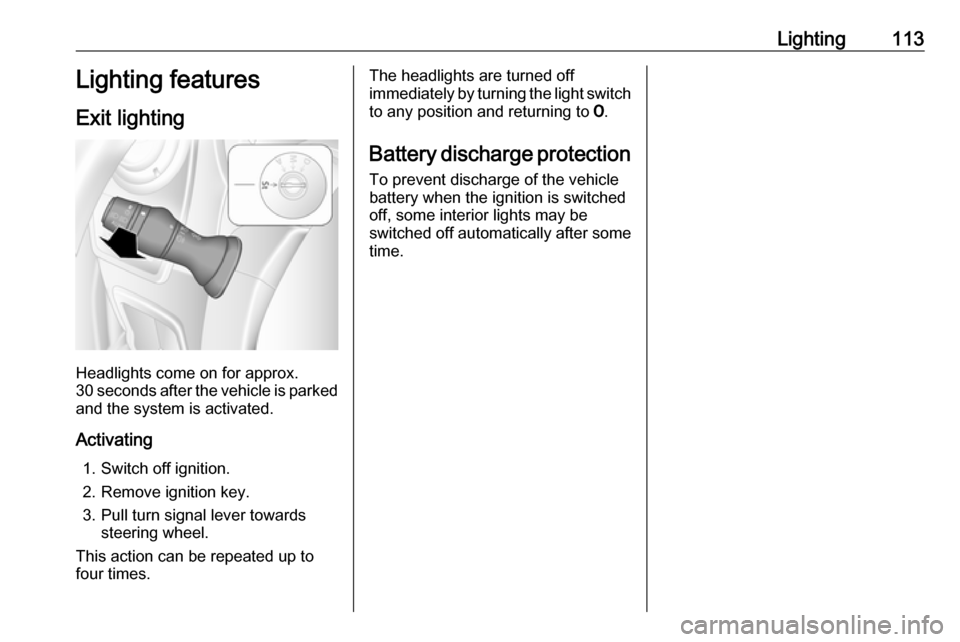
Exit lighting
Headlights come on for approx.
30 seconds after the vehicle is parked
and the system is activated.
Activating 1. Switch off ignition.
2. Remove ignition key.
3. Pull turn signal lever towards steering wheel.
This action can be repeated up to
four times.
The headlights are turned off immediately by turning the light switch
to any position and returning to 7.
Battery discharge protection To prevent discharge of the vehicle
battery when the ignition is switched
off, some interior lights may be
switched off automatically after some
time.
Page 166 of 259
164Driving and operatingInfotainment system display screen
In vehicles with Navigation system,
the rear view camera display is shown
on the Infotainment system display
screen.
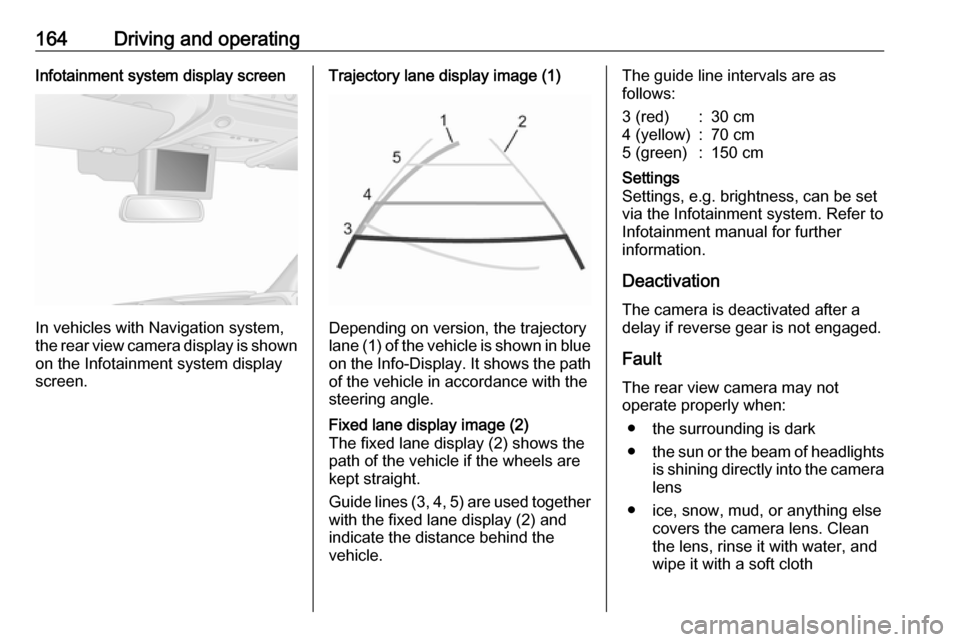
Trajectory lane display image (1)
Depending on version, the trajectory
lane (1) of the vehicle is shown in blue
on the Info-Display. It shows the path of the vehicle in accordance with the
steering angle.
Fixed lane display image (2)
The fixed lane display (2) shows the
path of the vehicle if the wheels are
kept straight.
Guide lines (3, 4, 5) are used together
with the fixed lane display (2) and indicate the distance behind the
vehicle.The guide line intervals are as
follows:3 (red):30 cm4 (yellow):70 cm5 (green):150 cmSettings
Settings, e.g. brightness, can be set
via the Infotainment system. Refer to
Infotainment manual for further
information.
Deactivation
The camera is deactivated after a
delay if reverse gear is not engaged.
Fault
The rear view camera may not
operate properly when:
● the surrounding is dark
● the sun or the beam of headlights
is shining directly into the camera lens
● ice, snow, mud, or anything else covers the camera lens. Clean
the lens, rinse it with water, and
wipe it with a soft cloth
Page 174 of 259

172Vehicle careVehicle careGeneral Information...................173
Accessories and vehicle modifications .......................... 173
Vehicle storage ........................173
End-of-life vehicle recovery .....174
Vehicle checks ........................... 174
Performing work ......................174
Bonnet ..................................... 174
Engine oil ................................. 175
Engine coolant ......................... 176
Power steering fluid .................177
Washer fluid ............................ 178
Brakes ..................................... 178
Brake fluid ............................... 178
Vehicle battery ......................... 179
Diesel fuel filter ........................181
Diesel fuel system bleeding .....181
Wiper blade replacement ........182
Bulb replacement .......................183
Headlights ............................... 183
Adaptive forward lighting .........185
Fog lights ................................. 186
Front turn signal lights .............186
Tail lights ................................. 187
Side turn signal lights ..............188Centre high-mounted brake
light ......................................... 189
Number plate light ...................190
Interior lights ............................ 190
Instrument panel illumination ...191
Electrical system ........................192
Fuses ....................................... 192
Engine compartment fuse box . 193
Instrument panel fuse box .......193
Load compartment fuse box ....194
Vehicle tools .............................. 196
Tools ........................................ 196
Wheels and tyres .......................197
Tyres ....................................... 197
Winter tyres ............................. 198
Tyre designations ....................198
Tyre pressure .......................... 198
Tyre pressure monitoring system .................................... 199
Tread depth ............................. 201
Changing tyre and wheel size . 201 Wheel covers ........................... 202
Tyre chains .............................. 202
Tyre repair kit .......................... 202
Wheel changing .......................206
Spare wheel ............................ 208
Jump starting ............................. 211Towing....................................... 213
Towing the vehicle ...................213
Towing another vehicle ...........214
Appearance care .......................215
Exterior care ............................ 215
Interior care ............................. 216
Page 184 of 259
182Vehicle careFill the tank with fuel and proceed asfollows:
1. Place a suitable container underneath the fuel filter vent
screw to collect fuel.
2. Loosen the vent screw (arrowed) by one turn.
3. Manually operate the in-line supply pump slowly and steadily
until fuel discharging from the
loosened vent screw is free of air
bubbles.
4. Retighten the vent screw.
In vehicles without an in-line supply
pump, fill the tank with fuel and
proceed as follows:Caution
Do not turn ignition key to position 3 before beginning the bleeding
procedure.
Ignition switch positions 3 132.
1. Turn ignition key to position 2 and
hold for five seconds.
2. Turn key back to position 1 and
wait for three seconds.
3. Repeat Step 1 and 2 multiple times.
4. Turn key to position 3, then return
to 0.
If the engine cannot be started after
several attempts to bleed the diesel
fuel system, seek the assistance of a
workshop.
Wiper blade replacement
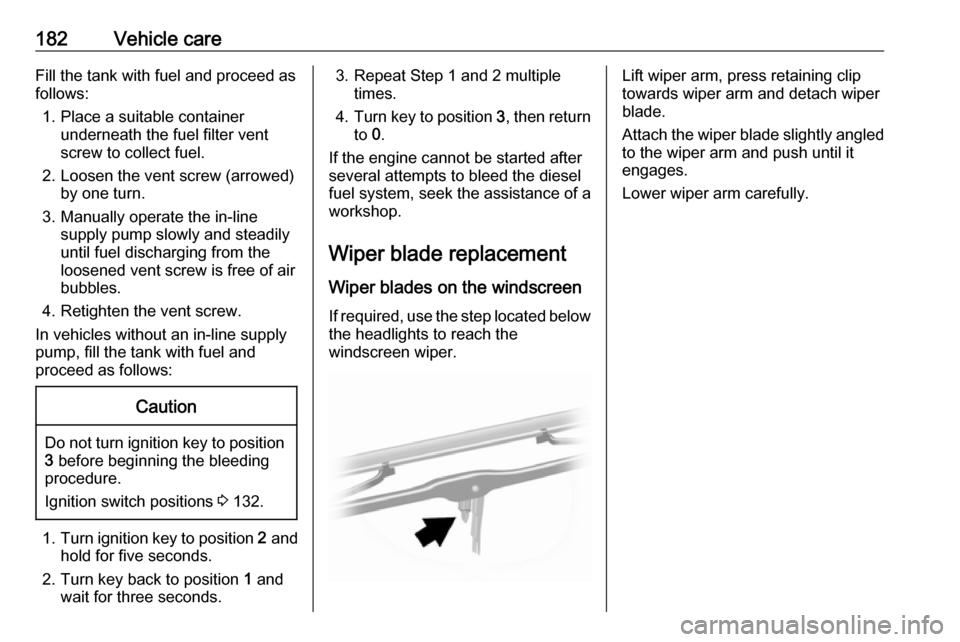
Wiper blades on the windscreen If required, use the step located below
the headlights to reach the
windscreen wiper.Lift wiper arm, press retaining clip
towards wiper arm and detach wiper
blade.
Attach the wiper blade slightly angled
to the wiper arm and push until it
engages.
Lower wiper arm carefully.