Eco VAUXHALL MOVANO_B 2018.5 Owner's Manual
[x] Cancel search | Manufacturer: VAUXHALL, Model Year: 2018.5, Model line: MOVANO_B, Model: VAUXHALL MOVANO_B 2018.5Pages: 269, PDF Size: 6.41 MB
Page 5 of 269

Introduction3Vehicle specific dataPlease enter your vehicle's data on
the previous page to keep it easily
accessible. This information is
available in the sections "Service and
maintenance" and "Technical data"
as well as on the identification plate.
Introduction
Your vehicle is a designed
combination of advanced technology, safety, environmental friendliness
and economy.
This Owner's Manual provides you
with all the necessary information to
enable you to drive your vehicle
safely and efficiently.
Make sure your passengers are
aware of the possible risk of accident
and injury which may result from
improper use of the vehicle.
You must always comply with the
specific laws and regulations of the
country that you are in. These laws
may differ from the information in this Owner's Manual.
Disregarding the description given in
this manual may affect your warranty.When this Owner's Manual refers to a
workshop visit, we recommend your
Vauxhall Authorised Repairer.
All Vauxhall Authorised Repairers
provide first-class service at
reasonable prices. Experienced
mechanics trained by Vauxhall work according to specific Vauxhall
instructions.
The customer literature pack should
always be kept ready to hand in the
vehicle.
Using this manual ● This manual describes all options
and features available for this
model. Certain descriptions,
including those for display and
menu functions, may not apply to
your vehicle due to model
variant, country specifications,
special equipment or
accessories.
● The "In brief" section will give you
an initial overview.● The table of contents at the beginning of this manual and
within each section shows where the information is located.
● The index will enable you to search for specific information.
● This Owner's Manual depicts left-
hand drive vehicles. Operation is similar for right-hand drive
vehicles.
● The Owner's Manual uses the factory engine designations. The
corresponding sales
designations can be found in the
section "Technical data".
● Directional data, e.g. left or right, or front or back, always relate to
the direction of travel.
● The vehicle display screens may not support your specific
language.
● Display messages and interior labelling are written in bold
letters.
Page 14 of 269

12In brief1Fixed air vents .................... 132
2 Headlight range
adjustment ......................... 112
Ultrasonic parking assist .....167
Traction control system ......159
Electronic Stability
Program ............................. 160
3 Side air vents .....................131
4 Light switch ........................ 110
Turn and lane-change
signals ................................ 113
High beam and low beam,
headlight flash ....................111
Sidelights ............................ 110
Automatic light control .......110
Exit lighting ......................... 117
Front fog lights ...................114
Rear fog light ...................... 114
High beam assist ................111
5 Instruments .......................... 91
Transmission display ............95Driver Information Centre .... 104
Trip computer ...................... 107
6 Horn ..................................... 86
Driver airbag ........................ 62
7 Remote control on
steering wheel .......................86
Cruise control .....................162
8 Windscreen wiper,
windscreen washer system ..87
Trip computer ...................... 107
9 Coin tray ............................... 74
10 Power outlet, USB slot ..........89
11 Centre air vents .................. 131
12 Storage compartment ...........74
13 Info Display ......................... 105
14 Front passenger airbag .........62
15 Storage compartment ..........74
16 Glovebox .............................. 75
17 Seat belt reminder ................. 98
Front passenger airbag
deactivation ........................... 63
18 Cupholders ........................... 7519Climate control system ....... 118
Electronic climate control
system ................................. 120
20 Cigarette lighter .................... 91
Power outlet ......................... 89
21 Gear lever, Manual
transmission ........................ 152
Manual transmission
automated ........................... 153
22 Cruise control .....................162
Speed limiter ...................... 164
Manual transmission
automated,
Winter and Laden modes ....155
Idle speed control ...............138
Stop-start system ................138
ECO mode .......................... 135
23 Ignition switch with
steering wheel lock ............136
24 Steering column controls .....86
25 Steering wheel adjustment ..86
26 Bonnet release lever ..........180
27 Auxiliary heater ...................125
Page 21 of 269
In brief19Parking9Warning
● Do not park the vehicle on an
easily ignitable surface. The
high temperature of the
exhaust system could ignite the
surface.
● Always apply parking brake without pressing release
button. Apply as firmly as
possible on a downhill slope or
uphill slope. Depress brake
pedal at the same time to
reduce operating force.
● Switch off the engine.
● If the vehicle is on a level surface or uphill slope, engage
first gear. On an uphill slope,
turn the front wheels away from
the kerb.
If the vehicle is on a downhill
slope, engage reverse gear.
Turn the front wheels towards the kerb.
● Close the windows.
● Remove the ignition key from the ignition switch. Turn the
steering wheel until the
steering wheel lock is felt to
engage.
● Lock the vehicle by pressing e on
the remote control 3 24.
● Activate the anti-theft alarm system 3 36.
● The engine cooling fans may run
after the engine has been
switched off 3 180.
Caution
After running at high engine
speeds or with high engine loads,
operate the engine briefly at a low load or run in neutral for approx.30 seconds before switching off, in
order to protect the turbocharger.
Keys, locks 3 20.
Laying the vehicle up for a long period
of time 3 179.
Page 29 of 269
Keys, doors and windows27Electronic key system operation
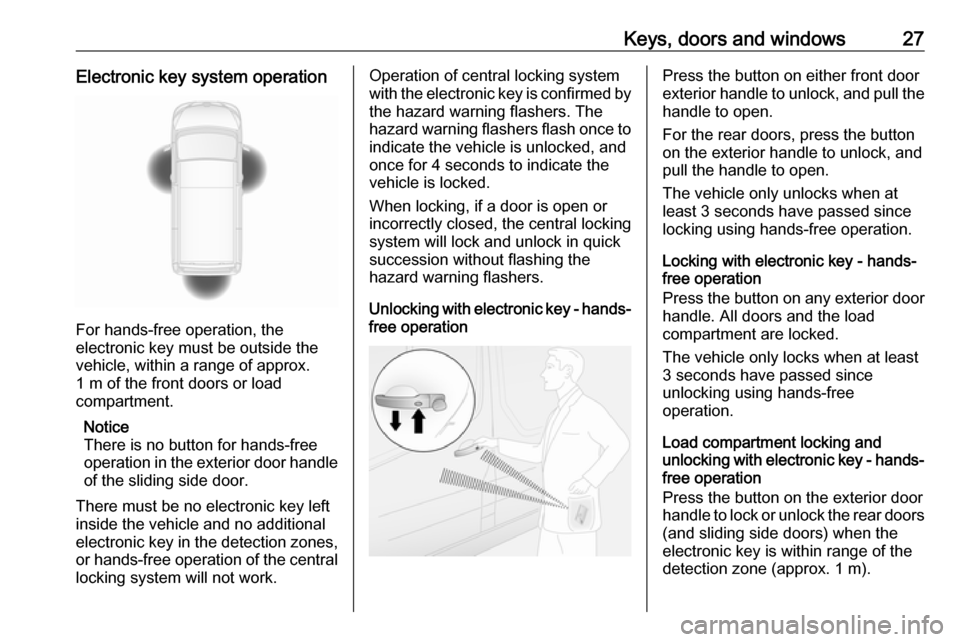
For hands-free operation, the
electronic key must be outside the
vehicle, within a range of approx.
1 m of the front doors or load
compartment.
Notice
There is no button for hands-free
operation in the exterior door handle
of the sliding side door.
There must be no electronic key left
inside the vehicle and no additional
electronic key in the detection zones, or hands-free operation of the centrallocking system will not work.
Operation of central locking system
with the electronic key is confirmed by
the hazard warning flashers. The
hazard warning flashers flash once to
indicate the vehicle is unlocked, and
once for 4 seconds to indicate the
vehicle is locked.
When locking, if a door is open or
incorrectly closed, the central locking
system will lock and unlock in quick
succession without flashing the
hazard warning flashers.
Unlocking with electronic key - hands-
free operationPress the button on either front door
exterior handle to unlock, and pull the
handle to open.
For the rear doors, press the button
on the exterior handle to unlock, and
pull the handle to open.
The vehicle only unlocks when at
least 3 seconds have passed since
locking using hands-free operation.
Locking with electronic key - hands-
free operation
Press the button on any exterior door
handle. All doors and the load
compartment are locked.
The vehicle only locks when at least
3 seconds have passed since
unlocking using hands-free
operation.
Load compartment locking and
unlocking with electronic key - hands- free operation
Press the button on the exterior door
handle to lock or unlock the rear doors
(and sliding side doors) when the
electronic key is within range of the
detection zone (approx. 1 m).
Page 30 of 269
28Keys, doors and windowsThe rear doors (and sliding side
doors) only lock / unlock when at least 3 seconds have passed since the
button was last pressed.
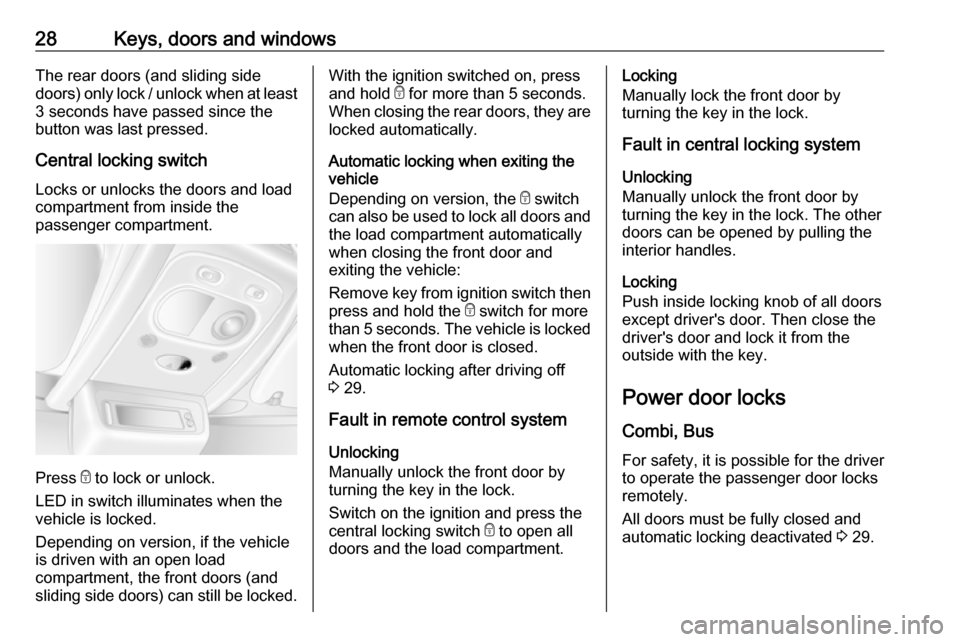
Central locking switch Locks or unlocks the doors and load
compartment from inside the
passenger compartment.
Press e to lock or unlock.
LED in switch illuminates when the
vehicle is locked.
Depending on version, if the vehicle
is driven with an open load
compartment, the front doors (and
sliding side doors) can still be locked.
With the ignition switched on, press
and hold e for more than 5 seconds.
When closing the rear doors, they are locked automatically.
Automatic locking when exiting the
vehicle
Depending on version, the e switch
can also be used to lock all doors and the load compartment automatically
when closing the front door and
exiting the vehicle:
Remove key from ignition switch then
press and hold the e switch for more
than 5 seconds. The vehicle is locked when the front door is closed.
Automatic locking after driving off
3 29.
Fault in remote control system Unlocking
Manually unlock the front door by
turning the key in the lock.
Switch on the ignition and press the central locking switch e to open all
doors and the load compartment.Locking
Manually lock the front door by
turning the key in the lock.
Fault in central locking system
Unlocking
Manually unlock the front door by
turning the key in the lock. The other
doors can be opened by pulling the
interior handles.
Locking
Push inside locking knob of all doors
except driver's door. Then close the
driver's door and lock it from the
outside with the key.
Power door locks
Combi, Bus For safety, it is possible for the driver
to operate the passenger door locks
remotely.
All doors must be fully closed and
automatic locking deactivated 3 29.
Page 31 of 269
Keys, doors and windows29
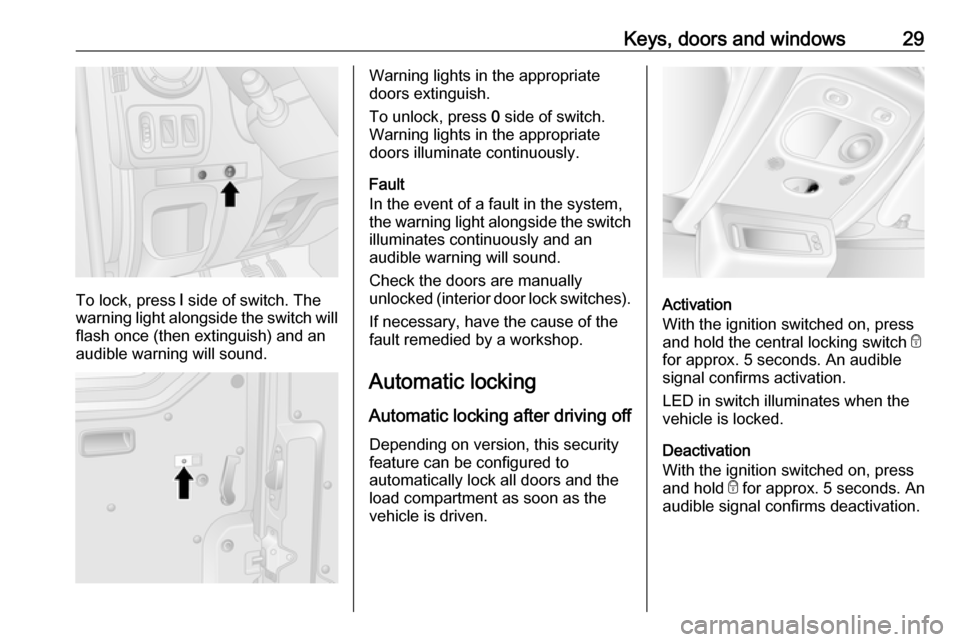
To lock, press l side of switch. The
warning light alongside the switch will
flash once (then extinguish) and an
audible warning will sound.
Warning lights in the appropriate
doors extinguish.
To unlock, press 0 side of switch.
Warning lights in the appropriate
doors illuminate continuously.
Fault
In the event of a fault in the system,
the warning light alongside the switch illuminates continuously and an
audible warning will sound.
Check the doors are manually
unlocked (interior door lock switches).
If necessary, have the cause of the
fault remedied by a workshop.
Automatic locking Automatic locking after driving off Depending on version, this security
feature can be configured to
automatically lock all doors and the
load compartment as soon as the
vehicle is driven.
Activation
With the ignition switched on, press and hold the central locking switch e
for approx. 5 seconds. An audible
signal confirms activation.
LED in switch illuminates when the
vehicle is locked.
Deactivation
With the ignition switched on, press
and hold e for approx. 5 seconds. An
audible signal confirms deactivation.
Page 32 of 269
30Keys, doors and windowsChild locks9Warning
Use the child locks whenever
children are occupying the rear
seats.
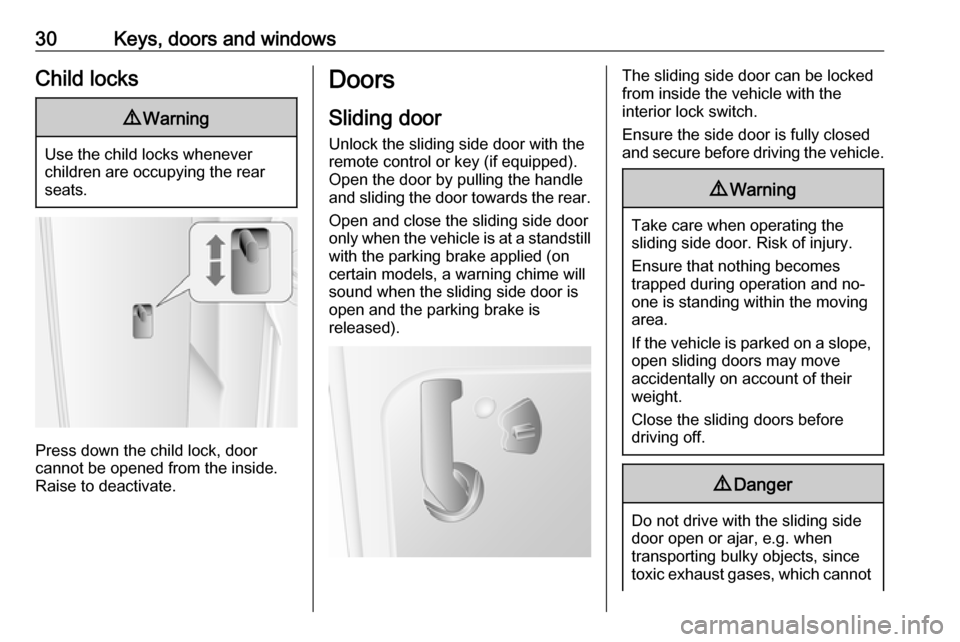
Press down the child lock, door
cannot be opened from the inside.
Raise to deactivate.
Doors
Sliding door
Unlock the sliding side door with the remote control or key (if equipped).
Open the door by pulling the handle
and sliding the door towards the rear.
Open and close the sliding side door
only when the vehicle is at a standstill with the parking brake applied (on
certain models, a warning chime will
sound when the sliding side door is
open and the parking brake is
released).The sliding side door can be locked
from inside the vehicle with the
interior lock switch.
Ensure the side door is fully closed
and secure before driving the vehicle.9 Warning
Take care when operating the
sliding side door. Risk of injury.
Ensure that nothing becomes
trapped during operation and no-
one is standing within the moving
area.
If the vehicle is parked on a slope,
open sliding doors may move
accidentally on account of their
weight.
Close the sliding doors before
driving off.
9 Danger
Do not drive with the sliding side
door open or ajar, e.g. when
transporting bulky objects, since
toxic exhaust gases, which cannot
Page 33 of 269
Keys, doors and windows31be seen or smelled, could enter
the vehicle. This can cause
unconsciousness and even death.
Central locking system 3 24.
Power sliding door
Opening
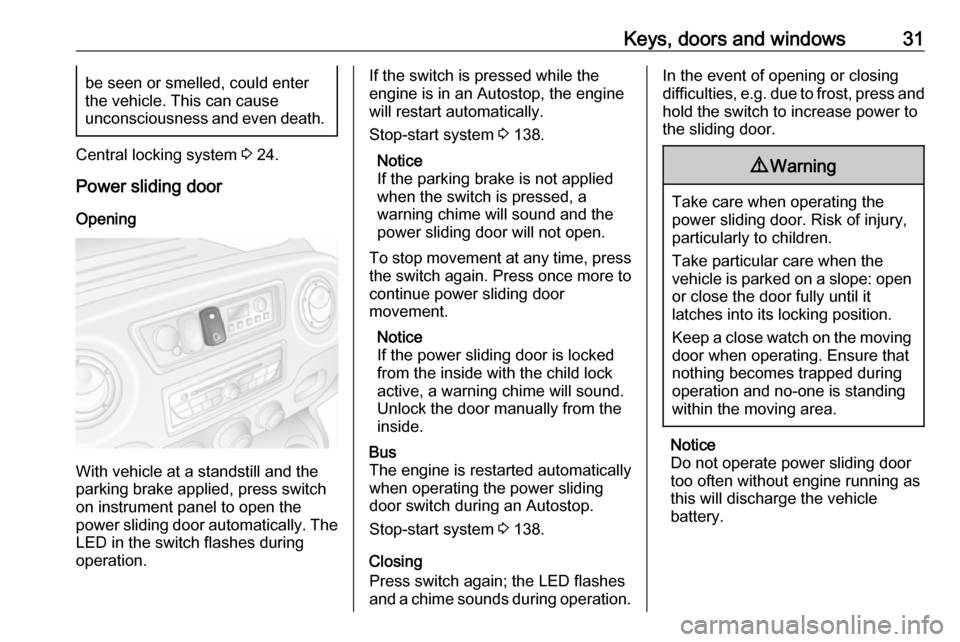
With vehicle at a standstill and the
parking brake applied, press switch
on instrument panel to open the
power sliding door automatically. The
LED in the switch flashes during
operation.
If the switch is pressed while the
engine is in an Autostop, the engine
will restart automatically.
Stop-start system 3 138.
Notice
If the parking brake is not applied when the switch is pressed, a
warning chime will sound and the power sliding door will not open.
To stop movement at any time, press the switch again. Press once more to
continue power sliding door
movement.
Notice
If the power sliding door is locked
from the inside with the child lock
active, a warning chime will sound.
Unlock the door manually from the
inside.Bus
The engine is restarted automatically
when operating the power sliding
door switch during an Autostop.
Stop-start system 3 138.
Closing
Press switch again; the LED flashes and a chime sounds during operation.
In the event of opening or closing
difficulties, e.g. due to frost, press and hold the switch to increase power to
the sliding door.9 Warning
Take care when operating the
power sliding door. Risk of injury,
particularly to children.
Take particular care when the
vehicle is parked on a slope: open
or close the door fully until it
latches into its locking position.
Keep a close watch on the moving door when operating. Ensure thatnothing becomes trapped during
operation and no-one is standing
within the moving area.
Notice
Do not operate power sliding door too often without engine running asthis will discharge the vehicle
battery.
Page 34 of 269
32Keys, doors and windowsEmergency exit
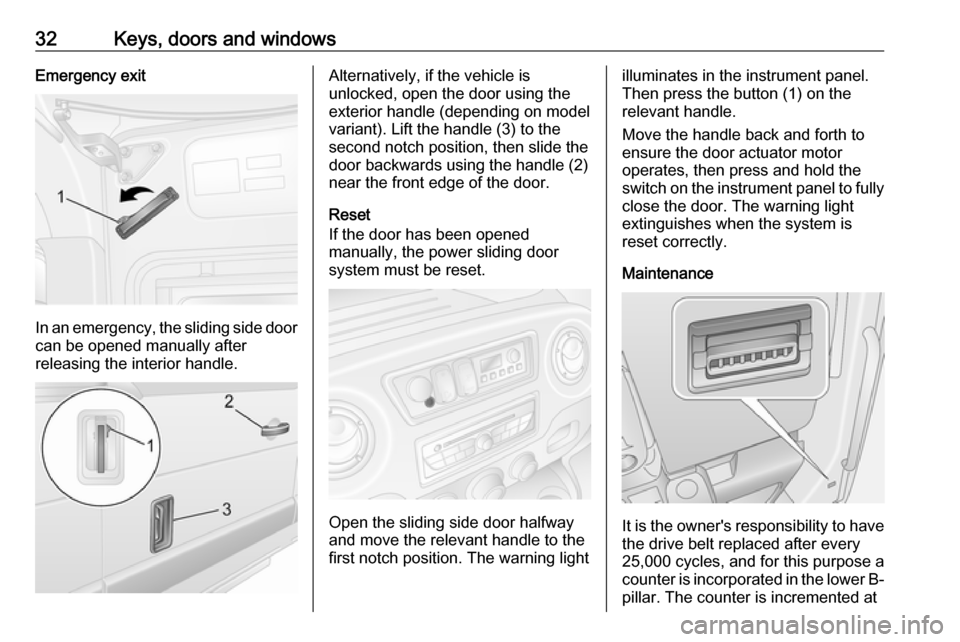
In an emergency, the sliding side door
can be opened manually after
releasing the interior handle.
Alternatively, if the vehicle is
unlocked, open the door using the
exterior handle (depending on model variant). Lift the handle (3) to the
second notch position, then slide the
door backwards using the handle (2)
near the front edge of the door.
Reset
If the door has been opened
manually, the power sliding door
system must be reset.
Open the sliding side door halfway
and move the relevant handle to the
first notch position. The warning light
illuminates in the instrument panel.
Then press the button (1) on the relevant handle.
Move the handle back and forth to
ensure the door actuator motor
operates, then press and hold the
switch on the instrument panel to fully
close the door. The warning light
extinguishes when the system is
reset correctly.
Maintenance
It is the owner's responsibility to have
the drive belt replaced after every
25,000 cycles, and for this purpose a
counter is incorporated in the lower B- pillar. The counter is incremented at
Page 38 of 269
36Keys, doors and windows2-button and 3-button remote
control operation
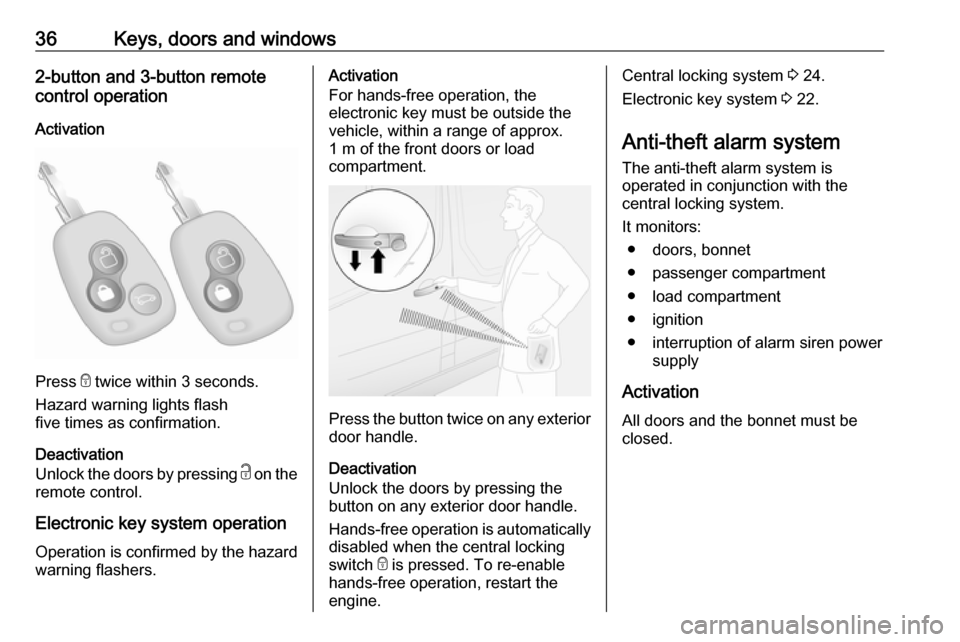
Activation
Press e twice within 3 seconds.
Hazard warning lights flash
five times as confirmation.
Deactivation
Unlock the doors by pressing c on the
remote control.
Electronic key system operation Operation is confirmed by the hazard warning flashers.
Activation
For hands-free operation, the
electronic key must be outside the
vehicle, within a range of approx.
1 m of the front doors or load
compartment.
Press the button twice on any exterior
door handle.
Deactivation
Unlock the doors by pressing the
button on any exterior door handle.
Hands-free operation is automatically
disabled when the central locking
switch e is pressed. To re-enable
hands-free operation, restart the
engine.
Central locking system 3 24.
Electronic key system 3 22.
Anti-theft alarm system
The anti-theft alarm system is
operated in conjunction with the
central locking system.
It monitors: ● doors, bonnet
● passenger compartment
● load compartment
● ignition
● interruption of alarm siren power supply
Activation
All doors and the bonnet must be
closed.