Eco button VAUXHALL MOVANO_B 2018.5 Owner's Manual
[x] Cancel search | Manufacturer: VAUXHALL, Model Year: 2018.5, Model line: MOVANO_B, Model: VAUXHALL MOVANO_B 2018.5Pages: 269, PDF Size: 6.41 MB
Page 21 of 269
In brief19Parking9Warning
● Do not park the vehicle on an
easily ignitable surface. The
high temperature of the
exhaust system could ignite the
surface.
● Always apply parking brake without pressing release
button. Apply as firmly as
possible on a downhill slope or
uphill slope. Depress brake
pedal at the same time to
reduce operating force.
● Switch off the engine.
● If the vehicle is on a level surface or uphill slope, engage
first gear. On an uphill slope,
turn the front wheels away from
the kerb.
If the vehicle is on a downhill
slope, engage reverse gear.
Turn the front wheels towards the kerb.
● Close the windows.
● Remove the ignition key from the ignition switch. Turn the
steering wheel until the
steering wheel lock is felt to
engage.
● Lock the vehicle by pressing e on
the remote control 3 24.
● Activate the anti-theft alarm system 3 36.
● The engine cooling fans may run
after the engine has been
switched off 3 180.
Caution
After running at high engine
speeds or with high engine loads,
operate the engine briefly at a low load or run in neutral for approx.30 seconds before switching off, in
order to protect the turbocharger.
Keys, locks 3 20.
Laying the vehicle up for a long period
of time 3 179.
Page 29 of 269
Keys, doors and windows27Electronic key system operation
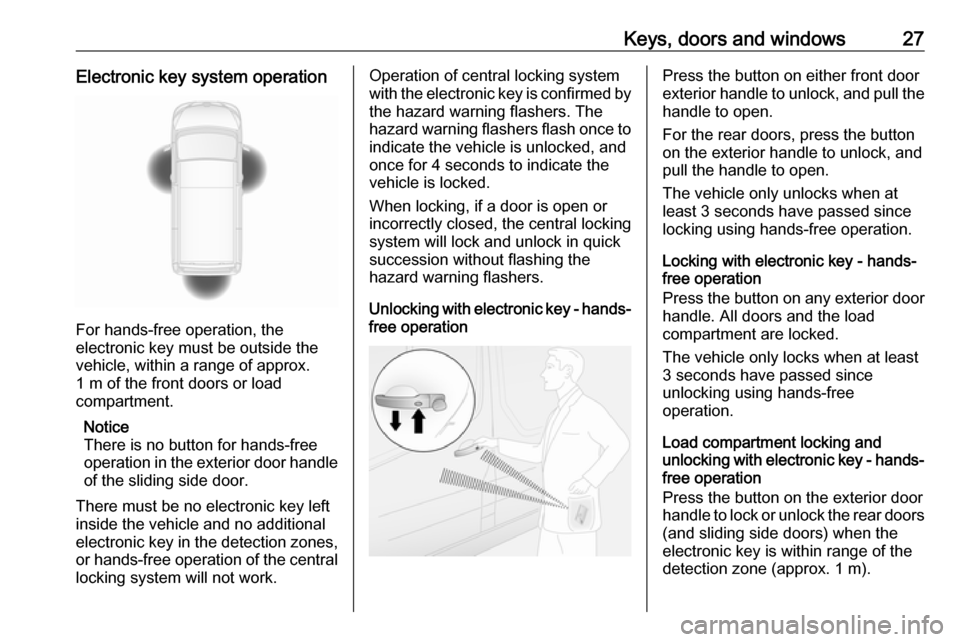
For hands-free operation, the
electronic key must be outside the
vehicle, within a range of approx.
1 m of the front doors or load
compartment.
Notice
There is no button for hands-free
operation in the exterior door handle
of the sliding side door.
There must be no electronic key left
inside the vehicle and no additional
electronic key in the detection zones, or hands-free operation of the centrallocking system will not work.
Operation of central locking system
with the electronic key is confirmed by
the hazard warning flashers. The
hazard warning flashers flash once to
indicate the vehicle is unlocked, and
once for 4 seconds to indicate the
vehicle is locked.
When locking, if a door is open or
incorrectly closed, the central locking
system will lock and unlock in quick
succession without flashing the
hazard warning flashers.
Unlocking with electronic key - hands-
free operationPress the button on either front door
exterior handle to unlock, and pull the
handle to open.
For the rear doors, press the button
on the exterior handle to unlock, and
pull the handle to open.
The vehicle only unlocks when at
least 3 seconds have passed since
locking using hands-free operation.
Locking with electronic key - hands-
free operation
Press the button on any exterior door
handle. All doors and the load
compartment are locked.
The vehicle only locks when at least
3 seconds have passed since
unlocking using hands-free
operation.
Load compartment locking and
unlocking with electronic key - hands- free operation
Press the button on the exterior door
handle to lock or unlock the rear doors
(and sliding side doors) when the
electronic key is within range of the
detection zone (approx. 1 m).
Page 30 of 269
28Keys, doors and windowsThe rear doors (and sliding side
doors) only lock / unlock when at least 3 seconds have passed since the
button was last pressed.
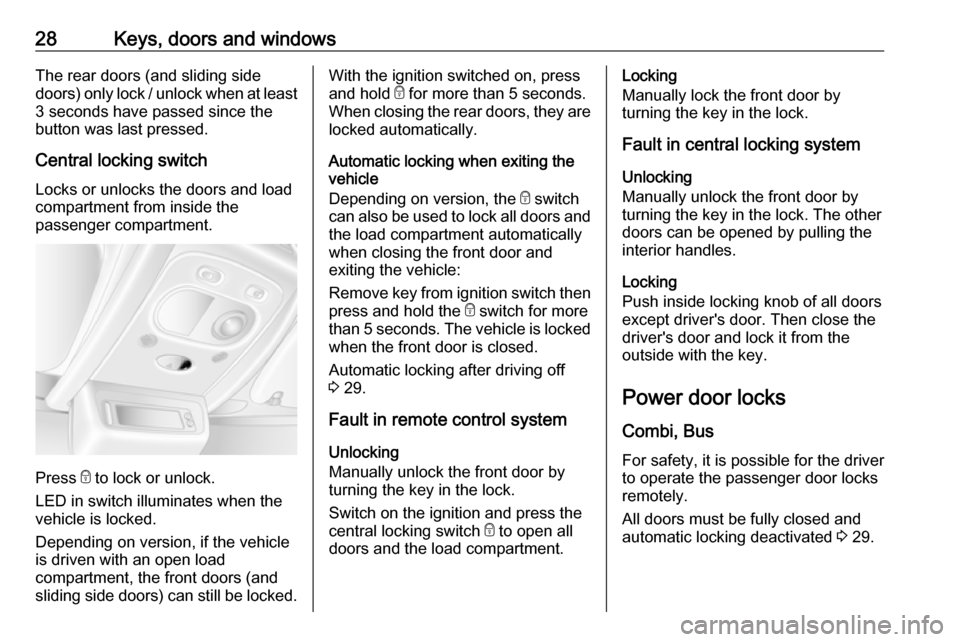
Central locking switch Locks or unlocks the doors and load
compartment from inside the
passenger compartment.
Press e to lock or unlock.
LED in switch illuminates when the
vehicle is locked.
Depending on version, if the vehicle
is driven with an open load
compartment, the front doors (and
sliding side doors) can still be locked.
With the ignition switched on, press
and hold e for more than 5 seconds.
When closing the rear doors, they are locked automatically.
Automatic locking when exiting the
vehicle
Depending on version, the e switch
can also be used to lock all doors and the load compartment automatically
when closing the front door and
exiting the vehicle:
Remove key from ignition switch then
press and hold the e switch for more
than 5 seconds. The vehicle is locked when the front door is closed.
Automatic locking after driving off
3 29.
Fault in remote control system Unlocking
Manually unlock the front door by
turning the key in the lock.
Switch on the ignition and press the central locking switch e to open all
doors and the load compartment.Locking
Manually lock the front door by
turning the key in the lock.
Fault in central locking system
Unlocking
Manually unlock the front door by
turning the key in the lock. The other
doors can be opened by pulling the
interior handles.
Locking
Push inside locking knob of all doors
except driver's door. Then close the
driver's door and lock it from the
outside with the key.
Power door locks
Combi, Bus For safety, it is possible for the driver
to operate the passenger door locks
remotely.
All doors must be fully closed and
automatic locking deactivated 3 29.
Page 34 of 269
32Keys, doors and windowsEmergency exit
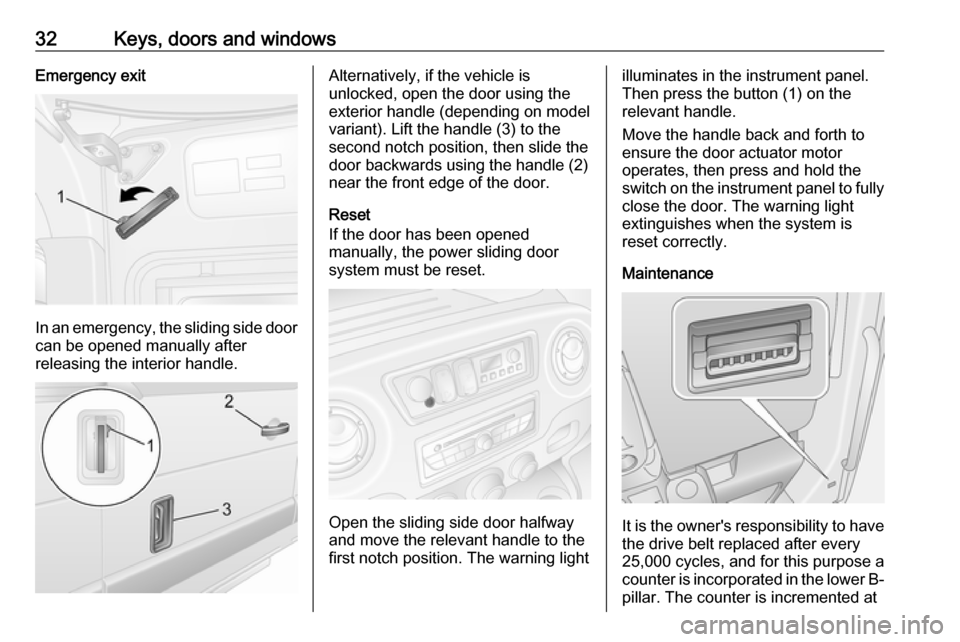
In an emergency, the sliding side door
can be opened manually after
releasing the interior handle.
Alternatively, if the vehicle is
unlocked, open the door using the
exterior handle (depending on model variant). Lift the handle (3) to the
second notch position, then slide the
door backwards using the handle (2)
near the front edge of the door.
Reset
If the door has been opened
manually, the power sliding door
system must be reset.
Open the sliding side door halfway
and move the relevant handle to the
first notch position. The warning light
illuminates in the instrument panel.
Then press the button (1) on the relevant handle.
Move the handle back and forth to
ensure the door actuator motor
operates, then press and hold the
switch on the instrument panel to fully
close the door. The warning light
extinguishes when the system is
reset correctly.
Maintenance
It is the owner's responsibility to have
the drive belt replaced after every
25,000 cycles, and for this purpose a
counter is incorporated in the lower B- pillar. The counter is incremented at
Page 38 of 269
36Keys, doors and windows2-button and 3-button remote
control operation
Activation
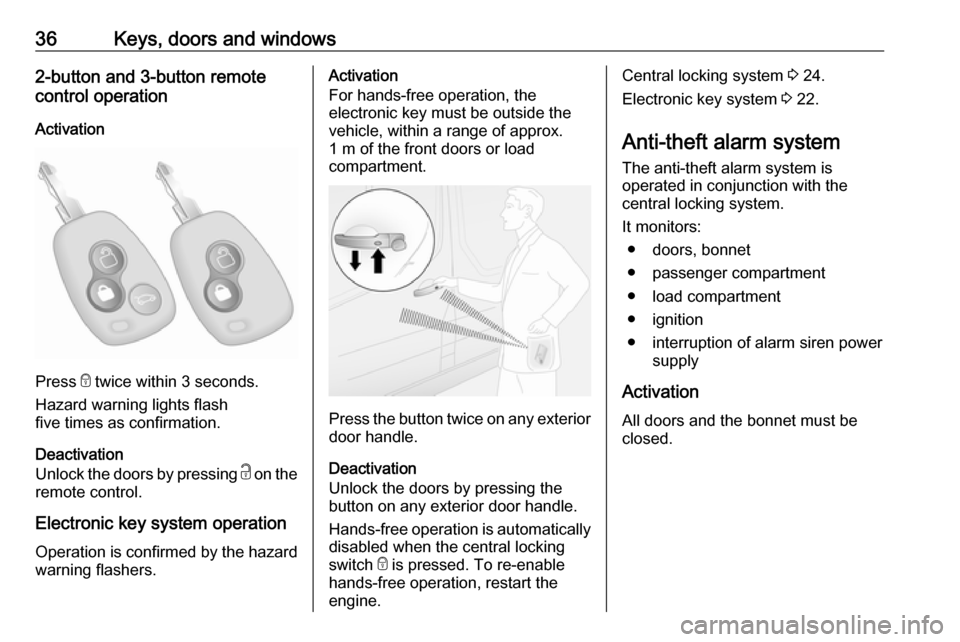
Press e twice within 3 seconds.
Hazard warning lights flash
five times as confirmation.
Deactivation
Unlock the doors by pressing c on the
remote control.
Electronic key system operation Operation is confirmed by the hazard warning flashers.
Activation
For hands-free operation, the
electronic key must be outside the
vehicle, within a range of approx.
1 m of the front doors or load
compartment.
Press the button twice on any exterior
door handle.
Deactivation
Unlock the doors by pressing the
button on any exterior door handle.
Hands-free operation is automatically
disabled when the central locking
switch e is pressed. To re-enable
hands-free operation, restart the
engine.
Central locking system 3 24.
Electronic key system 3 22.
Anti-theft alarm system
The anti-theft alarm system is
operated in conjunction with the
central locking system.
It monitors: ● doors, bonnet
● passenger compartment
● load compartment
● ignition
● interruption of alarm siren power supply
Activation
All doors and the bonnet must be
closed.
Page 40 of 269

38Keys, doors and windowsDepending on vehicle configuration:● press and hold e, or
● switch ignition on and off twice quickly, then close doors and
activate the anti-theft alarm
system
An audible signal will sound as
confirmation.
The status will remain until the doors
are unlocked.
AlarmWhen triggered, the alarm sounds via
a separate battery-backed power
sounder, and the hazard warning
lights flash simultaneously. The
number and duration of alarm signals are stipulated by legislation.
If the vehicle battery is disconnected
or its power supply is interrupted, the
alarm siren will be triggered. First
deactivate the anti-theft alarm system
if the vehicle battery must be
disconnected.
To silence the alarm siren (if
triggered) and therefore deactivate
the anti-theft alarm system, reconnectvehicle battery and unlock vehicle
with remote control button c (or
switch on the ignition).
Immobiliser The system is part of the ignition
switch and checks whether the
vehicle is allowed to be started with the key being used.
The immobiliser is activated
automatically after the key has been
removed from the ignition switch and
also if the key is left in the ignition
switch when the engine is turned off.
If the engine cannot be started, switch
off the ignition and remove key, wait
approx. 2 seconds and then repeat
the start attempt. If start attempt is
unsuccessful, attempt to start the
engine using the spare key and seek
the assistance of a workshop.
Notice
Radio Frequency Identification
(RFID) tags may cause interference with the key. Do not have it placednear the key when starting the
vehicle.Notice
The immobiliser does not lock the doors. Always lock the vehicle after
leaving it 3 24 and switch on the anti-
theft alarm system 3 36.
Page 91 of 269
Instruments and controls899Warning
The road surface may already be
icy even though the display
indicates a few degrees above 0
°C.
Clock
Depending on vehicle, the current
time and / or date may appear in the Info Display 3 105 or the Driver
Information Centre 3 104.
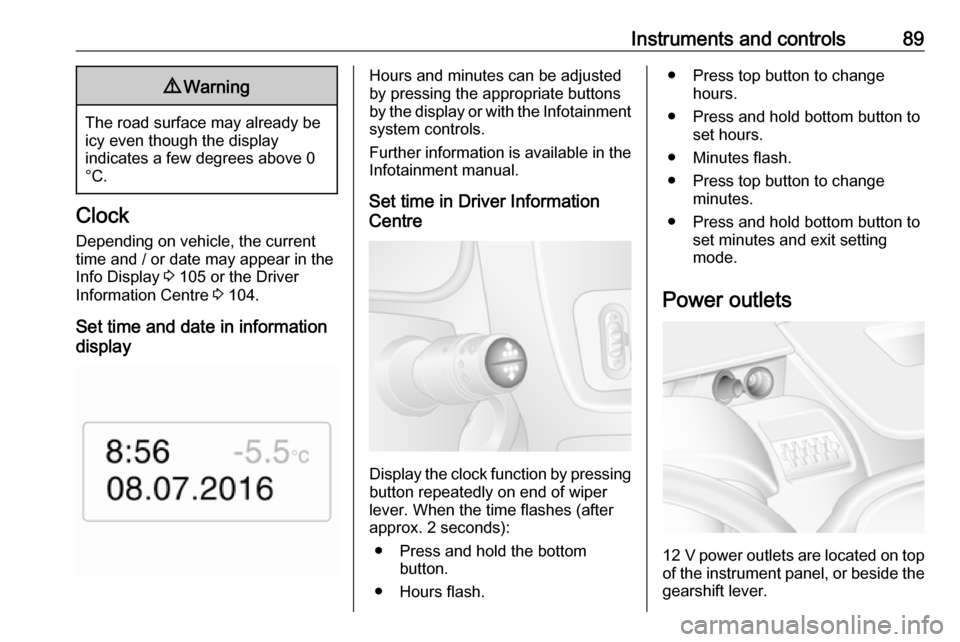
Set time and date in information
display
Hours and minutes can be adjusted
by pressing the appropriate buttons
by the display or with the Infotainment
system controls.
Further information is available in the
Infotainment manual.
Set time in Driver Information
Centre
Display the clock function by pressing button repeatedly on end of wiper
lever. When the time flashes (after
approx. 2 seconds):
● Press and hold the bottom button.
● Hours flash.
● Press top button to change hours.
● Press and hold bottom button to set hours.
● Minutes flash.
● Press top button to change minutes.
● Press and hold bottom button to set minutes and exit setting
mode.
Power outlets
12 V power outlets are located on top
of the instrument panel, or beside the gearshift lever.
Page 94 of 269
92Instruments and controlsSpeed limiterMaximum speed may be restricted by
a speed limiter. As a visible indication
of this, a warning label is located on
the instrument panel.
A warning chime will sound for
10 seconds if the vehicle briefly
exceeds the set limit.
Notice
Under certain conditions (e.g. steep
inclines) the vehicle speed may
exceed the set limit.
Speed limiter 3 164.
Cruise control 3 162.Odometer
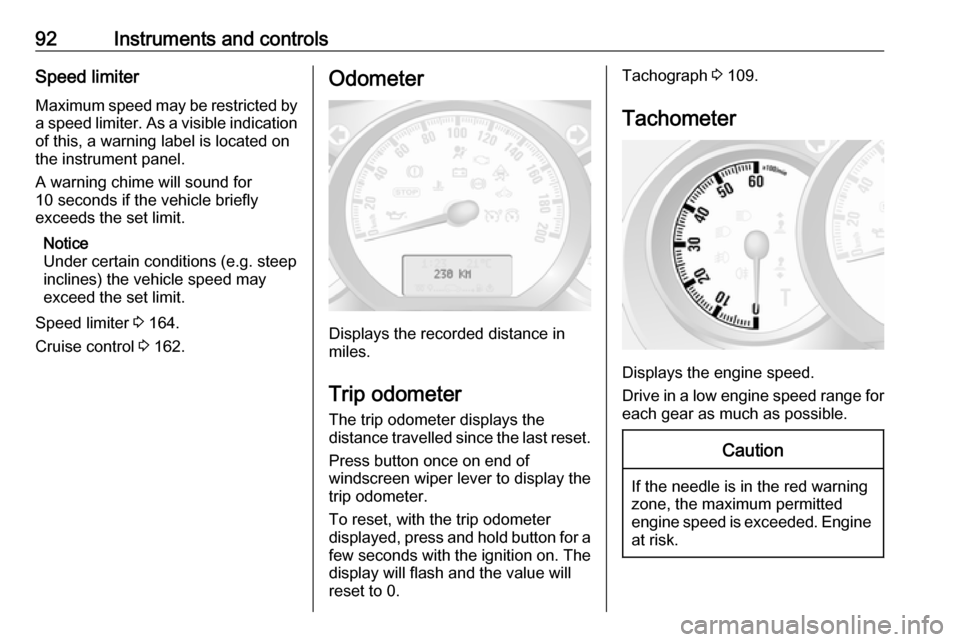
Displays the recorded distance in
miles.
Trip odometer
The trip odometer displays the
distance travelled since the last reset.
Press button once on end of
windscreen wiper lever to display the
trip odometer.
To reset, with the trip odometer
displayed, press and hold button for a few seconds with the ignition on. The display will flash and the value will
reset to 0.
Tachograph 3 109.
Tachometer
Displays the engine speed.
Drive in a low engine speed range for each gear as much as possible.
Caution
If the needle is in the red warning
zone, the maximum permitted
engine speed is exceeded. Engine at risk.
Page 96 of 269

94Instruments and controlsCaution
If engine coolant temperature is
too high, stop vehicle, switch off
engine. Danger to engine. Check
coolant level.
For physical reasons, the coolant temperature gauge shows the coolant temperature only if the coolant level is adequate.
Engine oil level monitor
The engine oil level monitor is correct
only if the vehicle is parked on a level
surface with a cold engine.
If the engine oil level is correct when
the ignition is switched on OIL LEVEL
CORRECT appears briefly in the
Driver Information Centre.
If the engine oil is above the minimum level, press the trip computer button
on the end of the wiper lever within
30 seconds of switching on the
ignition. The message OIL LEVEL is
displayed in combination with the
squares that correspond to the oil
level.
As the oil level diminishes, the
squares in the display are replaced
with dashes.▢▢▢▢▢▢:maximum level▢▢▢- - -:intermediate level- - - - - -:minimum level
If the minimum engine oil level is
reached TOP-UP OIL LEVEL is
displayed in combination with control
indicator j after the ignition is
switched on for 30 seconds. Check
and top up engine oil 3 181.
To exit the oil level monitor display,
press either trip computer button.
Trip computer 3 107.
Service display When the ignition is switched on, the
remaining distance before the next
service is due may be shown briefly in the Driver Information Centre. Based
on driving conditions, the interval at
which a service will be indicated can
vary considerably.
When the remaining distance before
the next service is less than
1800 miles or two months, SERVICE
IN appears in the Driver Information
Centre.
When the distance reaches 0 miles or
the service date is due, control
indicators o and j illuminate in the
instrument cluster and SERVICE
DUE appears in the Driver
Information Centre.
The vehicle needs a service. Seek the assistance of a workshop.
Resetting the service display After a service, the service display
must be reset: if available, select the
distance before service display in the
Driver Information Centre, then press and hold button on end of wiper lever
for approx. ten seconds until the
distance before service is displayed
continuously.
Trip computer 3 107.
Driver Information Centre 3 104.
Service information 3 224.
Page 107 of 269

Instruments and controls105● vehicle messages 3 105
● trip computer 3 107
● active emergency braking 3 165
Some of the displayed functions differ
when the vehicle is being driven or at
a standstill. Some functions are only
available when the vehicle is being
driven.
Info Display The central display in the
Infotainment system displays the time (and / or outside temperature,
depending on version) and
Infotainment system information.
Press X to switch the Infotainment
system on. Alternatively, it
automatically switches on when the
ignition is switched on.
Depending on system, the
Infotainment system is operated via
buttons and rotary knobs on the
Infotainment system fascia, the
steering column controls, the voice
recognition system (if available) or via
the touchscreen display.Touchscreen operation
Make the appropriate selection from
the available menus and options by
touching the display screen with the
finger.
For further information, refer to the
Infotainment system manual.Vehicle messages
Messages appear in the Driver
Information Centre, in combination
with control indicator j or C.
Information messagesInformation messagesBATTERY MODE: ECONOMYESP OFFAUTO LIGHTS DEACTIVATEDOIL LEVEL CORRECTAEBS ACTIVEAEBS DEACTIVATED
Fault messages Displayed in combination with control
indicator j. Drive with caution and
seek the assistance of a workshop.
To remove fault message, press
button on end of wiper lever. After a
few seconds the message may