AUX VAUXHALL MOVANO_B 2018 Owner's Manual
[x] Cancel search | Manufacturer: VAUXHALL, Model Year: 2018, Model line: MOVANO_B, Model: VAUXHALL MOVANO_B 2018Pages: 261, PDF Size: 6.3 MB
Page 5 of 261

Introduction3Vehicle specific dataPlease enter your vehicle's data on
the previous page to keep it easily
accessible. This information is
available in the sections "Service and
maintenance" and "Technical data"
as well as on the identification plate.
Introduction
Your vehicle is a designed
combination of advanced technology, safety, environmental friendliness
and economy.
This Owner's Manual provides you
with all the necessary information to
enable you to drive your vehicle
safely and efficiently.
Make sure your passengers are
aware of the possible risk of accident
and injury which may result from
improper use of the vehicle.
You must always comply with the
specific laws and regulations of the
country that you are in. These laws
may differ from the information in this Owner's Manual.
Disregarding the description given in
this manual may affect your warranty.When this Owner's Manual refers to a
workshop visit, we recommend your
Vauxhall Authorised Repairer.
All Vauxhall Authorised Repairers
provide first-class service at
reasonable prices. Experienced
mechanics trained by Vauxhall work according to specific Vauxhall
instructions.
The customer literature pack should
always be kept ready to hand in the
vehicle.
Using this manual ● This manual describes all options
and features available for this
model. Certain descriptions,
including those for display and
menu functions, may not apply to
your vehicle due to model
variant, country specifications,
special equipment or
accessories.
● The "In brief" section will give you
an initial overview.● The table of contents at the beginning of this manual and
within each section shows where the information is located.
● The index will enable you to search for specific information.
● This Owner's Manual depicts left-
hand drive vehicles. Operation is similar for right-hand drive
vehicles.
● The Owner's Manual uses the factory engine designations. The
corresponding sales
designations can be found in the
section "Technical data".
● Directional data, e.g. left or right, or front or back, always relate to
the direction of travel.
● The vehicle display screens may not support your specific
language.
● Display messages and interior labelling are written in bold
letters.
Page 6 of 261
4IntroductionDanger, Warnings andCautions9 Danger
Text marked 9 Danger provides
information on risk of fatal injury.
Disregarding this information may
endanger life.
9 Warning
Text marked 9 Warning provides
information on risk of accident or
injury. Disregarding this
information may lead to injury.
Caution
Text marked Caution provides
information on possible damage to
the vehicle. Disregarding this
information may lead to vehicle
damage.
Symbols
Page references are indicated with 3.
3 means "see page".
Page references and index entries
refer to the indented headings given
in the section table of content.
Thank you for choosing a Vauxhall.
We wish you many hours of
pleasurable driving.
Your Vauxhall Team
Page 13 of 261

In brief111Fixed air vents .................... 129
2 Headlight range
adjustment ......................... 109
Ultrasonic parking assist .....162
Traction control system ......155
Electronic Stability
Program ............................. 156
3 Side air vents .....................128
4 Light switch ........................ 107
Turn and lane-change
signals ................................ 110
High beam and low beam,
headlight flash ....................108
Sidelights ............................ 107
Automatic light control .......107
Exit lighting ......................... 114
Front fog lights ...................111
Rear fog light ...................... 111
High beam assist ................108
5 Instruments .......................... 88
Transmission display ............92Driver Information Centre .... 101
Trip computer ...................... 103
6 Horn ..................................... 83
Driver airbag ........................ 58
7 Remote control on
steering wheel .......................83
Cruise control .....................158
8 Windscreen wiper,
windscreen washer system ..84
Trip computer ...................... 103
9 Coin tray ............................... 71
10 Power outlet, USB slot ..........86
11 Centre air vents .................. 128
12 Storage compartment ...........71
13 Info-display .......................... 101
14 Front passenger airbag .........58
15 Storage compartment ..........71
16 Glovebox .............................. 72
17 Seat belt reminder ................. 95
Front passenger airbag
deactivation ........................... 59
18 Cupholders ........................... 7219Climate control system ....... 115
Electronic climate control
system ................................. 117
20 Cigarette lighter .................... 88
Power outlet ......................... 86
21 Gear lever, Manual
transmission ........................ 149
Manual transmission
automated ........................... 149
22 Cruise control and speed
limiter ................................. 158
Manual transmission
automated,
Winter and Laden modes ....151
Idle speed control ...............135
Stop-start system ................135
ECO mode .......................... 132
23 Ignition switch with
steering wheel lock ............133
24 Steering column controls .....83
25 Steering wheel adjustment ..83
26 Bonnet release lever ..........175
27 Auxiliary heater ...................122
Page 35 of 261
Keys, doors and windows33It monitors:● doors, tailgate, bonnet
● passenger compartment
● load compartment
● ignition
● interruption of alarm siren power supply
Activation All doors and the bonnet must be
closed.
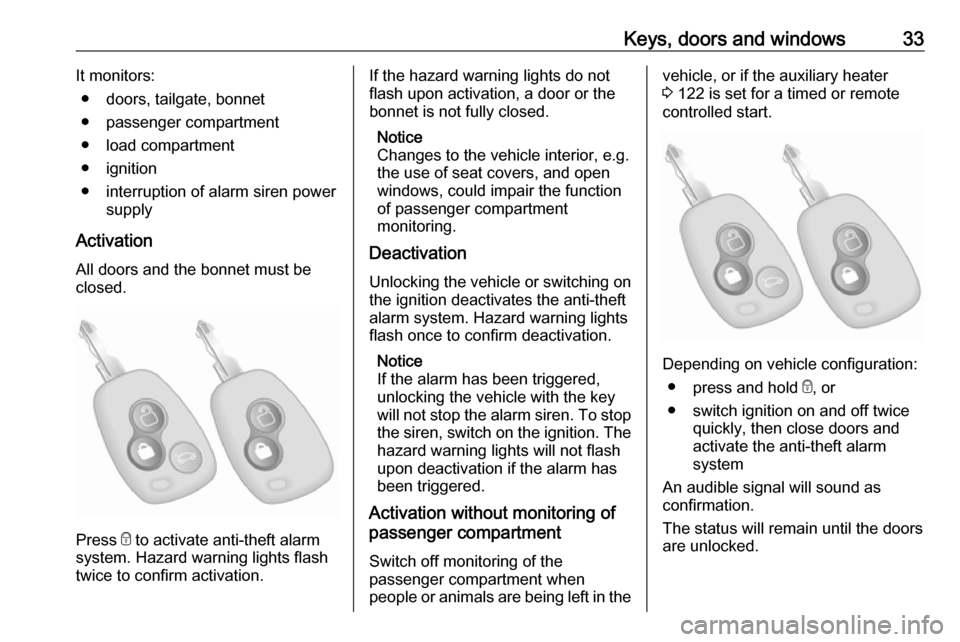
Press e to activate anti-theft alarm
system. Hazard warning lights flash
twice to confirm activation.
If the hazard warning lights do not
flash upon activation, a door or the
bonnet is not fully closed.
Notice
Changes to the vehicle interior, e.g.
the use of seat covers, and open
windows, could impair the function
of passenger compartment
monitoring.
Deactivation
Unlocking the vehicle or switching on the ignition deactivates the anti-theft
alarm system. Hazard warning lights
flash once to confirm deactivation.
Notice
If the alarm has been triggered,
unlocking the vehicle with the key
will not stop the alarm siren. To stop the siren, switch on the ignition. The
hazard warning lights will not flash
upon deactivation if the alarm has
been triggered.
Activation without monitoring of
passenger compartment
Switch off monitoring of the
passenger compartment when
people or animals are being left in thevehicle, or if the auxiliary heater
3 122 is set for a timed or remote
controlled start.
Depending on vehicle configuration:
● press and hold e, or
● switch ignition on and off twice quickly, then close doors and
activate the anti-theft alarm
system
An audible signal will sound as
confirmation.
The status will remain until the doors
are unlocked.
Page 39 of 261
Keys, doors and windows37Windows
Windscreen
Windscreen stickers
Do not attach stickers, e.g. toll road
stickers or similar, on the windscreen
in the area of the interior mirror.
Otherwise the detection zone of the
sensor in the mirror housing could be
restricted.
Windscreen replacementCaution
If the vehicle has a front-looking
camera sensor for the driver
assistance systems, it is very
important that any windscreen
replacement is performed
accurately according to Vauxhall
specifications. Otherwise, these systems may not work properly
and there is a risk of unexpected
behaviour and/or messages from
these systems.
Manual windows
The door windows can be opened or
closed with the window cranks.
Power windows9 Warning
Take care when operating the
power windows. Risk of injury,
particularly to children.
Keep a close watch on the
windows when closing them.
Ensure that nothing becomes
trapped in them as they move.
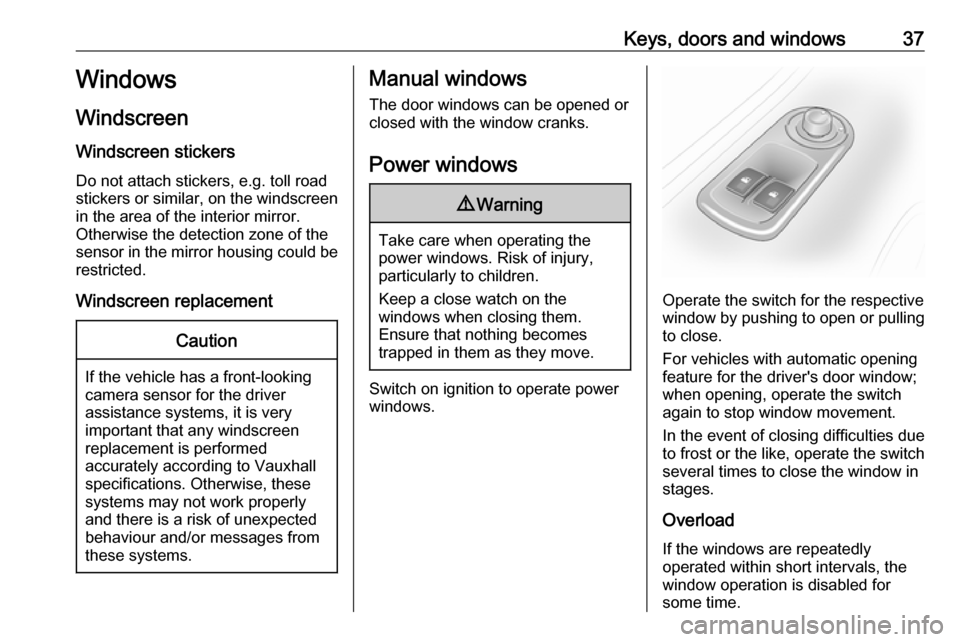
Switch on ignition to operate power
windows.
Operate the switch for the respective
window by pushing to open or pulling to close.
For vehicles with automatic opening
feature for the driver's door window;
when opening, operate the switch
again to stop window movement.
In the event of closing difficulties due
to frost or the like, operate the switch
several times to close the window in
stages.
Overload If the windows are repeatedly
operated within short intervals, the
window operation is disabled for
some time.
Page 89 of 261
Instruments and controls87
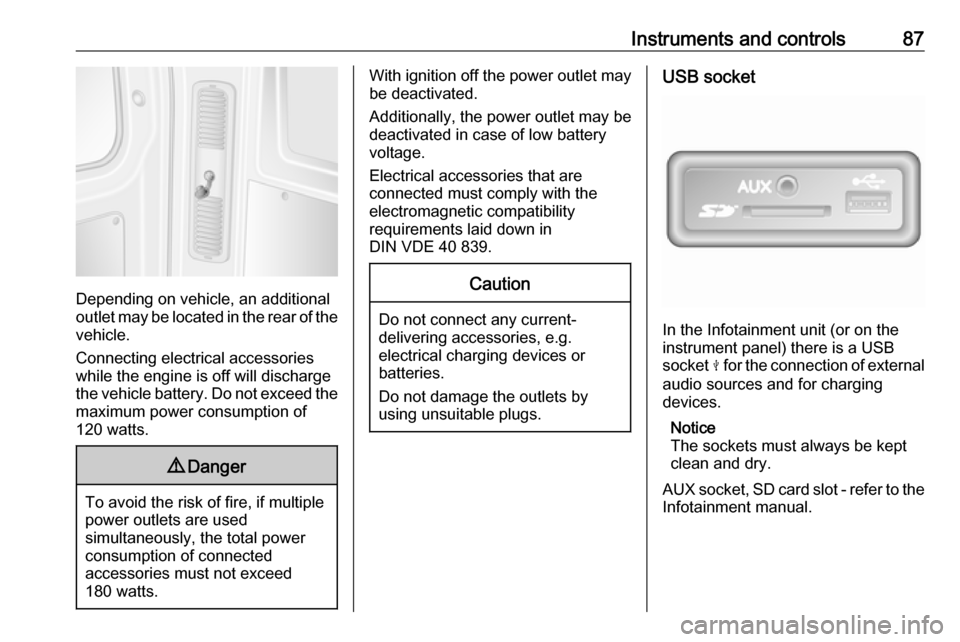
Depending on vehicle, an additional
outlet may be located in the rear of the
vehicle.
Connecting electrical accessories
while the engine is off will discharge
the vehicle battery. Do not exceed the
maximum power consumption of
120 watts.
9 Danger
To avoid the risk of fire, if multiple
power outlets are used
simultaneously, the total power
consumption of connected
accessories must not exceed
180 watts.
With ignition off the power outlet may
be deactivated.
Additionally, the power outlet may be
deactivated in case of low battery
voltage.
Electrical accessories that are
connected must comply with the
electromagnetic compatibility
requirements laid down in
DIN VDE 40 839.Caution
Do not connect any current- delivering accessories, e.g.
electrical charging devices or
batteries.
Do not damage the outlets by
using unsuitable plugs.
USB socket
In the Infotainment unit (or on the
instrument panel) there is a USB
socket M for the connection of external
audio sources and for charging
devices.
Notice
The sockets must always be kept
clean and dry.
AUX socket, SD card slot - refer to the
Infotainment manual.
Page 117 of 261

Climate control115Climate controlClimate control systems.............115
Heating and ventilation system 115
Air conditioning system ...........116
Electronic climate control system .................................... 117
Rear heating system ...............119
Rear air conditioning system ...121
Auxiliary heater ........................122
Air vents ..................................... 128
Adjustable air vents .................128
Fixed air vents ......................... 129
Glovebox cooler ......................129
Maintenance .............................. 129
Air intake ................................. 129
Pollen filter ............................... 129
Air conditioning regular operation ................................ 129
Service .................................... 129Climate control systems
Heating and ventilation system
Controls for: ● temperature
● fan speed
● air distribution
● demisting and defrosting
Heated rear window Ü 3 39, Heated
seats ß 3 48.
Temperaturered:warmblue:cold
Heating will not be fully effective until
the engine has reached normal
operating temperature.
Fan speed
Adjust the air flow by switching the fan
to the desired speed.
Air distribution
M:to head areaL:to head area and foot wellK:to foot wellJ:to windscreen, front door
windows and foot wellV:to windscreen and front door
windows
Intermediate settings are possible.
Demisting and defrosting the
windows
● Set temperature control to warmest level.
● Set fan speed to highest level.
Page 124 of 261
122Climate controlFan speed
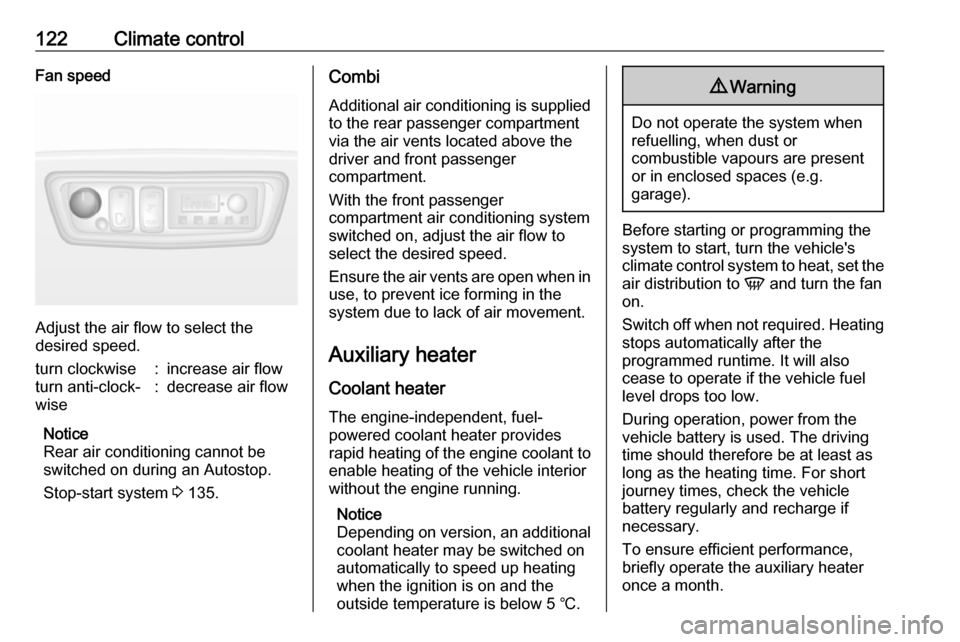
Adjust the air flow to select the
desired speed.
turn clockwise:increase air flowturn anti-clock‐
wise:decrease air flow
Notice
Rear air conditioning cannot be
switched on during an Autostop.
Stop-start system 3 135.
Combi
Additional air conditioning is supplied to the rear passenger compartment
via the air vents located above the
driver and front passenger
compartment.
With the front passenger
compartment air conditioning system
switched on, adjust the air flow to
select the desired speed.
Ensure the air vents are open when in
use, to prevent ice forming in the
system due to lack of air movement.
Auxiliary heaterCoolant heater
The engine-independent, fuel-
powered coolant heater provides
rapid heating of the engine coolant to
enable heating of the vehicle interior
without the engine running.
Notice
Depending on version, an additional
coolant heater may be switched on
automatically to speed up heating
when the ignition is on and the
outside temperature is below 5 ℃.9 Warning
Do not operate the system when
refuelling, when dust or
combustible vapours are present
or in enclosed spaces (e.g.
garage).
Before starting or programming the
system to start, turn the vehicle's
climate control system to heat, set the
air distribution to V and turn the fan
on.
Switch off when not required. Heating stops automatically after the
programmed runtime. It will also
cease to operate if the vehicle fuel
level drops too low.
During operation, power from the
vehicle battery is used. The driving
time should therefore be at least as
long as the heating time. For short
journey times, check the vehicle
battery regularly and recharge if
necessary.
To ensure efficient performance,
briefly operate the auxiliary heater
once a month.
Page 127 of 261
Climate control125Manual control
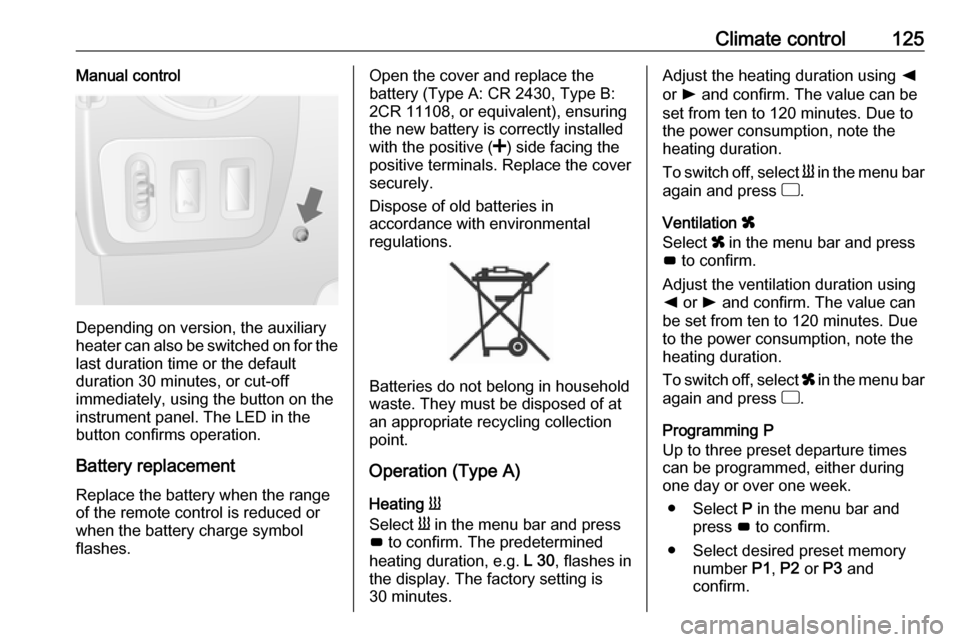
Depending on version, the auxiliary
heater can also be switched on for the
last duration time or the default
duration 30 minutes, or cut-off
immediately, using the button on the
instrument panel. The LED in the
button confirms operation.
Battery replacement
Replace the battery when the range
of the remote control is reduced or
when the battery charge symbol
flashes.
Open the cover and replace the
battery (Type A: CR 2430, Type B:
2CR 11108, or equivalent), ensuring
the new battery is correctly installed
with the positive ( <) side facing the
positive terminals. Replace the cover
securely.
Dispose of old batteries in
accordance with environmental
regulations.
Batteries do not belong in household
waste. They must be disposed of at
an appropriate recycling collection
point.
Operation (Type A)
Heating Y
Select Y in the menu bar and press
G to confirm. The predetermined
heating duration, e.g. L 30, flashes in
the display. The factory setting is 30 minutes.
Adjust the heating duration using k
or l and confirm. The value can be
set from ten to 120 minutes. Due to
the power consumption, note the
heating duration.
To switch off, select Y in the menu bar
again and press d.
Ventilation x
Select x in the menu bar and press
G to confirm.
Adjust the ventilation duration using k or l and confirm. The value can
be set from ten to 120 minutes. Due
to the power consumption, note the
heating duration.
To switch off, select x in the menu bar
again and press d.
Programming P
Up to three preset departure times
can be programmed, either during
one day or over one week.
● Select P in the menu bar and
press G to confirm.
● Select desired preset memory number P1, P2 or P3 and
confirm.
Page 133 of 261

Driving and operating131Driving and
operatingDriving hints ............................... 132
Driving economically ...............132
Control of the vehicle ...............132
Steering ................................... 132
Starting and operating ...............133
New vehicle running-in ............133
Ignition switch positions ...........133
Starting the engine ..................134
Idle speed control ....................135
Overrun cut-off ........................ 135
Stop-start system ....................135
Parking .................................... 138
Air suspension ......................... 139
Engine exhaust .......................... 141
Diesel particle filter ..................141
Catalytic converter ...................141
AdBlue ..................................... 142
Manual transmission ..................149
Manual transmission automa‐ ted .............................................. 149
Transmission display ...............149
Starting the engine ..................150
Selector lever .......................... 150Manual mode........................... 151
Electronic driving programmes 151
Fault ........................................ 152
Interruption of power supply ....153
Brakes ........................................ 153
Antilock brake system .............153
Parking brake .......................... 154
Brake assist ............................. 155
Hill start assist ......................... 155
Ride control systems .................155
Traction Control system ..........155
Electronic stability program .....156
Limited-slip rear axle ...............158
Driver assistance systems .........158
Cruise control .......................... 158
Speed limiter ........................... 162
Parking assist .......................... 162
Rear view camera ...................164
Lane departure warning ..........166
Fuel ............................................ 167
Fuel for diesel engines ............167
Refuelling ................................ 168
Fuel consumption - CO 2-
Emissions .............................. 169
Trailer hitch ................................ 170
General information .................170
Driving characteristics and towing tips .............................. 170
Trailer towing ........................... 170Towing equipment ...................171
Trailer stability assist ...............171
Auxiliary features .......................171
Power take-off ......................... 171