ESP VAUXHALL MOVANO_B 2020 Owner's Guide
[x] Cancel search | Manufacturer: VAUXHALL, Model Year: 2020, Model line: MOVANO_B, Model: VAUXHALL MOVANO_B 2020Pages: 351, PDF Size: 9.32 MB
Page 245 of 351

Driving and operating243It is possible to use the Laden mode
in both manual and automatic modes.
In both cases, the gearshifting
patterns are adapted automatically
for carrying an increased payload.
Activation
Press kg. Control indicator kg is
shown in the transmission display.
The transmission will then select
optimized gearshift patterns.
Deactivation
The Laden mode is switched off by:
● pressing kg again
● turning off the ignition
Kickdown If the accelerator pedal is pressed
past the pressure point, the
transmission shifts to a lower gear depending on engine speed. Full
engine power is available for
acceleration.
If engine speed is too high the
transmission switches to a higher
gear, even in manual mode. Without
kickdown this automatic shift is not
effected in manual mode.Fault
In the event of a fault, control indicator W is shown in the transmission
display. Continued driving is possible
provided the vehicle is driven with care and anticipation.
Have the cause of the fault remedied
by a workshop.
Interruption of power supply The clutch is not disengaged if there
is an interruption of the power supply
when a gear is engaged. The vehicle
cannot move.
If the vehicle battery is discharged,
start the vehicle using jump leads
3 303.
If the cause of the fault is not a
discharged vehicle battery, seek the
assistance of a workshop.
If neutral cannot be selected, the
vehicle must only be towed with the drive wheels raised off the ground
3 305.
Towing the vehicle 3 305.Brakes
The brake system comprises two
independent brake circuits.
If a brake circuit fails, the vehicle can
still be braked using the other brake
circuit. However, braking effect is
achieved only when you depress the
brake pedal firmly. You need to use considerably more force for this. The
braking distance is extended. Seek the assistance of a workshop beforecontinuing your journey.
When the engine is not running, the
support of the brake servo unit
disappears once the brake pedal has
been depressed once or twice.
Braking effect is not reduced, but
braking requires significantly greater
force. It is especially important to bear this in mind when being towed.
Control indicator R 3 99.
Antilock brake system
Antilock brake system (ABS)
prevents the wheels from locking.
Page 246 of 351
244Driving and operatingABS starts to regulate brake pressureas soon as a wheel shows a tendency to lock. The vehicle remains
steerable, even during hard braking.
ABS control is made apparent
through a pulse in the brake pedal
and the noise of the regulation
process.
For optimum braking, keep the brake
pedal fully depressed throughout the
braking process, despite the fact that
the pedal is pulsating. Do not reduce
the pressure on the pedal.
Control indicator u 3 99.
Fault
If control indicators u and j
illuminate with a message in the
Driver Information Centre, there is a fault in the ABS. The brake system
remains operational but without ABS
regulation.9 Warning
If there is a fault in the ABS, the
wheels may be liable to lock due
to braking that is heavier than
normal. The advantages of ABS are no longer available. During
hard braking, the vehicle can no longer be steered and may
swerve.
If control indicators u, j , R and
C illuminate, the ABS and ESC are
deactivated and a message is shown
in the Driver Information Centre.
Have the cause of the fault remedied
by a workshop.
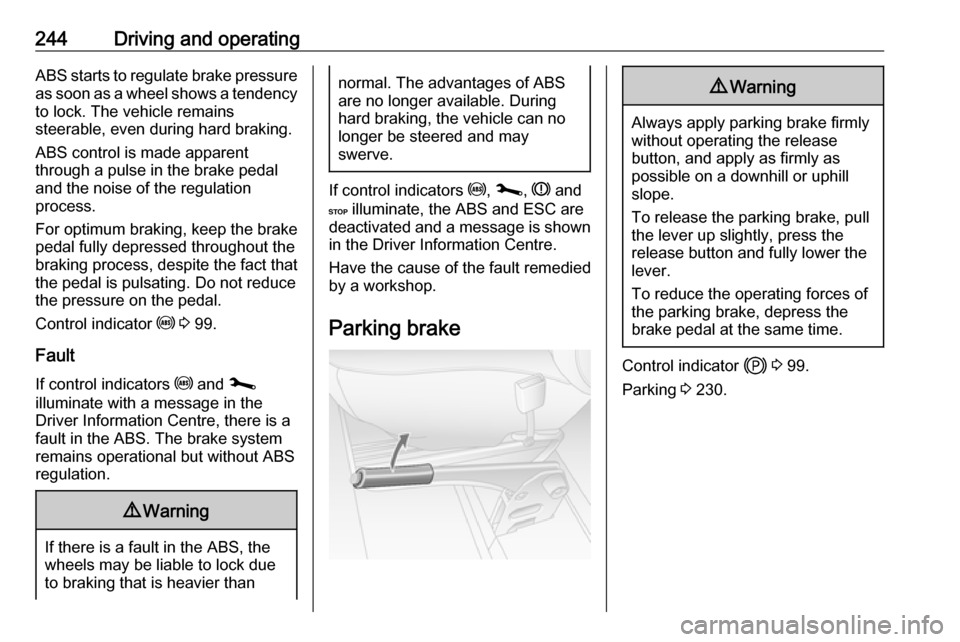
Parking brake
9 Warning
Always apply parking brake firmly
without operating the release
button, and apply as firmly as
possible on a downhill or uphill
slope.
To release the parking brake, pull
the lever up slightly, press the
release button and fully lower the
lever.
To reduce the operating forces of
the parking brake, depress the
brake pedal at the same time.
Control indicator j 3 99.
Parking 3 230.
Page 248 of 351
246Driving and operatingRide control systems
Traction Control system
The traction control system is a
component part of the Electronic
Stability Control (ESC) which
improves driving stability when
necessary, regardless of the type of
road surface or tyre grip, by
preventing the drive wheels from
spinning.
As soon as the drive wheels start to
spin, engine output is reduced and
the wheel spinning the most is braked
individually. This considerably
improves the driving stability of the
vehicle on slippery road surfaces.
Traction control system is operational as soon as the ignition is switched onand control indicator b extinguishes
in the instrument cluster.
When traction control system is active b flashes.9 Warning
Do not let this special safety
feature tempt you into taking risks
when driving.
Adapt speed to the road
conditions.
Control indicator b 3 100.
Trailer stability assist 3 265.
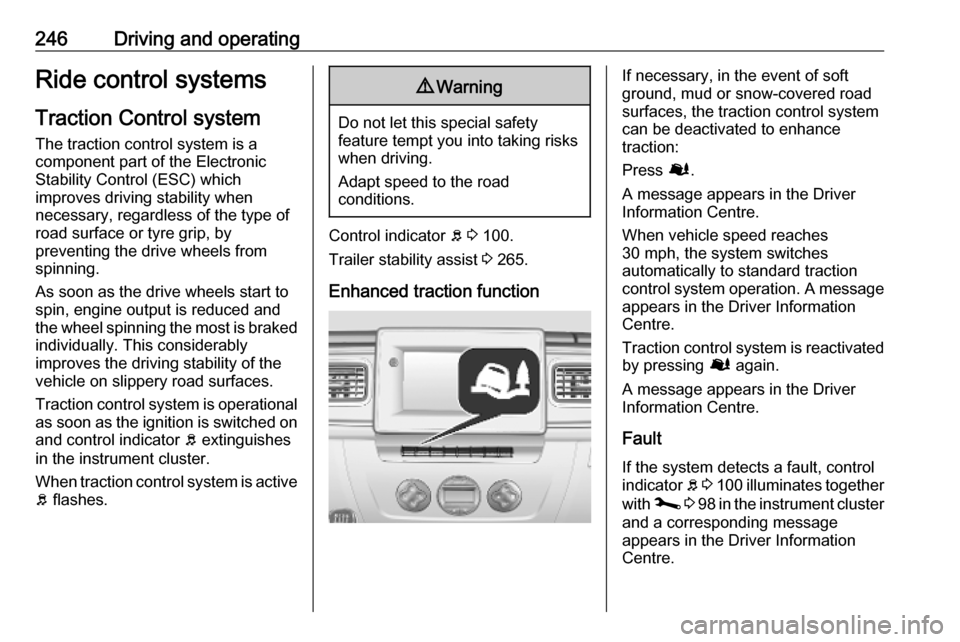
Enhanced traction function
If necessary, in the event of soft
ground, mud or snow-covered road
surfaces, the traction control system
can be deactivated to enhance
traction:
Press Ø.
A message appears in the Driver
Information Centre.
When vehicle speed reaches
30 mph, the system switches
automatically to standard traction
control system operation. A message
appears in the Driver Information
Centre.
Traction control system is reactivated by pressing Ø again.
A message appears in the Driver
Information Centre.
Fault
If the system detects a fault, control indicator b 3 100 illuminates together
with j 3 98 in the instrument cluster
and a corresponding message
appears in the Driver Information
Centre.
Page 250 of 351
248Driving and operatingFault
If the system detects a fault, control indicator b 3 100 illuminates together
with j 3 98 in the instrument cluster
and a corresponding message
appears in the Driver Information
Centre 3 104.
The ESC is not operational. Have the cause of the fault remedied by aworkshop.
Vehicle messages 3 105.
Driver Information Centre 3 104.
Limited-slip rear axle
Rear-wheel drive vehicles may be
equipped with an automatic locking
rear differential which automatically
controls the torque transmitted to
each rear wheel, enhancing traction
in the event of soft ground, mud or
snow-covered road surfaces.9 Warning
Do not let this special safety
feature tempt you into taking risks
when driving.
Adapt speed to the road
conditions.
When vehicle speed reaches
20 mph, or once the rear wheels
return to surfaces with normal grip,
e.g. paved roads, the system
automatically deactivates,
sometimes accompanied by a noise
(with no consequence to vehicle
behaviour).
The system can also be deactivated
manually once normal grip conditions have resumed by briefly releasing the
accelerator.
Driver assistance
systems9 Warning
Driver assistance systems are
developed to support the driver
and not to replace the driver's
attention.
The driver accepts full
responsibility when driving the
vehicle.
When using driver assistance
systems, always take care
regarding the current traffic
situation.
Cruise control
The cruise control can store and
maintain speeds of 20 mph and
above. Deviations from the stored
speeds may occur when driving uphill or downhill. The stored speed will
flash in the Driver Information Centre
3 104.
Page 251 of 351
Driving and operating249For safety reasons the cruise controlcannot be activated until the brake
pedal has been operated once.
Do not use the cruise control if it is not
advisable to maintain a constant
speed.
With manual transmission
automated, only activate cruise
control in automatic mode.
Control indicators m and U 3 102.
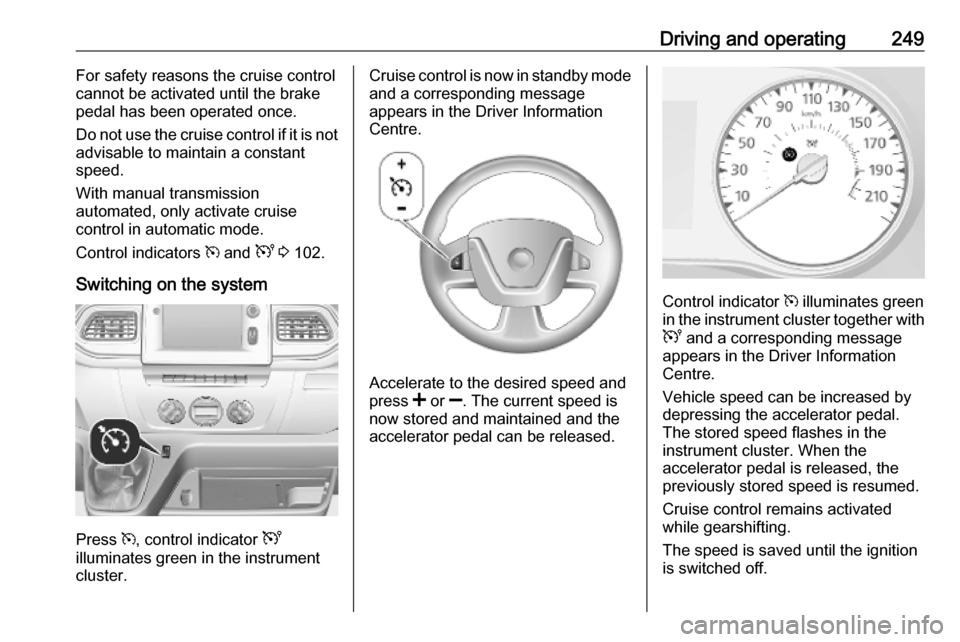
Switching on the system
Press m, control indicator U
illuminates green in the instrument
cluster.
Cruise control is now in standby mode
and a corresponding message
appears in the Driver Information
Centre.
Accelerate to the desired speed and
press < or ]. The current speed is
now stored and maintained and the
accelerator pedal can be released.
Control indicator m illuminates green
in the instrument cluster together with
U and a corresponding message
appears in the Driver Information
Centre.
Vehicle speed can be increased by
depressing the accelerator pedal.
The stored speed flashes in the
instrument cluster. When the
accelerator pedal is released, the
previously stored speed is resumed.
Cruise control remains activated
while gearshifting.
The speed is saved until the ignition
is switched off.
Page 252 of 351
250Driving and operatingIncrease speed
With cruise control active, the vehicle
speed can be increased continuously or in small increments by holding
down or tapping < repeatedly.
When the switch is released the
current speed is stored and
maintained.
Alternatively, accelerate to the
desired speed and store by pressing
< .
Reduce speed
With cruise control active, the vehicle
speed can be decreased
continuously or in small increments
by holding down or tapping ]
repeatedly.
When the switch is released the
current speed is stored and
maintained.Deactivation of the functionality
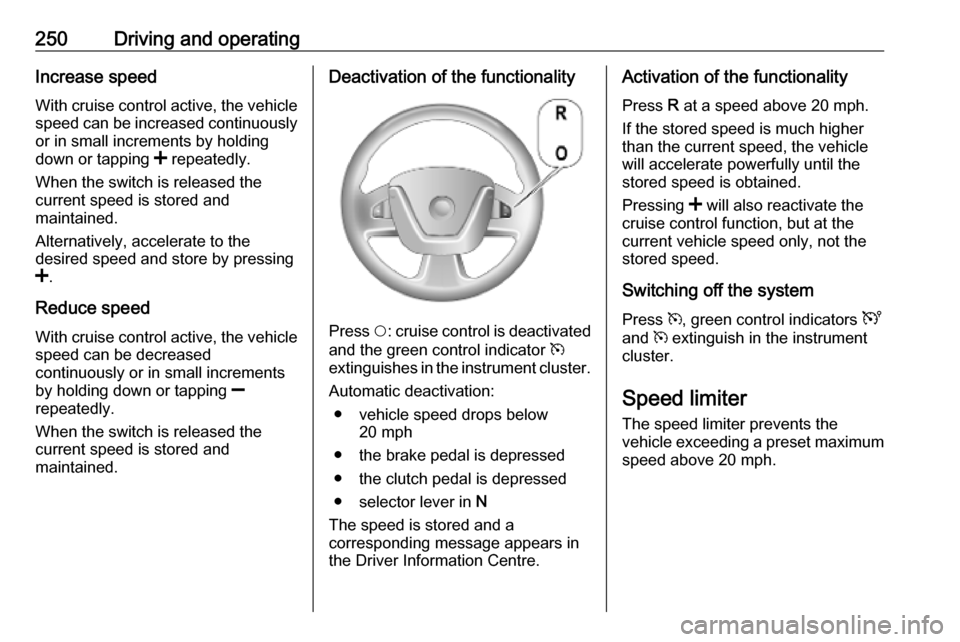
Press $: cruise control is deactivated
and the green control indicator m
extinguishes in the instrument cluster.
Automatic deactivation: ● vehicle speed drops below 20 mph
● the brake pedal is depressed
● the clutch pedal is depressed
● selector lever in N
The speed is stored and a
corresponding message appears in
the Driver Information Centre.
Activation of the functionality
Press R at a speed above 20 mph.
If the stored speed is much higher
than the current speed, the vehicle
will accelerate powerfully until the
stored speed is obtained.
Pressing < will also reactivate the
cruise control function, but at the
current vehicle speed only, not the stored speed.
Switching off the system
Press m, green control indicators U
and m extinguish in the instrument
cluster.
Speed limiter
The speed limiter prevents the
vehicle exceeding a preset maximum
speed above 20 mph.
Page 253 of 351
Driving and operating251Switching on the system
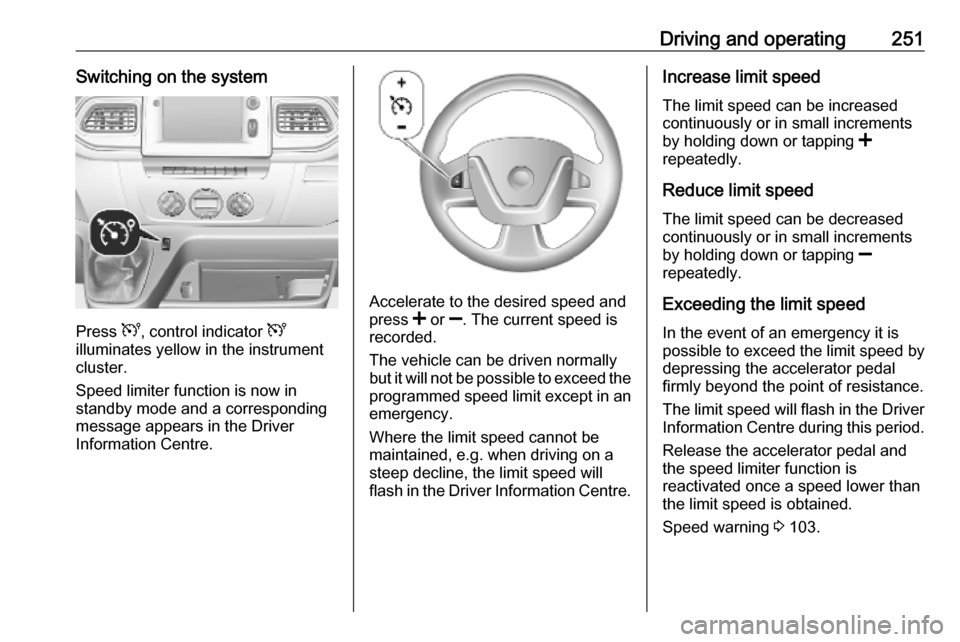
Press U, control indicator U
illuminates yellow in the instrument
cluster.
Speed limiter function is now in
standby mode and a corresponding
message appears in the Driver
Information Centre.
Accelerate to the desired speed and
press < or ]. The current speed is
recorded.
The vehicle can be driven normally
but it will not be possible to exceed the programmed speed limit except in an
emergency.
Where the limit speed cannot be
maintained, e.g. when driving on a
steep decline, the limit speed will
flash in the Driver Information Centre.
Increase limit speed
The limit speed can be increased
continuously or in small increments
by holding down or tapping <
repeatedly.
Reduce limit speed
The limit speed can be decreased continuously or in small increments
by holding down or tapping ]
repeatedly.
Exceeding the limit speed
In the event of an emergency it is
possible to exceed the limit speed by
depressing the accelerator pedal
firmly beyond the point of resistance.
The limit speed will flash in the Driver
Information Centre during this period.
Release the accelerator pedal andthe speed limiter function is
reactivated once a speed lower than
the limit speed is obtained.
Speed warning 3 103.
Page 254 of 351
252Driving and operatingDeactivation of the functionality
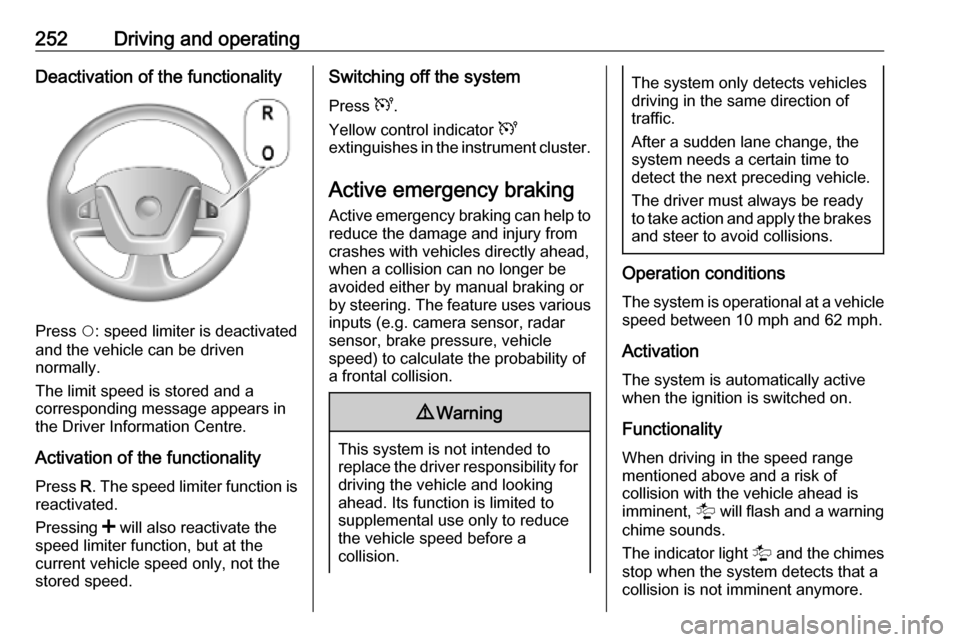
Press $: speed limiter is deactivated
and the vehicle can be driven
normally.
The limit speed is stored and a
corresponding message appears in
the Driver Information Centre.
Activation of the functionality Press R. The speed limiter function is
reactivated.
Pressing < will also reactivate the
speed limiter function, but at the
current vehicle speed only, not the
stored speed.
Switching off the system
Press U.
Yellow control indicator U
extinguishes in the instrument cluster.
Active emergency braking Active emergency braking can help toreduce the damage and injury from
crashes with vehicles directly ahead,
when a collision can no longer be
avoided either by manual braking or
by steering. The feature uses various
inputs (e.g. camera sensor, radar
sensor, brake pressure, vehicle
speed) to calculate the probability of
a frontal collision.9 Warning
This system is not intended to
replace the driver responsibility for driving the vehicle and looking
ahead. Its function is limited to
supplemental use only to reduce
the vehicle speed before a
collision.
The system only detects vehicles
driving in the same direction of
traffic.
After a sudden lane change, the
system needs a certain time to
detect the next preceding vehicle.
The driver must always be ready
to take action and apply the brakes and steer to avoid collisions.
Operation conditions
The system is operational at a vehicle
speed between 10 mph and 62 mph.
Activation
The system is automatically active
when the ignition is switched on.
Functionality
When driving in the speed range
mentioned above and a risk of
collision with the vehicle ahead is
imminent, l will flash and a warning
chime sounds.
The indicator light l and the chimes
stop when the system detects that a
collision is not imminent anymore.
Page 255 of 351
Driving and operating253Just before the imminent collision, the
system brakes automatically to
reduce the impact speed of the
collision or prohibit a crash.9 Warning
Do not rely on the system to brake
the vehicle. Active emergency
braking will not brake outside of its
operating speed range and only
responds to detected vehicles.
Deactivation and re-activation
Active emergency braking can be
deactivated with the vehicle
stationary and the ignition switched
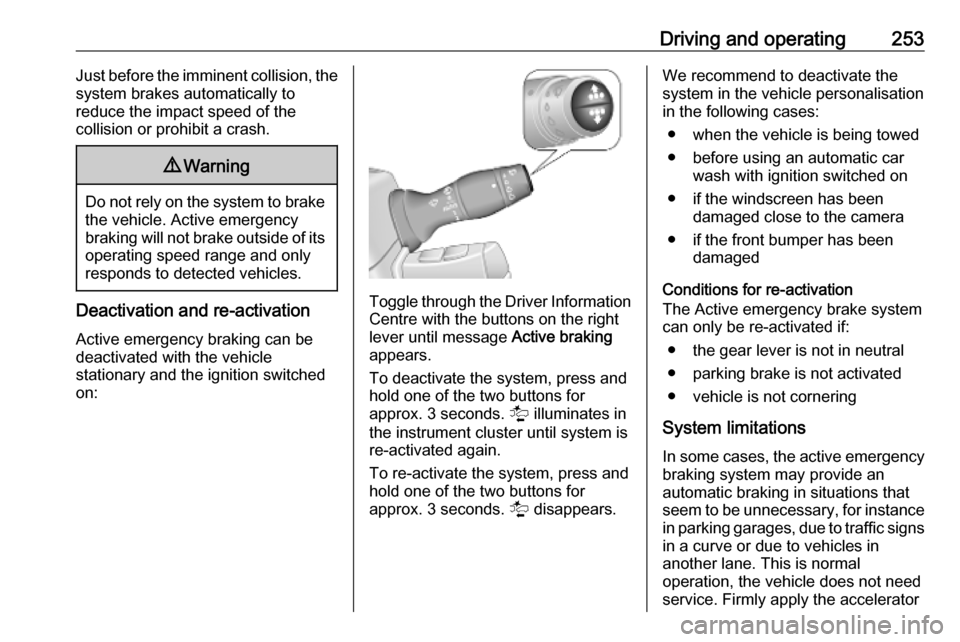
on:Toggle through the Driver Information
Centre with the buttons on the right
lever until message Active braking
appears.
To deactivate the system, press and
hold one of the two buttons for
approx. 3 seconds. l illuminates in
the instrument cluster until system is
re-activated again.
To re-activate the system, press and hold one of the two buttons for
approx. 3 seconds. l disappears.
We recommend to deactivate the
system in the vehicle personalisation
in the following cases:
● when the vehicle is being towed
● before using an automatic car wash with ignition switched on
● if the windscreen has been damaged close to the camera
● if the front bumper has been damaged
Conditions for re-activation
The Active emergency brake system
can only be re-activated if:
● the gear lever is not in neutral
● parking brake is not activated
● vehicle is not cornering
System limitations In some cases, the active emergency
braking system may provide an
automatic braking in situations that
seem to be unnecessary, for instance in parking garages, due to traffic signs
in a curve or due to vehicles in
another lane. This is normal
operation, the vehicle does not need
service. Firmly apply the accelerator
Page 256 of 351
254Driving and operatingpedal to override the automatic
braking if the situation and the
surroundings permit.
In the following cases, active
emergency braking performance is limited:
● driving on winding or hilly roads
● detecting all vehicles, especially vehicles with a trailer, tractors,
muddy vehicles, etc.
● detecting a vehicle when weather
limits visibility, such as in fog,
rain, or snow
● driving during nighttime
● sensor in the windscreen or radar
unit behind the front bumper blocked by snow, ice, slush, mud, dirt, etc.
● windscreen damaged or affected
by foreign objects, e.g. stickers
Complete attention is always required
while driving, and you should be
ready to take action and apply the
brakes and / or steer the vehicle to
avoid crashes.Fault
In case the system requires a service, a message is displayed in the Driver
Information Centre.
Additionally, warning lights l and
j illuminate at the same time.
When the system detects that its
function is not available, warning light
l or j illuminates and stays on.
Additionally, a message in the Driver
Information Centre appears. The system may be temporarily disrupted
(for example: radar or camera
obscured by dirt, mud, snow etc.). In
this case, park the vehicle and switch off the engine. Clean the windscreen
area around the camera and the
detection zone of the radar in the front bumper. When the warning lights and
messages still appear after starting
the vehicle again, seek the
assistance of a workshop.Parking assist9 Warning
It is the driver who bears full
responsibility for the parking
manoeuvre.
Always check the surrounding
area while reversing and using the rear parking assist system.
The parking assist measures the
distance between the vehicle and
obstacles behind and, if available, in
front of the vehicle. It informs and
warns the driver by giving acoustic
signals.
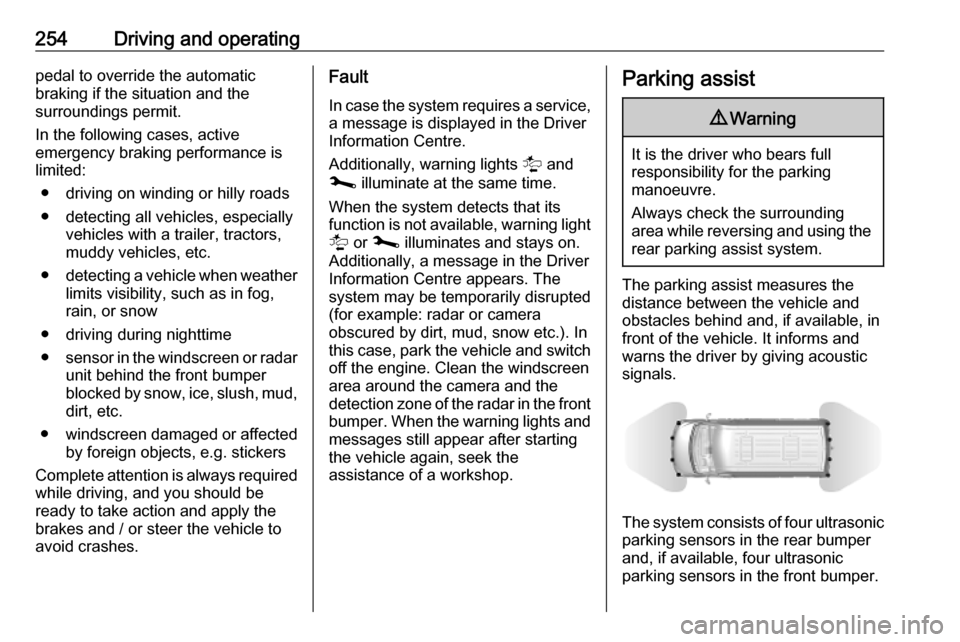
The system consists of four ultrasonic parking sensors in the rear bumper
and, if available, four ultrasonic
parking sensors in the front bumper.