wheel VAUXHALL VIVA 2018 Owner's Guide
[x] Cancel search | Manufacturer: VAUXHALL, Model Year: 2018, Model line: VIVA, Model: VAUXHALL VIVA 2018Pages: 203, PDF Size: 5.35 MB
Page 81 of 203
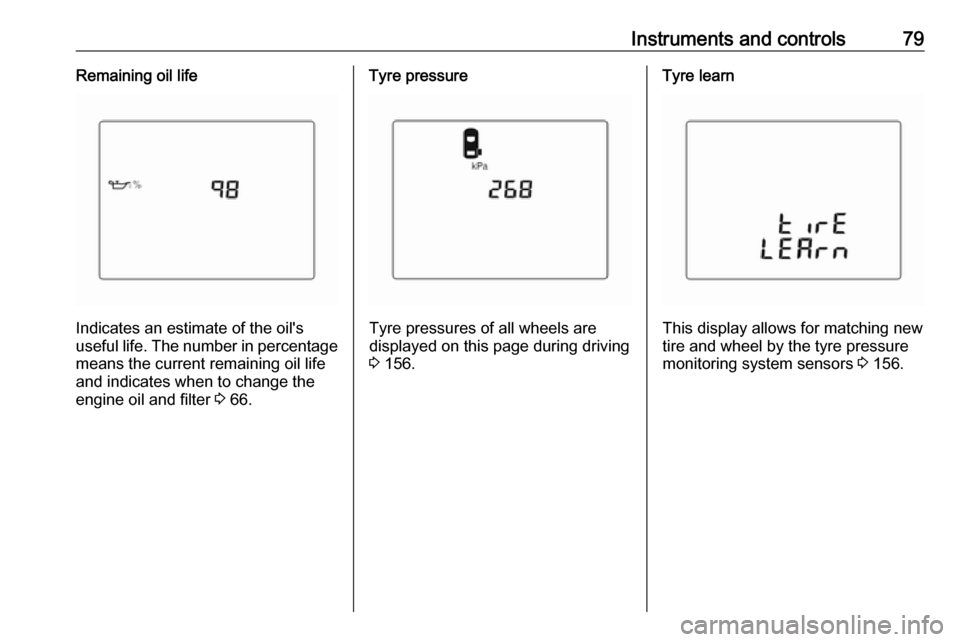
Instruments and controls79Remaining oil life
Indicates an estimate of the oil's
useful life. The number in percentage means the current remaining oil life
and indicates when to change the
engine oil and filter 3 66.
Tyre pressure
Tyre pressures of all wheels are
displayed on this page during driving 3 156.
Tyre learn
This display allows for matching new
tire and wheel by the tyre pressure
monitoring system sensors 3 156.
Page 83 of 203
Instruments and controls81
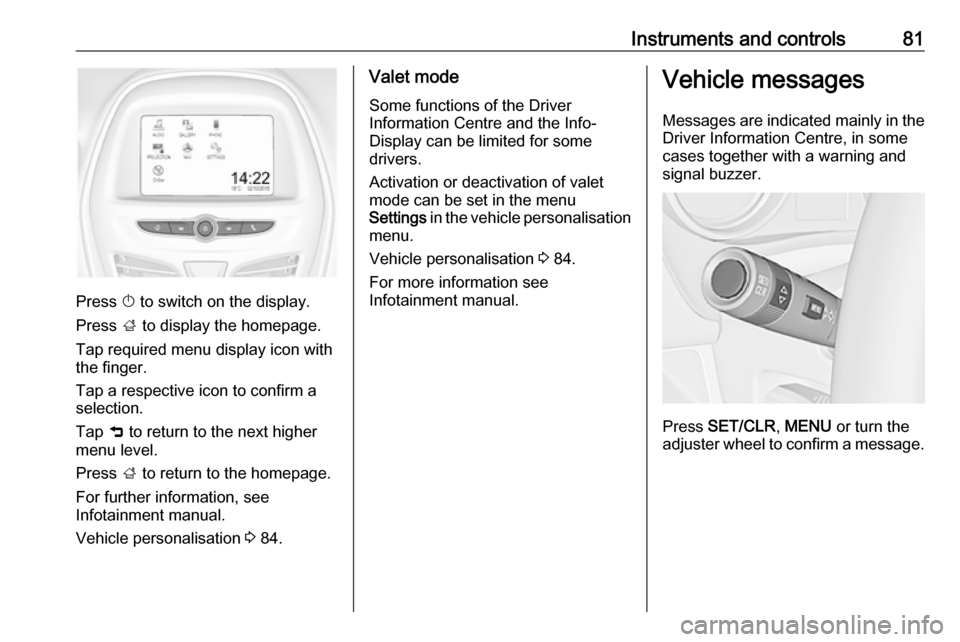
Press X to switch on the display.
Press ; to display the homepage.
Tap required menu display icon with
the finger.
Tap a respective icon to confirm a
selection.
Tap 9 to return to the next higher
menu level.
Press ; to return to the homepage.
For further information, see Infotainment manual.
Vehicle personalisation 3 84.
Valet mode
Some functions of the Driver
Information Centre and the Info-
Display can be limited for some
drivers.
Activation or deactivation of valet
mode can be set in the menu
Settings in the vehicle personalisation
menu.
Vehicle personalisation 3 84.
For more information see
Infotainment manual.Vehicle messages
Messages are indicated mainly in the
Driver Information Centre, in some
cases together with a warning and
signal buzzer.
Press SET/CLR , MENU or turn the
adjuster wheel to confirm a message.
Page 84 of 203
82Instruments and controlsVehicle messages in Driver
Information Centre
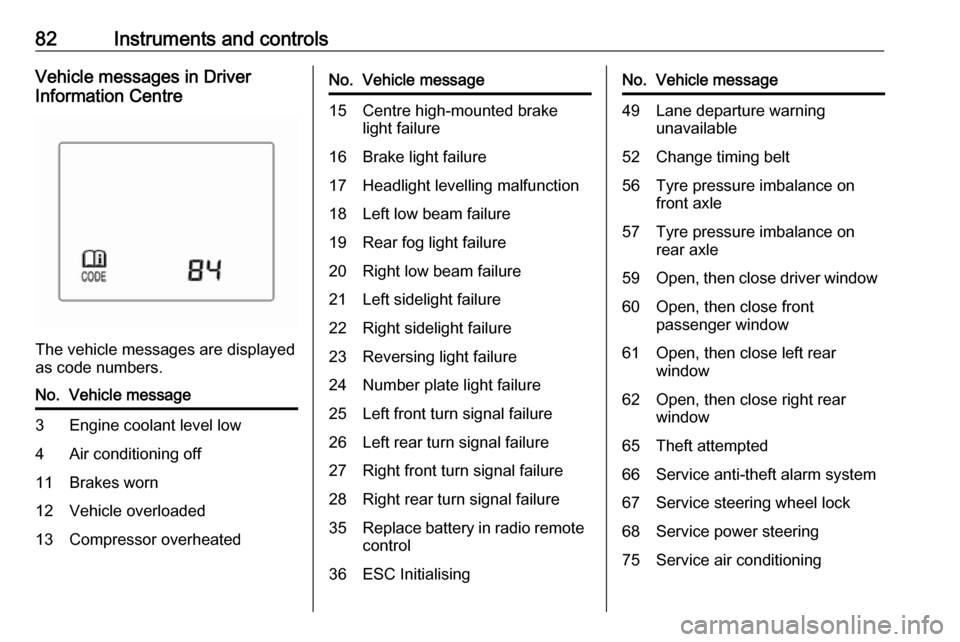
The vehicle messages are displayed
as code numbers.
No.Vehicle message3Engine coolant level low4Air conditioning off11Brakes worn12Vehicle overloaded13Compressor overheatedNo.Vehicle message15Centre high-mounted brake
light failure16Brake light failure17Headlight levelling malfunction18Left low beam failure19Rear fog light failure20Right low beam failure21Left sidelight failure22Right sidelight failure23Reversing light failure24Number plate light failure25Left front turn signal failure26Left rear turn signal failure27Right front turn signal failure28Right rear turn signal failure35Replace battery in radio remote
control36ESC InitialisingNo.Vehicle message49Lane departure warning unavailable52Change timing belt56Tyre pressure imbalance on
front axle57Tyre pressure imbalance on
rear axle59Open, then close driver window60Open, then close front
passenger window61Open, then close left rear
window62Open, then close right rear
window65Theft attempted66Service anti-theft alarm system67Service steering wheel lock68Service power steering75Service air conditioning
Page 94 of 203
92LightingHeadlight range adjustment
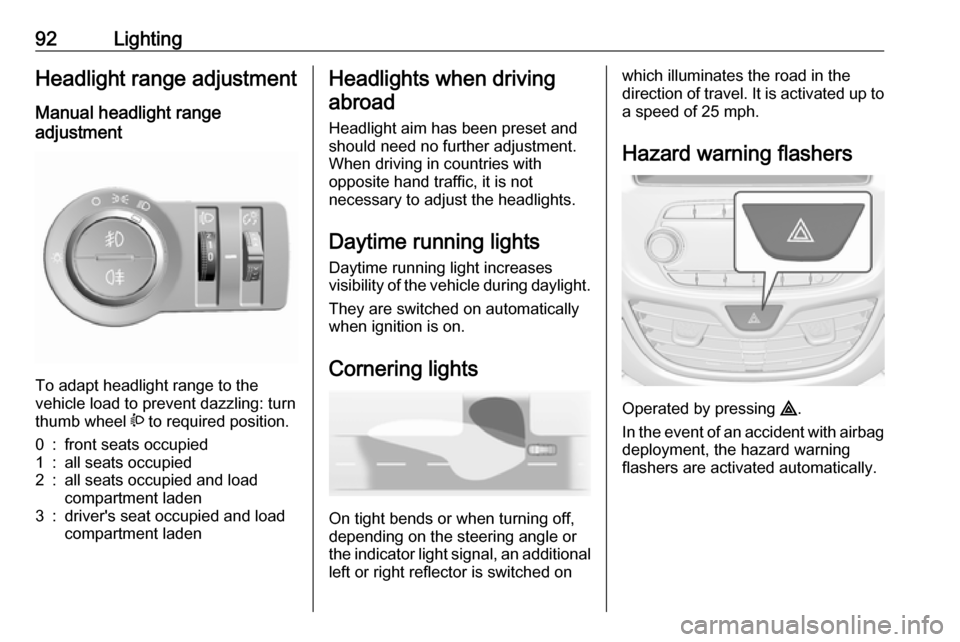
Manual headlight range
adjustment
To adapt headlight range to the
vehicle load to prevent dazzling: turn
thumb wheel ? to required position.
0:front seats occupied1:all seats occupied2:all seats occupied and load
compartment laden3:driver's seat occupied and load
compartment ladenHeadlights when driving
abroad
Headlight aim has been preset and
should need no further adjustment.
When driving in countries with
opposite hand traffic, it is not
necessary to adjust the headlights.
Daytime running lights Daytime running light increases
visibility of the vehicle during daylight.
They are switched on automatically
when ignition is on.
Cornering lights
On tight bends or when turning off,
depending on the steering angle or
the indicator light signal, an additional left or right reflector is switched on
which illuminates the road in the
direction of travel. It is activated up to
a speed of 25 mph.
Hazard warning flashers
Operated by pressing ¨
.
In the event of an accident with airbag
deployment, the hazard warning
flashers are activated automatically.
Page 95 of 203
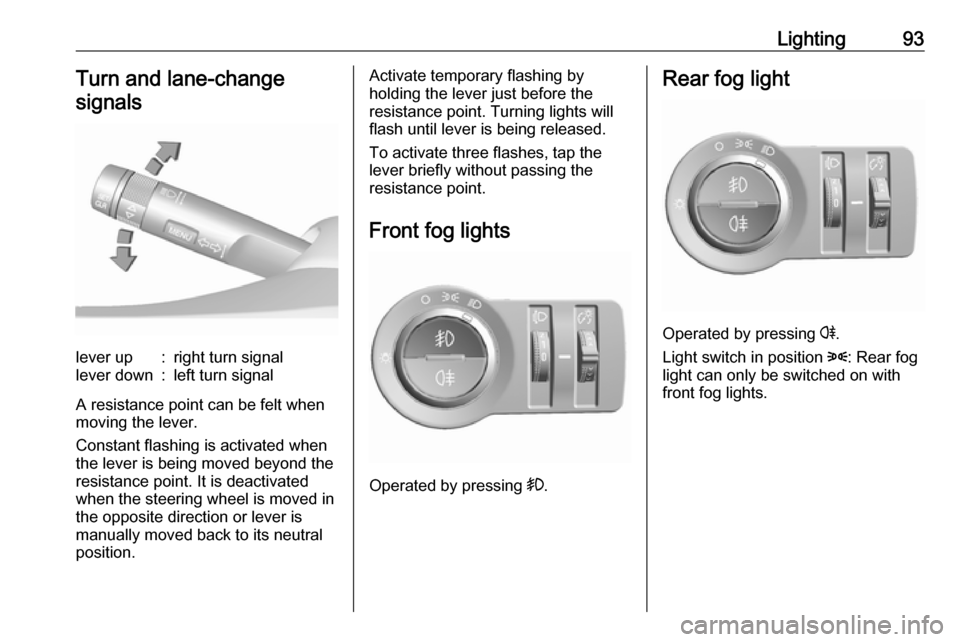
Lighting93Turn and lane-changesignalslever up:right turn signallever down:left turn signal
A resistance point can be felt when
moving the lever.
Constant flashing is activated when
the lever is being moved beyond the
resistance point. It is deactivated
when the steering wheel is moved in
the opposite direction or lever is
manually moved back to its neutral
position.
Activate temporary flashing by
holding the lever just before the
resistance point. Turning lights will
flash until lever is being released.
To activate three flashes, tap the
lever briefly without passing the
resistance point.
Front fog lights
Operated by pressing >
.
Rear fog light
Operated by pressing r.
Light switch in position 8: Rear fog
light can only be switched on with
front fog lights.
Page 96 of 203
94LightingParking lights
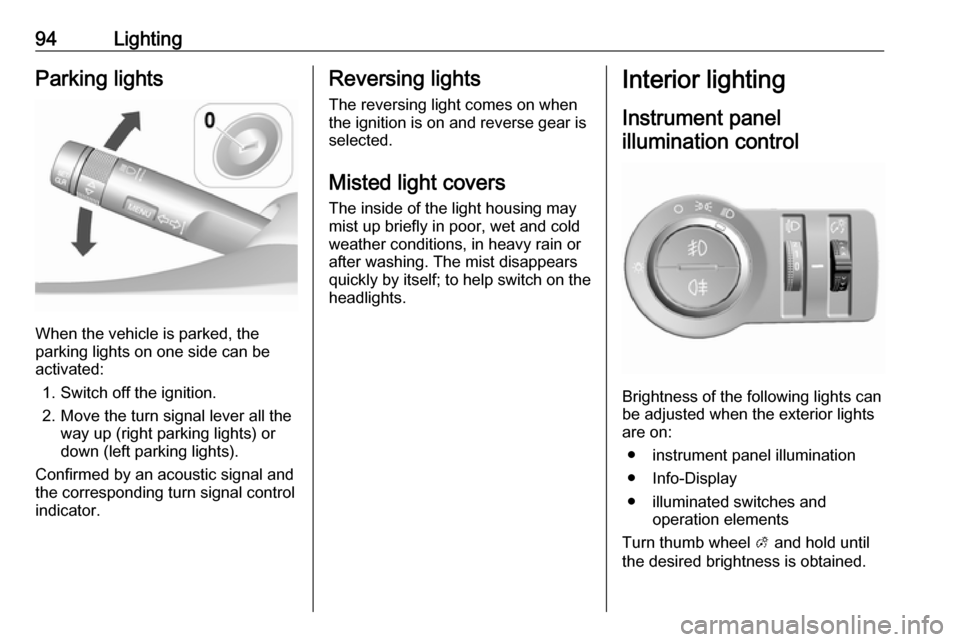
When the vehicle is parked, the
parking lights on one side can be
activated:
1. Switch off the ignition.
2. Move the turn signal lever all the way up (right parking lights) or
down (left parking lights).
Confirmed by an acoustic signal and
the corresponding turn signal control
indicator.
Reversing lights
The reversing light comes on when
the ignition is on and reverse gear is
selected.
Misted light covers
The inside of the light housing may
mist up briefly in poor, wet and cold weather conditions, in heavy rain or
after washing. The mist disappears
quickly by itself; to help switch on the
headlights.Interior lighting
Instrument panel illumination control
Brightness of the following lights can
be adjusted when the exterior lights
are on:
● instrument panel illumination
● Info-Display
● illuminated switches and operation elements
Turn thumb wheel A and hold until
the desired brightness is obtained.
Page 99 of 203
Climate control97Climate controlClimate control systems...............97
Heating and ventilation system . 97
Air conditioning system .............98
Electronic climate control system .................................... 100
Air vents ..................................... 103
Adjustable air vents .................103
Fixed air vents ......................... 104
Maintenance .............................. 104
Air intake ................................. 104
Pollen filter ............................... 104
Air conditioning regular operation ................................ 104
Service .................................... 105Climate control systems
Heating and ventilation system
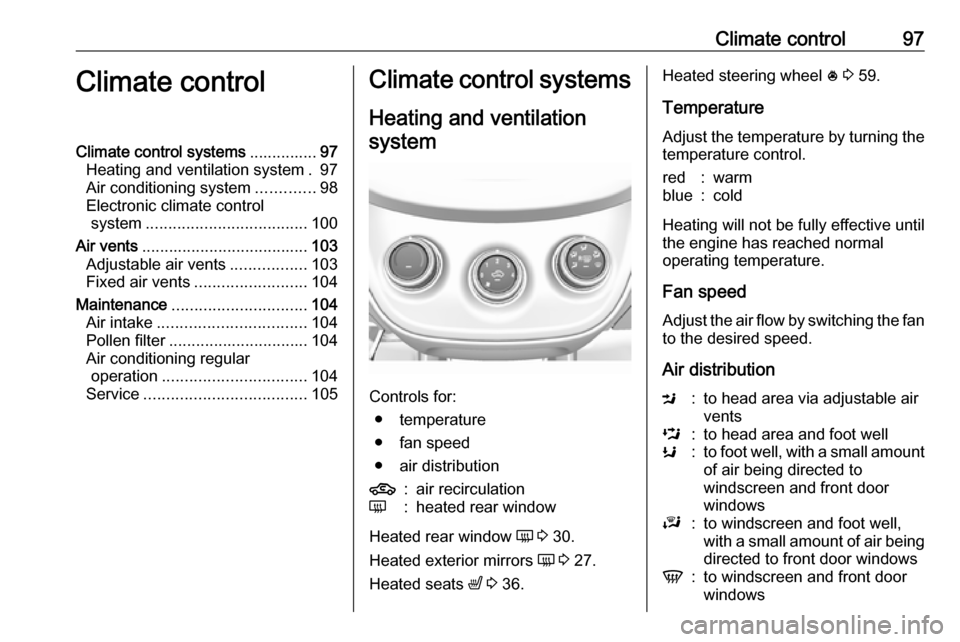
Controls for: ● temperature
● fan speed
● air distribution
4:air recirculationÜ:heated rear window
Heated rear window Ü 3 30.
Heated exterior mirrors Ü 3 27.
Heated seats ß 3 36.
Heated steering wheel * 3 59.
Temperature
Adjust the temperature by turning the
temperature control.red:warmblue:cold
Heating will not be fully effective until
the engine has reached normal
operating temperature.
Fan speed
Adjust the air flow by switching the fan
to the desired speed.
Air distribution
M:to head area via adjustable air
ventsL:to head area and foot wellK:to foot well, with a small amount of air being directed to
windscreen and front door
windowsJ:to windscreen and foot well,
with a small amount of air being
directed to front door windowsV:to windscreen and front door
windows
Page 100 of 203
98Climate controlIntermediate settings are possible.Demisting and defrosting the
windows
● Set air distribution control to V.
● Set temperature control to warmest level.
● Set fan speed to highest speed.
● Switch on heated rear window Ü.
● Open side air vents as required and direct them towards door
windows.
● For simultaneous warming of the
foot well, set air distribution
control to J.Air conditioning system
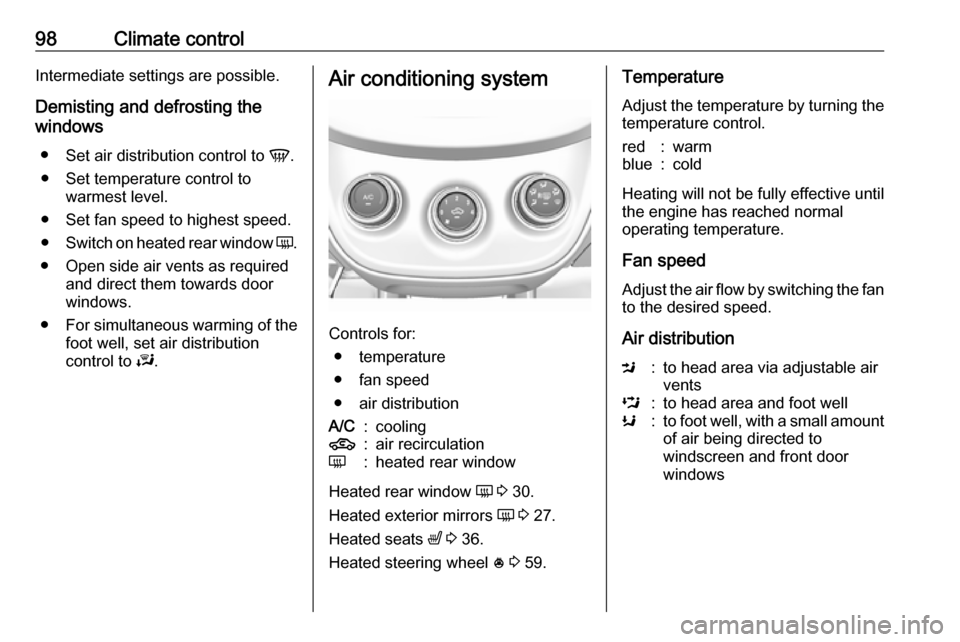
Controls for:
● temperature
● fan speed
● air distribution
A/C:cooling4:air recirculationÜ:heated rear window
Heated rear window Ü 3 30.
Heated exterior mirrors Ü 3 27.
Heated seats ß 3 36.
Heated steering wheel * 3 59.
Temperature
Adjust the temperature by turning the
temperature control.red:warmblue:cold
Heating will not be fully effective until
the engine has reached normal
operating temperature.
Fan speed
Adjust the air flow by switching the fan
to the desired speed.
Air distribution
M:to head area via adjustable air
ventsL:to head area and foot wellK:to foot well, with a small amount of air being directed to
windscreen and front door
windows
Page 102 of 203
100Climate controlIf air distribution is set to V, A/C
operates and air recirculation mode will be set to demisting/defrosting
regardless of indicator status.
Notice
If V is pressed while the engine is
running, an Autostop will be inhibited
until V is pressed again.
If V is pressed while the engine is
in an Autostop, the engine will restart
automatically.
Stop-start system 3 109.
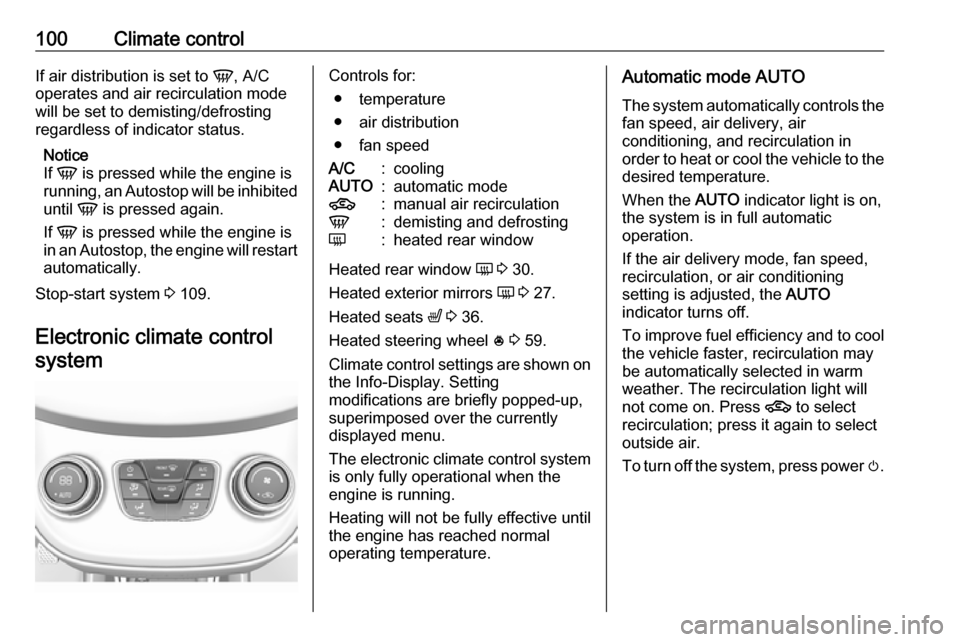
Electronic climate control systemControls for: ● temperature
● air distribution
● fan speedA/C:coolingAUTO:automatic mode4:manual air recirculationV:demisting and defrostingÜ:heated rear window
Heated rear window Ü 3 30.
Heated exterior mirrors Ü 3 27.
Heated seats ß 3 36.
Heated steering wheel * 3 59.
Climate control settings are shown on the Info-Display. Setting
modifications are briefly popped-up,
superimposed over the currently
displayed menu.
The electronic climate control system
is only fully operational when the
engine is running.
Heating will not be fully effective until
the engine has reached normal
operating temperature.
Automatic mode AUTO
The system automatically controls the
fan speed, air delivery, air
conditioning, and recirculation in
order to heat or cool the vehicle to the desired temperature.
When the AUTO indicator light is on,
the system is in full automatic
operation.
If the air delivery mode, fan speed,
recirculation, or air conditioning
setting is adjusted, the AUTO
indicator turns off.
To improve fuel efficiency and to cool
the vehicle faster, recirculation may
be automatically selected in warm
weather. The recirculation light will
not come on. Press 4 to select
recirculation; press it again to select
outside air.
To turn off the system, press power m.
Page 109 of 203
Driving and operating107Use only floor mats, which fit properly
and are fixed by the retainers on the
driver side.
Driving downhill
Engage a gear when driving downhill
to ensure that sufficient brake
pressure is available.
Steering If power steering assist is lost
because the engine stops or due to a
system malfunction, the vehicle can
be steered but may require increased
effort.
Control indicator c 3 72.Caution
Vehicle equipped with electric
power steering:
If the steering wheel is turned until it reaches the end of its travel and
is held against that position for an
extended period of time, power
steering assistance may be
reduced.
If the steering assistance is used
for an extended period of time,
power assistance may be
reduced.
Power steering assistance should
return back to normal when the
system has cooled down.Starting and operating
New vehicle running-in Do not brake unnecessarily hard for
the first few journeys.
During the first drive, smoke may
occur because of wax and oil
evaporating off the exhaust system.
Park the vehicle in the open for a
while after the first drive and avoid
inhaling the fumes.
During the running-in period, fuel and engine oil consumption may be
higher.
Autostop may be inhibited to allow for
charging of the vehicle battery.
Ignition switch positions
Turn key: