Power window VAUXHALL VIVA 2019 Owner's Manual
[x] Cancel search | Manufacturer: VAUXHALL, Model Year: 2019, Model line: VIVA, Model: VAUXHALL VIVA 2019Pages: 189, PDF Size: 5.22 MB
Page 13 of 189

In brief111Central locking system ..........20
Power windows .....................28
2 Exterior mirrors .....................26
3 Cruise control .....................115
Speed limiter ...................... 116
Heated steering wheel ..........58
4 Turn lights, headlight
flash, low beam and high
beam ..................................... 90
Exit lighting ........................... 92
Parking lights ........................ 91
5 Side air vents ...................... 100
6 Instruments .......................... 62
7 Driver Information Centre ...... 73
8 Steering wheel controls .......58
9 Windscreen wiper,
windscreen washer
system, rear window
wiper, rear window washer
system ................................... 59
10 Centre air vents .................. 100
11 Hazard warning flashers ......89
12 Info Display ........................... 7813Anti-theft alarm system
status LED ........................... 25
14 Infotainment system
15 Glovebox .............................. 50
16 Climate control system .......... 94
17 AUX input, USB input
18 Selector lever .....................109
19 Seat heating .......................... 35
20 Parking brake ......................111
21 Ignition switch with
steering wheel lock ............103
22 Horn ..................................... 59
Driver airbag ........................ 41
23 Bonnet release lever ..........126
24 Steering wheel adjustment ..58
25 Fuse box ............................ 141
26 Traction Control system .....112
City mode ............................ 113
Stop-start system ................105
Lane departure warning .....119
Electronic Stability Control . 11327 Light switch .......................... 88
Headlight range
adjustment ........................... 89
Front fog light ........................ 90
Rear fog light ........................ 90
Brightness of instrument
panel illumination ..................91
Page 20 of 189

18Keys, doors and windowsKeys, doors and
windowsKeys, locks ................................... 18
Keys .......................................... 18
Radio remote control .................19
Memorised settings ...................20
Central locking system ..............20
Child locks ................................. 22
Doors ........................................... 23
Front doors ................................ 23
Rear doors ................................. 23
Load compartment ....................23
Vehicle security ............................ 25
Anti-theft alarm system ..............25
Immobiliser ................................ 25
Exterior mirrors ............................ 26
Mirrors ....................................... 26
Manual adjustment ....................26
Electric adjustment ....................26
Folding mirrors .......................... 26
Heated mirrors ........................... 27
Interior mirrors ............................. 27
Manual anti-dazzle ....................27
Windows ...................................... 28
Windscreen ............................... 28Manual windows........................28
Power windows ......................... 28
Heated rear window ..................30
Sun visors .................................. 30
Roof ............................................. 30
Sunroof ...................................... 30Keys, locks
KeysCaution
Do not attach heavy or bulky itemsto the ignition key.
Replacement keys
The key number is specified on a
detachable tag.
The key number must be quoted
when ordering replacement keys, as
it is a component of the immobiliser
system.
Locks 3 159.
The code number of the adapter for
the locking wheel bolts is specified on a card. It must be quoted when
ordering a replacement adapter.
Wheel changing 3 152.
Page 21 of 189
Keys, doors and windows19Lock cylinders
Designed to free-wheel if they are forcefully rotated without the correct
key or if the correct key is not fully
inserted. To reset, turn cylinder with
the correct key until its slot is vertical, remove key and then re-insert it. If the
cylinder still free-wheels, turn the key through 180° and repeat operation.
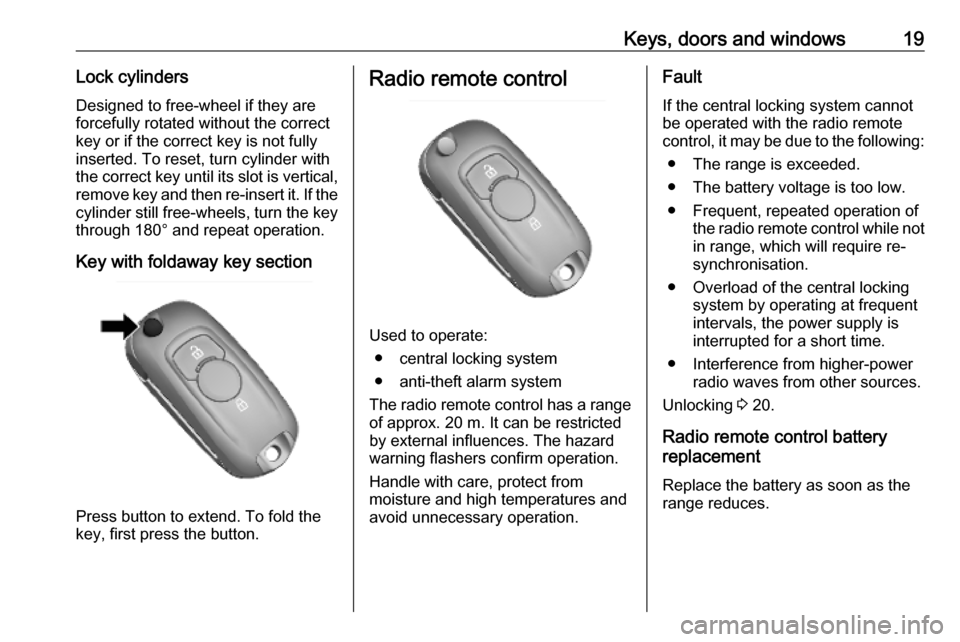
Key with foldaway key section
Press button to extend. To fold the
key, first press the button.
Radio remote control
Used to operate:
● central locking system
● anti-theft alarm system
The radio remote control has a range of approx. 20 m. It can be restrictedby external influences. The hazard
warning flashers confirm operation.
Handle with care, protect from
moisture and high temperatures and
avoid unnecessary operation.
Fault
If the central locking system cannot be operated with the radio remote
control, it may be due to the following:
● The range is exceeded.
● The battery voltage is too low.
● Frequent, repeated operation of the radio remote control while not
in range, which will require re-
synchronisation.
● Overload of the central locking system by operating at frequent
intervals, the power supply is
interrupted for a short time.
● Interference from higher-power radio waves from other sources.
Unlocking 3 20.
Radio remote control battery
replacement
Replace the battery as soon as the
range reduces.
Page 30 of 189
28Keys, doors and windowsWindows
Windscreen Windscreen stickers
Do not attach stickers, e.g. toll road stickers or similar, on the windscreen
in the area of the interior mirror.
Otherwise the detection zone of the
sensor in the mirror housing could be restricted.
Windscreen replacementCaution
If the vehicle has a front-looking
camera sensor for the driver
assistance systems, it is very
important that any windscreen
replacement is performed
accurately according to Vauxhall
specifications. Otherwise, these systems may not work properly
and there is a risk of unexpected
behaviour and / or messages from these systems.
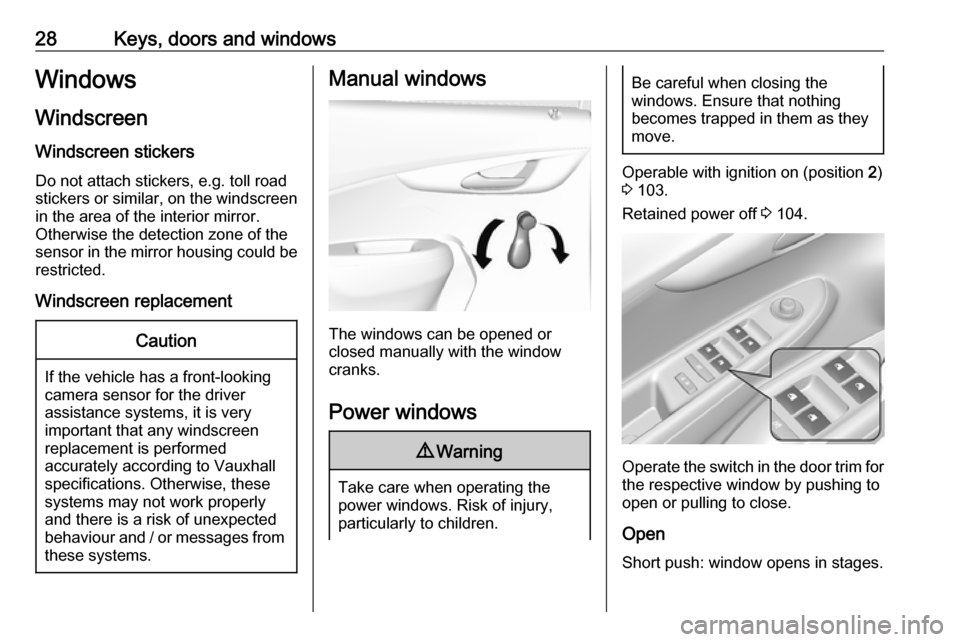
Manual windows
The windows can be opened or
closed manually with the window
cranks.
Power windows
9 Warning
Take care when operating the
power windows. Risk of injury,
particularly to children.
Be careful when closing the
windows. Ensure that nothing
becomes trapped in them as they
move.
Operable with ignition on (position 2)
3 103.
Retained power off 3 104.
Operate the switch in the door trim for
the respective window by pushing to
open or pulling to close.
Open
Short push: window opens in stages.
Page 31 of 189
Keys, doors and windows29Long push: window opens
automatically up to end position. To
stop movement, move switch in
opposite direction.
Close
Short pull: window closes in stages.
Longer pull: window closes
automatically up to end position. To
stop movement, move switch in
opposite direction.
Safety function
If the window glass encounters
resistance above the middle of the
window during automatic closing, it is
immediately stopped and opened
again.
Override safety function In the event of closing difficulties due
to frost or the like, switch on the
ignition, then pull the switch several times to close the windows in stages.Child safety system for rear
windows
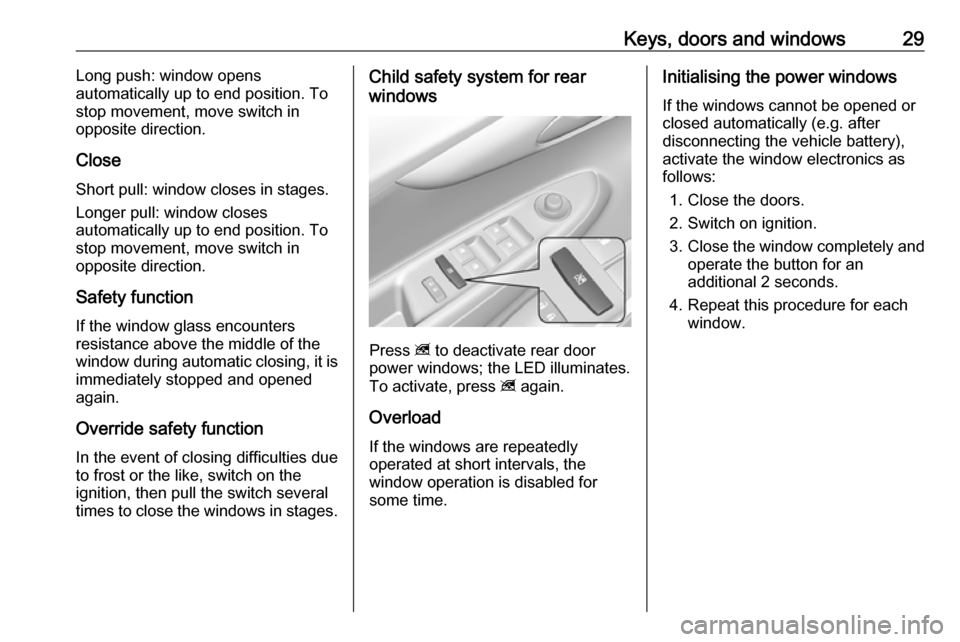
Press z to deactivate rear door
power windows; the LED illuminates.
To activate, press z again.
Overload
If the windows are repeatedly
operated at short intervals, the
window operation is disabled for
some time.
Initialising the power windows
If the windows cannot be opened or
closed automatically (e.g. after
disconnecting the vehicle battery),
activate the window electronics as
follows:
1. Close the doors.
2. Switch on ignition.
3. Close the window completely and
operate the button for an
additional 2 seconds.
4. Repeat this procedure for each window.
Page 32 of 189

30Keys, doors and windowsHeated rear windowType 1Type 2Operated by pressing Ü.
Rear window heating works with the engine running.
It is switched off automatically after a
short time.
Sun visors
The sun visors can be folded down or swivelled to the side to prevent
dazzling.
The covers of the mirrors should be
closed when driving.Roof
Sunroof9 Warning
Take care when operating the
sunroof. Risk of injury, particularly to children.
Keep a close watch on the
movable parts when operating
them. Ensure that nothing
becomes trapped in them as they
move.
Operable via a rocker switch with
ignition on (position 2) 3 103.
Retained power off 3 104.
Page 59 of 189

Instruments and controls57Instruments and
controlsControls ....................................... 58
Steering wheel adjustment ........58
Steering wheel controls .............58
Heated steering wheel ...............58
Horn ........................................... 59
Windscreen wiper and washer ..59
Rear window wiper and washer ...................................... 60
Outside temperature ..................60
Clock ......................................... 60
Power outlets ............................. 62
Cigarette lighter ......................... 62
Ashtrays .................................... 62
Warning lights, gauges and indi‐ cators ........................................... 62
Instrument cluster ......................62
Speedometer ............................. 62
Odometer .................................. 63
Trip odometer ............................ 63
Tachometer ............................... 63
Fuel gauge ................................ 63
Engine coolant temperature gauge ....................................... 64
Service display .......................... 64Control indicators ......................65
Turn lights .................................. 67
Seat belt reminder .....................68
Airbag and belt tensioners .........68
Airbag deactivation ....................68
Charging system .......................69
Malfunction indicator light ..........69
Service vehicle soon .................69
Brake and clutch system ...........69
Operate pedal ............................ 69
Antilock brake system (ABS) .....70
Gear shifting .............................. 70
Power steering .......................... 70
Lane departure warning ............70
Parking assist ............................ 70
Electronic Stability Control off ...70
Electronic Stability Control and Traction Control system ...........70
Traction Control system off .......71
Engine coolant temperature ......71
Tyre pressure monitoring system ...................................... 71
Engine oil pressure ....................71
Low fuel ..................................... 72
Immobiliser ................................ 72
Reduced engine power .............72
Exterior light .............................. 72
High beam ................................. 72
Front fog lights ........................... 72
Rear fog light ............................. 72Cruise control............................ 72
Speed limiter ............................. 72
Bonnet open .............................. 72
Door open .................................. 73
Displays ....................................... 73
Driver Information Centre ..........73
Info Display ................................ 78
Vehicle messages ........................79
Warning chimes .........................81
Battery voltage .......................... 81
Vehicle personalisation ................81
Telematics service .......................84
OnStar ....................................... 84
Page 82 of 189

80Instruments and controlsNo.Vehicle message15Centre high-mounted brake
light failure16Brake light failure17Headlight levelling malfunction18Left low beam failure19Rear fog light failure20Right low beam failure21Left sidelight failure22Right sidelight failure23Reversing light failure24Number plate light failure25Left front turn light failure26Left rear turn light failure27Right front turn light failure28Right rear turn light failure35Replace battery in radio remote
control36ESC InitialisingNo.Vehicle message49Lane departure warning unavailable52Change timing belt56Tyre pressure imbalance on
front axle57Tyre pressure imbalance on
rear axle59Open, then close driver window60Open, then close front
passenger window61Open, then close left rear
window62Open, then close right rear
window65Theft attempted66Service anti-theft alarm system67Service steering wheel lock68Service power steering75Service air conditioningNo.Vehicle message77Service lane departure warning79Top up engine oil81Service transmission / trans‐
mission malfunction82Change engine oil soon84Engine power reduced89Service vehicle soon90Service brake assist95Service airbag145Check washer fluid level151Press clutch to start174Low vehicle battery258Parking assist off
Vehicle messages on
Colour Info Display
Some important messages appear
additionally in the
Colour Info Display. Some messages only pop-up for a few seconds.
Page 84 of 189
82Instruments and controls
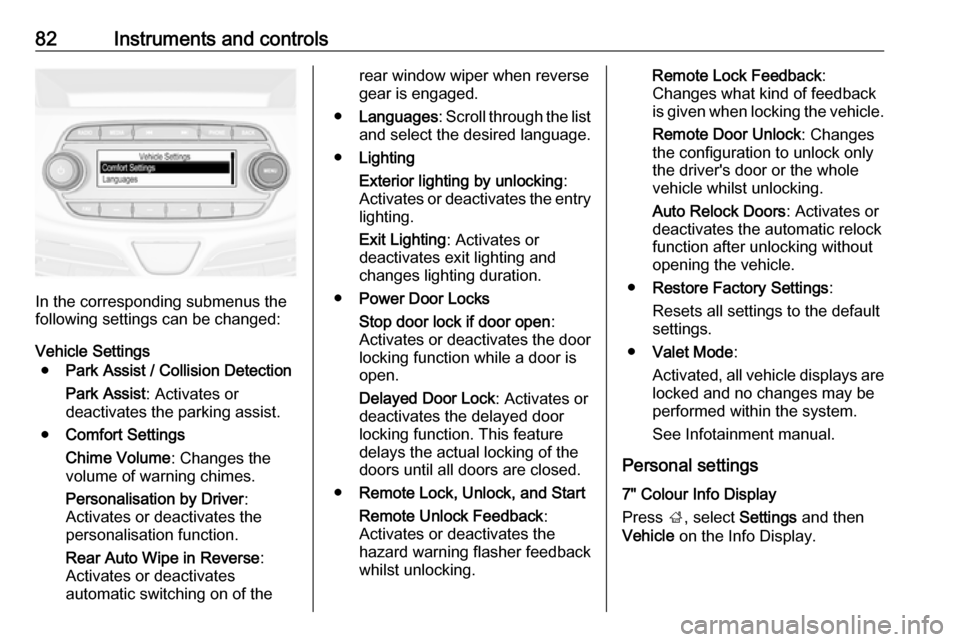
In the corresponding submenus the
following settings can be changed:
Vehicle Settings ● Park Assist / Collision Detection
Park Assist : Activates or
deactivates the parking assist.
● Comfort Settings
Chime Volume : Changes the
volume of warning chimes.
Personalisation by Driver :
Activates or deactivates the
personalisation function.
Rear Auto Wipe in Reverse :
Activates or deactivates
automatic switching on of the
rear window wiper when reverse gear is engaged.
● Languages : Scroll through the list
and select the desired language.
● Lighting
Exterior lighting by unlocking :
Activates or deactivates the entry lighting.
Exit Lighting : Activates or
deactivates exit lighting and
changes lighting duration.
● Power Door Locks
Stop door lock if door open :
Activates or deactivates the door
locking function while a door is open.
Delayed Door Lock : Activates or
deactivates the delayed door
locking function. This feature
delays the actual locking of the
doors until all doors are closed.
● Remote Lock, Unlock, and Start
Remote Unlock Feedback :
Activates or deactivates the
hazard warning flasher feedback
whilst unlocking.Remote Lock Feedback :
Changes what kind of feedback
is given when locking the vehicle.
Remote Door Unlock : Changes
the configuration to unlock only
the driver's door or the whole
vehicle whilst unlocking.
Auto Relock Doors : Activates or
deactivates the automatic relock
function after unlocking without
opening the vehicle.
● Restore Factory Settings :
Resets all settings to the default settings.
● Valet Mode :
Activated, all vehicle displays are locked and no changes may be
performed within the system.
See Infotainment manual.
Personal settings
7" Colour Info Display
Press ;, select Settings and then
Vehicle on the Info Display.
Page 85 of 189
Instruments and controls83
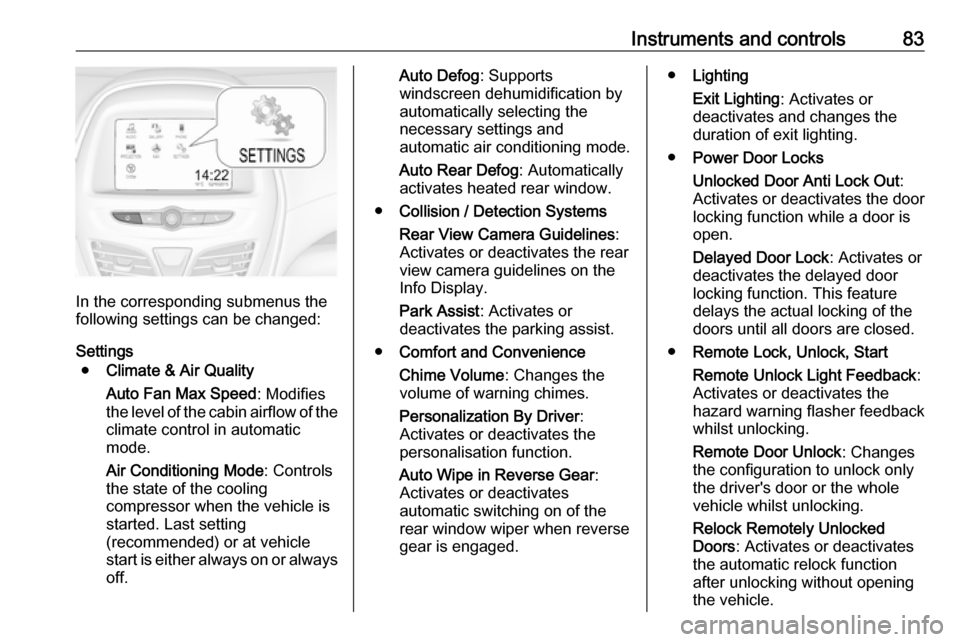
In the corresponding submenus the
following settings can be changed:
Settings ● Climate & Air Quality
Auto Fan Max Speed : Modifies
the level of the cabin airflow of the climate control in automatic
mode.
Air Conditioning Mode : Controls
the state of the cooling
compressor when the vehicle is
started. Last setting
(recommended) or at vehicle
start is either always on or always
off.
Auto Defog : Supports
windscreen dehumidification by
automatically selecting the
necessary settings and
automatic air conditioning mode.
Auto Rear Defog : Automatically
activates heated rear window.
● Collision / Detection Systems
Rear View Camera Guidelines :
Activates or deactivates the rear
view camera guidelines on the
Info Display.
Park Assist : Activates or
deactivates the parking assist.
● Comfort and Convenience
Chime Volume : Changes the
volume of warning chimes.
Personalization By Driver :
Activates or deactivates the
personalisation function.
Auto Wipe in Reverse Gear :
Activates or deactivates
automatic switching on of the
rear window wiper when reverse gear is engaged.● Lighting
Exit Lighting : Activates or
deactivates and changes the
duration of exit lighting.
● Power Door Locks
Unlocked Door Anti Lock Out :
Activates or deactivates the door
locking function while a door is open.
Delayed Door Lock : Activates or
deactivates the delayed door
locking function. This feature
delays the actual locking of the
doors until all doors are closed.
● Remote Lock, Unlock, Start
Remote Unlock Light Feedback :
Activates or deactivates the
hazard warning flasher feedback whilst unlocking.
Remote Door Unlock : Changes
the configuration to unlock only
the driver's door or the whole
vehicle whilst unlocking.
Relock Remotely Unlocked
Doors : Activates or deactivates
the automatic relock function
after unlocking without opening the vehicle.