instrument cluster VAUXHALL VIVARO 2016.5 Owner's Manual
[x] Cancel search | Manufacturer: VAUXHALL, Model Year: 2016.5, Model line: VIVARO, Model: VAUXHALL VIVARO 2016.5Pages: 211, PDF Size: 5 MB
Page 19 of 211

In brief17Starting offCheck before starting off ● Tyre pressure and condition 3 164, 3 198.
● Engine oil level and fluid levels 3 147.
● All windows, mirrors, exterior lighting and number plates are
free from dirt, snow and ice and
are operational.
● Proper position of mirrors, seats and seat belts 3 37, 3 43,
3 50.
● Brake function at low speed, particularly if the brakes are wet.Starting the engine with key
● Turn key to position 1.
● Move the steering wheel slightly to release the steering wheel
lock.
● Operate clutch and brake pedal. ● Do not operate accelerator pedal.
● Diesel engines: turn the key to position 2 for preheating and wait
until control indicator !
extinguishes in the instrument
cluster.
● Turn key to position 3 and
release.
Starting the engine 3 118.
Starting the engine with the power
button
Electronic key must be inside the
vehicle, either in the card reader or
the front passenger compartment.
● Move the steering wheel slightly to release the steering wheel
lock.
● Operate clutch and brake pedal.
● Do not operate accelerator pedal.
● Press START/STOP and
release.
● Engine starts after a short delay.
Power button 3 116.
Page 20 of 211

18In briefStop-start system
If the vehicle is at low speed or in
standstill and certain conditions are
fulfilled, activate an Autostop as
follows:
● Depress the clutch pedal.
● Move the selector lever to neutral.
● Release the clutch pedal.
An Autostop is indicated when Ï
illuminates in the instrument cluster
3 89.
To restart the engine, depress the
clutch pedal again.
Stop-start system 3 119.
Parking9 Warning
● Do not park the vehicle on an
easily ignitable surface. The
high temperature of the
exhaust system could ignite the
surface.
● Always apply parking brake without pressing release
button. Apply as firmly as
possible on a downhill slope or
uphill slope. Depress brake
pedal at the same time to
reduce operating force.
● Switch off the engine.
● If the vehicle is on a level surface or uphill slope, engage
first gear. On an uphill slope,
turn the front wheels away from
the kerb.
If the vehicle is on a downhill
slope, engage reverse gear.
Turn the front wheels towards the kerb.
● Close the windows.
● Remove the ignition key from the ignition switch. Turn the
steering wheel until the
steering wheel lock is felt to
engage.
● Lock the vehicle by pressing e on
the remote control 3 23.
Activate the anti-theft alarm
system 3 35.
● The engine cooling fans may run
after the engine has been
switched off 3 146.
Caution
After running at high engine
speeds or with high engine loads,
operate the engine briefly at a low load or run in neutral for approx.30 seconds before switching off, in
order to protect the turbocharger.
Keys, locks 3 19, Laying the vehicle
up for a long period of time 3 145.
Page 76 of 211

74Instruments and controlsInstruments and
controlsControls ....................................... 75
Steering wheel adjustment ........75
Steering wheel controls .............75
Horn ........................................... 75
Steering column controls ...........75
Windscreen wiper/washer .........76
Rear window wiper/washer .......77
Outside temperature ..................77
Clock ......................................... 77
Power outlets ............................. 78
Cigarette lighter ......................... 79
Ashtrays .................................... 79
Warning lights, gauges and indi‐ cators ........................................... 79
Instrument cluster ......................79
Speedometer ............................. 79
Odometer .................................. 80
Trip odometer ............................ 80
Tachometer ............................... 80
Fuel gauge ................................ 81
Fuel economy gauge .................81
Service display .......................... 81
Control indicators ......................82
Turn signal ................................. 84Seat belt reminder.....................85
Airbag and belt tensioners .........85
Airbag deactivation ....................85
Charging system .......................86
Malfunction indicator light ..........86
Service vehicle soon .................86
Stop engine ............................... 86
Brake system ............................. 86
Antilock brake system (ABS) .....87
Upshift ....................................... 87
Electronic Stability Program ......87
Electronic Stability Program off ............................................. 87
Engine coolant temperature ......87
Preheating ................................. 88
AdBlue ....................................... 88
Tyre pressure monitoring system ...................................... 88
Engine oil pressure ....................88
Fuel economy mode ..................89
Low fuel ..................................... 89
Autostop .................................... 89
Exterior light .............................. 89
High beam ................................. 89
Fog light ..................................... 90
Rear fog light ............................. 90
Cruise control ............................ 90
Tachograph ............................... 90
Door open .................................. 90Information displays.....................90
Driver Information Centre ..........90
Vehicle messages ........................91
Warning chimes .........................92
Engine oil level .......................... 92
Trip computer ............................... 93
Tachograph .................................. 95
Page 81 of 211
Instruments and controls79Cigarette lighter
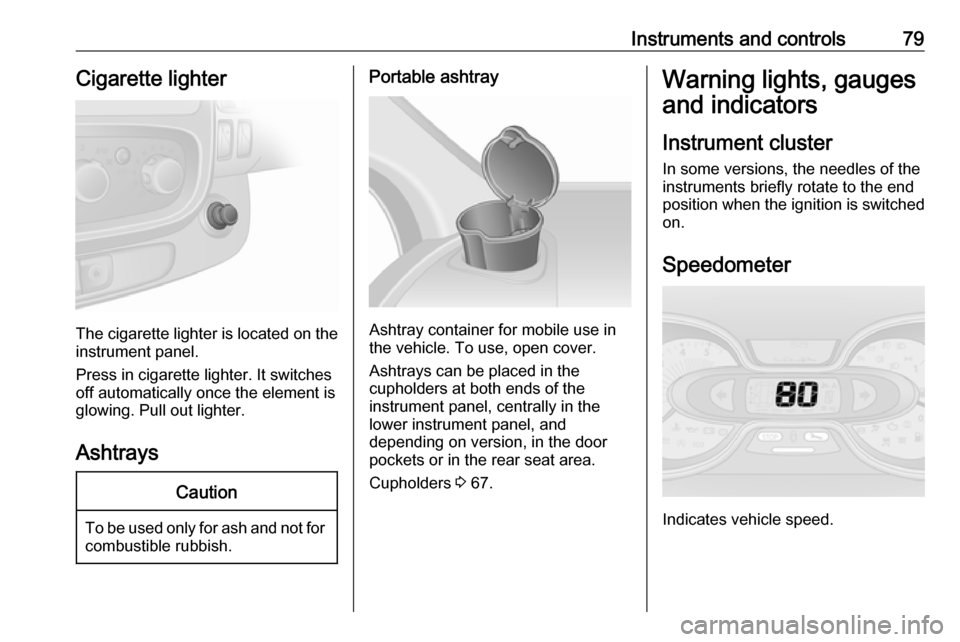
The cigarette lighter is located on theinstrument panel.
Press in cigarette lighter. It switches
off automatically once the element is
glowing. Pull out lighter.
Ashtrays
Caution
To be used only for ash and not for combustible rubbish.
Portable ashtray
Ashtray container for mobile use in
the vehicle. To use, open cover.
Ashtrays can be placed in the
cupholders at both ends of the
instrument panel, centrally in the
lower instrument panel, and
depending on version, in the door pockets or in the rear seat area.
Cupholders 3 67.
Warning lights, gauges
and indicators
Instrument cluster
In some versions, the needles of the
instruments briefly rotate to the end
position when the ignition is switched
on.
Speedometer
Indicates vehicle speed.
Page 83 of 211

Instruments and controls81Fuel gauge
Displays fuel level in the tank.
Control indicator Y also illuminates in
instrument cluster 3 82 when fuel
level is low (range of approx.
30 miles): refuel immediately 3 141.
Never run the tank dry.
Diesel fuel system, bleeding 3 152.
Notice
To ensure the fuel level is displayed
correctly, the ignition must be
switched off before refuelling. Avoid
minor fuel top-ups (e.g. less than
5 litres) to ensure accurate readings.
Because of the fuel remaining in the
tank, the top-up quantity may be less
than the specified tank capacity.
Fuel economy gauge
The fuel economy gauge provides an
instantaneous calculation of fuel
efficiency based on current driving style.
The gauge uses colours to indicatecurrent fuel efficiency:Green:best fuel economy is being achievedYellow:driving style too
aggressiveOrange:least efficient fuel
economy
The fuel economy gauge is enabled
by default. It can be disabled via the
Infotainment system. Refer to
Infotainment system manual for
further information.
Service display When the ignition is switched on, theremaining distance before the next
service is due may be shown briefly in
the Driver Information Centre (DIC).
Based on driving conditions, the
interval at which a service will be
indicated can vary considerably.
The distance before service display
can also be shown by pressing button on end of wiper lever for approx.
5 seconds.
Page 84 of 211

82Instruments and controlsWhen the remaining distance before
the next service is less than
1000 miles or 1 month, a message
appears in the DIC.
When the distance reaches 0 miles or
the service date is due, control
indicator F illuminates in the
instrument cluster and the DIC
respectively, and a corresponding
message appears in the DIC.
The vehicle needs a service. Seek the assistance of a workshop.
Resetting the service display After a service, the service display
must be reset:
Select the distance before service
display in the DIC, then press and
hold button on end of wiper lever for
approx. 10 seconds.
Trip computer 3 93.
Driver Information Centre (DIC)
3 90.
Service information 3 181.Control indicators
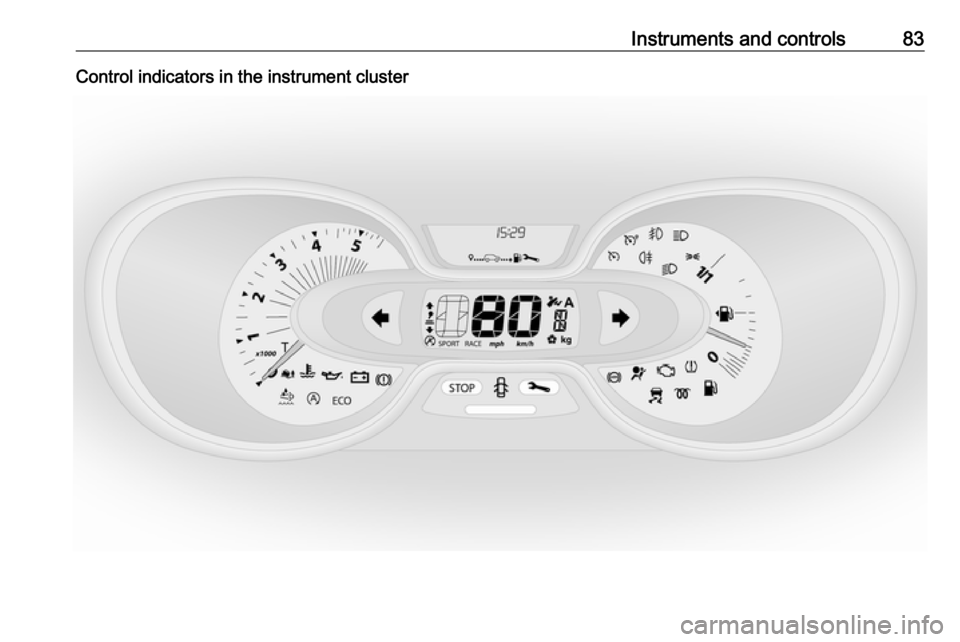
The control indicators described are
not present in all vehicles. The
description applies to all instrument
versions.
Depending on the equipment the
position of the control indicators may
vary.
When the ignition is switched on,
most control indicators will illuminate
briefly as a functionality test.
The control indicator colours mean:red:danger, important reminderyellow:warning, information, faultgreen:confirmation of activationblue:confirmation of activationwhite:confirmation of activation
Page 85 of 211
Instruments and controls83Control indicators in the instrument cluster
Page 89 of 211

Instruments and controls87If R illuminates together with control
indicator C and a warning chime,
there is a fault in the braking system.
A corresponding message also
appears in the Driver Information
Centre (DIC) 3 90. Seek the
assistance of a workshop
immediately.
Brake system 3 128.
Antilock brake system (ABS)
u illuminates yellow.
Illuminates briefly after the ignition is
switched on. The system is ready for
operation when u extinguishes.
If control indicator u does not go out
after a few seconds, or if it illuminates while driving, there is a fault in the
ABS. Control indicator F may also
illuminate in the instrument cluster
together a corresponding message in the Driver Information Centre (DIC)3 90. The brake system remains
operational but without ABS
regulation.If control indicators u, F , R and C
illuminate, there is a fault in the
braking system. A corresponding
message appears in the DIC. Seek
the assistance of a workshop
immediately.
Antilock brake system (ABS) 3 129.
Upshift k or j illuminates.
It is recommended to shift gear when
illuminated to improve fuel economy.
Electronic Stability Program
R flashes or illuminates yellow.
Illuminates briefly when the ignition is
switched on.
Flashing during driving The system is actively engaged.
Engine output may be reduced and
the vehicle may be braked
automatically to a small degree.Illuminates while driving
The system is not available. A
corresponding message also
appears in the Driver Information
Centre (DIC) 3 90.
ESP® Plus
3 131, Traction Control
system 3 130.
Electronic Stability Program
off
Ø illuminates green.
If ESP ®Plus
has been deactivated with
Ø on the instrument panel, control
indicator Ø illuminates and a
corresponding message appears in
the Driver Information Centre (DIC)
3 90.
ESP® Plus
3 131, Traction Control
system 3 130.
Engine coolant temperature
W illuminates blue or red.
Illuminates red briefly when the
ignition is switched on, then turns
blue.
Page 93 of 211

Instruments and controls91Info-display
The central display in the
Infotainment system displays the time and Infotainment system information.
For further information, refer to the
Infotainment system manual.
Vehicle messages
Messages are displayed in the Driver
Information Centre (DIC) and may be
accompanied by illumination of
control indicator F or C in the
instrument cluster.
Information messages
Information messages regarding, e.g. engine starting conditions, stop-start
system, parking brake application,
central locking, steering wheel lock
etc. provide the current status of
certain vehicle functions and
instructions for use.
Fault messages
Fault messages regarding, e.g. fuel
filter, airbags, exhaust emissions etc. are displayed together with control
indicator F. Drive with caution and
seek the assistance of a workshop as
soon as possible.
To remove fault messages, e.g.
" CHECK INJECTION ", from the
display, press button on end of wiper
lever. After a few seconds themessage may disappear
automatically and F remains
illuminated. The fault will then be
stored in the on board system.
Warning messages
Warning messages regarding, e.g.
engine, battery or brake system
failure, are displayed together with
control indicator C and may be
accompanied by a warning chime.
Stop engine immediately and seek
the assistance of a workshop.
Warning messages, e.g. " BATTERY
CHARGING FAULT " disappear from
the display automatically when the cause of the fault has been remedied.
Fuel economy messages Fuel economy messages provide tips
to improve fuel efficiency. Journeys
can be saved in the system memory,
enabling you to compare
performances.
Refer to Infotainment system manual
for further information.
Fuel economy rating 3 93.
Page 95 of 211

Instruments and controls93Trip computer
The trip computer provides
information on driving data, which is
continually recorded and evaluated electronically.
Depending on vehicle, the following
functions can be selected by pressing button repeatedly on end of wiper
lever:
● odometer 3 80
● fuel used
● average consumption
● instantaneous consumption
● range
● trip odometer
● average speed
● distance before service 3 81
● clock 3 77, outside temperature
3 77
● cruise control and speed limiter stored speed 3 133
● fuel economy rating
● Adblue percentage remaining 3 123
● fault and information messages
Fuel used Displays the amount of fuel
consumed since the last reset.
The measurement can be restarted at any time by pressing and holding the
button.
Average consumption The value is displayed after driving a
distance of 0.25 miles.
Average consumption is displayed, taking into consideration the distance
travelled and the fuel used since the
last reset.The measurement can be restarted at
any time.
Instantaneous consumption
The value is displayed after reaching
a speed of 20 mph.
Range The value is displayed after driving a
distance of 0.25 miles.
The range is calculated from the
current contents of the fuel tank and
the average consumption since the
last reset.
The range will not display if control
indicator Y is illuminated in the
instrument cluster 3 89.
Trip odometer Displays the distance driven since the
last reset.
The measurement can be restarted at
any time.
Trip odometer 3 80.