lock VAUXHALL VIVARO 2016 User Guide
[x] Cancel search | Manufacturer: VAUXHALL, Model Year: 2016, Model line: VIVARO, Model: VAUXHALL VIVARO 2016Pages: 209, PDF Size: 4.86 MB
Page 26 of 209
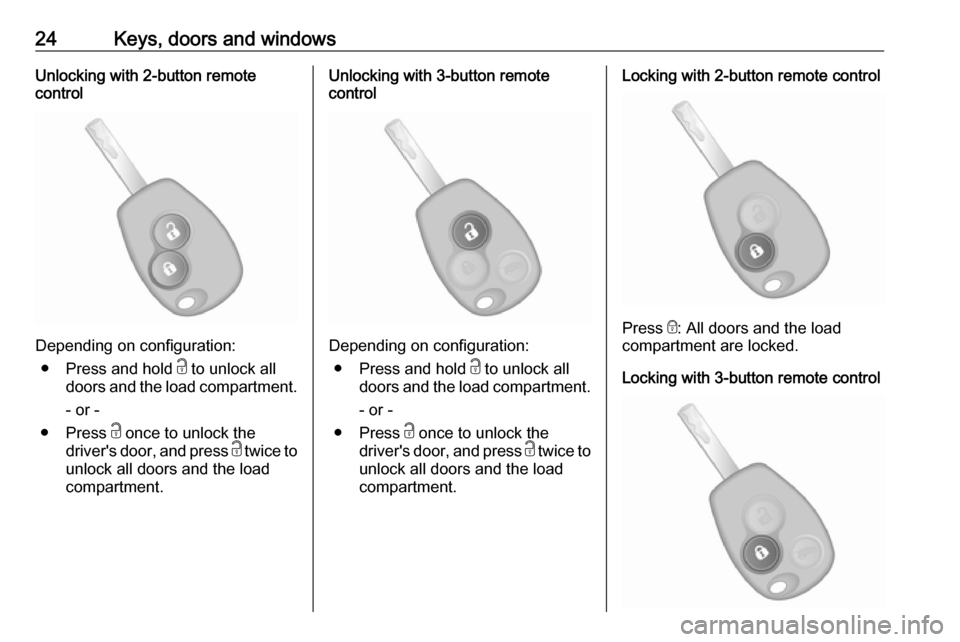
24Keys, doors and windowsUnlocking with 2-button remote
control
Depending on configuration:
● Press and hold c to unlock all
doors and the load compartment.
- or -
● Press c once to unlock the
driver's door, and press c twice to
unlock all doors and the load compartment.
Unlocking with 3-button remote
control
Depending on configuration:
● Press and hold c to unlock all
doors and the load compartment.
- or -
● Press c once to unlock the
driver's door, and press c twice to
unlock all doors and the load compartment.
Locking with 2-button remote control
Press e: All doors and the load
compartment are locked.
Locking with 3-button remote control
Page 27 of 209
Keys, doors and windows25Press e: All doors and the load
compartment are locked.
Notice
Where fitted, alarm monitoring of the
passenger compartment 3 33 is
switched off by pressing and holding e (which is confirmed by an audible
signal).
If this was done unintentionally,
unlock the doors again and press e
briefly to lock the vehicle.
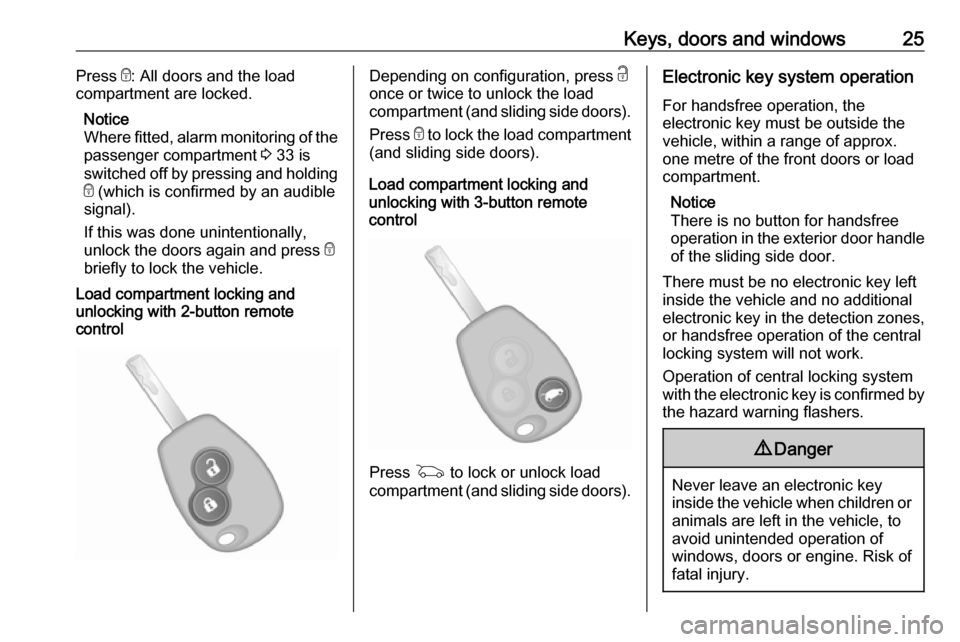
Load compartment locking and
unlocking with 2-button remote
controlDepending on configuration, press c
once or twice to unlock the load compartment (and sliding side doors).
Press e to lock the load compartment
(and sliding side doors).
Load compartment locking and
unlocking with 3-button remote
control
Press G to lock or unlock load
compartment (and sliding side doors).
Electronic key system operation
For handsfree operation, the
electronic key must be outside the
vehicle, within a range of approx.
one metre of the front doors or load
compartment.
Notice
There is no button for handsfree
operation in the exterior door handle
of the sliding side door.
There must be no electronic key left
inside the vehicle and no additional
electronic key in the detection zones, or handsfree operation of the central
locking system will not work.
Operation of central locking system
with the electronic key is confirmed by
the hazard warning flashers.9 Danger
Never leave an electronic key
inside the vehicle when children or animals are left in the vehicle, to
avoid unintended operation of
windows, doors or engine. Risk of
fatal injury.
Page 28 of 209
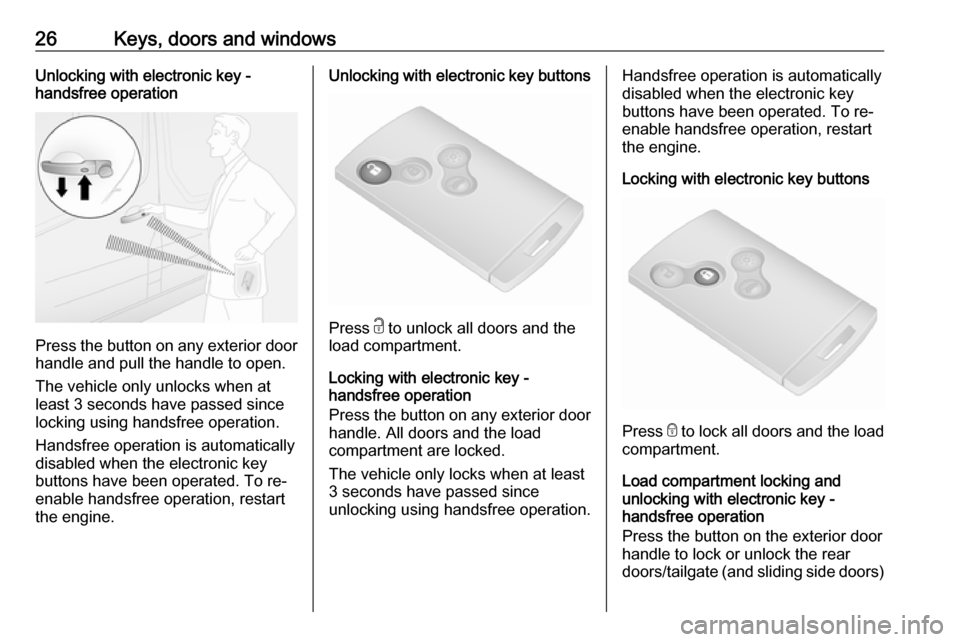
26Keys, doors and windowsUnlocking with electronic key -
handsfree operation
Press the button on any exterior door
handle and pull the handle to open.
The vehicle only unlocks when at least 3 seconds have passed sincelocking using handsfree operation.
Handsfree operation is automatically disabled when the electronic keybuttons have been operated. To re-
enable handsfree operation, restart
the engine.
Unlocking with electronic key buttons
Press c to unlock all doors and the
load compartment.
Locking with electronic key -
handsfree operation
Press the button on any exterior door
handle. All doors and the load
compartment are locked.
The vehicle only locks when at least
3 seconds have passed since
unlocking using handsfree operation.
Handsfree operation is automatically
disabled when the electronic key
buttons have been operated. To re-
enable handsfree operation, restart
the engine.
Locking with electronic key buttons
Press e to lock all doors and the load
compartment.
Load compartment locking and
unlocking with electronic key -
handsfree operation
Press the button on the exterior door
handle to lock or unlock the rear
doors/tailgate (and sliding side doors)
Page 29 of 209
Keys, doors and windows27when the electronic key is within
range of the detection zone (approx.
one metre).
The rear doors/tailgate (and sliding side doors) only lock/unlock when at
least 3 seconds have passed since
the button was last pressed.
Handsfree operation is automatically
disabled when the electronic key
buttons have been operated. To re-
enable handsfree operation, restart
the engine.
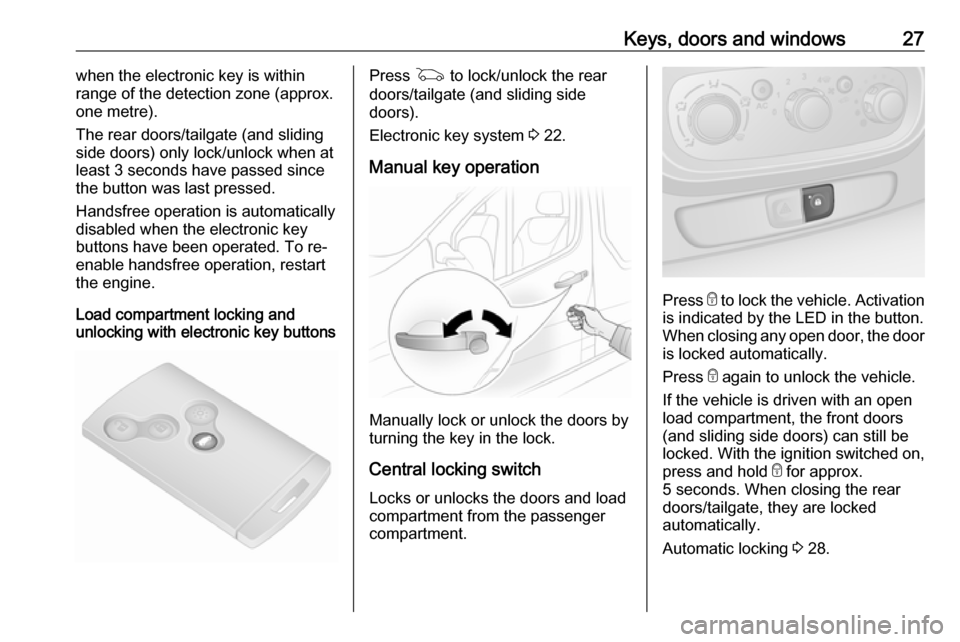
Load compartment locking and
unlocking with electronic key buttonsPress G to lock/unlock the rear
doors/tailgate (and sliding side
doors).
Electronic key system 3 22.
Manual key operation
Manually lock or unlock the doors by
turning the key in the lock.
Central locking switch
Locks or unlocks the doors and load
compartment from the passenger
compartment.
Press e to lock the vehicle. Activation
is indicated by the LED in the button.
When closing any open door, the door is locked automatically.
Press e again to unlock the vehicle.
If the vehicle is driven with an open
load compartment, the front doors
(and sliding side doors) can still be
locked. With the ignition switched on,
press and hold e for approx.
5 seconds. When closing the rear doors/tailgate, they are locked
automatically.
Automatic locking 3 28.
Page 30 of 209
28Keys, doors and windowsHandsfree operation is automatically
disabled when e is pressed. To re-
enable handsfree operation, restart
the engine.
Electronic key system 3 22.
Slam door locks Certain models feature load
compartment locks which are isolated
for added security.
With slam door locks, while the doors can be locked and unlocked using the
remote control or electronic key, the
load compartment must be manually
opened by turning the key in the lock.
Rear doors 3 29.
Automatic locking Automatic locking after driving off This security feature can be
configured to automatically lock the
doors and load compartment as soon as the vehicle is driven.Activation
With the ignition switched on, press and hold e on the central locking
switch for approx. 5 seconds. An audible signal confirms activation.
Deactivation
With the ignition switched on, press and hold e on the central locking
switch for approx. 5 seconds. An audible signal confirms deactivation.
Central locking switch 3 23.
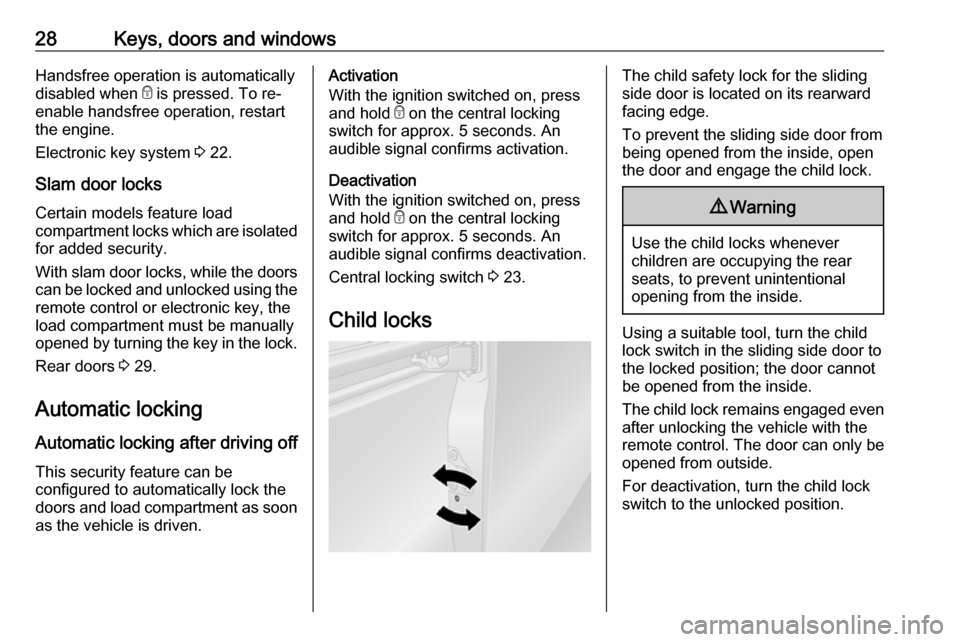
Child locksThe child safety lock for the sliding
side door is located on its rearward
facing edge.
To prevent the sliding side door from being opened from the inside, open
the door and engage the child lock.9 Warning
Use the child locks whenever
children are occupying the rear
seats, to prevent unintentional
opening from the inside.
Using a suitable tool, turn the child
lock switch in the sliding side door to
the locked position; the door cannot
be opened from the inside.
The child lock remains engaged even after unlocking the vehicle with the
remote control. The door can only be
opened from outside.
For deactivation, turn the child lock
switch to the unlocked position.
Page 31 of 209
Keys, doors and windows29Doors
Sliding door
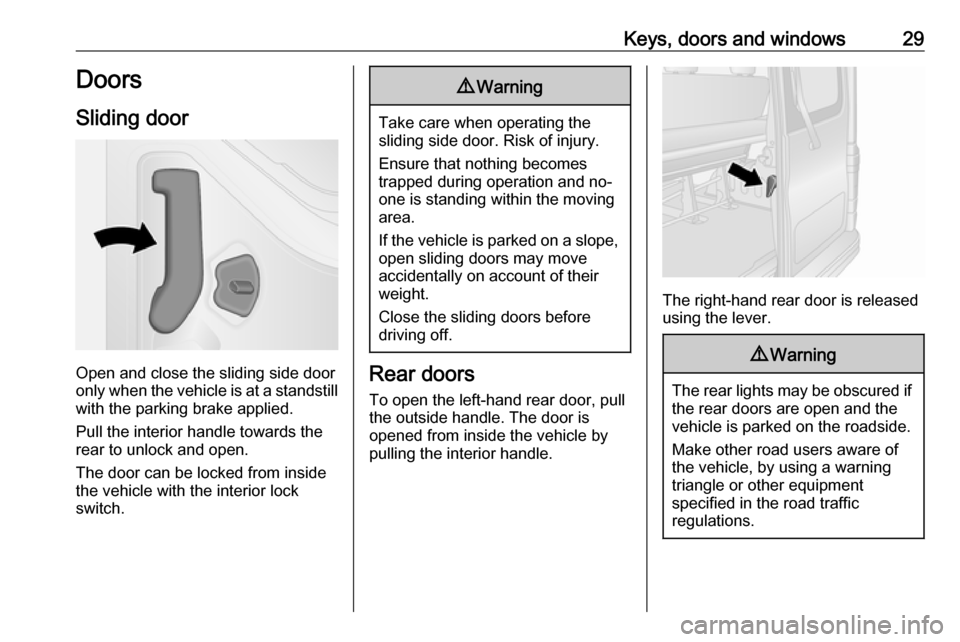
Open and close the sliding side door
only when the vehicle is at a standstill
with the parking brake applied.
Pull the interior handle towards the
rear to unlock and open.
The door can be locked from inside
the vehicle with the interior lock
switch.
9 Warning
Take care when operating the
sliding side door. Risk of injury.
Ensure that nothing becomes
trapped during operation and no-
one is standing within the moving
area.
If the vehicle is parked on a slope,
open sliding doors may move
accidentally on account of their
weight.
Close the sliding doors before
driving off.
Rear doors
To open the left-hand rear door, pull
the outside handle. The door is
opened from inside the vehicle by
pulling the interior handle.
The right-hand rear door is released using the lever.
9 Warning
The rear lights may be obscured if
the rear doors are open and the
vehicle is parked on the roadside.
Make other road users aware of the vehicle, by using a warning
triangle or other equipment
specified in the road traffic
regulations.
Page 32 of 209
30Keys, doors and windows
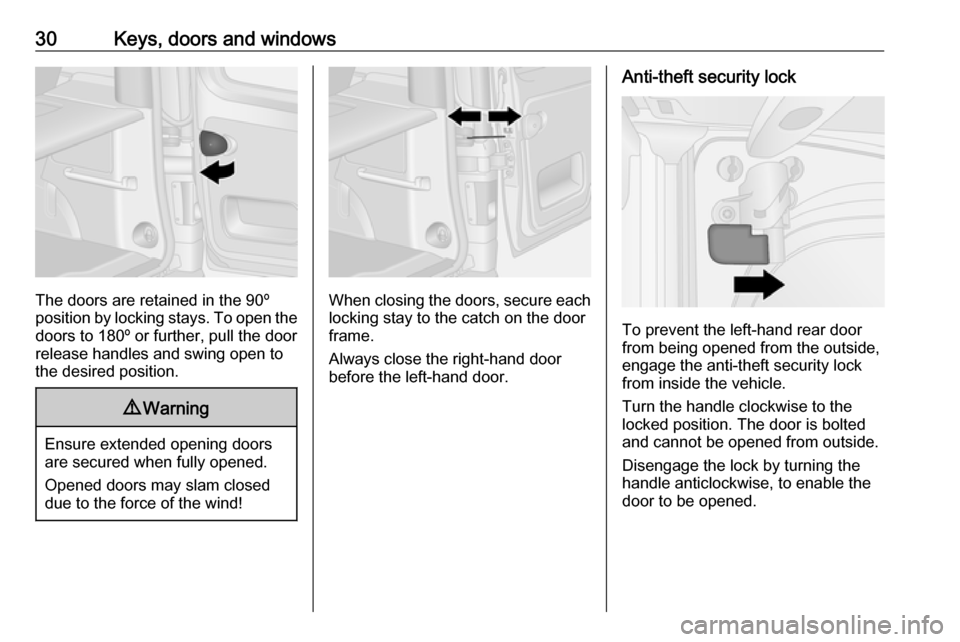
The doors are retained in the 90º
position by locking stays. To open the
doors to 180º or further, pull the door
release handles and swing open to
the desired position.
9 Warning
Ensure extended opening doors
are secured when fully opened.
Opened doors may slam closed due to the force of the wind!
When closing the doors, secure each locking stay to the catch on the door
frame.
Always close the right-hand door
before the left-hand door.
Anti-theft security lock
To prevent the left-hand rear door
from being opened from the outside,
engage the anti-theft security lock
from inside the vehicle.
Turn the handle clockwise to the
locked position. The door is bolted
and cannot be opened from outside.
Disengage the lock by turning the
handle anticlockwise, to enable the
door to be opened.
Page 33 of 209
Keys, doors and windows31Load compartmentTailgate
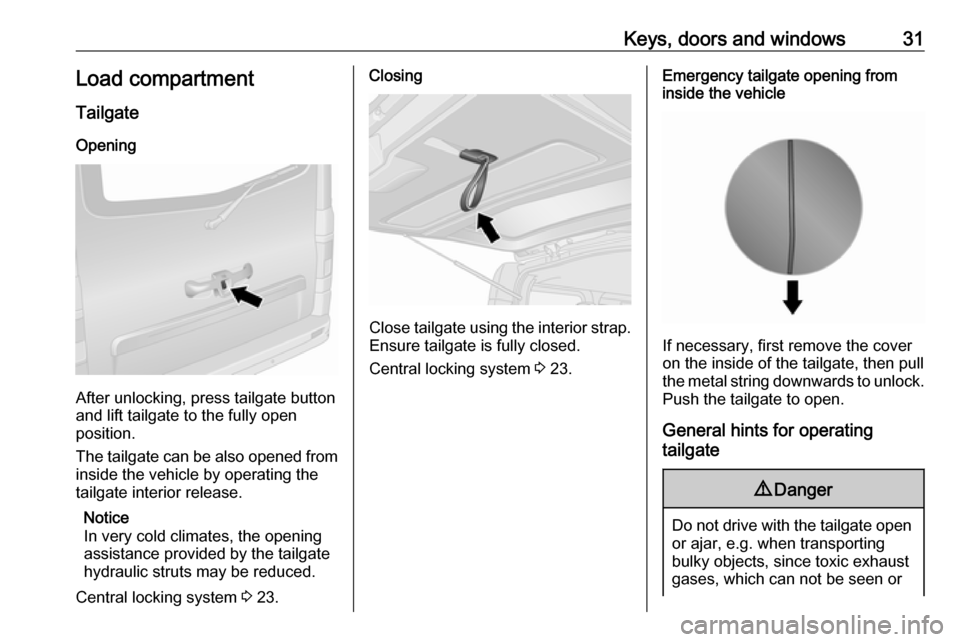
Opening
After unlocking, press tailgate button
and lift tailgate to the fully open
position.
The tailgate can be also opened from inside the vehicle by operating the
tailgate interior release.
Notice
In very cold climates, the opening
assistance provided by the tailgate
hydraulic struts may be reduced.
Central locking system 3 23.
Closing
Close tailgate using the interior strap.
Ensure tailgate is fully closed.
Central locking system 3 23.
Emergency tailgate opening from
inside the vehicle
If necessary, first remove the cover
on the inside of the tailgate, then pull
the metal string downwards to unlock. Push the tailgate to open.
General hints for operating
tailgate
9 Danger
Do not drive with the tailgate open
or ajar, e.g. when transporting
bulky objects, since toxic exhaust
gases, which can not be seen or
Page 34 of 209
32Keys, doors and windowssmelled, could enter the vehicle.
This can cause unconsciousness
and even death.Caution
Before opening the tailgate, check overhead obstructions, e.g. a
garage door, to avoid damage to
the tailgate.
Ensure there is adequate
clearance both above (at least
2.15 metres) and behind when
opening tailgate.
Notice
The installation of certain heavy
accessories onto the tailgate may
affect its ability to remain open.
Vehicle security
Anti-theft locking system9 Warning
Do not use the system if there are
people in the vehicle! The doorscannot be unlocked from the
inside.
The system deadlocks all doors and the load compartment.
All doors and the load compartment
must be closed or the system cannot
be activated.
Notice
The anti-theft locking system cannot be activated when the hazard
warning lights or sidelights are
switched on.
Activation and deactivation are not possible with the central locking
switch.
Central locking system 3 23.
2-button and 3-button remote
control operation
Operation is confirmed by the hazard warning flashers flashing five times.
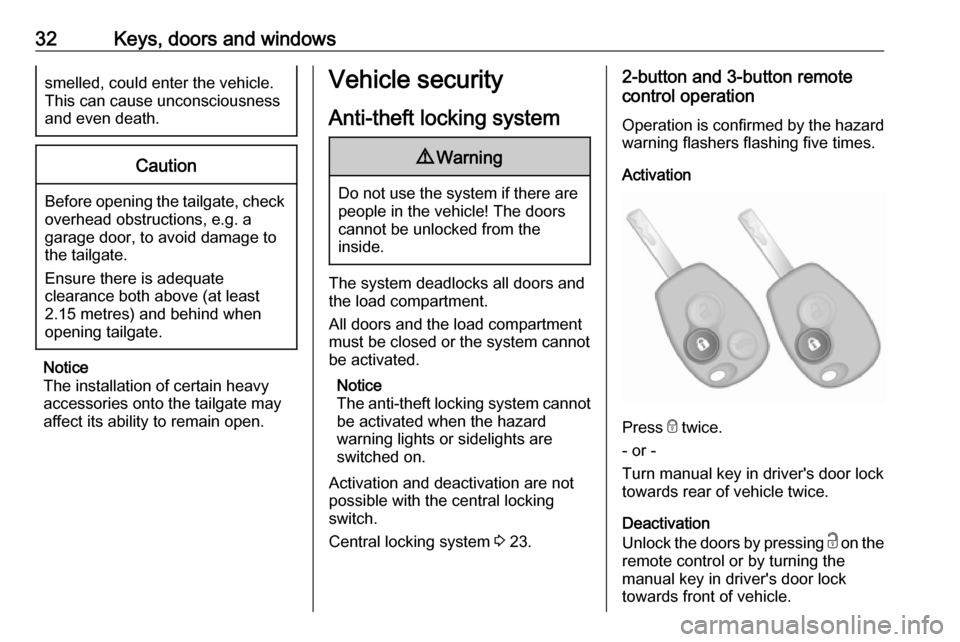
Activation
Press e twice.
- or -
Turn manual key in driver's door lock
towards rear of vehicle twice.
Deactivation
Unlock the doors by pressing c on the
remote control or by turning the
manual key in driver's door lock
towards front of vehicle.
Page 35 of 209
Keys, doors and windows33Electronic key system operationOperation is confirmed by the hazard
warning flashers.
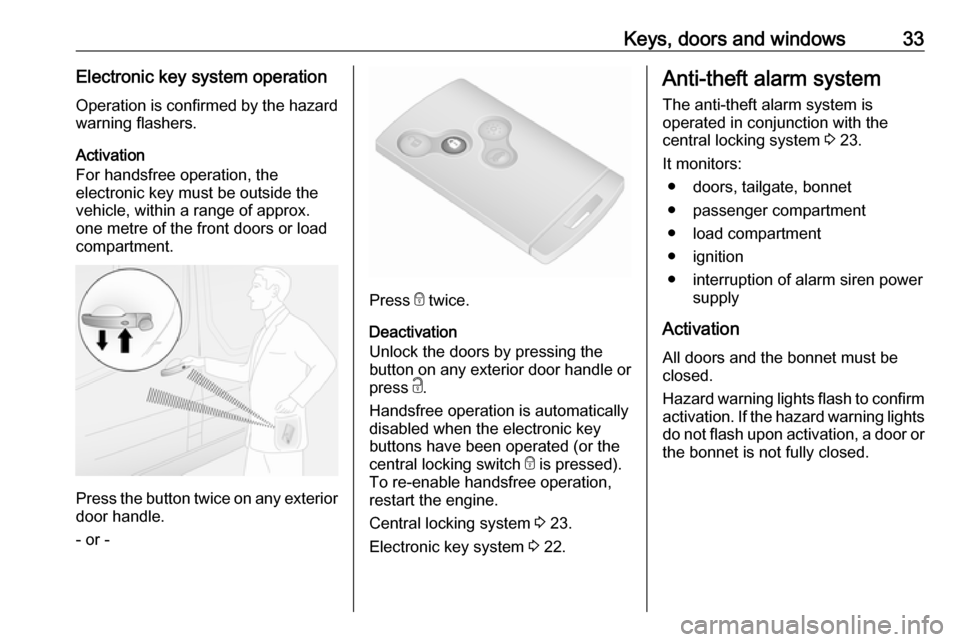
Activation
For handsfree operation, the
electronic key must be outside the
vehicle, within a range of approx.
one metre of the front doors or load
compartment.
Press the button twice on any exterior
door handle.
- or -
Press e twice.
Deactivation
Unlock the doors by pressing the
button on any exterior door handle or
press c.
Handsfree operation is automatically disabled when the electronic key
buttons have been operated (or the
central locking switch e is pressed).
To re-enable handsfree operation,
restart the engine.
Central locking system 3 23.
Electronic key system 3 22.
Anti-theft alarm system
The anti-theft alarm system is
operated in conjunction with the
central locking system 3 23.
It monitors: ● doors, tailgate, bonnet
● passenger compartment
● load compartment
● ignition
● interruption of alarm siren power supply
Activation
All doors and the bonnet must be
closed.
Hazard warning lights flash to confirm activation. If the hazard warning lights
do not flash upon activation, a door or the bonnet is not fully closed.