instruments VAUXHALL VIVARO 2016 Owner's Guide
[x] Cancel search | Manufacturer: VAUXHALL, Model Year: 2016, Model line: VIVARO, Model: VAUXHALL VIVARO 2016Pages: 209, PDF Size: 4.86 MB
Page 92 of 209

90Instruments and controlsVehicle messagesMessages are displayed in the Driver
Information Centre (DIC) and may be
accompanied by illumination of
control indicator F or C in the
instrument cluster.
Information messages
Information messages regarding, e.g.
engine starting conditions, stop-start
system, parking brake application,
central locking, steering wheel lock
etc. provide the current status of
certain vehicle functions and
instructions for use.
Fault messages Fault messages regarding, e.g. fuel
filter, airbags, exhaust emissions etc.
are displayed together with control
indicator F. Drive with caution and
seek the assistance of a workshop as soon as possible.
To remove fault messages, e.g.
" CHECK INJECTION ", from the
display, press button on end of wiper
lever. After a few seconds themessage may disappear
automatically and F remains
illuminated. The fault will then be
stored in the on board system.
Warning messages
Warning messages regarding, e.g.
engine, battery or brake system
failure, are displayed together with
control indicator C and may be
accompanied by a warning chime.
Stop engine immediately and seek
the assistance of a workshop.
Warning messages, e.g. " BATTERY
CHARGING FAULT " disappear from
the display automatically when the
cause of the fault has been remedied.
Fuel economy messages
Fuel economy messages provide tips to improve fuel efficiency. Journeys
can be saved in the system memory,
enabling you to compare
performances.
Refer to Infotainment system manual
for further information.
Fuel economy rating 3 91.Warning chimes
Only one warning chime will sound at
a time.
A corresponding message may also
appear in the Driver Information
Centre (DIC) when a warning chime
is sounded.
When starting the engine or whilst driving:
● If seat belt is not fastened 3 48.
● During operation of the turn and lane-change signals 3 97.
● During illumination of certain control indicators.
● If the parking assist detects an object 3 134.
● If the vehicle speed briefly exceeds a set limit 3 131,
3 134.
● If a door or the bonnet is not properly closed when vehicle
exceeds a certain speed.
● If there is a fault in the brake system 3 85.
Page 93 of 209

Instruments and controls91● If the vehicle battery is notcharging 3 84.
● If engine lubrication is interrupted
3 87.
● If AdBlue needs to be refilled or a
fault is present 3 121.
● If the electronic key is outside of the detection range.
Electronic key system 3 22,
Power button 3 114.
When the vehicle is parked and/or
the driver's door is opened:
● If the key has been left in the ignition.
● If the electronic key has been left
in the card reader.
Electronic key system 3 22,
Power button 3 114.
● If the vehicle is in an Autostop. Stop-start system 3 117.
● If the exterior lights are on.Engine oil level
If the minimum engine oil level is
reached, a message is displayed in
the Driver Information Centre (DIC)
3 89 for 30 seconds after the engine
is started.
Check oil level 3 145.Trip computer
The trip computer provides
information on driving data, which is
continually recorded and evaluated electronically.
Depending on vehicle, the following
functions can be selected by pressing button repeatedly on end of wiper
lever:
● odometer 3 79
● fuel used
● average consumption
● instantaneous consumption
● range
Page 94 of 209

92Instruments and controls● trip odometer
● average speed
● distance before service 3 80
● clock 3 76, outside temperature
3 76
● cruise control and speed limiter stored speed 3 131
● fuel economy rating
● tyre pressures 3 164
● Adblue percentage remaining 3 121
● fault and information messages
Fuel used Displays the amount of fuel
consumed since the last reset.
The measurement can be restarted at
any time by pressing and holding the
button.
Average consumption The value is displayed after driving a
distance of 0.25 miles.Average consumption is displayed,
taking into consideration the distance
travelled and the fuel used since the
last reset.
The measurement can be restarted at
any time.
Instantaneous consumption
The value is displayed after reaching
a speed of 20 mph.
Range The value is displayed after driving a
distance of 0.25 miles.
The range is calculated from the
current contents of the fuel tank and
the average consumption since the
last reset.
The range will not display if control
indicator Y is illuminated in the
instrument cluster 3 88.
Trip odometer
Displays the distance driven since the
last reset.
The measurement can be restarted at
any time.Trip odometer 3 79.
Average speed The value is displayed after driving a
distance of 0.25 miles.
The average speed since the last
reset is displayed.
The measurement can be restarted at
any time.
Interruptions in the journey with the
ignition off are not included in the
calculations.
Reset trip computer information
To reset the trip computer, select one of its functions then press and hold
the button on the end of the wiper
lever.
The following trip computer
information will be reset:
● fuel used
● average consumption
● trip odometer
● average speed
Page 95 of 209
Instruments and controls93The trip computer will reset
automatically when the maximum
value of any of the parameters is
exceeded.
Fuel economy rating (ecoScoring)
If equipped, a rating of 0 to 100 is
shown in the Info-Display to help evaluate fuel efficiency, based on
your driving style.
Higher ratings indicate better fuel
economy.
Tips to improve fuel economy are also given in the Info-Display. Journeys
can be saved in the system memory,
enabling you to compare
performances. Refer to Infotainment
system manual for further
information.
Vehicle messages 3 90.
Journey record
When the engine is switched off, a record of the last journey is shown in
the Info-Display.The following information is
displayed:
● average fuel consumption
● total fuel consumption
● trip odometer
● fuel saved in miles
Unit of measurement To change the unit of measurement
for the duration of a journey:
With ignition off, simultaneously press
the power button 3 114 and press
and hold button on end of wiper lever; the Driver Information Centre (DIC)
3 89 flashes for approx. 10 seconds
until the new unit is displayed.
Release button on end of wiper lever.
When the engine is switched off, the
trip computer automatically returns to the original unit of measurement.
Interruption of power supply
If the power supply has been
interrupted or if the vehicle battery
voltage has dropped too low, the
values stored in the trip computer will be lost.Tachograph
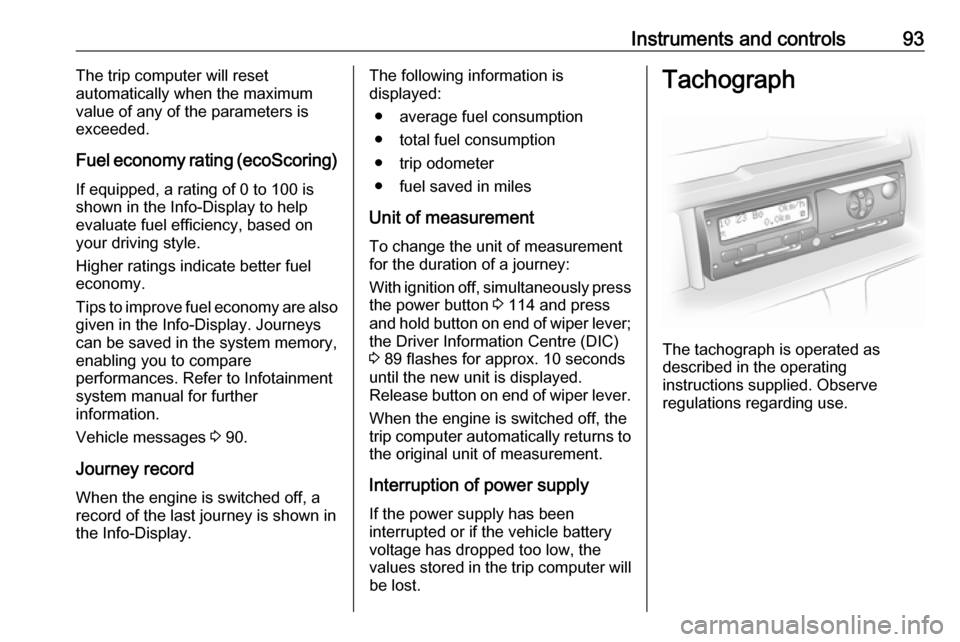
The tachograph is operated as
described in the operating
instructions supplied. Observe
regulations regarding use.
Page 96 of 209

94Instruments and controlsNotice
When a tachograph is fitted, the total distance travelled may be shown
only on the tachograph and not in the
odometer within the instrument
display.
Odometer 3 79.
Control indicator & 3 89 illuminates in
the instrument cluster in the event of a fault. Seek the assistance of a
workshop.