power steering VAUXHALL VIVARO 2017.5 Owner's Manual
[x] Cancel search | Manufacturer: VAUXHALL, Model Year: 2017.5, Model line: VIVARO, Model: VAUXHALL VIVARO 2017.5Pages: 231, PDF Size: 5.52 MB
Page 13 of 231

In brief111Side air vents ...................... 125
2 Ashtray .................................. 88
Cupholder ............................ 73
3 Light switch ........................ 106
Rear fog light ....................... 110
Front fog lights ...................109
Exit lighting .......................... 112
Turn and lane-change
signals ................................. 109
Sidelights ............................ 106
Headlight flash, low beam
and high beam ....................107
4 Instruments .......................... 89
Driver Information Centre .... 100
Trip computer .....................103
5 Horn ...................................... 83
Driver airbag ......................... 606Windscreen wiper,
windscreen washer system ..84
Rear window wiper, rear
window washer system ........85
Trip computer .....................103
7 Card reader for electronic
key system ............................ 22
8 Steering column controls ......83
9 Centre air vents ................... 125
10 Power outlet .......................... 86
Cigarette lighter ..................... 88
Coin tray, USB slot ................ 71
11 Info display .......................... 100
12 Front passenger airbag .........60
13 Glovebox .............................. 72
14 Heated exterior mirrors .........40
Heated rear window ..............43
Idle speed control ...............132
15 Power outlet .......................... 86
Cigarette lighter ..................... 8816 Climate control system ........ 114
Electronic climate control
system ................................. 116
17 Ashtray .................................. 88
Cupholder ............................ 73
18 Hazard warning flashers .....109
Central locking system ..........24
19 Power button for electronic
key system .......................... 129
20 Eco button for fuel
economy mode ...................127
21 Stop-start system ................133
Cruise control and speed
limiter ................................. 149
22 Remote control on
steering wheel ......................83
Cruise control .....................149
23 Ignition switch with
steering wheel lock .............129
24 Steering wheel adjustment ...83
25 Bonnet release lever ...........163
26 Fuse box ............................. 179
Page 19 of 231
In brief17Starting offCheck before starting off ● Tyre pressure and condition 3 183, 3 216.
● Engine oil level and fluid levels 3 164.
● All windows, mirrors, exterior lighting and number plates are
free from dirt, snow and ice and
are operational.
● Proper position of mirrors, seats and seat belts 3 39, 3 45,
3 54.
● Brake function at low speed, particularly if the brakes are wet.Starting the engine with key
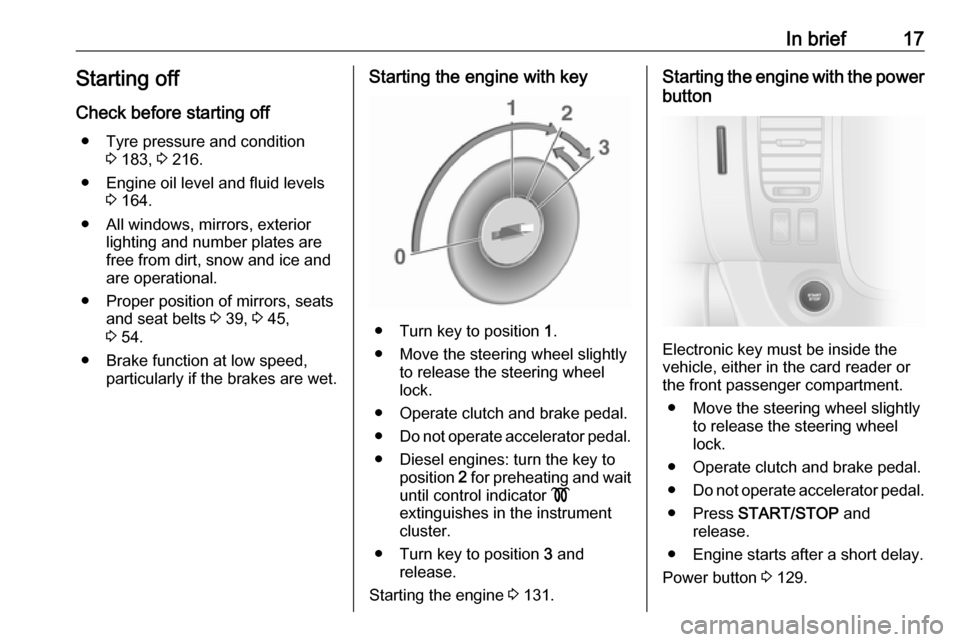
● Turn key to position 1.
● Move the steering wheel slightly to release the steering wheel
lock.
● Operate clutch and brake pedal. ● Do not operate accelerator pedal.
● Diesel engines: turn the key to position 2 for preheating and wait
until control indicator !
extinguishes in the instrument
cluster.
● Turn key to position 3 and
release.
Starting the engine 3 131.
Starting the engine with the power
button
Electronic key must be inside the
vehicle, either in the card reader or
the front passenger compartment.
● Move the steering wheel slightly to release the steering wheel
lock.
● Operate clutch and brake pedal.
● Do not operate accelerator pedal.
● Press START/STOP and
release.
● Engine starts after a short delay.
Power button 3 129.
Page 84 of 231

82Instruments and controlsInstruments and
controlsControls ....................................... 83
Steering wheel adjustment ........83
Steering wheel controls .............83
Horn ........................................... 83
Steering column controls ...........83
Windscreen wiper/washer .........84
Rear window wiper/washer .......85
Outside temperature ..................85
Clock ......................................... 86
Power outlets ............................. 86
Cigarette lighter ......................... 88
Ashtrays .................................... 88
Warning lights, gauges and indi‐ cators ........................................... 89
Instrument cluster ......................89
Speedometer ............................. 89
Odometer .................................. 89
Trip odometer ............................ 89
Tachometer ............................... 90
Fuel gauge ................................ 90
Fuel economy gauge .................91
Service display .......................... 91
Control indicators ......................92
Turn signal ................................. 94Seat belt reminder.....................95
Airbag and belt tensioners .........95
Airbag deactivation ....................95
Charging system .......................96
Malfunction indicator light ..........96
Service vehicle soon .................96
Stop engine ............................... 96
Brake system ............................. 96
Antilock brake system (ABS) .....97
Upshift ....................................... 97
Electronic Stability Program ......97
Electronic Stability Program off ............................................. 97
Engine coolant temperature ......97
Preheating ................................. 98
AdBlue ....................................... 98
Tyre pressure monitoring system ...................................... 98
Engine oil pressure ....................98
Fuel economy mode ..................99
Low fuel ..................................... 99
Stop-start system ......................99
Exterior light .............................. 99
High beam ................................. 99
Fog light ..................................... 99
Rear fog light ............................. 99
Cruise control .......................... 100
Tachograph ............................. 100
Door open ................................ 100Information displays...................100
Driver Information Centre ........100
Info display .............................. 100
Vehicle messages ......................101
Warning chimes .......................102
Engine oil level ........................ 102
Trip computer ............................. 103
Tachograph ................................ 105
Page 124 of 231

122Climate controlManual control
Depending on version, the auxiliary
heater can also be switched on for the
last duration time or the default
duration 30 minutes, or cut-off
immediately, using the button on the
lower part of the instrument panel,
beside the steering wheel.
The LED in the button confirms
operation.
Battery replacement
Replace the battery when the range
of the remote control is reduced or when the battery charge symbol
flashes.
Open the cover and replace the
battery (Type A: CR 2430, Type B: 2CR 11108, or equivalent), ensuring
the new battery is correctly installed
with the positive ( <) side facing the
positive terminals. Replace the cover
securely.
Dispose of old batteries in
accordance with environmental
regulations.
Batteries do not belong in household
waste. They must be disposed of at
an appropriate recycling collection
point.
Operation (Type A)
Heating Y
Select Y in the menu bar and press
G to confirm. The predetermined
heating duration, e.g. L 30, flashes in
the display. The factory setting is 30 minutes.
Adjust the heating duration using k
or l and confirm. The value can be
set from ten to 120 minutes. Due to
the power consumption, note the
heating duration.
To switch off, select Y in the menu bar
again and press d.
Ventilation x
Select x in the menu bar and press
G to confirm.
Adjust the ventilation duration using k or l and confirm. The value can
be set from ten to 120 minutes. Due
to the power consumption, note the
heating duration.
To switch off, select x in the menu bar
again and press d.
Programming P
Up to three preset departure times
can be programmed, either during
one day or over one week.
● Select P in the menu bar and
press G to confirm.
● Select desired preset memory number P1, P2 or P3 and
confirm.
Page 129 of 231

Driving and operating127Driving and
operatingDriving hints ............................... 127
Driving economically ...............127
Control of the vehicle ...............128
Steering ................................... 128
Starting and operating ...............129
New vehicle running-in ............129
Ignition switch positions ...........129
Power button ........................... 129
Starting the engine ..................131
Idle speed control ....................132
Vehicle shutdown ....................132
Overrun cut-off ........................ 133
Stop-start system ....................133
Parking .................................... 136
Engine exhaust .......................... 136
Diesel particle filter ..................136
Catalytic converter ...................137
AdBlue ..................................... 137
Manual transmission ..................143
Brakes ........................................ 144
Antilock brake system .............144
Parking brake .......................... 145Brake assist............................. 145
Hill start assist ......................... 145
Ride control systems .................146
Traction Control system ..........146
Electronic stability program .....147
Driver assistance systems .........149
Cruise control .......................... 149
Speed limiter ........................... 152
Parking assist .......................... 152
Rear view camera ...................154
Fuel ............................................ 156
Fuel for diesel engines ............156
Refuelling ................................ 157
Fuel consumption - CO 2-
Emissions .............................. 158
Trailer hitch ................................ 159
General information .................159
Driving characteristics and towing tips .............................. 159
Trailer towing ........................... 159
Trailer stability assist ...............160Driving hints
Driving economically
ECO mode
ECO mode is a function that
optimises fuel consumption. It affects engine power and torque,
acceleration, gear shift indication,
heating, air conditioning and electrical consumers.
Activation
Press ECO. Control indicator ECO
illuminates in the instrument cluster when activated.
Page 130 of 231

128Driving and operatingNotice
The use of ECO mode may affect the performance of the climate control
system 3 114.
During driving, it is possible to
temporarily disable ECO mode, e.g.
to increase engine performance, by
depressing the accelerator pedal
firmly.
ECO mode is reactivated when
pressure is reduced on the
accelerator pedal.
Deactivation
Press ECO again. Control indicator
ECO extinguishes in the instrument
cluster.
Control of the vehicle
Never coast with engine not
running (except during Autostop)
Many systems will not function in this
situation (e.g. brake servo unit, power steering). Driving in this manner is a
danger to yourself and others. All
systems function during an Autostop,
but there may be a controlled
reduction in power steering assist and
vehicle speed is reduced.
Stop-start system 3 133.
Pedals
To ensure the pedal travel is
uninhibited, there must be no mats in the area of the pedals.
Use only floor mats which fit properly and are fixed by the retainers on the
driver's side.
Driving downhill
Engage a gear when driving downhill
to ensure that sufficient brake
pressure is available.Steering
If power steering assist is lost
because the engine stops or due to a
system malfunction, the vehicle can
be steered but may require increased
effort.Caution
Vehicles equipped with hydraulic
power steering:
If the steering wheel is turned until it reaches the end of its travel, and
is held in that position for more
than 15 seconds, damage may
occur to the power steering
system and there may be loss of
power steering assist.
Page 131 of 231

Driving and operating129Starting and operating
New vehicle running-in
Do not brake unnecessarily hard for
the first few journeys and after new
disc brake pads have been fitted.
During the first drive, smoke may
occur because of wax and oil
evaporating off the exhaust system.
Park the vehicle in the open for a
while after the first drive and avoid
inhaling the fumes.
During the running-in period, fuel and engine oil consumption may be
higher and the cleaning process of
the diesel particle filter may take
place more often. Autostop may be
inhibited to allow for charging the
vehicle battery.
Stop-start system 3 133.
Diesel particle filter 3 136.
Ignition switch positions
Turn key:0:ignition off: Some functions
remain active until key is
removed or driver's door is
opened, provided the ignition was on previously1:accessory power mode: Steeringwheel lock released, some
electrical functions are operable,
ignition is off2:ignition is on, diesel engine is
preheating. Control indicators
illuminate and most electrical
functions are operable3:engine start: Release key after
starting procedure beginsSteering wheel lock
Remove key from ignition switch and
turn steering wheel until it engages.9 Danger
Never remove the key from
ignition switch during driving as
this will cause steering wheel lock.
Power button
Electronic key must be inside the
vehicle, either in the card reader or
the front passenger compartment.
Page 132 of 231

130Driving and operatingIf the electronic key is not inside the
vehicle, a corresponding message appears in the Driver Information
Centre 3 100.
Notice
Do not put the electronic key in the
load compartment during driving, as
this is outside of the detection zone
(indicated by a warning chime at low
speed 3 102 and a message in the
Driver Information Centre 3 101).
Notice
In the event the electronic key is kept in the front passenger compartment
and a message appears in the Driver
Information Centre (possibly
accompanied by a warning chime)
indicating that it is out of reception
range, we recommend inserting the
electronic key in the card reader.
Some functions, e.g. Infotainment
system, are available for use as soon
as you enter the vehicle.Accessory power mode
Press START/STOP without
operating clutch or brake pedal to
enable further electrical functions to
be operated.
These functions switch off
automatically after a delay.
Engine start
Operate clutch and brake pedal and press START/STOP . Release button
after starting procedure begins.
If a gear is engaged, the engine can
be started only by operating the clutch pedal and pressing the
START/STOP button.
In some cases, it may be necessary
to move the steering wheel slightly
while pressing START/STOP to
release the steering wheel lock. A
corresponding message appears in
the Driver Information Centre 3 100.
At very low outside temperatures (e.g. below -10 °C) keep the clutch pedal
depressed while pressing
START/STOP until the engine starts.If one of the starting conditions is not
applied, a corresponding message appears in the Driver Information
Centre 3 100.
Vehicle messages 3 101.
Engine stop
Electronic key must be inside the
vehicle, either in the card reader or
the front passenger compartment.
With the vehicle stationary, press
START/STOP to stop the engine. The
steering wheel lock is engaged when
the driver's door is opened and the
vehicle is locked.
If the electronic key is not detected, a corresponding message appears in
the Driver Information Centre 3 100.
In this event, press START/STOP for
two seconds to stop the engine.
Central locking system 3 24.
Retained power off Press START/STOP for more than
two seconds; the engine is stopped
while some functions, e.g.
Infotainment system, are available for
use for approx. 10 minutes.
Page 136 of 231
134Driving and operatingdeactivated automatically, and the
engine is switched off. Restart engine by pressing START/STOP .
Power button 3 129.
Autostop
If the vehicle is at a low speed or at a standstill, activate an Autostop as
follows:
● depress the clutch pedal
● move the selector lever to neutral
● release the clutch pedal
The engine will be switched off while
the ignition stays on if the required
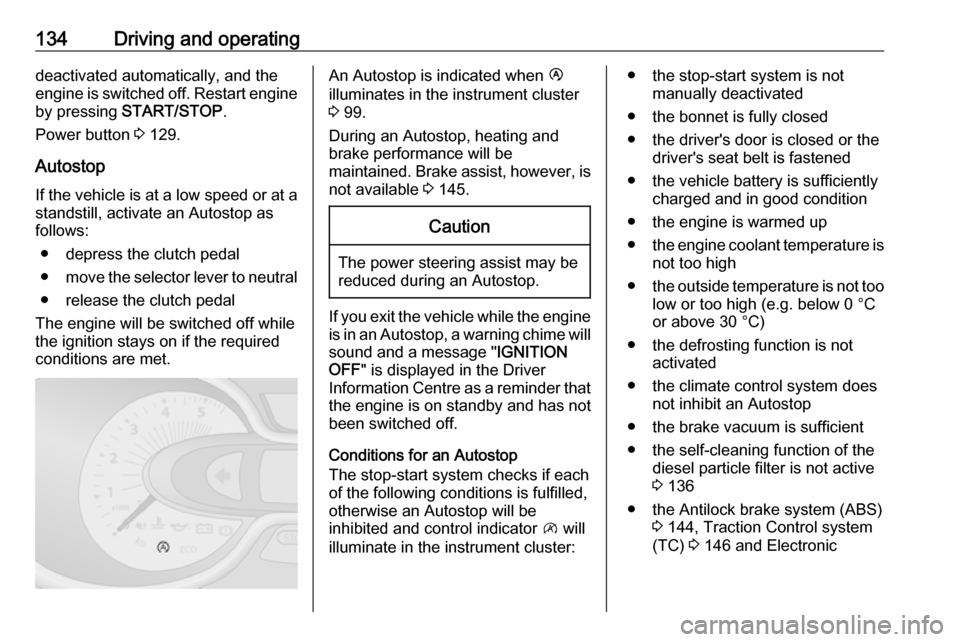
conditions are met.An Autostop is indicated when Ï
illuminates in the instrument cluster
3 99.
During an Autostop, heating and brake performance will be
maintained. Brake assist, however, is
not available 3 145.Caution
The power steering assist may be
reduced during an Autostop.
If you exit the vehicle while the engine
is in an Autostop, a warning chime will
sound and a message " IGNITION
OFF " is displayed in the Driver
Information Centre as a reminder that
the engine is on standby and has not
been switched off.
Conditions for an Autostop
The stop-start system checks if each
of the following conditions is fulfilled,
otherwise an Autostop will be
inhibited and control indicator \ will
illuminate in the instrument cluster:
● the stop-start system is not manually deactivated
● the bonnet is fully closed
● the driver's door is closed or the driver's seat belt is fastened
● the vehicle battery is sufficiently charged and in good condition
● the engine is warmed up
● the engine coolant temperature is
not too high
● the outside temperature is not too
low or too high (e.g. below 0 °C
or above 30 °C)
● the defrosting function is not activated
● the climate control system does not inhibit an Autostop
● the brake vacuum is sufficient
● the self-cleaning function of the diesel particle filter is not active
3 136
● the Antilock brake system (ABS) 3 144, Traction Control system
(TC) 3 146 and Electronic
Page 161 of 231

Driving and operating159Trailer hitch
General information
Entrust retrofitting of towing
equipment to a workshop. It may be
necessary to make changes that
affect the cooling system, heat
shields or other equipment. Only use
towing equipment that has been
approved for your vehicle.
Driving characteristics and towing tips
In the case of trailers with brakes,
attach the breakaway stopping cable.
Before attaching a trailer, lubricate
the coupling ball. However, do not do
so if a stabiliser, which acts on the coupling ball, is being used to reduce
snaking movements. For trailers with
low driving stability the use of a
stabiliser is recommended.
A maximum speed of 50 mph must
not be exceeded, even in countries
where higher speeds are permitted.If the trailer starts snaking, drive more slowly, do not attempt to correct the
steering and brake sharply if
necessary.
When driving downhill, drive in the
same gear as if driving uphill and
drive at a similar speed.
Adjust tyre pressure to the value
specified for full load 3 216.
Trailer towing
Trailer loads The permissible trailer loads are
vehicle and engine-dependent
maximum values which must not be exceeded. The actual trailer load is
the difference between the actual
gross weight of the trailer and the
actual coupling socket load with the
trailer coupled.
The permissible trailer loads are
specified in the vehicle documents. In
general, they are valid for gradients
up to max. 12%.
The permitted trailer load applies up to the specified incline and up to an
altitude of 1000 metres above sealevel. Since engine power decreases
as altitude increases due to the air
becoming thinner, therefore reducing
climbing ability, the permissible gross
train weight also decreases by 10%
for every 1000 metres of additional
altitude. The gross train weight does
not have to be reduced when driving
on roads with slight inclines (less than 8%, e.g. motorways).
The permissible gross train weight
must not be exceeded. This weight is
specified on the identification plate
3 204.
Vertical coupling load
The vertical coupling load is the load
exerted by the trailer on the coupling
ball. It can be varied by changing the
weight distribution when loading the
trailer.
The maximum permissible vertical
coupling load is specified on the
towing equipment identification plate
and in the vehicle documents. Always aim for the maximum load, especially in the case of heavy trailers. The
vertical coupling load should never
fall below 25 kg.