start stop button VAUXHALL VIVARO 2018.5 User Guide
[x] Cancel search | Manufacturer: VAUXHALL, Model Year: 2018.5, Model line: VIVARO, Model: VAUXHALL VIVARO 2018.5Pages: 239, PDF Size: 5.75 MB
Page 134 of 239

132Driving and operatingIf the electronic key is not inside the
vehicle, a corresponding message appears in the Driver Information
Centre 3 101.
Notice
Do not put the electronic key in the
load compartment during driving, as
this is outside of the detection zone
(indicated by a warning chime at low
speed 3 103 and a message in the
Driver Information Centre 3 102).
Notice
In the event the electronic key is kept in the front passenger compartment
and a message appears in the Driver
Information Centre (possibly
accompanied by a warning chime)
indicating that it is out of reception
range, we recommend inserting the
electronic key in the card reader.
Some functions, e.g. Infotainment
system, are available for use as soon
as you enter the vehicle.Accessory power mode
Press START/STOP without
operating clutch or brake pedal to
enable further electrical functions to
be operated.
These functions switch off
automatically after a delay.
Engine start
Operate clutch and brake pedal and press START/STOP . Release button
after starting procedure begins.
If a gear is engaged, the engine can
be started only by operating the clutch pedal and pressing the
START/STOP button.
In some cases, it may be necessary
to move the steering wheel slightly
while pressing START/STOP to
release the steering wheel lock. A
corresponding message appears in
the Driver Information Centre 3 101.
At very low outside temperatures (e.g. below -10 °C) keep the clutch pedal
depressed while pressing
START/STOP until the engine starts.If one of the starting conditions is not
applied, a corresponding message appears in the Driver Information
Centre 3 101.
Vehicle messages 3 102.
Engine stop
Electronic key must be inside the
vehicle, either in the card reader or
the front passenger compartment.
With the vehicle stationary, press
START/STOP to stop the engine. The
steering wheel lock is engaged when
the driver's door is opened and the
vehicle is locked.
If the electronic key is not detected, a corresponding message appears in
the Driver Information Centre 3 101.
In this event, press START/STOP for
2 seconds to stop the engine.
Central locking system 3 24.
Retained power off Press START/STOP for more than
2 seconds. The engine is stopped
while some functions, e.g.
Infotainment system, are available for
use for approx. 10 minutes.
Page 137 of 239
Driving and operating135Resetting with electronic key
system
To reset the fuel cut-off system and
enable the vehicle to be driven:
1. Insert the electronic key in the card reader 3 131.
2. Press START/STOP without
depressing any pedals.
3. Wait a few minutes to allow the fuel system to be reset.
If the engine does not start, repeat the procedure.
Electronic key system 3 21.
Power button 3 131.
Refuelling 3 159.
Overrun cut-off The fuel supply is automatically cut off
during overrun, i.e. when the vehicle
is driven with a gear engaged but
accelerator pedal is released.
Depending on driving conditions, the
overrun cut-off may be deactivated.Stop-start system
The stop-start system helps to save
fuel and to reduce the exhaust
emissions. When conditions allow, it
switches off the engine as soon as the
vehicle is at a low speed or at a
standstill, e.g. at a traffic light or in a
traffic jam. It restarts the engine
automatically as soon as the clutch pedal is depressed.
A vehicle battery sensor ensures that
an Autostop is only performed if the
vehicle battery is sufficiently charged
for a restart.
Switch off engine and ignition before
exiting the vehicle.
Activation
The stop-start system is available as
soon as the engine is started, the
vehicle starts-off and the conditions
as stated below in this section are
fulfilled.
If the below conditions are not
fulfilled, an Autostop is prohibited and
control indicator \ illuminates in the
instrument cluster 3 100.Deactivation
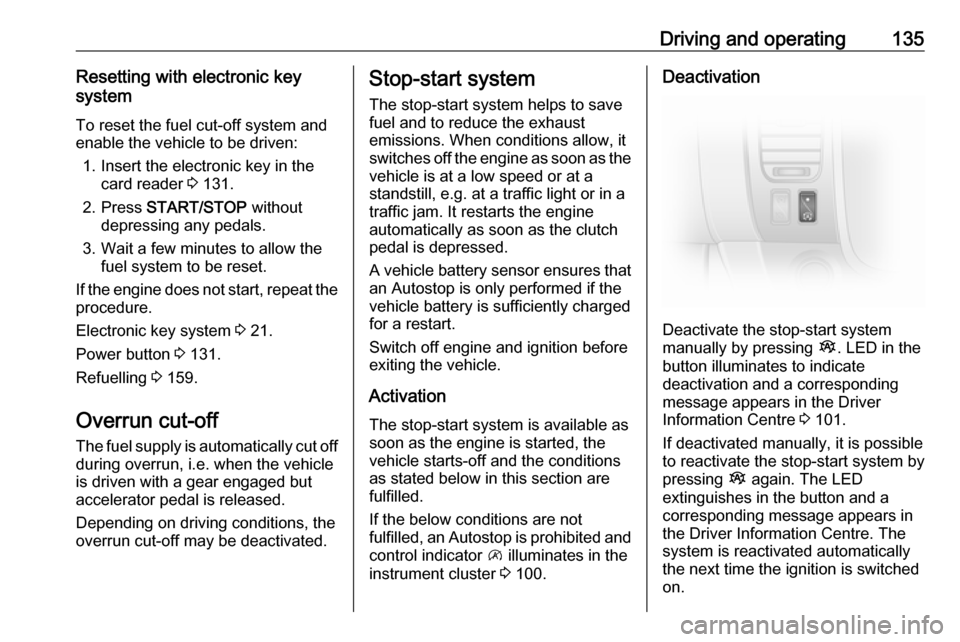
Deactivate the stop-start system
manually by pressing Î. LED in the
button illuminates to indicate
deactivation and a corresponding message appears in the Driver
Information Centre 3 101.
If deactivated manually, it is possible to reactivate the stop-start system by
pressing Î again. The LED
extinguishes in the button and a
corresponding message appears in
the Driver Information Centre. The
system is reactivated automatically
the next time the ignition is switched
on.
Page 138 of 239

136Driving and operatingVehicle messages 3 102.
Notice
When the fast idle function is
activated, the stop-start system is
automatically deactivated and
cannot be reactivated by pressing
Î . LED in button illuminates to
indicate deactivation and a
corresponding message may
appear in the Driver Information Centre 3 101.
Idle speed control 3 134.
Depending on version, if the driver's door is opened or the driver's seat belt is unfastened, the stop-start system is
deactivated automatically, and the
engine is switched off. Restart engine by pressing START/STOP .
Power button 3 131.
Autostop
If the vehicle is at a low speed or at a standstill, activate an Autostop as
follows:
● depress the clutch pedal
● move the selector lever to neutral
● release the clutch pedalThe engine will be switched off while
the ignition stays on if the required
conditions are met.
An Autostop is indicated when Ï
illuminates in the instrument cluster
3 100.
During an Autostop, heating and brake performance will be
maintained. Brake assist, however, is
not available 3 147.
Caution
The power steering assist may be
reduced during an Autostop.
If you exit the vehicle while the engine is in an Autostop, a warning chime will
sound and a message " IGNITION
OFF " is displayed in the Driver
Information Centre as a reminder that
the engine is on standby and has not
been switched off.
Conditions for an Autostop
The stop-start system checks if each
of the following conditions is fulfilled,
otherwise an Autostop will be
inhibited and control indicator \ will
illuminate in the instrument cluster:
● the stop-start system is not manually deactivated
● the bonnet is fully closed
● the driver's door is closed or the driver's seat belt is fastened
● the vehicle battery is sufficiently charged and in good condition
● the engine is warmed up
● the engine coolant temperature is
not too high
● the outside temperature is not too
low or too high (e.g. below 0 °C
or above 35 °C)
Page 139 of 239

Driving and operating137● the defrosting function is notactivated
● the climate control system does not inhibit an Autostop
● the brake vacuum is sufficient
● the self-cleaning function of the diesel particle filter is not active
3 139
● the Antilock brake system (ABS) 3 146, Traction Control system
(TC) 3 148 and Electronic
Stability Program (ESP® Plus
)
3 149 ride control systems are
not actively engaged
● the vehicle has moved since the last Autostop
Otherwise an Autostop will be
inhibited.
Certain settings of the climate control system may also inhibit an Autostop.
See " Climate control " chapter for
further information 3 118.
Immediately after motorway driving
an Autostop may be inhibited.
New vehicle running-in 3 131.Vehicle battery discharge protection
To ensure reliable engine restarts,
several battery discharge protection
features are implemented as part of
the stop-start system.
Restart of the engine by the driver
Depress the clutch pedal to restart the
engine.
Notice
If any gear is selected, the clutch
pedal must be fully depressed to
restart the engine.
The engine restart may be interrupted
if the clutch pedal is released too
quickly while a gear is engaged.
If the engine does not restart first
time, depress clutch pedal fully again.
Alternatively, press button Î to
restart the engine while in an
Autostop.
Control indicator Ï 3 100
extinguishes in the instrument cluster when the engine is restarted.Restart of the engine by the stop-
start system
The selector lever must be in neutral
to enable an automatic restart.
If one of the following conditions
occurs during an Autostop, the
engine will be restarted automatically
by the stop-start system:
● the vehicle battery is discharged
● the outside temperature is too low or too high (e.g. below 0 °C
or above 35 °C)
● the defrosting function is activated 3 118
● the brake vacuum is not sufficient
● the brake pedal is operated repeatedly
● the vehicle starts to move
An automatic engine restart may not
be possible if a door or the bonnet is
open.
If an electrical accessory, e.g. a
portable CD player, is connected to
the power outlet, a brief power drop
during engine restart may be
noticeable.
Page 140 of 239
138Driving and operatingIf the Infotainment system is active,
audio sound may briefly be reduced
or interrupted during the restart.
Fault
If a fault occurs in the stop-start
system, the LED in Î illuminates,
and a corresponding message
appears in the Driver Information
Centre 3 101 . Seek the assistance of
a workshop.
Vehicle messages 3 102.
Warning chimes 3 103.
Parking9 Warning
● Do not park the vehicle on an
easily ignitable surface. The
high temperature of the
exhaust system could ignite the
surface.
● Always apply parking brake without pressing release
button. Apply as firmly as
possible on a downhill slope or
uphill slope. Depress brake
pedal at the same time to
reduce operating force.
● Switch off the engine.
● If the vehicle is on a level surface or uphill slope, engage
first gear. On an uphill slope,
turn the front wheels away from
the kerb.
If the vehicle is on a downhill
slope, engage reverse gear.
Turn the front wheels towards the kerb.
● Close the windows.
● Remove the ignition key from the ignition switch. Turn the
steering wheel until the
steering wheel lock is felt to
engage.
● Lock the vehicle by pressing e on
the remote control 3 24.
Activate the anti-theft alarm
system 3 36.
● The engine cooling fans may run
after the engine has been
switched off 3 165.
Caution
After running at high engine
speeds or with high engine loads,
operate the engine briefly at a low load or run in neutral for approx.30 seconds before switching off, in
order to protect the turbocharger.
Vehicle storage 3 164.
Page 143 of 239

Driving and operating141Press button on end of wiper lever
repeatedly until the 'AdBlue
percentage remaining' menu is
displayed.
Level warnings
The AdBlue consumption is approx.
3.5 l per 600 miles (800 mpg) and
depends on the driving behaviour.
If the AdBlue level falls below a
certain value, a level warning will be
displayed in the Driver Information
Centre 3 101. Additionally, control
indicator Y illuminates continuously
together with a warning chime.
Refill the AdBlue tank as soon as
possible. Refer to "Refilling AdBlue"
below.
If AdBlue is not refilled within a certain distance, further level warnings are
displayed in the Driver Information
Centre depending on the current
AdBlue level.
Engine restarts prevented
Subsequent requests to refill AdBlue
and finally the announcement that an
engine restart will be prevented are
displayed in the Driver Information
Centre.
Notice
These restrictions are a legal
requirement.
Before the prevention of an engine restart, a warning message with
0 miles is displayed in the Driver
Information Centre, indicating that
after switching off the ignition an engine restart will be prohibited.
After the prevention of an engine
start, a warning message is displayed in the Driver Information Centre
reminding the driver that AdBlue level is insufficient.To allow the engine to be restarted,
the tank should be refilled completely
or with a volume of at least 10 l of
AdBlue, depending on AdBlue
consumption.
Warning stages: level warnings,
engine restarts prevented
1. Y illuminates after ignition is
switched on with warning
message LEVEL ADBLUE LOW :
Driving is possible without any
restrictions.
Refill the AdBlue tank as soon as
possible.
2. Y illuminates during driving with
warning message TOP UP
ADBLUE :
Possible loss of engine power.
Refill the AdBlue tank as soon as
possible.
3. Y illuminates during driving with
warning message XXX KM STOP
ADD ADBLUE :
Vehicle speed may be limited to
12 mph after switching the engine
off and on again until the range is
reduced to 0 miles.
Page 149 of 239
Driving and operating147driving, there is a fault in the ABS.
Control indicator j 3 97 may also
illuminate in the instrument cluster
together with a corresponding
message in the Driver Information
Centre. The brake system remains
operational but without ABS
regulation.9 Warning
If there is a fault in the ABS, the
wheels may be liable to lock due
to braking that is heavier than
normal. The advantages of ABS are no longer available. During
hard braking, the vehicle can no longer be steered and may
swerve.
If control indicators u, j , R 3 97
and C 3 97 illuminate, there is a fault
in the braking system. A
corresponding message also
appears in the Driver Information
Centre 3 101. Have the cause of the
fault remedied by a workshop.
Vehicle messages 3 102.
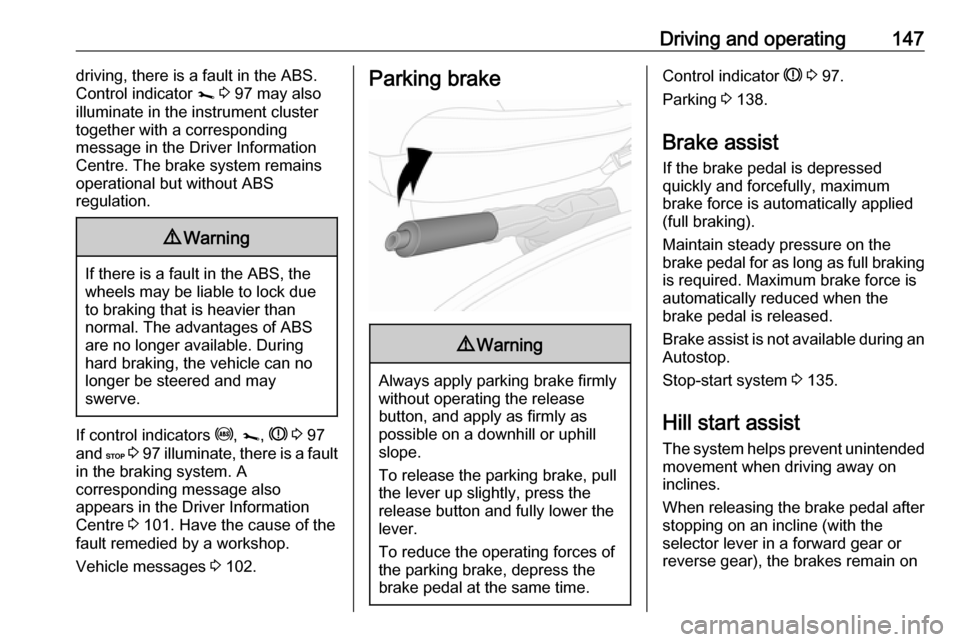
Parking brake9 Warning
Always apply parking brake firmly
without operating the release
button, and apply as firmly as
possible on a downhill or uphill
slope.
To release the parking brake, pull
the lever up slightly, press the
release button and fully lower the
lever.
To reduce the operating forces of
the parking brake, depress the
brake pedal at the same time.
Control indicator R 3 97.
Parking 3 138.
Brake assist If the brake pedal is depressed
quickly and forcefully, maximum
brake force is automatically applied
(full braking).
Maintain steady pressure on the
brake pedal for as long as full braking is required. Maximum brake force is
automatically reduced when the
brake pedal is released.
Brake assist is not available during an
Autostop.
Stop-start system 3 135.
Hill start assist
The system helps prevent unintended movement when driving away on
inclines.
When releasing the brake pedal after
stopping on an incline (with the
selector lever in a forward gear or
reverse gear), the brakes remain on
Page 175 of 239
Vehicle care173With power button
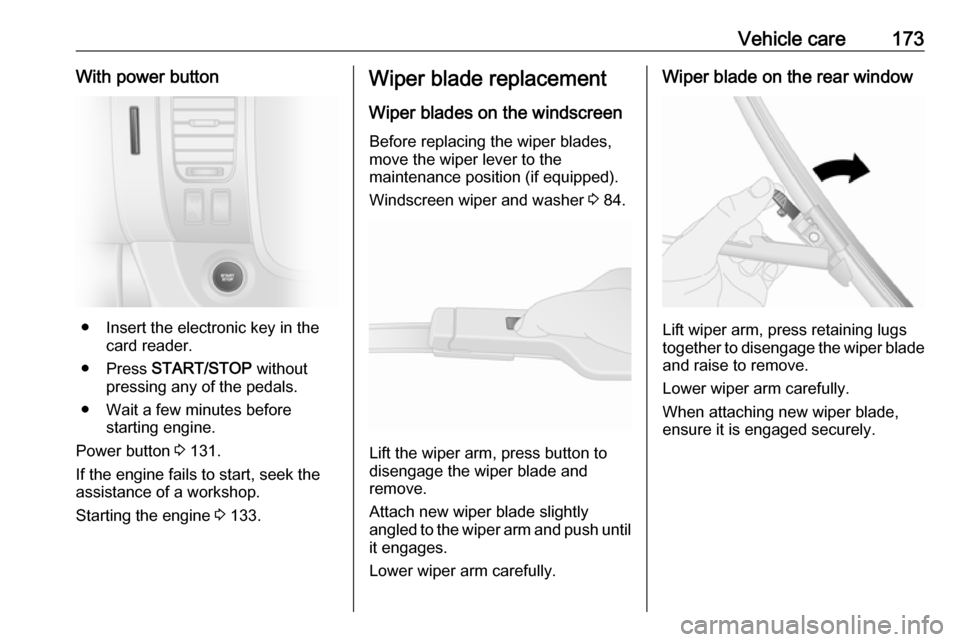
● Insert the electronic key in thecard reader.
● Press START/STOP without
pressing any of the pedals.
● Wait a few minutes before starting engine.
Power button 3 131.
If the engine fails to start, seek the
assistance of a workshop.
Starting the engine 3 133.
Wiper blade replacement
Wiper blades on the windscreen
Before replacing the wiper blades,
move the wiper lever to the
maintenance position (if equipped).
Windscreen wiper and washer 3 84.
Lift the wiper arm, press button to
disengage the wiper blade and
remove.
Attach new wiper blade slightly
angled to the wiper arm and push until
it engages.
Lower wiper arm carefully.
Wiper blade on the rear window
Lift wiper arm, press retaining lugs
together to disengage the wiper blade
and raise to remove.
Lower wiper arm carefully.
When attaching new wiper blade,
ensure it is engaged securely.