ECO mode VAUXHALL VIVARO 2018 Owner's Manual
[x] Cancel search | Manufacturer: VAUXHALL, Model Year: 2018, Model line: VIVARO, Model: VAUXHALL VIVARO 2018Pages: 233, PDF Size: 5.73 MB
Page 5 of 233

Introduction3Vehicle specific dataPlease enter your vehicle's data on
the previous page to keep it easily
accessible. This information is
available in the sections "Service and
maintenance" and "Technical data"
as well as on the identification plate.
Introduction
Your vehicle is a designed
combination of advanced technology, safety, environmental friendliness
and economy.
This Owner's Manual provides you
with all the necessary information to
enable you to drive your vehicle
safely and efficiently.
Make sure your passengers are
aware of the possible risk of accident
and injury which may result from
improper use of the vehicle.
You must always comply with the
specific laws and regulations of the
country that you are in. These laws
may differ from the information in this Owner's Manual.
Disregarding the description given in
this manual may affect your warranty.When this Owner's Manual refers to a
workshop visit, we recommend your
Vauxhall Authorised Repairer.
All Vauxhall Authorised Repairers
provide first-class service at
reasonable prices. Experienced
mechanics trained by Vauxhall work according to specific Vauxhall
instructions.
The customer literature pack should
always be kept ready to hand in the
vehicle.
Using this manual ● This manual describes all options
and features available for this
model. Certain descriptions,
including those for display and
menu functions, may not apply to
your vehicle due to model
variant, country specifications,
special equipment or
accessories.
● The "In brief" section will give you
an initial overview.● The table of contents at the beginning of this manual and
within each section shows where the information is located.
● The index will enable you to search for specific information.
● This Owner's Manual depicts left-
hand drive vehicles. Operation is similar for right-hand drive
vehicles.
● The Owner's Manual uses the factory engine designations. The
corresponding sales
designations can be found in the
section "Technical data".
● Directional data, e.g. left or right, or front or back, always relate to
the direction of travel.
● The vehicle display screens may not support your specific
language.
● Display messages and interior labelling are written in bold
letters.
Page 13 of 233

In brief111Side air vents ...................... 125
2 Ashtray .................................. 88
Cupholder ............................ 73
3 Light switch ........................ 106
Rear fog light ....................... 110
Front fog lights ...................109
Exit lighting .......................... 112
Turn and lane-change
signals ................................. 109
Sidelights ............................ 106
Headlight flash, low beam
and high beam ....................107
4 Instruments .......................... 89
Driver Information Centre .... 100
Trip computer .....................103
5 Horn ...................................... 83
Driver airbag ......................... 616Windscreen wiper,
windscreen washer system ..84
Rear window wiper, rear
window washer system ........85
Trip computer .....................103
7 Card reader for electronic
key system ............................ 22
8 Steering column controls ......83
9 Centre air vents ................... 125
10 Power outlet .......................... 86
Cigarette lighter ..................... 88
Coin tray, USB slot ................ 71
11 Info display .......................... 100
12 Front passenger airbag .........61
13 Glovebox .............................. 72
14 Heated exterior mirrors .........40
Heated rear window ..............43
Idle speed control ...............133
15 Power outlet .......................... 86
Cigarette lighter ..................... 8816 Climate control system ........ 114
Electronic climate control
system ................................. 116
17 Ashtray .................................. 88
Cupholder ............................ 73
18 Hazard warning flashers .....109
Central locking system ..........24
19 Power button for electronic
key system .......................... 130
20 Eco button for fuel
economy mode ...................128
21 Stop-start system ................134
Cruise control and speed
limiter ................................. 150
22 Remote control on
steering wheel ......................83
Cruise control .....................150
23 Ignition switch with
steering wheel lock .............130
24 Steering wheel adjustment ...83
25 Bonnet release lever ...........164
26 Fuse box ............................. 180
Page 84 of 233

82Instruments and controlsInstruments and
controlsControls ....................................... 83
Steering wheel adjustment ........83
Steering wheel controls .............83
Horn ........................................... 83
Steering column controls ...........83
Windscreen wiper/washer .........84
Rear window wiper/washer .......85
Outside temperature ..................85
Clock ......................................... 86
Power outlets ............................. 86
Cigarette lighter ......................... 88
Ashtrays .................................... 88
Warning lights, gauges and indi‐ cators ........................................... 89
Instrument cluster ......................89
Speedometer ............................. 89
Odometer .................................. 89
Trip odometer ............................ 89
Tachometer ............................... 90
Fuel gauge ................................ 90
Fuel economy gauge .................91
Service display .......................... 91
Control indicators ......................92
Turn signal ................................. 94Seat belt reminder.....................95
Airbag and belt tensioners .........95
Airbag deactivation ....................95
Charging system .......................96
Malfunction indicator light ..........96
Service vehicle soon .................96
Stop engine ............................... 96
Brake system ............................. 96
Antilock brake system (ABS) .....97
Upshift ....................................... 97
Electronic Stability Program ......97
Electronic Stability Program off ............................................. 97
Engine coolant temperature ......97
Preheating ................................. 98
AdBlue ....................................... 98
Tyre pressure monitoring system ...................................... 98
Engine oil pressure ....................98
Fuel economy mode ..................99
Low fuel ..................................... 99
Stop-start system ......................99
Exterior light .............................. 99
High beam ................................. 99
Fog light ..................................... 99
Rear fog light ............................. 99
Cruise control .......................... 100
Tachograph ............................. 100
Door open ................................ 100Information displays...................100
Driver Information Centre ........100
Info display .............................. 100
Vehicle messages ......................101
Warning chimes .......................102
Engine oil level ........................ 102
Trip computer ............................. 103
Tachograph ................................ 105
Page 96 of 233
94Instruments and controlsControl indicators in the roof
console
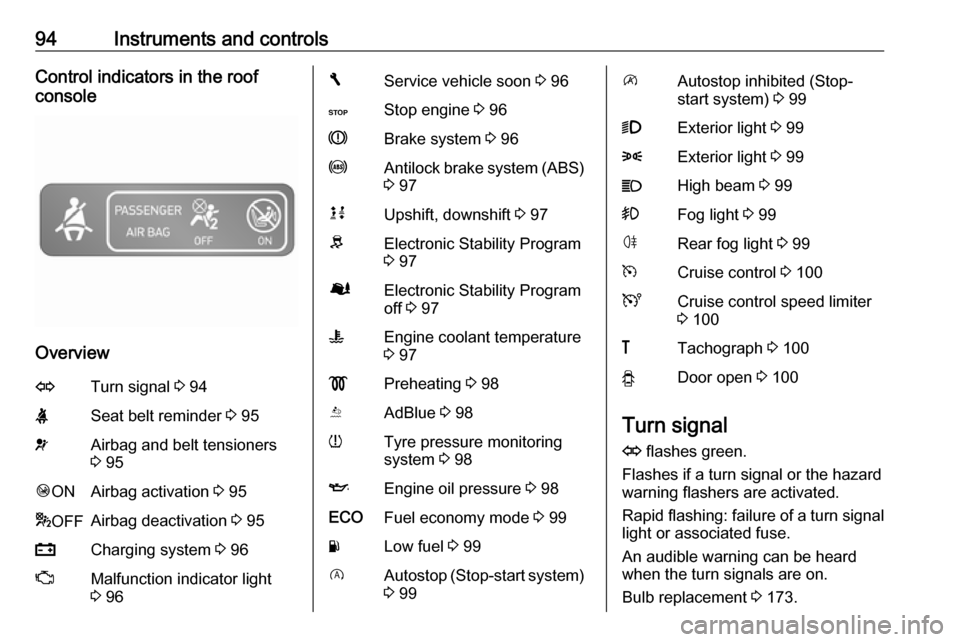
Overview
OTurn signal 3 94XSeat belt reminder 3 95vAirbag and belt tensioners
3 95Ó ONAirbag activation 3 95* OFFAirbag deactivation 3 95pCharging system 3 96ZMalfunction indicator light
3 96FService vehicle soon 3 96CStop engine 3 96RBrake system 3 96uAntilock brake system (ABS)
3 97kjUpshift, downshift 3 97RElectronic Stability Program
3 97ØElectronic Stability Program
off 3 97WEngine coolant temperature
3 97!Preheating 3 98YAdBlue 3 98wTyre pressure monitoring
system 3 98IEngine oil pressure 3 98ECOFuel economy mode 3 99YLow fuel 3 99DAutostop (Stop-start system)
3 99\Autostop inhibited (Stop-
start system) 3 999Exterior light 3 998Exterior light 3 99CHigh beam 3 99>Fog light 3 99øRear fog light 3 99mCruise control 3 100UCruise control speed limiter
3 100&Tachograph 3 100yDoor open 3 100
Turn signal
O flashes green.
Flashes if a turn signal or the hazard
warning flashers are activated.
Rapid flashing: failure of a turn signal
light or associated fuse.
An audible warning can be heard
when the turn signals are on.
Bulb replacement 3 173.
Page 101 of 233
Instruments and controls99Caution
Engine lubrication may be
interrupted. This may result in
damage to the engine and / or
locking of the drive wheels.
1. Depress clutch.
2. Select neutral gear (or move selector lever to N).
3. Move out of the flow of traffic as quickly as possible without
impeding other vehicles.
4. Switch off ignition.
9 Warning
When the engine is off,
considerably more force is needed
to brake and steer.
Do not remove key until vehicle is stationary, otherwise the steeringwheel lock could engage
unexpectedly.
Check oil level before seeking
assistance of a workshop 3 165.
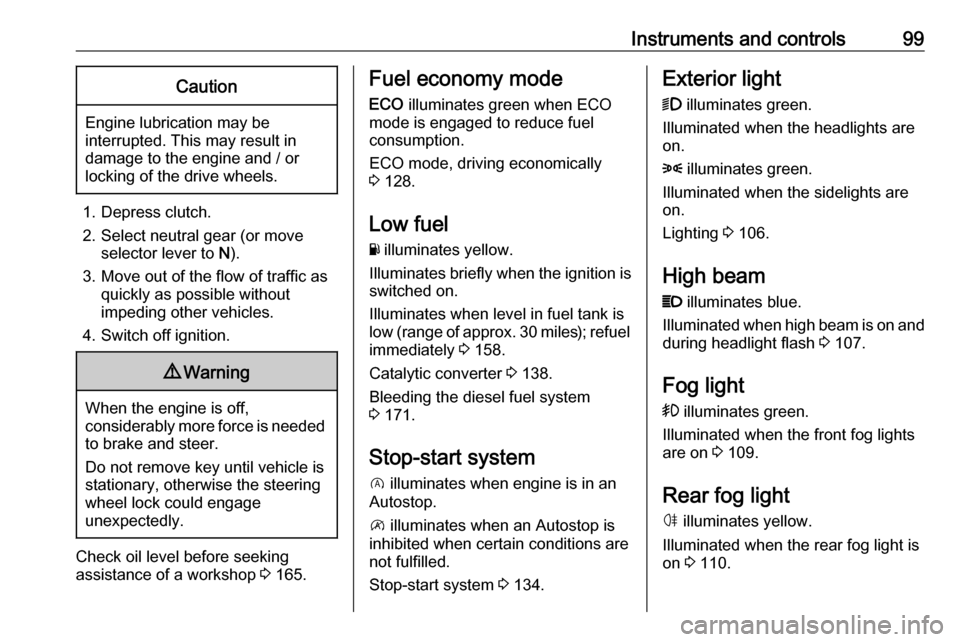
Fuel economy mode
ECO illuminates green when ECO
mode is engaged to reduce fuel
consumption.
ECO mode, driving economically
3 128.
Low fuel Y illuminates yellow.
Illuminates briefly when the ignition is
switched on.
Illuminates when level in fuel tank is
low (range of approx. 30 miles); refuel immediately 3 158.
Catalytic converter 3 138.
Bleeding the diesel fuel system
3 171.
Stop-start system D illuminates when engine is in an
Autostop.
\ illuminates when an Autostop is
inhibited when certain conditions are
not fulfilled.
Stop-start system 3 134.Exterior light
9 illuminates green.
Illuminated when the headlights are
on.
8 illuminates green.
Illuminated when the sidelights are
on.
Lighting 3 106.
High beam P illuminates blue.
Illuminated when high beam is on and
during headlight flash 3 107.
Fog light
> illuminates green.
Illuminated when the front fog lights
are on 3 109.
Rear fog light ø illuminates yellow.
Illuminated when the rear fog light is
on 3 110.
Page 117 of 233
Climate control115● Open side air vents as requiredand direct them towards door
windows.
● For simultaneous warming of the
foot well, set air distribution
control to J.
Heated rear window 3 43.
Air conditioning system
In addition to the heating and
ventilation system, the air
conditioning system has controls for:A/C:cooling4:air recirculation
Heated seats 3 48.
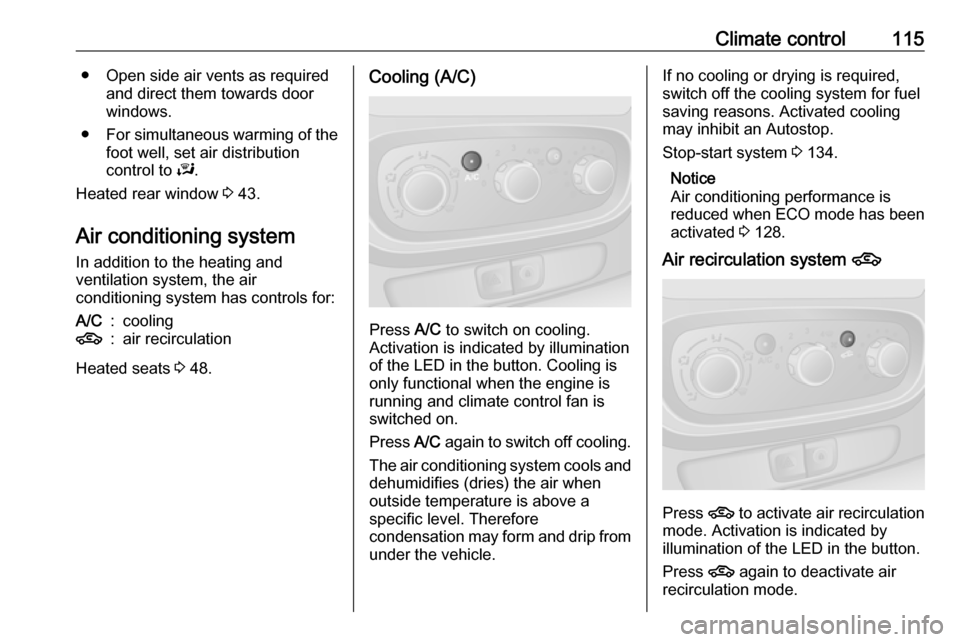
Cooling (A/C)
Press A/C to switch on cooling.
Activation is indicated by illumination
of the LED in the button. Cooling is
only functional when the engine is
running and climate control fan is switched on.
Press A/C again to switch off cooling.
The air conditioning system cools and
dehumidifies (dries) the air when
outside temperature is above a
specific level. Therefore
condensation may form and drip from under the vehicle.
If no cooling or drying is required,
switch off the cooling system for fuel
saving reasons. Activated cooling
may inhibit an Autostop.
Stop-start system 3 134.
Notice
Air conditioning performance is
reduced when ECO mode has been
activated 3 128.
Air recirculation system 4
Press 4
to activate air recirculation
mode. Activation is indicated by
illumination of the LED in the button.
Press 4 again to deactivate air
recirculation mode.
Page 120 of 233
118Climate controlCooling A/C
The air conditioning system cools and
dehumidifies (dries) the air when
outside temperature is above a
specific level. Therefore
condensation may form and drip from under the vehicle.
Notice
Air conditioning performance is
reduced when ECO mode has been
activated 3 128.
If no cooling or drying is required
press A/C OFF to switch the cooling
system off, thus saving fuel. LED
illuminates in the button.
To return to Automatic mode: Press
AUTO button.
Air recirculation mode u
Activate or deactivate manual air recirculation mode with u. LED
illuminates in the button when
activated.9 Warning
The exchange of fresh air is
reduced in air recirculation mode.
In operation without cooling the air humidity increases, so the
windows may mist up from inside.
The quality of the passenger
compartment air deteriorates,
which may cause the vehicle
occupants to feel drowsy.
To return to Automatic mode: Press
AUTO button.
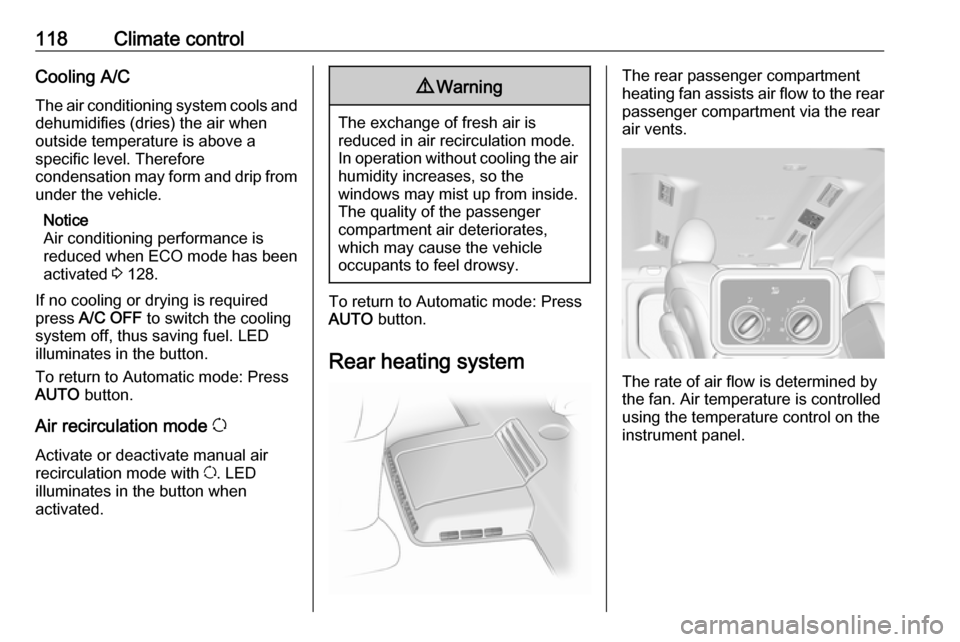
Rear heating system
The rear passenger compartment
heating fan assists air flow to the rear
passenger compartment via the rear
air vents.
The rate of air flow is determined by
the fan. Air temperature is controlled
using the temperature control on the
instrument panel.
Page 123 of 233
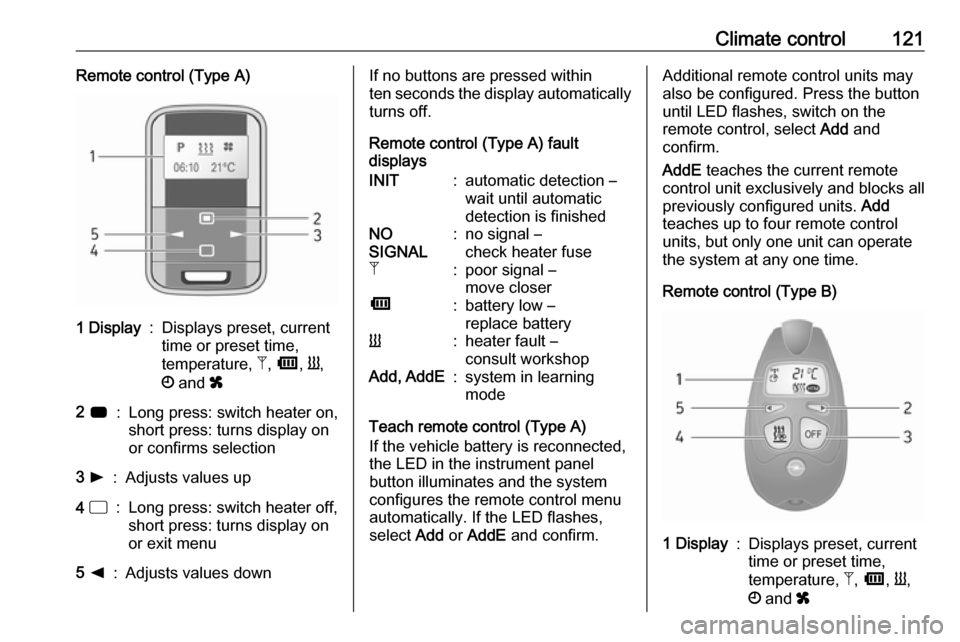
Climate control121Remote control (Type A)1 Display:Displays preset, current
time or preset time,
temperature, Z, Ü , Y ,
Ö and x2 7:Long press: switch heater on,
short press: turns display on
or confirms selection3 l:Adjusts values up4 d:Long press: switch heater off,
short press: turns display on
or exit menu5 k:Adjusts values downIf no buttons are pressed within
ten seconds the display automatically
turns off.
Remote control (Type A) fault
displaysINIT:automatic detection –
wait until automatic
detection is finishedNO
SIGNAL:no signal –
check heater fuseZ:poor signal –
move closerÜ:battery low –
replace batteryY:heater fault –
consult workshopAdd, AddE:system in learning
mode
Teach remote control (Type A)
If the vehicle battery is reconnected, the LED in the instrument panel
button illuminates and the system
configures the remote control menu
automatically. If the LED flashes,
select Add or AddE and confirm.
Additional remote control units may
also be configured. Press the button
until LED flashes, switch on the
remote control, select Add and
confirm.
AddE teaches the current remote
control unit exclusively and blocks all
previously configured units. Add
teaches up to four remote control
units, but only one unit can operate
the system at any one time.
Remote control (Type B)1 Display:Displays preset, current
time or preset time,
temperature, Z, Ü , Y ,
Ö and x
Page 126 of 233

124Climate controlNotice
The remote control system features
a temperature sensor which
calculates the runtime according to
the ambient temperature and the
desired heating level (ECO or
HIGH). The system starts
automatically between five and
60 minutes prior to the programmed
departure time.
Set time and weekday Þ
If the vehicle battery is disconnected
or its voltage is too low, the unit will
need to be reset.
● Select F in the menu bar and
confirm.
● Select Þ in the menu bar and
confirm.
● Adjust using k or l to change
the hour and confirm.
● Adjust using k or l to change
the minutes and confirm.
● Press d to exit.
● Select F in the menu bar and
confirm.
● Select Mo in the menu bar and
confirm.● Adjust using k or l to change
the weekday and confirm.
● Press d to exit.
Heating level
The preferred heating level for
programmed departure times can be
set to either ECO or HIGH.
● Select Y in the menu bar and
confirm.
● Select ECO or HIGH and confirm.
● Press d to exit.
Operation (Type B)
Heating Y or Ventilation x
Select the operating mode Y or x, if
necessary.
● Press l three times.
● Press Y and OFF
simultaneously, Y or x flashes.
● Adjust using k or l to select Y
or x.
● Press Y and OFF simultaneously
to confirm.To switch on, press Y for
one second. The predetermined
heating duration, e.g. 30, is
displayed. The factory setting is
30 minutes.
The heating duration can be set in
increments of ten minutes. Due to the power consumption, note the heatingduration.
● Press l four times.
● Press Y and OFF
simultaneously, Y/x flashes.
● Adjust using k or l to select the
desired heating duration.
● Press Y and OFF simultaneously
to confirm.
To switch off, press OFF.
Programming y
The system calculates the operating time of the heater depending on the
temperature inside the vehicle.
● Press k twice.
● Press Y and OFF
simultaneously, y flashes.
Page 130 of 233
128Driving and operatingDriving and
operatingDriving hints ............................... 128
Driving economically ...............128
Control of the vehicle ...............129
Steering ................................... 129
Starting and operating ...............130
New vehicle running-in ............130
Ignition switch positions ...........130
Power button ........................... 130
Starting the engine ..................132
Idle speed control ....................133
Vehicle shutdown ....................133
Overrun cut-off ........................ 134
Stop-start system ....................134
Parking .................................... 137
Engine exhaust .......................... 138
Diesel particle filter ..................138
Catalytic converter ...................138
AdBlue ..................................... 139
Manual transmission ..................145
Brakes ........................................ 145
Antilock brake system .............146
Parking brake .......................... 146Brake assist............................. 147
Hill start assist ......................... 147
Ride control systems .................147
Traction Control system ..........147
Electronic stability program .....148
Driver assistance systems .........150
Cruise control .......................... 150
Speed limiter ........................... 153
Parking assist .......................... 153
Rear view camera ...................155
Fuel ............................................ 158
Fuel for diesel engines ............158
Refuelling ................................ 158
Fuel consumption - CO 2-
Emissions .............................. 159
Trailer hitch ................................ 160
General information .................160
Driving characteristics and towing tips .............................. 160
Trailer towing ........................... 161
Trailer stability assist ...............161Driving hints
Driving economically
ECO mode
ECO mode is a function that
optimises fuel consumption. It affects engine power and torque,
acceleration, gear shift indication,
heating, air conditioning and electrical consumers.
Activation
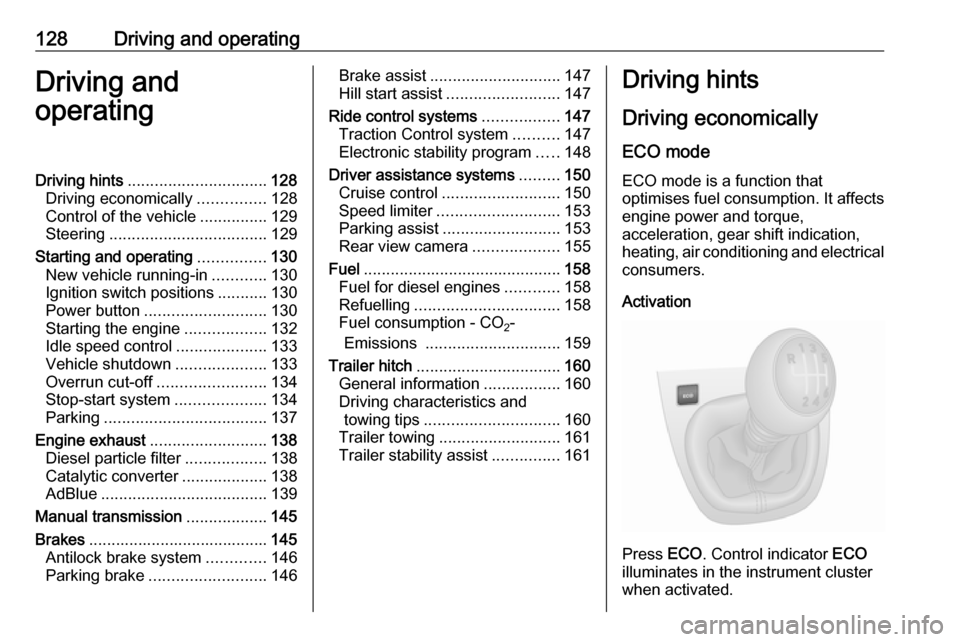
Press ECO. Control indicator ECO
illuminates in the instrument cluster when activated.