engine VAUXHALL VIVARO 2019 User Guide
[x] Cancel search | Manufacturer: VAUXHALL, Model Year: 2019, Model line: VIVARO, Model: VAUXHALL VIVARO 2019Pages: 231, PDF Size: 5.82 MB
Page 32 of 231
30Keys, doors and windows5 seconds. When closing the rear
doors / tailgate, they are locked
automatically.
Automatic locking 3 30.
Hands-free operation is automatically disabled when e is pressed. To re-
enable hands-free operation, restart
the engine.
Electronic key system 3 21.
Automatic locking Automatic locking after driving off
This security feature can be
configured to automatically lock the
doors and load compartment as soon as the vehicle is driven.
Activation
With the engine running, press and
hold e on the central locking switch for
approx. 5 seconds. An audible signal
confirms activation.Deactivation
With the engine running, press and
hold e on the central locking switch for
approx. 5 seconds. An audible signal
confirms deactivation.
Central locking switch 3 24.
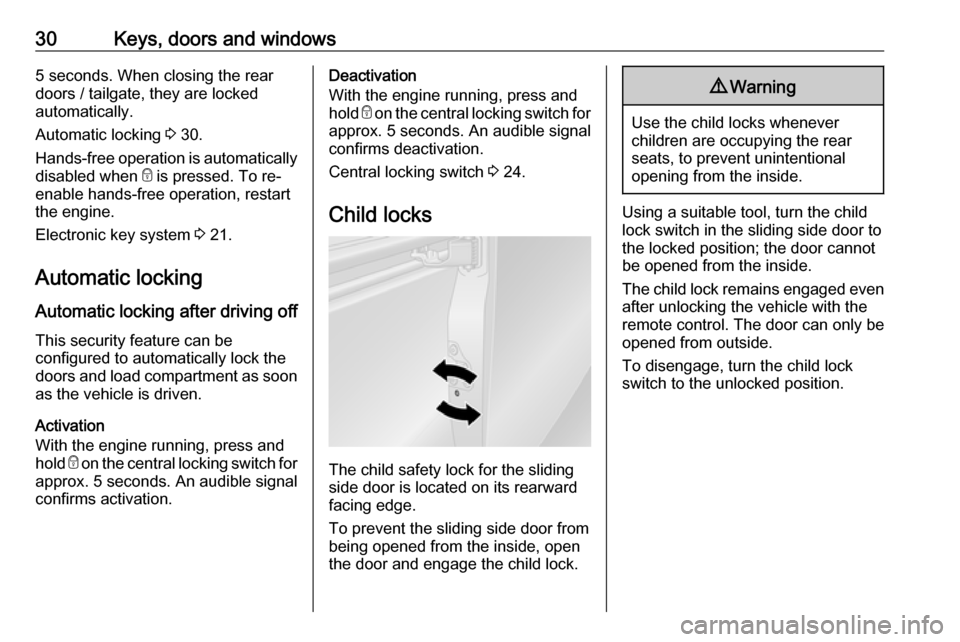
Child locks
The child safety lock for the sliding
side door is located on its rearward
facing edge.
To prevent the sliding side door from being opened from the inside, open
the door and engage the child lock.
9 Warning
Use the child locks whenever
children are occupying the rear
seats, to prevent unintentional
opening from the inside.
Using a suitable tool, turn the child
lock switch in the sliding side door to
the locked position; the door cannot
be opened from the inside.
The child lock remains engaged even after unlocking the vehicle with the
remote control. The door can only be
opened from outside.
To disengage, turn the child lock
switch to the unlocked position.
Page 35 of 231
Keys, doors and windows33
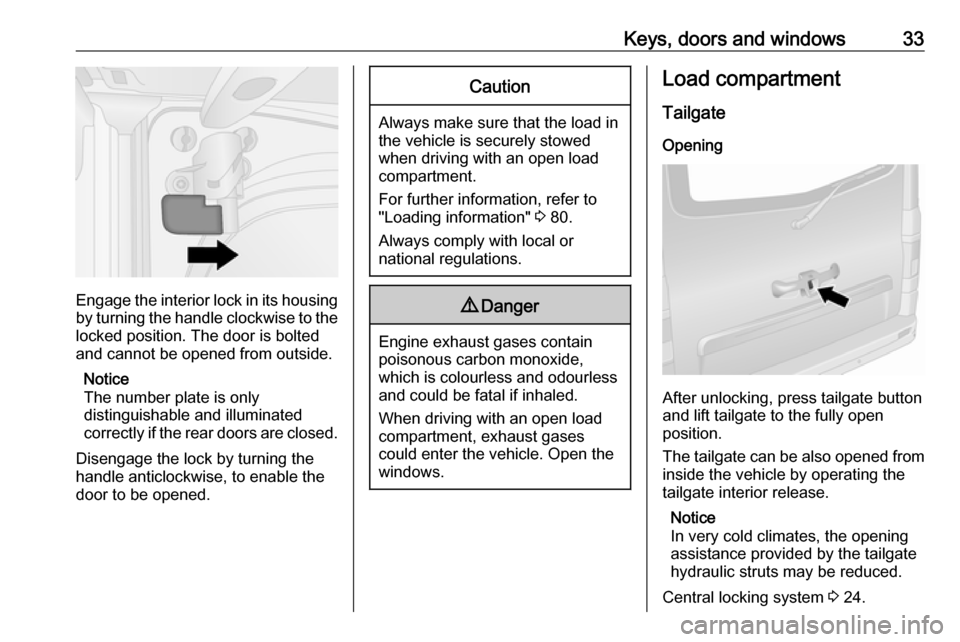
Engage the interior lock in its housing
by turning the handle clockwise to the locked position. The door is bolted
and cannot be opened from outside.
Notice
The number plate is only
distinguishable and illuminated
correctly if the rear doors are closed.
Disengage the lock by turning the
handle anticlockwise, to enable the
door to be opened.
Caution
Always make sure that the load in
the vehicle is securely stowed
when driving with an open load compartment.
For further information, refer to
"Loading information" 3 80.
Always comply with local or national regulations.
9 Danger
Engine exhaust gases contain
poisonous carbon monoxide,
which is colourless and odourless and could be fatal if inhaled.
When driving with an open load
compartment, exhaust gases
could enter the vehicle. Open the
windows.
Load compartment
Tailgate Opening
After unlocking, press tailgate button
and lift tailgate to the fully open
position.
The tailgate can be also opened from inside the vehicle by operating the
tailgate interior release.
Notice
In very cold climates, the opening
assistance provided by the tailgate
hydraulic struts may be reduced.
Central locking system 3 24.
Page 38 of 231
36Keys, doors and windowsElectronic key system operationOperation is confirmed by the hazard
warning flashers.
Activation
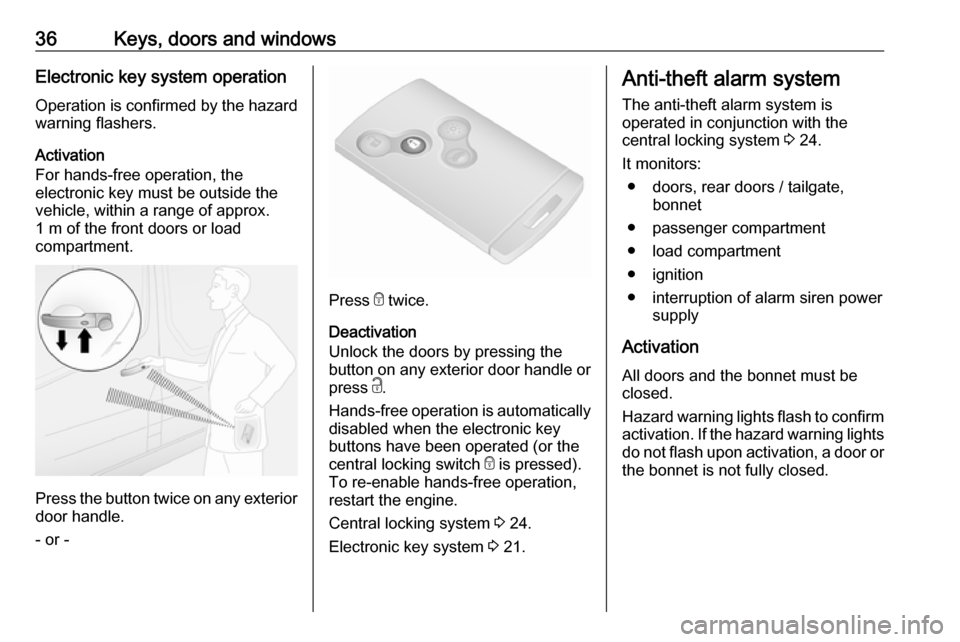
For hands-free operation, the
electronic key must be outside the
vehicle, within a range of approx.
1 m of the front doors or load
compartment.
Press the button twice on any exterior
door handle.
- or -
Press e twice.
Deactivation
Unlock the doors by pressing the
button on any exterior door handle or
press c.
Hands-free operation is automatically
disabled when the electronic key
buttons have been operated (or the
central locking switch e is pressed).
To re-enable hands-free operation,
restart the engine.
Central locking system 3 24.
Electronic key system 3 21.
Anti-theft alarm system
The anti-theft alarm system is
operated in conjunction with the
central locking system 3 24.
It monitors: ● doors, rear doors / tailgate, bonnet
● passenger compartment
● load compartment
● ignition
● interruption of alarm siren power supply
Activation
All doors and the bonnet must be
closed.
Hazard warning lights flash to confirm activation. If the hazard warning lights do not flash upon activation, a door or
the bonnet is not fully closed.
Page 40 of 231

38Keys, doors and windowsActivation without monitoring of
passenger compartment
Disable monitoring of the passenger
compartment, e.g. when animals are
being left in the vehicle, or if the
auxiliary heater has been set for a
timed or remote controlled start
3 122.
Press and hold e on the remote
control or electronic key. An audible
signal will sound as confirmation.
The status will remain until the doors
are unlocked.
Alarm When triggered, the alarm sounds via a separate battery-backed power
sounder, and the hazard warning
lights flash simultaneously. The
number and duration of alarm signals are stipulated by legislation.
If the vehicle battery is disconnected
or its power supply is interrupted, the
alarm siren will be triggered. First
deactivate the anti-theft alarm system
if the vehicle battery must be
disconnected.To silence the alarm siren (if
triggered) and therefore deactivate
the anti-theft alarm system, reconnect vehicle battery and unlock the vehicle
or switch on the ignition.
Immobiliser
The immobiliser is part of the ignition
switch and checks whether the
vehicle is allowed to be started with
the key being used.
The immobiliser is activated
automatically after the key has been
removed from the ignition switch and
also if the key is left in the ignition
switch when the engine is turned off.
If the engine cannot be started, switch off the ignition and remove key, wait
approx. two seconds and then repeat
the start attempt. If start attempt is
unsuccessful, attempt to start the
engine using the spare key and seek
the assistance of a workshop.Notice
Radio Frequency Identification
(RFID) tags may cause interference with the key. Do not have it placednear the key when starting the
vehicle.
Notice
The immobiliser does not lock the doors. You should always lock the
vehicle after leaving it and switch on
the anti-theft alarm system 3 24,
3 36.
Page 42 of 231
40Keys, doors and windowsDepending on version, exterior
mirrors can be automatically folded to the parking position upon locking the
vehicle. For further information, refer
to the Infotainment manual.
Heated mirrors
Operated by pressing Ü
. Activation is
indicated by the LED in the button.
Heating functions with the engine running. It is switched off
automatically after a short time.
Climate control system 3 116.
Interior mirrors
Manual anti-dazzle
To reduce dazzle, adjust the lever on the underside of the mirror housing.
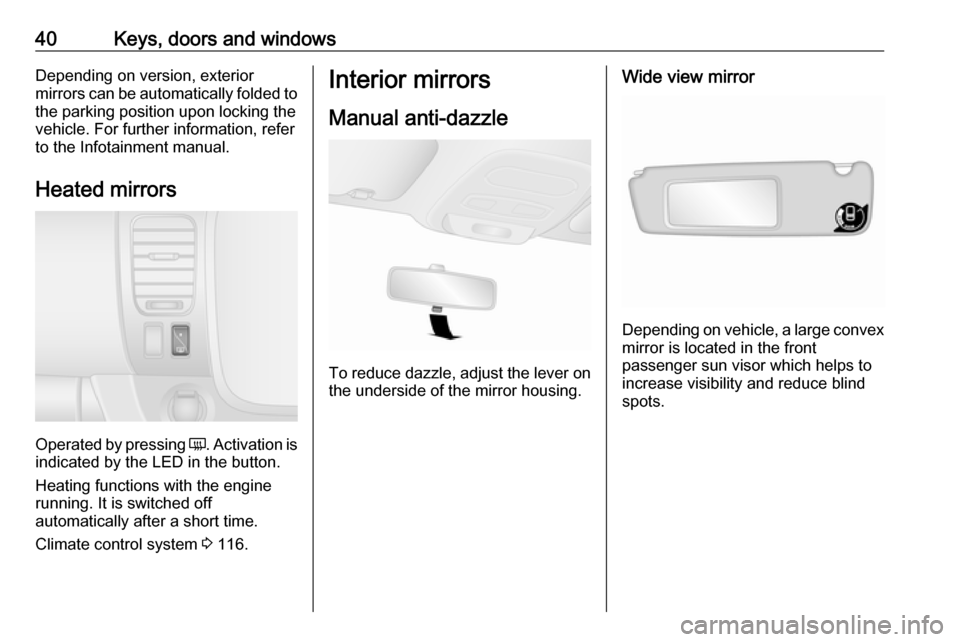
Wide view mirror
Depending on vehicle, a large convex
mirror is located in the front
passenger sun visor which helps to
increase visibility and reduce blind
spots.
Page 45 of 231
Keys, doors and windows43Sun blind
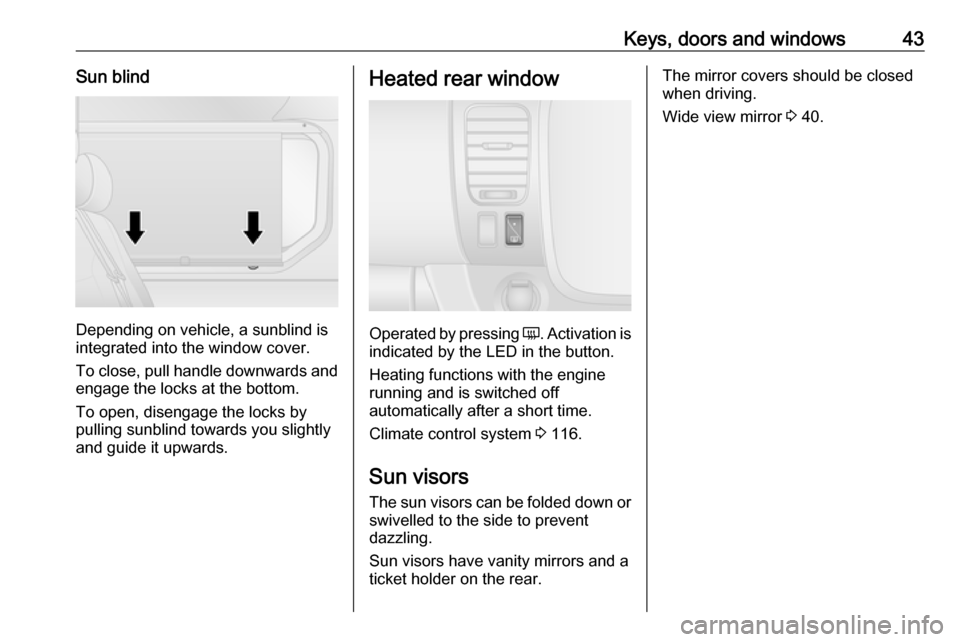
Depending on vehicle, a sunblind is
integrated into the window cover.
To close, pull handle downwards and engage the locks at the bottom.
To open, disengage the locks by
pulling sunblind towards you slightly
and guide it upwards.
Heated rear window
Operated by pressing Ü. Activation is
indicated by the LED in the button.
Heating functions with the engine running and is switched off
automatically after a short time.
Climate control system 3 116.
Sun visors
The sun visors can be folded down or swivelled to the side to prevent
dazzling.
Sun visors have vanity mirrors and a
ticket holder on the rear.
The mirror covers should be closed when driving.
Wide view mirror 3 40.
Page 50 of 231
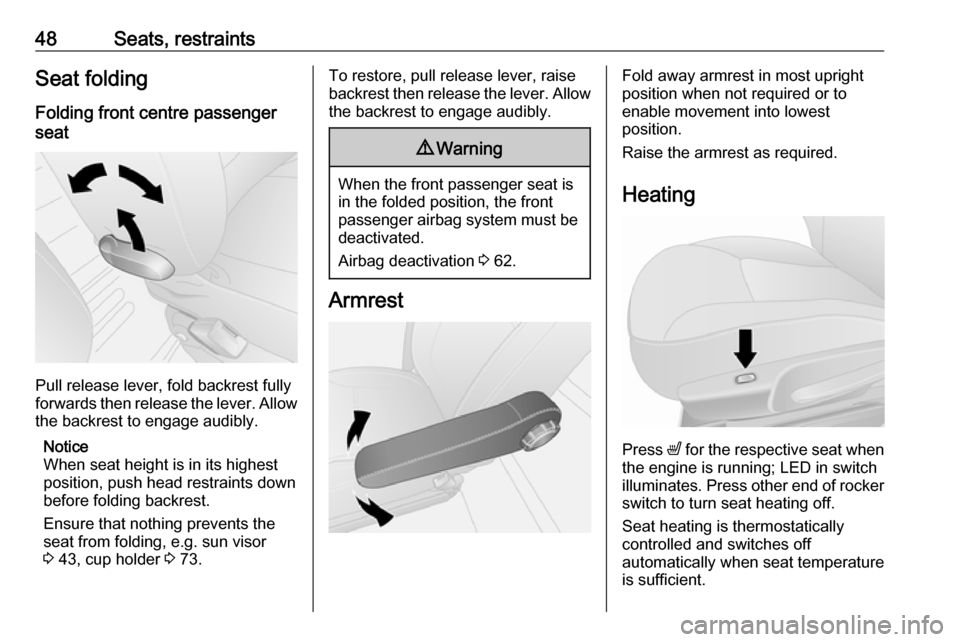
48Seats, restraintsSeat foldingFolding front centre passenger
seat
Pull release lever, fold backrest fully
forwards then release the lever. Allow the backrest to engage audibly.
Notice
When seat height is in its highest
position, push head restraints down
before folding backrest.
Ensure that nothing prevents the
seat from folding, e.g. sun visor
3 43, cup holder 3 73.
To restore, pull release lever, raise
backrest then release the lever. Allow the backrest to engage audibly.9 Warning
When the front passenger seat is
in the folded position, the front
passenger airbag system must be deactivated.
Airbag deactivation 3 62.
Armrest
Fold away armrest in most upright
position when not required or to
enable movement into lowest
position.
Raise the armrest as required.
Heating
Press ß
for the respective seat when
the engine is running; LED in switch
illuminates. Press other end of rocker switch to turn seat heating off.
Seat heating is thermostatically
controlled and switches off
automatically when seat temperature
is sufficient.
Page 84 of 231

82Instruments and controlsInstruments and
controlsControls ....................................... 83
Steering wheel adjustment ........83
Steering wheel controls .............83
Horn ........................................... 83
Steering column controls ...........83
Windscreen wiper and washer ..84
Rear window wiper and washer ...................................... 85
Outside temperature ..................85
Clock ......................................... 86
Power outlets ............................. 87
Cigarette lighter ......................... 88
Ashtrays .................................... 88
Warning lights, gauges and indi‐ cators ........................................... 89
Instrument cluster ......................89
Speedometer ............................. 89
Odometer .................................. 90
Trip odometer ............................ 90
Tachometer ............................... 90
Fuel gauge ................................ 90
Fuel economy gauge .................91
Service display .......................... 92
Control indicators ......................92Turn lights.................................. 95
Seat belt reminder .....................96
Airbag and belt tensioners .........96
Airbag deactivation ....................96
Charging system .......................97
Malfunction indicator light ..........97
Service vehicle soon .................97
Stop engine ............................... 97
Brake system ............................. 97
Antilock brake system (ABS) .....98
Gear shifting .............................. 98
Electronic Stability Control ........98
Electronic Stability Control off ...98
Engine coolant temperature ......98
Preheating ................................. 99
AdBlue ....................................... 99
Tyre pressure monitoring system ...................................... 99
Engine oil pressure ....................99
Fuel economy mode ................100
Low fuel ................................... 100
Stop-start system ....................100
Exterior light ............................ 100
High beam ............................... 100
Front fog lights ......................... 101
Rear fog light ........................... 101
Cruise control .......................... 101
Speed limiter ........................... 101
Tachograph ............................. 101
Door open ................................ 101Displays..................................... 101
Driver Information Centre ........101
Info Display .............................. 102
Vehicle messages ......................102
Warning chimes .......................103
Engine oil level ........................ 104
Trip computer ............................. 104
Tachograph ................................ 106
Page 89 of 231
Instruments and controls87● press button repeatedly tochange minutes
● wait for approx. 5 seconds to set minutes
Driver Information Centre 3 101.
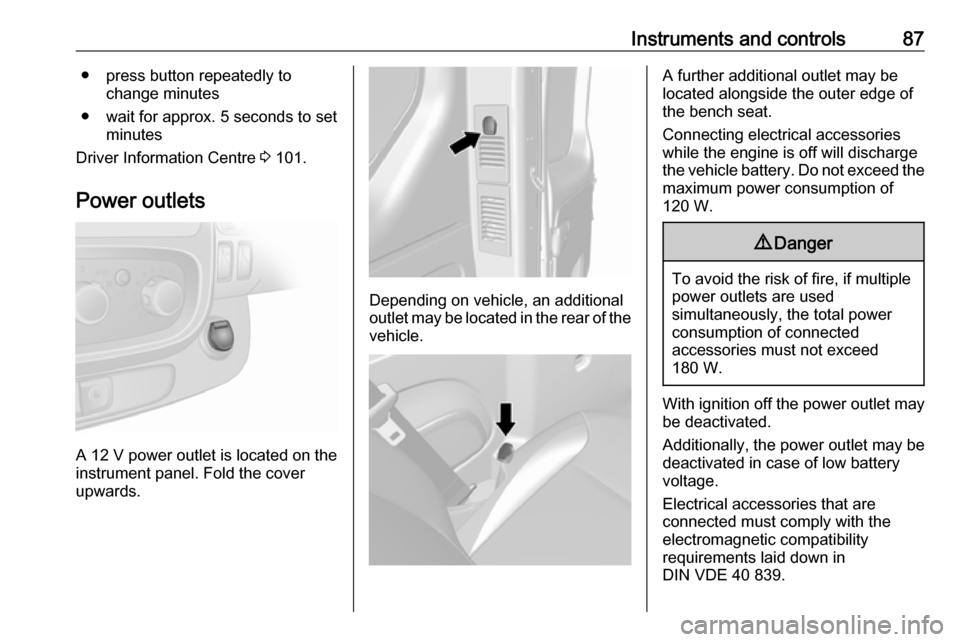
Power outlets
A 12 V power outlet is located on the
instrument panel. Fold the cover
upwards.
Depending on vehicle, an additional
outlet may be located in the rear of the
vehicle.
A further additional outlet may be
located alongside the outer edge of
the bench seat.
Connecting electrical accessories while the engine is off will discharge
the vehicle battery. Do not exceed the
maximum power consumption of
120 W.9 Danger
To avoid the risk of fire, if multiple
power outlets are used
simultaneously, the total power
consumption of connected
accessories must not exceed
180 W.
With ignition off the power outlet may
be deactivated.
Additionally, the power outlet may be
deactivated in case of low battery
voltage.
Electrical accessories that are
connected must comply with the
electromagnetic compatibility
requirements laid down in
DIN VDE 40 839.
Page 92 of 231
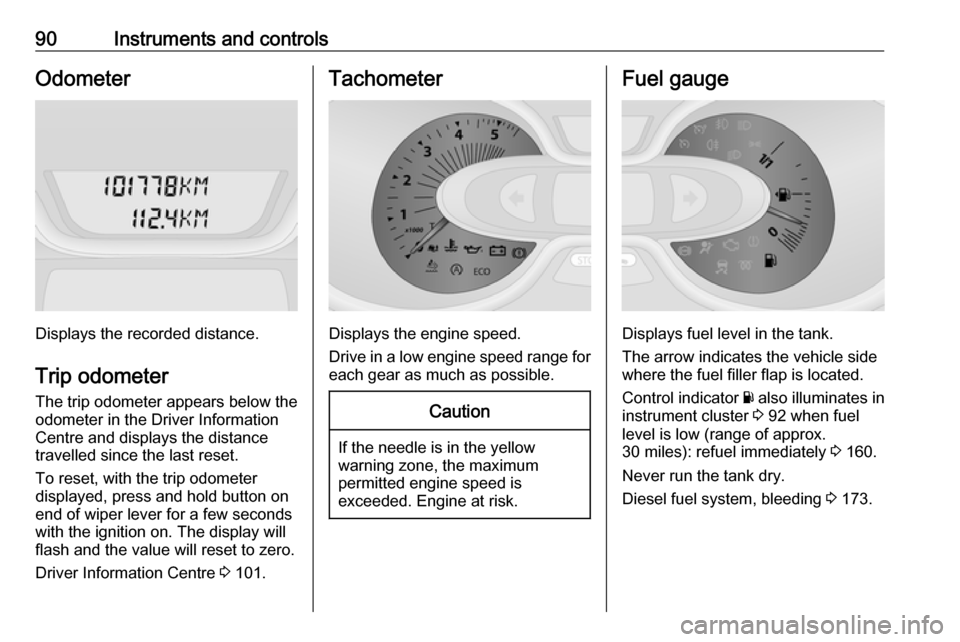
90Instruments and controlsOdometer
Displays the recorded distance.
Trip odometer The trip odometer appears below the
odometer in the Driver Information
Centre and displays the distance
travelled since the last reset.
To reset, with the trip odometer
displayed, press and hold button on
end of wiper lever for a few seconds
with the ignition on. The display will
flash and the value will reset to zero.
Driver Information Centre 3 101.
Tachometer
Displays the engine speed.
Drive in a low engine speed range for each gear as much as possible.
Caution
If the needle is in the yellow
warning zone, the maximum
permitted engine speed is
exceeded. Engine at risk.
Fuel gauge
Displays fuel level in the tank.
The arrow indicates the vehicle side
where the fuel filler flap is located.
Control indicator Y also illuminates in
instrument cluster 3 92 when fuel
level is low (range of approx.
30 miles): refuel immediately 3 160.
Never run the tank dry.
Diesel fuel system, bleeding 3 173.