wheel VAUXHALL ZAFIRA TOURER 2018.5 Owner's Guide
[x] Cancel search | Manufacturer: VAUXHALL, Model Year: 2018.5, Model line: ZAFIRA TOURER, Model: VAUXHALL ZAFIRA TOURER 2018.5Pages: 339, PDF Size: 10.02 MB
Page 98 of 339
96Instruments and controlsControlsSteering wheel adjustment
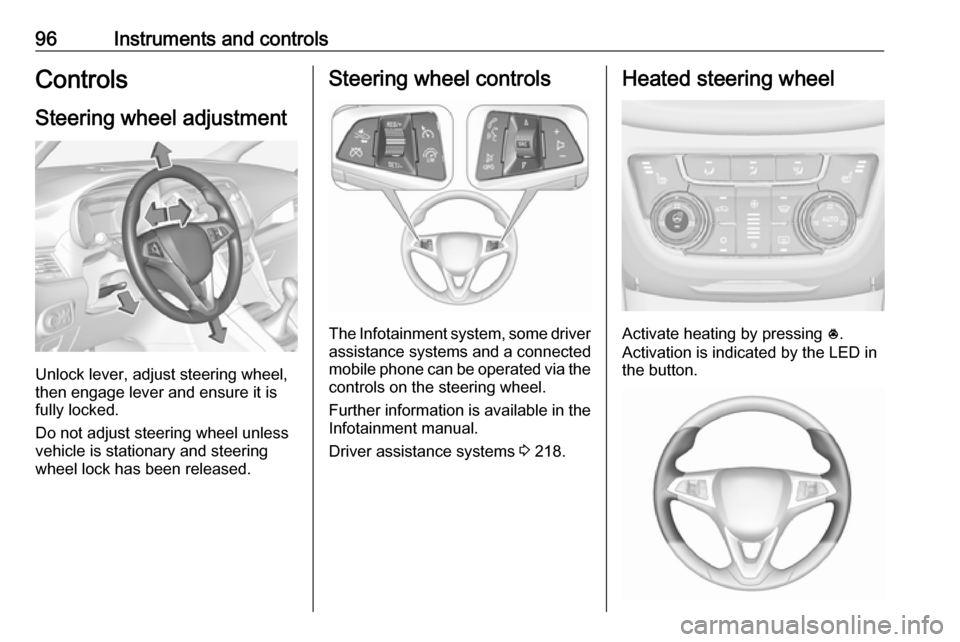
Unlock lever, adjust steering wheel,
then engage lever and ensure it is
fully locked.
Do not adjust steering wheel unless
vehicle is stationary and steering
wheel lock has been released.
Steering wheel controls
The Infotainment system, some driver assistance systems and a connected
mobile phone can be operated via the
controls on the steering wheel.
Further information is available in the
Infotainment manual.
Driver assistance systems 3 218.
Heated steering wheel
Activate heating by pressing *.
Activation is indicated by the LED in
the button.
Page 99 of 339
Instruments and controls97The recommended grip areas of the
steering wheel are heated quicker
and to a higher temperature than the
other areas.
Heating is operational when the
engine is running and during an
Autostop.
Stop-start system 3 200.
Horn
Press j.
Windscreen wiper and
washer
Windscreen wiperHI:fastLO:slowINT:interval wiping or automatic
wiping with rain sensorOFF:off
For a single wipe when the
windscreen wiper is off, press the
lever down to position 1x.
Do not use if the windscreen is frozen.
Switch off in car washes.
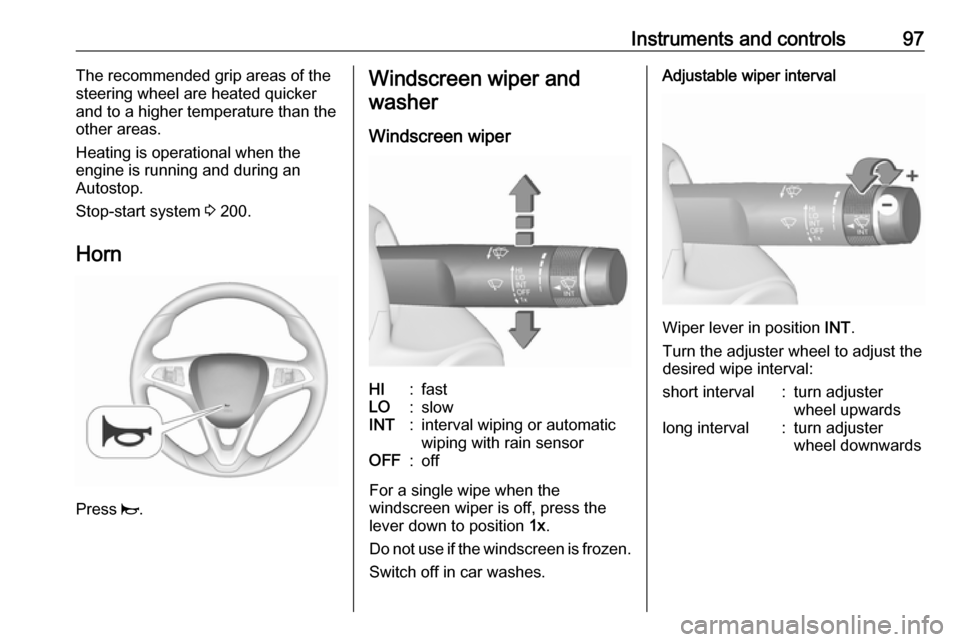
Adjustable wiper interval
Wiper lever in position INT.
Turn the adjuster wheel to adjust the
desired wipe interval:
short interval:turn adjuster
wheel upwardslong interval:turn adjuster
wheel downwards
Page 100 of 339
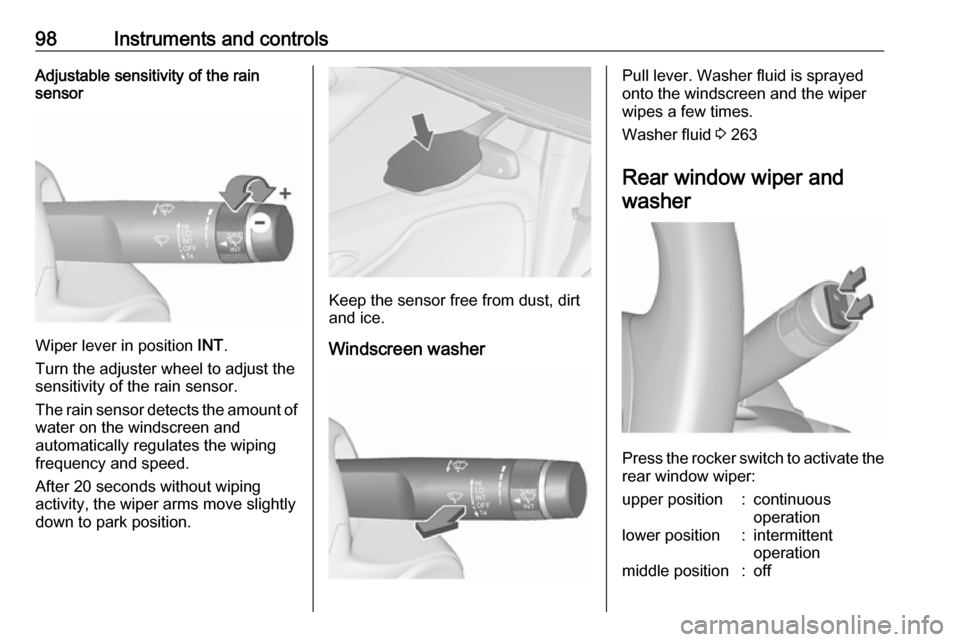
98Instruments and controlsAdjustable sensitivity of the rain
sensor
Wiper lever in position INT.
Turn the adjuster wheel to adjust the
sensitivity of the rain sensor.
The rain sensor detects the amount of water on the windscreen and
automatically regulates the wiping
frequency and speed.
After 20 seconds without wiping
activity, the wiper arms move slightly
down to park position.
Keep the sensor free from dust, dirt
and ice.
Windscreen washer
Pull lever. Washer fluid is sprayed
onto the windscreen and the wiper
wipes a few times.
Washer fluid 3 263
Rear window wiper and washer
Press the rocker switch to activate the
rear window wiper:
upper position:continuous
operationlower position:intermittent
operationmiddle position:off
Page 104 of 339
102Instruments and controlsWarning lights, gauges
and indicators
Instrument cluster
In some versions, the needles of the
instruments briefly rotate to the end
position when the ignition is switched
on.
Speedometer
Indicates vehicle speed.
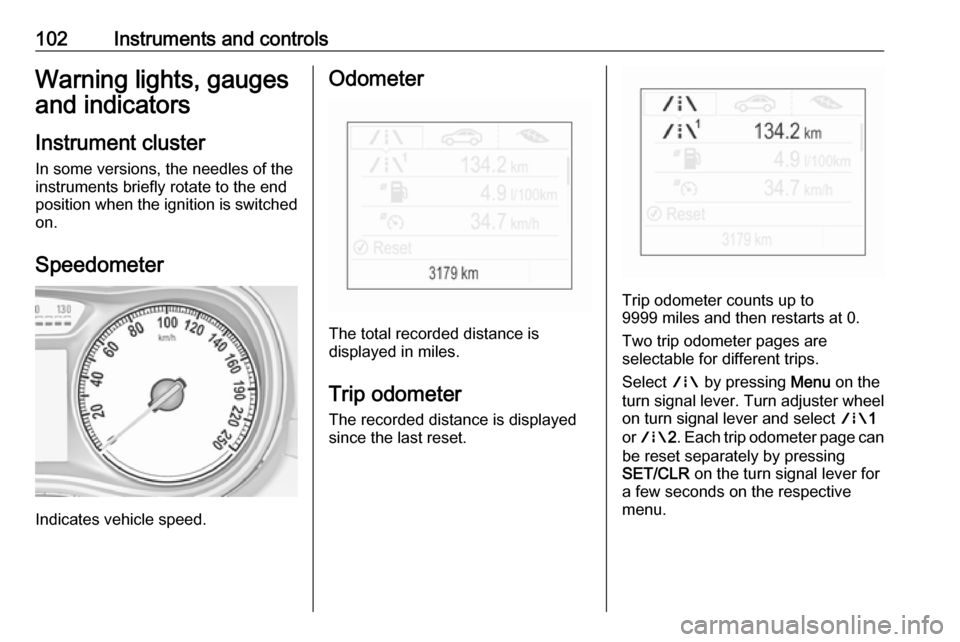
Odometer
The total recorded distance is
displayed in miles.
Trip odometer The recorded distance is displayed
since the last reset.
Trip odometer counts up to
9999 miles and then restarts at 0.
Two trip odometer pages are
selectable for different trips.
Select ; by pressing Menu on the
turn signal lever. Turn adjuster wheel
on turn signal lever and select ;1
or ; 2. Each trip odometer page can
be reset separately by pressing
SET/CLR on the turn signal lever for
a few seconds on the respective
menu.
Page 109 of 339
Instruments and controls107This can be an additional engine oil
and filter change or part of a regular
service.
The remaining oil life duration menu
is displayed in the Driver Information
Centre 3 116.
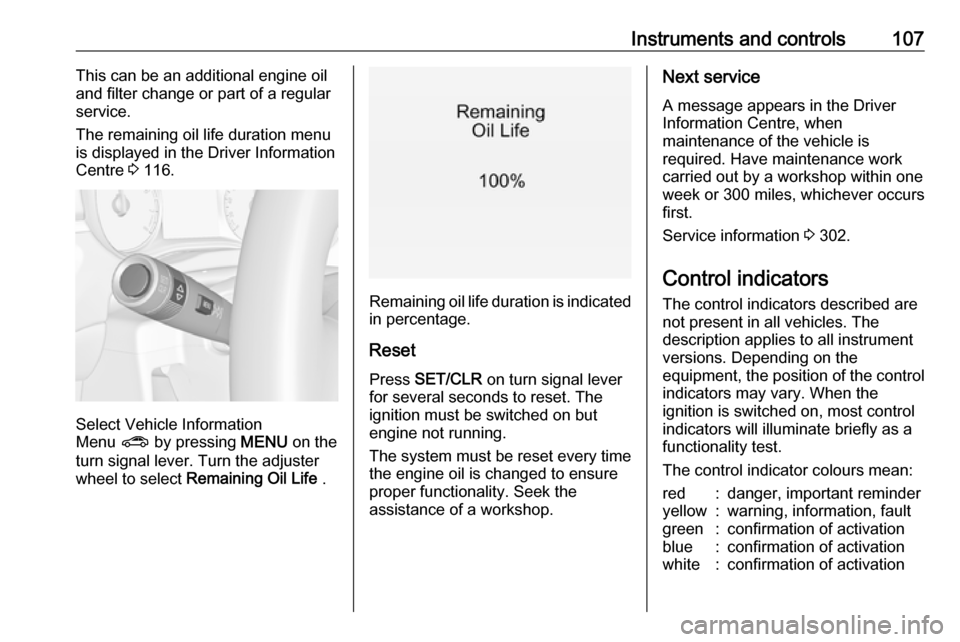
Select Vehicle Information
Menu ? by pressing MENU on the
turn signal lever. Turn the adjuster wheel to select Remaining Oil Life .
Remaining oil life duration is indicated
in percentage.
ResetPress SET/CLR on turn signal lever
for several seconds to reset. The
ignition must be switched on but
engine not running.
The system must be reset every time
the engine oil is changed to ensure
proper functionality. Seek the
assistance of a workshop.
Next service
A message appears in the Driver
Information Centre, when
maintenance of the vehicle is
required. Have maintenance work
carried out by a workshop within one
week or 300 miles, whichever occurs
first.
Service information 3 302.
Control indicators
The control indicators described are
not present in all vehicles. The
description applies to all instrument
versions. Depending on the
equipment, the position of the control indicators may vary. When the
ignition is switched on, most control
indicators will illuminate briefly as a
functionality test.
The control indicator colours mean:red:danger, important reminderyellow:warning, information, faultgreen:confirmation of activationblue:confirmation of activationwhite:confirmation of activation
Page 116 of 339

114Instruments and controlsPreheating! illuminates yellow.
Preheating is activated. Only
activates when outside temperature
is low.
Exhaust filter % illuminates or flashes yellow.
The exhaust filter requires cleaning.
Continue driving until %
extinguishes. If possible, do not allow
engine speed to drop below
2000 rpm.
Illuminates
The exhaust filter is full. Start cleaning
process as soon as possible.
Flashes
The maximum filling level of the filter is reached. Start cleaning process
immediately to avoid damage to the
engine.
Exhaust filter 3 203, Stop-start
system 3 200.AdBlue
Y flashes yellow.
AdBlue level is low. Refill AdBlue soon to avoid prevention of the
engine start.
AdBlue 3 205.
Tyre pressure monitoring system
w illuminates or flashes yellow.
Illuminates
Tyre pressure loss. Stop immediately
and check tyre pressure.
Flashes
Fault in system or tyre without
pressure sensor mounted (e.g. spare
wheel). After 60-90 seconds the
control indicator illuminates
continuously. Consult a workshop.
Engine oil pressure
I illuminates red.Illuminates when the ignition is
switched on and extinguishes shortly
after the engine starts.
Illuminates when the engine is
runningCaution
Engine lubrication may be
interrupted. This may result in
damage to the engine and/or
locking of the drive wheels.
1. Depress clutch.
2. Select neutral gear, set selector lever to N.
3. Move out of the flow of traffic as quickly as possible without
impeding other vehicles.
4. Switch off ignition.
Page 117 of 339

Instruments and controls1159Warning
When the engine is off,
considerably more force is needed
to brake and steer. During an
Autostop the brake servo unit will still be operational.
Do not remove key until vehicle is stationary, otherwise the steeringwheel lock could engage
unexpectedly.
Check oil level before seeking the
assistance of a workshop 3 260.
Low fuel
Y illuminates or flashes yellow.
Illuminates
Level in fuel tank is too low.
Flashes
Fuel used up. Refuel immediately.
Never run the tank dry.
Refuelling 3 247.
Catalytic converter 3 204.
Bleeding the diesel fuel system
3 265.
Immobiliser d flashes yellow.
Fault in the immobiliser system. The
engine cannot be started.
Exterior light 8 illuminates green.
The exterior lights are on 3 129.
High beam
C illuminates blue.
Illuminates when high beam is on,
during headlight flash 3 130 , or when
high beam is on with high beam assist
3 130.
High beam assist f illuminates green.
The high beam assist is activated
3 133.LED headlights
f illuminates or flashes yellow.
Illuminates
Fault in the system.
Seek the assistance of a workshop.
Flashes
System is switched to symmetrical
low beam.
Control indicator f flashes for approx.
four seconds after the ignition is
switched on as a reminder for
symmetrical headlight 3 132.
Fog light > illuminates green.
The front fog lights are on 3 134.
Rear fog light
r illuminates yellow.
The rear fog light is on 3 135.
Cruise control m illuminates white or green.
Page 119 of 339
Instruments and controls117The following indications appear if
required:
● warning messages 3 122
● gear shift indication 3 113
● drive mode indication 3 208
● tyre pressure warning 3 282
● seat belt reminder indication 3 110
● service information 3 106
Some of the displayed functions differ
when the vehicle is being driven or at
a standstill. Some functions are only
available when the vehicle is being
driven.
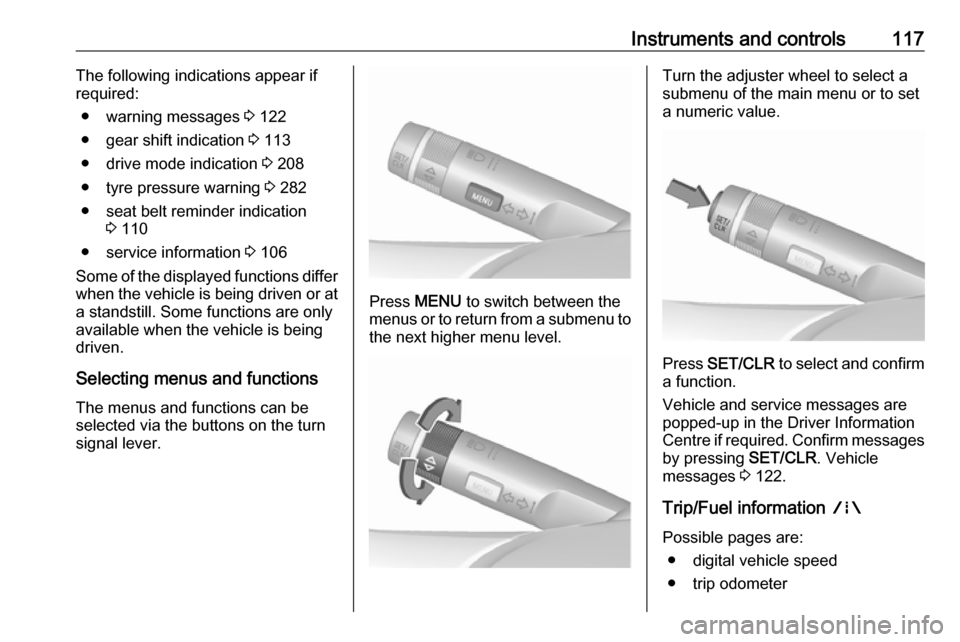
Selecting menus and functions The menus and functions can be
selected via the buttons on the turn signal lever.
Press MENU to switch between the
menus or to return from a submenu to the next higher menu level.
Turn the adjuster wheel to select a
submenu of the main menu or to set a numeric value.
Press SET/CLR to select and confirm
a function.
Vehicle and service messages are
popped-up in the Driver Information
Centre if required. Confirm messages
by pressing SET/CLR. Vehicle
messages 3 122.
Trip/Fuel information ;
Possible pages are: ● digital vehicle speed
● trip odometer
Page 120 of 339

118Instruments and controls● average fuel economy
● average vehicle speed
● instantaneous fuel economy
● fuel range
● fuel range, bi-fuel engine
● fuel level, bi-fuel engine
● timer
Digital vehicle speed
Digital display of the instantaneous
speed.
Trip odometer
Trip odometer displays the current
distance since a certain reset.
Trip odometer counts up to
9999 miles and then restarts at 0.
Turn the adjuster wheel to select between trip page 1 and 2.
To reset, press SET/CLR for a few
seconds while viewing this page.
The information of trip page 1 and 2
can be reset separately while the
respective display is active.Average fuel economy
Display of average consumption. The measurement can be reset at any
time and starts with a default value.
To reset, press SET/CLR for a few
seconds while viewing this page.
The information of trip page 1 and 2
can be reset separately while the
respective display is active.
On vehicles with bi-fuel engines:
Average consumption is indicated for
the currently selected mode, LPG,
CNG or petrol.
Average vehicle speed
Display of average speed. The
measurement can be reset at any
time.
To reset, press SET/CLR for a few
seconds while viewing this page.
The information of trip page 1 and 2
can be reset separately while the
respective display is active.
Instantaneous fuel economy
Display of the instantaneous
consumption.On vehicles with bi-fuel engines:
Instantaneous consumption is
indicated for the currently selected
mode, LPG, CNG or petrol.
Fuel range
Range is calculated from current fuel
tank level and current consumption.
The display shows average values.
After refuelling, the range is updated
automatically after a brief delay.
When the fuel level in the tank is low,
a message appears on the display
and control indicator Y in the fuel
gauge illuminates.
When the tank must be refuelled
immediately, a warning message
appears and remains on the display.
Additionally, control indicator Y
flashes in the fuel gauge 3 115.
Page 121 of 339
Instruments and controls119Fuel range, bi-fuel engine
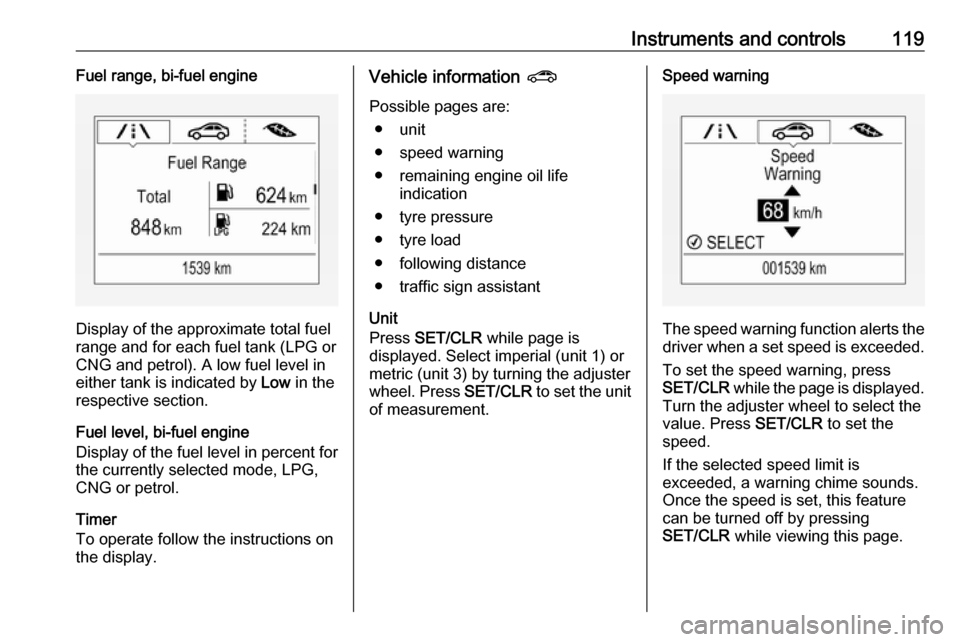
Display of the approximate total fuel
range and for each fuel tank (LPG or
CNG and petrol). A low fuel level in
either tank is indicated by Low in the
respective section.
Fuel level, bi-fuel engine
Display of the fuel level in percent for the currently selected mode, LPG,
CNG or petrol.
Timer
To operate follow the instructions on
the display.
Vehicle information ?
Possible pages are: ● unit
● speed warning
● remaining engine oil life indication
● tyre pressure
● tyre load
● following distance
● traffic sign assistant
Unit
Press SET/CLR while page is
displayed. Select imperial (unit 1) or
metric (unit 3) by turning the adjuster
wheel. Press SET/CLR to set the unit
of measurement.Speed warning
The speed warning function alerts the driver when a set speed is exceeded.
To set the speed warning, press
SET/CLR while the page is displayed.
Turn the adjuster wheel to select the
value. Press SET/CLR to set the
speed.
If the selected speed limit is
exceeded, a warning chime sounds.
Once the speed is set, this feature
can be turned off by pressing
SET/CLR while viewing this page.